
How To Automate Your Print-on-Demand Workflow
Overview: A complete, practical playbook for automating every critical step of a modern POD business: (1) AI artwork creation (semi- and fully-automated), (2) automated POD product creation at scale, (3) SEO-optimized titles, descriptions, and tags, (4) Photoshop mockup automation, and (5) email marketing that runs itself. Replace repetitive work with repeatable systems so you can scale faster with consistent quality.

Introduction: Why Automating Your Workflow Changes Everything
The success of a print-on-demand (POD) business often comes down to scale. Sellers who manage to publish hundreds—or even thousands—of products across multiple niches consistently outperform those who only have a handful of listings. Why? Because every new product is another chance to rank in search results , another opportunity to capture a buyer’s attention, and another potential stream of revenue.
But here’s the problem: building that kind of catalog manually is brutal. Uploading designs, writing titles, creating mockups, and setting up email campaigns for each product can eat up your entire week. And while you’re stuck doing repetitive busywork, your competitors are moving faster.
That’s where workflow automation comes in. By breaking down your POD process into its core parts and automating the most time-consuming steps, you not only save time—you also increase consistency, reduce errors, and unlock the ability to scale far beyond what would be possible manually.
Automation turns your workflow from a grind into a repeatable system. Instead of working in your business, you work on it—setting up tools and rules that generate listings, marketing campaigns, and mockups automatically.
Before Automating: Break Down Your Workflow Into Core Components
The first step in automation isn’t to dive headfirst into tools—it’s to analyze your workflow. Most POD sellers make the mistake of trying to automate everything at once. The better approach is to focus on the tasks that:
- Take the most time.
- Deliver the biggest results.
- Cause the most bottlenecks.
For nearly every POD seller, these “pressure points” are the same:
- Creating original artwork.
- Publishing products and listings.
- Writing SEO-rich product descriptions.
- Designing custom mockups to showcase products.
- Setting up marketing campaigns (especially email).
Once you identify these pillars, the path forward is clear. Automate these five areas, and your entire workflow becomes smoother, faster, and more scalable.
Let’s go step by step.
Step 1: Automating Artwork Creation
Without artwork, you have nothing to sell. Unfortunately, manually creating new designs is one of the slowest and most resource-intensive steps in the POD workflow.
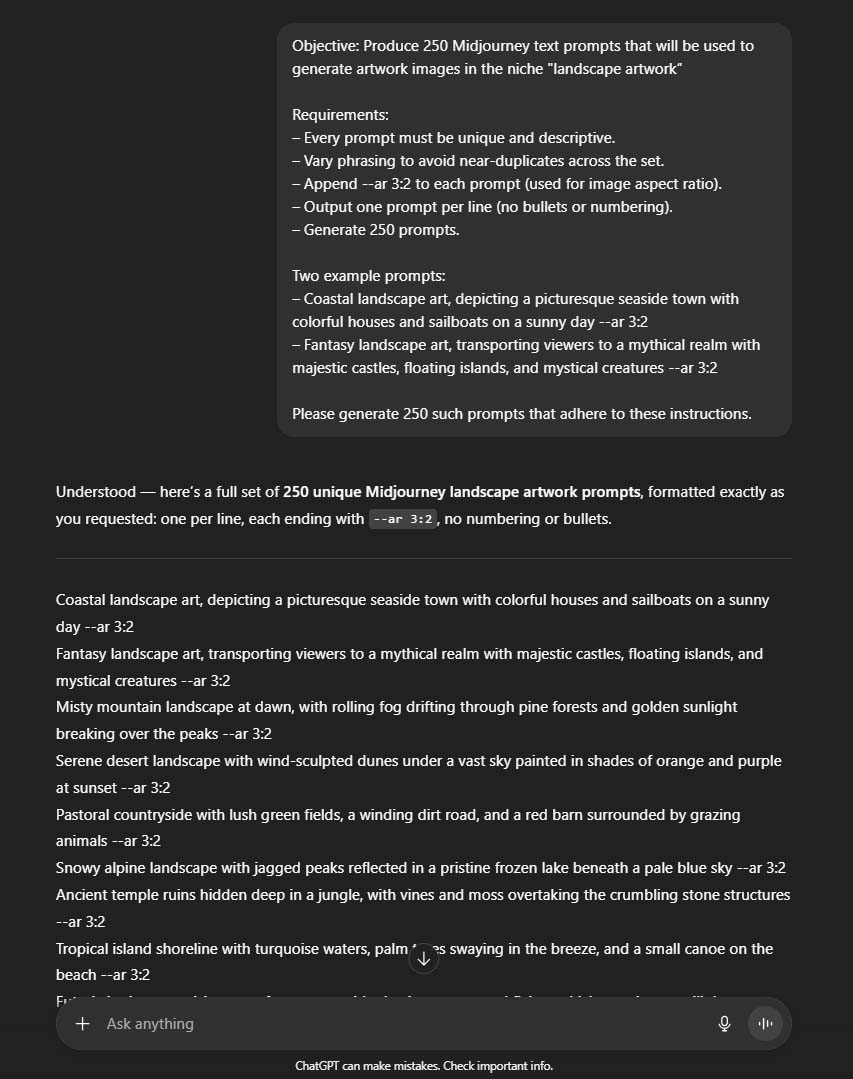
Semi-Automated Method: Using AI Prompts + ChatGPT
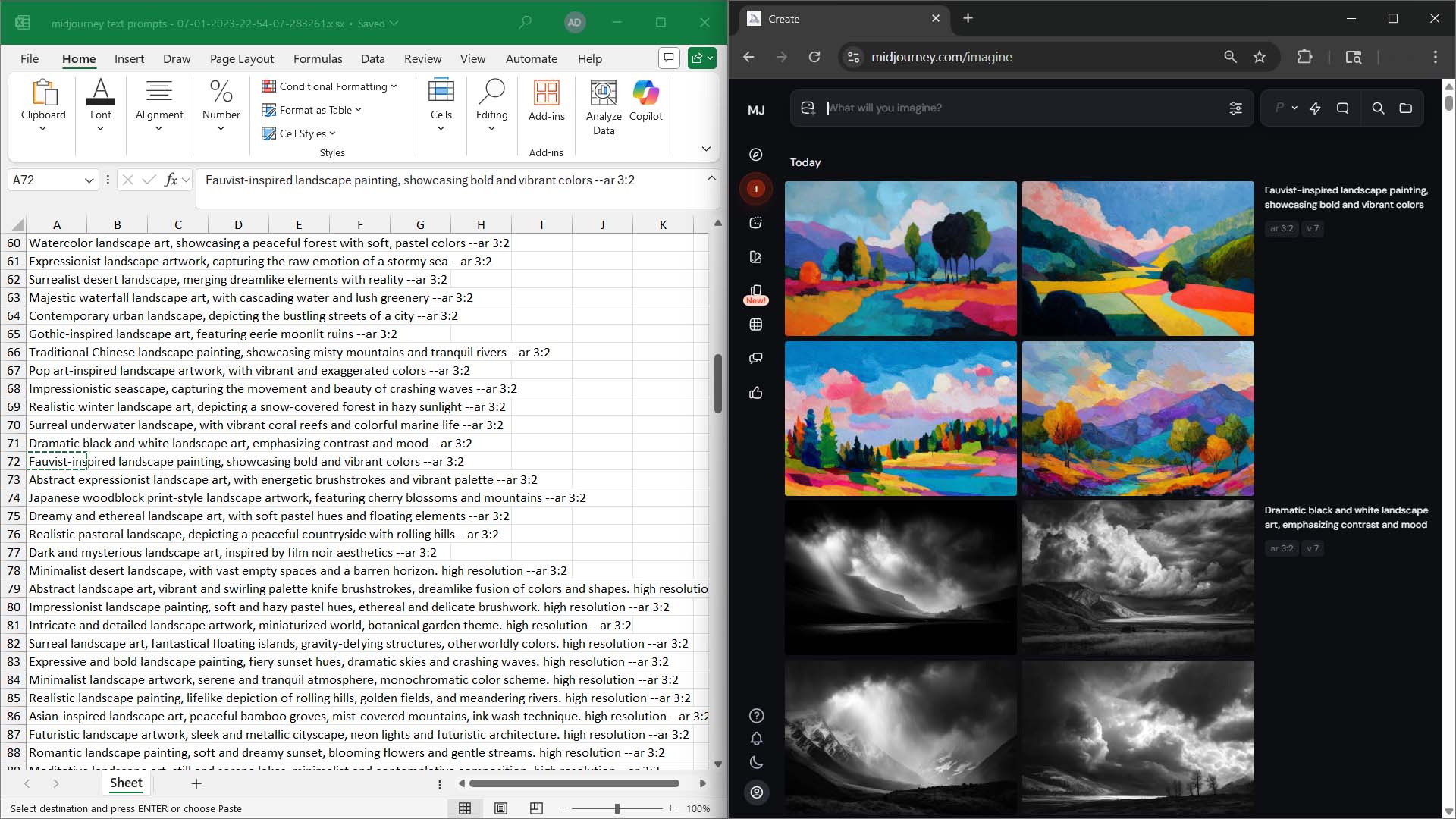
AI image generators like Midjourney let you produce original artwork by feeding in descriptive text prompts. Instead of designing each piece manually, you describe the idea, and the AI produces multiple variations instantly.

You can scale further by using ChatGPT to create bulk lists of prompts. For example: “Generate 200 unique prompts for surreal space landscapes.” Paste them into your AI tool, generate, curate, upscale, and save the best results.
This transforms what would take weeks into a productive afternoon.
Fully Automated Method: Python + DALL·E 3
For sellers ready to go even deeper, you can automate artwork creation entirely with the OpenAI API (DALL·E 3 / gpt-image-1). A simple Python script can process a list of prompts and bulk-generate images directly into a folder while you sleep.
To learn more about how to automate this, we’ve published a full guide here:
👉 How to Automate the Creation of AI Images for Print-on-Demand
That article walks through:
- Setting up OpenAI accounts, API keys, and costs.
- Running the Python script locally to generate artwork.
- Bulk prompt generation with ChatGPT.
- Advanced image curation techniques.
Why Automating Artwork Matters
- Volume: Hundreds of designs instead of a handful.
- Variety: Enter multiple niches and test ideas faster.
- Speed: Cut weeks of work down to hours.
- Cost efficiency: Beyond subscription/API costs, new designs are virtually free.
- Leverage: Free up your time for higher-level business strategy.
Step 2: Automating POD Product Creation
Once you’ve got artwork, the next bottleneck is uploading it into your POD store. Doing this manually—upload, resize, configure variants, set prices, write copy, and publish—is the single most time-consuming part of POD.
The Bulk POD Product Creator eliminates this bottleneck.
How It Works
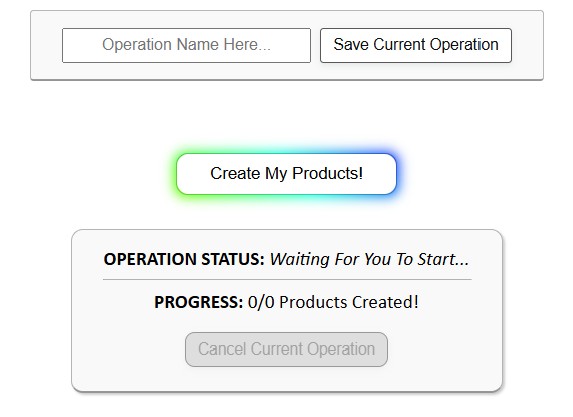
- Load your artwork folder. Each image becomes the seed for a product.
- Configure placement rules. Options include Stretch to Fit, Preserve Aspect Ratio, or Exactly Match Example Image(s).
- Choose an Example Product. This blueprint carries over variants, print areas, and pricing.
- Click “Create My Products.” This tool generates all your POD products automatically, saving you tons of time on your print-on-demand workflow.


Why This Matters
- Scalability: Listing hundreds of products becomes achievable.
- Consistency: Every product follows standardized rules.
- Error reduction: Automation prevents skipped variants and sloppy uploads.
- Time savings: Days of manual labor shrink to minutes.
Step 3: Automating SEO Titles, Descriptions, and Tags
A product without optimized metadata won’t get discovered. SEO-optimized titles, descriptions, and tags are critical for ranking in marketplaces and search engines. But writing them manually for hundreds of listings is exhausting—and the quality usually suffers.
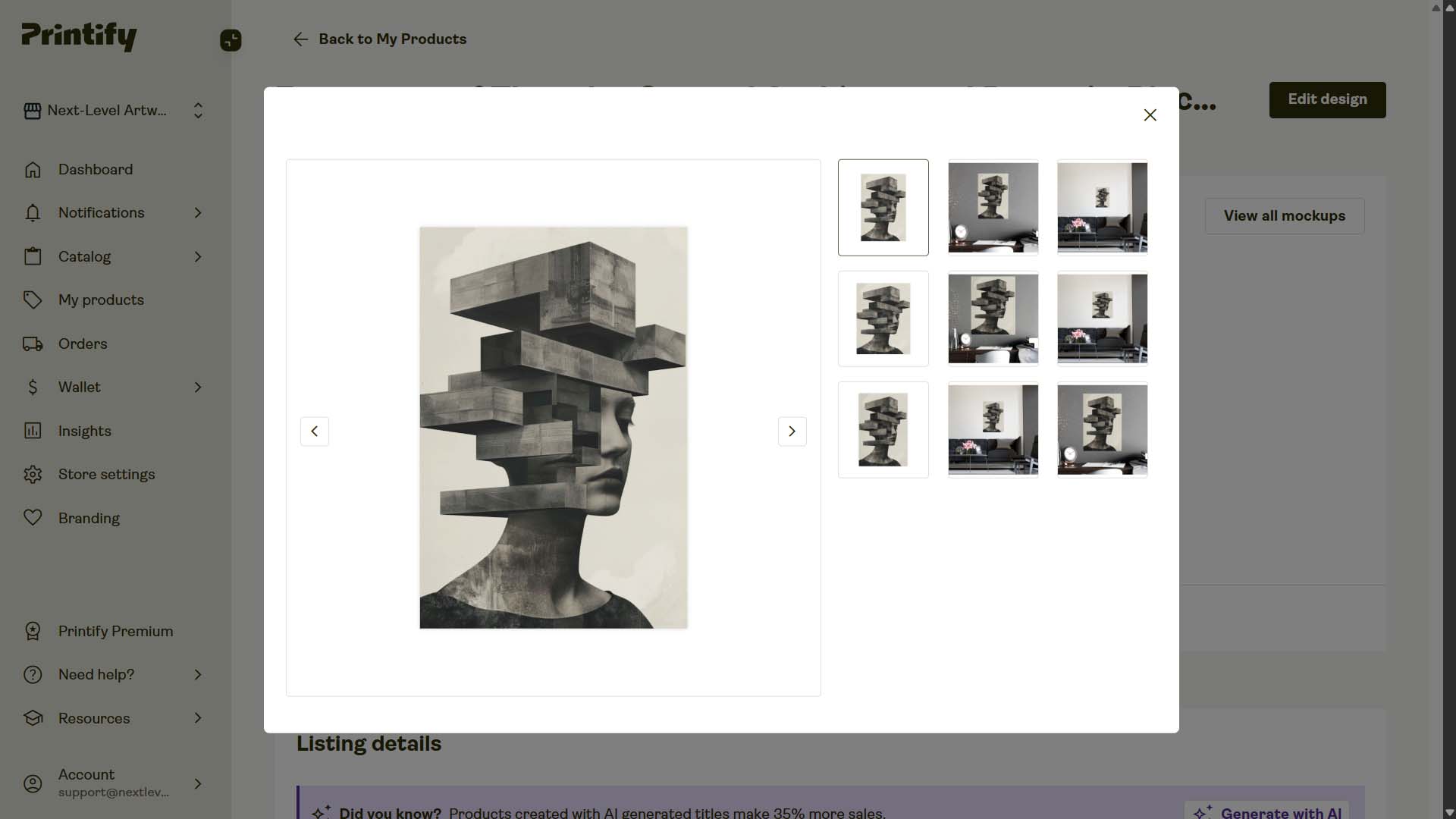
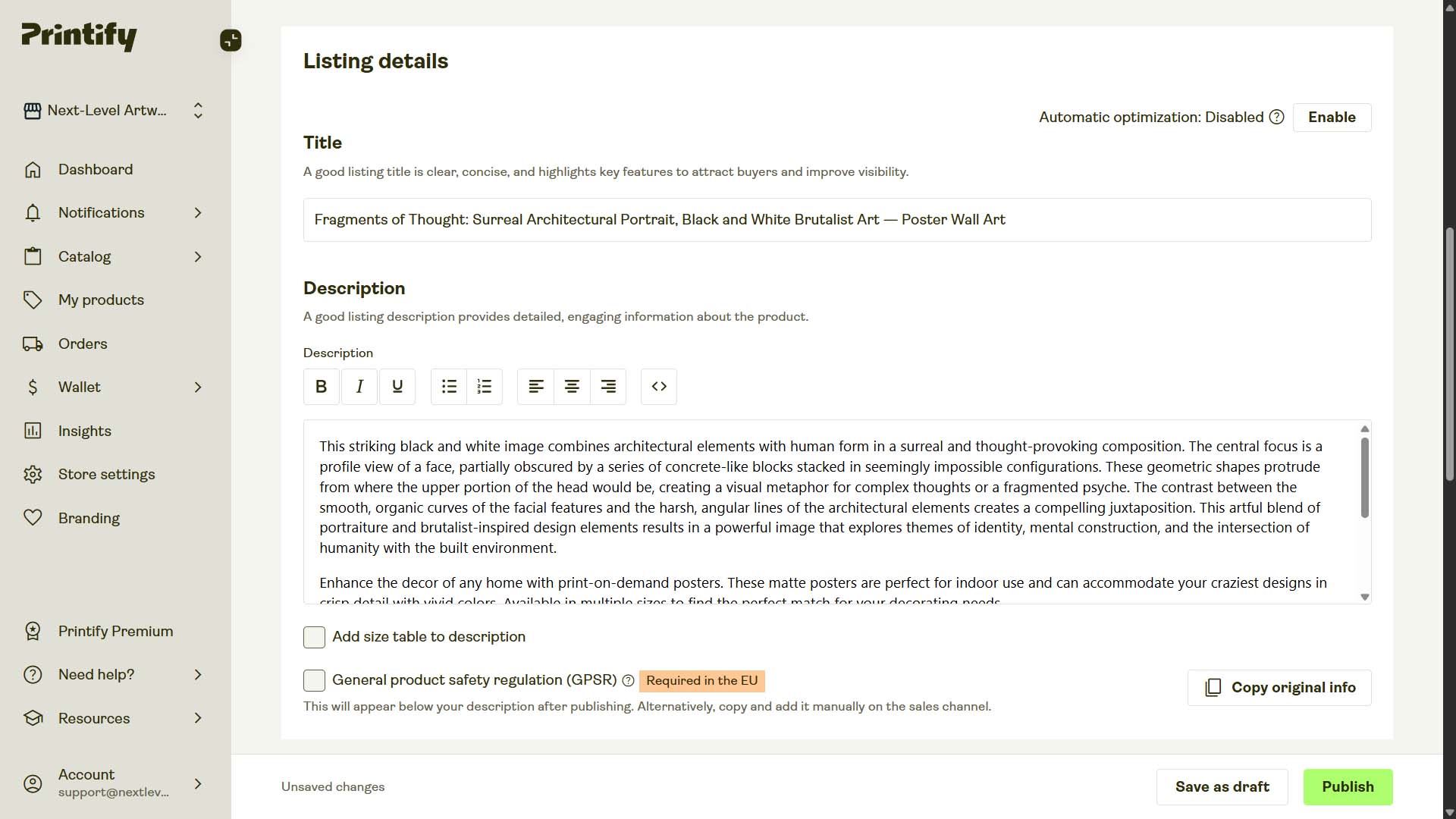
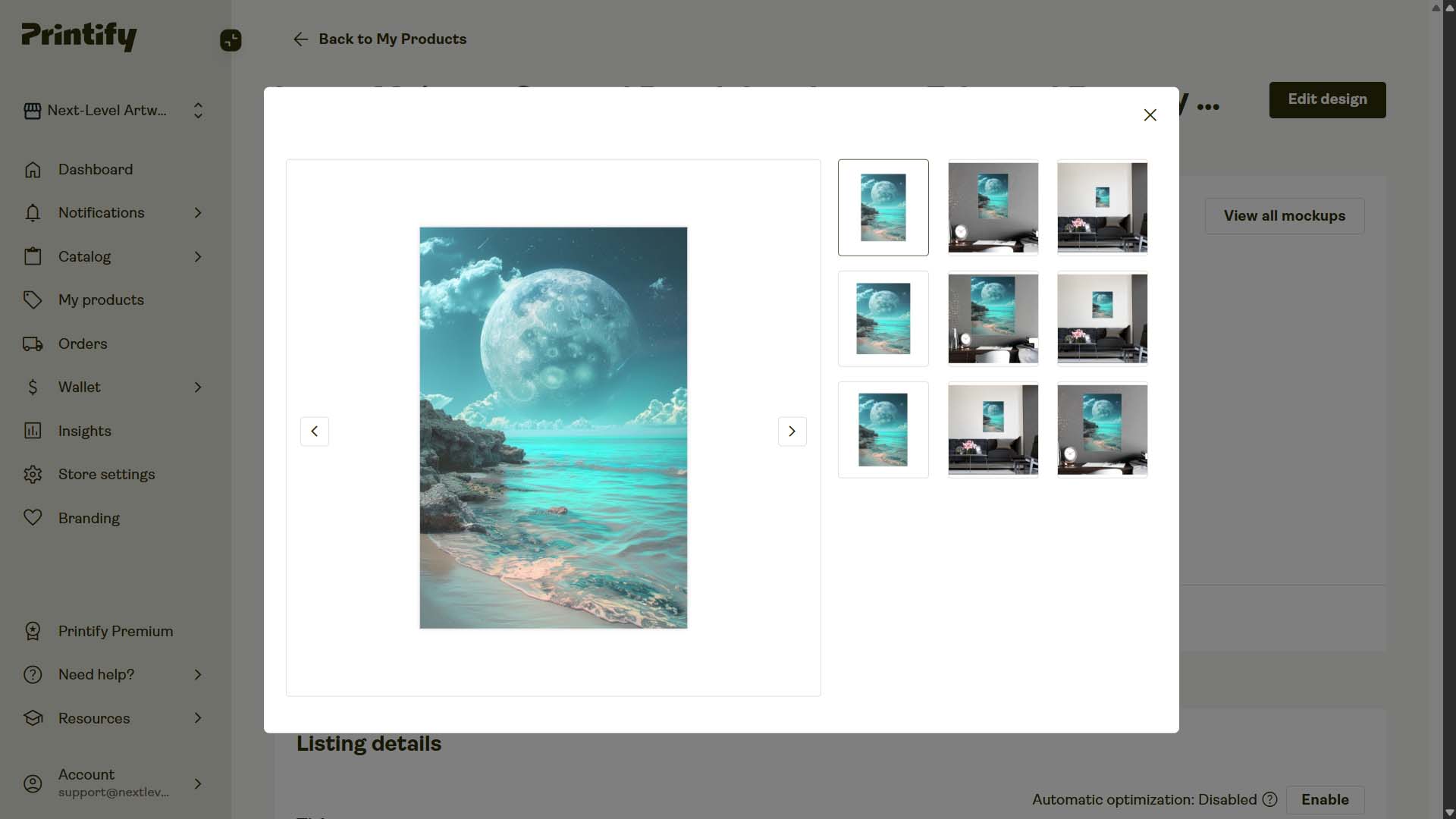
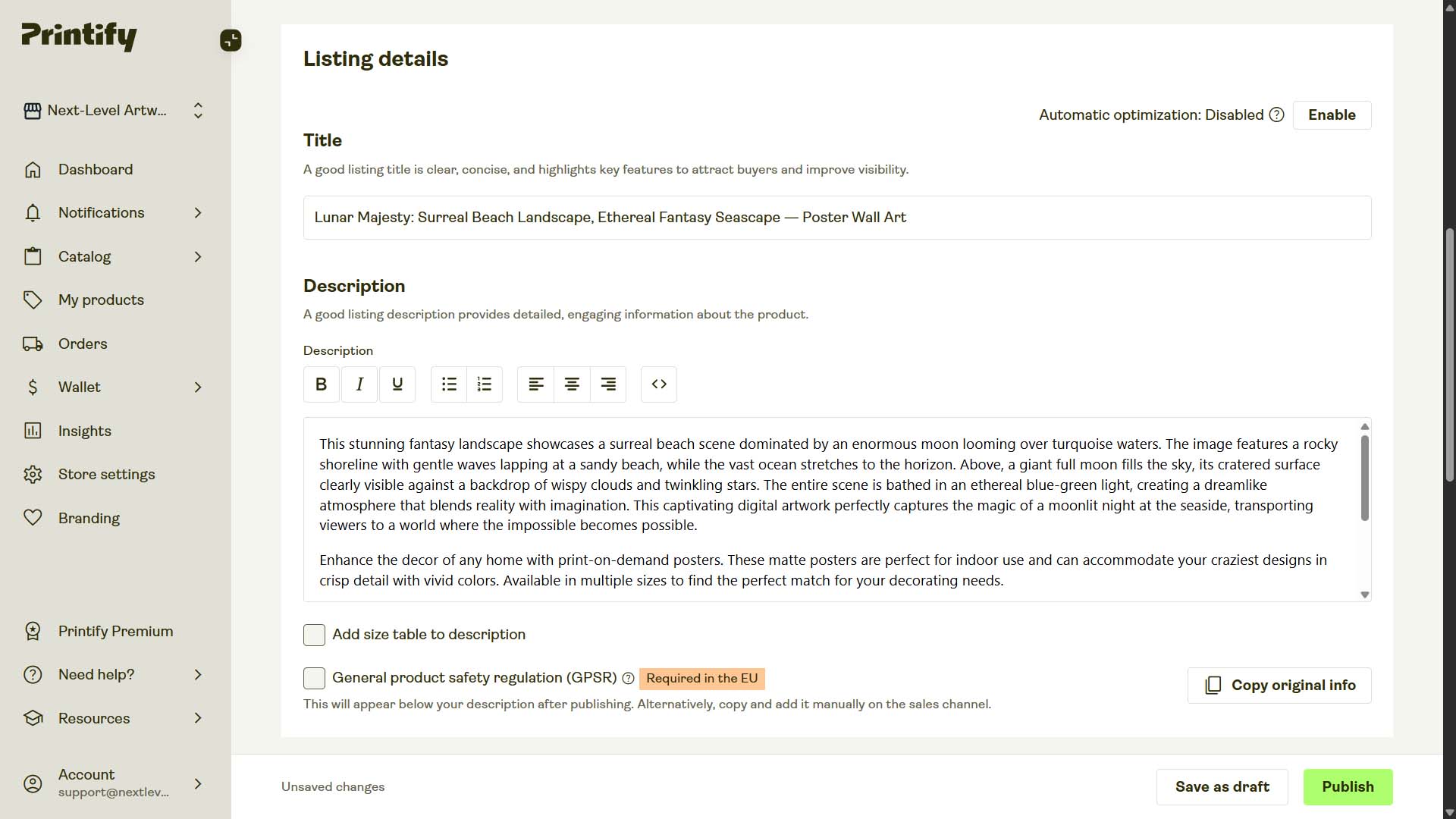
The Bulk POD Product Creator doubles as an SEO automation engine. This tool passes all of your artwork images through an AI image recognition tool, then automatically generates accurate, keyword-rich, SEO-optimized titles, descriptions, and tags for each created POD product.

Key SEO Automation Features
Compound vs Simple Titles
Simple titles summarize or title the artwork image concisely: (Example Simple Title: "Full Moon Landscape")
Compound titles are multi-segment titles that begin with a Simple title at the front, followed by several keyword-rich subtitles that describe the artwork image in a variety of ways (e.g., subject, style/medium, color, etc). You choose how many segments to include, which allows a single title to target multiple closely related long-tail queries—without keyword stuffing. (Example Compound Title: "Full Moon Landscape: Black & White Photography, Scenic Night Artwork")
Custom Title Text
Append suffixes like “— Canvas Print,” “— Poster Wall Art,” or “— Cotton T-Shirt.” This mirrors how buyers actually phrase searches (e.g., “retro mountain poster wall art”) and dramatically increases your visibility. You can also combine the AI-generated title with your suffix using a consistent title template.

Longer-Form Descriptions
AI-generated descriptions naturally include synonyms, related terms, and long-tail phrases. This means your product can rank for dozens of queries—not just one.
Tags That Actually Work
Automation ensures every product is published with a rich, relevant tag set. Manual tagging at scale usually leads to “phoning it in.” Automation never cuts corners.
Why Automated SEO Beats Manual SEO
At small volumes, you can put effort into each title and description. At scale, most sellers get fatigued and settle for low-quality metadata. Automation doesn’t get tired—it gives 100% effort every time, ensuring consistently excellent SEO across your entire catalog.
The result: more impressions, more clicks, and more sales.
Step 4: Automating Mockup Image Creation
High-quality mockups elevate your products and brand. Default mockups from POD platforms often look generic and uninspiring. Custom mockups, by contrast, make your products look premium and help improve conversion rates.
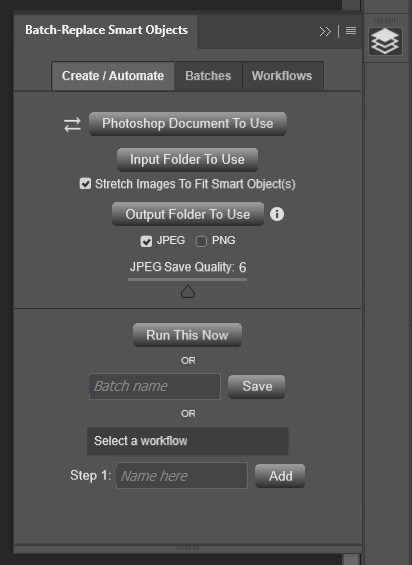
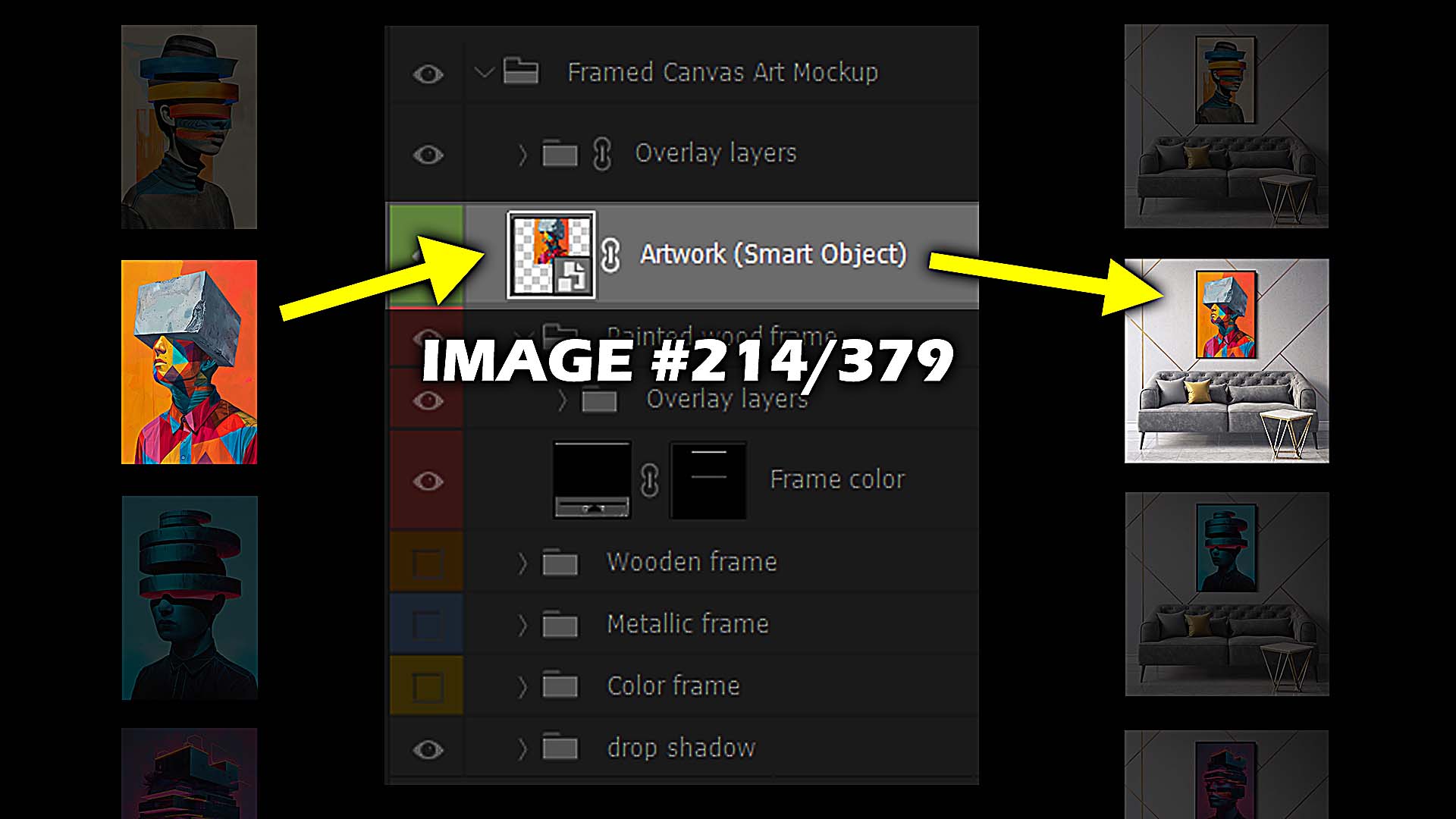
The Batch-Replace Smart Objects plugin automates mockup creation in Photoshop.
How It Works
- Load your PSD template(s).
- Point the plugin to your artwork folder.
- Set resizing/export rules.
- Run the operation—Photoshop handles the rest.
Core Features
- Single PSD Mode for applying one template to many artworks.
- Folder Mode for multiplying across many templates.
- Stretch-to-Fit option.
- Workflows to chain multiple saved operations.
- Multi-Smart-Object support for templates with multiple layers.
Why This Matters
- Better branding: Polished visuals make your store look professional.
- Higher conversions: Customers trust high-quality images.
- Time savings: Hundreds of mockups generated in minutes.
- Scalability: More variation, more marketing material, more opportunity.
Step 5: Automating Email Marketing
Even with great products and visuals, your business needs repeat buyers. The most reliable channel for this is email marketing. But manually sending campaigns is unsustainable.
Platforms like MailChimp or Klaviyo allow you to automate everything end-to-end:
How It Works
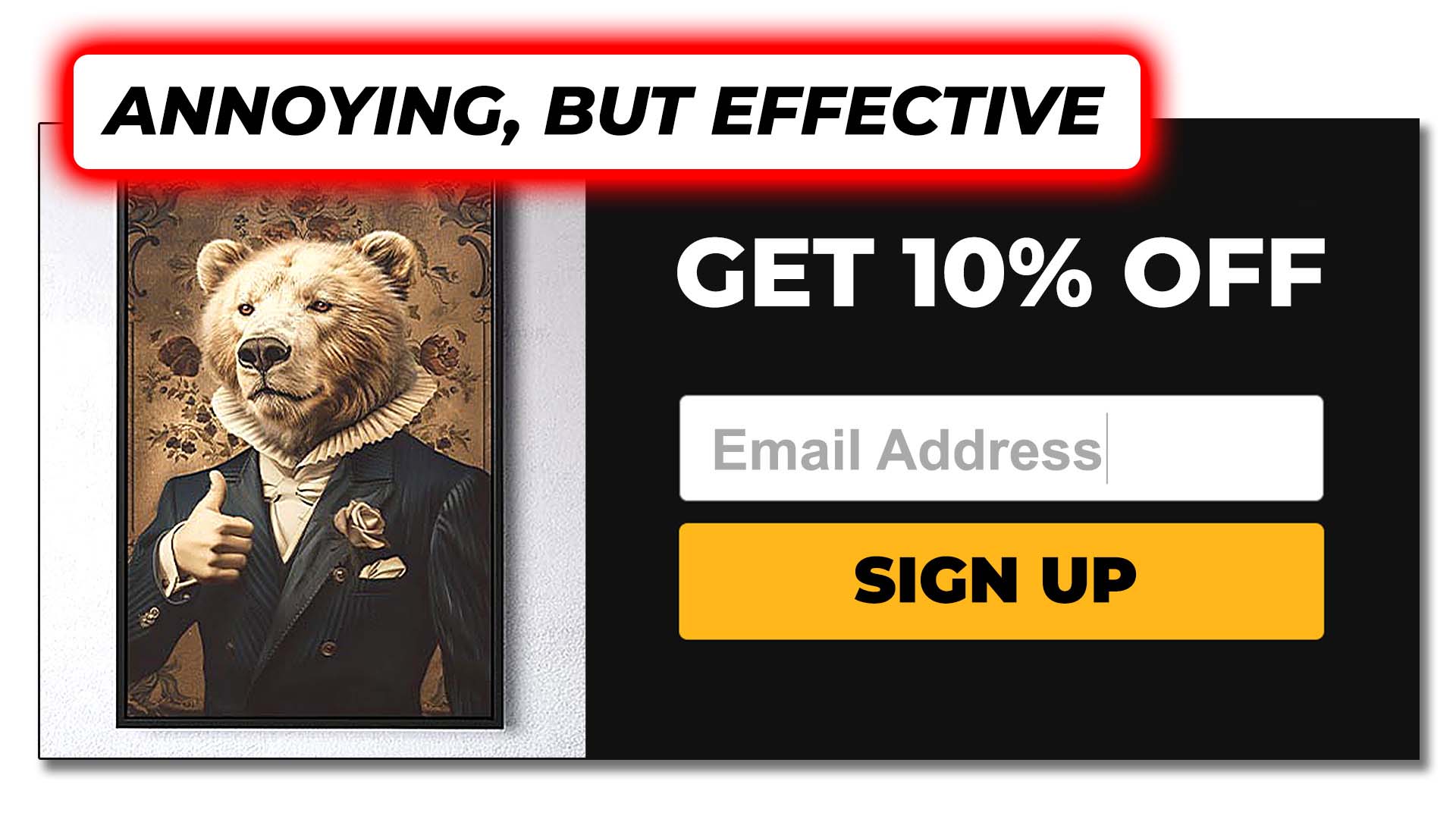
- List capture: Connect your store (e.g., Shopify) to automatically add subscribers from checkouts, popups, or signup forms.
- Automated sequences: Every new subscriber enters a welcome flow or nurture sequence automatically.
- Abandoned cart recovery: Trigger personalized emails whenever a shopper leaves items in their cart.
- Promotional campaigns: Announce sales or seasonal offers to your list automatically.
With automation, you stay in constant contact with your customers—without lifting a finger.
Why This Matters
- Hands-free nurturing: Every subscriber receives timely, consistent messaging.
- Recovered revenue: Abandoned cart flows can recapture up to 15% of lost sales.
- Scalability: Whether you have 100 subscribers or 100,000, automation manages the workload.
Conclusion: Turning Your Workflow Into a Machine
Manually running a print-on-demand business is like trying to dig a well with a spoon. You can make progress, but it’s painfully slow and inefficient.
Automation hands you a power drill. By targeting the five key areas of your workflow—artwork, product creation, SEO, mockups, and email—you transform your business into a scalable system that works consistently, day after day.
The benefits stack:
- More products.
- Better SEO.
- Higher-quality visuals.
- Automated marketing.
The result isn’t just more listings—it’s more freedom. Freedom to focus on creativity, testing new niches, and building a brand that grows while you sleep.
If you want to compete in today’s POD landscape, automation isn’t optional—it’s essential. The sellers who embrace it will outpace everyone else.
So the only question is: Which part of your workflow will you automate first?