
Shopify POD Product Generator Tool: Create & Upload Listings In Bulk With AI
Overview: Discover how the Bulk POD Product Creator automates Shopify print-on-demand product generation, enabling bulk creation, AI-powered SEO content, and streamlined workflows. This guide explains the tool's features, step-by-step process, and business benefits for scaling your store efficiently.
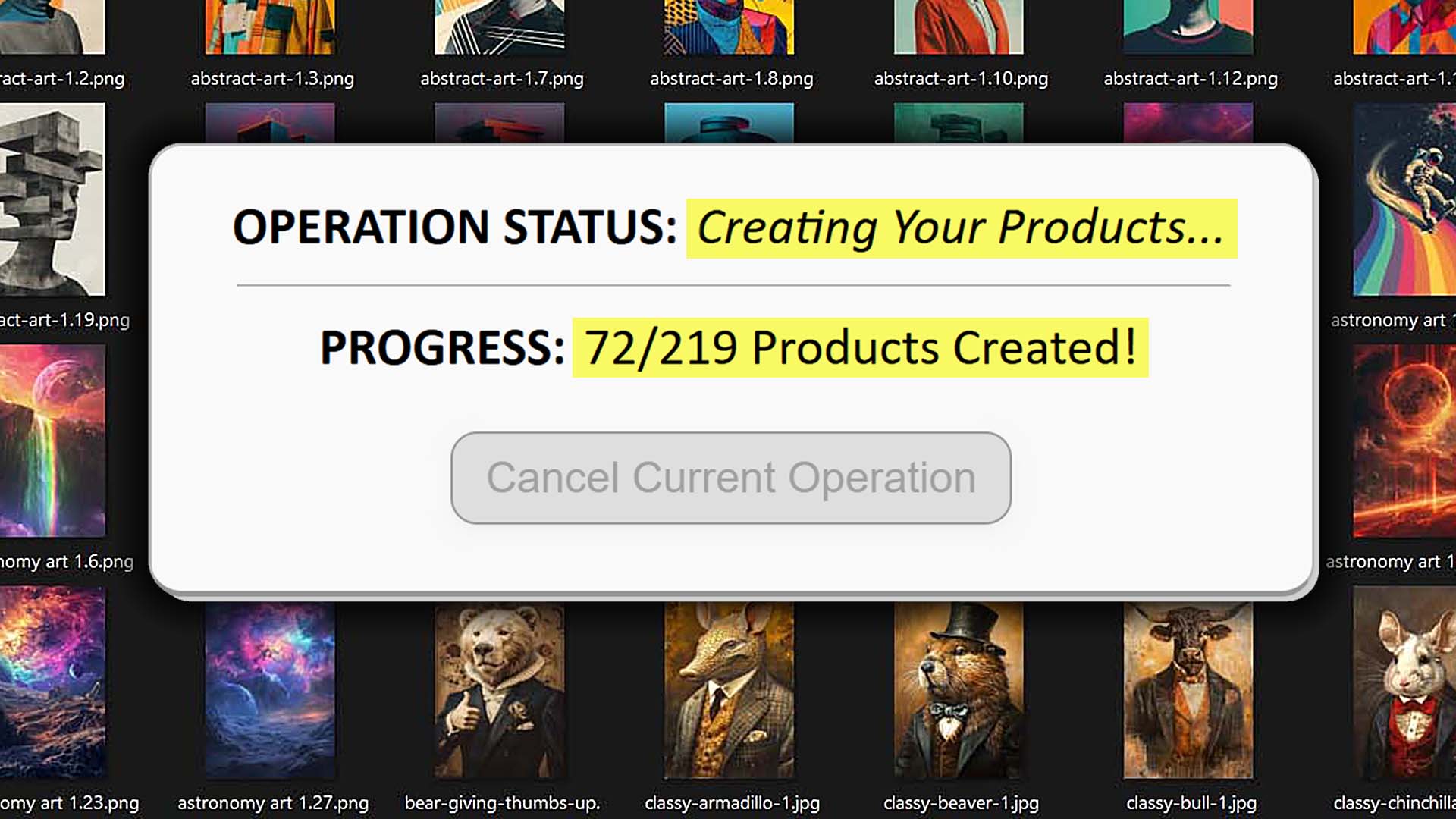
Stop Doing Boring POD Work Manually When You Can Use Automation + AI Instead
Let’s be honest—most print-on-demand sellers spend far too much time doing the wrong kind of work. Clicking through endless menus. Typing titles, descriptions, and tags by hand. Uploading one product at a time and repeating the exact same steps over and over again. It’s not creative work. It’s not strategic work. It’s just busywork.
And if you're running a Shopify store with print-on-demand integrations, you already know how much time this eats up. Manually uploading even 100 designs is enough to kill an entire weekend—and that’s before you even start optimizing listings for SEO or setting up pricing.
There’s a better way to build your Shopify POD store.
Automation and AI completely change the game. Instead of spending hours doing repetitive tasks, you can use intelligent systems that create, write, and publish listings for you. That’s what the Bulk POD Product Creator—your Shopify print-on-demand product generator tool—is built for.
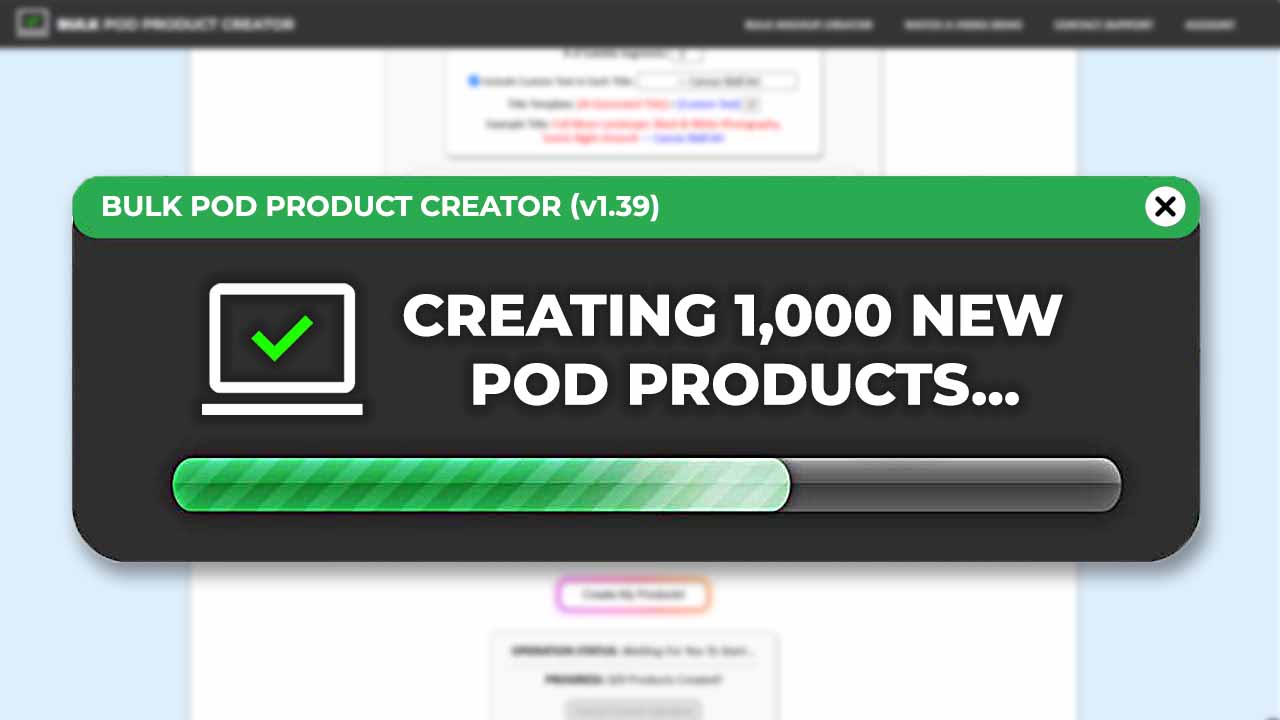
This tool combines large-scale automation with AI-powered content generation to handle everything that makes product creation slow. It builds the products for you, positions your artwork automatically, generates professional SEO titles, descriptions, and tags, and even appends your custom text or HTML templates.
In short: it takes all the boring mechanical steps out of your workflow, so you can focus on the creative and strategic work that actually grows your business.
How This Shopify POD Product Generator Tool Works
At its core, this tool does two incredibly powerful things:
- It creates new POD products for each of your artwork images automatically.
- It writes SEO-optimized titles, descriptions, and tags using AI for each created POD product—combining automation with intelligence to make your products more discoverable and more professional.
Let’s look at each of these two key features in more detail.
Main Feature #1: Creates New POD Products for Each of Your Artwork Images
This is where the real time savings begin. Instead of manually creating one listing at a time, this tool builds dozens, hundreds, or even thousands of Shopify print-on-demand products automatically—all based on your chosen setup.
Here’s how it works in practice:
Step 1: Select Your Artwork Images
Begin by choosing the artwork images you want turned into products—whether they're photography, illustrations, digital paintings, or text-based graphics. Upload them as a batch into the operation.

Step 2: Point the Tool to an Example Product
Next, simply select one of your existing products to act as your Example Product—your ideal “role model.” Whatever configuration that Example Product has (its variants, sizes, colors, and price structure) becomes the blueprint for all newly created products.

For instance:
- If your Example Product includes five size variants priced at $19.99, $24.99, $29.99, $34.99, and $39.99—every new product generated will inherit that exact pricing model.
- If it includes both portrait and landscape orientation variants, those same options will carry over automatically.
Step 3: Run the Operation—and Watch the Tool Generate Products Automatically
Once you click “Create My Products!,” the system goes to work:
- It creates new POD products inside your provider backend for every image in your batch.
- It automatically applies the same configuration, placement, and variant rules as your Example Product.
- It then syncs those new products to your Shopify storefront.
- With a single button click, your artwork files are transformed into fully-configured Shopify POD listings—complete with all the correct variants, pricing, and print-area placements.
No clicking through dozens of menus. No manually assigning print files. No data entry. Just a single automated operation that handles it all for you.
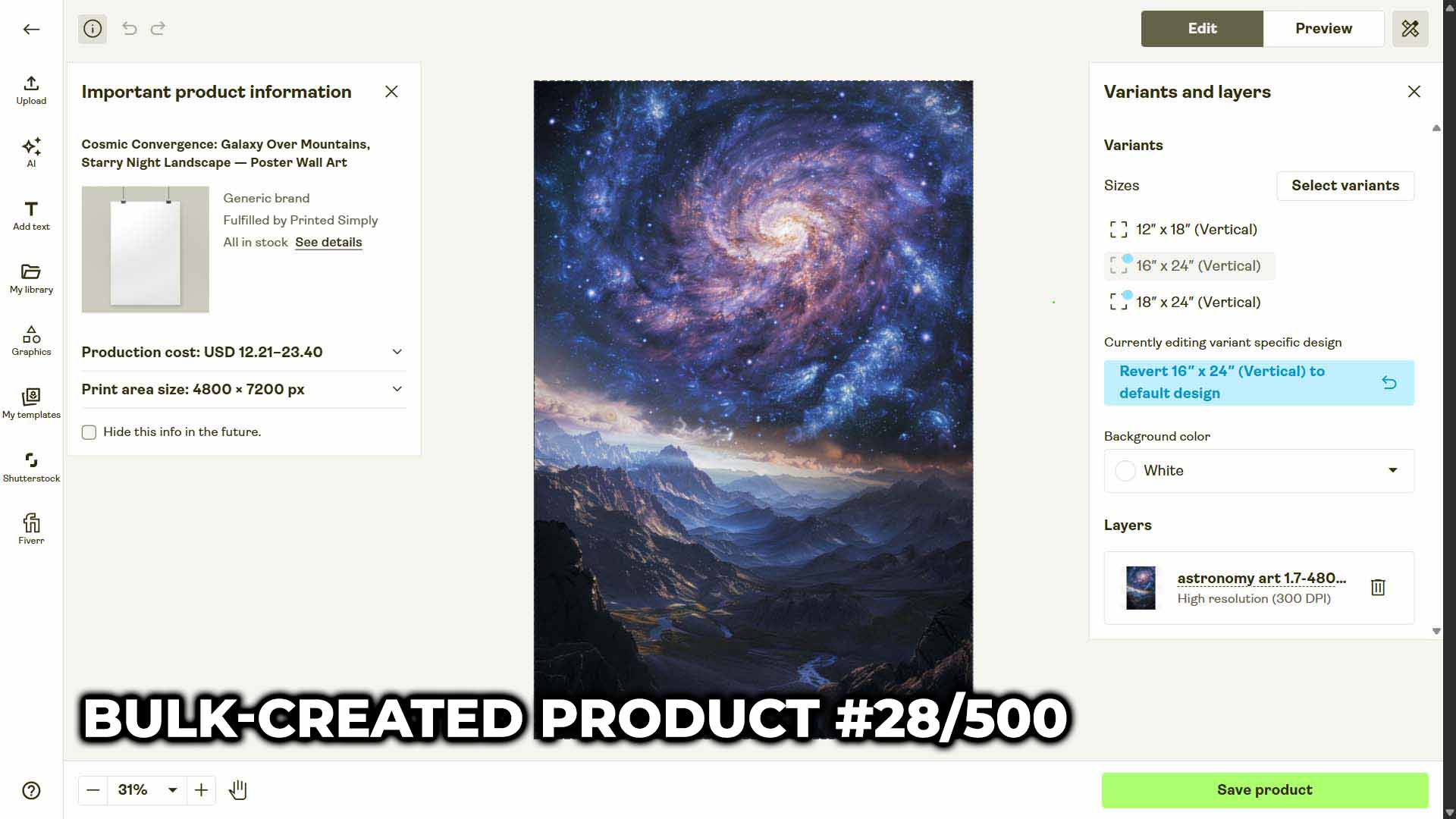
This feature alone eliminates the single most time-consuming bottleneck in every Shopify POD workflow—the endless grind of repetitive product creation.
How the AI Image Recognition Works
Every artwork image you upload is analyzed visually by the AI. It doesn’t just guess—it actually understands what’s inside the image.
It detects:
- Objects, scenery, subjects, and stylistic details.
- The color palette, tone, and composition.
- Any embedded text, such as typography-based graphics or slogans—perfect for t-shirt, poster, or sticker designs.
From that understanding, it generates:
- AI Titles that accurately summarize the visual content of the artwork.
- AI Descriptions that elaborate on style, subject matter, and artistic impression.
- AI Tags that capture the most relevant search terms for discoverability.
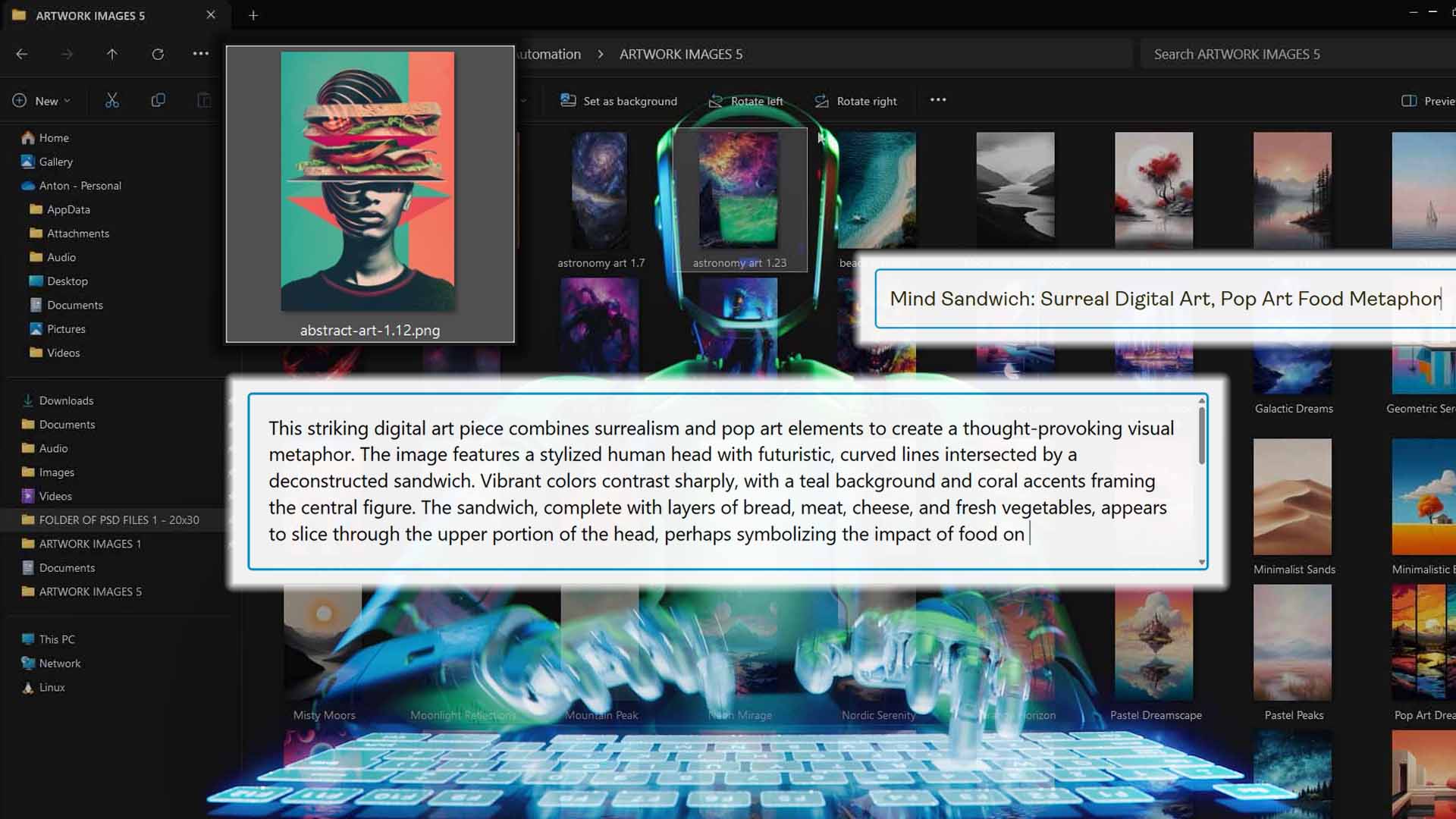
Each generated product ends up with unique, artwork-specific metadata, which means your catalog won’t be full of duplicate or recycled phrasing. Instead, every listing sounds natural, descriptive, and keyword-rich—exactly what both customers and search engines want.
Versatility Across Every Artwork Type
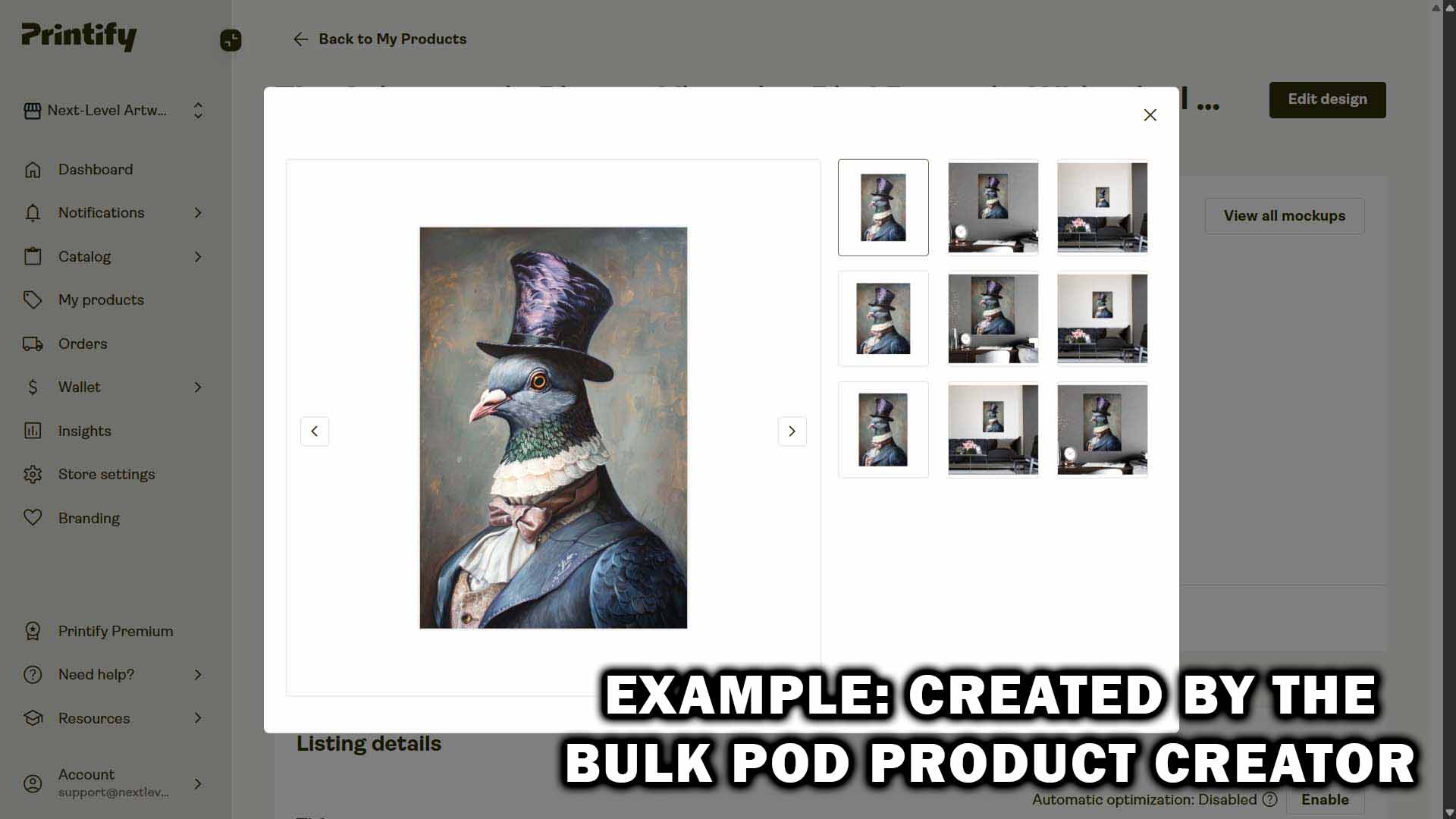
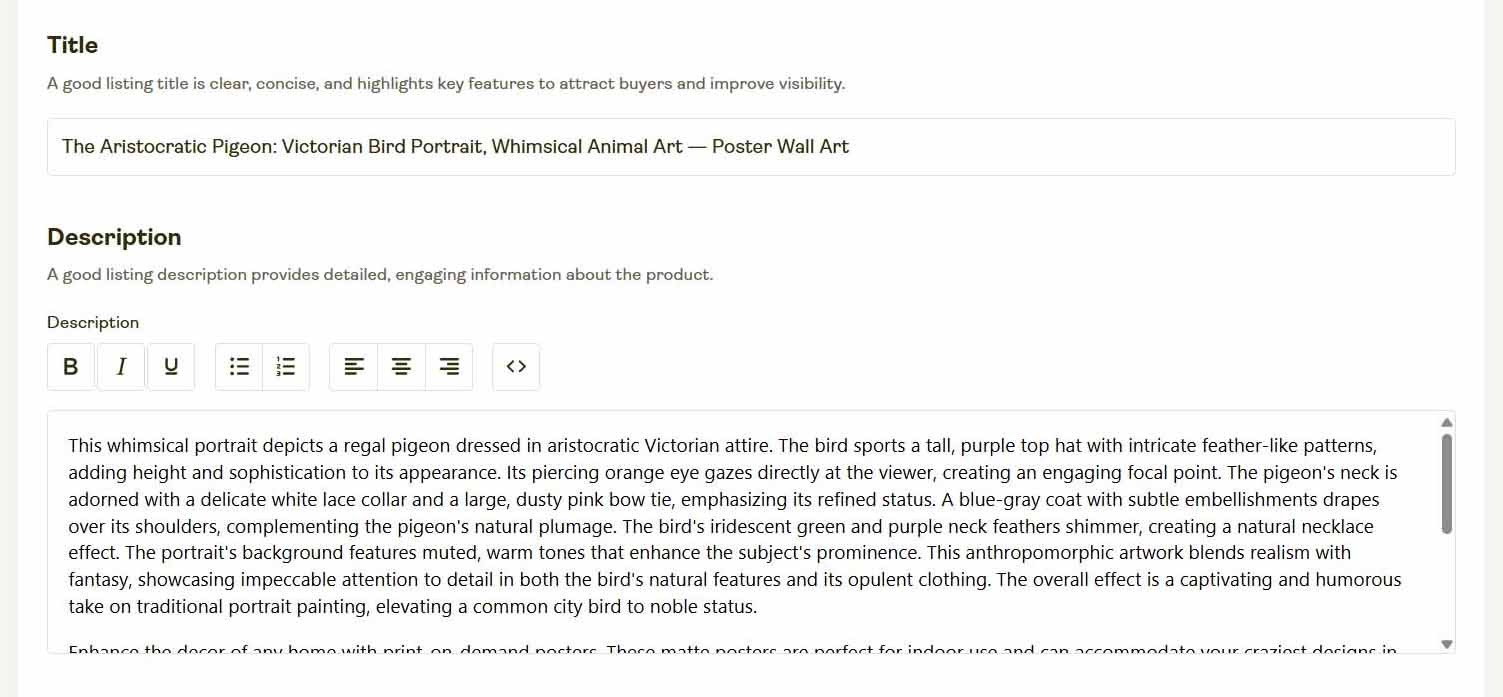
One of the biggest strengths of this system is how well it adapts to all types of designs. It doesn’t matter if your images are minimalist line drawings, colorful digital collages, fine-art photographs, abstract geometric compositions, or bold graphic tees with stylized text—the AI can handle it.
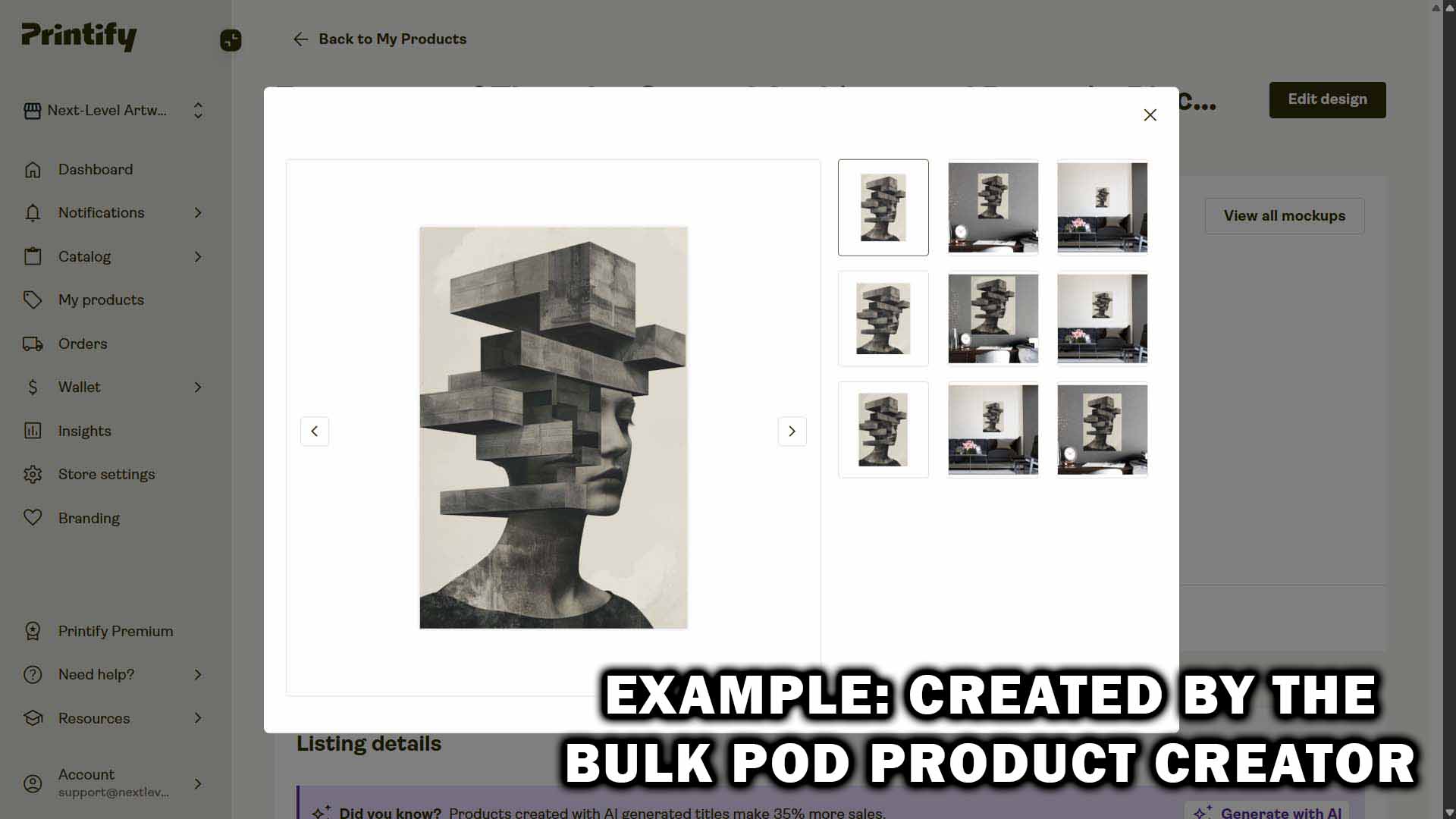
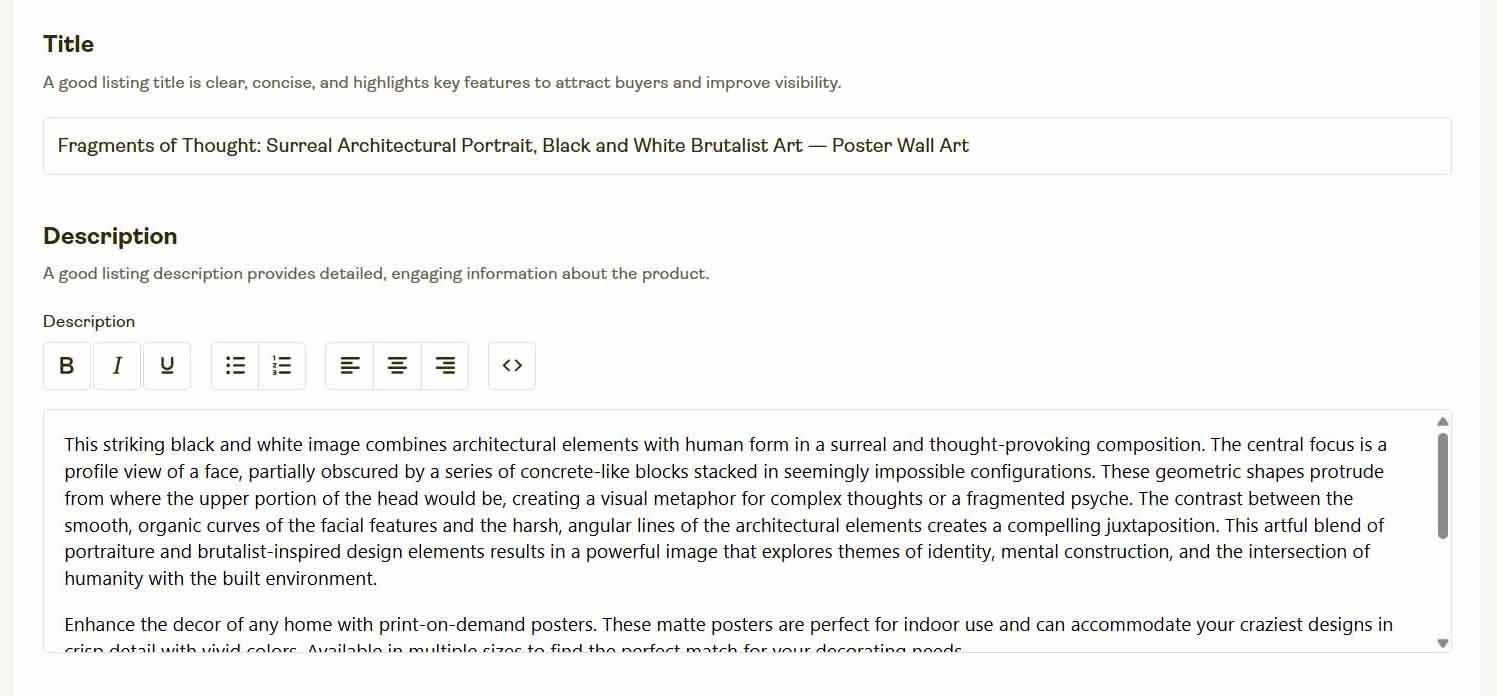
It interprets simple and complex designs equally well:
- For illustrations, it identifies the primary characters or themes.
- For photography, it recognizes landscapes, moods, and visual subjects.
- For text-based designs, it reads and includes the actual words in the generated copy.
- For mixed-media artworks, it distinguishes between text, icons, and background elements to describe them cohesively.
No matter what kind of creative assets you throw at it, the tool adapts seamlessly—giving you accurate, meaningful, and keyword-optimized product data automatically.
Custom Text, Custom HTML, and Custom Tags for Shopify Sellers
Automation doesn’t mean losing control—it actually gives you more of it. Alongside the AI-generated text, you can apply your own custom text and HTML templates for full flexibility.
Custom Text for Titles and Descriptions
Add product-specific information to titles and descriptions by appending or prepending custom text. For example:
- AI output: “Minimalist Mountain Landscape Illustration.”
- With appended custom text: “Minimalist Mountain Landscape Illustration—Framed Wall Poster.”
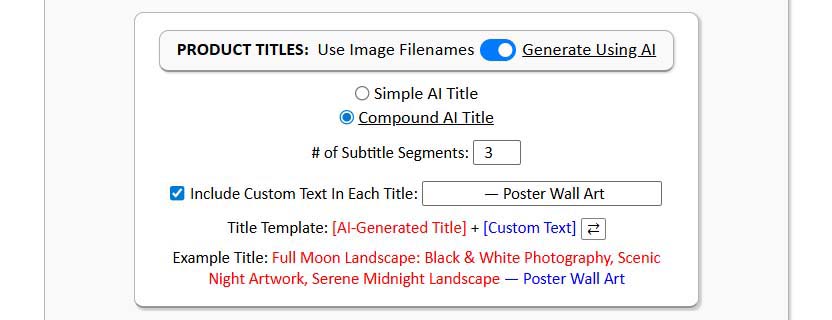
You control whether the custom text appears before or after the AI content, allowing perfect alignment with your brand voice or product line style.
Custom Description HTML
You can also include standardized HTML snippets for your store’s product specifications or material details. Just paste your formatted HTML block once, and it will automatically be included in every product created during that operation—no manual editing required.

Custom Tags and Tag-Based Collections
Shopify sellers can take this a step further by assigning custom tags to their bulk-created products. This unlocks automated tag-based collections, a Shopify feature that dynamically groups products using tag rules.
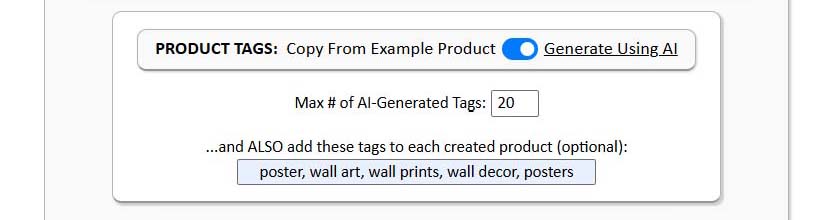
For instance:
- Tag all your astronomy-themed designs with “space.”
- Tag all your animal-themed prints with “wildlife.”
Shopify will automatically populate those categories for you.
No dragging and dropping, no manual sorting—just perfectly organized product collections updated automatically as you create new designs.
How This Tool Helps You Grow Your Shopify POD Store Fast
Growth Benefit #1: Unlimited Operation Size for Maximum Throughput
There’s no artificial limit to how many products you can create in one operation. Whether you're uploading 10 designs or 500, the system can handle it.
Larger batches dramatically increase your efficiency and ROI because:
- The setup time is fixed—whether you're creating 10 or 500 listings, configuration takes the same few minutes.
- The learning curve flattens—once you've built your ideal Example Product, you can reuse it indefinitely.
- The output scales—each batch compounds your storefront’s size and visibility exponentially.
- When it comes to productivity, bigger batches = better efficiency. You get more done per minute invested, with far less wasted effort.
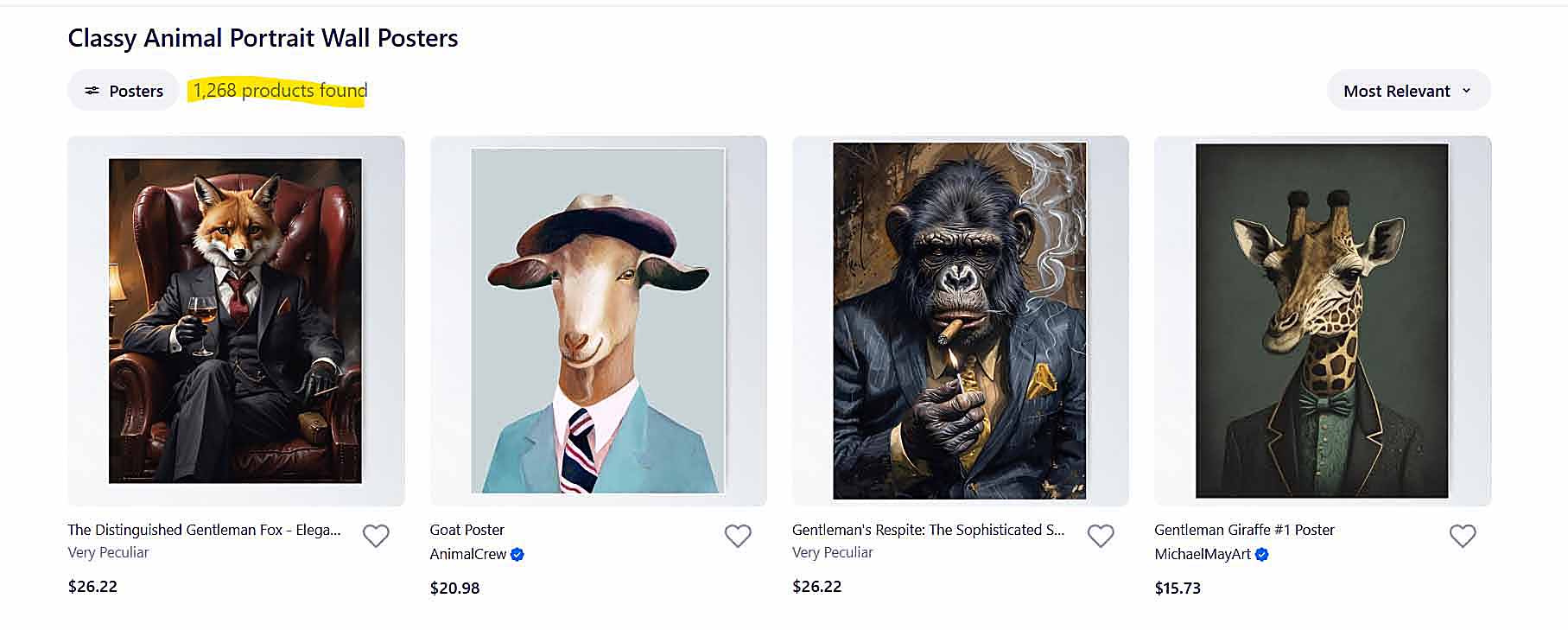
Growth Benefit #2: Creates SEO-Optimized POD Products That Attract Organic Traffic
Unlike generic CSV uploads or copy-pasted templates, these listings are built to win search visibility. Every title, description, and tag is designed to match real search behavior—the same keywords potential customers are using on Google, Pinterest, and Shopify’s internal search.
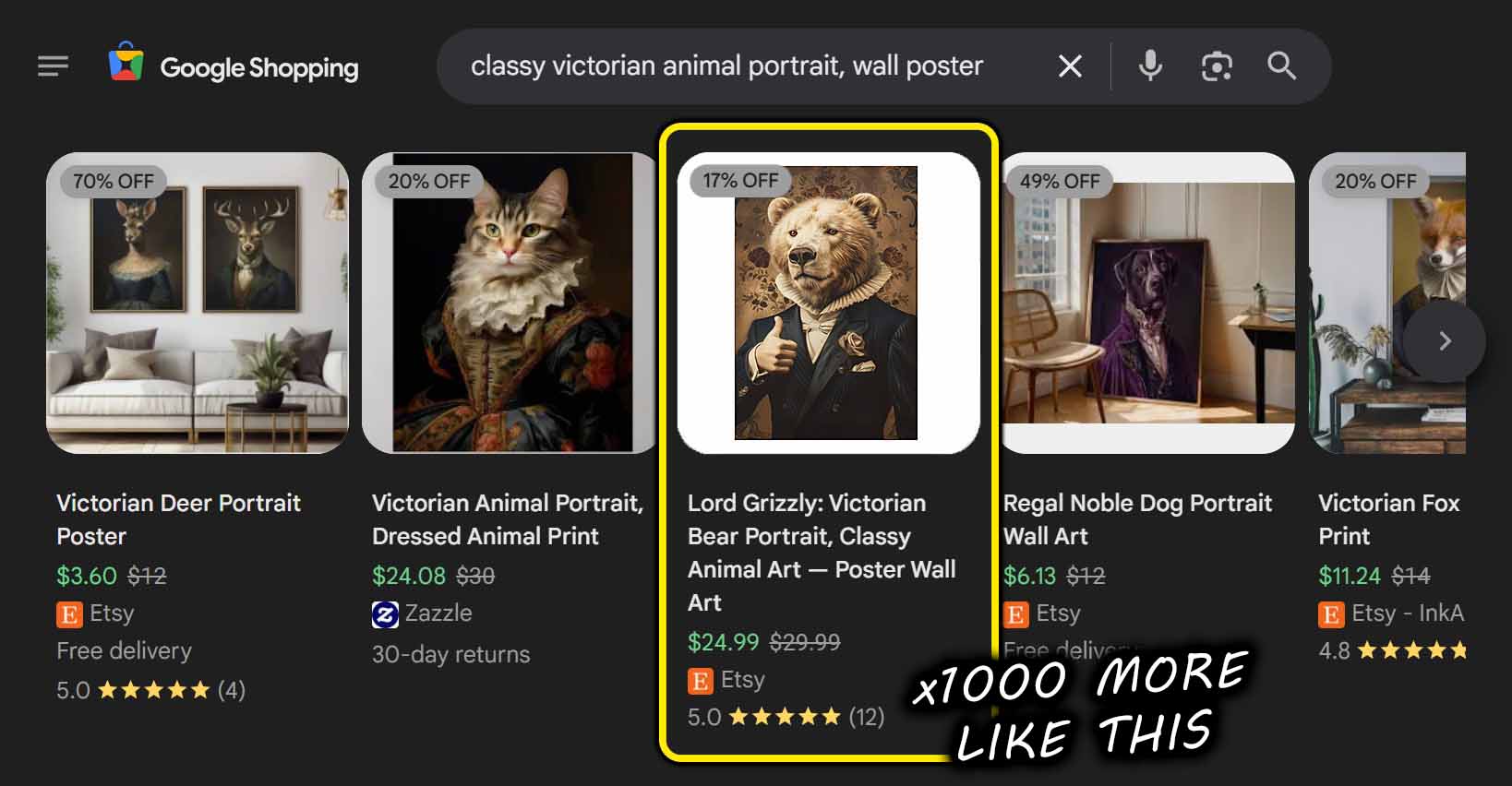
This means every new product you publish becomes another entry point for organic traffic. Over time, your store’s visibility compounds—more products = more ways for customers to find you.
Growth Benefit #3: More Products Mean Longer Sessions and Higher Order Values
A larger, more diverse product catalog doesn’t just boost impressions—it keeps visitors exploring. When customers find variety that matches their interests, they stay longer on your site, browse deeper, and are more likely to buy multiple items.
That means:
- Longer average session durations.
- Higher conversion rates.
- Higher average order values.
- Every new product you publish increases both your exposure and your monetization potential.
Growth Benefit #4: Focus Your Time on What Actually Grows the Business
Manual work—typing prices, aligning images, formatting listings—doesn’t scale. It drains your time and energy that could be spent on real growth drivers like:
- Conversion rate optimization (testing new layouts, pricing, and upsells).
- Improving your storefront UI and customer experience.
- Watching session recordings to identify friction points.
- Analyzing store analytics to make data-driven decisions.
- Running content marketing and email campaigns that attract the right audience.
The tool takes care of the operational drudgery so you can reinvest that time into creative, strategic work—the kind that actually increases your income.
Conclusion: Scale Smarter, Not Harder
Running a Shopify print-on-demand store doesn’t have to mean endless hours of repetitive effort. With the Bulk POD Product Creator, you're equipped with a true Shopify POD product generator—one that builds, writes, and optimizes your listings for you.
Upload your artwork once, click a button, and let automation handle the rest.
You’ll launch more products, reach more customers, and grow your store faster—all while spending less time on the boring stuff and more time creating the products that truly excite you.