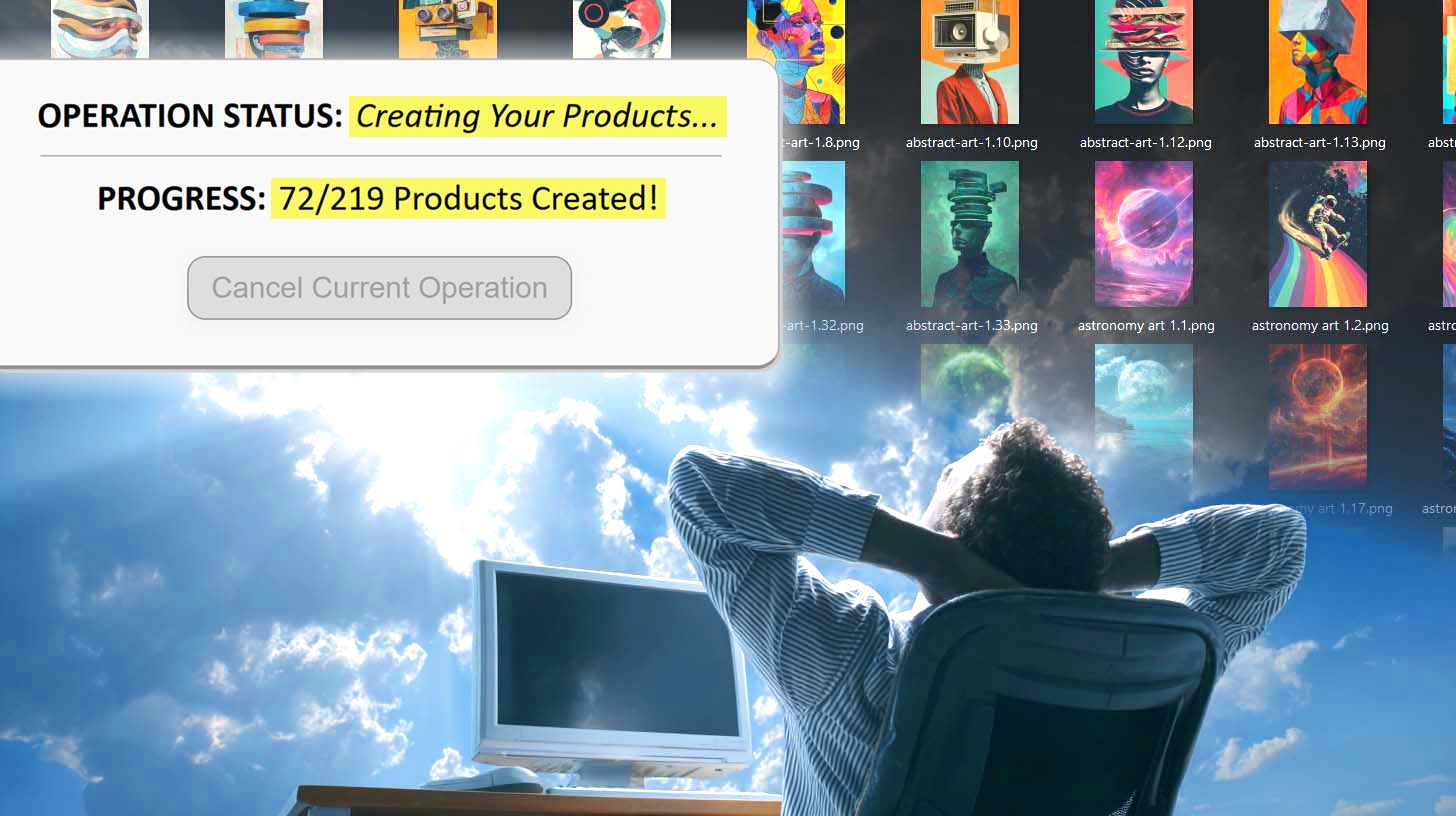
Printify Workflow Automation Tool: Create Hundreds Of Products Without Manual Work
Overview: Discover how the Bulk POD Product Creator automates every step of the Printify workflow, from uploading artwork to writing SEO-optimized titles, descriptions, and tags, enabling you to scale your catalog and eliminate manual work.

The Future of Printify Workflows – Automation That Handles Everything
Every print-on-demand seller eventually runs into the same wall: there are only so many hours in the day to create, upload, and manage products manually. Between uploading artwork, selecting variants, adjusting placements, and writing titles or descriptions, it’s a never-ending loop of repetitive tasks that burn time and energy without directly growing your business.
The Bulk POD Product Creator was built to eliminate that grind entirely. It takes all those tedious, error-prone, time-consuming tasks in your Printify workflow—the ones that make scaling your catalog painfully slow—and completes them automatically, at machine-level speed and precision.
From a design perspective, the tool embodies how true operational scaling works in any business: by identifying the most repetitive workflow steps, standardizing the best possible process for each, and executing those steps flawlessly and consistently every single time. In other words, it’s a system that maximizes efficiency, accuracy, and throughput simultaneously.
With automation handling the grunt work, your Printify business finally runs like a high-performance machine—freeing you to focus on creative strategy, marketing, and revenue growth instead of constant clicking and typing.

Uploading Your Artwork Images to Printify
Manual Process:
Uploading artwork manually in Printify is a time sink. You have to navigate into each product template individually, click “Add Image,” locate the correct file, wait for it to upload, and repeat this dozens or hundreds of times. If you’re managing a large design library, this process quickly becomes unbearable—you’re spending more time managing file uploads than actually creating new artwork.
Automated Process:
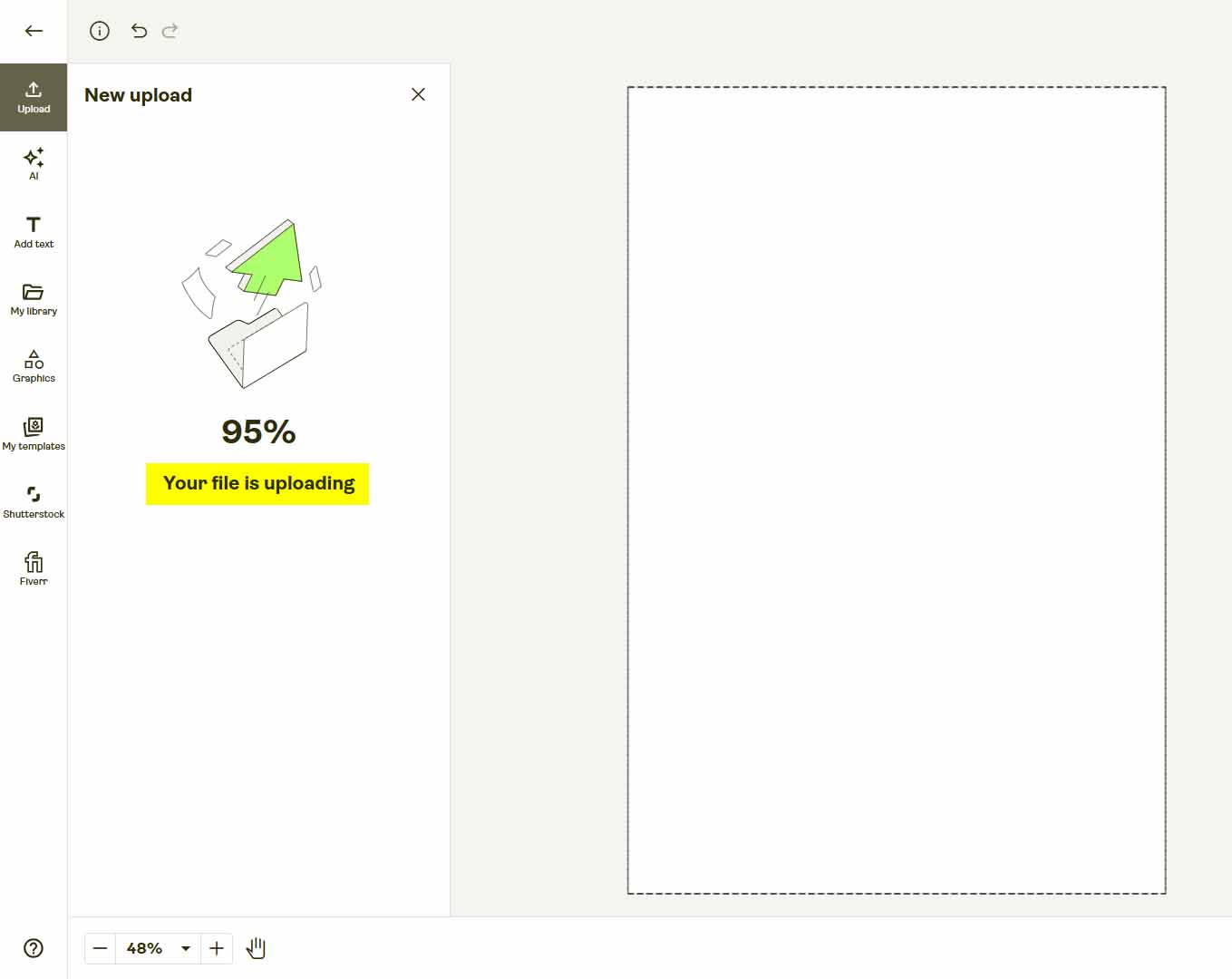
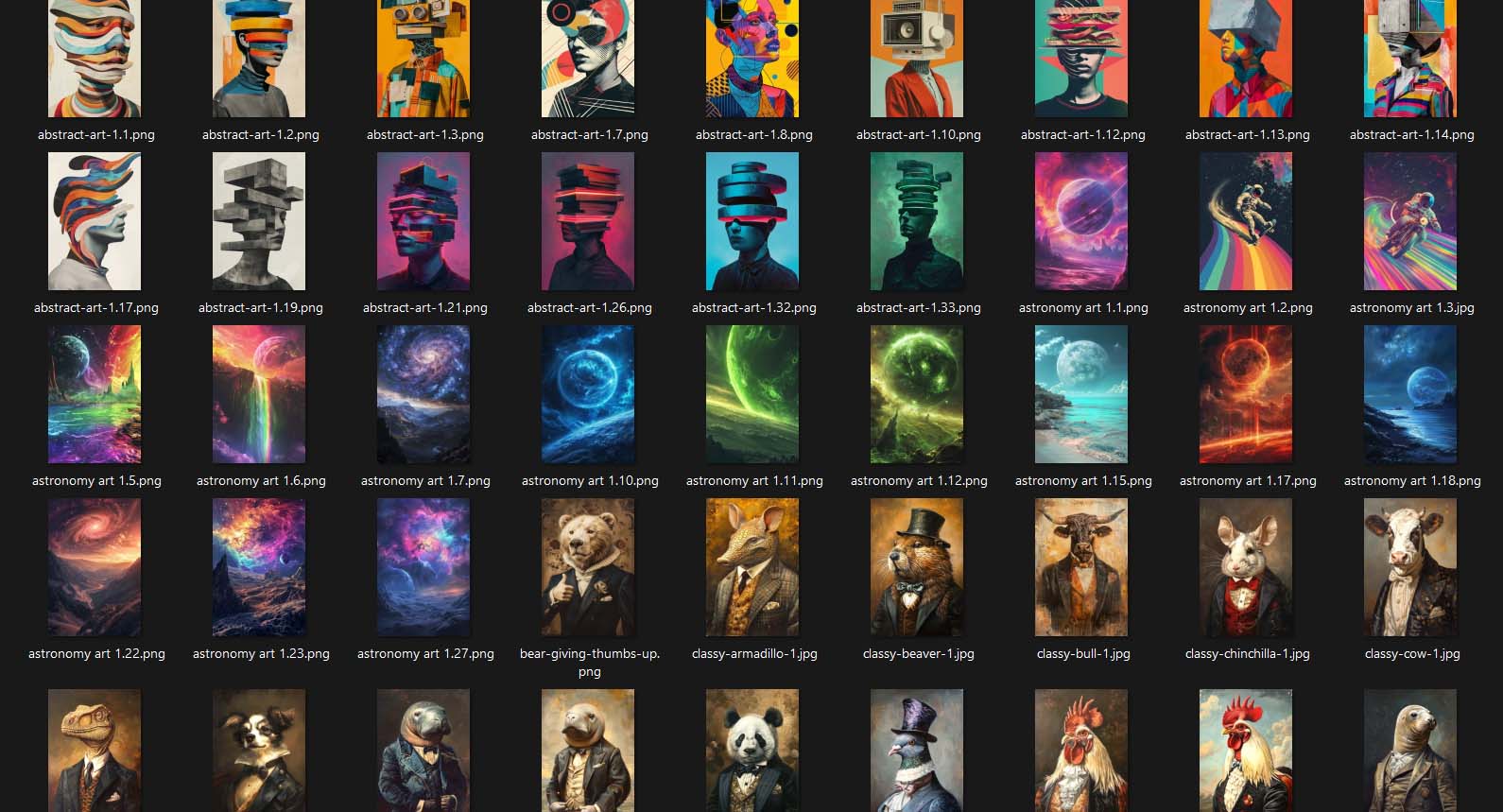
With this Printify workflow automation tool, you simply select the batch of artwork images you want to create products for—whether that’s 10, 100, or 1,000—and the software handles the rest automatically. It uploads all images in bulk during the operation setup phase, managing the sequencing and timing automatically to comply with Printify’s API rate limits.
Instead of sitting there manually waiting for files to upload, you just point the tool to your folder of artwork images and click “Start Operation.” From that moment on, it runs independently—uploading each image in turn, linking it to your Example Product template, and preparing it for product generation.

Practical Benefits:
- Upload hundreds of artwork images automatically, without user interaction.
- Prevent upload errors and redundant duplicates.
- Save hours (or even days) of manual clicking.
- Turn the image-upload stage into a completely automated pipeline that runs in the background while you work on other parts of your business.
Selecting the Specific Products + Variants to Create
Manual Process:
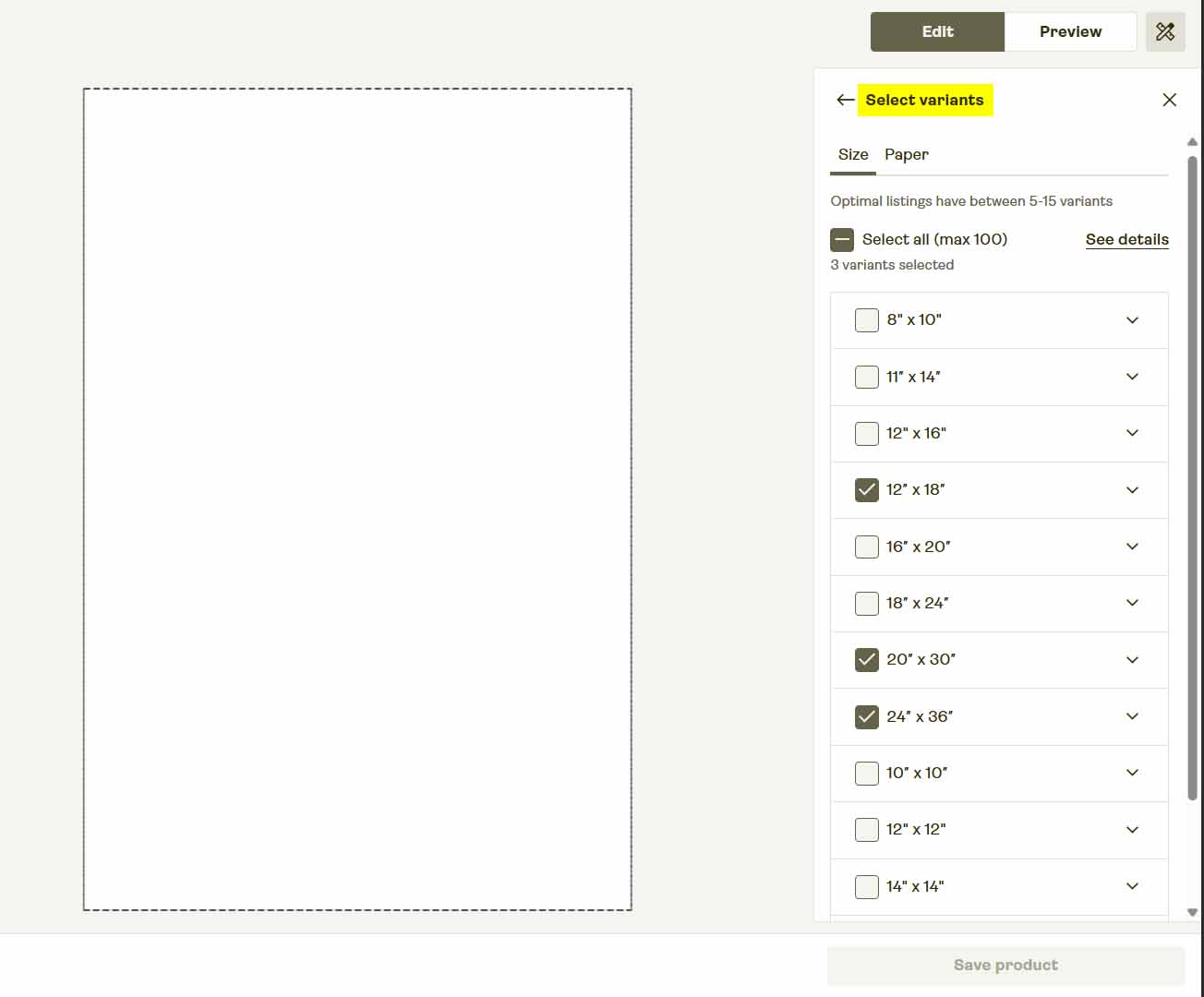
In Printify’s interface, creating a product means first searching for the exact item you want to use—mugs, canvases, t-shirts, hoodies, etc. Then you have to scroll through the variant list, picking the exact combinations of colors, sizes, or frame styles you want to offer. Many products include dozens of variants, and it’s easy to make mistakes or miss one altogether.
Automated Process:
The POD automation tool completely eliminates that step. Instead of having to re-select products and variants each time, you simply point the tool to your Example Product—a product you’ve already configured once inside Printify. The software reads its configuration automatically and uses it as a blueprint for the batch operation.
This means it knows exactly:
- Which product type to use (canvas print, unisex tee, mug, etc.)
- Which variants to replicate (e.g., frame color, size, or style combinations)
- What pricing and provider settings apply
From there, the tool creates additional listings using that same configuration—one for each artwork image in your batch. You never have to reselect or reconfigure a thing.

Practical Benefits:
- Configure your perfect product one time, then reuse it forever.
- Avoid variant-selection mistakes that cause mispriced or incomplete listings.
- Maintain consistency in pricing and formatting across your entire catalog.
- Scale instantly: each uploaded artwork becomes a new, ready-to-sell product using your pretested configuration.
Positioning Your Artwork Images Optimally for Each of Your Variants
Manual Process:
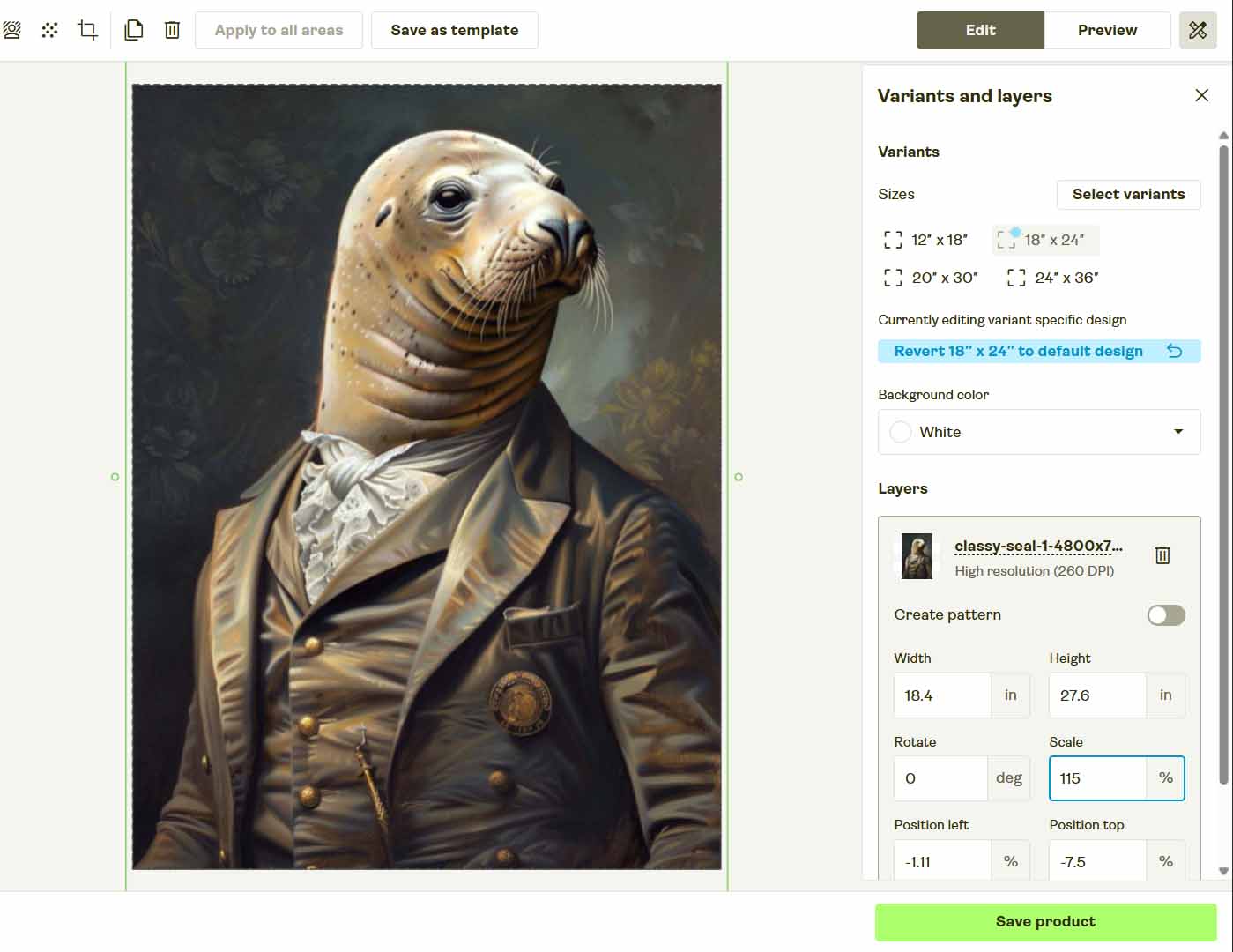
Manually positioning images in Printify is easily one of the most tedious tasks in the workflow. You drag the artwork into position, zoom in to check alignment, ensure it fills the full print area, and then repeat the process across multiple variants—each with its own aspect ratio. It’s time-consuming, visually fatiguing, and prone to small errors (like leaving white borders or misaligned placements).
Automated Process:
The automation tool replaces that manual tedium with a rules-based image-placement system. You select a placement mode once—and the software applies it automatically to every artwork image, across every variant, for every new product it creates.
You can choose from three distinct placement modes:
- Stretch Images To Fit Print Area(s): Fills the entire print area perfectly on every variant, ideal for wall art, canvas prints, and all-over apparel.
- Preserve Image Aspect Ratio & Center: Maintains the artwork’s proportions and centers it neatly within the print area. Excellent for photography and artwork with fixed framing.
- Exactly Match Example Image(s): Replicates the precise placements from your Example Product—pixel for pixel. Perfect for detailed products like mugs or shoes that require exact alignment.
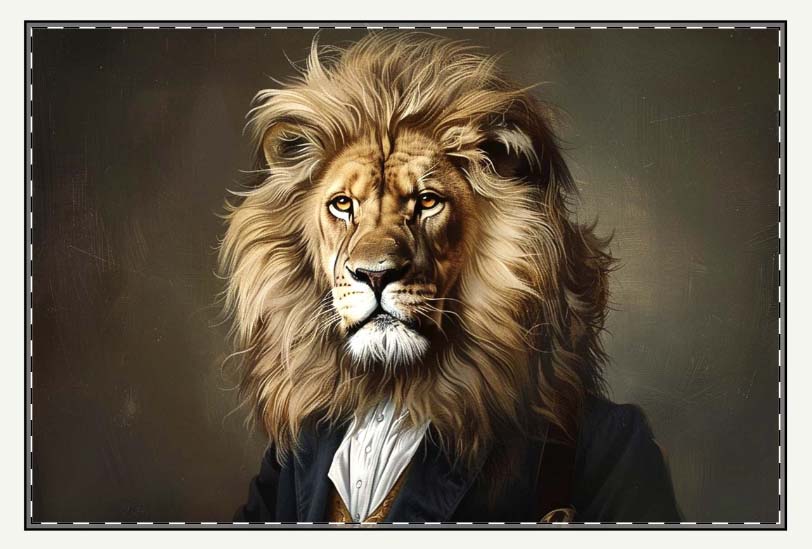
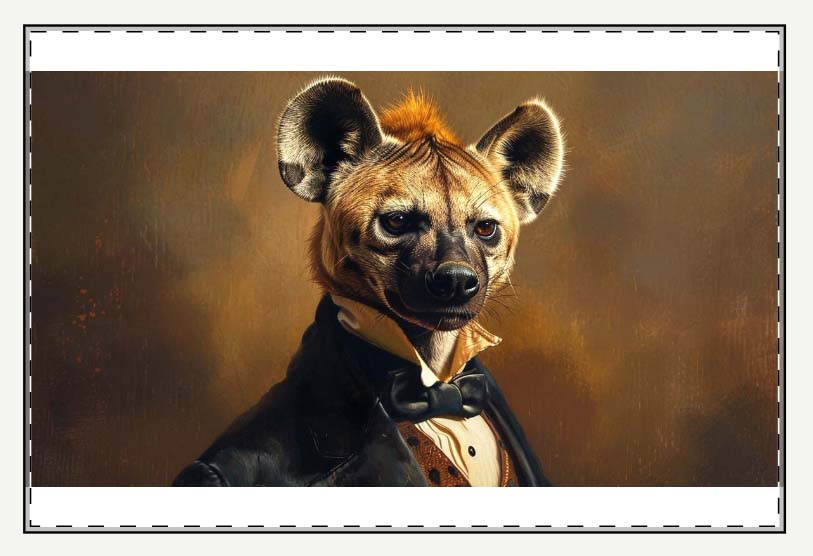
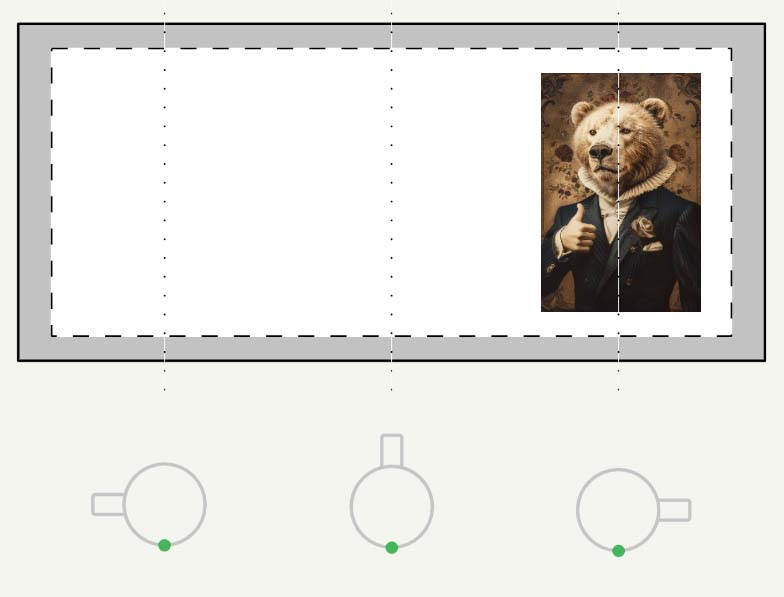
Once your operation begins, the system applies your chosen rule automatically to every new listing. The entire placement process runs behind the scenes, consistently following your preferences for all product types and aspect ratios.
Practical Benefits:
- Completely eliminates manual alignment and placement work.
- Guarantees uniform visual presentation across hundreds of listings.
- Prevents scaling or positioning mistakes that cause poor print results.
- Lets you standardize placement rules for perfect consistency across product lines.
Resizing Your Artwork Images to Fit Different Aspect Ratios of the Different Variants You're Creating
Manual Process:
When variants differ in aspect ratio (for example, square canvas prints versus rectangular posters), sellers often need to manually resize or crop their artwork in Photoshop to ensure it fits correctly. This usually means creating multiple export versions of the same file—one per aspect ratio—and keeping track of which version maps to which variant. It’s slow, clunky, and error-prone.
Automated Process:
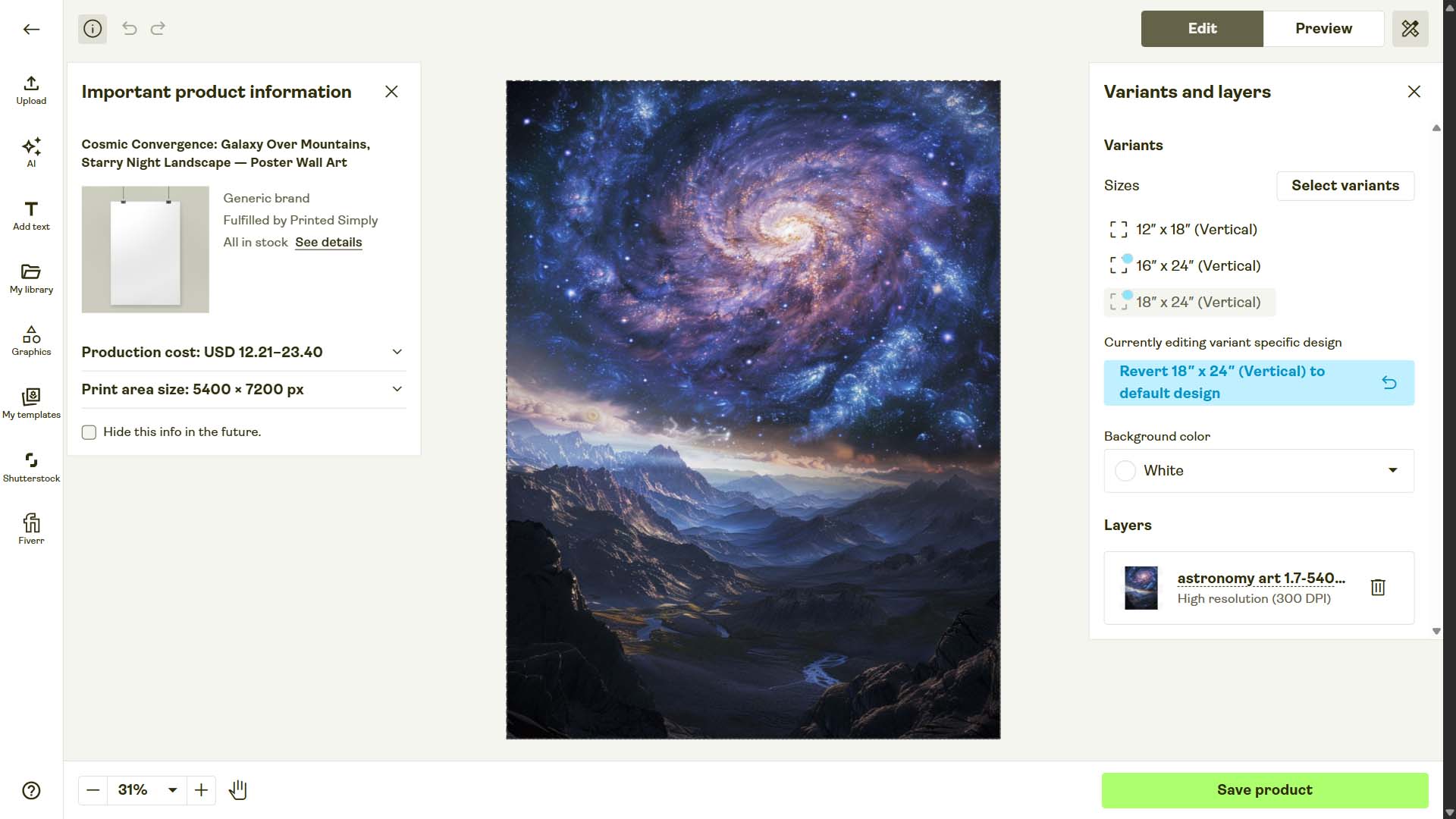
The Bulk POD Product Creator eliminates this problem entirely. When you choose the Stretch Images To Fit Print Area(s) placement rule, the software automatically resizes each artwork image behind the scenes. It dynamically adjusts proportions to fit each print area perfectly—no white bars, no missing sections, no manual Photoshop edits required.
For designs where proportional integrity is important (e.g., logos, typography, or human portraits), you can use the Preserve Aspect Ratio & Center option, which keeps everything distortion-free while still ensuring optimal centering across all variants.
This means you never have to open Photoshop or export multiple versions again—the system intelligently adjusts everything for you during the automation process.

Practical Benefits:
- Automatically adapts artwork for all aspect ratios and product dimensions.
- Saves countless hours of manual resizing and re-exporting.
- Prevents visual distortion and maintains professional, high-quality presentation.
- Allows large multi-variant product batches to be created from a single set of artwork files.
Writing Accurate SEO-Optimized Titles for Each Product
Manual Process:
Coming up with product titles manually is one of those deceptively simple tasks that eats hours of your day. For every new listing, you have to stop and think: What’s the right way to describe this image? How do you include the most relevant SEO keywords? How do you differentiate each title enough so they’re not duplicates, while still maintaining structure and readability?
Do this for hundreds of products, and it quickly becomes mentally exhausting. By the time you’re on product #40, the creativity fades, keyword variety suffers, and quality drops. You start repeating the same descriptors, which leads to overlapping keywords and poor SEO coverage.

Automated Process:
With the Bulk POD Product Creator, titles are generated automatically using AI image recognition and language modeling. The system analyzes each image to determine what it contains—scenery, colors, subjects, style, and theme—then uses that understanding to write optimized titles for each listing.
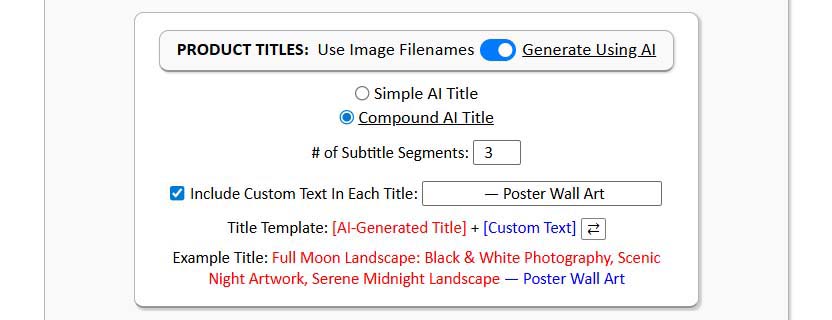
You can configure this title-generation step in several powerful ways:
- Choose between Simple AI Titles (short, concise, artwork-focused) or Compound AI Titles (longer, keyword-rich titles that include a specified number of additional subtitle segments).
- Optionally prepend or append custom text—for example, “—Canvas Wall Art” or “—Unisex Graphic Tee.”
- Apply consistent branding or product-specific language automatically across every product.
The result: each title perfectly describes its artwork image, naturally incorporates long-tail search terms, and maintains consistent structure across your catalog—all created automatically while the system builds your products in the background.

Practical Benefits:
- Eliminates hours of manual title writing and keyword brainstorming.
- Produces SEO-optimized, unique titles for every image automatically.
- Increases organic search visibility with long-tail keyword coverage.
- Maintains brand consistency while adapting phrasing per artwork.
- Guarantees high-quality titles for every listing, every time.
Writing Longer Descriptions of Each Product
Manual Process:
Manually writing descriptions for hundreds of products is a creative drain. You have to describe the content, mood, and composition of each image—colors, subjects, artistic style, and emotional tone—and do it repeatedly without sounding repetitive or forced.
Over time, you start to copy-paste or recycle phrases, which leads to thin, repetitive content that doesn’t help your SEO performance. Humans also tend to use a limited vocabulary, so you end up reusing the same adjectives, nouns, and sentence patterns. It’s not only inefficient—it’s also suboptimal for discoverability.

Automated Process:
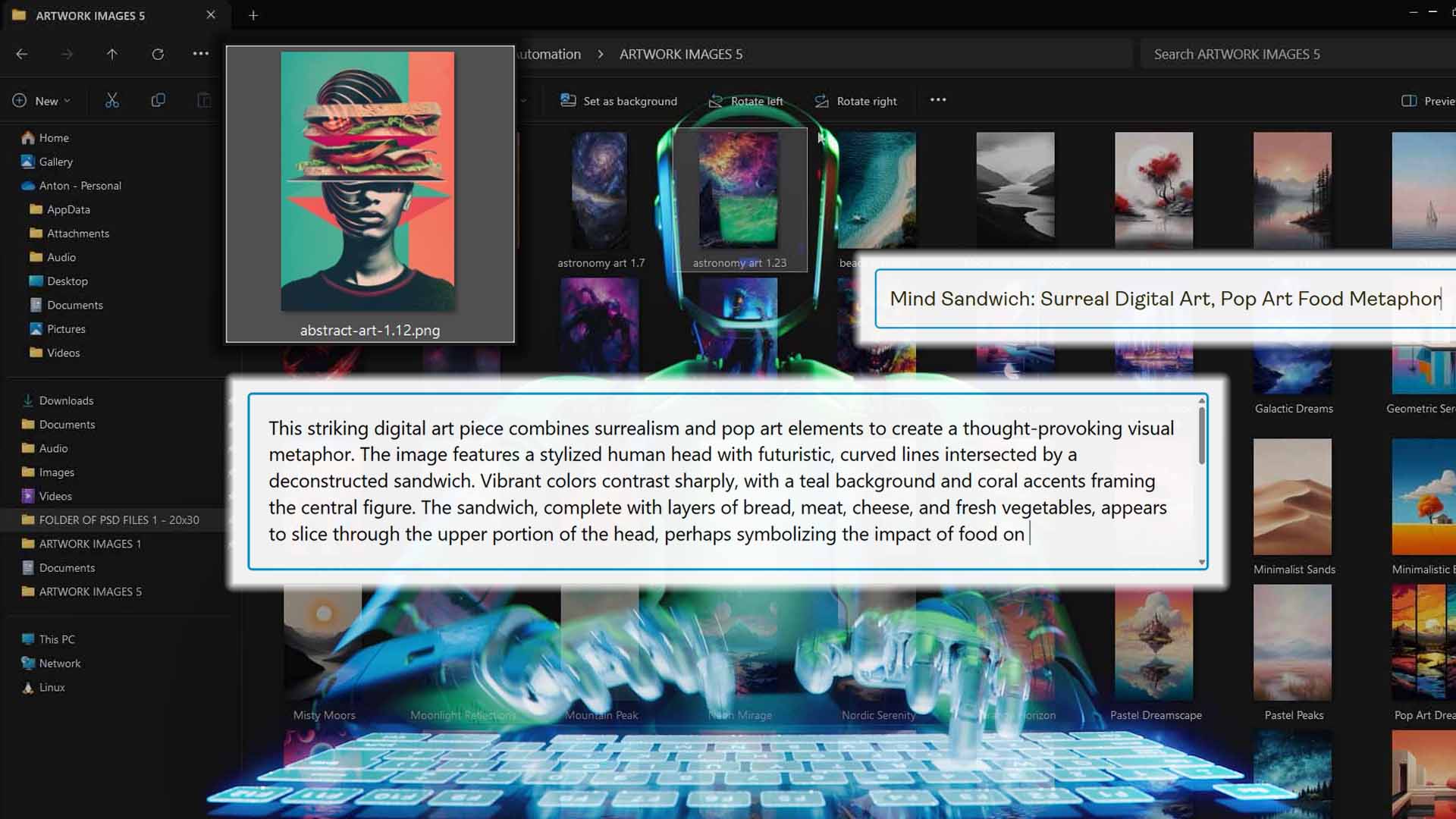
The Bulk POD Product Creator’s AI description generator does this job perfectly and infinitely faster. It analyzes each uploaded image using deep image-recognition models, extracting every visual detail—subject matter, setting, artistic style, lighting, colors, and emotional tone—then generates rich, detailed product descriptions that would take a human several minutes each to write.

You can customize:
- The length of each description (e.g., one, two, or three paragraphs).
- Whether to include custom HTML snippets (e.g., product specifications, shipping notes, or “why you’ll love this artwork” paragraphs).
- The tone and structure (e.g., concise marketing copy vs. detailed artwork analysis).
Because AI doesn’t get tired or bored, every description is written at full creative and linguistic capacity. The result is hundreds of long, semantically rich, search-friendly product pages that attract both buyers and search engines.
Practical Benefits:
- Eliminates the bottleneck of manual creative writing.
- Produces unique, keyword-dense, and detailed descriptions for every product.
- Enhances SEO performance and on-page engagement.
- Maintains consistent quality across thousands of listings.
- Never reuses phrasing or repeats—every product gets individualized attention.
Writing Keyword-Rich Tags for Each Product
Manual Process:
Tag creation is a classic example of work that feels small but adds up. Manually coming up with tags means brainstorming keyword variations, typing them out one by one, and often repeating the same tag sets over and over again. It’s tedious, and human creativity eventually flatlines—leading to repetitive, low-diversity tags that limit your organic search reach.
Automated Process:
The automation tool handles tag generation automatically using the same AI-driven image recognition and language modeling pipeline that powers titles and descriptions. For each product, the system extracts dozens of contextually relevant keywords and phrases related to the artwork’s subject, theme, and style.
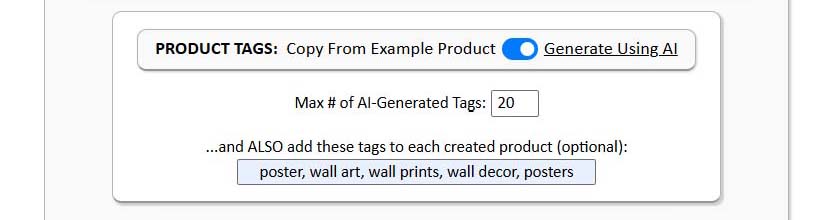
It automatically produces a list of unique, search-optimized tags—usually 10 to 20 per product—and you can also append custom tags that appear across all listings (perfect for brand terms, collection names, or campaign hashtags).
The AI tags are intelligently varied, reducing overlap and maximizing the range of search queries that can lead users to your products.
Practical Benefits:
- Saves enormous time vs manually typing tags for each product.
- Expands organic reach with semantically diverse tag coverage.
- Improves discoverability in marketplaces like Etsy and Shopify.
- Ensures every product has unique, accurate, and relevant tags.
- Enables consistent tagging strategy across thousands of listings automatically.
Setting Prices for the Different Variants
Manual Process:
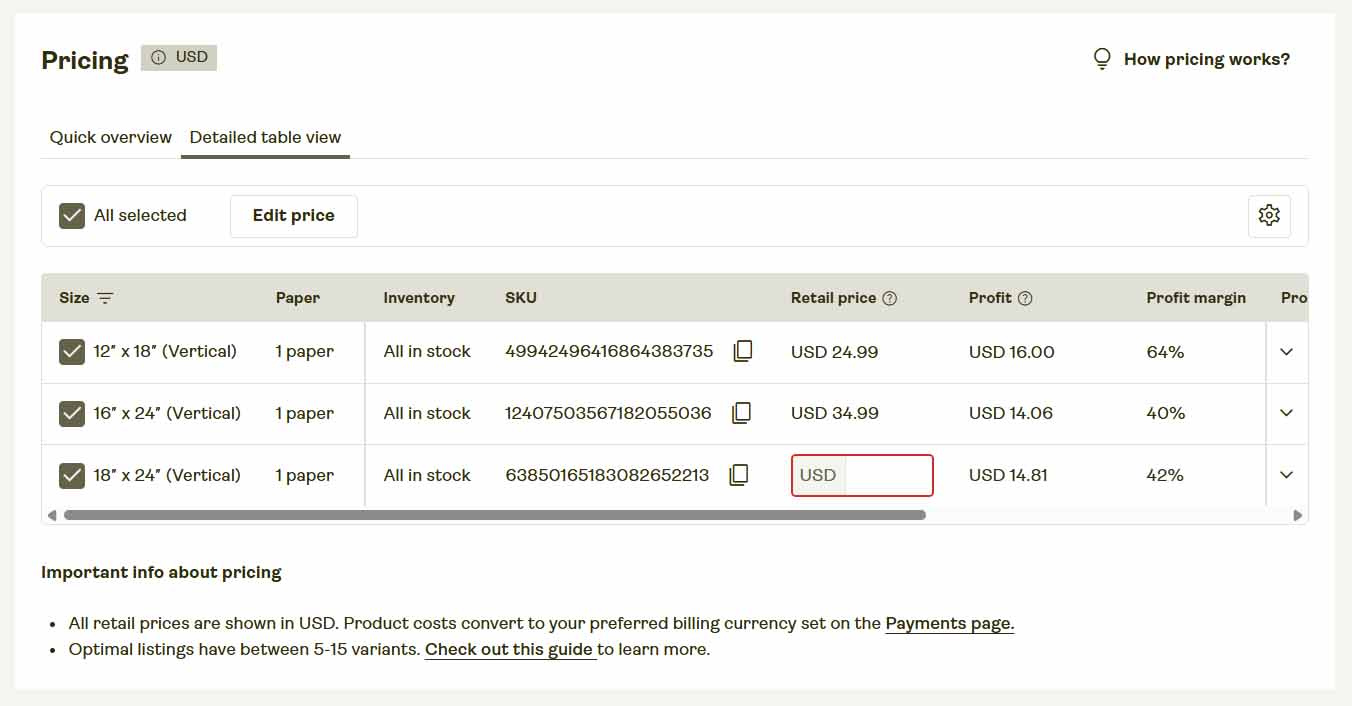
Setting prices in Printify manually involves opening each product, scrolling through variant lists, and manually typing the price for every size, color, or frame type. It’s not only tedious but risky—one mis-typed value can underprice or overprice a variant, cutting into your margins or discouraging buyers.
Automated Process:
The Bulk POD Product Creator automates variant-level pricing entirely. When you select your Example Product, it inherits that product’s existing pricing configuration automatically—including all variant-level pricing. Every product created in your batch operation duplicates those exact settings flawlessly.
That means once you’ve set your ideal pricing strategy for your Example Product (e.g., specific margins per variant), it’s permanently locked in as your blueprint for all future automated creations. You’ll never need to click through variant pricing menus again.
Practical Benefits:
- Ensures perfect pricing accuracy across every listing.
- Eliminates manual entry errors that can affect profits.
- Guarantees consistent pricing structure across all variants and products.
- Saves massive amounts of time when managing multi-variant product types.
- Lets you update prices globally just by editing one Example Product.
Conclusion – The Entire Workflow, Automated
When you look at every major step in the Printify product-creation workflow—from uploading artwork to setting prices—the manual process is fundamentally inefficient. It relies on human repetition, consumes valuable hours, and limits how fast you can grow your catalog and income.
The Bulk POD Product Creator removes those constraints completely. Every repetitive action becomes a background process that runs automatically and precisely—uploading, configuring, writing, tagging, pricing—all done for you.
What once took weeks of manual effort can now be done in hours. You get perfect consistency across hundreds of listings, professional-quality SEO metadata, and full control over every parameter—all while focusing your energy on higher-value, income-producing activities.
This is what POD workflow automation truly means: not just working faster, but eliminating the need for manual work altogether.
With this tool, your Printify business becomes an automated engine—building, scaling, and optimizing itself while you focus on growth, creativity, and profitability.