
Printify Bulk Listing Generator: Automate The Boring, Repetitive Parts of Your POD Store
Overview: Discover how the Bulk POD Product Creator automates the entire Printify product listing process, saving you hours of manual work, scaling your catalog, and boosting your store's SEO and conversions. This post details the workflow, features, and massive benefits of bulk listing generation for print-on-demand sellers.

How Bulk Product Listing Generation Transforms Your Printify POD Store
Every print-on-demand seller hits the same wall sooner or later: the sheer drudgery of manual product creation inside Printify. You log in, search for the right product, select sizes and colors, upload artwork, resize each image to fit a dozen variant layouts, tweak placements for mugs vs hoodies vs canvases, then finally write a title, description, and tag set that doesn’t sound like the last ten you wrote. Multiply that by hundreds of listings, and it’s easy to see how fast this turns into a full-time job of clicking, typing, and re-entering the same information over and over again.
Even when you do everything “right,” it’s still slow. Creating one high-quality Printify product manually—with correctly placed artwork, polished copy, and optimized SEO metadata—can easily take 15 to 20 minutes per listing. That means building a catalog of just 200 products consumes 60+ hours of pure, repetitive labor. No creativity. No strategy. Just time you’ll never get back.
That’s where a Printify bulk listing generator changes everything. Instead of slogging through that process product-by-product, you can automate the entire chain—from uploading your artwork to generating the finished, SEO-optimized listings. You simply set up your operation once, select the images you want to turn into products, choose the base product template you want to replicate, and click a single button.
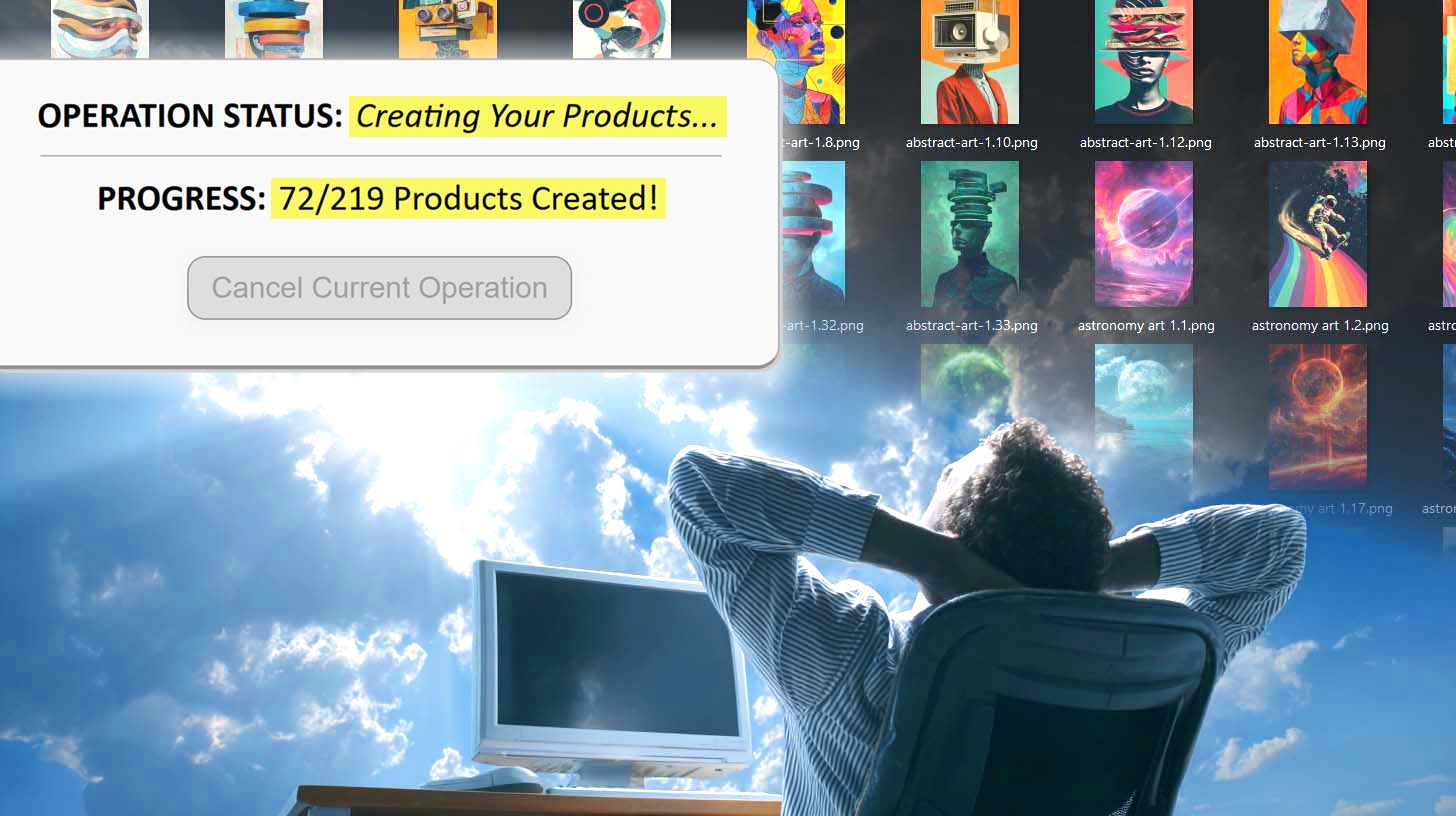
Seconds later, listings begin generating automatically: titles, descriptions, tags, prices, variants, and artwork placements—all handled on autopilot.
The outcome?
- You scale your catalog size exponentially without multiplying your workload.
- Your store gains hundreds of new keyword-rich entry points for organic traffic.
- You give shoppers more options to fall in love with—driving higher conversions and larger average order values.
- And most importantly, you reclaim your time to focus on high-impact activities: ad testing, creative direction, customer retention, or developing new artwork themes that actually move the needle.
Bulk listing generation doesn’t just make your workflow faster—it redefines how scalable your business is.
Introducing the Bulk POD Product Creator – The Ultimate Printify Listing Generator
The Bulk POD Product Creator is a specialized automation tool designed to do one thing exceptionally well: generate Printify product listings in bulk. It’s not a generic app trying to do a dozen things at once—it’s built for one core purpose: turning your creative assets into hundreds of ready-to-sell, fully optimized Printify listings with AI-driven metadata and precise image placements.

At its core, the tool acts as your automated Printify production assistant. It connects directly to your Printify store, uses your selected Example Product as a blueprint, and mirrors that configuration—including product type, variants, pricing, print areas, and placement rules. You then choose your batch of artwork images, configure a few key automation options, and let the system handle the rest.
- No more repetitive clicking or dragging images into every single variant.
- No more writing the same SEO titles and tags for hundreds of listings.
- No more worrying about alignment, sizing, or formatting errors.
You decide the rules once, and from there, the Bulk POD Product Creator handles the heavy lifting. It automatically generates listings that look professional, cohesive, and on-brand—while ensuring every title, description, and tag is keyword-rich, unique, and tailored to the artwork being used.
The result is a fully streamlined pipeline: upload your images → configure your rules → generate 100+ listings → watch your store scale itself.
Step 1 – Select Your Image Files
Every bulk listing operation begins with the artwork you want to turn into products. In this first step, you’ll upload the image files that the system will use to generate your Printify listings.

You can upload one image, or hundreds at a time—the Bulk POD Product Creator handles all of them automatically. Each file you select will become its own independent Printify listing, with unique titles, descriptions, and tags generated by AI.
Once your artwork images are uploaded, you’ll choose how you want them to be placed inside each product’s print areas. The placement mode you select here determines how your images will fit within the printable regions of your chosen Example Product:
- Stretch Images To Fit Print Area(s): This fills the entire print area edge-to-edge, ensuring every product variant displays a full, complete image without empty margins. It’s ideal for designs that can scale seamlessly across multiple aspect ratios.
- Preserve Image Aspect Ratio & Center: Keeps your artwork’s proportions intact, centering it within the print area while leaving clean, even borders where necessary. Use this when you want to avoid any stretching or cropping.
- Exactly Match Example Image(s): The most precise option—this mode clones the exact placements from your Example Product, down to pixel-level alignment. It’s perfect when you want every new listing to visually replicate your Example Product exactly.

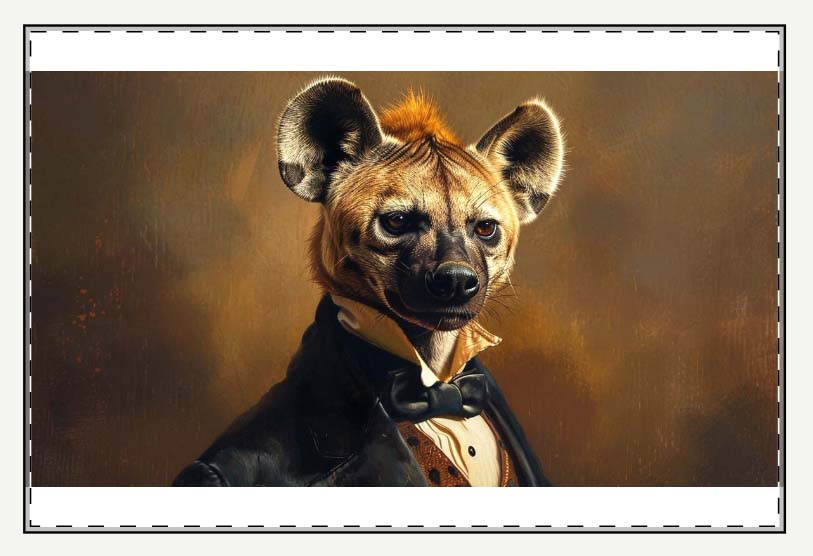
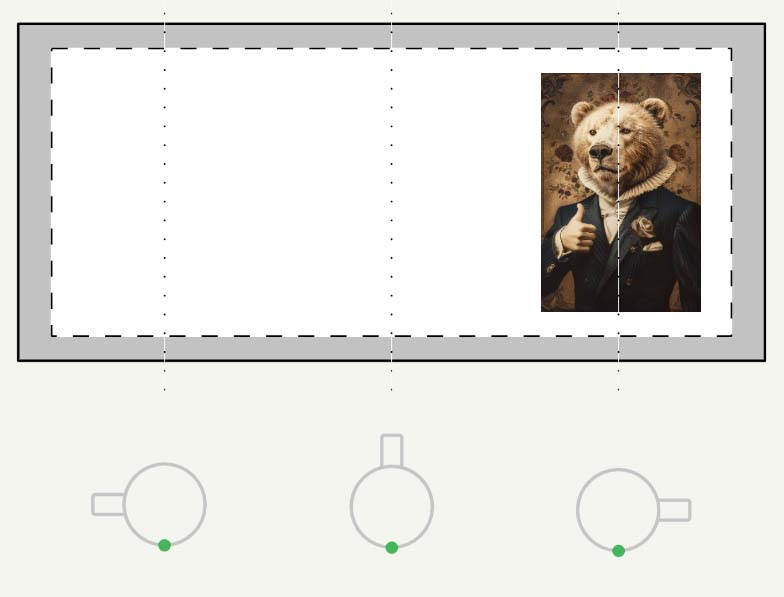
These placement rules ensure your new listings maintain professional, consistent visuals across every product and variant. Once you’ve selected your artwork batch and chosen the appropriate placement mode, you’re ready to move on to Step 2.
Step 2 – Select Your Example Product
In Step 2, you’ll define the blueprint that every new listing will follow: your Example Product.

This is the existing Printify product that serves as the master reference for how all your new listings should be structured. When you choose your Example Product, the system automatically imports all its configuration details, including:
- The store you want to create products for (you can choose from any connected Printify store account).
- The product type and variants you used in your Example Product (e.g., mug sizes, canvas dimensions, t-shirt color sets).
- All pricing information, so your new listings inherit your established pricing strategy without manual re-entry.
- The defined print areas and aspect ratios, which determine where each uploaded artwork image will be positioned across variants.
This Example Product becomes the operational foundation for your entire bulk listing run. Every new product the software generates will mirror this base product’s structure and attributes—same product family, same variants, same placement geometry—but with your new artwork and AI-generated metadata applied automatically.
In other words, Step 2 defines what kind of products you’re making and how they’ll be configured. Combined with Step 1’s image and placement choices, this ensures your automation run is locked, precise, and ready for large-scale output.
Step 3 – Finalize AI Settings & SEO Automation Options
Step 3 is where the automation truly becomes intelligent. After uploading your artwork batch and defining placement preferences, you’ll configure how the AI SEO engine will generate the written content for each Printify listing.

- Define Title Format: Decide whether you want concise, visual-descriptor titles (simple titles) or longer, keyword-rich titles that include a specified number of additional subtitle segments (compound titles).
- Set Standardized Suffixes: Establish product-level suffixes such as “Canvas Print,” “Unisex Tee,” or “Art Print for Home Decor.” This ensures every listing remains uniform, professionally branded, and optimized for search intent.
- Generate Artwork-Specific Descriptions: The AI analyzes each image and crafts unique descriptions highlighting its colors, style, and tone—producing copy that would take a human hours to write.
- Create Smart Tag Sets: Instead of repeating generic tags across your catalog, AI generates diversified, semantically related tags that expand your organic reach across more keyword clusters.
- Append Reusable HTML Blocks: Optionally, the system can automatically append standardized HTML snippets to each product description (for example, a product-specs summary or your brand’s shipping policy).
This step replaces hundreds of repetitive writing tasks with an automated, rule-driven process that maintains consistency and SEO strength at scale. By the time you finish configuring Step 3, every aspect of your upcoming listings—from imagery to copywriting—is aligned, branded, and ready to deploy.
Running the Operation – Full Autopilot Listing Generation
When your setup is complete, you simply click “Create My Products.”
From that moment on, the Bulk POD Product Creator takes over. Behind the scenes, it performs a fully automated sequence of events that would otherwise take you hours or even days:
- Uploads each artwork file into Printify with the exact placement settings from your Example Product.
- Applies the selected placement mode (stretch, preserve aspect ratio, or exact match) to all variants automatically.
- Generates titles, descriptions, and tags in real time using AI, tailoring each to the artwork and product type.
- Replicates pricing and variant structures with perfect consistency.
- Publishes or queues products in your Printify store according to your chosen visibility settings.
Within minutes, dozens of listings appear in your Printify dashboard—each professionally formatted, keyword-optimized, and ready to sell.

Save & Load Operations for Future Automation
To make this workflow repeatable, you can save your entire operation as a named preset. Every setting—placement mode, title format, pricing rules, AI preferences—is stored automatically.

When you’re ready to launch your next batch:
- Select the saved operation from the dropdown.
- Click “Load Operation.”
- Upload your new batch of artwork images.
- Press “Create My Products.”
That’s it. You’re producing hundreds of new Printify listings, fully optimized and consistent, with only a few clicks. This feature turns the Bulk POD Product Creator into a permanent automation framework—your repeatable engine for catalog growth and long-term scalability.
Why Printify Sellers Swear By Bulk Listing Generation – The Mammoth Benefits
Bulk listing generation isn’t a convenience; it’s a competitive advantage. Here’s what sellers gain when they automate their Printify listing creation:
- Massive Time Savings: Reduce a 60-hour manual workload to a few minutes. Automation replaces thousands of repetitive clicks and uploads.
- More Focus on High-Value Tasks: Free yourself to work on what actually moves revenue—new artwork creation, audience research, and advertising optimization—instead of data entry.
- Consistent Brand Presentation: Uniform titles, descriptions, and layouts across every listing make your store look professional and cohesive.
- Superior SEO Coverage: AI-generated titles and tags ensure your products rank across a broad spectrum of buyer search phrases—from thematic keywords (“retro landscape art”) to product-intent phrases (“canvas wall print for living room”).
- More Organic Traffic: Each new listing becomes its own search-indexed page, compounding your store’s visibility and driving long-tail discoverability.
- Higher Conversion Rates: With more listings, you cover more aesthetic styles and buyer intent niches—which means a greater probability of matching each visitor’s taste.
- Increased Average Order Value (AOV): A broad, well-organized catalog encourages multi-item purchases. When shoppers find multiple pieces they like, cart sizes grow naturally.
- Improved Search-Engine Signals: Larger catalogs yield higher average session times and engagement rates—metrics that search engines use as quality signals for ranking.
- Scalable Profitability: The more products you can deploy without additional labor, the more each new sale compounds your ROI.
- Mental Energy Reclaimed: Offload the mind-numbing, repetitive work to automation so you can reinvest your creativity into designing, marketing, or experimenting with new niches.
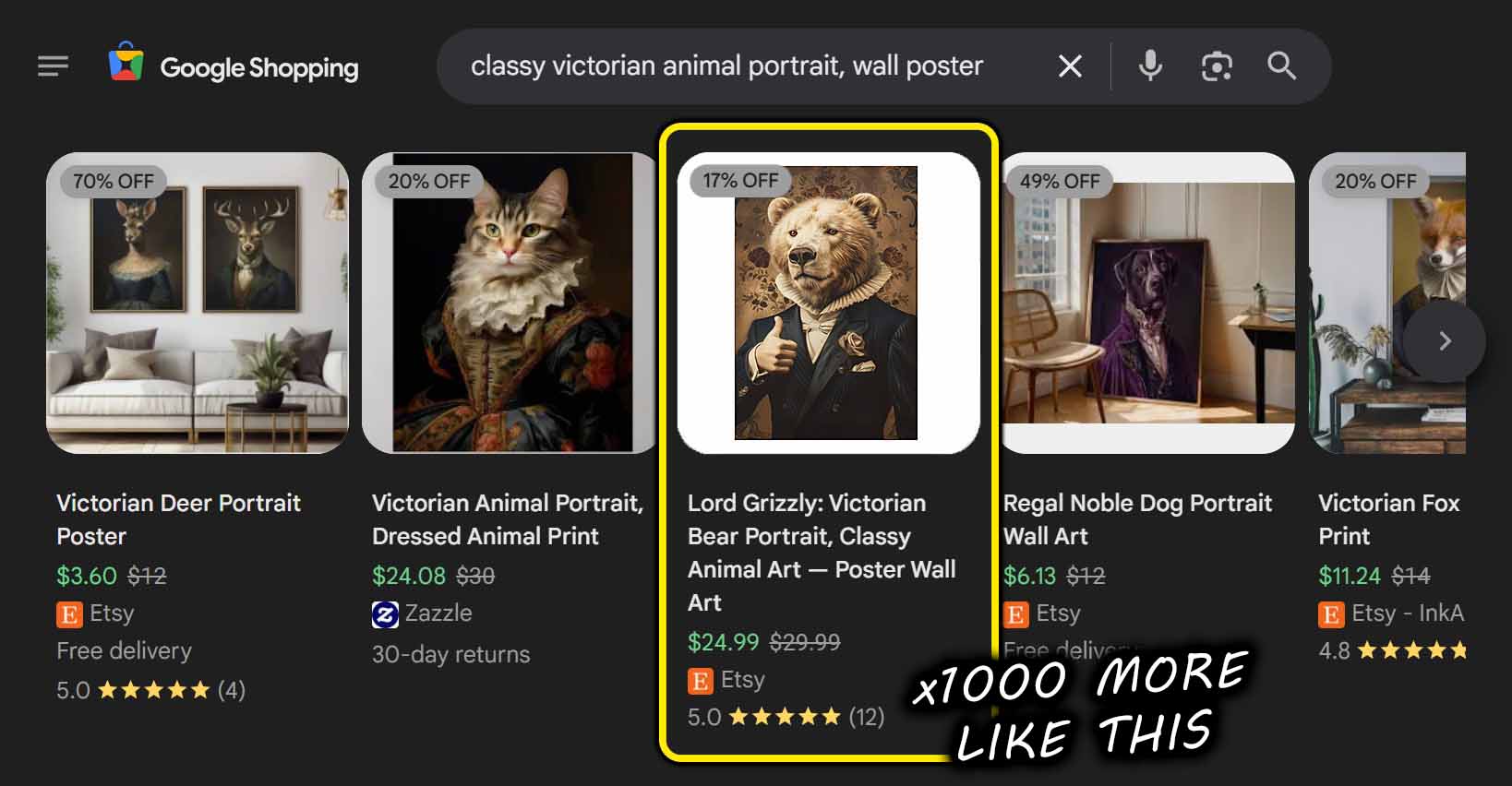
In short, a bulk listing generator multiplies every input—time, creativity, and output—by eliminating the bottleneck that keeps most Printify sellers from scaling.
Conclusion – Turn Your Printify Store Into a Listing Production Machine
Manual listing creation caps your growth. Automation removes that ceiling entirely.
The Bulk POD Product Creator transforms the endless grind of building listings one at a time into a streamlined, rule-based process that operates at machine speed. Whether you’re producing ten new designs a week or rolling out a thousand new products before the holidays, this Printify bulk listing generator tool gives you the scale, consistency, and SEO leverage to dominate your niche.
Stop burning hours on uploads, formatting, and copywriting. Start building a store that grows itself—one automated batch at a time.