
Printify Automation Software: The Best Time-Saving Tool For POD Sellers
Summary: Replace manual product creation with a repeatable, automated workflow using the Bulk POD Product Creator. Bulk image handling, precise placements, AI-generated SEO copy, and one-click reuse let you scale your Printify catalog with consistency and speed.
Why time is the real bottleneck in print-on-demand
For most print-on-demand sellers, the goal is simple: publish more products, reach more customers, and grow revenue. The blocker is time.
Creating products in Printify manually is slow and repetitive. To build even a modest collection, you’ll spend hours clicking the same steps:
- Upload each artwork file one at a time
- Wait for uploads to process
- Resize and reposition images across multiple variants
- Double-check print areas for accuracy
- Type titles, descriptions, and tags from scratch
- Set pricing for every variant manually
Repeat that for dozens or hundreds of designs and you’ve lost days—before you even start marketing.
That’s where Printify automation software changes everything.
What Printify automation software does
Automation eliminates repetitive, error-prone work. Instead of burning time on clicks and keystrokes, you:
- Define your rules once (which product to copy, how images are placed, how titles/descriptions/tags are generated).
- Feed the tool your image files.
- Click a single button.
From there, the software automatically:
- Creates new products in your Printify store
- Uploads and processes each artwork file
- Resizes images to match variant aspect ratios
- Positions designs consistently for every variant
- Generates SEO-ready titles, descriptions, and tags with AI
- Preserves consistency across pricing and variant selection
The result: what took days of manual slog becomes minutes of setup and one automated run.

Bulk POD Product Creator: Easy-to-use, time-saving Printify automation software
The Bulk POD Product Creator is a print-on-demand automation tool built to maximize time savings while preserving accuracy. Here’s how it removes friction across the workflow.
1) Bulk image upload and resizing
- Manual pain: Upload files one by one. Resize manually in the editor for each variant.
- Automated benefit: Select an entire folder of images at once. Each file becomes a new product. The tool automatically prepares correct sizes for required aspect ratios (2:3, 3:4, 1:1, etc.) and handles high-resolution processing in the background.

2) Placement accuracy across variants
- Manual pain: Drag, nudge, re-center, repeat—hoping every variant matches.
- Automated benefit: Choose Stretch, Preserve Aspect Ratios & Center, or Exactly Match Example Product for pixel-consistent results across the entire batch.
3) Reuse a blueprint product
- Manual pain: Re-select variants, print areas, and settings for every new listing.
- Automated benefit: Point the tool to one finished Example Product in your store. Variants, print areas, and settings are cloned for every product in the batch.

4) AI-generated titles, descriptions, and tags
- Manual pain: Writing image-specific copy for hundreds of products is slow and inconsistent.
- Automated benefit: Built-in AI analyzes each image and produces search-friendly titles, descriptions, and tags. Use Simple or Compound titles, control paragraph count, append Custom HTML, cap tag counts, and add evergreen tags.

5) Pricing and settings carried over
- Manual pain: Setting prices variant-by-variant wastes time and invites error.
- Automated benefit: Pricing and product configuration from the example product carry over automatically for consistent outputs.
6) Saved Operations for one-click repeatability
- Manual pain: Even after you find a winning format, reproducing it is tedious.
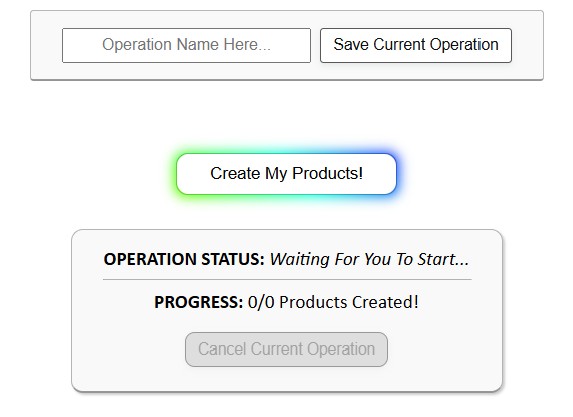
- Automated benefit: Save the entire setup as a Saved Operation. Next time, load it, drop in new images, and click Create My Products.

High-level overview: How the Bulk POD Product Creator works (step-by-step)
- Prepare a finished Example Product in Printify — ensure variants, print areas, pricing, and settings are correct. This is your blueprint.
- Select your images — click Choose Files and select a folder. Each file seeds a new product.
- Set placement logic — Stretch, Preserve Aspect Ratios & Center, or Exactly Match Example.
- Choose the target store — pick your Printify store from the dropdown.
- Pick the Example Product — variants and print areas are cloned for the batch.
- Configure content rules — titles (filenames or AI, Simple/Compound, optional Custom Text), descriptions (copy or AI + Custom HTML), and tags (copy or AI with caps + evergreen tags).
- (Optional) Save the setup — store everything as a Saved Operation for one-click reuse.
- Create the batch — click Create My Products and spot-check a few outputs before publishing.
Next run: Load the Saved Operation, select a new image folder, click once.
Why you should use Printify automation software: The key benefits
1) More time for higher-value work
Automation frees you from low-value clicking and typing so you can focus on the money-making parts of the business:
- Marketing campaigns that drive new traffic
- SEO and content that compound over time
- Customer service that boosts repeat purchases
- Product strategy, niche selection, and brand building
Every minute saved on product creation can be invested where it yields returns.
2) Less burnout, more creative and strategic energy
Manual listing work is draining. Automating it reduces fatigue and keeps your energy available for the work that actually requires judgment and creativity: curating niches, designing collections, testing offers, and planning growth.
3) Rapid catalog growth—and its ripple effects
- More landing pages = more traffic. Each product can rank for targeted queries.
- Longer sessions. Bigger catalogs keep shoppers browsing, a positive signal for search engines.
- Higher average order value. More choice increases odds of multi-item carts.
- Pricing power. A broad collection raises the chance a shopper finds something compelling enough to pay a premium.
- Better rankings over time. More pages + longer sessions compound your site’s perceived relevance and quality.
In other words: more products mean more visibility, more conversions, and more profit. Automation is the realistic way to reach this scale without months of manual work.
The compounding benefit of automation
- 1 product manually = 10–30 minutes
- 100 products manually = 16–50 hours
- 1,000 products manually = weeks of boring, grinding, repetitive effort
With the Bulk POD Product Creator, the same workload compresses into ~60 seconds of setup and one automated run. What once required weeks can be completed in a weekend—without fatigue or errors.
Why automation beats manual every time
- Accuracy: Consistent placements and clean, image-aware metadata.
- Consistency: Every product follows the same blueprint for a cohesive store.
- Scalability: Once configured, creating 10 products takes the same effort as creating 1,000.
Bottom line: The best time-saving tool for Printify sellers
If you’re serious about scaling a print-on-demand business, the choice is clear:
- Manual product creation = hours wasted and creative energy drained.
- Printify automation software = freedom to grow at scale.
The Bulk POD Product Creator removes bottlenecks at every step—bulk image handling and resizing, precise placements, AI-generated SEO copy, and one-click Saved Operations—so you can publish more, faster, and with professional consistency.
Create more products, faster. Shift your time to marketing, customer experience, and strategy—while the machine handles the repetitive work.