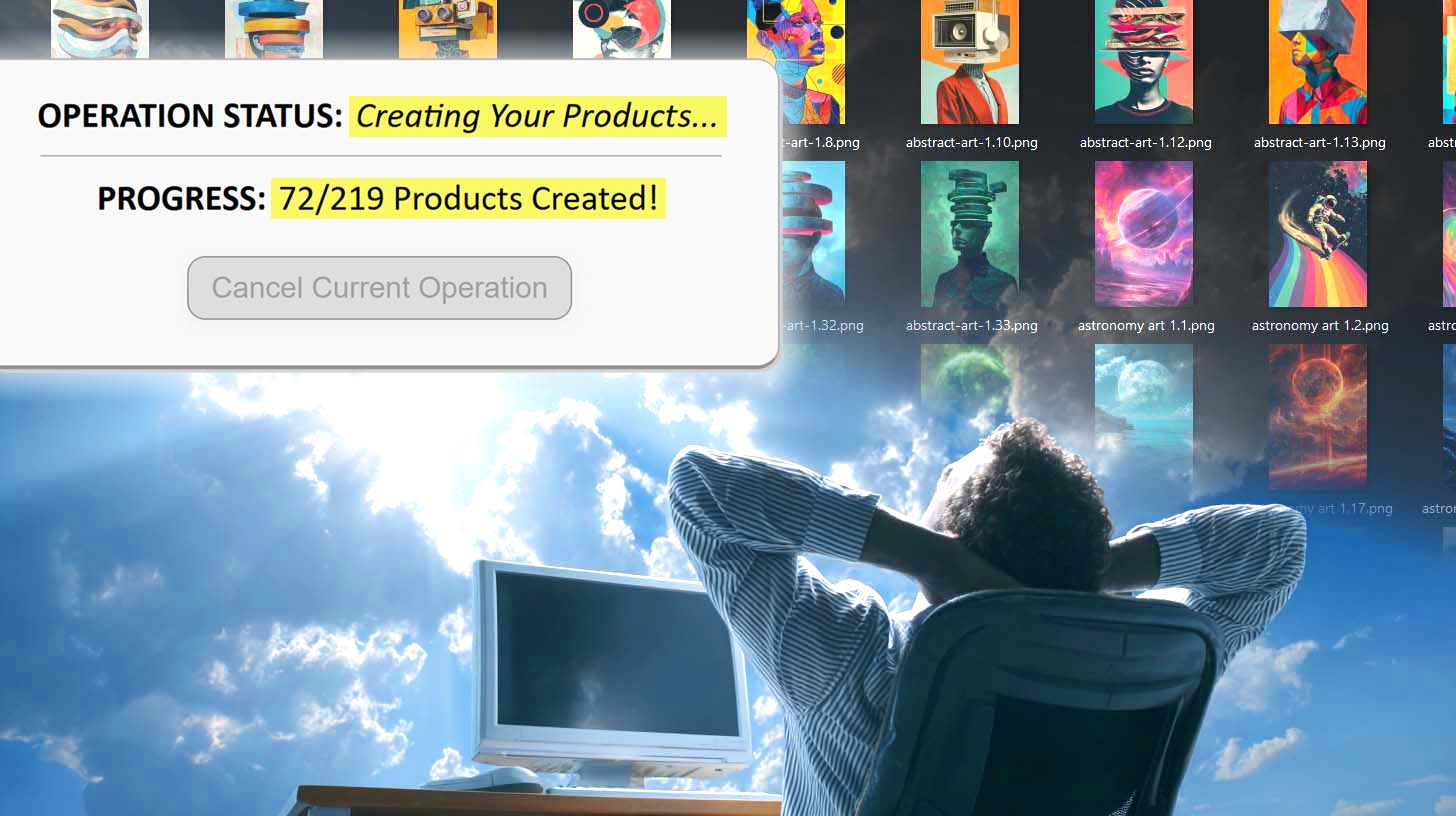
Print-on-Demand Product Info Generator Tool: Use AI To SEO-Optimize Your POD Listings
Overview: Learn how the Bulk POD Product Creator automates print-on-demand product creation and SEO title, description and tag writing. This post explains the workflow, the benefits of AI-powered title/description/tag generation, and how automation enables scalable, optimized catalog growth while freeing up creative time.
Why Do It Manually When AI Can Do It For You?
In print-on-demand, the single biggest time sink isn’t designing — it’s everything after the design. Creating product listings, writing titles, filling out descriptions, tagging designs — it’s all mechanical, repetitive work that eats entire evenings without moving your business forward.
Here’s the uncomfortable truth: there are no extra points for doing it manually. No hidden reward for typing the same information over and over again. No secret SEO bonus for writing every description by hand.

If two sellers end up with equally optimized listings — one that took five hours to produce manually, and one that took five minutes through automation — the search engines treat them identically. The difference is, one seller now has a full weekend free to design more artwork, launch more products, and scale their store ten times faster.
That’s where AI completely changes the equation. Instead of spending your creative energy on form-filling and copywriting, you let automation handle the repetitive parts while you focus on the creative direction.
Over the past few years, print-on-demand technology has evolved from basic upload helpers to full automation suites — and now, with AI built in, you can generate, optimize, and publish products automatically from start to finish.
The Bulk POD Product Creator is that evolution realized. It serves as your all-in-one print-on-demand product info generator tool. It’s built for sellers who understand that scaling isn’t about working harder — it’s about removing friction and using AI to handle what used to take hours.
How It Works — High-Level Overview
At its core, the Bulk POD Product Creator is a two-in-one automation and AI engine that combines product creation and SEO copy generation in a single streamlined workflow. This tool is designed to both create your print-on-demand products and also to write SEO-optimized titles, descriptions, and tags automatically for each product using AI.
- Automation Layer: Handles all structural product creation tasks — building listings directly inside your POD store, assigning variants, setting prices, and applying consistent placement rules.
- AI Layer: Reads each artwork image, identifies what’s depicted, and writes natural, SEO-optimized titles, descriptions, and tags for every product automatically.

Here’s the short version:
You upload your designs → the system analyzes them → it writes optimized text → and it builds all your products directly in your POD store, fully ready to publish.
Everything runs in bulk. Instead of uploading, writing, and configuring 100 listings one by one, you just define your structure once, click generate, and the system handles every repetitive step automatically.
The interface walks you through a simple three-step process:
- Step 1 — Upload Artwork Batch
- Step 2 — Select Example Product + Settings
- Step 3 — AI Product Info Generation (titles, descriptions, tags)
Each stage is designed to eliminate busywork and ensure you get consistent, ready-to-sell products every time.
Step 1: Upload Your Artwork Batch
Everything begins with your artwork — the raw creative assets that will become products.
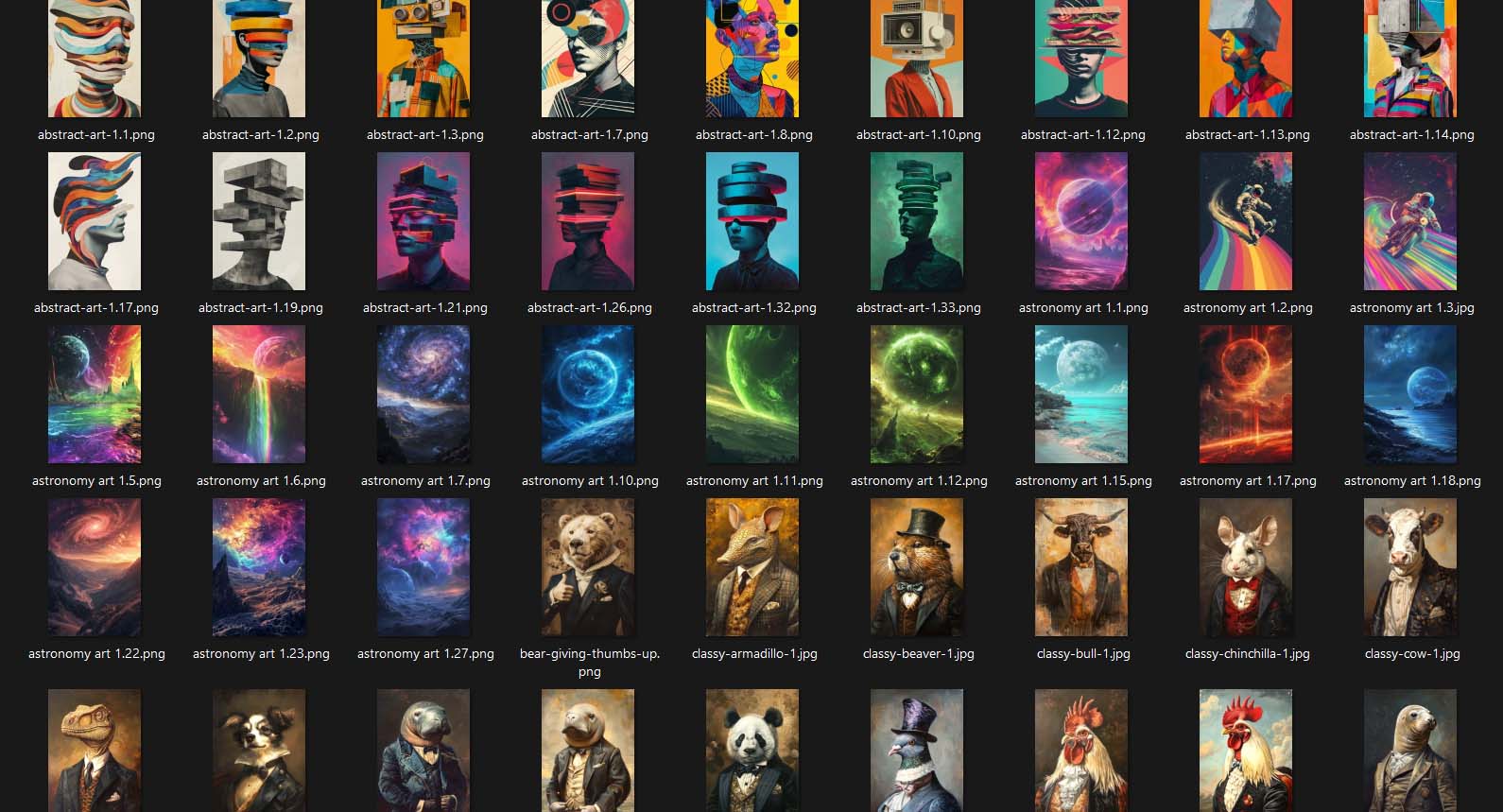
In this first step, you simply upload your batch of designs. The Bulk POD Product Creator automatically detects and queues each image for generation. Whether you’re uploading five images or five hundred, the process is identical — no manual naming, sorting, or repetitive setup required.

Once uploaded, the images are ready for analysis and generation. The tool doesn’t need you to specify what the artwork contains; its integrated AI layer handles that automatically in the next phase.
Your only task here is to feed the system your artwork — the automation engine takes care of everything else downstream.
This step turns what used to be a 20–30 minute setup process into a one-minute drag-and-drop operation.
You’ll also choose your image placement mode here:
- Stretch Images To Fit Print Area(s): fills the available space quickly and uniformly.
- Preserve Image Aspect Ratio & Center: prevents distortion while maintaining proportional alignment.
- Exactly Match Example Image(s): pixel-accurate replication based on your reference product.
These rules let you achieve visual consistency across your entire catalog — something nearly impossible with manual uploads.
Step 2: Select Your Example Product + Settings
After uploading your artwork, the next step is selecting an Example Product — the template your generated listings will follow.

Your Example Product defines:
- Structure: which base product type to replicate.
- Variants: available colors, sizes, and print areas.
- Pricing: your preset price points or profit margins.
- Placement rules: where and how each artwork should appear on the product.
Once selected, the Bulk POD Product Creator mirrors that structure automatically across every new product generated in the batch. You set your parameters once — not a hundred times.

Once confirmed, your product structure and generation rules are locked in. The AI is now ready to analyze each artwork and create SEO-optimized product listings automatically in the next step.
Step 3: AI Product Info Generation (Titles, Descriptions, Tags)
This is where the Bulk POD Product Creator transitions from automation to intelligence — transforming your uploaded artwork into fully optimized, ready-to-publish product listings.
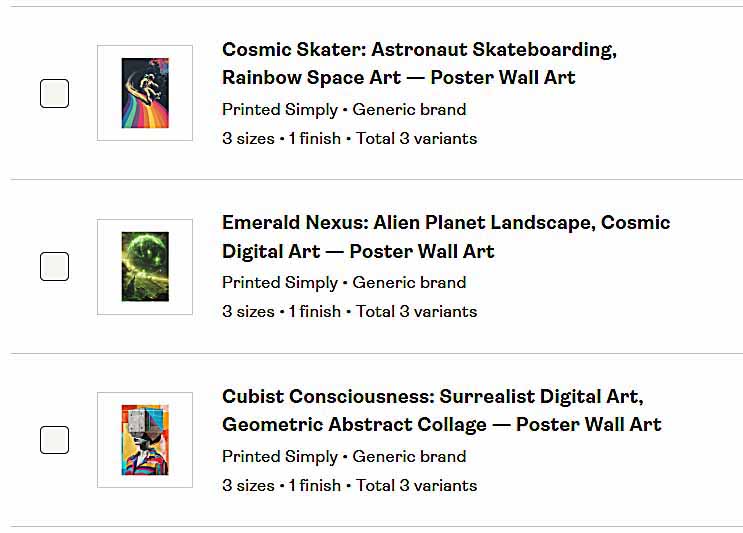
Once your Example Product and placement settings are configured, enabling AI Product Info Generation activates the system’s built-in AI writing engine. It analyzes every artwork image, identifies what’s actually visible (objects, text, composition, colors, and themes), and writes all the titles, descriptions, and tags for each POD product automatically.
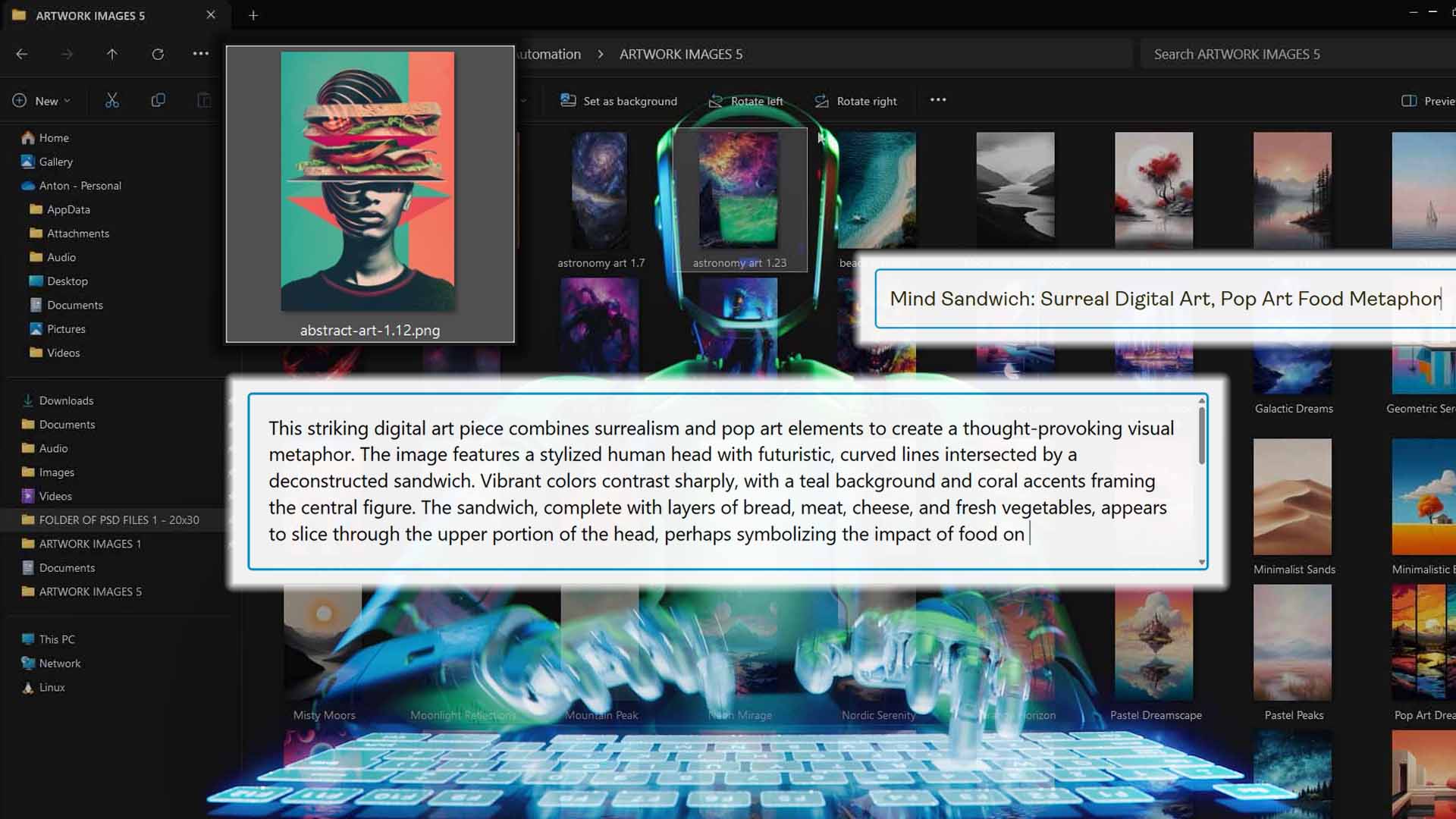
Every output is based on what the AI actually “sees” in your artwork — ensuring the metadata isn’t generic filler, but visually accurate, descriptive, and keyword-optimized.
Let’s break this process down by component:
AI Titles — Artwork-Specific Keywords + Custom Product-Level Text
The Bulk POD Product Creator automatically generates concise, visually descriptive titles that accurately represent each artwork’s subject matter.
For example, the AI might detect that a piece features a “retro cityscape,” “mountain landscape,” or “typographic quote” — and build a clean, human-readable title around that theme.
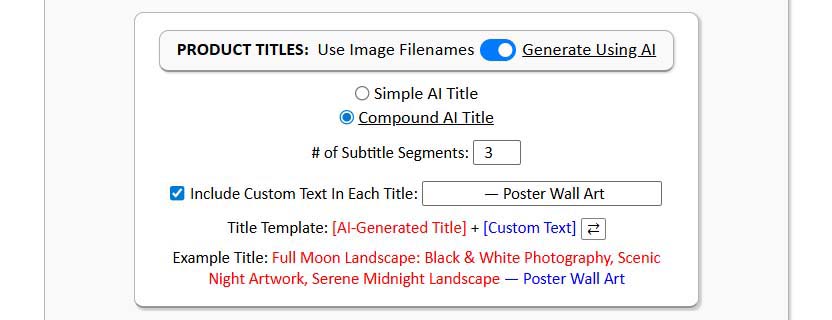
Then, you can prepend or append your own product-level text (for example: “— Canvas Wall Art,” “— Unisex Premium Hoodie,” “— Ceramic Coffee Mug”).
That two-layer system gives each title both image-based relevance and product-specific context:
- The AI portion drives discovery by describing the visual content (what’s in the artwork).
- The custom portion aligns it with product-level search terms (what type of item it is).
Together, these elements form SEO-perfect titles that match how real buyers search — covering both subject-driven and product-driven keyword phrases simultaneously.

AI Descriptions — Contextual, Readable, and SEO-Ready
For descriptions, the Bulk POD Product Creator writes natural, human-sounding text based entirely on the visual information in each image.
It recognizes tone (playful, minimalist, artistic), identifies the dominant subjects, and structures full sentences around those observations.
Each AI-generated description reads smoothly while including descriptive keywords that boost search visibility.

You can then append your own custom HTML block — such as your store’s product specifications, materials, fulfillment info, or sizing guide.
This combination yields SEO-rich, visually accurate descriptions that maintain consistency across your catalog.
- The AI portion covers image-based context and descriptive language.
- The custom block ensures product uniformity and provides conversion-focused details.
The result is a professional, SEO-optimized description that performs well with algorithms and builds buyer trust with real-world product info.
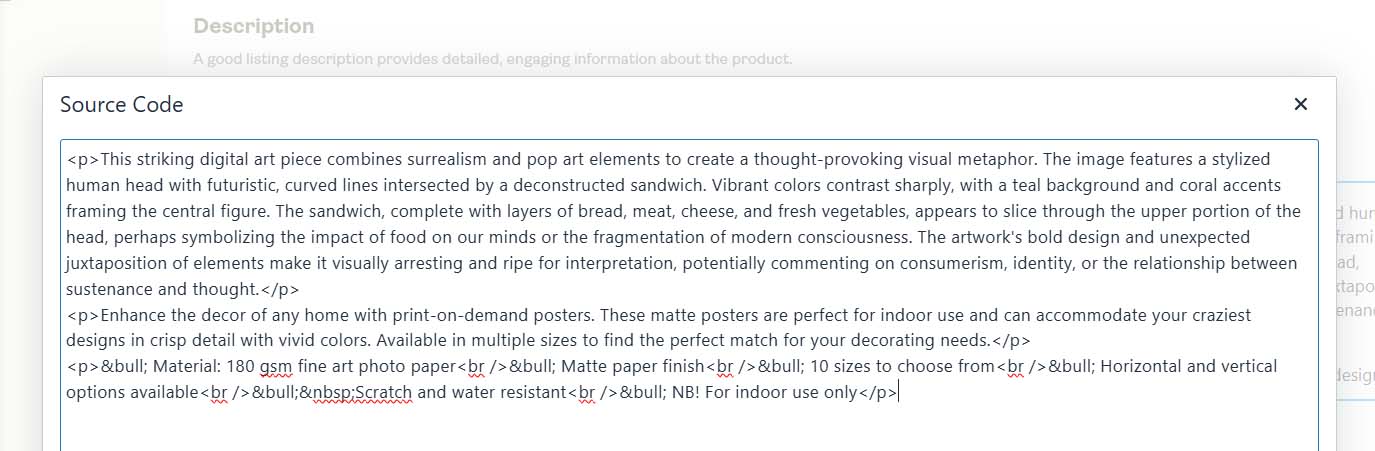
AI Tags — Intelligent Keyword Expansion for Every Design
Tags are where your listings gain reach and diversity in search.
The AI automatically extracts visually relevant keywords based on what’s actually present in the artwork — things like “geometric design,” “minimalist abstract,” or “vintage quote typography.” These form your artwork-specific tags.
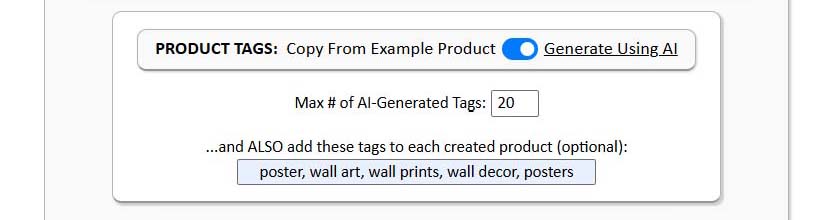
You can then layer in your custom product-level tags — such as “poster,” “home decor,” “gift idea,” or “printable wall art.”
This creates a dual-keyword framework:
- AI tags capture discovery traffic based on image content.
- Custom tags capture marketplace and product-type intent.
When combined, you achieve broad yet precise keyword coverage — the sweet spot for POD SEO. Every product becomes a unique, search-optimized listing that reflects its actual content and its market positioning.
How People Search the Internet vs the SEO-Optimized Outputs of the Bulk POD Product Creator
When buyers search online, they don’t think like sellers. They don’t type “great design” or “nice artwork.” They search using specific, intent-based phrases that combine what they want to see and what they want to buy.
For example:
- “Minimalist ocean poster”
- “Funny coffee mug for teachers”
- “Retro cityscape canvas wall art”
Each query has two parts:
- The artwork-specific half (e.g., “ocean,” “retro cityscape,” “funny quote”).
- The product-specific half (e.g., “poster,” “mug,” “canvas wall art”).
The Bulk POD Product Creator is engineered to match this pattern perfectly.
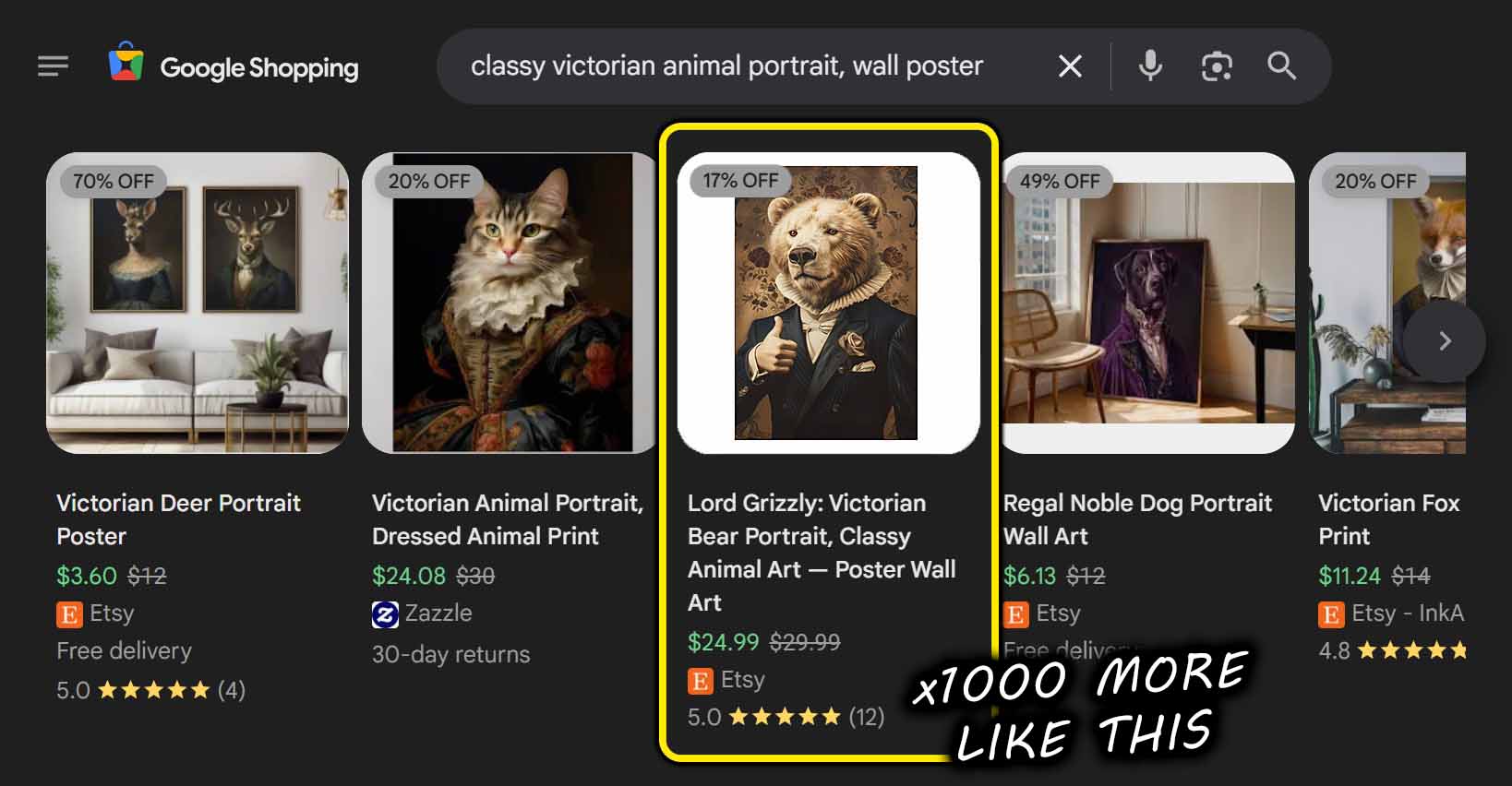
The AI engine automatically provides the artwork-specific keywords through visual understanding of the design.
The custom title, description, and tag inputs allow you to embed the product-specific keywords that capture buyer intent.
This synergy creates a near-perfect alignment between how people search and how your products are indexed.
The outcome is simple but powerful:
- Higher rankings — because the metadata reflects genuine search phrasing.
- Higher click-through rates (CTR) — because titles and descriptions read naturally while hitting key terms.
- Increased organic traffic — because each product ranks for multiple long-tail variations.
- More conversions — because the listings attract the exact buyers who were already looking for them.
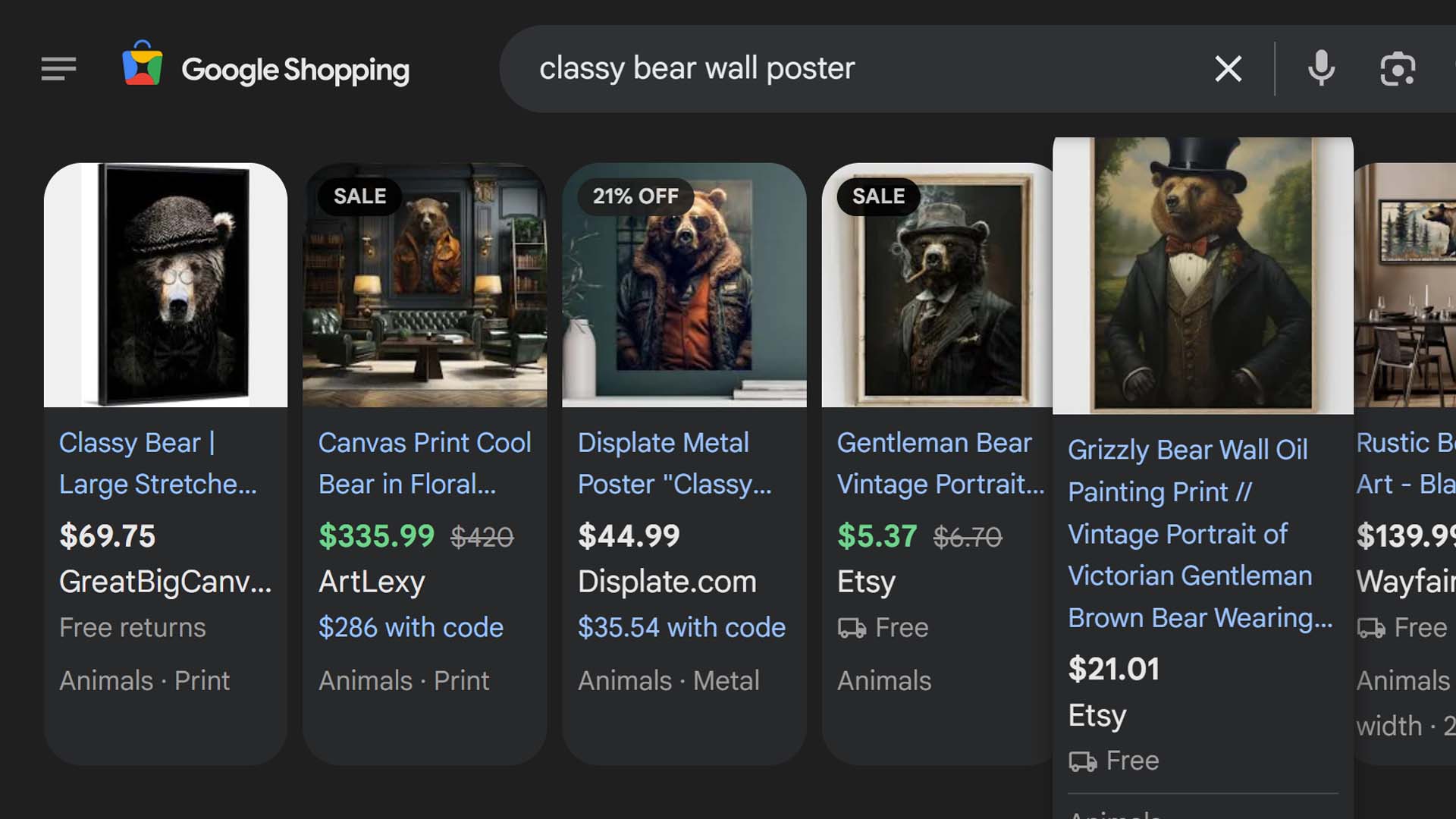
In other words: your catalog starts speaking the same language as your customers — and search algorithms reward that alignment with more visibility.
Conclusion — Scale Smarter, Not Harder
You don’t earn extra revenue by typing faster or by manually writing the same information hundreds of times. You earn more by getting more optimized listings live — faster.
The Bulk POD Product Creator turns the manual slog of uploading, configuring, and SEO-optimizing products into a single automated workflow. It creates your products directly inside your POD store, analyzes each image, and writes all the titles, descriptions, and tags for you — fully optimized and ready to publish.
This is how modern print-on-demand sellers scale: By automating the busywork, standardizing quality, and letting AI handle the SEO foundation while they focus on creativity, branding, and growth.
There’s no reason to keep grinding through repetitive tasks when the system can do them better, faster, and more consistently.
Use the Bulk POD Product Creator today to let automation handle your print-on-demand product creation and let AI handle your SEO optimization — so you can spend less time typing and more time building your brand.