
Print-on-Demand Bulk Product Uploader Tool: Create Hundreds of POD Products Quickly & Easily
Overview: Use the Bulk POD Product Creator to replace slow, manual listing work with a fast, rules-driven pipeline that publishes polished products at scale. This post explains the core benefits of a bulk product uploader (faster catalog growth, consistent placements and pricing, fewer errors), introduces the Bulk POD Product Creator, and outlines a simple three-step flow (image placement, Example Product cloning, and AI-generated titles/descriptions/tags) that turns repetitive tasks into a repeatable, automated workflow.
Why This Bulk Product Uploader Tool Is Useful For Print-on-Demand Sellers
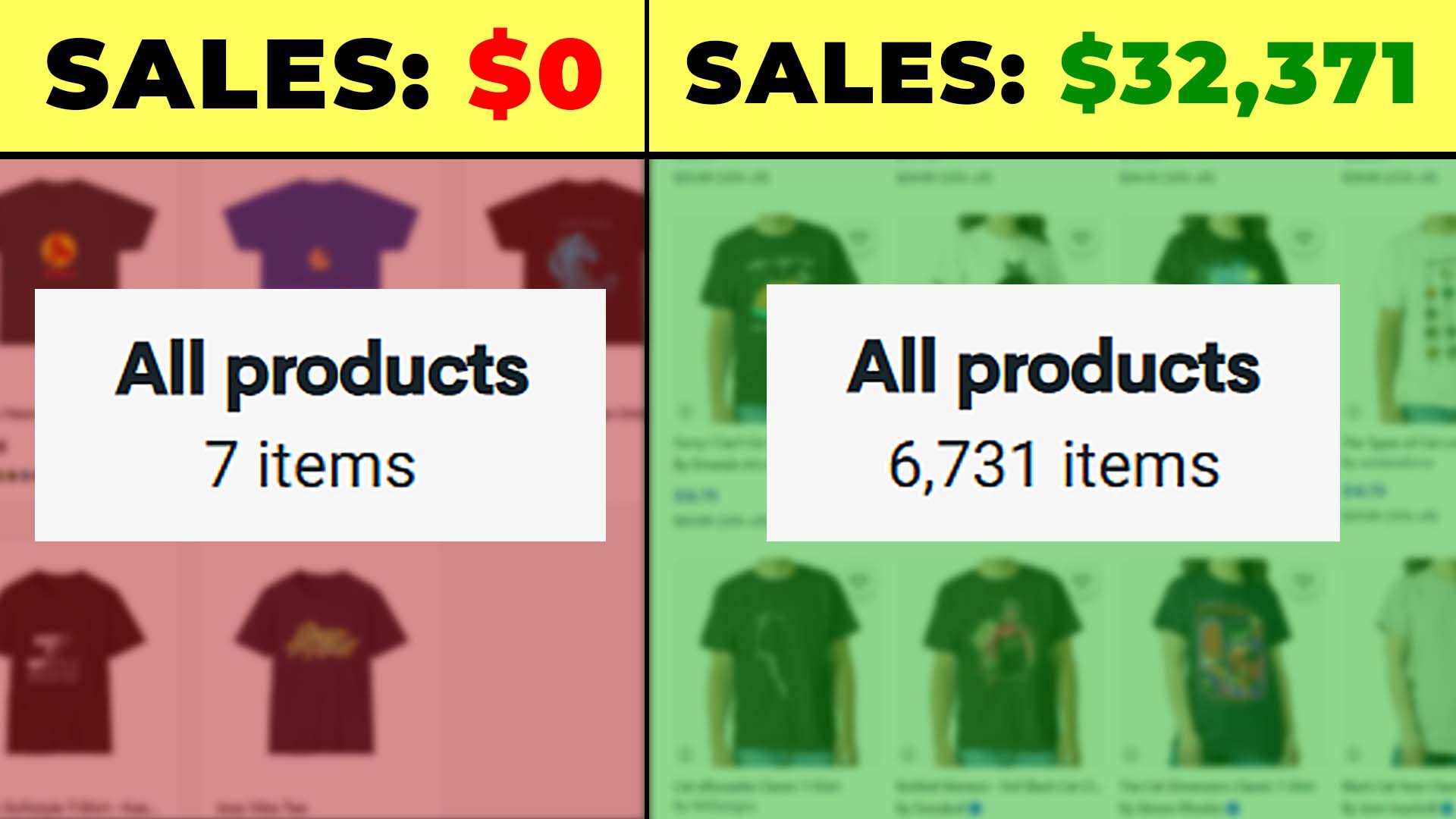
Running a print-on-demand business is rewarding when you’re designing new artwork, researching winning niches, or marketing your products. But the limiting factor is almost never creativity — it’s the time sink of manual product creation. Opening your POD platform, uploading one image at a time, dragging it into place for every variant, typing in titles, setting prices, and repeating that cycle over and over again is exhausting. Worse, it caps how big your catalog can grow, because your time becomes the bottleneck.
A bulk print-on-demand product uploader tool removes that bottleneck entirely. Instead of creating products one by one, you give the system your rules once, feed it a batch of images, and it generates finished, SEO-optimized products automatically. The result:
- Rapid catalog scaling — publish hundreds of listings in hours instead of weeks of repetitive clicking.
- More time for high-level work — spend your energy on marketing campaigns, design research, and growth strategies rather than resizing art and keying in prices.
- Consistency and accuracy — every product is placed exactly the same way, priced correctly, and presented professionally.
- More traffic opportunities — each product becomes a new landing page in search engines. Hundreds of listings equal hundreds of ways for buyers to find your shop.
- Higher average order value — with a deeper catalog, buyers are more likely to find multiple items they want, raising cart sizes.
- Greater profit potential — when shoppers find the “perfect” product that matches their intent exactly, they’re often willing to pay higher prices.
- Reduced human error — no more misaligned placements or mismatched prices caused by fatigue during manual entry.
Put simply: bulk uploading doesn’t just save you time — it directly translates into more products, more traffic, and more sales.
Overview: How the Bulk POD Product Creator Works
The Bulk POD Product Creator automates the entire print-on-demand product creation process from start to finish. Instead of slogging through the repetitive motions yourself, the software takes over.
Here’s what it does in practical terms:
- You select the artwork images you want to use.
- You connect your POD store and choose an Example Product that acts as the “blueprint.”
- You pick how you want images placed and resized across all variants.
- The system analyzes each artwork image, writes keyword-rich titles, descriptions, and tags using AI, and attaches them automatically.
- You click “Create My Products,” and the software publishes dozens — or even hundreds — of polished products in one run.
At the operation level, what’s really happening is simple: the tool takes your Example Product, clones its structure (variants, prices, and settings), drops each new image into the print areas based on your placement rules, and generates fresh SEO-optimized text for every single product. Instead of creating one product in 15 minutes, you can create 100 products in roughly the same amount of setup time.
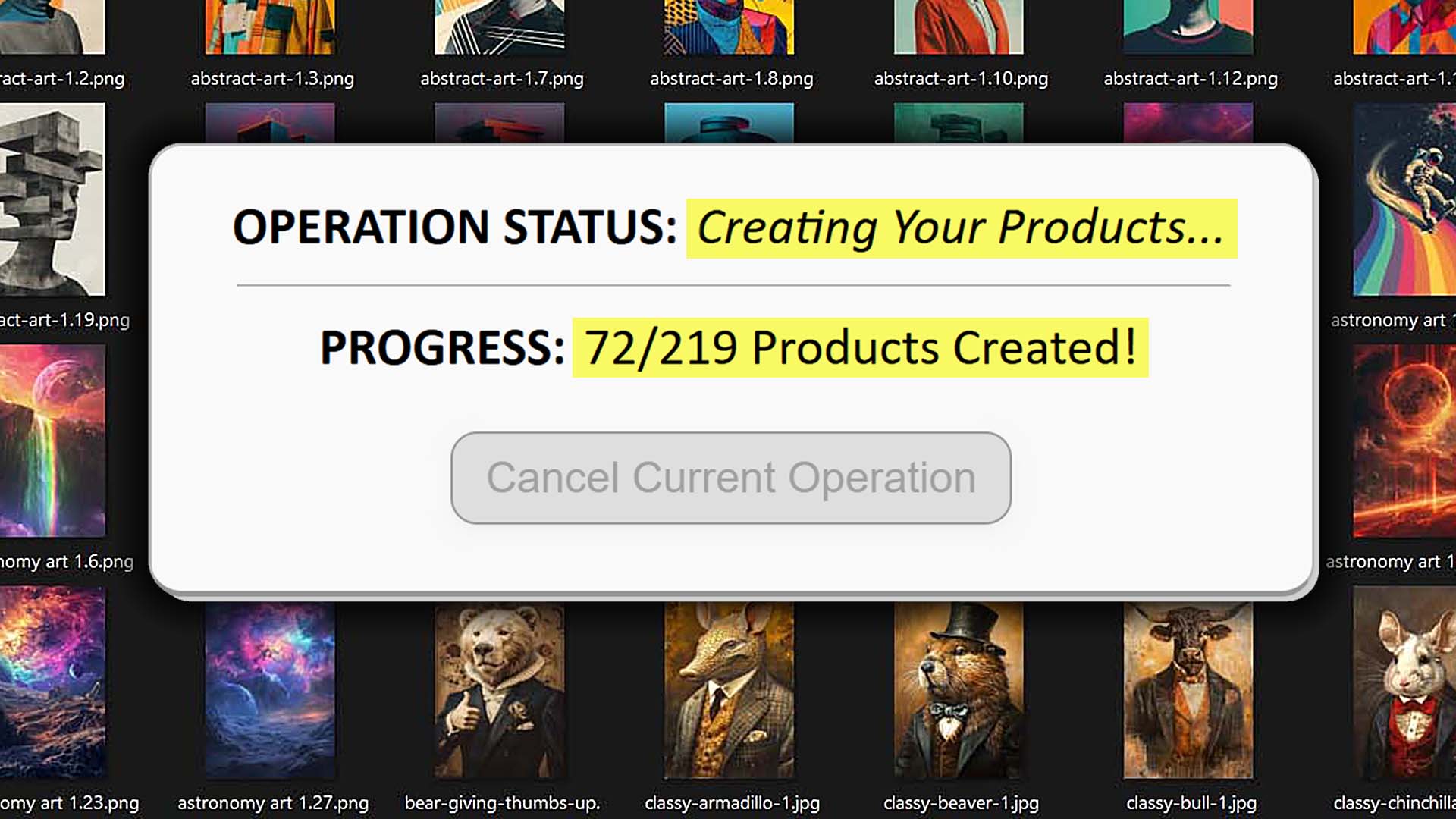
Think of it as creating your “ideal” product once — then letting the system replicate that standard across your entire selected image catalog automatically, creating unique SEO-optimized product info in the process.
Step 1: Select Images and Placement Settings
The first thing you’ll do is select the artwork images you want turned into products. Each image you provide will become a standalone product, built with your chosen settings.

This is also where you choose the placement mode — the rule that tells the tool how to fit your artwork into the print area(s) of the product variants:
Stretch Images To Fit Print Area(s)
- Scales the image to cover the entire print area, even when variant aspect ratios differ (like 18x24 vs 20x30 posters).
- Best for wall art, canvases, or products where full-bleed coverage is important.
- Use case: a set of abstract designs where edge-to-edge coverage looks polished across all print sizes.

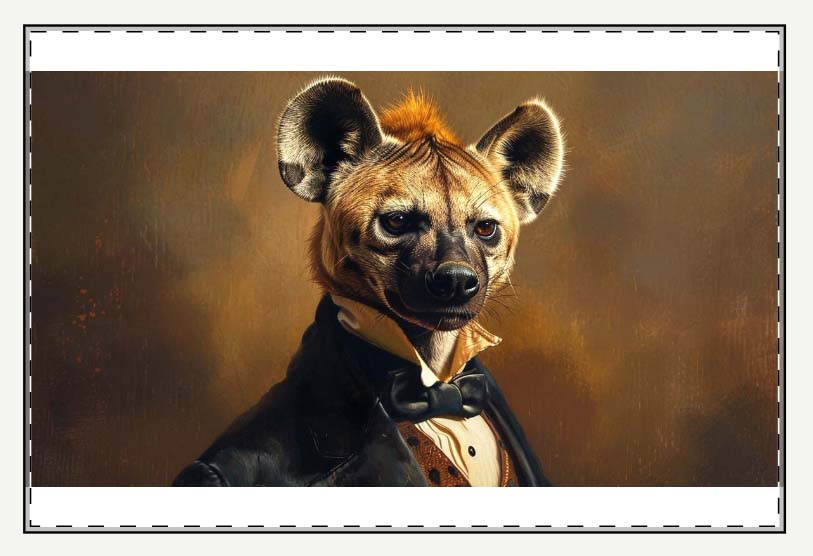
Preserve Image Aspect Ratio & Center
- Keeps your image’s proportions intact, centering it within the print area so nothing looks stretched or squashed.
- Best for logos, typography, or geometric designs where distortion would ruin the aesthetic.
- Use case: a branded slogan design where the letters must remain crisp and proportionally correct, even if margins are left on certain sizes.
Exactly Match Example Image(s)
- Replicates the exact placement, size, and positioning from your chosen Example Product.
- Best for complex products (like mugs, tote bags, or wrap designs) where pixel-accurate placement is critical.
- Use case: a wraparound coffee mug design you’ve already perfected once and want cloned exactly across dozens of new images.

Why these features are useful for print-on-demand sellers:
Manually placing artwork is one of the most tedious tasks in POD. Without automation, you often:
- Spend hours in Photoshop pre-processing images to create alternate aspect ratio versions so they’ll fit different product sizes.
- Waste time manually dragging and zooming each file inside the POD interface to get it centered correctly across variants.
- Discover that images don’t meet print-quality thresholds, forcing you to pre-upscale files before uploading.
The Bulk POD Product Creator eliminates all of that. It handles placement rules consistently across every product, automatically resizes for you, and even performs upscaling so your images meet print-quality requirements without any extra prep work.
The payoff: instead of dozens of micro-adjustments per product, you apply one placement strategy across your entire batch — saving hours while producing cleaner, more consistent results.
Step 2: Connect Your Store and Select an Example Product
Once your images and placement rules are set, the next step is to connect the Bulk POD Product Creator to your POD store using a secure API token. This gives the tool permission to create products directly in your account, so you don’t have to manually enter anything.

Then you choose an Example Product. Think of this as your “role model” product: the one product you’ve already dialed in with the right variants, pricing, and options. The software uses this as the blueprint for every new product it creates.
What gets carried over from your Example Product:
- Variant structure — sizes, orientations, materials, and defaults.
- Pricing and margins — per-variant pricing is preserved exactly, so you don’t risk underpricing or mis-keying margins.
- Placement logic — if you chose “Exactly Match Example,” the software applies the same pixel-accurate positioning.
At the operation level, this step is what enables true standardization. Each new product isn’t just loosely modeled after your original — it’s an exact replication of its structure, with only the artwork swapped out.
Why these features are useful for print-on-demand sellers:
- Better standardization: Every product inherits the same trusted structure, so you don’t end up with mismatched variants or uneven pricing.
- Time savings: No need to manually key in prices or reselect product settings for every listing. Configure once, then scale infinitely.
- Saved templates: Example Products are stored in a dropdown. You can name them clearly (e.g., “Wall Posters - 2:3 aspect ratio” or “Square Canvas Wall Art”) and switch between them instantly.
- Error reduction: When you replicate proven Example Products instead of rebuilding settings manually, you drastically cut down on mistakes like missing a variant or mispricing one size.
- Scalability: With multiple Example Products saved, you can quickly toggle between product types (posters, apparel, mugs) and create whole new collections in minutes.
This step is the difference between treating every new listing as a one-off project versus running your catalog creation like a streamlined, repeatable production process.
Step 3: AI-Generated Titles, Descriptions, and Tags
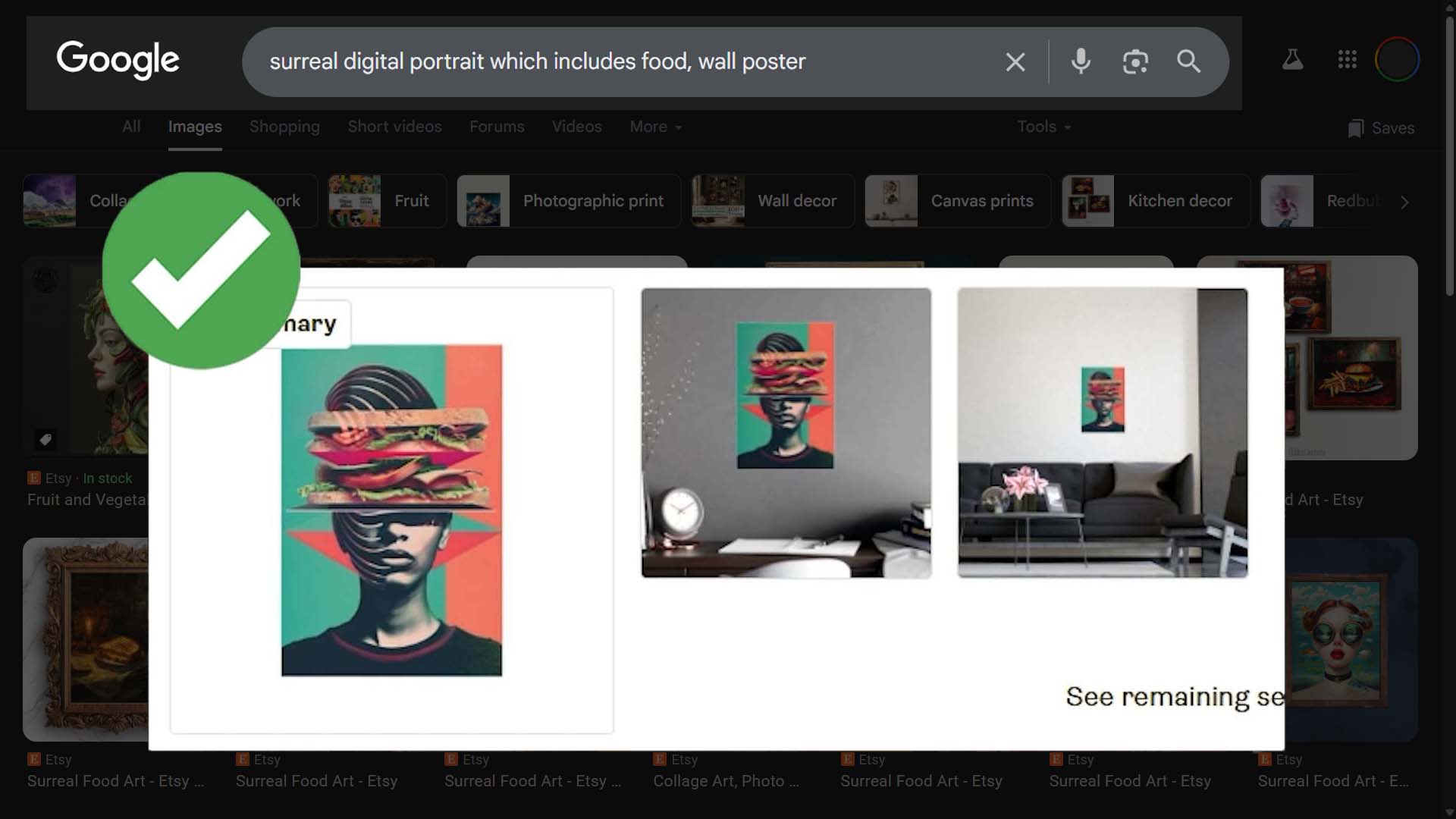
The third step of the Bulk POD Product Creator is where the real power of automation becomes obvious. Once your artwork is uploaded and your Example Product is chosen, the system applies AI image recognition to each image. It analyzes the subject matter, the style, the objects present, and even the mood or context of the artwork. From that analysis, this tool generates highly accurate, longtail keyword-rich titles, descriptions, and tags for every single POD product created.

In plain terms, here’s what the AI does:
- It looks at your artwork image the way a human would — identifying what’s visually present and thematically important.
- It translates those observations into natural, descriptive language that mirrors how real customers search online.
- It creates optimized text inputs that both describe the artwork and align with SEO best practices, ensuring your products get discovered.
Instead of sitting at your keyboard writing metadata one product at a time, the AI handles everything for you — consistently, accurately, and at scale.

Titles: Simple, Compound, and Customizable
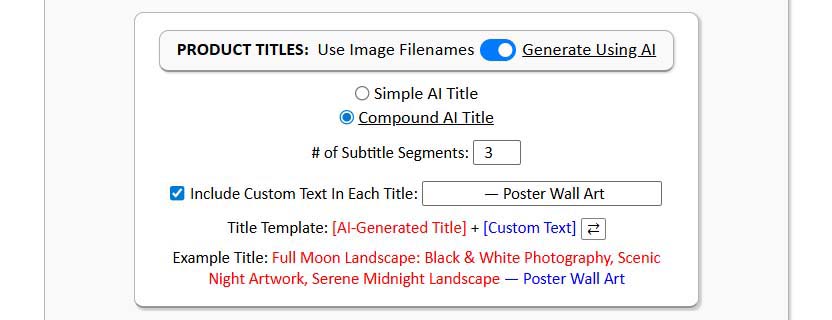
When it comes to titles, you can choose between simple titles and compound titles.
Simple titles are straightforward, like: “Full Moon Landscape.”
Compound titles are the AI-generated simple title extended with additional AI-generated subtitle segments for SEO depth, like: “Full Moon Landscape: Black & White Photography, Nighttime Scenery.”
Optional custom text (prefix/suffix):
For either title type (simple or compound), you can add your own custom text at the front or end — useful for aligning with product-level search queries. Examples:
- Prefix example: “Poster Print: Full Moon Landscape: Black & White Photography, Nighttime Scenery”
- Suffix example: “Full Moon Landscape: Black & White Photography, Nighttime Scenery — Large Canvas Wall Art”
How this maps to search behavior:
- A shopper searches “large canvas wall art black and white moon.”
- AI compound title (artwork only): “Full Moon Landscape: Black & White Photography, Nighttime Scenery.”
- You append suffix custom text: “— Large Canvas Wall Art.”
- Final title becomes a strong match for the query while preserving the AI’s rich descriptive core.

Descriptions: AI-Powered + Custom HTML
The AI also writes descriptions that highlight what’s visually in the artwork and why it appeals to buyers. These descriptions aren’t generic filler text — they’re keyword-rich, natural-sounding, and tailored to each product.
In addition, you can inject your own custom HTML blocks into every description. This gives you full control to add standardized product-level information like:
- For apparel: fabric blends, sizing info, or washing instructions.
- For posters or canvases: material details, hanging instructions, frame thickness options, or finishing notes.
This blend of AI-driven uniqueness plus your reusable HTML ensures every description is both SEO-optimized and buyer-friendly. It communicates value clearly while feeding search engines exactly what they need to rank your listings higher.

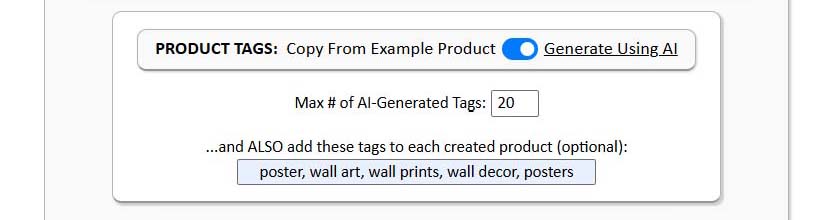
Tags: AI + Custom Layer
For tags, the system auto-generates a diverse set of keywords derived from the artwork analysis. These tags are longtail-rich, diverse, and highly relevant. But you’re not limited to just what the AI provides — you can also add custom tags at the batch level.
This is useful when you want to:
- Ensure certain product-level keywords are always included (e.g., “poster print,” “canvas wall art,” “unisex t-shirt”).
- Group products into collections (e.g., “Halloween Collection,” “Travel Photography Series”).
- Guarantee specific terms important to your strategy are present (e.g., your brand name, niche-specific terms, or seasonal tags).
By blending AI and custom input, you get the best of both worlds: the efficiency of automation plus the control of manual targeting.
Why these features are useful for print-on-demand sellers:
Here’s where the benefits really stack up:
- Massive time savings: Writing titles, descriptions, and tags manually for hundreds of products is not only boring, it’s soul-crushing. By product number 20 you’d be tired; by number 50 you’d be repeating yourself; by number 100 you’d be phoning it in. The AI never gets fatigued — it generates unique, high-quality copy for product number 1 and product number 500 alike.
- Avoiding last-mile fatigue: Humans start strong but taper off. The final 30% of manual listing work is often sloppy because creators are exhausted. AI doesn’t half-ass the job; it applies the same care and consistency to every listing.
- Diversity of vocabulary: Your brain can only come up with so many synonyms for “beautiful artwork” or “minimalist design.” Eventually, you’d recycle the same adjectives and hurt your SEO. The AI pulls from a much wider vocabulary, producing fresh variations that keep listings from looking repetitive.
- SEO firepower: Optimized titles, detailed descriptions, and diverse tags mean every product page is a standalone SEO landing page. Each one can capture organic traffic and funnel buyers into your store. Multiply that across hundreds of listings, and the effect compounds.
- Tag-based collection automation: With custom tags layered in, building collections (e.g., “Ocean Photography,” “Inspirational Quote Tees”) becomes trivial. Instead of manually tagging products one by one, you do it once per batch.
In short: Step 3 doesn’t just eliminate manual busywork — it upgrades the quality of your listings beyond what you could realistically produce by hand.
Final Step: Click “Create My Products”
Once all your settings are in place, the final step is as simple as clicking “Create My Products.”
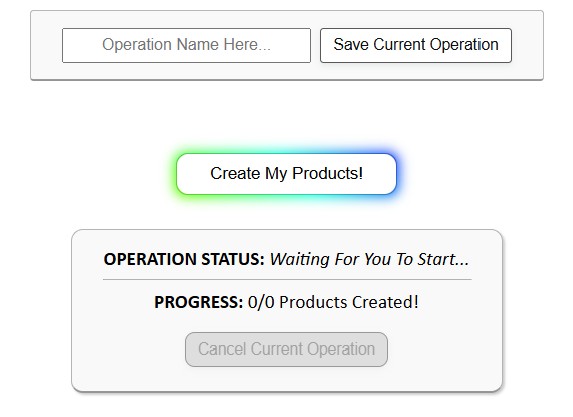
Here’s what happens under the hood:
- The tool cycles through your selected images one by one.
- For each image, it applies your chosen placement/resize setting.
- It clones your Example Product’s structure — variants, prices, and options.
- It runs AI analysis on the image to generate titles, descriptions, and tags.
- It publishes the fully complete product to your POD store automatically.
Everything is done for you. No manual resizing, no copy-pasting metadata, no repetitive entry. It’s completely automated — 100% on autopilot.

Saved Operations: One-Click Reuse
Here’s where things get even faster. The Bulk POD Product Creator lets you save operations.

When you save an operation, the system remembers all of your choices — placement mode, Example Product, title settings, description HTML, tag sets, and more. Next time, you don’t have to rebuild anything from scratch.
Instead, you just:
- Select your saved operation from a dropdown.
- Load it — all settings apply instantly, top to bottom.
- Choose your new batch of images.
- Click “Create My Products.”
That’s it. From start to finish, it’s about as streamlined as it gets. You’re running bulk product uploads at scale with the absolute minimum of effort.

Conclusion: The Core Value of a Bulk POD Product Uploader
The Bulk POD Product Creator lets you create hundreds of POD products quickly and easily.
It takes the grunt work off your shoulders, ensures consistency, leverages AI for SEO-rich metadata, and empowers you to scale your catalog far beyond what’s possible manually. More products mean more traffic. Better SEO means more visibility. And automation means you can spend your time on the high-level strategies that actually grow income.
For POD sellers who are serious about scaling, this tool isn’t just nice to have — it’s the difference between being stuck at a small side hustle and running a store that grows like a real business.