
Print-on-Demand Automation Software: Automate The Boring Parts of Your POD Store
Overview: This guide shows how to replace the repetitive, time-consuming steps of print-on-demand listing creation with a clean, rules-driven, automated workflow powered by the Bulk POD Product Creator—so you publish more products, with better consistency, in a fraction of the time. You'll learn how to automate the boring parts of your print-on-demand workflow, and we'll compare the pros of automating vs. the cons of doing this work manually.

Doing this work manually is slow, repetitive and boring
Running a print-on-demand store has some genuinely fun parts—designing, curating, building a brand. And then there’s the other stuff: clicking through product forms, uploading the same image to five sizes, nudging placements by a few pixels, and writing titles/descriptions/tags until your eyes cross. It’s repetitive, it’s slow, and it eats the very hours you need for creative and strategic work.

Wouldn’t it be nicer to click one button and have the boring parts happen for you—accurately, consistently, and at scale? That’s exactly what this guide shows you how to do.
Meet the print-on-demand automation software that deletes busywork
The Bulk POD Product Creator is a tremendous time-saver for print-on-demand sellers. This is a print-on-demand automation tool that converts your artwork images into SEO-optimized products on your store — completely automated, 100% on autopilot.
You choose an Example Product (the reference product whose variants, prices, and settings you want to copy), connect the tool to your POD platform with a secure API token, select how images should be placed, and tell it how titles/descriptions/tags should be produced (AI or copy-from-template). Then you run the operation. For every artwork image, the software:
- Creates a new product by cloning your Example Product’s structure.
- Inserts the image correctly (stretch-to-fit, preserve aspect ratio, or mirror the example’s exact placement)—with automatic image upscaling for optimal print quality.
- Generates a keyword-rich title/description/tags using AI image recognition, or applies your own templates.
- Then repeats that sequence for dozens—or hundreds—of listings in one go.
No more one-by-one product creation where you spend hours of time clicking around in your POD platform's interface. Just a clean, repeatable pipeline from “images on your drive” to “products ready to publish.”
What the software does—side-by-side with the manual slog it replaces
Below, we’ll explain each automated step in plain English and contrast it with the exact, repetitive actions you’d otherwise perform by hand. Same goal; radically different effort.
1) Product creation (structure, variants, pricing, settings)

What the software does:
You point the tool at an Example Product you’ve already dialed in (right product type, correct variants, prices/margins, options/policies). For each artwork, the software creates another product with that same structure, copies the pricing and settings, and keeps your defaults intact.
The boring manual work this automation replaces:
Finding the right base product in your POD dashboard. Picking sizes/orientations/materials for every listing. Setting prices and margins—again. Toggling other options. Saving, backing out, and doing it all over for the next product. It’s the same clicks, repeated.
2) Image upload, placement, and quality

What the software does:
It uploads your artwork and positions it according to your chosen rule across all variants:
- Stretch Images to Fit Print Area(s): (edge-to-edge, full print-area coverage)
- Preserve Image Aspect Ratios & Center: (no distortion, smart centering)
- Exactly Match Example Image(s): (mirror the example’s pixel-perfect layout)
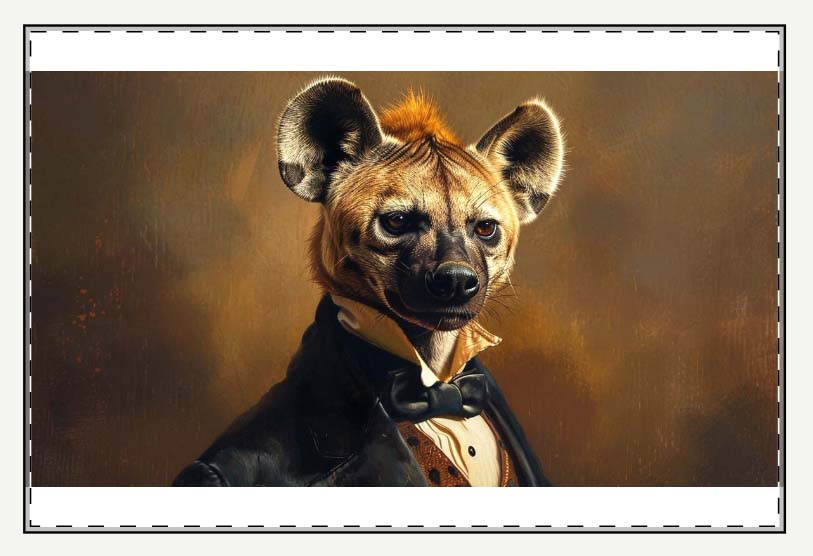
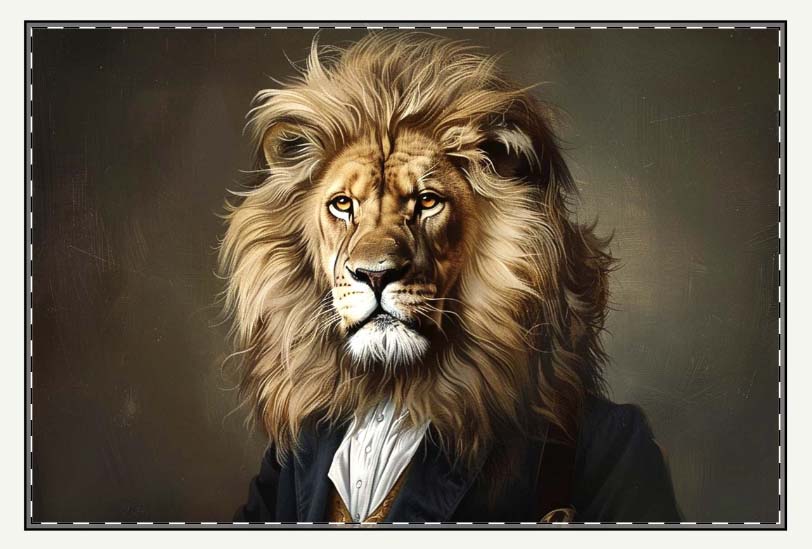
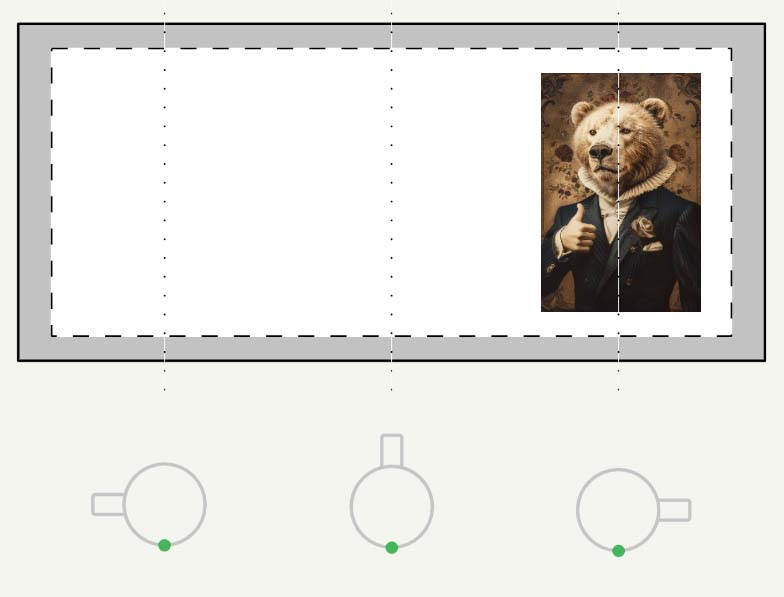
If a file needs a resolution boost to meet print specs, the tool can upscale during processing so you don’t have to pre-prep art in a separate workflow.
The boring manual work this automation replaces:
Uploading each image by hand. Waiting for it to process. Dragging/zooming to fit the print area. Repeating that placement for every variant size. Catching a warped logo or clipped margin at the last second. Re-exporting different crops in Photoshop to satisfy mixed aspect ratios. Doing it all again for the next design. That multi-step dance disappears.
3) Titles, descriptions, and tags—written by AI image recognition

What the software does:
The tool runs AI image recognition on each artwork to understand subject, style, palette, composition, and mood. It then writes:
- An SEO-aware title (readable, descriptive, and aligned with buyer phrasing)
- A natural 1–2 paragraph description that covers the artwork in plain language
- A focused tag set that balances specific descriptors with category-level discoverability
Each listing gets unique copy—not a thesaurus shuffle. This reduces internal cannibalization (your products competing with each other) and expands your long-tail keyword coverage.
The boring manual work this automation replaces:
Staring at a blank title field thinking, “What do I even call this one?” Repeating the same adjectives across fifty pieces. Googling art terms to sound competent. Trying not to accidentally duplicate phrasing from three listings ago. Wrestling with tags until they feel “good enough.” AI handles the language; you handle the curation.
4) Catalog-wide customizations (title text, description HTML, and custom tags)
What the software does:
You can layer brand-level structure on top of the AI output:
- Title text: Add a short prefix or suffix (e.g., “Poster Wall Art:” or “— Gallery Canvas”) to every title so product type is explicit.
- Description HTML: Append or prepend a reusable HTML block that lists materials/finish, size options, care instructions, and any policy notes—kept consistent across the catalog.
- Custom tags: Inject store-specific tags (product-level and collection-level) in addition to the artwork-specific tags the AI generates.
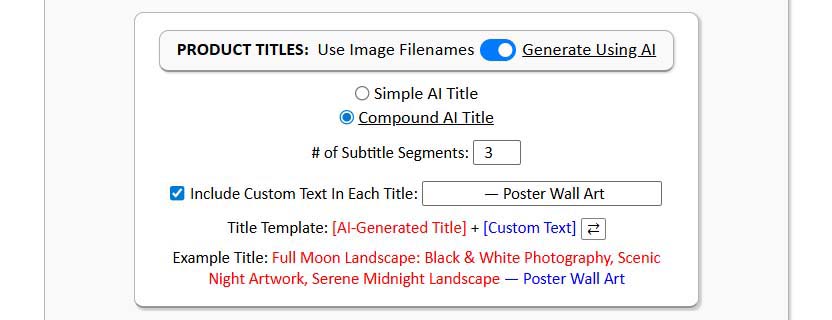

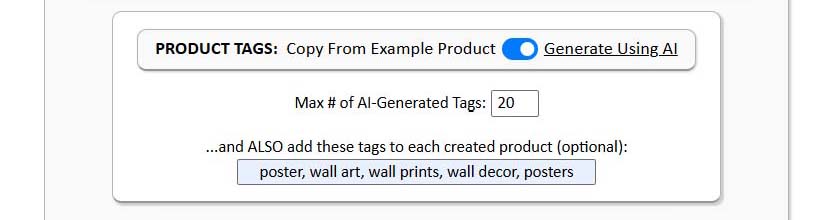
The boring manual work this automation replaces:
Copy-pasting the same “specs” paragraph into every listing. Manually adding “poster / canvas / framed print” to each title. Retagging products one by one so your collections work. The automation applies your standards across the batch—once you set them.
Make automation absurdly easy with saved operations
Once you’ve dialed in an operation you love—your image placement rule, the Example Product, how titles/descriptions/tags are produced, your title prefix/suffix, your description HTML, and your custom tag set—save it. Give the operation a clear name (for example, “POSTERS_2x3_Matte_MidPrice” or “APPAREL_Unisex_ClassicFit”) and you’ve just created a repeatable launch preset.
Next time you’re ready to publish a new collection, the sequence is almost laughably simple: load the saved operation, select your new images, click Create My Products. There’s no re-building settings from memory, no hunting through menus, no fear that you’ll forget a price or toggle. Your standards are baked into the operation, so outcomes are predictable—and fast.
Saved operations also make it easy to maintain multiple “lanes” for your brand: one for posters, one for canvas, one for apparel, one for mugs. You can switch lanes with a single selection, which keeps your catalog organized and lets you move quickly without cutting corners.

The pros of automating vs. the cons of doing this manually
Here we compare the advantages of using print-on-demand automation software vs. the disadvantages of performing these tasks manually.
1) Time and energy
Automating: You spend minutes setting rules, then the system does the repetitive steps for every product—reliably. Hours come back to you for research, design quality, storefront improvements, and marketing.
Manual: You spend 10–20 minutes per listing clicking, typing, and re-entering the same information. After the twentieth product, focus fades and mistakes creep in. Your week disappears into mechanics, not growth.
2) Copy quality and keyword coverage
Automating: AI image recognition writes unique, accurate titles, descriptions, and tags for each piece. It uses varied, relevant language and naturally captures long-tail phrasing buyers actually type.
Manual: Humans repeat themselves. You run out of fresh ways to say “mountain sunset” by product twelve. Internal duplication increases, listings compete with each other, and discoverability plateaus.
3) Image handling and placement
Automating: You set one placement approach—fill the print area fully, preserve aspect ratio and center, or exactly match a perfected reference—and the tool applies it cleanly across all variants. Optional upscaling helps meet print quality without extra prep.
Manual: You upload one file at a time, wait, drag/zoom, re-check margins, and repeat for each size. If you missed a tiny alignment on a large variant, it shows up after publishing. Multiply that risk by dozens of products.
4) Consistency and brand trust
Automating: Variants, defaults, prices, materials, and option settings match across the collection. Title patterns and description HTML give your catalog a unified voice. Consistency signals professionalism and reduces buyer friction.
Manual: Small inconsistencies sneak in—one product uses a different size set, a price is off by a couple dollars, a description omits material details. Each tiny mismatch erodes trust and costs conversions you never see.
5) Scale and growth ceiling
Automating: Your throughput is limited mainly by how many images you can feed the system. You can publish large, coherent drops routinely and learn faster from what the market buys.
Manual: Your output is capped by your personal stamina and available hours. If you slow down, your catalog growth stalls—and so does your organic traffic.
6) Staffing costs and complexity
Automating: No hiring, training, or managing assistants for repetitive listing tasks. You keep control and move at your own pace.
Manual: To grow output you often hire help, which adds cost, process overhead, and oversight work. Quality varies, and knowledge walks out the door when people move on.
Wrap-up: the easy button for the boring parts
Print-on-demand rewards quality, consistency, and volume—but the traditional way of getting there is slow, repetitive, and exhausting. The Bulk POD Product Creator flips that equation. You define a clean set of rules once (how to place images, what product to clone, how to write titles/descriptions/tags), and the software executes those rules perfectly across as many items as you want.
- Less time on mechanics. More time on design, positioning, and outreach.
- Fewer errors and mismatches. More consistency and trust across your store.
- Bigger, better catalogs—faster. More pages that can rank, more ways buyers can discover you.
If the goal is to automate the boring parts so you can focus on the work that actually grows revenue, this is the straightest path. Save an operation once, feed it images, and watch a polished collection come to life—without the grind.
