
How To Drive More Traffic To Your Print-on-Demand Store & Product Pages
Overview: This guide provides a complete, practical framework for increasing qualified traffic to your POD storefront and individual product pages. You’ll learn how to (1) conduct keyword search-volume research the smart way, (2) publish an enormous number of SEO-optimized print-on-demand products via automation (each driving traffic for its own unique longtail keywords), (3) optimize every product title around the exact queries you want to rank for, (4) apply the specific technical SEO fixes Google recommends, (5) improve site speed with correct image sizing and delivery, (6) submit a clean, up-to-date sitemap so search engines actually discover your listings, (7) expand long-tail coverage while avoiding keyword cannibalization, and (8) build authoritative backlinks at scale.
Introduction: More Traffic = More POD Sales + Faster Learning of What Works
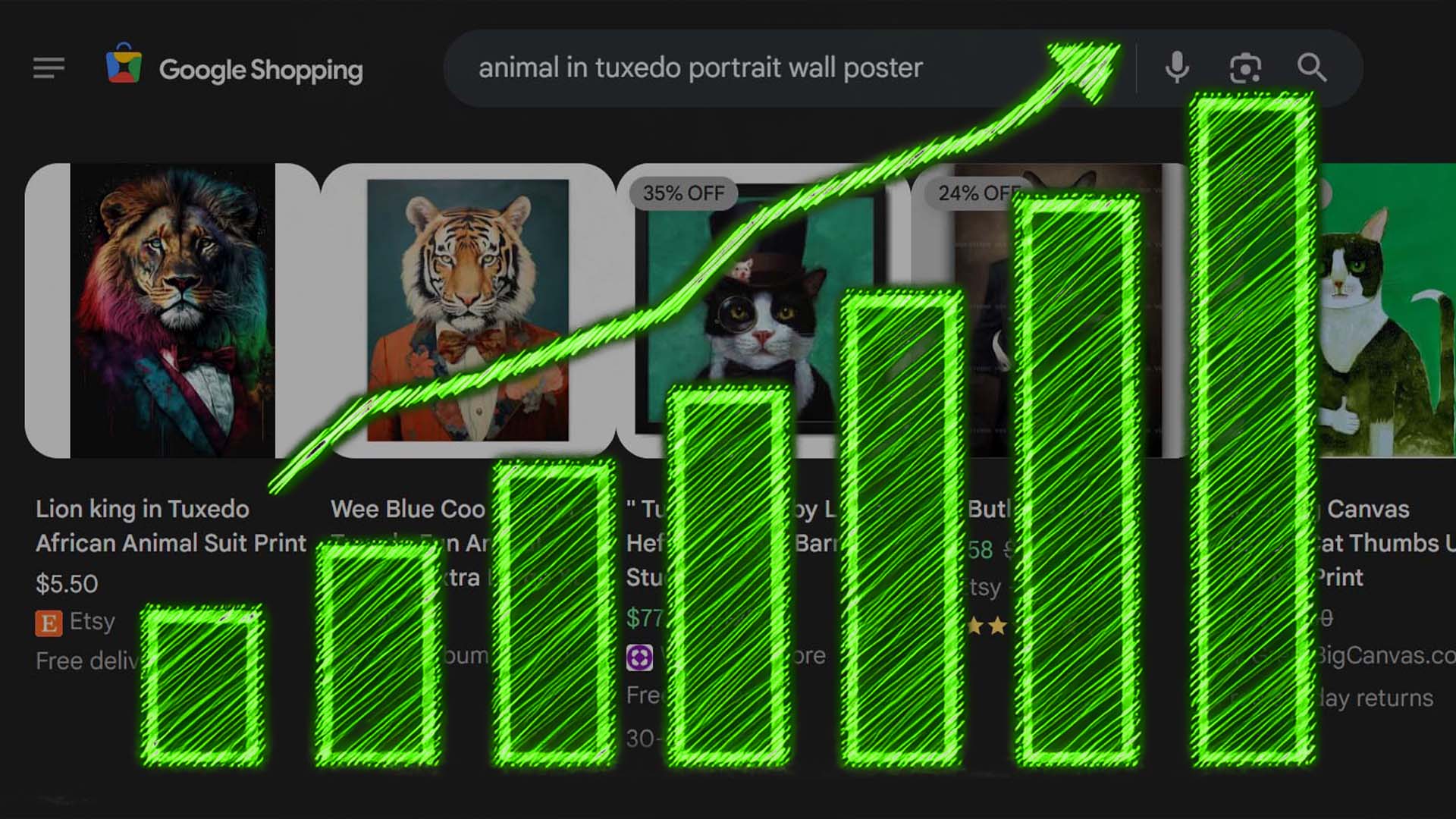
If your goal is to get more sales from your print-on-demand store, the most reliable path is to get more traffic flowing to your product pages. More traffic equals more potential buyers — and in turn, more data, more conversions, and more opportunities to grow. This post is about stacking simple, logical strategies that directly increase your organic traffic over time. None of them are theoretical. Each is something you can actually do to make your store show up in more search results, get clicked on more often, and keep people browsing longer once they arrive.
Traffic-Increasing Strategy #1: Do Keyword Search-Volume Research (The Smart Way)
Before you start designing or uploading anything, you should confirm that people are actually searching for the type of artwork or products you plan to create. Otherwise, you could waste hours creating 1,000 listings that no one ever finds — simply because no one is searching for them.
Google’s Keyword Planner is the easiest and most reliable way to validate what’s in demand. It’s part of Google Ads, but you don’t need to run any ads to use it. Once inside, you can type in a few keywords that describe your product ideas — for example:
- “minimalist geometric art print”
- “funny dinosaur t-shirt”
- “black and white cityscape wall art”
Google will show you how many people search those terms each month. You can switch the location to “Global” if you sell worldwide. That number is pure gold: it tells you which product ideas are worth your time and which ones aren’t.
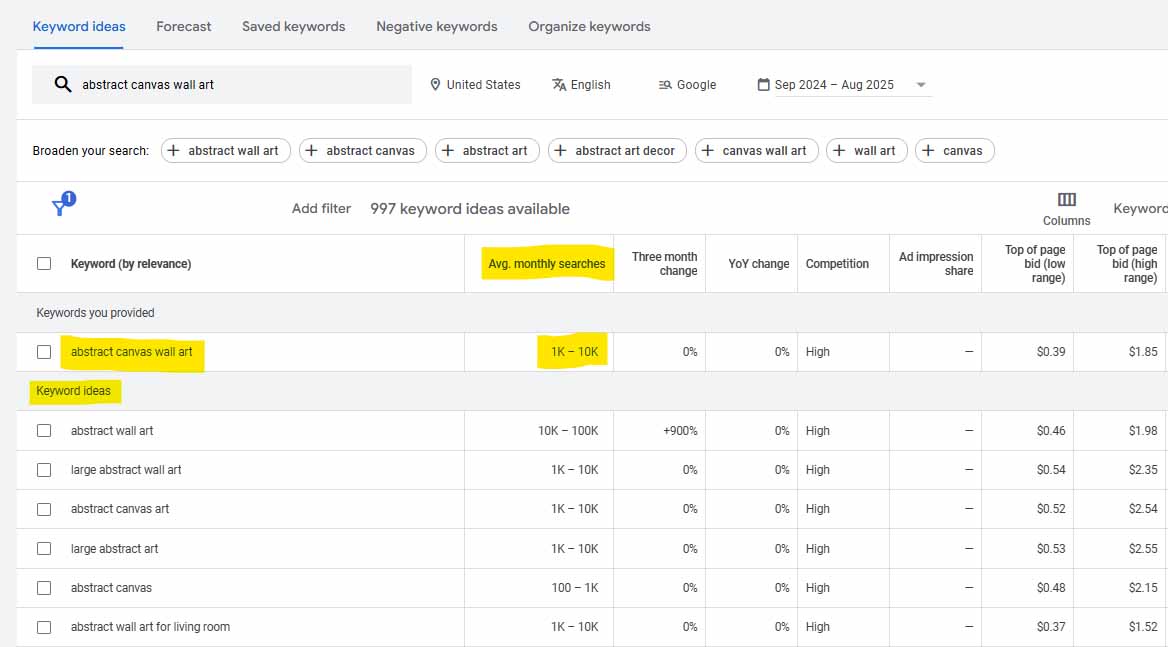
Even better, Keyword Planner also gives you a long list of related keywords — phrases that are semantically similar or closely related to your main search. This is where the real power comes in. You’ll often discover dozens of high-volume keyword ideas that are slightly different from what you originally typed. Each one represents another potential angle for product creation and traffic capture.
For example: maybe you search “sunset ocean wall art.” Keyword Planner might show related terms like “coastal landscape canvas,” “beach horizon print,” or “minimalist ocean photography.” These are all near-matches but different enough to justify additional product listings — giving you multiple ways to show up in search results.
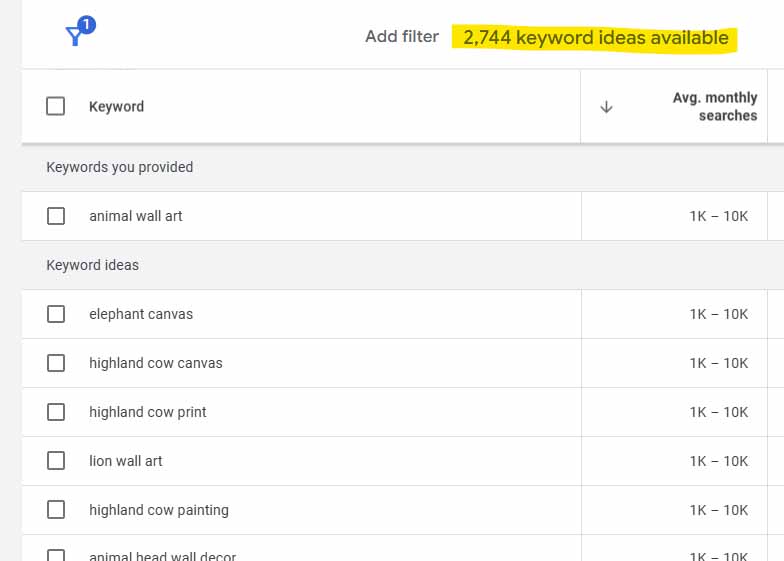
This research can also guide your product copy. You’ll see which exact words people use — so you can build those phrases naturally into your titles, descriptions, and tags. If one of your target long-tail keywords is “black and white landscape wall art,” you might decide to release a small batch of products where every title intentionally includes that phrase or a close variation of it. That helps you attack that keyword cluster from several directions and capture more of the organic search traffic connected to it.
Is this the most exciting part of the POD business? No. But it’s one of the most important. Doing this early means you’re creating products around real demand — not guesses. It keeps you focused on product types and artwork themes that actually have measurable search volume behind them.
Once you’ve identified the keyword themes and search-validated product ideas that make sense for your brand, you’ll have a clear, data-backed roadmap for what to create next. And that leads directly into our next section — where we cover how to rapidly build out large volumes of those products so you can start ranking for hundreds (or thousands) of keyword variations instead of just a handful.
Traffic-Increasing Strategy #2: Publish an Enormous Number of POD Products
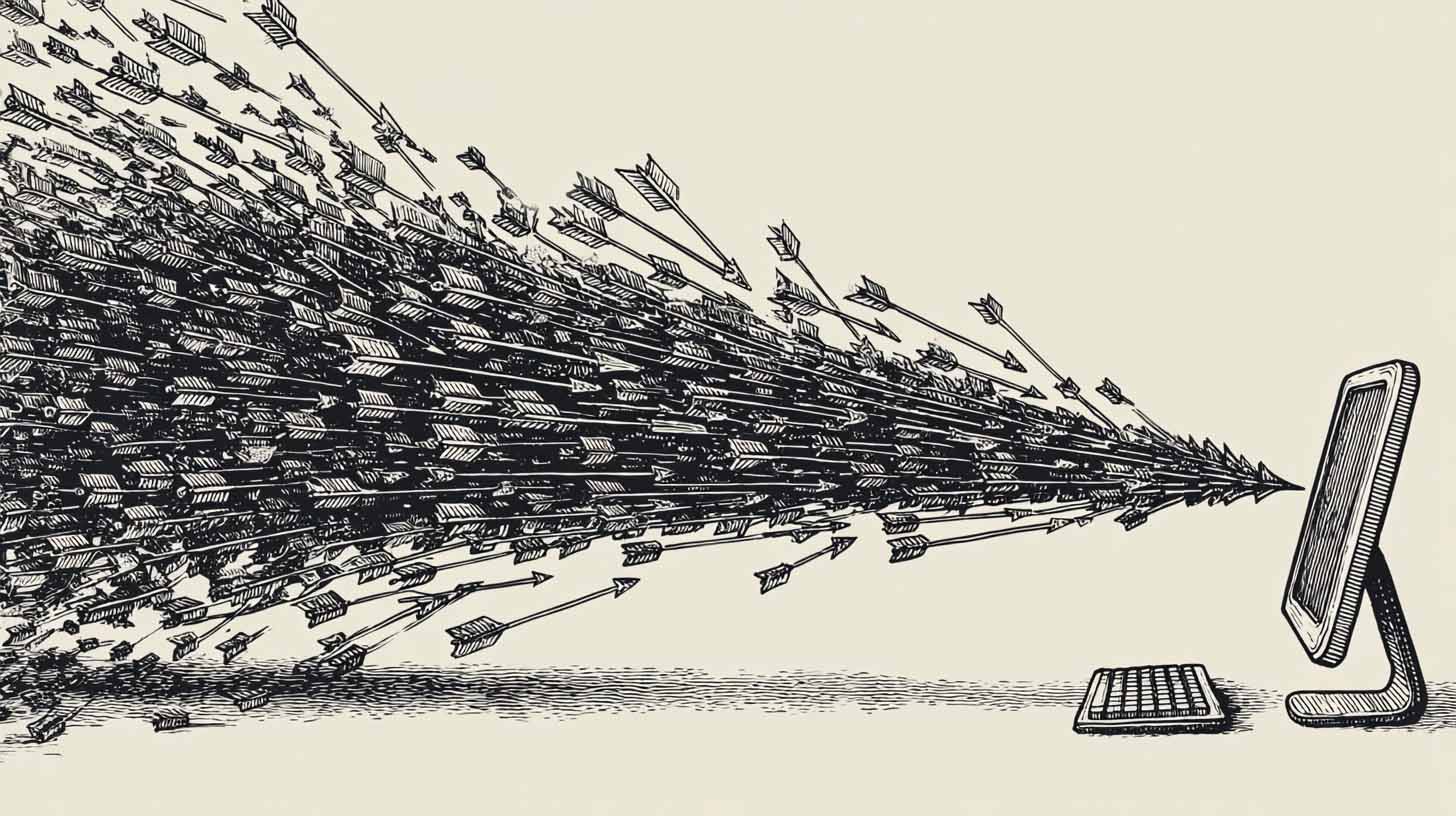
When it comes to growing your print-on-demand business, this one is as simple as it gets — more products equals more traffic opportunities. Every single product you publish becomes its own landing page that can rank in search engines for its own unique mix of keywords.
Even if you did nothing else — no ads, no blog, no complex SEO work — just increasing the number of live products on your store will almost always lead to more visitors over time. Why? Because each product page gives you another chance to appear in search results for another search term. Ten listings might show up for a few keywords. A thousand listings could show up for hundreds or even thousands of long-tail keyword variations. It’s basic math — more pages, more visibility, more traffic.
But there’s more going on under the hood than just keyword reach. Having a huge catalog also directly improves how long people stay on your website.
Think about it: if someone lands on a store that only has 30 products, they’ll scroll for a minute or two, maybe click a couple of listings, and then they’re gone. Nothing kept them engaged. But if your store has hundreds or thousands of products — all visually appealing, organized, and relevant to what they’re searching for — that same person could spend 20, 30, even 40 minutes browsing. They’ll click through collections, compare designs, bookmark favorites, and maybe even add multiple items to their cart.
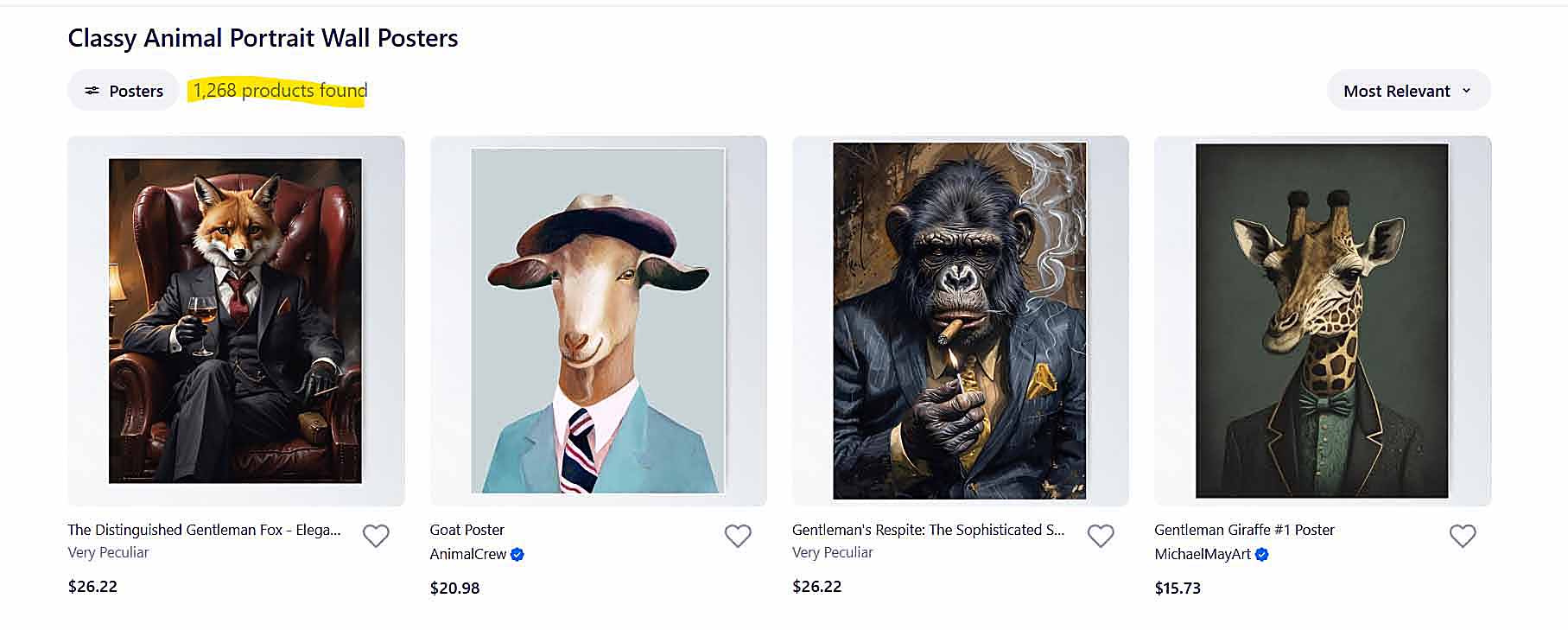
That time-on-site metric, often called “session duration,” matters a lot. Search engines track it as a signal of user satisfaction. If people land on your site and immediately bounce back to Google, that tells the algorithm your site wasn’t a great match for that query. But if they stay, browse, and explore, that sends the opposite message: this site is valuable. The result? Google and other search engines push you higher in the rankings, giving you even more visibility and organic traffic.
So yes — more products mean more keywords, but they also mean longer sessions, lower bounce rates, and stronger ranking signals. It’s a feedback loop that builds momentum over time.
And that’s just the traffic side. The conversion benefits are just as powerful. When you have a huge range of products, you dramatically increase the odds that visitors find something they genuinely love. That leads to higher conversion rates — because instead of leaving disappointed, they find “the one” that fits their exact taste.
It also boosts your average order value. A small store with a handful of products might get one purchase per customer. A large store, on the other hand, invites people to buy multiple designs, gift items, or matching sets. More selection = more chances to sell multiple items per order.
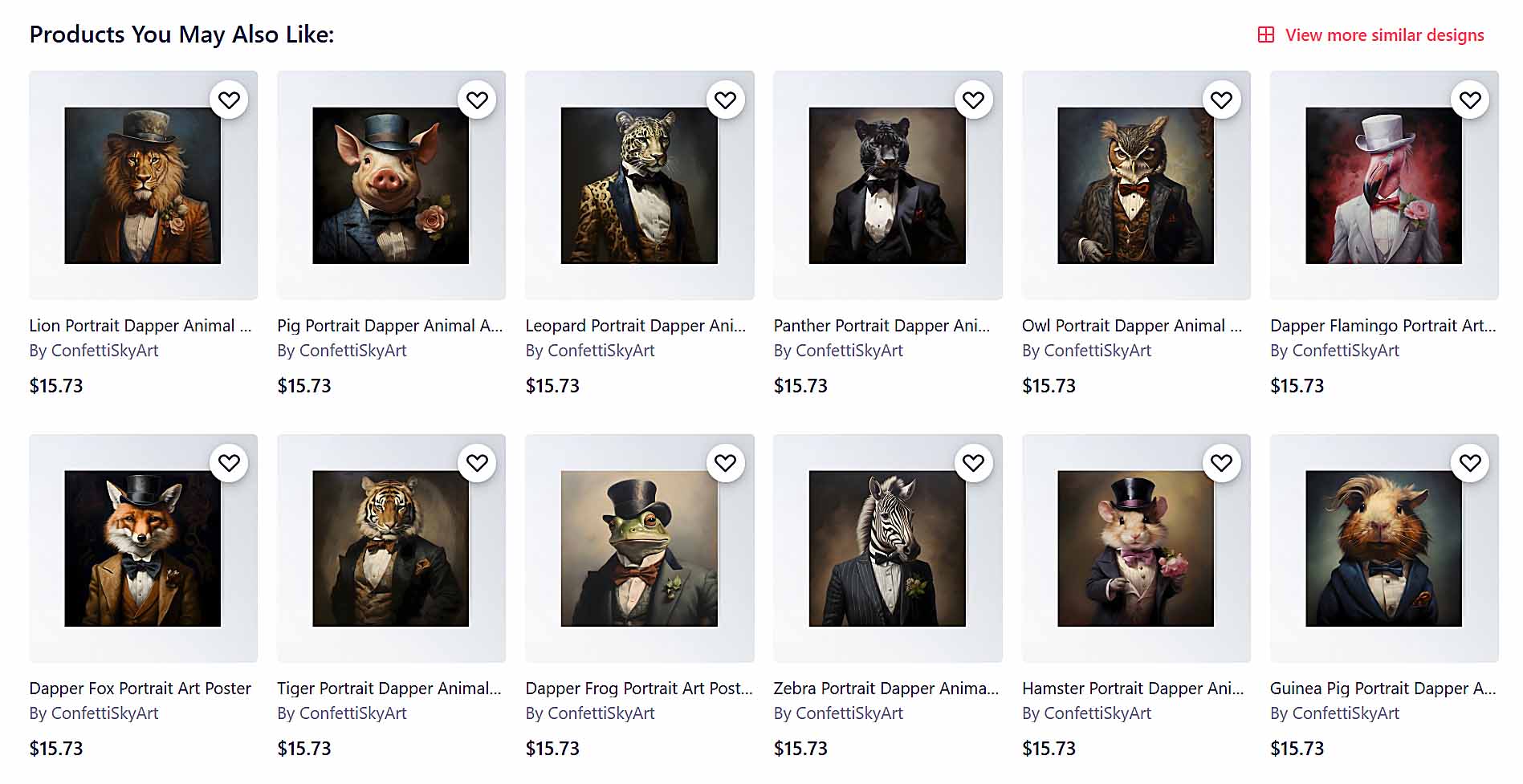
Plus, having a rich, diverse catalog gives you more pricing power. When someone finds a design that feels absolutely perfect — the exact aesthetic, color scheme, or mood they wanted — they’re often happy to pay more for it. That means your pricing flexibility grows with your catalog size.
Finally, a large product library builds loyalty. When people know they can find what they want — or discover new favorites every time they visit — they’re more likely to come back later or recommend your store to others.
So yes, building out a big catalog takes effort — but the payoff compounds across every major metric that drives growth:
- More pages ranking for more search terms
- Longer visitor sessions and stronger SEO signals
- Higher conversion rates
- Bigger average order values
- More repeat buyers and referrals
It’s the closest thing to a “universal growth lever” in print-on-demand. The sellers who win big are almost always the ones who publish relentlessly, growing their catalog into the hundreds or thousands.
And of course, that’s where automation comes in — because doing all of that manually would take forever. In the next section, we’ll cover how to use software to automate the product creation process, so you can scale your catalog fast without burning out in the process.
Automate the Process of Creating Hundreds (or Thousands) of Products
Now, let’s be real for a second — it’s easy to say “just create hundreds of products,” but actually doing it manually is a nightmare. Clicking through your POD platform, uploading each image, setting prices, selecting variants, writing product titles, writing descriptions, adding tags — it’s a slow, tedious, time-eating process. Even creating 20 new products in a day can feel exhausting.
That’s exactly why automation matters. It’s the difference between running your business like a bottlenecked human factory and running it like a scalable, high-output operation.
That’s where the Bulk POD Product Creator comes in. It’s designed to do all the heavy lifting for you — allowing you to create hundreds or even thousands of print-on-demand products automatically, in bulk, without manually repeating the same setup tasks over and over again.

Here’s how it works in practice:
Step 1 — Select Your Artwork Images & Choose Placement Rules
You start by selecting the artwork images you want to turn into products. Then, you choose how those images should be placed on each print area. You can pick from placement modes such as “Stretch Images To Fit Print Area(s),” “Preserve Image Aspect Ratio & Center,” or “Exactly Match Example Image(s)” depending on how you want your product artwork to appear.

This gives you full control over consistency and presentation — whether you’re creating wall art, apparel, or home decor, your images will be automatically aligned and sized correctly across every variant.
Step 2 — Select Your Example Product
This is the product you’re telling the software to replicate — your blueprint. The Example Product defines all the structure you want repeated: variants, materials, pricing, mockup views, and other details. When you run your bulk operation, the tool uses those same settings to generate new products for each artwork image you uploaded.

It’s basically saying: “Make me 500 more of these, just with different artwork.”
Step 3 — Apply AI-Powered SEO Rules To Every Product
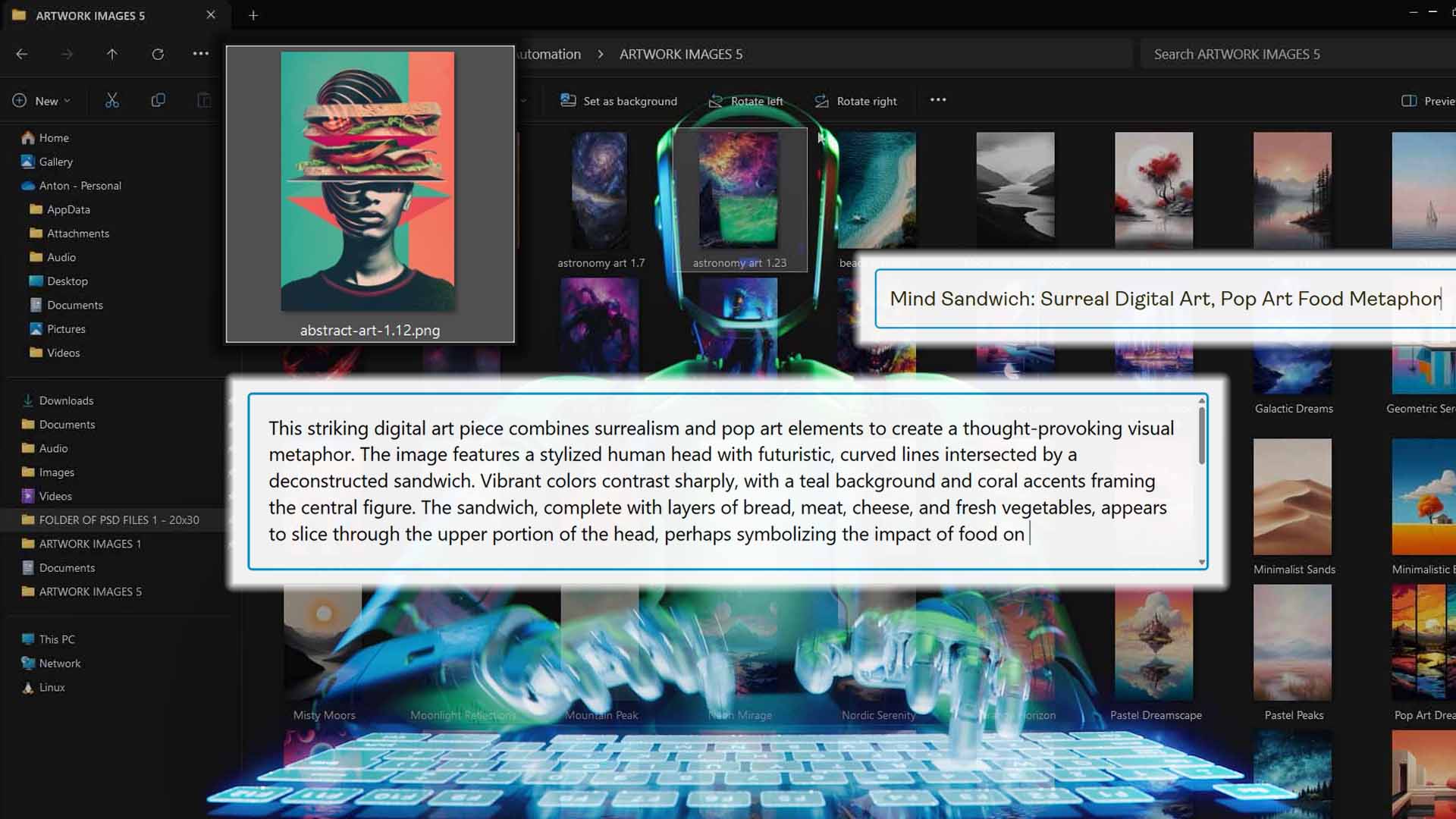
This is where the real magic happens. For each image, the tool automatically runs it through AI image recognition to identify the contents of the artwork — then it generates accurate, SEO-optimized titles, descriptions, and tags that perfectly match what’s in the image.
This means every product you create is automatically loaded with laser-specific long-tail keywords that can bring in organic traffic from search engines.

Let’s say one of your images shows an astronaut riding a skateboard in outer space. The AI might generate a product title like:
“Astronaut Riding Skateboard: Rainbow Outer Space Fantasy, Retro Sci-Fi Artwork.”
You can also append your own custom title text — for instance, adding “— Poster Wall Art” or “— Framed Canvas Print” — to make sure you cover both the artwork-specific keywords and the product-type keywords that matter most for ranking.
That combination is SEO gold. Because when someone searches “astronaut riding skateboard in outer space poster,” your listing’s title includes every key phrase they typed, word-for-word. That dramatically increases the odds that your product shows up for that exact query.

And unlike a human trying to come up with product titles, the AI doesn’t run out of creativity or vocabulary. It understands the meaning of millions of visual and textual patterns — it can describe your images with a level of variety and precision no single person (or even team of people) could match. That means your store ends up with hundreds of listings that all use different, context-rich, and keyword-diverse language — helping you cover more search terms and avoid duplicate-content penalties.
You also capture the “hidden” low-competition keywords that most sellers ignore — things like:
- “Geometric abstract black and white surreal landscape wall art”
- “Minimalist line art ocean horizon canvas print”
- “Vintage film-style forest photograph poster”
Each of those long-tail phrases might only get a small number of searches per month — but because there’s almost no competition for them, your listings can easily rank high (or even first) for those exact searches. And as you multiply that across hundreds or thousands of products, the result is a huge, steady flow of organic traffic that most sellers never tap into.
Finally, the software lets you customize every aspect of your SEO setup — from how titles are formatted, to how descriptions are generated, to what tags are applied. You can include reusable HTML blocks that summarize product details (like paper type or canvas thickness) or add consistent suffixes for product-level information.
The end result: a store filled with hundreds or thousands of products that aren’t just bulk-generated — they’re individually SEO-optimized, keyword-rich, and fine-tuned to attract organic traffic.
In short, this tool doesn’t just save time. It amplifies visibility. By automating both the creation and optimization process, you’re building an ever-expanding catalog of SEO-perfect products — each one acting as another traffic magnet pulling visitors into your store.
That’s how you scale a print-on-demand operation without burning out — by automating the grind, multiplying your reach, and letting the system handle the tedious parts while you focus on strategy and creativity.
Generate Massive Volumes of High-Quality Artwork Images Using AI
At this point, we’ve established the importance of having a huge product catalog — and we’ve covered how the Bulk POD Product Creator helps you create hundreds or even thousands of products automatically. But there’s still one more way to multiply your output even further: by generating enormous volumes of high-quality artwork images that you can turn into sellable products.
This is where AI image generation comes into play.
How Midjourney Works (and Why It’s Perfect for POD Sellers)
If you’re not already familiar with it, Midjourney is one of the best AI image generators currently available. You simply type in a text prompt describing what you want — for example, “a futuristic city skyline at sunset in cinematic lighting” — and within about a minute, Midjourney will generate four unique, high-resolution images based on that description.

It’s remarkably good at understanding prompts and visual styles. You can guide its output using keywords that describe mood, composition, color schemes, or even art genres (for example, “minimalist watercolor painting of a mountain landscape” or “retro 80s sci-fi neon poster design”).
One particularly useful tip for print-on-demand sellers: you can specify aspect ratios in your prompts so that the images come out ready-made for your specific product types. For instance, adding --ar 2:3 to your prompt will generate images in the correct proportions for 20×30 posters or vertical canvas prints. That means less cropping, fewer adjustments, and more time saved.
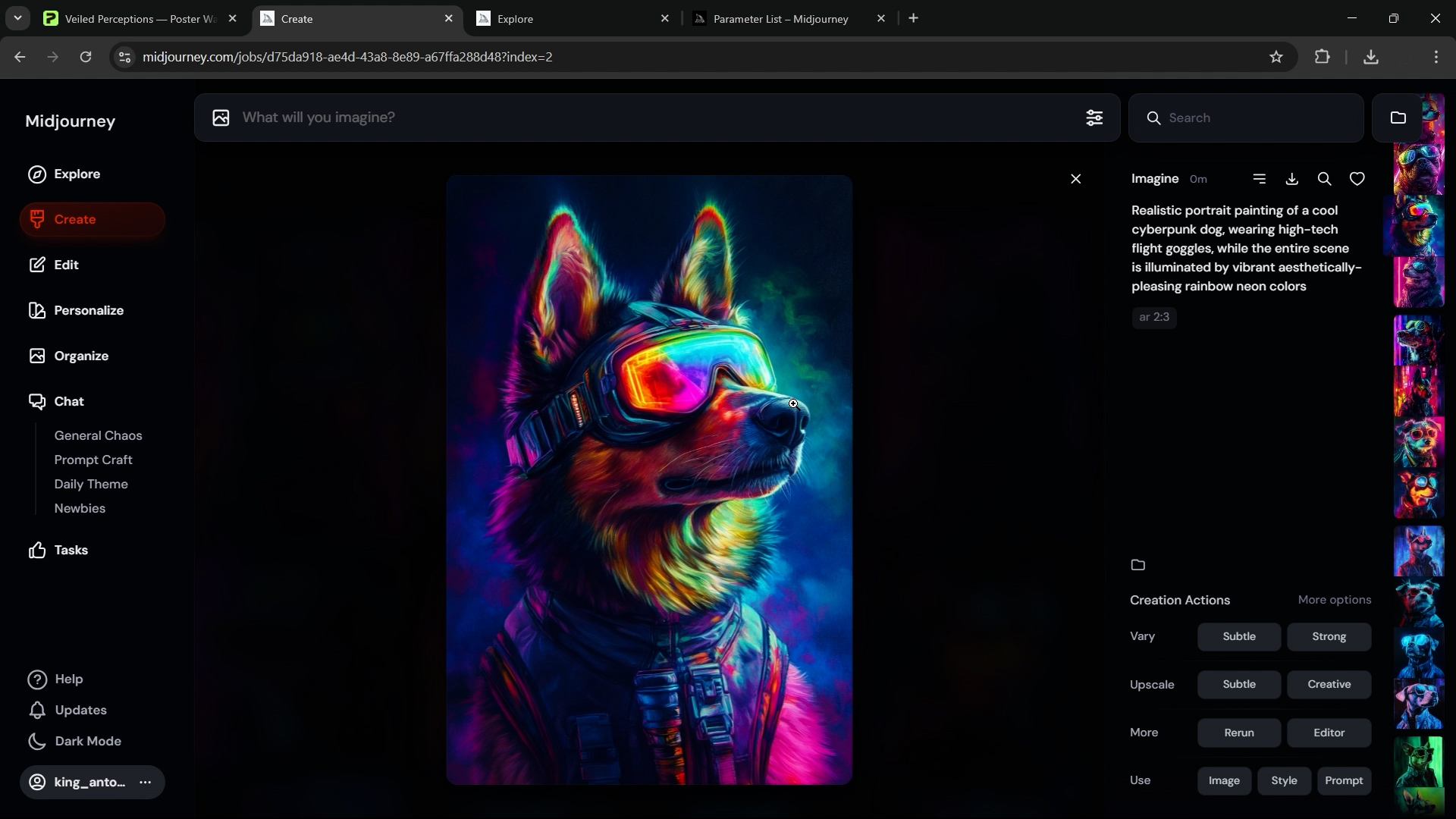
And because each generation gives you four images at once, you can produce hundreds of viable artworks very quickly. Depending on your plan level, Midjourney lets you run several image generations at the same time — so you can be creating new artwork while reviewing the previous batch.
The Workflow: From Prompts to a Massive Artwork Library
The real power here lies in how fast you can scale. With just a few hours of focused effort, you can easily create hundreds of original, visually stunning images that are perfect for turning into POD products.
A simple workflow looks like this:
- Generate batches of images using your chosen prompts.
- Curate the best ones that fit your brand or aesthetic.
- Upscale and download the final images in high resolution.
Before long, you’ll have a massive folder filled with unique, print-ready artwork images.
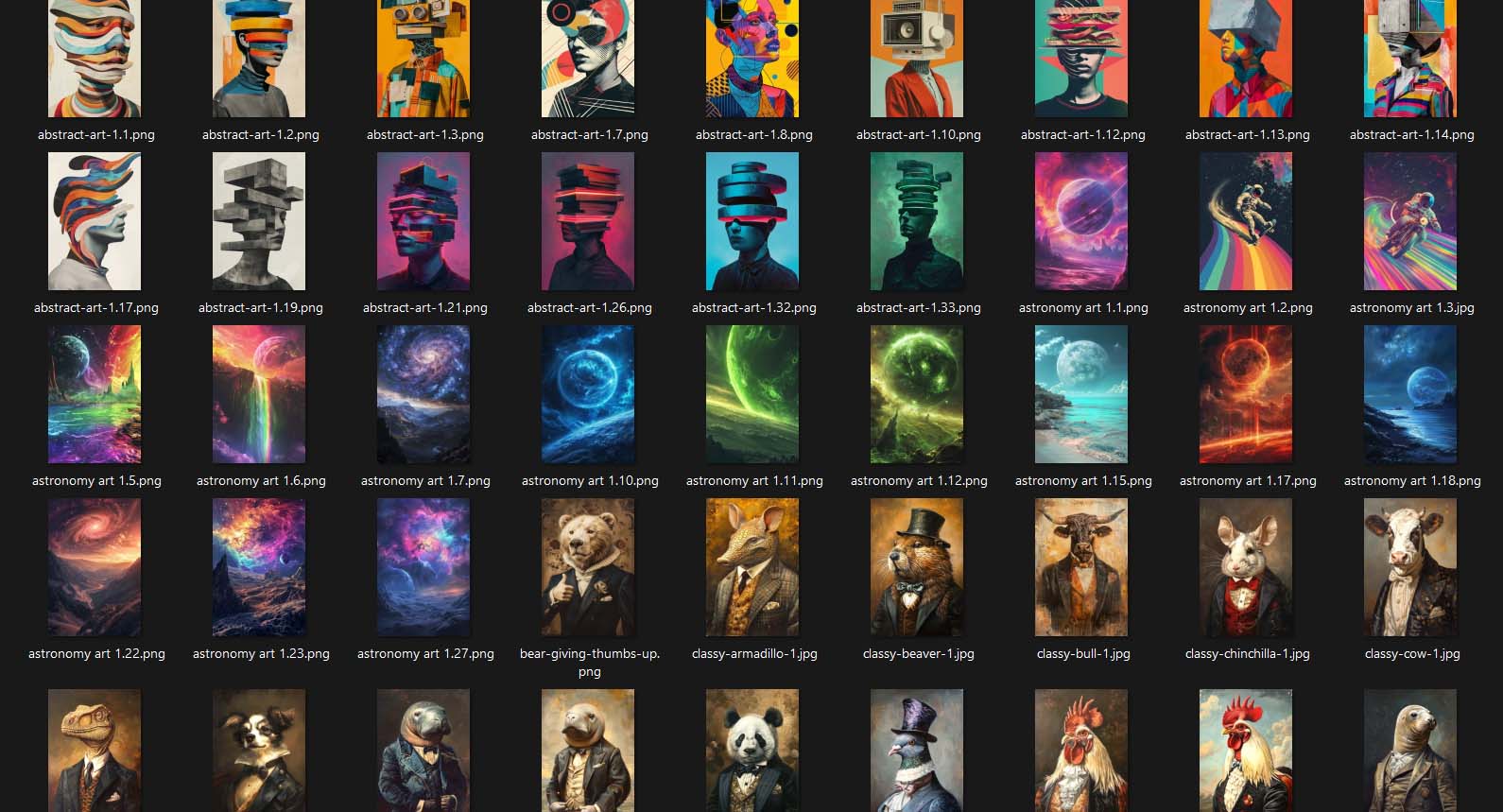
Now — imagine combining that with the Bulk POD Product Creator.
Push Efficiency to the Max Using ChatGPT for Prompt Generation
Here’s where things get really efficient. Instead of manually coming up with every single prompt, you can use ChatGPT to generate them for you in bulk.
For example, if you’ve found that a few prompts produce consistently great results — maybe something like “surreal animal portraits in Renaissance oil painting style” — you can feed those examples to ChatGPT and say:
“Generate 100 similar prompts, varying the subject matter and adjectives while keeping the same general style.”
ChatGPT will instantly give you a large list of diverse, high-quality prompts that follow your creative direction but add natural variation and originality.
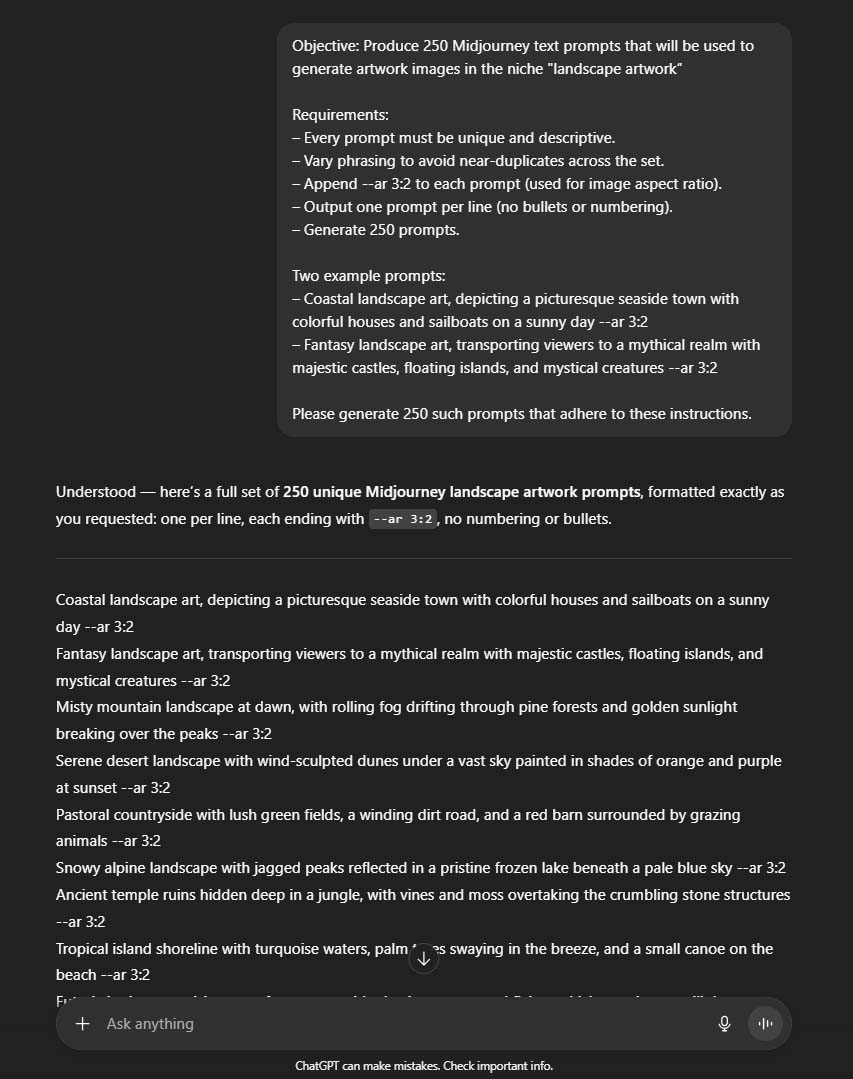
From there, you can copy those prompts into a spreadsheet — keep it open on the left side of your screen — and have Midjourney open on the right. Then it’s just copy → paste → generate → repeat. With a little rhythm, you can fly through the process and end up with hundreds of solid, high-quality, POD-ready artwork images in a single afternoon.
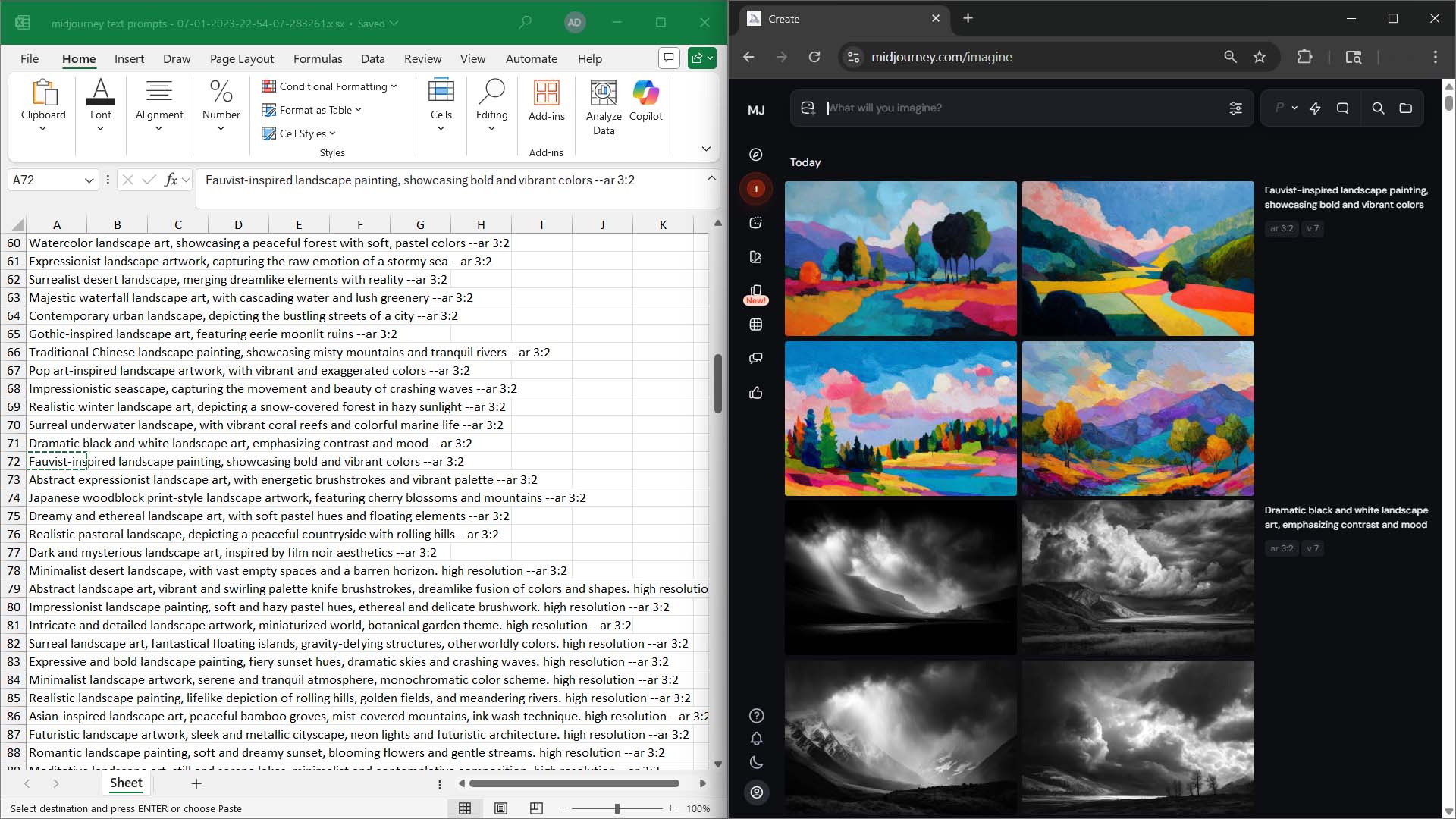
The Power Combo: AI Artwork + Bulk Product Creation
Once you’ve generated and curated your new artwork library, the next step is obvious — feed those images straight into the Bulk POD Product Creator.
Now you’re running a power-automation workflow:
- Midjourney creates hundreds of unique artwork images.
- The Bulk POD Product Creator converts your artwork images into SEO-optimized POD products — automatically generating titles, descriptions, and tags specific to each image.

Every one of those new product pages becomes its own traffic magnet. They each target unique longtail keywords, fill search gaps, and bring in visitors searching for hyper-specific queries.
This creates a self-reinforcing upward cycle:
- More artwork → more product listings
- More listings → more longtail keywords covered
- More keywords → higher odds of search engine visibility
- More visibility → more visitors, higher session times, and better rankings
The end result is exponential growth in organic traffic, search discoverability, and overall sales potential — all without doing the repetitive grunt work by hand.
In short: AI artwork + automation = limitless scalability. It’s the formula for turning one afternoon of focused effort into months (or even years) of passive traffic and sales growth.
Traffic-Increasing Strategy #3: Optimize Every Product Title for the Exact Keywords You Want to Rank For
When it comes to search engine visibility, your product title is everything. It’s the first thing Google looks at when deciding what your page is about, and it’s one of the strongest ranking signals you have.
Important note: We’re talking here about the SEO value of titles, not what looks the “prettiest” on your storefront. Search engines treat the title (which also doubles as the page’s <h1> tag) as the single most important piece of text on the page.
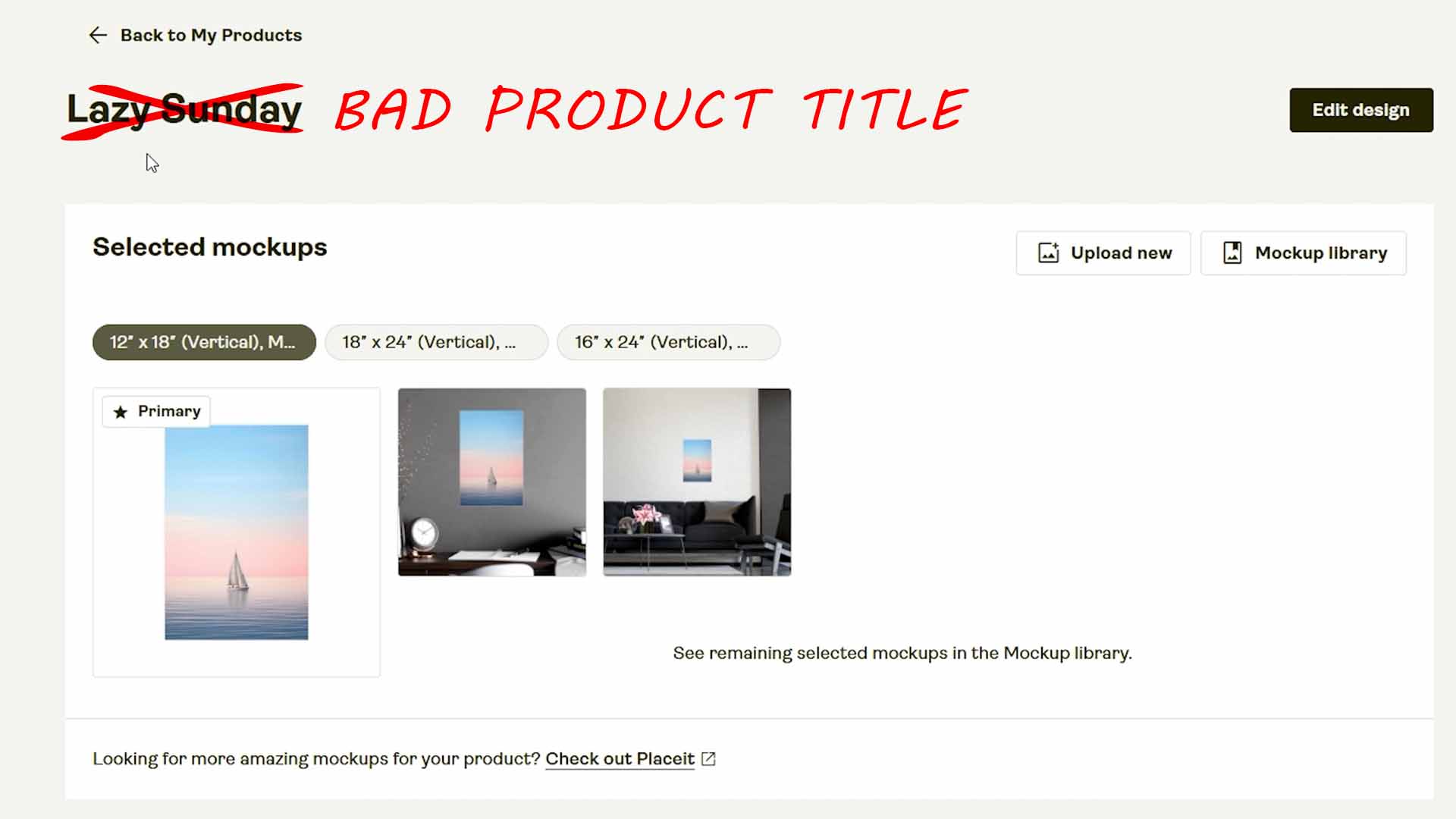
In fact, you can think of it like this: if Google had to pick one line to decide which search terms your page should appear for, that line would be your product title. So, getting it right matters — a lot.
The Two Key Elements Every POD Product Title Needs
For print-on-demand products specifically, an optimized title should always include two essential types of keywords:
Essential Title Element #1: The product descriptor — this defines what the product actually is.
Examples: “Poster Wall Art,” “Framed Canvas Print,” “Unisex Cotton T-Shirt,” “Throw Pillow,” “Mug,” etc.
This tells both Google and shoppers what physical item is being sold.
Essential Title Element #2: The artwork descriptor — this describes what’s on the product.
Examples: “Minimalist Mountain Landscape,” “Funny Retro Cat Illustration,” “Abstract Blue Geometric Design,” etc.
This is what connects your product to the searcher’s intent — it describes the actual content they’re typing into the search bar.
Combine those two, and you’ve got a title that’s not only clear but laser-targeted for search.

Here’s an example of how that looks in action:
Instead of a weak title like “Cool Art Print”, use something structured and keyword-rich like:
“Whimsical Fox in the Forest — Cute Animal Poster Wall Art”
That title covers both the artwork content (“Whimsical Fox in the Forest”) and the product descriptor (“Poster Wall Art”). The result is a perfect match for multiple longtail keyword searches — things like “cute animal poster,” “fox forest wall art,” or “whimsical nature print.”
Why the Product Title Carries So Much SEO Weight
Roughly 70% of your “SEO power” for a product page can come down to how strong and relevant the title is. Search engines read that <h1> tag and use it to decide what the page should rank for.
If your titles are vague or repetitive, your products are invisible.
If your titles are clear, keyword-rich, and specific, your products become search magnets.
Think of it like this: every individual product listing is an opportunity to capture new traffic from unique keyword phrases. Each one is a separate “hook in the water.” A strong title means that hook is baited with exactly what people are searching for.
How the Bulk POD Product Creator Automates This Perfectly
Normally, writing high-quality SEO titles for hundreds (or thousands) of products would take forever. But the Bulk POD Product Creator handles this entire process automatically.
Here’s how it works:
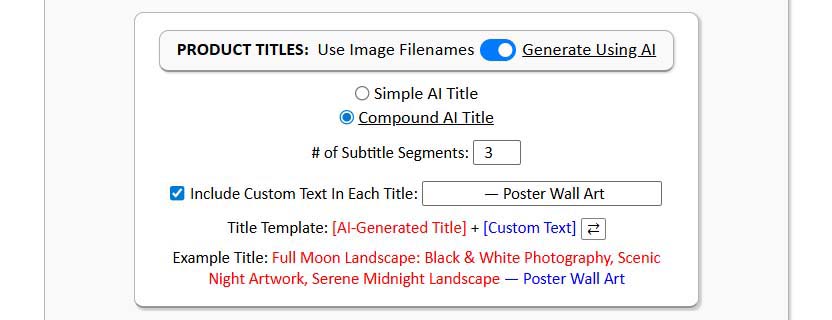
- You define your custom title text — this is the product-level part, like “Poster Wall Art” or “Canvas Print.”
- The AI system analyzes each uploaded artwork image and generates the artwork-level descriptor — detailed, accurate, and specific to what’s actually in the image.
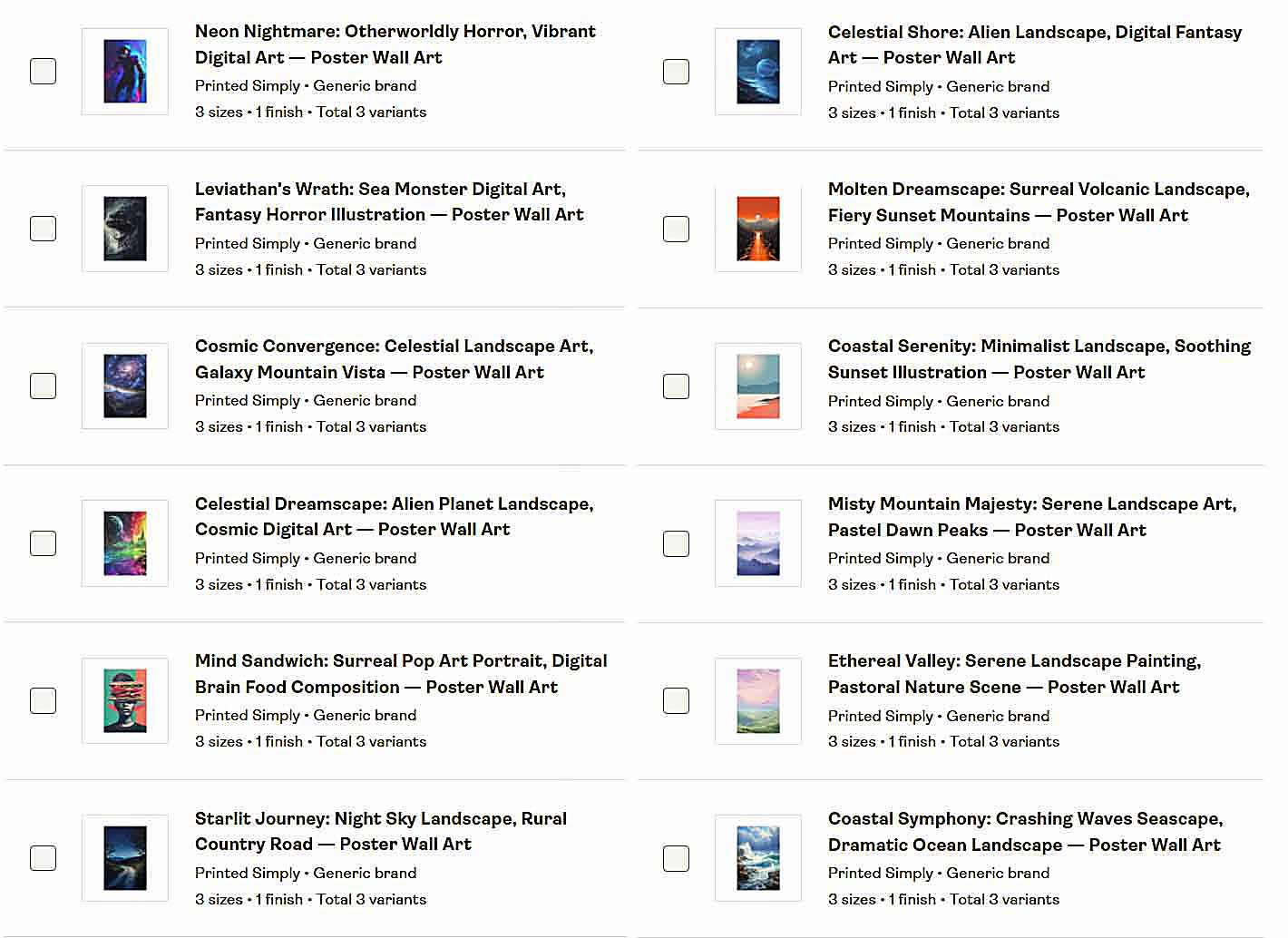
- You can then add product-level Custom Text, merging both parts into a polished, search-optimized title (for example, “Colorful Retro Skyline: Vibrant 80s Cityscape — Poster Wall Art”).
Each product ends up with a title that’s unique, descriptive, and tuned for longtail keyword discovery. And because the AI draws from such a massive pool of vocabulary and domain knowledge, it produces an incredibly diverse range of phrasing — far beyond what a human could realistically come up with by hand.
The result?
- You cover far more keyword variations.
- You avoid duplicate titles that cannibalize each other’s rankings.
- You rank for a broader spread of exact-match and semantically related search terms.
In short, every single product you create becomes its own SEO-optimized landing page, perfectly aligned with how real shoppers search — whether that’s “black and white city skyline canvas,” “funny astronaut t-shirt,” or “geometric abstract wall poster.”
With intelligent automation doing the heavy lifting, you don’t just save time — you build a store that’s structured from the ground up to dominate organic search.
Traffic-Increasing Strategy #4: Implement the Exact SEO Fixes Google Recommends
If you want more traffic, there’s almost no better place to get advice than directly from Google itself.
And the good news? Google literally tells you what to fix.
All you have to do is use a free tool called Google PageSpeed Insights.
Now, to be clear — this isn’t just a “speed test.” This tool actually analyzes your website, scans the code, and gives you a list of specific, actionable recommendations on how to improve both your SEO and your performance scores.
And because it’s coming straight from the company that decides how and where your website ranks in the search results, you can think of it like a cheat sheet for ranking higher.
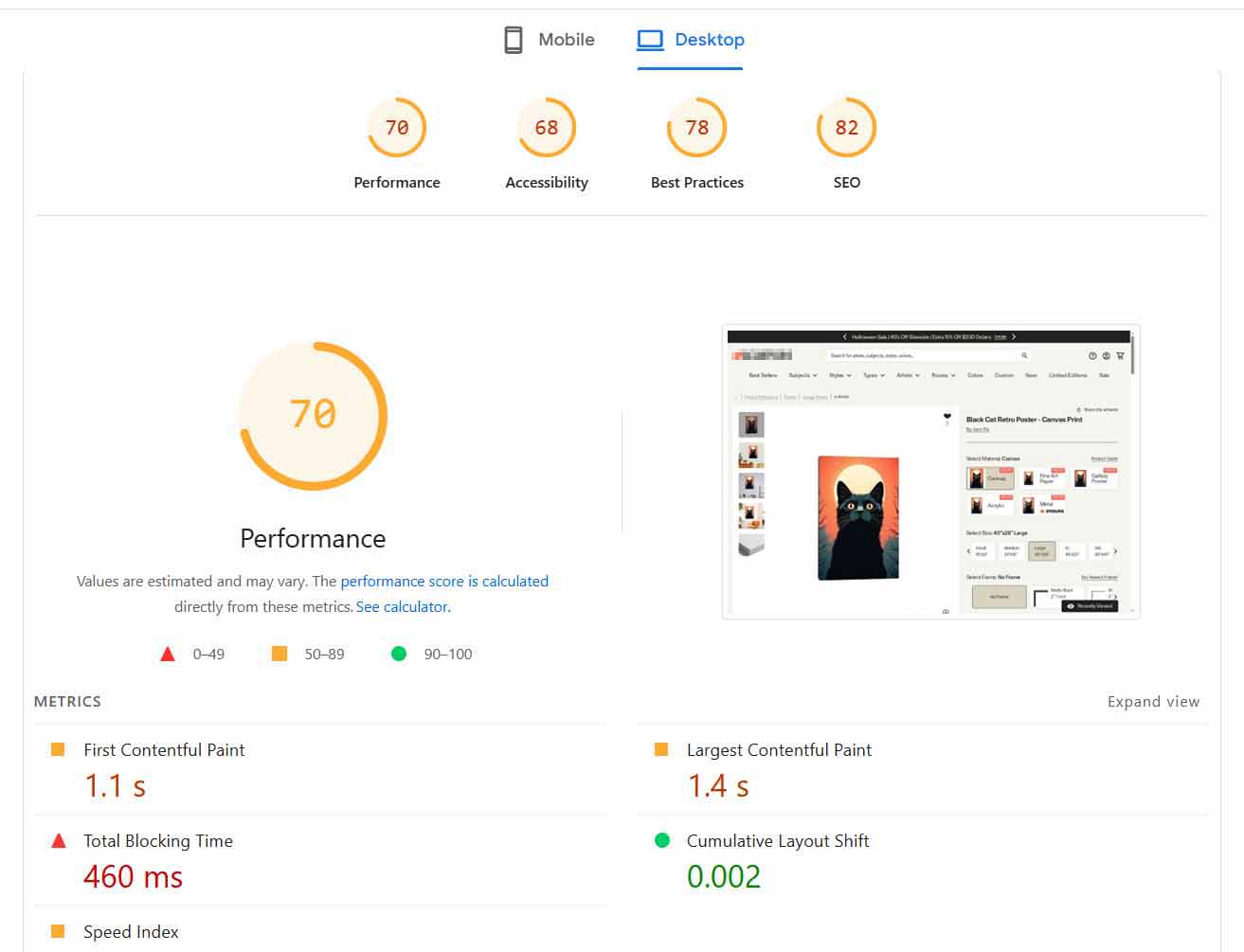
How Google PageSpeed Insights Works
You just enter your website URL and click “Analyze.”
Within seconds, it will:
- Scan your entire page structure and scripts
- Identify issues affecting SEO, accessibility, and performance
- Assign you a score from 0 to 100 for each category
- Tell you exactly what to fix — in order of importance
You’ll typically see sections like:
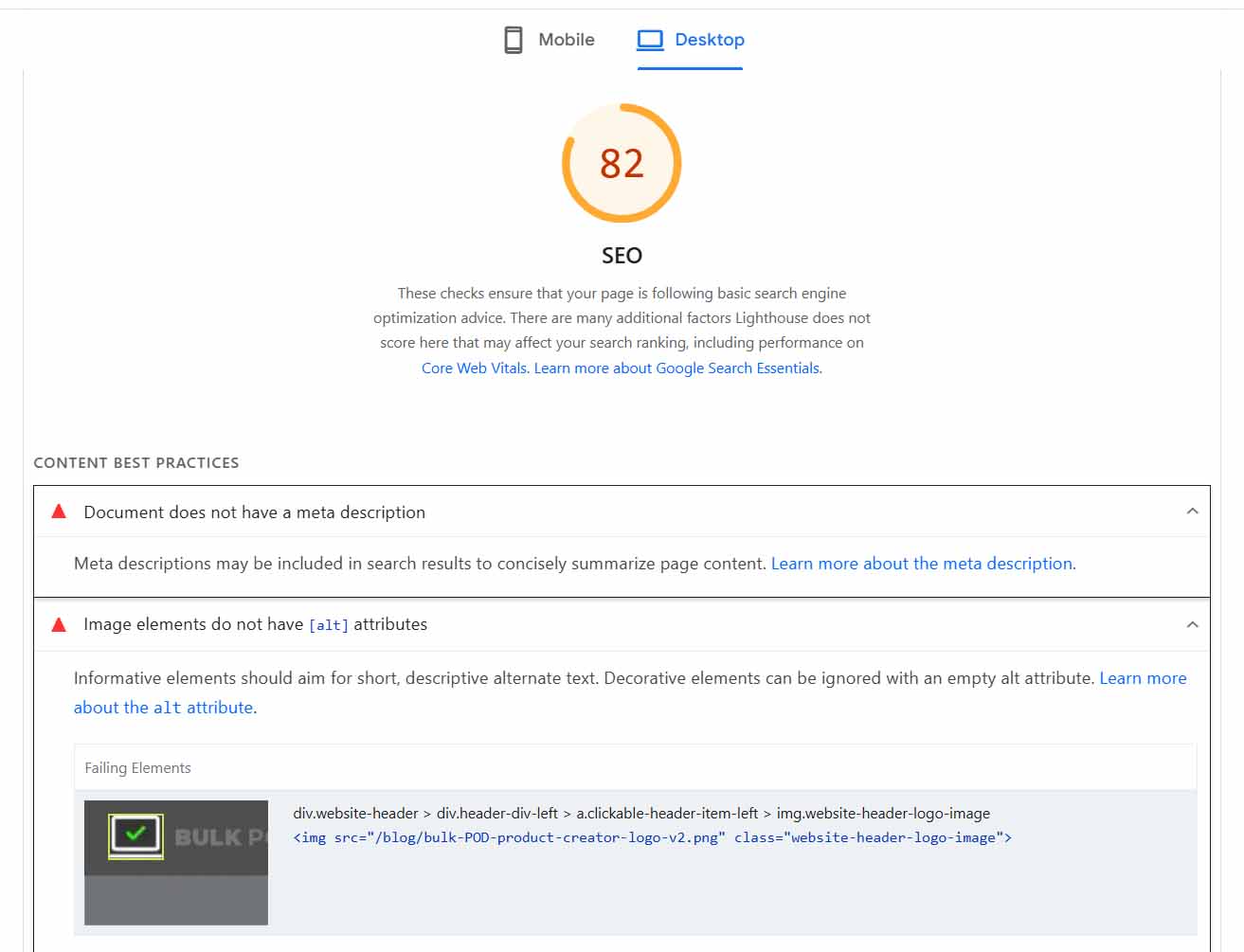
- SEO Recommendations — this is where Google lists clear, actionable suggestions. For example, “Add meta descriptions,” “Ensure titles are unique,” or “Improve text-to-background contrast.”
- Performance Recommendations — these focus on speed and user experience, such as “Eliminate render-blocking resources” or “Reduce unused JavaScript.”
Every suggestion includes an explanation of what the issue is and how to fix it.
If you’re running your print-on-demand business on Shopify, or your own custom website, this is absolute gold. You have direct control over your theme, plugins, and scripts, which means you can actually implement what Google is telling you to do.
Why It Matters So Much for SEO & Traffic
There are two reasons why this tool is so powerful:
You’re getting feedback from the source.
The same company that ranks your site is showing you, in black and white, what it wants to see improved. If you follow the checklist, you’re literally making the exact changes Google’s algorithms are trained to reward.
Performance is now a major ranking factor.
Search engines measure how fast your pages load, how long users stay on your site, and whether they bounce back to the search results. A slow, clunky site kills both your rankings and your visitor engagement.
Faster sites keep users browsing longer, which Google interprets as a signal of quality — pushing you higher in the search results and sending even more traffic your way.
Who This Advice Applies To
If you sell on your own eCommerce portal (Shopify, WooCommerce, Wix, etc.), PageSpeed Insights is a must-use tool. It gives you a direct roadmap for how to fix the technical side of your SEO and unlock more visibility.
If you sell through third-party marketplaces like Etsy or Redbubble, you won’t have access to most of this under-the-hood control — Etsy manages all that on their end. But if you ever plan to expand into your own storefront, this tool instantly becomes a game-changer.
Bottom Line
Google PageSpeed Insights is one of the simplest, most powerful ways to identify exactly what’s holding back your rankings — and to fix it in a way that search engines reward.
When you combine those improvements with all the other strategies we’ve covered — strong titles, high keyword relevance, large product catalogs, and AI-optimized print-on-demand listings — you’re setting your print-on-demand business up for maximum long-term traffic growth.
Traffic-Increasing Strategy #5: Optimize Your Site Speed — Especially Your Image Sizes
Search engines care a lot about how fast your site loads.
It’s not just about user experience — site speed is a major ranking factor that directly affects how much traffic your print-on-demand store gets.
If your pages load slowly, visitors bounce back to the search results. Search engines interpret that as “this site isn’t a great result,” and your rankings drop. Fewer people find you, fewer people visit, and it becomes a downward spiral.
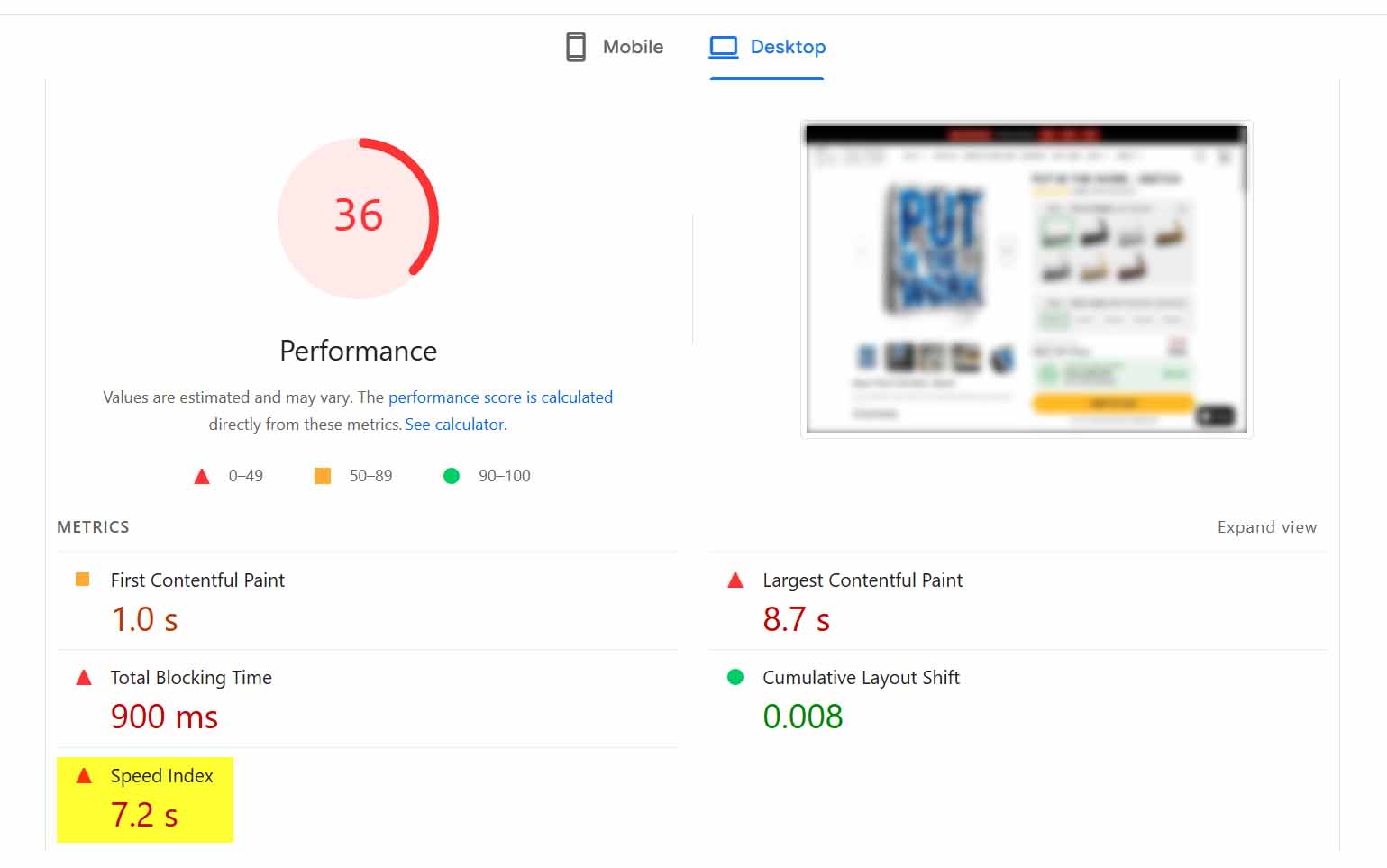
The good news: improving site speed is usually straightforward. One of the biggest culprits behind slow-loading stores is giant, uncompressed images.
Why Oversized Images Hurt You
Many print-on-demand sellers make the same mistake: they upload massive, ultra-high-resolution product photos thinking they’re showcasing “maximum quality.” But in reality, your visitors — and Google — don’t care about the extra 20MB of invisible detail hidden inside a file. What they do care about is how long the page takes to load.
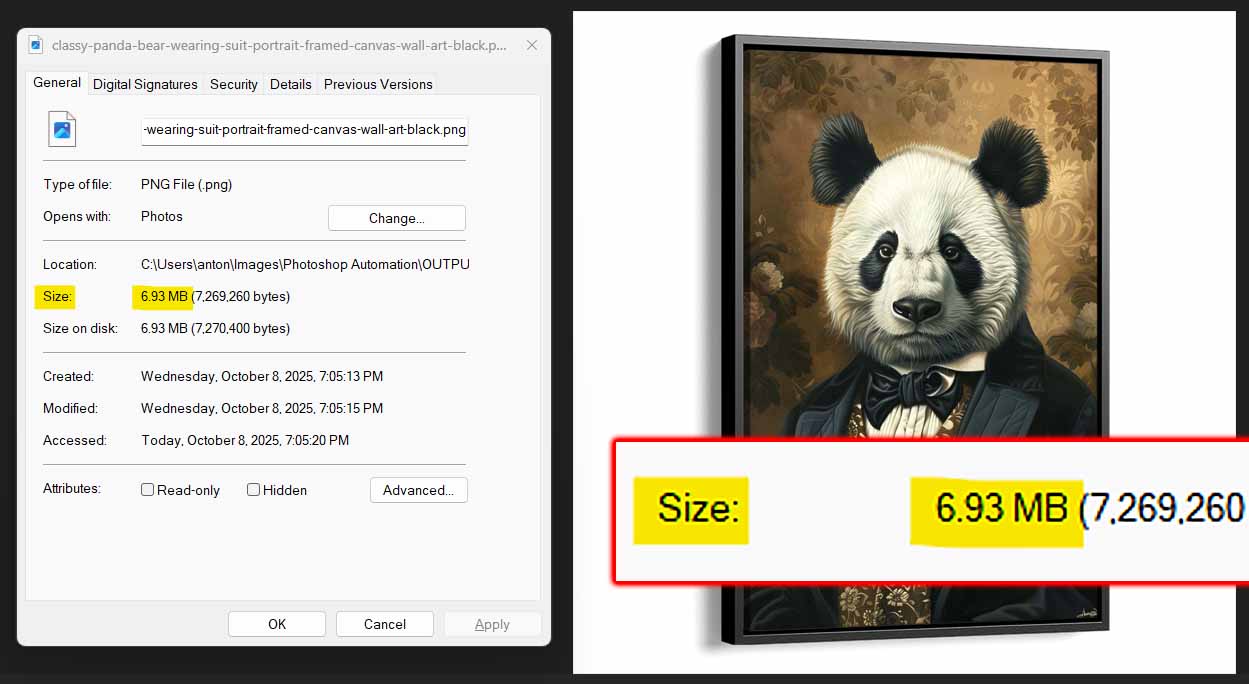
Here’s the tradeoff in simple terms:
- Larger images = slower page load times
- Slower load times = lower rankings + higher bounce rates
- Lower rankings + higher bounce rates = less traffic
So your goal isn’t to have the absolute sharpest image possible — it’s to find the perfect balance between visual quality and file size.
The Smart Way to Fix It
There are a couple of easy ways to automate image compression and keep your store running fast:
Method #1: If you create your own mockups in Photoshop
Use the Batch-Replace Smart Objects plugin.
It automates the entire mockup generation process, letting you create hundreds of product mockups at once instead of manually doing them one by one. One of its most powerful features is that you can control the compression level directly in the plugin.
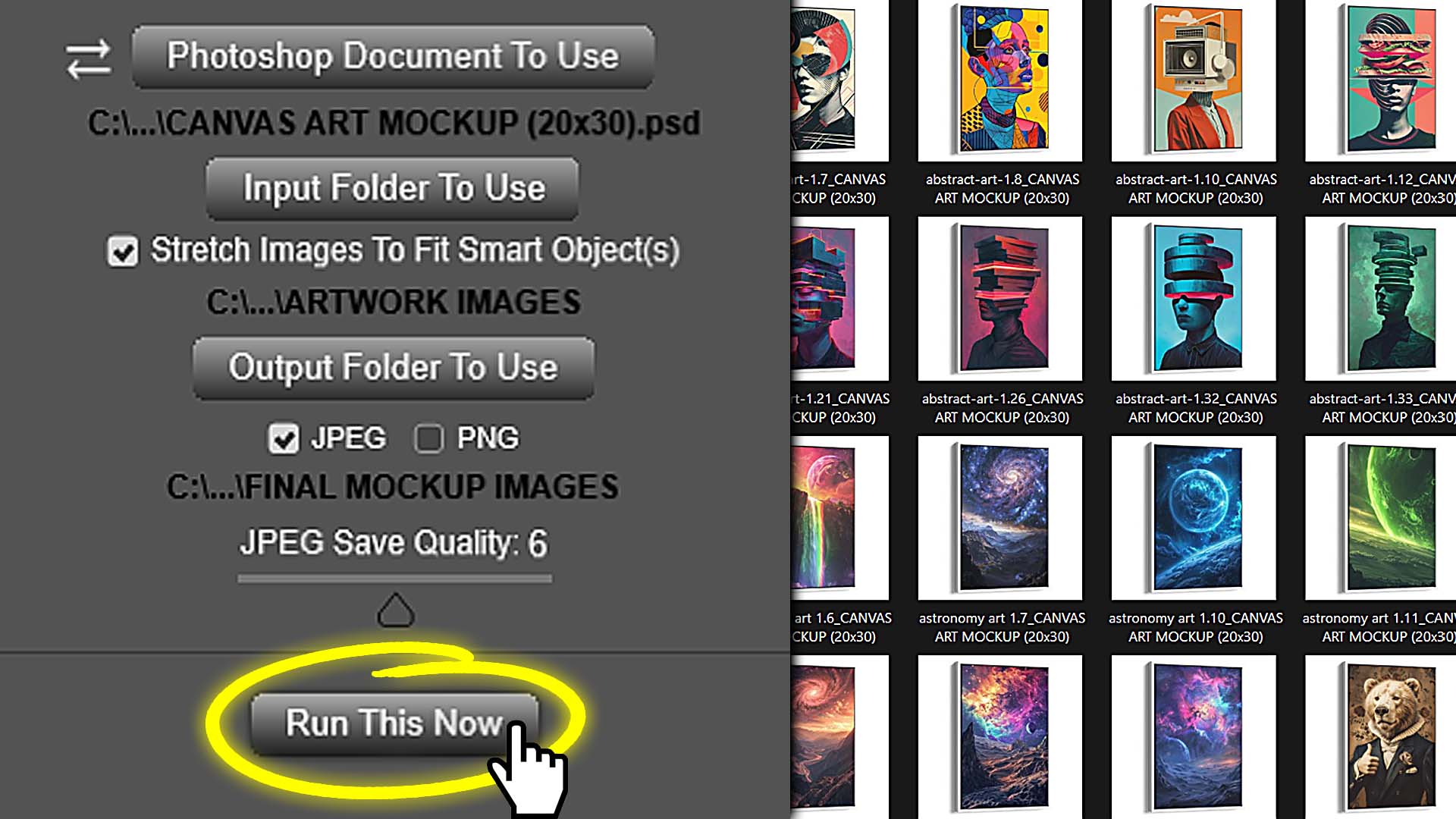
Once you find that “sweet spot” setting — sharp enough to look professional, but small enough to load instantly — you can save it as your default. From then on, every bulk-generated mockup will automatically export at the perfect balance of quality and speed.
That means no more separate post-processing or running images through a compressor afterward. It’s all done automatically while you generate your mockups.
Method #2: If you sell on Shopify
Use a site optimization app like Crush: Speed & Image Optimizer.
This app automatically compresses all images on your Shopify store, shrinking file sizes across your entire catalog in minutes. It’s a set-it-and-forget-it approach — every time you upload new product images, the app handles compression automatically.
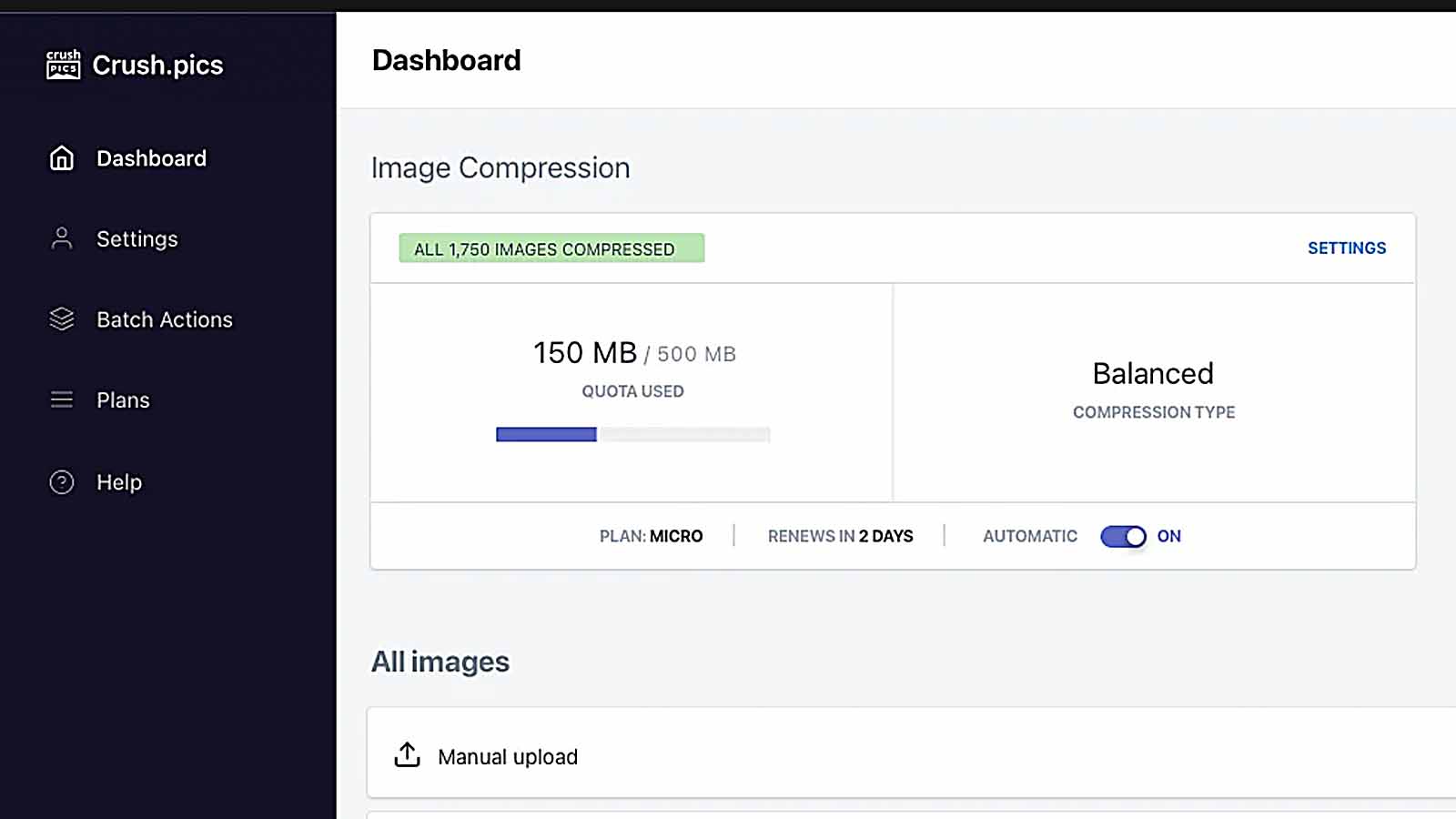
The end result: faster pages, happier visitors, and a measurable boost in your SEO rankings.
Why This Matters
Page speed isn’t just about impressing Google — it’s about keeping your real-world visitors on your site.
Every second of delay increases bounce rates and decreases conversions. Faster-loading stores keep people browsing longer, clicking more products, and ultimately making more purchases.
So while optimizing your image sizes might seem like a small technical detail, it’s one of the easiest, highest-ROI improvements you can make.
Tighten up your site speed, keep your visuals crisp but lightweight, and you’ll see better search visibility, higher engagement, and more total traffic — all from a fix that only needs to be done once.
Traffic-Increasing Strategy #6: Submit a Sitemap So Search Engines Can Actually Find Your Products
It sounds almost too simple to mention, but this one’s huge — and shockingly common:
many print-on-demand sellers never submit their sitemap to Google or Bing.
Without it, search engines might not even know your site exists.
Think about it: you could have the most amazing-looking website, filled with beautifully designed products, detailed descriptions, and perfect SEO titles — but if you never tell Google about it, it’s like throwing a grand opening party and forgetting to send out invitations.
What a Sitemap Actually Is
A sitemap is just a small file (usually named something like sitemap.xml) that lists all the pages on your website — every product, collection, and blog post. It’s what search engines use as a map to understand:
- what pages exist on your site,
- how they’re structured, and
- how often they should crawl them for updates.
When you submit a sitemap, you’re basically saying:
“Hey Google, here’s everything I’ve got. Please look through these pages and add them to your index.”
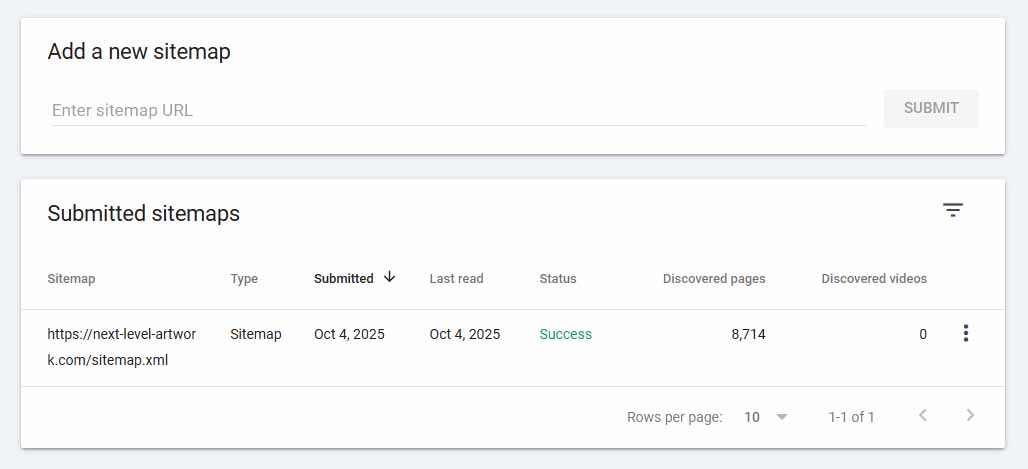
If you don’t submit it, Google might still eventually discover some of your pages through other links or social media mentions… but that process is slow, unreliable, and incomplete.
Where to Find Your Sitemap
Most major e-commerce platforms (like Shopify, WooCommerce, or Wix) automatically generate a sitemap for you. You just need to know where to find it.
The typical sitemap URL looks like this:
https://yourstore.com/sitemap.xml
Visit that address in your browser — if it loads a structured XML page with a list of URLs, you’re good to go.
How to Submit Your Sitemap
Google:
- Go to Google Search Console
- Add your website (if you haven’t already).
- Click “Sitemaps” in the left sidebar.
- Paste your sitemap URL (for example:
https://yourstore.com/sitemap.xml) and hit Submit.
Bing:
- Visit Bing Webmaster Tools
- Add your website and verify ownership.
- Go to Sitemaps, enter the same sitemap URL, and submit it there too.
Once you’ve done that, both search engines will periodically crawl your site using that sitemap as a roadmap — automatically discovering new products and updates you publish.
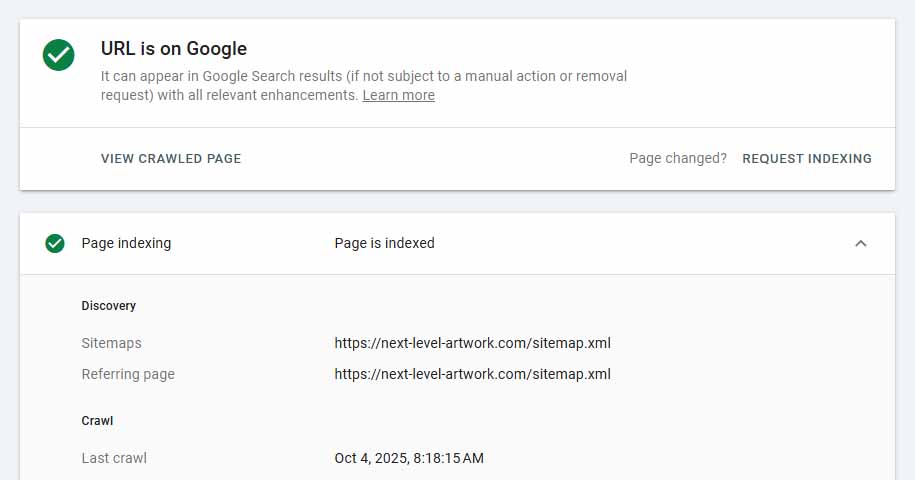
Why It Matters
Submitting your sitemap ensures your website and all its products are eligible to appear in search results. Without it, many of your product pages might never be indexed, meaning they can’t show up for any search queries — ever.
In short:
- With a sitemap: Google knows every page that exists and can index them all.
- Without a sitemap: Google has to “guess” your pages exist, and you’ll lose out on huge amounts of traffic.
Quick Note for Etsy Sellers
If you sell exclusively through a third-party platform like Etsy or Redbubble, this step doesn’t apply — those marketplaces handle all sitemap generation and indexing on their end.
But if you operate your own front-end e-commerce website — such as a Shopify store or custom site — this step is absolutely on you.
It only takes a few minutes, but it makes all the difference between being invisible and being discoverable.
Traffic-Increasing Strategy #7: Cover a Wide Range of Longtail Keywords (and Don’t Compete Against Yourself)
One of the biggest mistakes print-on-demand sellers make is using the exact same set of adjectives, titles, and keywords across all their products.
On the surface, it might seem logical — you’ve got a batch of similar designs, so you reuse the same phrases like “modern minimalist wall art” or “funny cat t-shirt.” But in reality, that approach quietly kills your traffic potential.
Here’s why:
Duplicate Content Hurts Rankings.
Search engines don’t like seeing multiple pages with nearly identical titles and descriptions. When your listings reuse the same wording, Google’s algorithm has a hard time deciding which page should rank for that keyword — and instead of picking one, it often just ranks none of them highly. You end up with a diluted presence across all your listings.
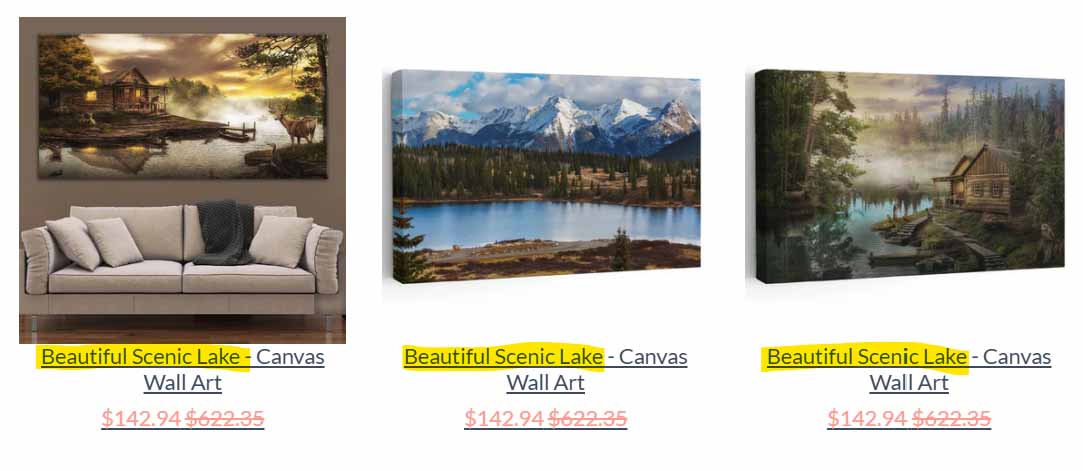
You Start Competing Against Yourself.
Even if Google doesn’t penalize you directly, you’ll still be cannibalizing your own visibility. When five of your products are all optimized for the same identical keyword phrase, they’re not working together — they’re fighting each other for the same slice of the ranking pie.
You Miss Out on Huge Keyword Opportunities.
Every piece of artwork you create can be described in dozens of different ways — through subject matter, style, mood, color palette, or even the intended room or vibe. When you limit yourself to one repetitive phrasing, you’re ignoring hundreds of alternative search queries that could be driving traffic to your products.
Why Diversity in Keyword Angles Is So Powerful
If you’ve got a collection of similar artworks — say, a series of animal portraits — there’s still an enormous amount of variation you can (and should) capture through language.
For example:
- “Elegant Black and White Grizzly Bear Portrait”
- “Whimsical Gentleman Bear Illustration”
- “Distinguished Bear in Funny Animal Artwork”
- “Classy Bear Wearing Fancy Tuxedo”
Each version points to a slightly different keyword cluster, reaching a slightly different audience — and together, they expand your visibility across dozens of unique search queries.
The goal isn’t just to make your listings “different.” The goal is to cover more keyword territory, so your catalog collectively ranks for as many search phrases as possible.
How the Bulk POD Product Creator Solves This Automatically
This is one of the biggest strengths of the Bulk POD Product Creator. When you use its advanced AI image recognition to generate POD product titles, descriptions, and tags automatically, the system analyzes the content of each artwork image individually.
That means:
- Each product gets a unique, highly specific set of keywords describing what’s actually in the image.
- The AI never gets tired or repetitive — it draws from a massive vocabulary of descriptors, art terminology, and contextual phrases.
- Your store naturally covers a far wider range of search terms than you could achieve manually.
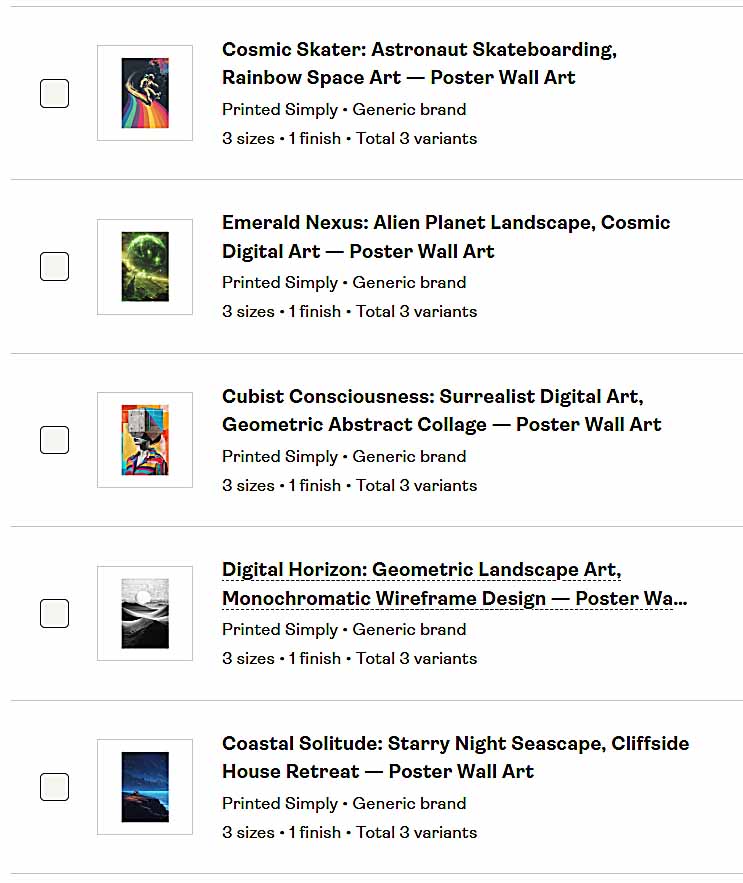
Humans tend to fall into patterns and use the same adjectives over and over. The AI doesn’t. It can recognize subtle distinctions between pieces — “misty mountain landscape” vs. “foggy alpine valley” — and translate that into semantically rich, search-optimized product metadata.
The result is a catalog that’s both diverse and cohesive — no duplicate-content issues, no keyword cannibalization, and a massive boost in organic search coverage.
When each product has its own unique linguistic footprint, search engines can clearly understand what each page is about — and your overall store gains more ranking opportunities, more longtail keyword hits, and ultimately, a lot more traffic.
Traffic-Increasing Strategy #8: Build Up a Large Number of Backlinks to Your Website
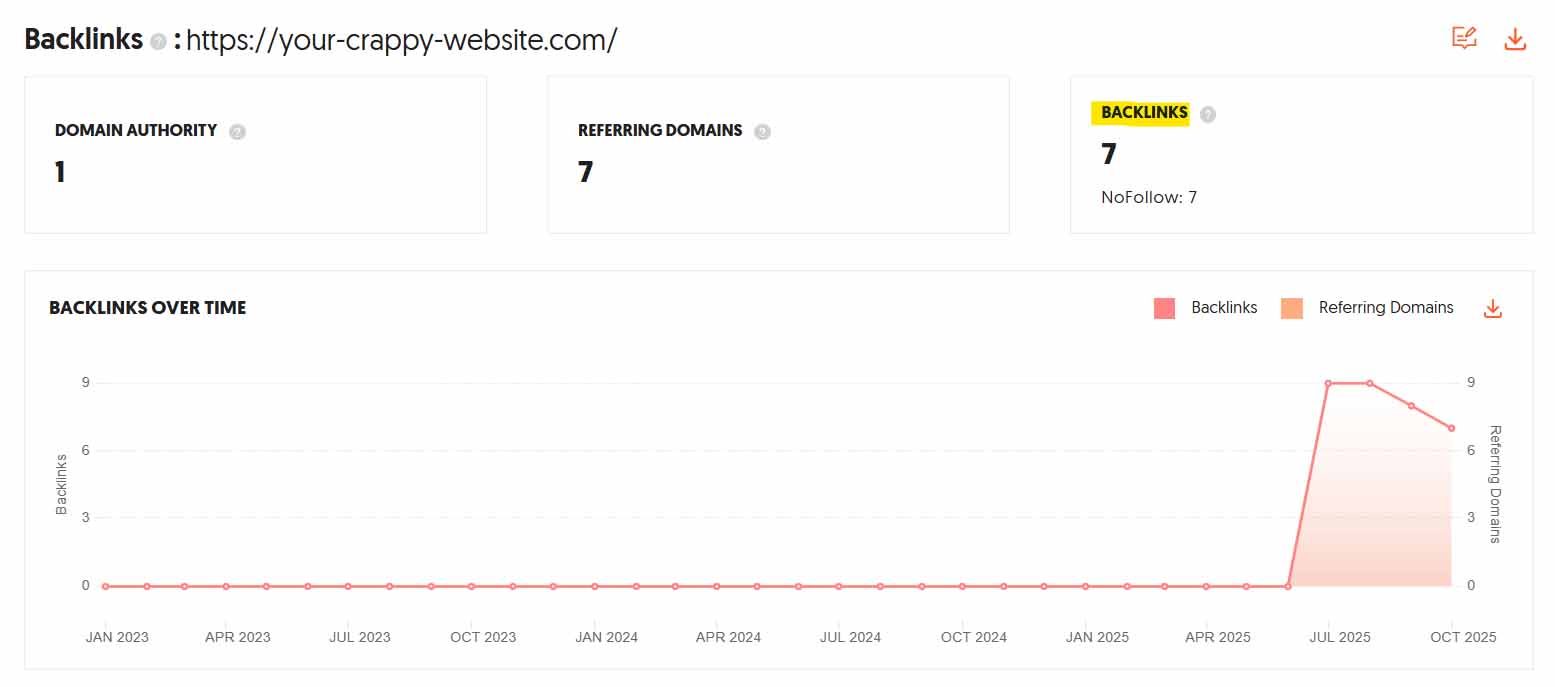
Let’s be honest — backlink building is the least fun part of SEO. It’s slow, it’s tedious, and it often requires collaborating with other people, which can feel like pulling teeth when you’d rather be focusing on your own store. But if your goal is to push your website higher in the search rankings and get more traffic, backlinks are one of the single most important ranking factors you can’t afford to ignore.
Why Backlinks Matter So Much
At a high level, backlinks are simply links from other websites pointing to your website. But what makes them powerful is who those links come from.
When Google sees that reputable websites are linking to your store, it interprets that as a kind of “vote of confidence.” In Google’s eyes, it’s proof that your site is credible, relevant, and worth recommending.
By contrast, if your website exists in isolation — no one’s linking to you, no one’s mentioning your products — Google assumes your site isn’t very well-known or trustworthy. And that translates directly into lower rankings and less traffic.
It’s essentially Google saying:
“If nobody else on the internet is talking about this site, why should we put it on page one?”
The Role of Anchor Text
Not all backlinks carry equal weight. What really moves the needle is anchor text — the visible, clickable words that link to your website.
For example, imagine you sell a collection of products focused around “classy animal wall posters.” If several reputable blogs link to your site using that exact phrase — or even slight variations like “elegant animal portrait prints” or “vintage wildlife wall art” — that tells Google that your site is highly relevant for those keywords.
Those specific keyword-rich backlinks act as semantic signals that reinforce your site’s authority in that niche. Over time, they push your product and collection pages higher in the rankings for those related search terms.

Here’s the general hierarchy of backlink strength:
- Links from trusted, high-authority websites (like established blogs or niche publications).
- Links that use anchor text relevant to your keywords and product themes.
- Links that point to specific product or collection pages, not just your homepage.
When all three align, the impact on your rankings can be dramatic.
Practical Ways to Build Backlinks (Without Losing Your Mind)
Here’s the good news: you don’t need hundreds of backlinks to start seeing results. Even a modest number of high-quality ones can make a difference if you’re strategic.
A few practical approaches include:
- Collaborate with other creators or store owners. Offer to exchange helpful mentions or write guest posts for one another.
- Write guest blog posts. Many blogs accept high-quality guest content that links back to your site naturally within the article.
- Use “Help a Reporter Out” (HARO) or similar services. These connect you with journalists and bloggers looking for expert quotes or insights — and often, they’ll include a backlink to your website when they publish.
- Get listed in relevant directories or resource pages. Niche-specific directories or “best of” roundups can provide solid backlinks if they’re legitimate and relevant.
- Encourage affiliate or partner mentions. If others promote your products, make sure their posts link to your site using keyword-based anchor text when possible.
The Long-Term Payoff
Backlinks don’t produce instant gratification. It’s a gradual compounding effect — but over time, every legitimate link acts as another trust signal that tells Google:
“This website is credible, popular, and relevant for this topic.”
And when that message gets repeated enough across the web, Google starts pushing your store higher up in the search results — where the real traffic lives.
Yes, backlink building is boring. But if you want your print-on-demand store to grow into something that ranks on autopilot and consistently drives organic traffic, this is one of those unglamorous tasks that pays off massively in the long run.
Conclusion: How These Traffic Strategies Compound Over Time For Print-on-Demand Stores
Each of these strategies on its own can boost your print-on-demand traffic — but the real power comes when you stack them together.
Think of it like building a flywheel: every turn you make adds momentum.
You start by researching which products and artwork ideas people are actually searching for using Google’s Keyword Planner.
Then you create hundreds (or thousands) of SEO-optimized product listings targeting those exact search terms.
Those listings multiply your landing pages, keep people browsing longer, and drive up your session times — which Google rewards with higher rankings.
Your product titles and descriptions get packed with relevant long-tail keywords, your site loads faster thanks to optimized images, and you fix the exact SEO issues Google itself tells you to fix.
Over time, your sitemap ensures every product page is properly indexed, your store keeps expanding with diverse, non-cannibalized keywords, and backlinks from other reputable sites steadily build your authority.
All of these factors feed into one another — better rankings bring more traffic, more traffic brings more engagement, more engagement brings higher conversions, and that, in turn, gives you the financial runway to create and launch even more products.
It’s a self-reinforcing loop.
And this is where automation becomes the ultimate multiplier.
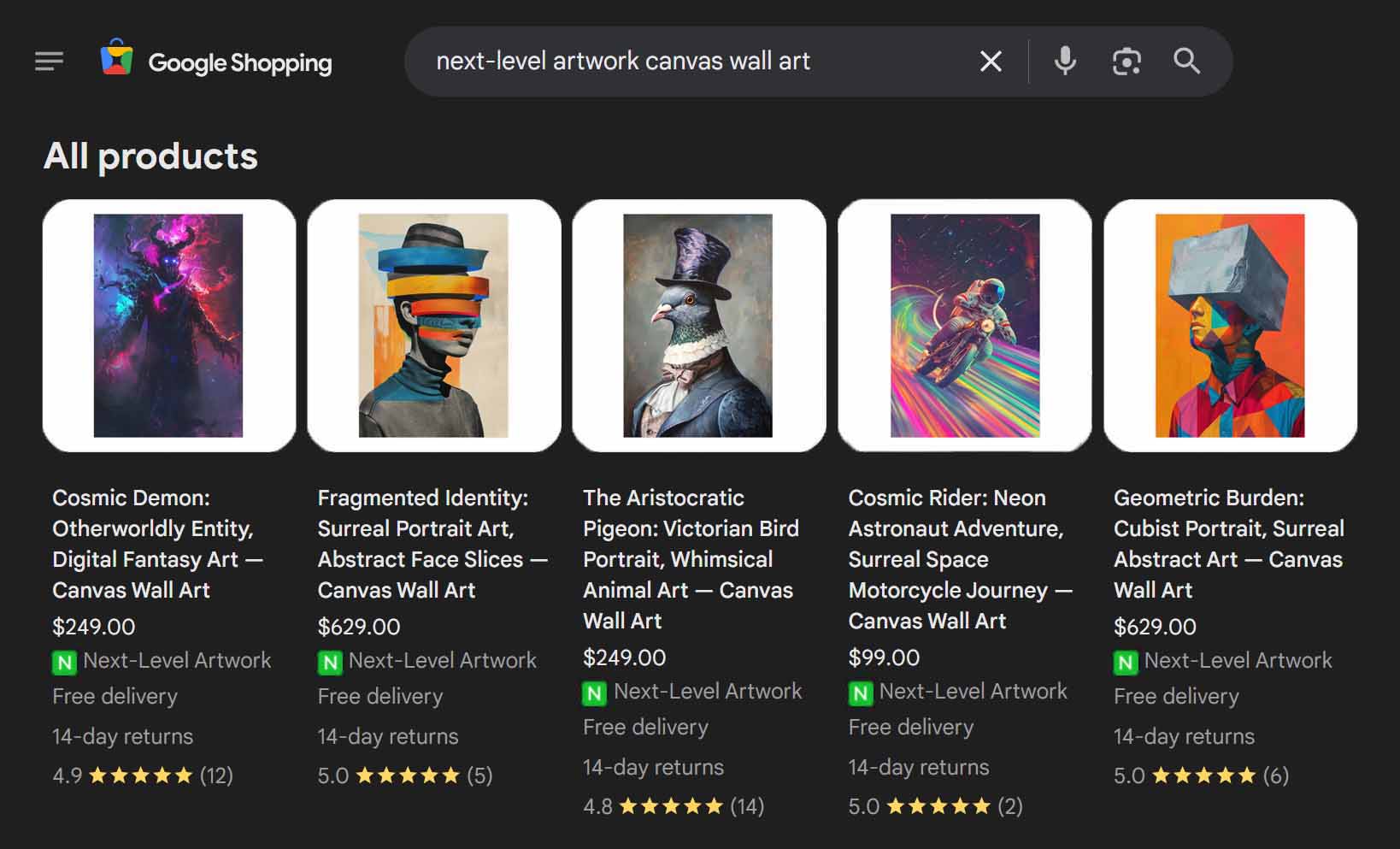
The Bulk POD Product Creator removes the bottlenecks that normally hold sellers back. Instead of being limited by how fast you can manually click, type, or upload, you can now launch hundreds of new, SEO-optimized print-on-demand products in a single session — complete with AI-generated titles, descriptions, and tags that match what people are actually searching for.
Combine that with a strong library of AI-generated artwork from tools like Midjourney, and you suddenly have an end-to-end system for scaling your entire business faster than you ever thought possible.
No guesswork. No wasted time creating products nobody’s looking for.
Just data-driven decisions, automated execution, and compounding growth.
So if you’re serious about getting more traffic to your store — not in theory, but in practice — these are the steps to start executing today. Research the right keywords. Create more products. Optimize your SEO. And let automation handle the heavy lifting so your focus can shift to what matters most: growing your business and making more sales.