
How To Create Print-on-Demand Products In Bulk (Instead of 1-by-1)
Overview: Building a large, profitable POD catalog requires volume. This guide explains how to bypass one-by-one product creation by using an automation workflow that creates POD products in bulk—freeing time, scaling output, and improving discoverability.

The Pain of Creating POD Products 1-by-1
If you’re reading this, you’ve probably felt the frustration firsthand. You want to build up a much larger collection of POD products on your store. You want to scale to hundreds or even thousands of listings that pull in organic traffic, capture more sales opportunities, and grow your brand faster. But your progress is capped by the sheer number of hours it takes to create products manually inside your POD platform’s interface.
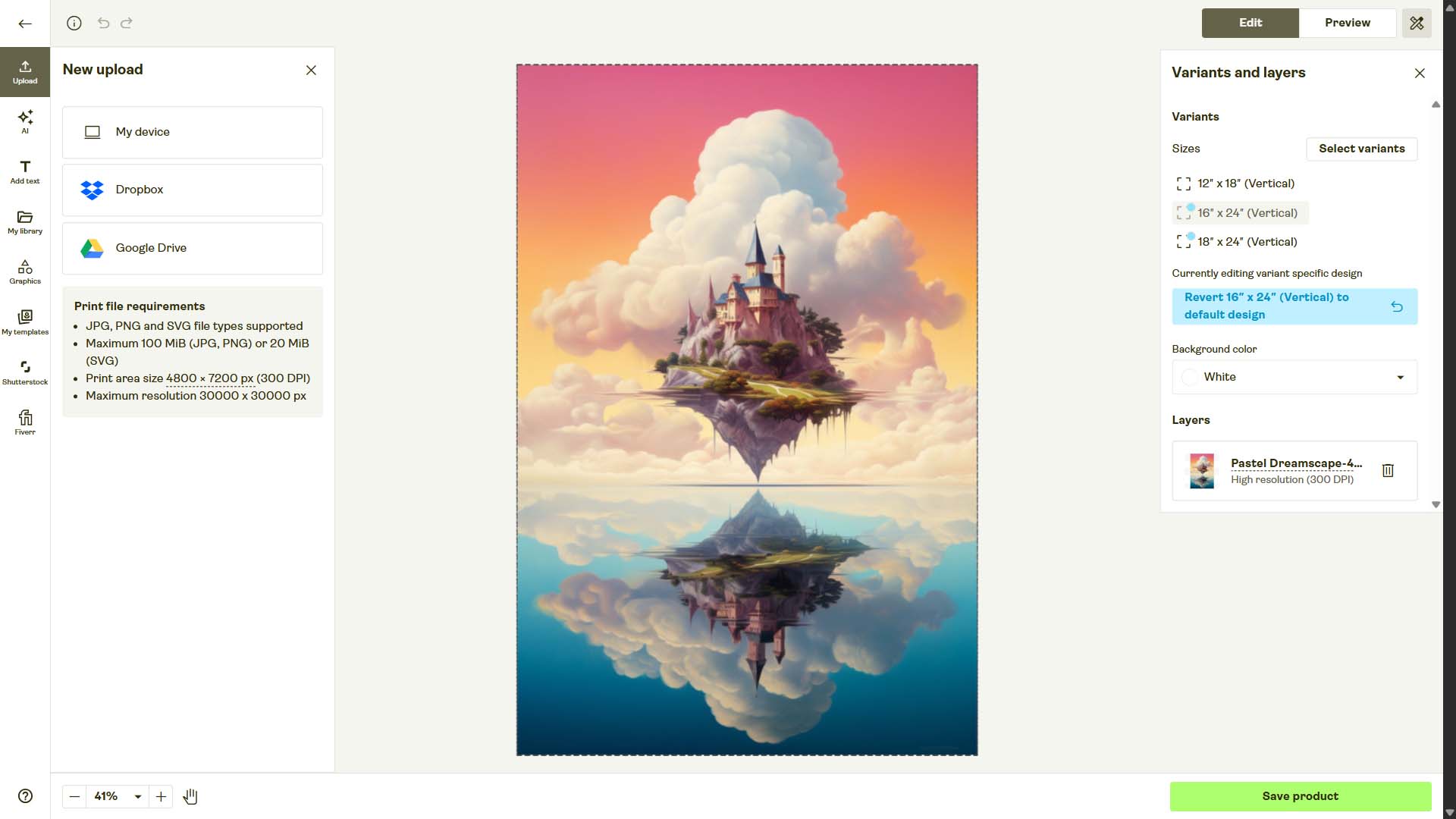
Think about the standard sequence of events when creating products one at a time:
- Find the specific product you want to create (like a framed poster, t-shirt, or mug).
- Select the variants you want to include (sizes, colors, orientations).
- Upload your current artwork image.
- Resize and reposition that artwork across all variants so they look right.
- Go to the pricing page and set prices variant by variant.
- Write titles, descriptions, and tags for the artwork—ideally doing this with SEO in mind so people can actually find your product.
Just to create one measly POD product with maximum effort and attention-to-detail at each step, it can easily take 10–20 minutes of work. If you’re ambitious and aiming for hundreds of products, you’re staring down days or even weeks of tedious, repetitive work.

Wouldn’t it be nice if instead you could just say: "Here are the artwork images I want to create POD products for. Here’s the product template I want to use. Here are my rules. Now, please create all of these POD products for me automatically."
Well, that’s exactly what we’re going to show you how to do in this post.
How To Automate This: Use the Bulk POD Product Creator
The Bulk POD Product Creator is designed to automate the entire print-on-demand product creation workflow. Instead of slogging through the same 40 clicks per product, the software does it for you. At its core, it takes each of your artwork images, uses an Example Product as a role model, places and sizes your images according to your preferences, and automatically generates SEO-optimized titles, descriptions, and tags. You can further customize how products are created so the final listings are exactly what you envisioned.
Here’s the process in compact form:
- Select the artwork images you want to create products for.
- Connect your POD store and select an Example Product to mirror.
- Define how your artwork should be placed and resized on the product.
- Choose your product info rules (titles, descriptions, tags).
- Click "Create My Products"—and watch as dozens or even hundreds of new products appear in your store automatically.
Instead of spending weeks creating listings one by one, you can scale your entire print-on-demand catalog in a single afternoon.
Step 1: Connect Your POD Store
To get started, you connect the Bulk POD Product Creator to your POD store. This is done with an API token, which is a secure way for software to talk directly to your POD provider and perform actions on your behalf. Once you paste your token into the tool, your store is connected and ready to go.

From there, you’ll select an Example Product from your store. This serves as the blueprint for all new products. The Example Product defines your print areas, variants, sizing options, and even your pricing. By reusing your best-optimized Example Product, you’re standardizing your catalog and saving yourself from having to reconfigure these options every time.
All of your connected stores and Example Products are saved into a dropdown menu inside the tool. That way, the next time you run an operation, you don’t need to reconnect everything from scratch—you can just select from your saved options and get started right away.
Step 2: Select Your Artwork Images & Placement Rules
Once your store is connected, the next step is to select the artwork images you want to use for the current batch. For each new artwork image, the Bulk POD Product Creator will generate a brand-new product, mirroring the Example Product you selected earlier.

This is also where you define your placement and resize rules:
- Stretch Images To Fit Print Area(s) – fills every print area completely, regardless of aspect ratio. Fast, clean, consistent.
- Preserve Image Aspect Ratio & Center – no distortion; artwork is centered and scaled to the nearest edge.
- Exactly Match Example Image(s) – pixel-perfect replication of how your Example Product’s image was placed.
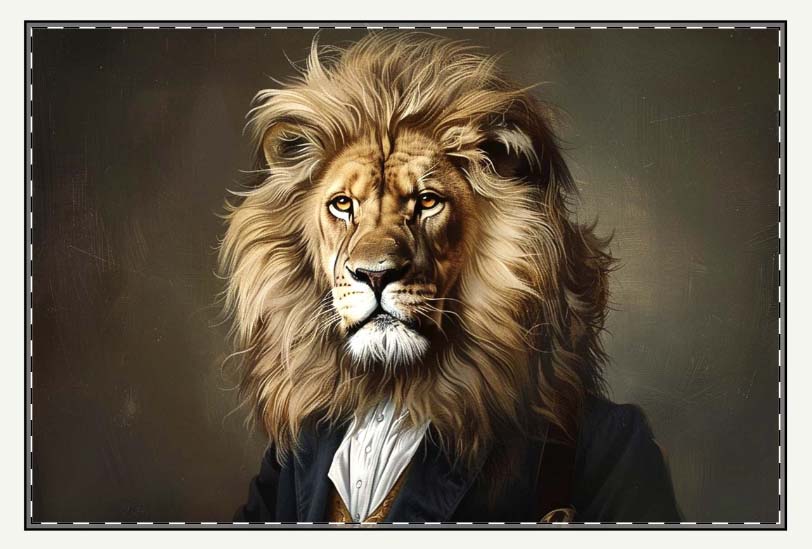
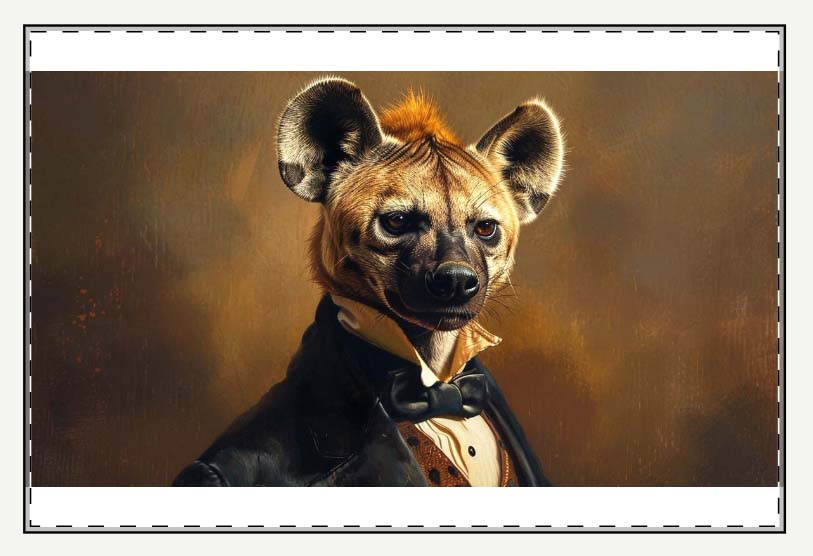

For POD sellers, this functionality eliminates the endless cycle of resizing, cropping, and nudging artwork into place for every single product. The rules you set ensure your artwork looks perfect across all your products, every time.
The result: standardized, professional-looking outputs created in minutes instead of hours.
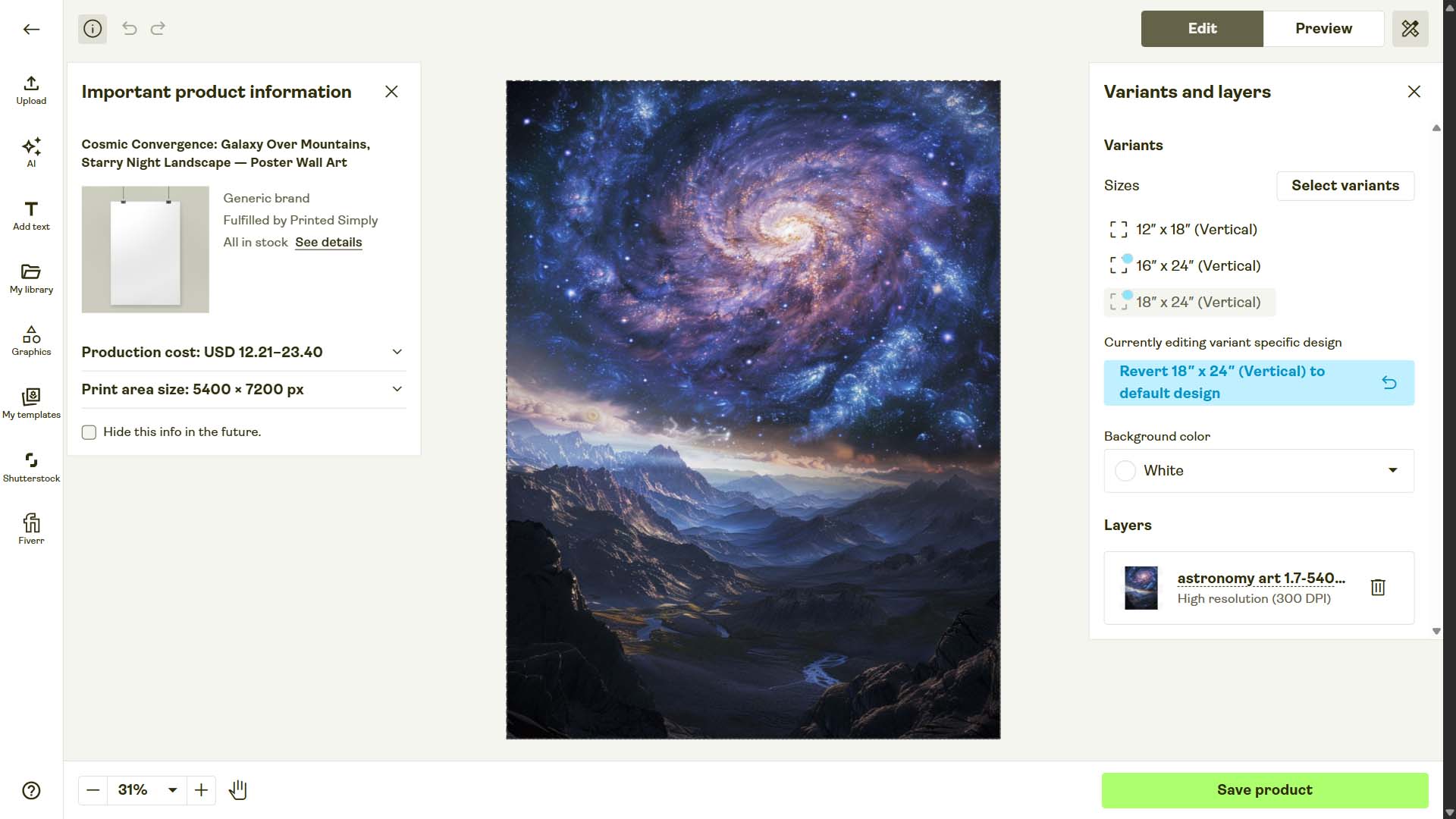
Below is an example of a product created using this tool with the "Stretch Images To Fit Print Area(s)" option selected. Note how the entire artwork image fits the full print area of the different variants, despite their aspect ratios being slightly different:

Step 3: Define Your Product Creation Rules
Once your store is connected and your artwork images are uploaded, the next step is to define the rules for how your new POD products will be created. This is where you take full control over titles, descriptions, and tags—the metadata that drives SEO visibility, discoverability, and ultimately, sales.

Titles: Filenames, AI Simple, or AI Compound
For titles, you have multiple options. You can:
- Use the image filename as the product title. This is quick and straightforward, but it often lacks the descriptive power needed for strong SEO.
- Use AI to generate titles. Here you get two further options:
- Simple titles – short, to-the-point, usually just the artwork subject. Example: “Aurora Borealis Over Frozen Lake.”
- Compound titles – more detailed, aligning with buyer intent and including product-level keywords. Example: “Aurora Borealis Over Frozen Lake: Night Landscape Art, Snow-Capped Mountain Scenery.”
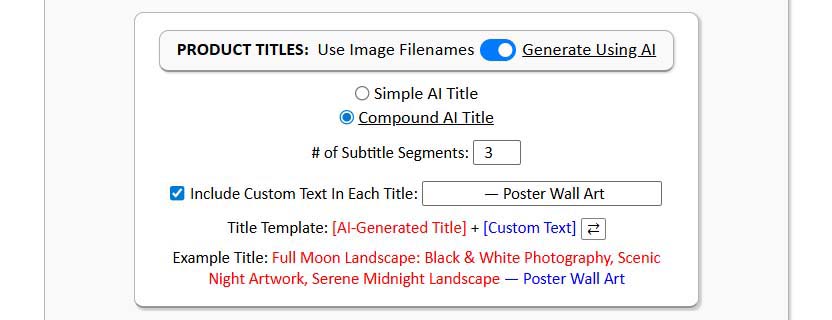
Regardless of which option you choose, you can prepend or append custom text. For example, if you’re creating a batch of poster products, you might add “Poster Wall Art:” at the front of every title. So instead of just “New York City Skyline at Night,” your listing would read:
“Poster Wall Art: New York City Skyline at Night.”
This combination of artwork-specific keywords + product-type keywords is extremely powerful. It not only improves discoverability but also increases the odds that your products command higher prices, because they appear to be exactly what the buyer was looking for. Such titles also map directly onto how buyers search.

Descriptions: AI + Custom HTML
Descriptions follow a similar pattern. You can either write them manually (not recommended) or let AI generate keyword-rich, highly descriptive product blurbs for every artwork image. AI-generated descriptions mean:
- More long-tail keyword coverage.
- Higher accuracy in describing the specific details of each artwork.
- More opportunities for your listings to match what buyers type into search engines.

And you’re not limited to just what the AI generates. You can also add custom HTML blocks that append standard product information—things like materials, sizing, or care instructions. This ensures every listing is consistent, professional, and fully informative.

Tags: Automated + Custom Layering
Finally, you define your tags. Here too, AI can handle the heavy lifting by generating artwork-specific tags automatically. These help with search visibility inside marketplaces like Etsy, and they also enable automated collection building inside platforms like Shopify. For example, if you want every “abstract art” product to automatically appear in your Abstract Collection, you just set the rule once.
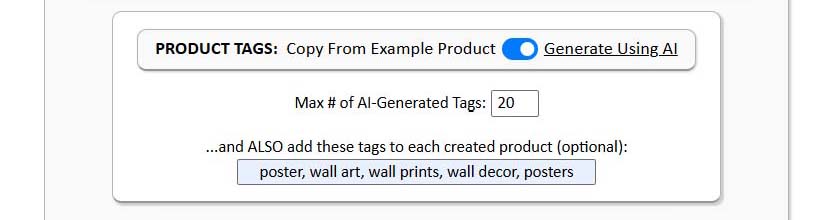
You can also append custom tags that apply across every product in the batch. For example:
- Product-level tags: “poster,” “canvas print,” “wall art,” “home decor.”
- Batch-level tags: if you’re creating a series of “New York City” artworks, you might add “NYC art,” “urban skyline,” or “cityscape decor.”
The combination of AI-generated tags + custom layers means your catalog is both specific (optimized for each artwork) and standardized (organized for SEO and collections).
The Pain of Writing Product Info Manually
To really appreciate what this automation does, it’s worth pausing to remember what it’s like to do this manually. Imagine sitting down to write a description for artwork image number 237 in your store. It’s another landscape painting, not that different from number 236. You’re tired, your creativity is drained, and you end up writing something like:
- “Beautiful mountain landscape wall art print.”
- “Scenic mountain wall decor poster.”
- “Nature wall art featuring mountains.”
Notice how quickly these start to sound the same? Not only is it boring to write, but this repetition actively hurts your SEO. By reusing the same adjectives and nouns, you limit your reach and even cannibalize your own listings—forcing them to compete with each other for the same search terms.
Now imagine doing this for hundreds or thousands of products. It’s exhausting, and it drags your business down.

This is why the AI-driven product info generation in the Bulk POD Product Creator is such a game-changer. Instead of generic, repetitive titles and descriptions, you get keyword-dense, richly descriptive text that captures far more long-tail queries. It’s like having a team of art professors with encyclopedic knowledge of visual descriptors writing for you, instead of trying to scrape by with the same handful of adjectives over and over.

How Accurate Are the AI-Generated Outputs?
Let’s put this to the test. Below are a few examples of AI-generated descriptions produced by the Bulk POD Product Creator. Each one was written by the system based purely on the artwork image itself:
Example 1 (Psychedelic Artwork):
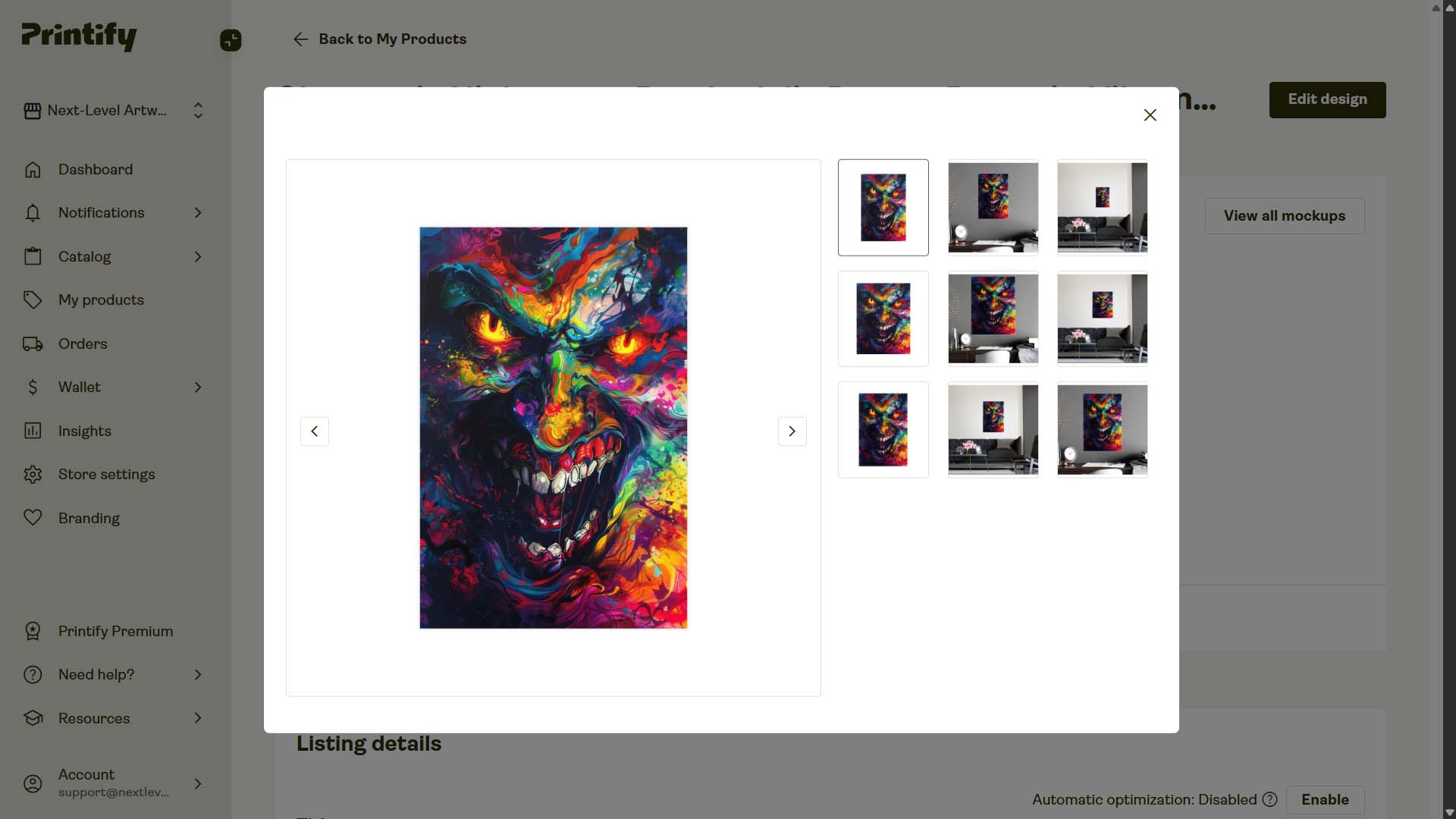
“This striking psychedelic artwork depicts a fierce, demonic face with glowing yellow eyes and sharp teeth, rendered in an explosion of vibrant colors. The image features an intense kaleidoscope of neon hues - electric blues, fiery oranges, acid greens, and hot pinks - that swirl and splash across the composition like liquid paint. The menacing expression is enhanced by the chaotic blend of colors that seem to melt and flow throughout the piece, creating a surreal, nightmarish quality. This vivid digital art combines elements of horror and psychedelia, with splatter effects and flowing lines that give the impression of a face emerging from a colorful abyss, making it a powerful example of contemporary fantasy art that blends fear with vibrant beauty.”
Analysis: This is the kind of description it would take you an eternity to write on your own. Notice how it layers multiple sets of keywords—“psychedelic artwork,” “demonic face,” “neon hues,” “contemporary fantasy art.” Each of these is a long-tail search opportunity, and together they create a perfect match for buyers searching in that niche. To match this level of accuracy and creativity manually, consistently across hundreds of products, you’d need both an art degree and countless hours of free time.
Example 2 (Aurora Borealis):
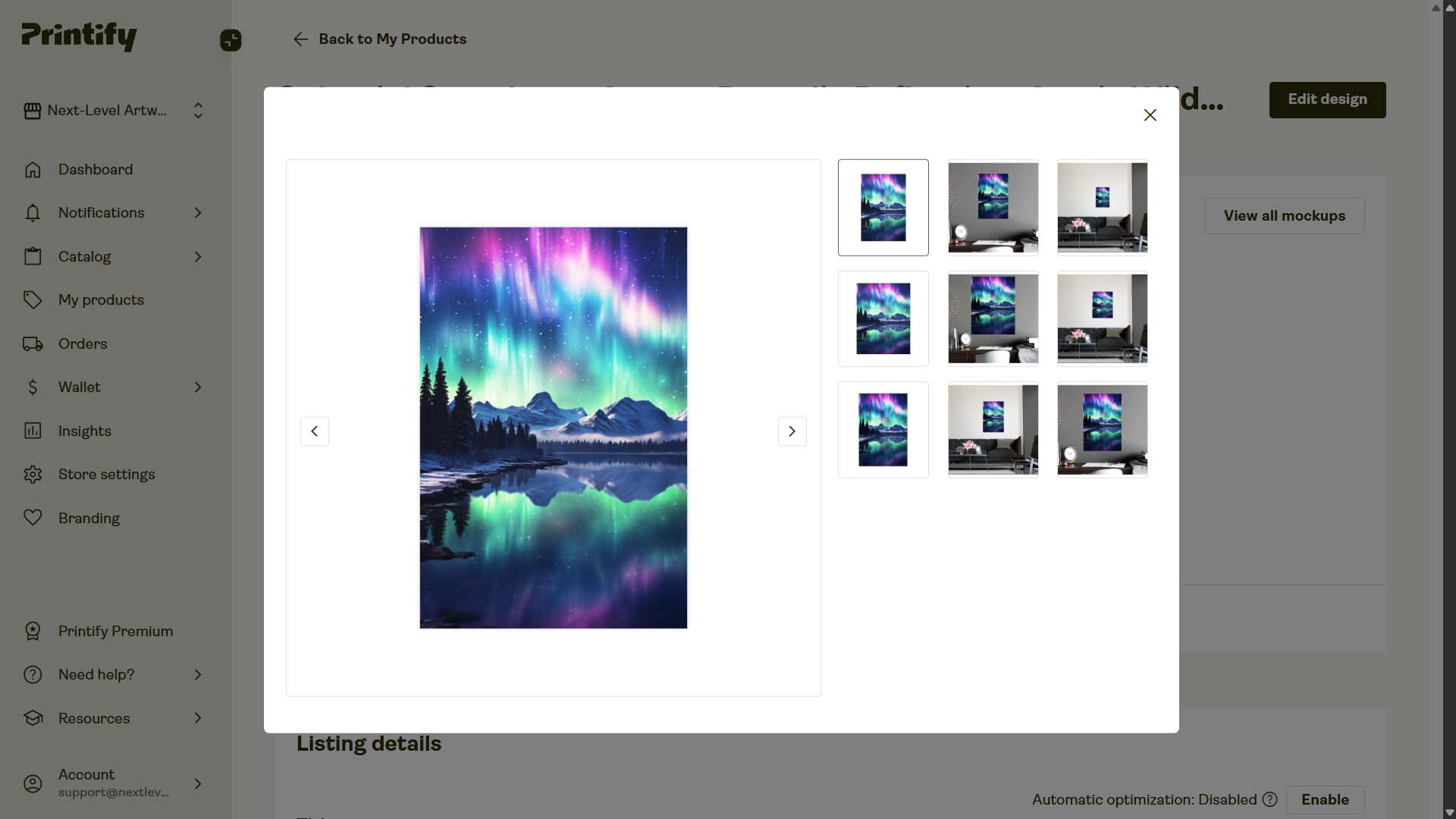
“This breathtaking image captures the mesmerizing beauty of the Aurora Borealis, or Northern Lights, dancing above a serene winter landscape. Vibrant ribbons of green, pink, and purple light paint the night sky, reflecting perfectly in the still waters of a lake below. Snow-capped mountains rise majestically in the background, their rugged peaks silhouetted against the cosmic light show. A dense forest of evergreen trees lines the shoreline, adding depth and texture to the scene. The starry sky twinkles behind the aurora, creating a magical celestial backdrop. The image's composition is perfectly balanced, with the aurora's reflection creating a stunning mirror effect in the foreground. This awe-inspiring display of nature's wonders showcases the raw beauty of the Arctic wilderness. The ethereal quality of the light and the crisp clarity of the reflection make this image a true feast for the eyes. For anyone seeking inspiration or a glimpse of nature's most spectacular phenomena, this aurora-filled vista is sure to captivate and inspire.”
Analysis: Beyond the sheer detail, note how this description hits on high-value search terms: “Aurora Borealis,” “Northern Lights,” “winter landscape,” “Arctic wilderness,” “celestial backdrop.” Manually writing this, you’d probably default to a few obvious phrases like “Northern Lights wall art.” But the AI expands your reach with dozens of richly varied descriptors, each of which can capture unique traffic.
Example 3 (Surreal Black and White Artwork):
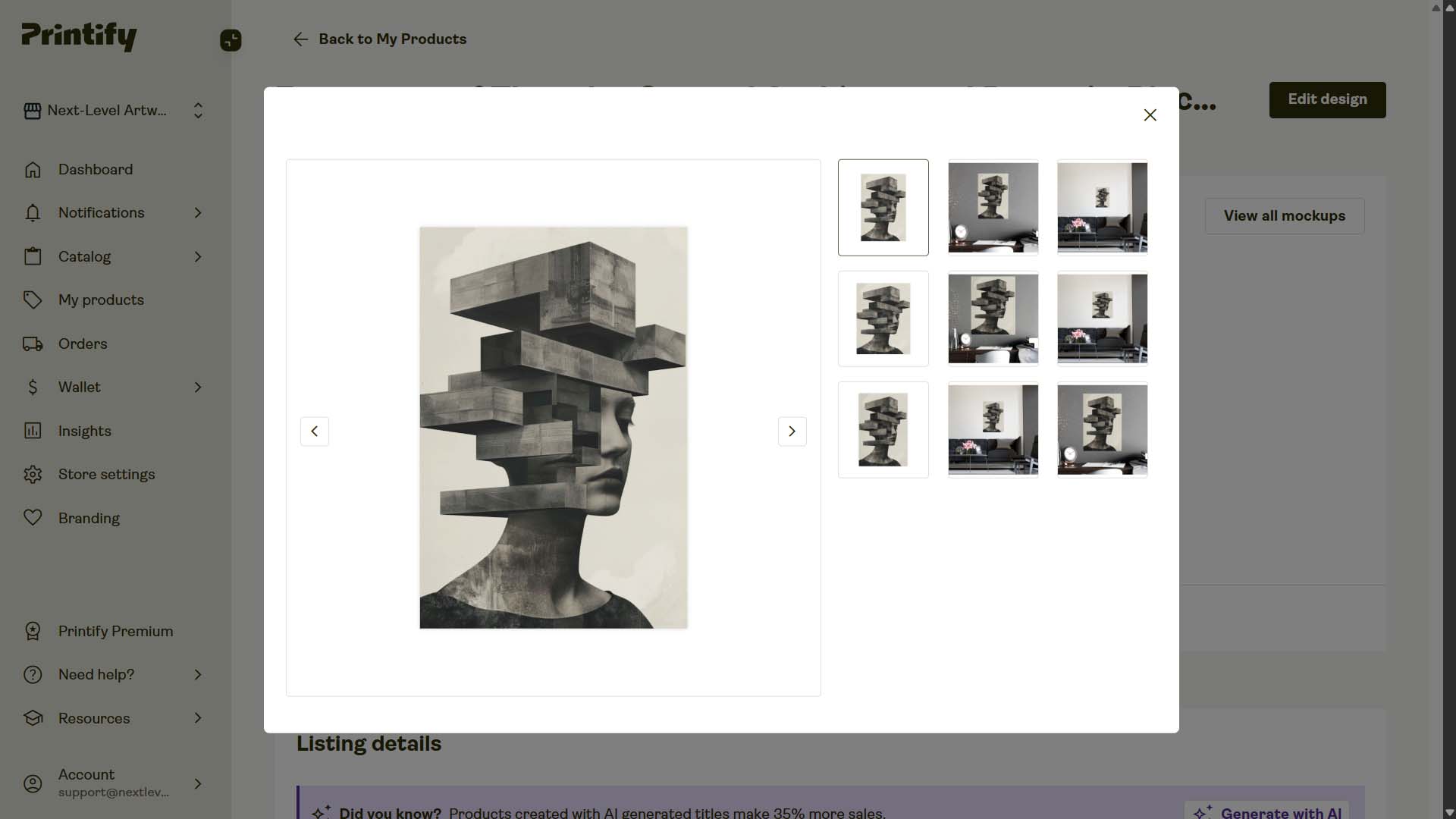
“This striking black and white image combines architectural elements with human form in a surreal and thought-provoking composition. The central focus is a profile view of a face, partially obscured by a series of concrete-like blocks stacked in seemingly impossible configurations. These geometric shapes protrude from where the upper portion of the head would be, creating a visual metaphor for complex thoughts or a fragmented psyche. The contrast between the smooth, organic curves of the facial features and the harsh, angular lines of the architectural elements creates a compelling juxtaposition. This artful blend of portraiture and brutalist-inspired design elements results in a powerful image that explores themes of identity, mental construction, and the intersection of humanity with the built environment.”
Analysis: Once again, the AI nails both creativity and accuracy. Keywords like “surreal,” “architectural elements,” “brutalist-inspired design,” and “portraiture” are not only accurate but also highly distinctive. This kind of specificity makes your product stand out in search results and reach buyers looking for exactly this type of artwork.
By now it should be clear: letting AI handle titles, descriptions, and tags doesn’t just save time. It transforms the quality of your listings, supercharging SEO and discoverability in a way that’s nearly impossible to replicate manually.
The Benefits of Creating POD Products in Bulk
At this point, the advantages of bulk creation should already be clear. But let’s lay them out fully—because the case for automating your POD product creation is overwhelming.
1. Time Savings That Compound Exponentially
When you stop creating products one at a time, you unlock hours—sometimes even weeks—of saved effort. What used to take days of manual clicking can now be done in a single afternoon. Those reclaimed hours are fuel you can reinvest into the parts of your business that actually grow revenue.
2. More Time for High-Value Work
Instead of wasting creative energy resizing artwork or typing in titles, you can focus on high-value projects: designing new art, testing ads, building email funnels, or improving your store’s conversion rate. Automation handles the repetitive grind so you can spend your time where it matters most.
3. Larger Catalogs Drive Higher Average Order Values
Every product listing is another opportunity for a buyer to find exactly what they’re looking for. The bigger your catalog, the more likely you’ll have the “perfect” product that convinces someone not only to buy, but also to bundle multiple items together—raising your average order value.
4. More Products = The Ability to Charge Higher Prices
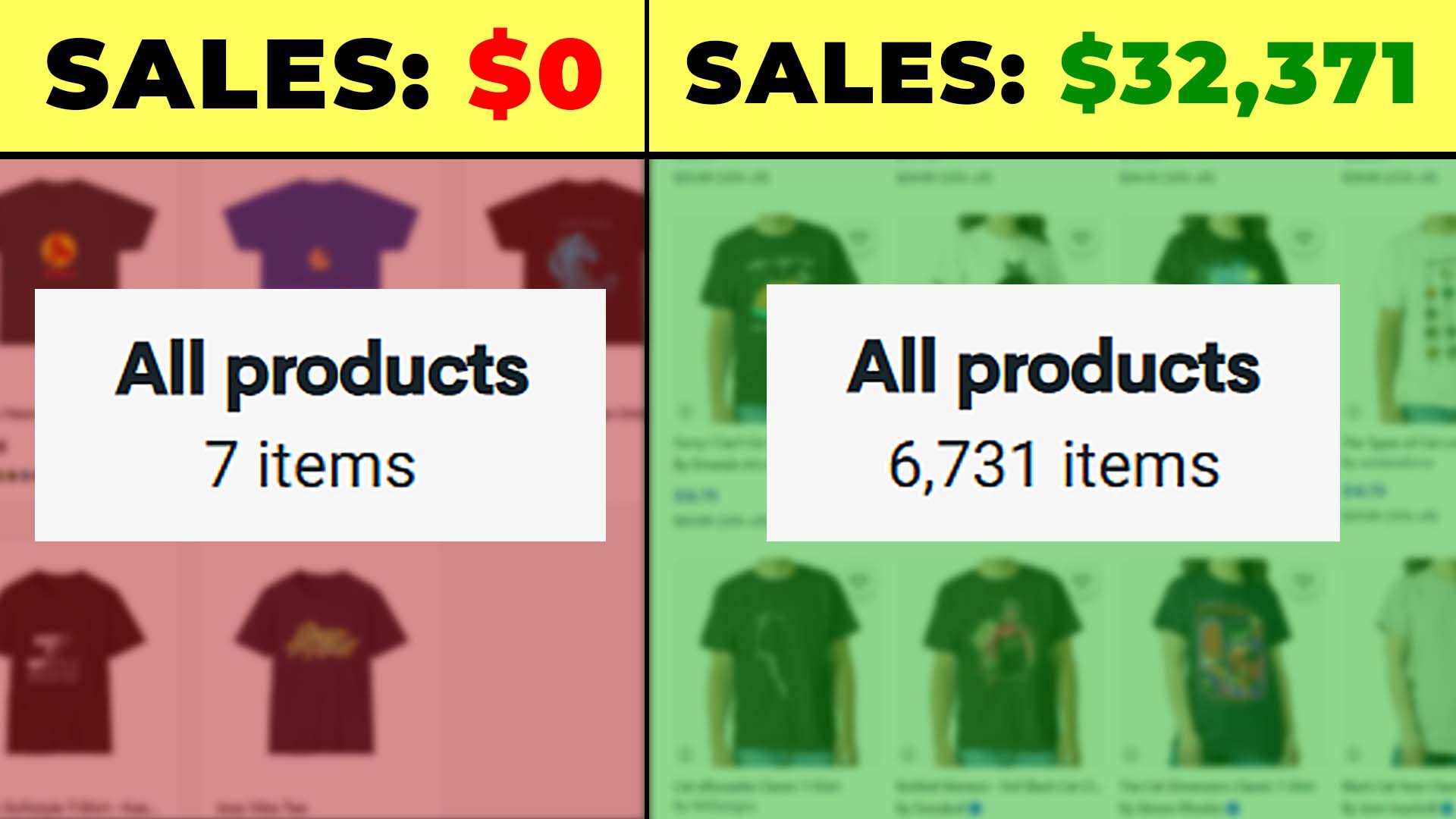
When shoppers find something that matches their preferences with uncanny precision, they’re often willing to pay more. A massive, diverse catalog increases the odds of creating these perfect matches. That means not only more sales volume, but also stronger margins.
5. Massive SEO Advantage Through Long-Tail Coverage
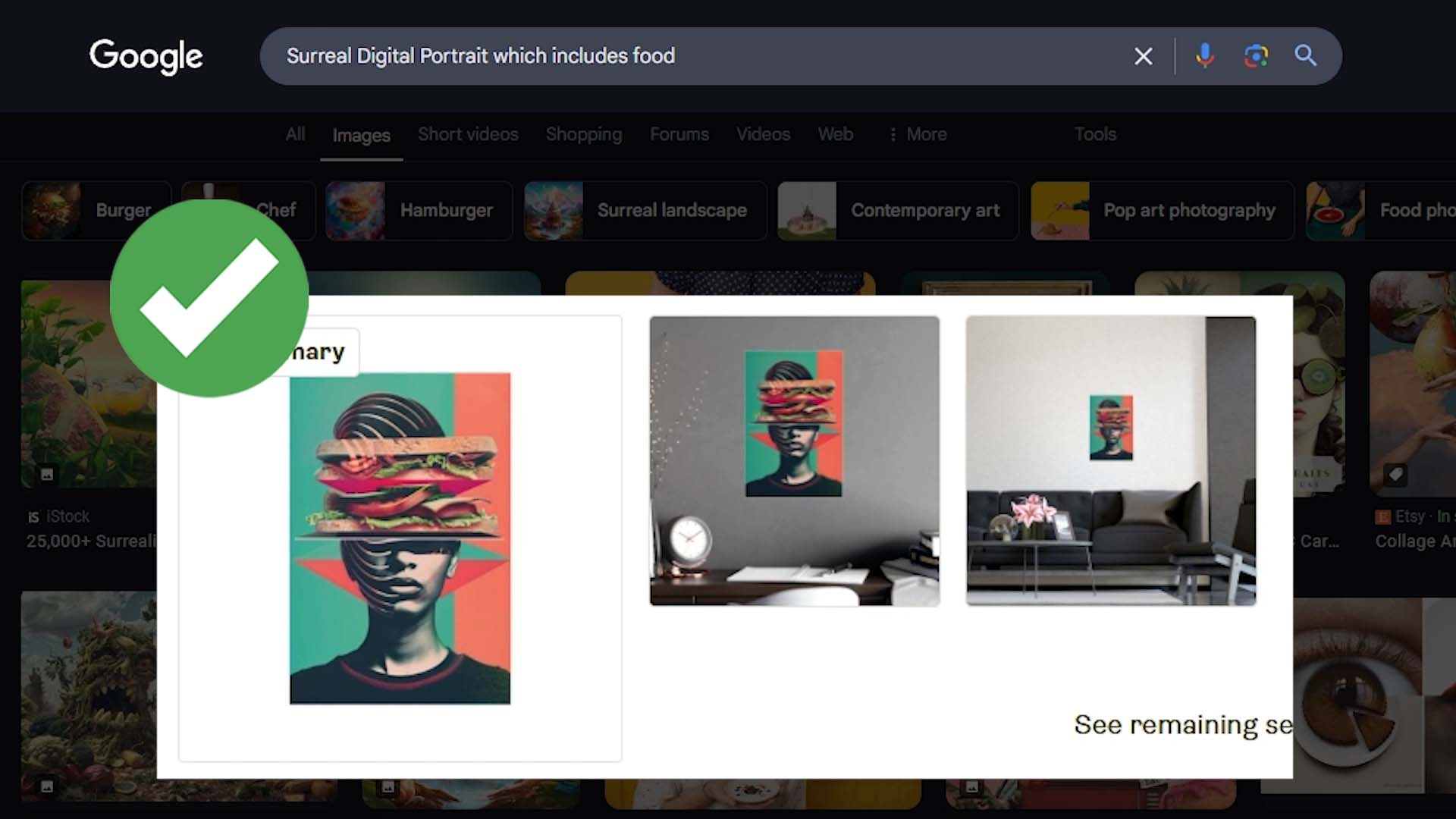
This is where bulk creation really shines. Each individual product you publish can rank for dozens or even hundreds of long-tail keyword combinations, thanks to AI-optimized titles, descriptions, and tags. Multiply that across hundreds or thousands of listings, and you suddenly own an enormous footprint of search visibility.
- One product might rank for “psychedelic demon face artwork poster.”
- Another might rank for “Aurora Borealis winter landscape canvas print.”
- Another might rank for “surreal brutalist black and white portrait wall art.”
And so on. Each listing is another landing page, each keyword combination another funnel for organic traffic.
6. More Landing Pages, More Traffic
Think of every listing as its own standalone landing page. A catalog of 50 products gives you 50 landing pages. A catalog of 500 gives you 500 landing pages. At scale, this means you’re no longer capped by your ability to drive traffic manually—you’re creating a self-sustaining ecosystem where organic visitors flow in through countless doorways.
7. Reduced Risk of Cannibalization
When you write titles and tags manually, you end up reusing the same descriptors over and over. This causes your own listings to compete with each other. By contrast, AI-generated product info introduces variety and accuracy across your catalog, dramatically reducing cannibalization.
8. Creative Energy Stays Where It Belongs
Let’s be honest: nobody gets into POD because they love writing repetitive product titles or cropping images one by one. Bulk creation frees you from the soul-crushing grunt work and lets you spend more of your time on the creative aspects you enjoy—designing, branding, marketing.
9. More Focus on Marketing and Growth
Once your catalog is built out in bulk, your energy can shift to growth levers:
- Conversion rate optimization.
- Running ads with confidence (since you now have the product depth to make them profitable).
- Building and segmenting email lists.
- Creating product bundles and upsell strategies.
- Improving your website or storefront for trust and usability.
10. A Business That Scales Without Scaling You
Manual creation ties your growth to your own labor. Bulk creation decouples that. Now your business can grow without requiring you to spend nights and weekends trapped in a cycle of clicking and typing. That’s the real benefit: scalability without burnout.
Conclusion: Creating Products In Bulk Is WAY Better Than Doing It Manually
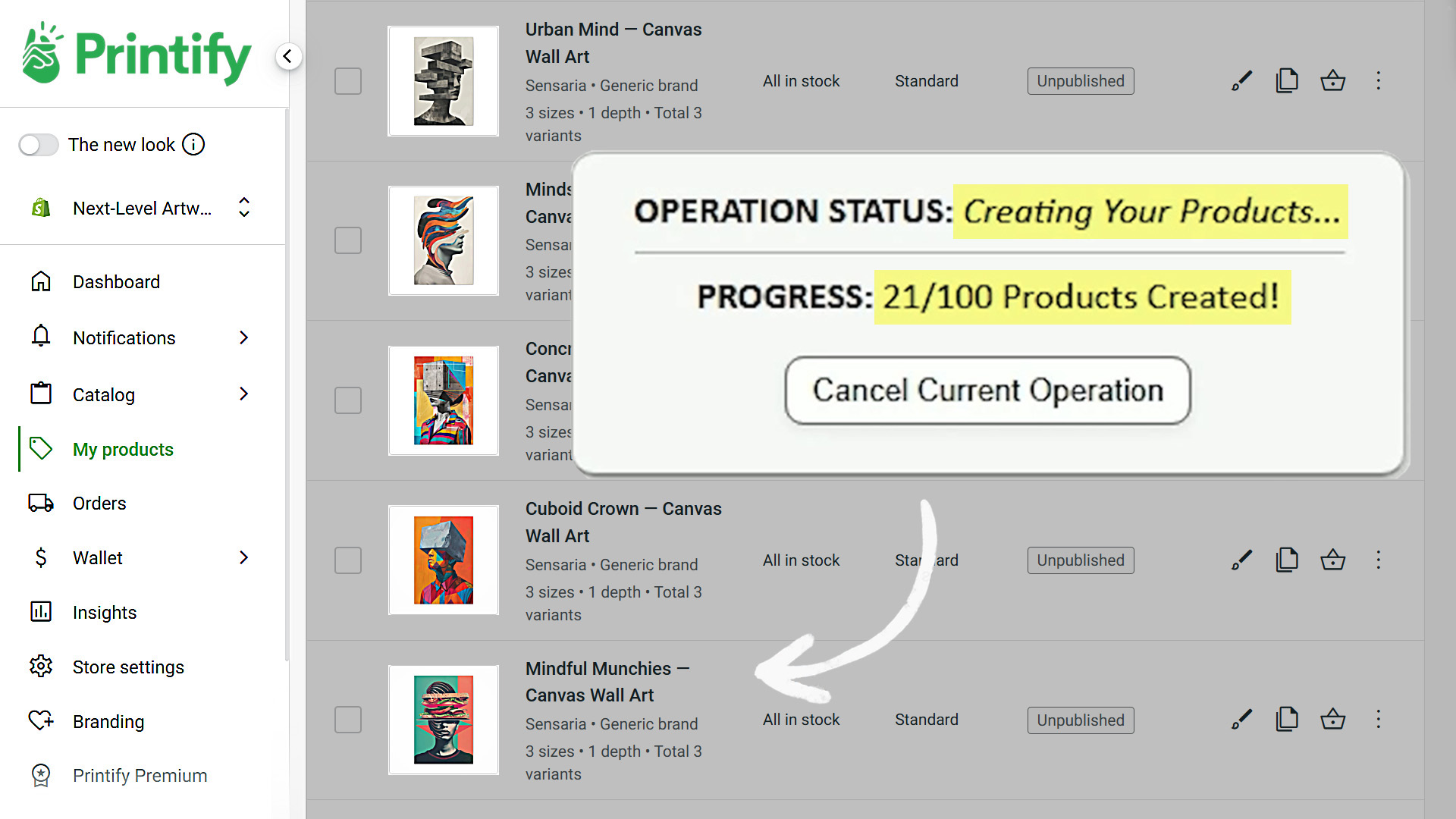
Manually creating print-on-demand products one at a time is a growth killer. It caps your output, drains your creativity, and keeps your catalog artificially small. Using the Bulk POD Product Creator flips that script. By automating the entire process—image placement, product setup, SEO metadata, and tagging—you transform hours of work into minutes, all while improving the quality and discoverability of your listings.
The end result?
- More products in your shop.
- More search visibility.
- More opportunities for sales.
- More time to focus on the parts of your business that actually grow income.
For serious POD sellers who want to scale, bulk creation isn’t just a nice-to-have. It’s the only way forward.
Automate other parts of your print-on-demand workflow:
Learn how to automate the bulk-creation of AI artwork images for your print-on-demand products:
https://bulk-pod-product-creator.com/blog/how-to-automate-the-creation-of-AI-images-for-print-on-demand/
Learn how to automate the bulk-creation of custom mockup images for your print-on-demand products:
https://bulk-pod-product-creator.com/blog/how-to-automate-print-on-demand-product-creation/#automate-mockups