
How To Create Hundreds of Printify Products Fast Using AI and Automation
Overview: A practical, step-by-step system for scaling to hundreds (or even thousands) of Printify listings—by pairing AI-driven artwork generation with fully automated print-on-demand product creation, and automatically producing SEO-optimized titles, descriptions, and tags for every listing.

Why a large print-on-demand catalog matters (and how it drives revenue)
- More entry points = more organic traffic. Each listing is a landing page that can rank for different queries. A thousand pages catch what ten cannot.
- Higher session duration. A deep catalog keeps shoppers browsing. Longer time-on-site boosts conversion and is a positive satisfaction signal for search engines.
- Higher average order value (AOV). With more options, customers are likelier to add multiple items (variants, complementary themes, similar pieces).
- Better price realization. A broader selection raises the chance a shopper finds a “perfect match” piece—and pays more for it.
- Richer long-tail coverage. More SKUs = more titles/descriptions/tags that match specific, high-intent queries.
- Brand credibility. A robust, coherent collection signals professionalism and trust.
Rule of thumb: All else equal, more relevant, high-quality listings = more sales. The obstacle has always been the manual labor. That’s what we’re about to remove.
Turn a folder of images into hundreds of Printify products—automatically
The Bulk POD Product Creator converts a folder of artwork into fully formed, SEO-ready products in your Printify store. It clones a “gold-standard” Example Product (variants, print areas, print provider, pricing logic), places artwork precisely, and generates titles, descriptions, and tags with AI—or reuses your own templates.
- One product per image. Load dozens or hundreds at once.
- Blueprint via Example Product. Variants/print areas are copied from a real product you already configured.
- Accurate placements. Three modes: Stretch to Fit; Preserve Aspect Ratio & Center; Exactly Match Example.
- SEO automation. AI titles/descriptions/tags per product (or copy from your example), with custom templates and suffixes.
- Saved Operations. Store the entire setup for one-click reuse on future batches.
How the automation setup works (step-by-step)
- Select images: Load an entire folder of finished artwork. The tool creates one product per file.
- Choose placement logic:
- Stretch Images To Fit Print Area(s): Fills the entire area; allows distortion if ratios differ.
- Preserve Image Aspect Ratios & Center: Scales to the nearest boundary without distortion, then centers (great for photography/typography).
- Exactly Match Example Images: Replicates your example product’s placements pixel-for-pixel—ideal for consistent series.
- Choose the target Printify store: New products are created in the store you pick from the dropdown.
- Pick an Example Product (the blueprint): Select a real product from your store whose variants, print areas, provider, and pricing are already correct. The tool clones that structure for every new product.
- Configure product content rules (SEO):
- Titles: Use filenames or Generate with AI. For AI, pick Simple or Compound (multi-segment). Append Custom Text (e.g., “— Canvas Wall Art”).
- Descriptions: Copy from the example product or Generate with AI (1–2 paragraphs typically). Append Custom HTML for materials/sizing/care notes.
- Tags: Copy or AI-generate; set a max count; append evergreen tags (brand, category, niche).
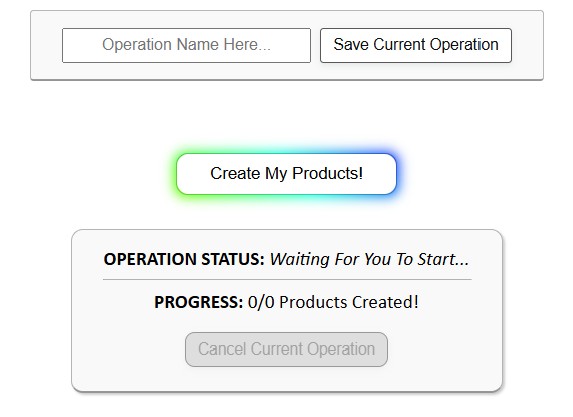
- Run the batch: Click Create My Products. The tool processes each artwork, applies placements, generates SEO text, and creates the products automatically. Review outputs and publish from your Printify store as usual.
- (Optional) Save the setup to Load & Run later with one click: Store, example product, placement mode, and content rules can be saved as a Saved Operation (e.g., “Posters 2:3 — Compound Titles — AI Tags 20”).



Manual vs. automated (the reality check)
Manual Printify product creation: choose base → pick variants → upload art → adjust placement for each variant → write title → write description → think of tags → set pricing → save → repeat 100+ times.
Automated Printify product creation: load images → choose placement mode → select example product → set AI rules → click Create My Products, and create hundreds of print-on-demand products automatically.
The difference isn’t subtle—it’s the difference between days of repetitive clicking versus minutes of setup and a single run.
Why this approach scales and improves quality
- Consistency: Every variant inherits correct placements and structure from a “gold standard” example.
- SEO coverage: AI-generated titles/descriptions/tags are image-aware and naturally capture long-tail queries (subject, style, medium, color, mood + product type).
- No tedious pre-processing: High-resolution image upscaling is automatic; you aren’t juggling separate upscaling passes.
- Repeatability: With Saved Operations, your best configuration becomes a one-click routine for new collections.
- Less drift, fewer errors: Removing manual steps reduces misclicks, forgotten settings, and inconsistent naming.
How to generate hundreds of great artwork images quickly
You can’t scale product creation without a reliable stream of good images. Here’s a simple, effective approach to rapidly creating hundreds of POD-ready artwork images that pairs perfectly with the Bulk POD Product Creator.
Midjourney: quick primer + best practices
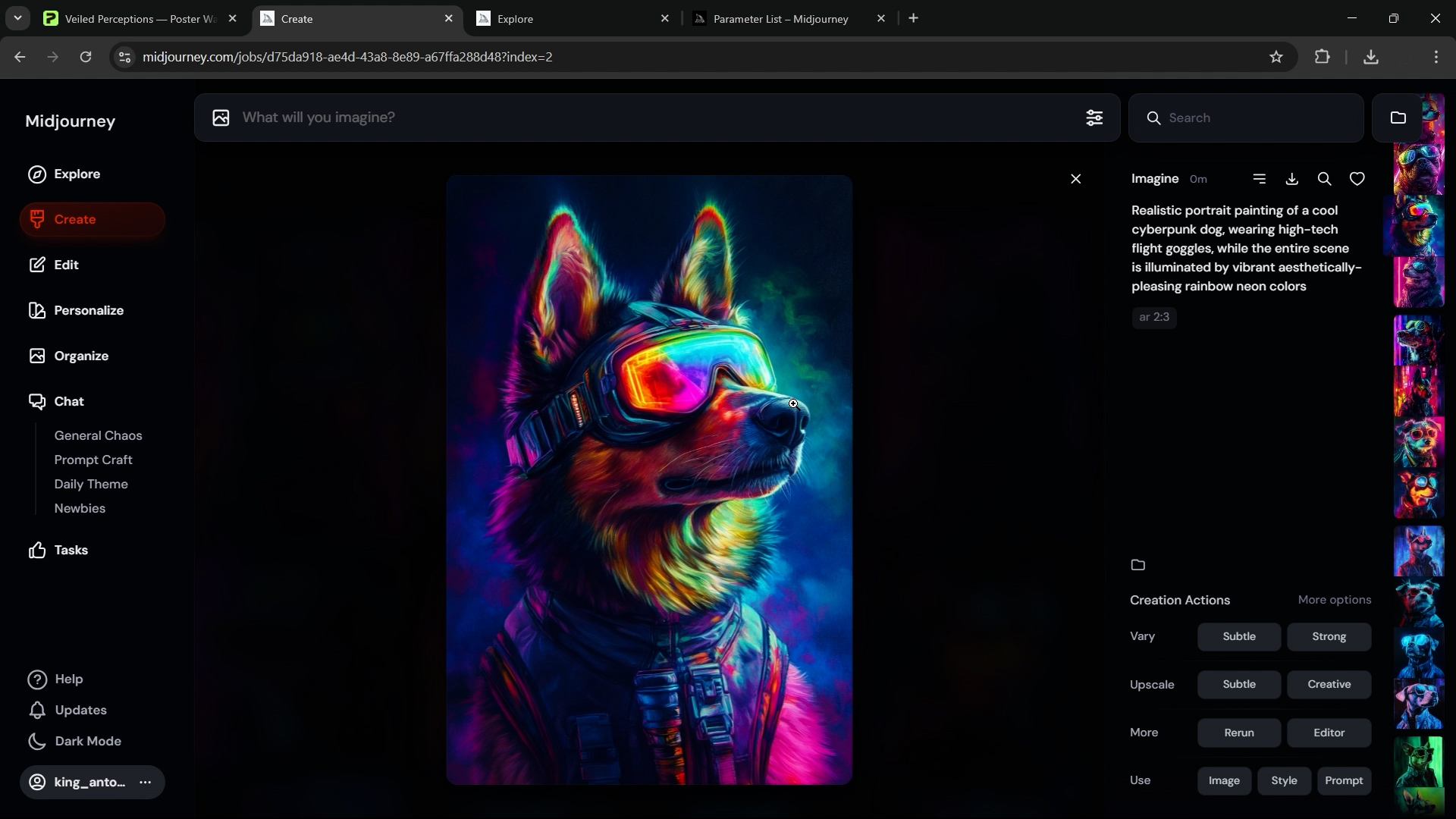
What it is: Midjourney is an AI image generator that creates original artwork from detailed text prompts. You describe the subject, style, medium, composition, lighting, palette, and mood; it generates four images per prompt that you can upscale or vary.
Why it’s useful for POD: Rapidly produce cohesive collections; encode brand rules into the prompt; match poster/canvas ratios with parameters like --ar 2:3.
Best practices: Be specific; avoid IP problems; generate on-theme sets for a coherent storefront; iterate and refine your winning prompts.
Sample prompts (edit to your niche):
- minimalist mountain landscape at sunrise, pastel gradients, soft atmospheric haze, negative space composition, matte gallery print aesthetic —ar 2:3
- line-art botanical illustration of monstera leaves, mid-century modern palette, vector clean shapes, contemporary poster design —ar 2:3
- surreal geometric portrait with layered paper-cut shapes, coral and teal palette, soft rim lighting, editorial art print style —ar 2:3
IP note: Avoid prompts that could generate protected or trademarked imagery. (Example: Selling print-on-demand products that feature Disney characters could get you into legal trouble.)

Use ChatGPT to bulk-generate varied prompts (so you can focus on curation)
Once you’ve found a direction that fits your store, let ChatGPT produce hundreds of on-brief variations. Ask for one prompt per line so you can paste them into a spreadsheet.
Copy-ready instruction (edit to your needs)
Goal: Generate a large set of Midjourney prompts for print-on-demand artwork in the niche “minimalist mountain landscapes”.
Requirements:
– Each prompt must be unique and descriptive.
– Include subject, style, medium, composition, lighting, and color palette.
– Vary phrasing to avoid near-duplicates.
– Append --ar 2:3 to every prompt (poster format).
– Output one prompt per line (no bullets or numbering).
– Produce 200 prompts.
Two examples of the desired specificity:
– minimalist mountain range at blue hour, soft mist between peaks, pastel gradient sky, negative space composition, matte gallery print aesthetic --ar 2:3
– abstract layered paper-cut mountains with long shadows, muted earth tones, balanced asymmetry, contemporary wall art poster style --ar 2:3
Now generate 200 more in this spirit. Output only the prompts, one per line.
Paste the output into your prompt queue, generate your images, then curate aggressively—your time is better spent picking the best than hand-crafting each idea from scratch.
A practical blueprint you can run today
- Generate artwork with Midjourney using a tight, on-brand prompt set (100–500 images per theme).
- Curate to a “keepers” folder (quality first). Group these by image aspect ratio, matching up with the Printify products you will be creating.
- Create products automatically with the Bulk POD Product Creator:
- Load artwork images → choose example product → pick placement mode → configure AI titles/descriptions/tags → run operation to create your POD products in bulk.
- Publish and merchandise (collections, featured sets, on-site search tags).
- Repeat with a new theme using your Saved Operation for one-click setup.
Bottom line
Scale beats slog. A large, coherent catalog delivers more traffic, more time-on-site, higher AOV, and better price realization—but only if you can produce listings quickly and consistently. Pair AI artwork generation with the Bulk POD Product Creator, and you’ll turn folders of images into hundreds of SEO-ready Printify products with a few clicks—freeing your time for the work that actually moves revenue.