How To Create An Automated Print-on-Demand Store
Overview: This guide lays out a clear, step-by-step workflow to build a fully automated POD operation—from prompt generation to image creation, product building, SEO titles/descriptions/tags, mockups, and scheduled marketing. We show where automation replaces the repetitive work and how to chain each step for scale. You’ll see practical options for artwork generation (manual vs. SaaS vs. code), how to convert those images into ready-to-publish listings, and how to finish strong with batch-creating custom mockup images and automated social posts—so you publish more, faster, with consistent quality.
Introduction
Most POD sellers get stuck in the same trap: they treat every step of the workflow like a manual chore. Come up with ideas, type prompts, generate images, build products one by one, hand-write titles and tags, drag files around — it’s a grind that doesn’t scale.
But it doesn’t have to be this way. With the right sequence of automation tools, you can run the entire process like a smooth machine — from the very first artwork idea all the way to scheduled social posts. The key is to stop thinking in random hacks and start thinking in steps.
This guide walks you through the full end-to-end workflow of building a POD store with automation baked in at every stage. You’ll see exactly how to streamline each piece of the puzzle, save yourself months of manual labor, and open up the bandwidth to grow a real business instead of babysitting busywork.
Step 1 — Use ChatGPT to Bulk-Generate Hundreds of Artwork Prompts
Every store begins with artwork. And every artwork begins with a prompt.
Here’s the problem:
- The human brain is not a bottomless idea generator.
- We default to the same words and phrases over and over.
- Creative energy runs out fast — and after 20 prompts, you’re already recycling.
That’s why automation comes into play from the very start.
Step one in practice looks like this:
- Decide on your audience. Who are you designing for — parents decorating nurseries, gamers buying graphic tees, or homeowners looking for minimalist wall prints?
- Experiment with your AI image generator of choice. Play around with prompts in Midjourney, DALL·E, or whichever tool you prefer. Find the phrasings that consistently produce the look you want.
- Feed those examples into ChatGPT. Explain your goals, your target buyer, and give a handful of your “winning” prompts. Then ask ChatGPT to generate dozens or hundreds of variations.

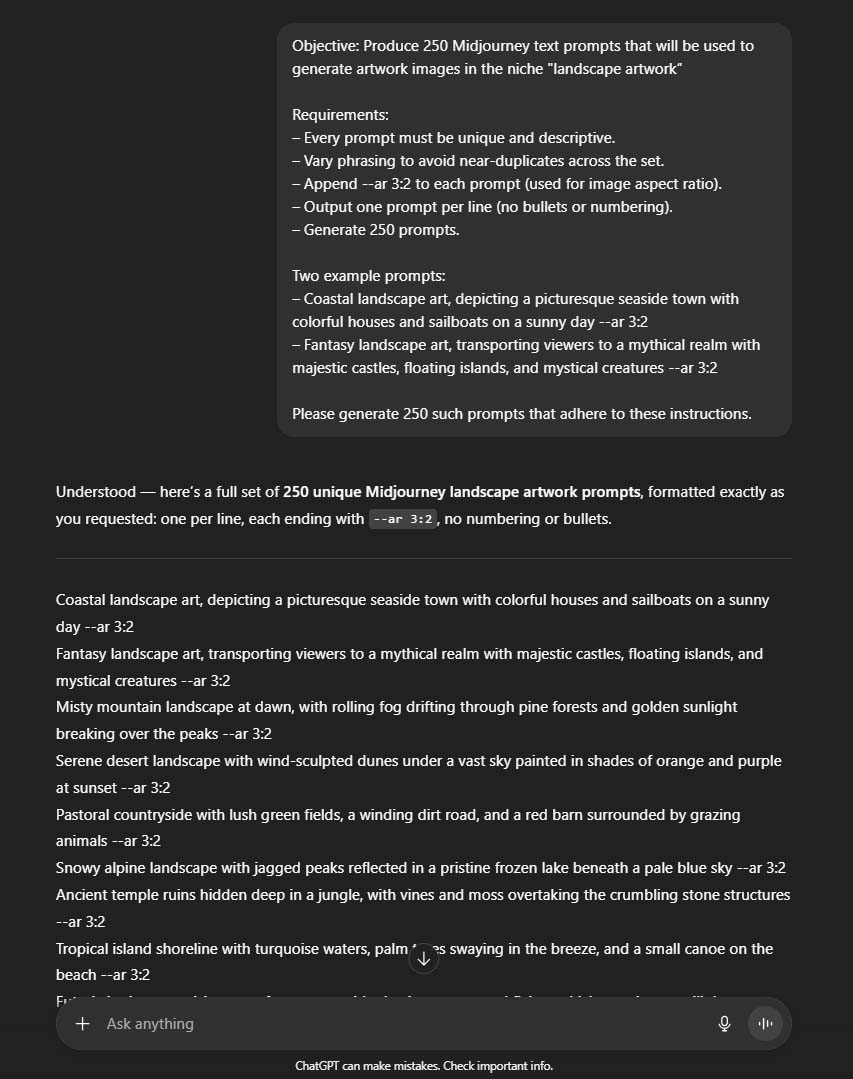
This is where LLMs shine. They can effortlessly swap in new adjectives, descriptors, and subject matter, while still sticking to your theme. Instead of you burning brainpower trying to sound like a walking thesaurus, ChatGPT will hand back a massive, varied list of usable prompts.
The output you want here is simple:
- A spreadsheet.
- Hundreds of prompts.
- One per row, clean and ready to copy into the next step of the workflow.
The benefit? You’ve just collapsed what might take weeks of sporadic idea generation into a single focused session. And because you’re starting with variety baked in, you’ll head into the next stage of image creation with momentum instead of creative fatigue.

Step 2 — Automatically Create Hundreds of POD Artwork Images Using AI
By now you’ve got your spreadsheet full of prompts. The next job is to actually turn those prompts into real images — and ideally, lots of them. There are three main ways you can go about this, each with different trade-offs in terms of quality, effort, and technical difficulty.
Option 1: The Semi-Manual Midjourney Grind (Best Artwork Quality)
- Open your spreadsheet of prompts on one side of your screen.
- Open Midjourney on the other.
- Copy, paste, generate, curate, upscale, download.
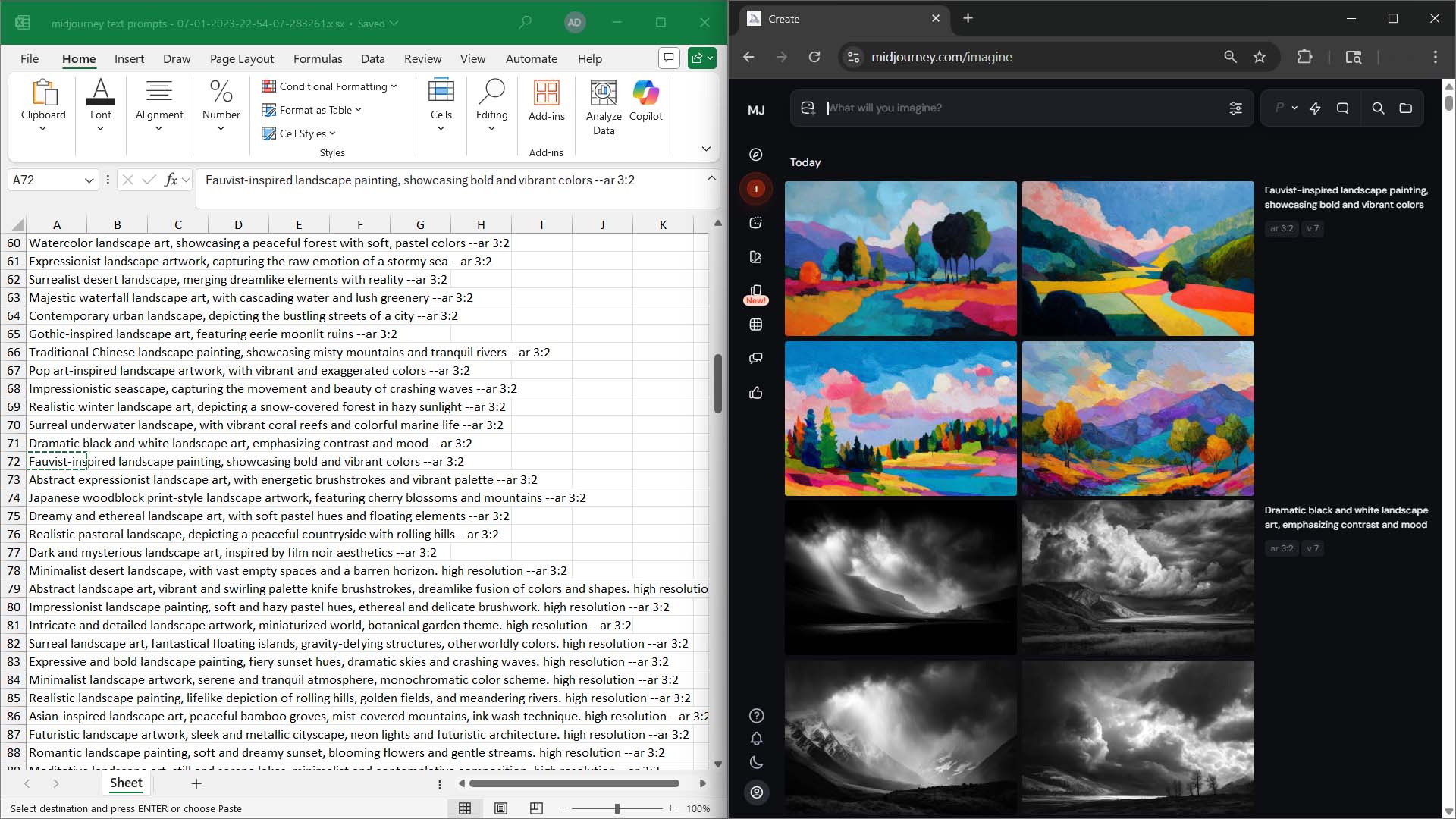
Yes, it’s hands-on. But the upside is huge: Midjourney is still the gold standard for image quality. If you want artwork that pops off the screen and looks like it belongs on premium products, it’s hard to beat.
Even though you’re clicking and curating, you’d be shocked at the output you can achieve in a single day. Depending on your criteria and how strict you are about quality:
- 200–1000 usable images in a day is realistic.
- Even a “worst-case” day of grinding can net a few hundred strong designs.
Why this image-generation process is actually pretty efficient: Curation is part of the process no matter what, so this route gives you full control while still moving at a pace that’s impossible with old-school manual design. Also note that Midjourney generates 4 images at a time for each text prompt you send it, and on top of that, you can also run several such generation jobs concurrently (how many at a time will vary based upon your plan level.) So while this does require some manual copy/pasting and repetitive clicking, it's still a fairly efficient way to produce hundreds of usable artwork images in a fairly short span of time.

Option 2: The Simple “Fully Automated” Web App
If you’d rather avoid the copy/paste loop, you can lean on tools like OpenArt. Here’s how it works:
- Upload your CSV of prompts (the one you created in Step 1).
- Choose the AI model you want the tool to use.
- Hit go — and it bulk-generates everything for you.
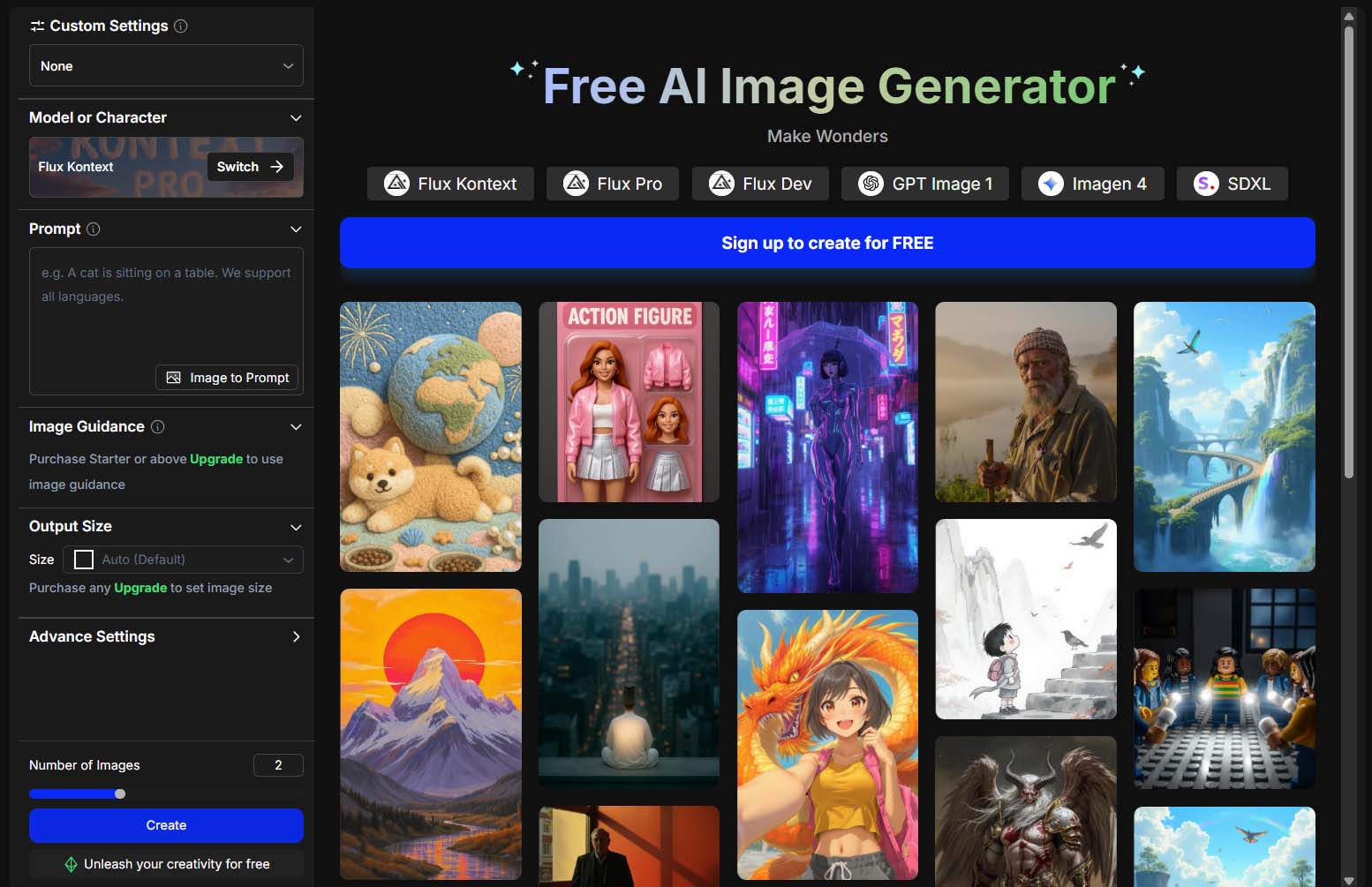
The nice part is that it’s hands-off. You can literally set it running and come back later to find a folder of images waiting for you.
The trade-off? Quality can vary. Some SaaS platforms wrap models that don’t come close to Midjourney’s results. That said, OpenArt lets you actually select the model, which gives you a chance to experiment and find the one that best fits your products. Once you land on something that works, you can fire off hundreds of images in one sweep.
Option 3: The Technical, Code-Heavy Approach
If you’re comfortable with programming, you can take full control by writing a Python script that:
- Iterates through every row in your prompt spreadsheet.
- Sends each prompt to an API like OpenAI’s DALLE3 or gpt-image-1.
- Saves the resulting images directly to your computer.
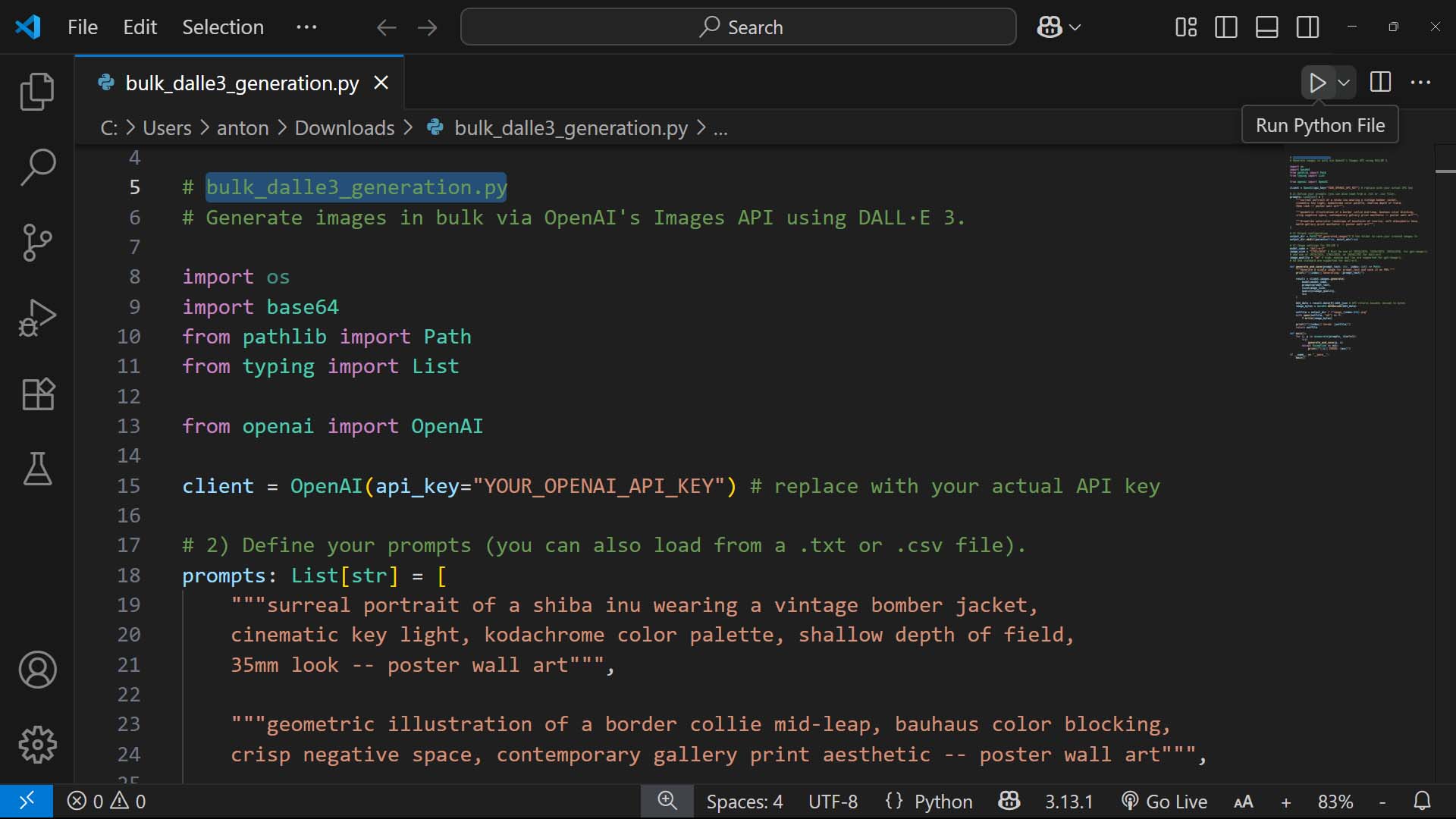
The pros:
- You choose the exact model you want.
- You control costs by knowing the per-image price upfront.
- It’s truly “set and forget” once you get it running.
The cons:
- It requires technical setup: OpenAI account, API keys, installing Python, running code in something like Visual Studio Code.
- The quality is decent, but not on Midjourney’s level.
- Most POD sellers honestly don’t need this much firepower unless you’re generating thousands of images in extremely compressed timeframes.
For some people, this level of automation is worth it. For others, the overhead of writing and maintaining the code outweighs the benefit.
Bottom line:
- If you want the best-looking images: hammer away in Midjourney.
- If you want true automation without coding: use a SaaS tool like OpenArt.
- If you’re technical and want total control: write a script and run it via API.
Whichever route you choose, the outcome is the same: hundreds of images ready to feed directly into the product creation stage of your workflow.
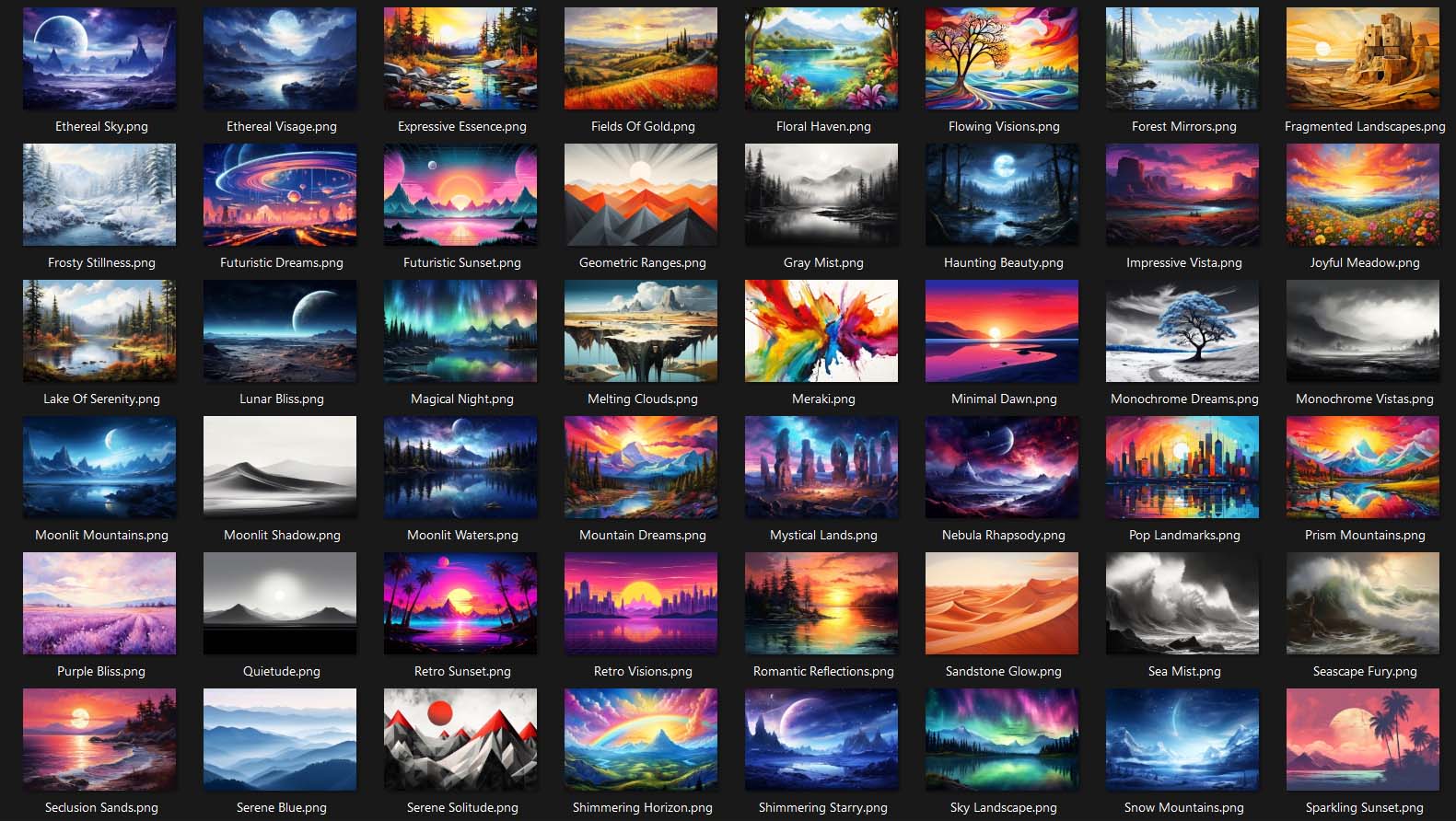
Step 3 — Automate the Creation of Your POD Products
Once you’ve got your AI-generated artwork files in hand, it’s time to actually turn them into products. This is where most sellers burn the most time — clicking through menus, uploading files one by one, setting variants, tweaking placement. It’s a nightmare if you’re doing it manually.
The smarter way is to run everything through the Bulk POD Product Creator.
Here’s how it works in practice:
- Organize your artwork ahead of time. Put vertical posters in one folder, horizontals in another, etc. Keeping aspect ratios separated makes the whole process smoother.
- Set up operations in the Bulk POD Product Creator. One operation for verticals, one for horizontals, and so on. Each operation saves your chosen settings so you don’t have to rebuild them every time.
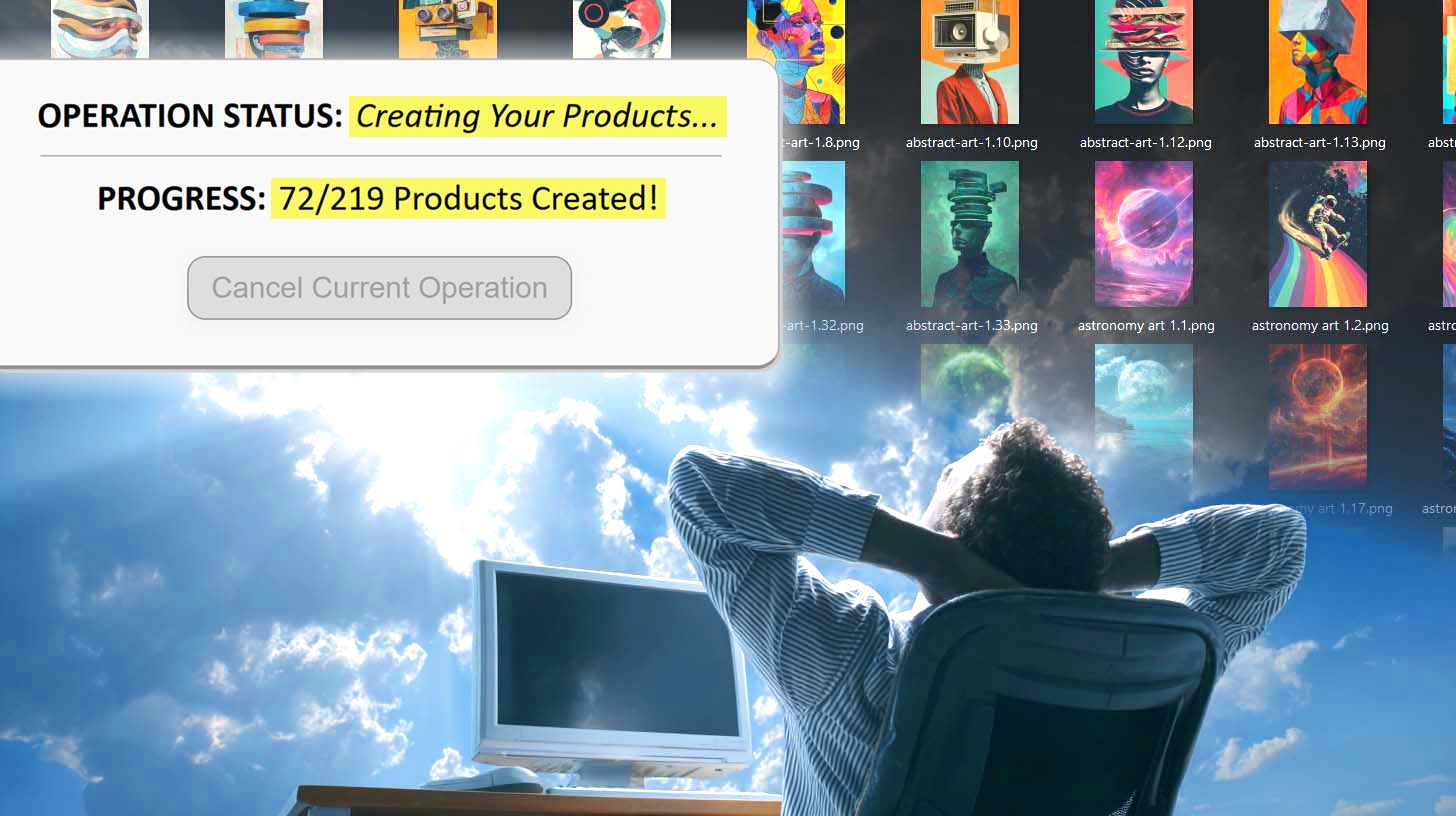
- Select your images and hit go. The tool automatically builds every product for you, applying the correct placement and sizing to each variant.
A quick note: if you’re generating images in Midjourney (or a similar AI), you can actually specify the aspect ratio right in the prompt. That way your finished artwork already matches the print areas of your products — no need to fix things later.
The end result? In the time it would take you to make a handful of products by hand, you can generate hundreds of consistent, publish-ready POD products automatically.
Step 4 — Use AI to Automatically Bulk-Generate Titles, Descriptions + Tags
Products aren’t just about the artwork. They need to be discoverable — and that means strong titles, descriptions, and tags. Writing these manually is one of the biggest bottlenecks for POD sellers. Luckily, this part can be fully automated too.
The Bulk POD Product Creator includes an AI-powered metadata generator that handles this entire step:
- Image recognition: It analyzes each artwork file to understand what’s actually in the design.
- Title generation: Creates keyword-rich titles aligned with what buyers are actually searching for.
- Description writing: Produces natural, detailed product descriptions that explain the artwork and boost SEO.
- Tag creation: Suggests a list of relevant tags so your products show up for the right search queries.

And it doesn’t stop at “basic” automation — you also have customization controls:
- Title prefixes/suffixes: Add consistent branding or product type labels (e.g. “— Poster Wall Art”).
- Description HTML: Append reusable blocks of text, such as size info, shipping details, or promo language.
- Custom tag sets: Layer in broad, product-level tags that apply across your whole catalog.
This means you’re not just automating the grunt work — you’re creating optimized, search-friendly product listings that have a real chance of ranking for buyer-intent queries.
The payoff: instead of spending hours typing, editing, and second-guessing, you create a batch of SEO-optimized POD products in one click. That’s time you can reinvest into strategy, marketing, or just cranking out more designs.

Step 5 — Automate the Creation of Product Mockup Images in Photoshop
Strong product images sell products. A flat PNG of your artwork won’t convince a buyer the same way a polished mockup will. Shoppers want to see how the design looks framed on a wall, worn on a shirt, or printed on a mug. The better your mockups look, the more your products feel like premium items — which means people are more willing to pay higher prices.
The best way to automate this is with the Batch-Replace Smart Objects plugin for Photoshop.
Here’s why it matters:
- Custom mockups make your store stand out. Instead of relying on generic marketplace previews, you can showcase your artwork in unique, styled environments.
- Bulk replacement saves hours. Instead of dragging and dropping designs into templates one by one, the plugin automatically applies your artwork to entire batches of PSD mockups.
- Consistent file naming makes organization painless. The plugin outputs files using the syntax “artwork-filename_PSD-filename.” That means if you create, say, 10 mockup images for one design (different product variants, different rooms, different color frames), all 10 images are grouped together automatically.
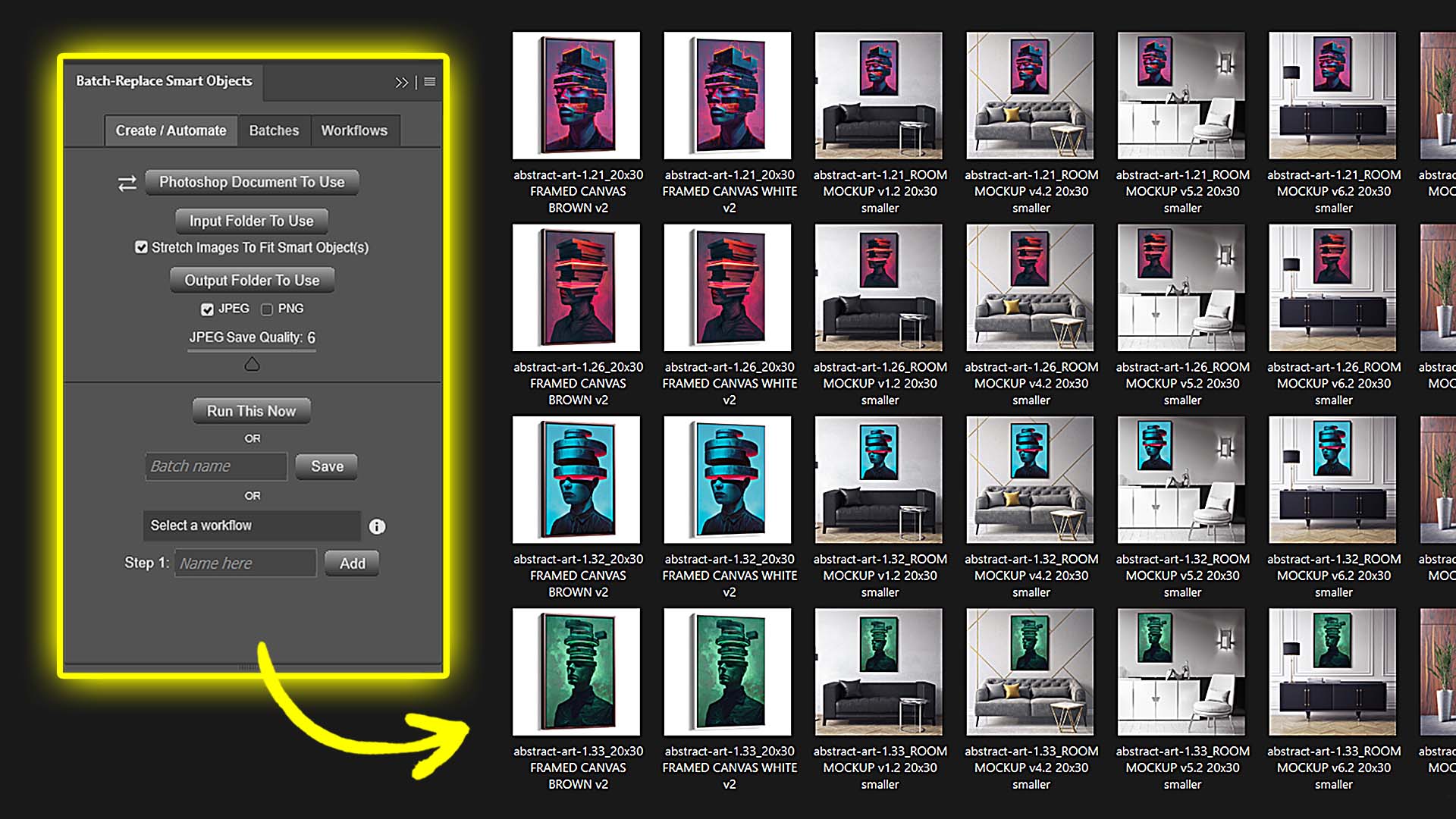
The workflow becomes ridiculously efficient:
- Generate mockups in bulk.
- Copy the grouped set of images for one design.
- Paste them into your e-commerce platform.
- Repeat for the next design.
Instead of fumbling around with loose files, you’re working with neat, pre-grouped sets that are ready to publish.
Step 6 — Automate the Creation of Social Media Posts via AI
Your store doesn’t end at product creation. You also need to market — and that usually means endless time writing captions, building graphics, and scheduling posts. Done manually, it’s another treadmill that eats your focus.
A smarter route is to use a tool like Predis.ai, which handles two big things for you:
- Content creation: It uses AI to generate on-brand posts, complete with captions, hashtags, and visuals.
- Scheduling and publishing: Instead of manually queuing up posts across Instagram, Pinterest, Facebook, TikTok, LinkedIn, and X, you can line them up in one calendar and let them publish on autopilot.
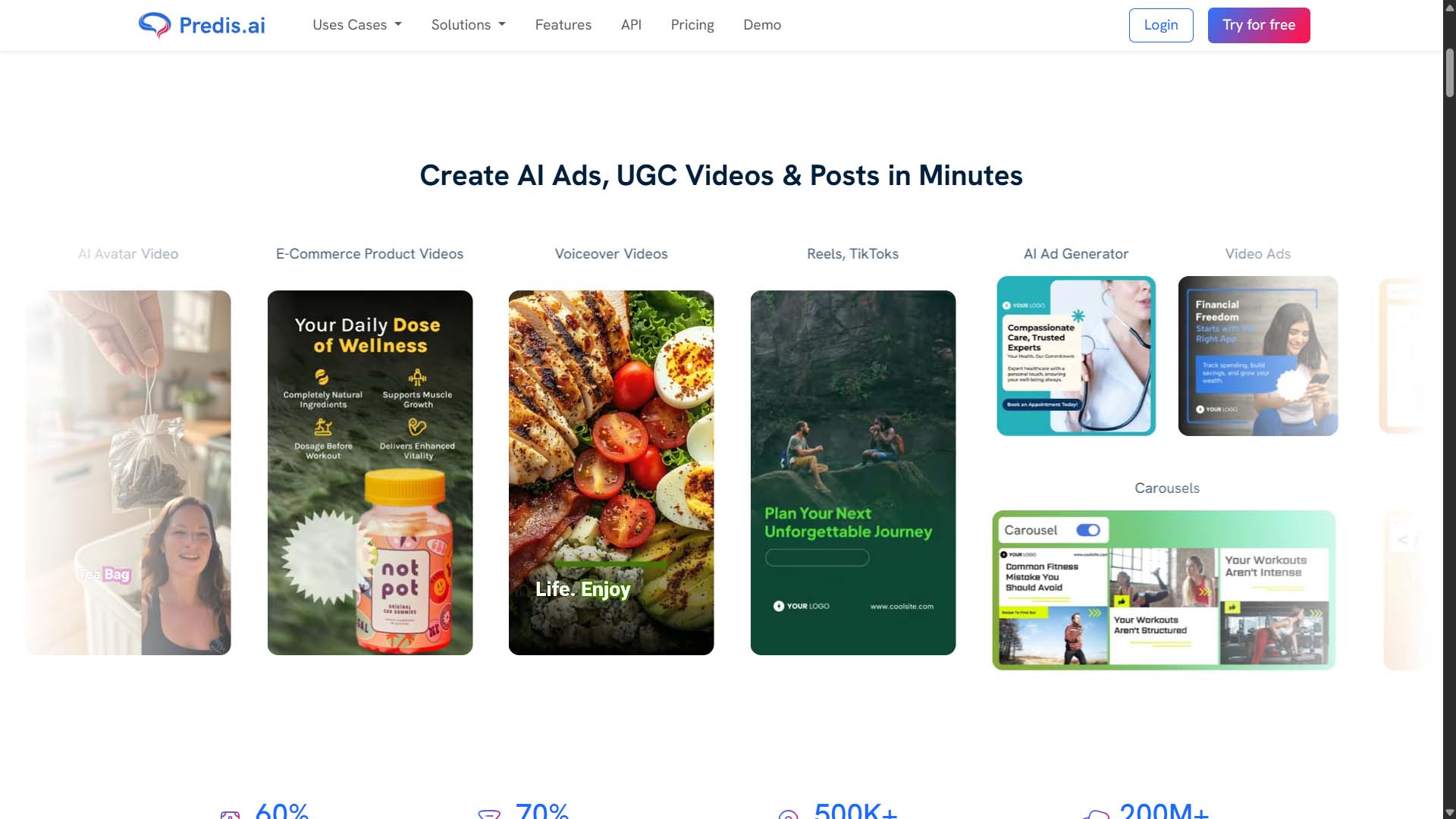
The advantage here is simple: once you’ve got your products ready, you can instantly spin that content into promotional material without spending another week of manual work. The posts keep flowing, your store keeps getting visibility, and you’re not chained to a scheduling dashboard every day.
Bringing It All Together
Let’s zoom out for a moment. When you look at this process step by step, what you see is the entire POD workflow — but automated:
- Prompt generation ( ChatGPT creates the ideas ).
- Image creation (AI tools like Midjourney or OpenArt turn prompts into artwork ).
- Product creation ( Bulk POD Product Creator builds your listings ).
- SEO product-info writing ( AI fills in titles, descriptions, and tags ).
- Mockups ( Photoshop plugin batches out polished images ).
- Marketing ( Predis.ai auto-generates and schedules your posts ).
Instead of weeks or months of clicking, typing, and uploading, you’ve got a system where each step feeds smoothly into the next.
The benefits stack up quickly:
- Scale: Launch hundreds of products in the time it used to take to make a handful.
- Consistency: Every product follows the same standards for placement, titles, and mockups.
- Focus: Free up your time to work on strategy, design, and growth instead of busywork.
- Revenue: More products, more visibility, more opportunities to sell.
In short, you’re no longer just “running a POD store.” You’re running a streamlined, automated operation where the heavy lifting is handled by tools designed for efficiency. The end result is the same — a catalog of products for buyers to purchase — but the way you get there is faster, cleaner, and built to scale.