
How To Boost Traffic To Your Printify POD Store
Overview: A structured playbook for increasing qualified traffic to a Printify-powered store. We cover how to (1) publish a large volume of traffic-producing, SEO-optimized products (in bulk) to your print-on-demand store, (2) validate search demand before building, and (3) avoid common SEO pitfalls while (4) implementing high-impact SEO best practices.
Introduction: Why More Traffic Is the Primary Growth Lever for Your Printify-Powered Business
If you use Printify to power production and fulfillment, traffic is the master variable that amplifies every other metric you care about. Whether your customer-facing storefront is a Printify Pop-Up Store, Shopify site, Etsy shop, WooCommerce store, or another connected channel, the same equation holds: more qualified visitors → more orders. Even if you changed nothing about your product catalog, prices, or branding, sustained growth in relevant traffic alone would increase total sales. That is not optimism; it’s arithmetic. Each product page converts a predictable percentage of visitors. Double the right visitors, and—holding everything else constant—you increase orders proportionally.
But stopping at “more traffic = more sales” undersells the effect. For Printify sellers, traffic also accelerates learning and compounds operational advantages across your entire stack:
- Faster product-market fit. With more visitors touching more listings, you quickly identify which themes, styles, colorways, and formats actually win. That lets you expand winning motifs and retire deadweight designs before they drain attention and algorithmic favor.
- Quicker optimization cycles. Higher visit volume makes A/B tests statistically meaningful—fast. Titles, thumbnails, mockups, price points, free-shipping thresholds, and bundle offers can be tested and iterated in days instead of months, so you converge on higher conversion rates sooner.
- Richer demand mapping across channels. Because Printify plugs into multiple storefronts, rising traffic reveals channel-specific preferences (what wins on Etsy is not always what wins on a standalone site or Google Shopping). You can then route designs and budgets to the channels where they perform best.
- Higher average order value (AOV). More qualified browsing creates more chances to cross-sell complementary formats (poster → framed print → canvas) and size upgrades. The same traffic that uncovers hits also increases multi-item carts when your catalog has depth.
- Larger owned audiences. Traffic feeds your email and SMS lists, grows retargeting pools, and powers lookalike audiences. Even visitors who don’t buy on visit #1 become reachable, lowering blended acquisition costs over time.
- Stronger algorithmic signals. Marketplaces and search engines reward engagement. More views, favorites, longer session times, and rising conversion rates feed the ranking systems that surface your listings more often. Visibility begets visibility.
- Operations you can actually trust. Volume stress-tests your production pipeline. With more orders flowing, you gather real data on which Printify print partners deliver the best quality, turnaround, and defect rates for each product type—so you can standardize on the providers that protect your margins and your reviews.

Think of traffic as the flywheel starter. It fuels measurement, which fuels better decisions, which improve conversion and economics, which then justify even more catalog expansion and broader distribution—sending still more traffic back to your listings. The compounding is real: every incremental visitor is both a revenue opportunity and a datapoint that sharpens your next move.
Most importantly, a traffic-centric mindset keeps your strategy grounded in demand rather than guesswork. Instead of creating designs in a vacuum and hoping people care, you’ll use traffic to validate what the market is already telling you it wants—then scale production through Printify to meet that demand efficiently.
Over the rest of this guide, we’ll translate that principle into practice for Printify sellers: how to build a much larger, better-structured catalog, how to automate product creation without sacrificing SEO quality, how to generate artwork at scale to feed that catalog, and how to validate keyword and sales demand so your efforts concentrate where returns are highest. The goal is straightforward: engineer a system where your store attracts more of the right visitors every week—and where each additional visitor is more likely to become a profitable customer than the last.
Traffic-Increasing Strategy #1: Publish a Massive Number of Printify POD Products
More products → more unique landing pages → more keyword coverage → more traffic. That formula is basic, but for Printify-powered businesses it’s especially potent because your products don’t live in a single silo. A single design can be deployed as posters, framed prints, canvases, metal prints, apparel, accessories, and more — across whichever storefront(s) you connect (Printify Pop-Up Store, Shopify, Etsy, WooCommerce, etc.). Each listing becomes its own demand-capturing doorway in both marketplace search and Google.
Here’s the deeper logic broken down in detail:
-
Every listing is a search surface for different long-tail queries.
“Art deco heron poster,” “mid-century abstract canvas,” “vintage botanical framed print,” “funny stegosaurus dad shirt” — these phrases signal different intents, buyers, and contexts. One listing can only carry so many exact-match terms without becoming spammy. Hundreds or thousands of distinct listings let you cover a far wider lattice of keywords, subjects, styles, and product types. With Printify’s catalog breadth, a single artwork can legitimately support multiple SKUs (format + size + colorways), each with titles and descriptors tuned to different search angles. -
Scale increases session depth and reduces bounce (on any storefront).
On a small catalog, shoppers skim a few pages and leave. With 400, 1,000, or 5,000+ high-quality listings organized into coherent collections (e.g., “Monochrome Landscapes,” “Whimsical Animals,” “Modern Botanicals”), visitors click from item to item, explore sizes and frames, and follow “more from this shop” rails. That longer browsing loop is a positive signal to search algorithms and marketplaces alike and a practical driver of conversion. -
Selection increases match quality — and match quality drives conversion.
A shopper’s mental image is specific: subject, palette, vibe, medium, and format. A deep catalog makes an “exact hit” far more likely — not just something “close enough.” Exact hits convert at higher rates, generate more favorites, and earn better reviews, which then feed ranking systems with stronger engagement signals. -
Depth lifts AOV and repeat purchasing.
When a buyer finds “the one,” complementary formats become natural add-ons (poster → framed print → canvas; or wall art + matching phone case). Collection depth enables true bundling and coordinated sets — something thin catalogs simply cannot do. -
More surface area = more social proof = more ranking momentum.
Favorites, reviews, and sales accumulate across many SKUs. That aggregate activity compounds your visibility across marketplaces and search. Printify’s ability to route production to reliable providers helps you maintain quality as you scale, preserving the reviews that sustain that momentum. -
It’s not “spam,” it’s relevance — if each listing stands on its own.
A bloated catalog of near-duplicates hurts you. A broad catalog of distinct, correctly titled and described listings helps you. The difference is craftsmanship in the listing text, image set, and collection structure. (We’ll handle that in the automation step that follows.)
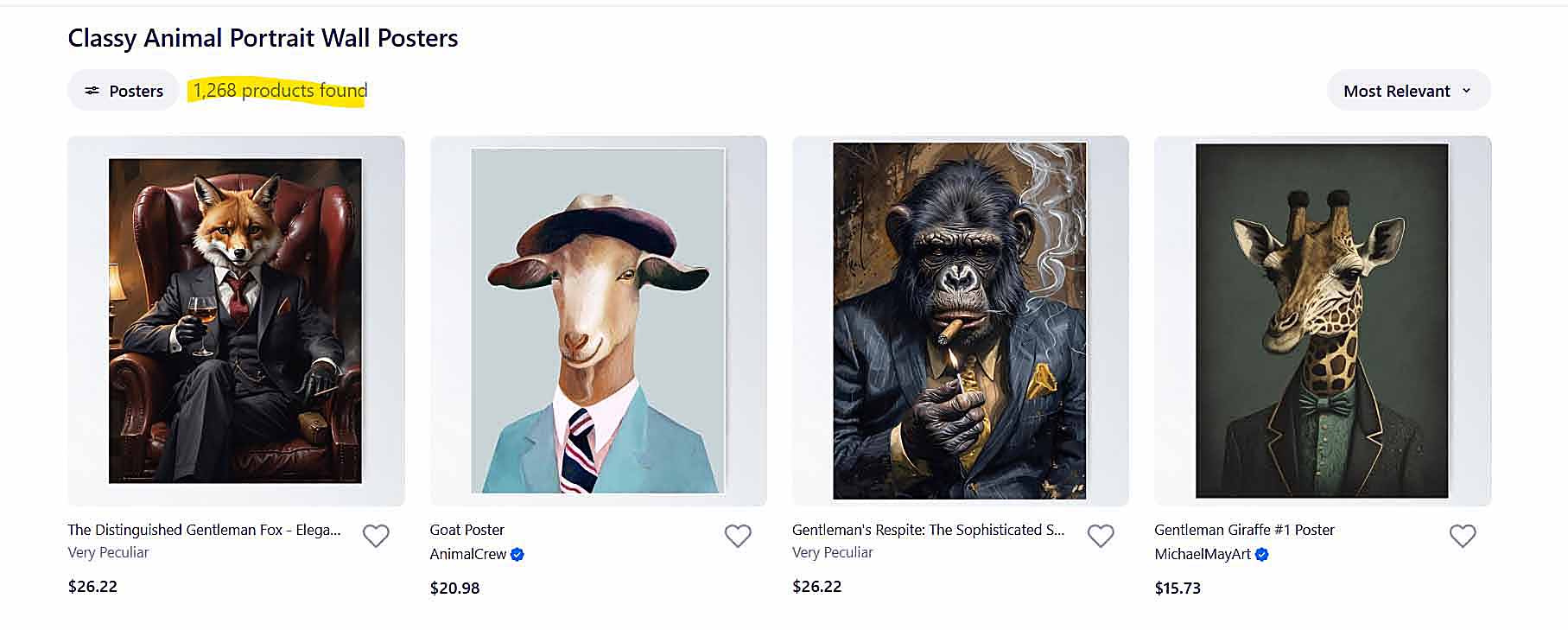
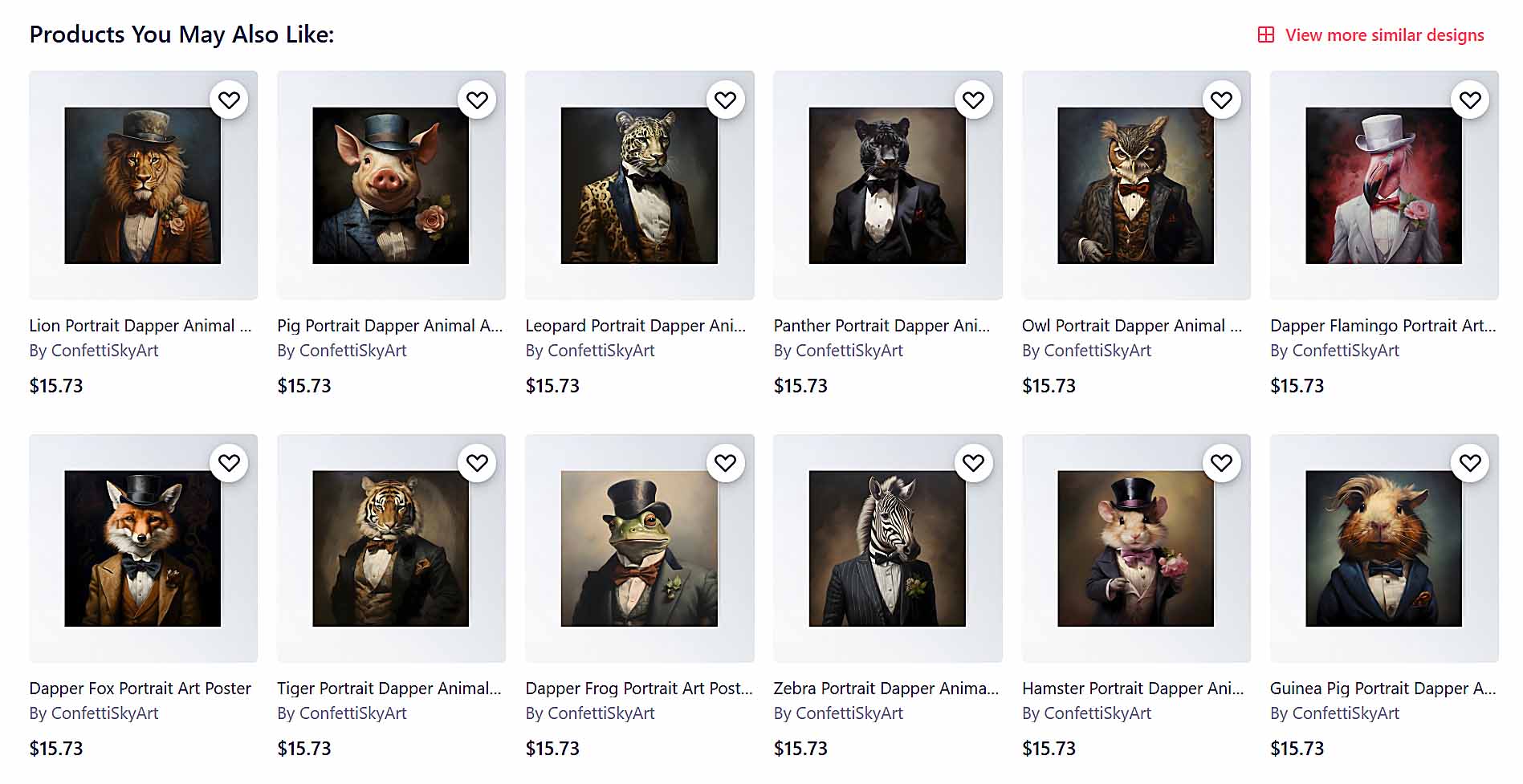
Put bluntly, even if you did nothing but expand your catalog intelligently, your traffic would rise over time because you’d be intercepting more of the thousands of low-competition, high-intent searches buyers make every day.
The causal chain you’re engineering
More high-quality listings → more long-tail rankings → longer sessions & higher engagement → stronger algorithmic signals → higher placement → more traffic → more sales, reviews, and favorites → even higher placement.
And there’s a second-order effect: profits and pricing power. When a shopper encounters an exact-fit artwork in their preferred format, price sensitivity drops. A comprehensive assortment gives you room to hold healthier margins — and still convert.
Bottom line: scale your catalog on purpose. Not as filler, but as a dense, well-structured web of relevant listings that meet buyers where they already are. Do that with rigor, and you’ll see gains across every metric that matters: impressions, clicks, session time, conversion rate, AOV, reviews — and ultimately, sustainable traffic growth.
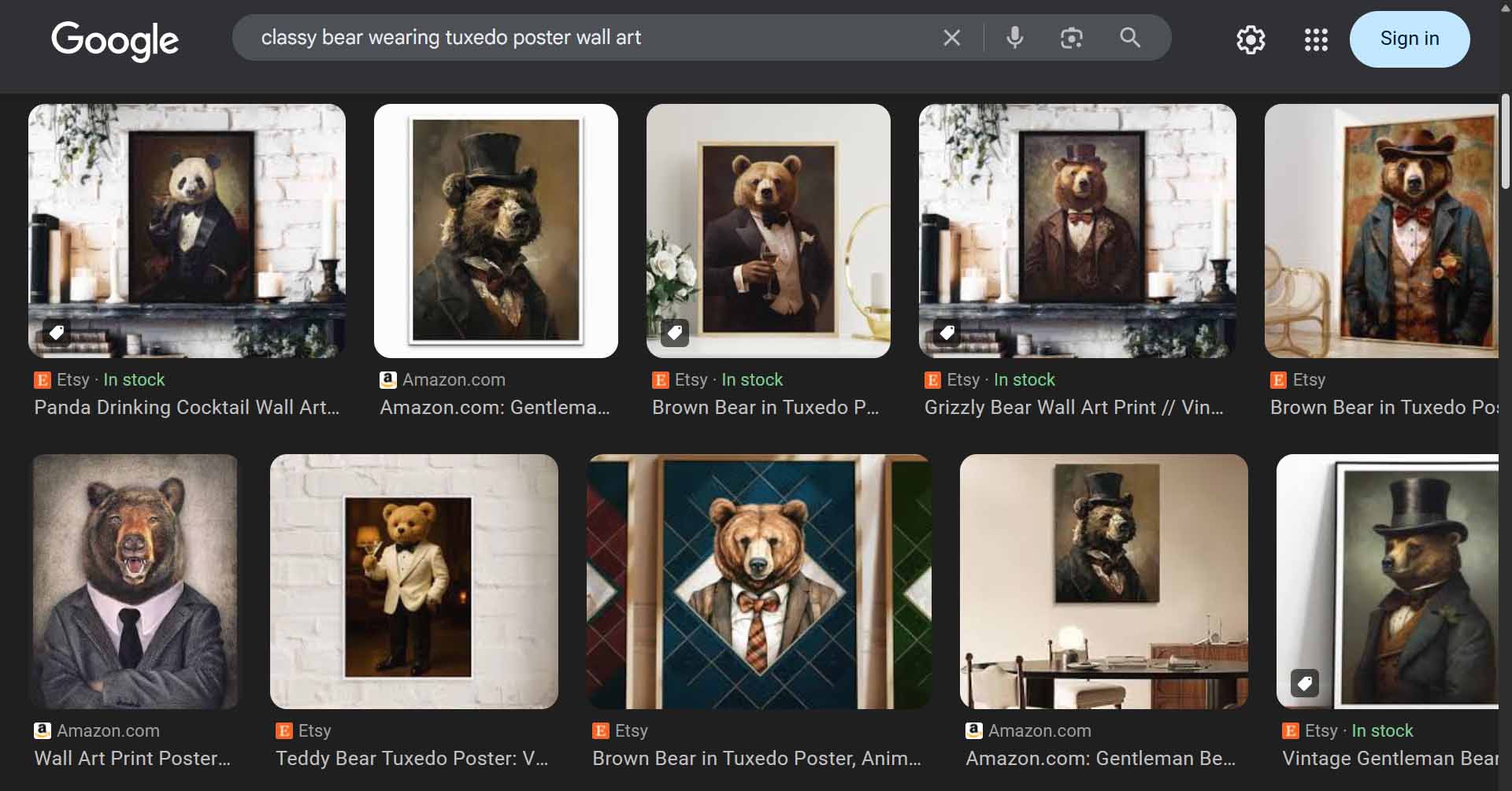
Automate the Creation of SEO-Optimized Products at Scale with the Bulk POD Product Creator
So yes — having thousands of Printify products is a clear path to more traffic.
But let’s be honest: manually building even 50 listings is a slog.
You have to upload artwork, align it across print areas, choose variants, write titles, write descriptions, add tags, check formatting, and publish — again and again.
It’s a grind that doesn’t scale.
That’s precisely the problem the Bulk POD Product Creator solves.
How it works — in three automated stages
Step 1 — Select your artwork images and placement rules
Upload your artwork images (or connect them from your library) and define how they should be placed across product variants. You can choose between placement modes such as:
- Stretch Images To Fit Print Area(s) — fills every size and variant uniformly.
- Preserve Image Aspect Ratio & Center — prevents distortion and keeps compositions consistent.
- Exactly Match Example Image(s) — pixel-accurate replication based on your blueprint product.
These rules ensure that your entire batch of new products looks professionally aligned right out of the gate.

Step 2 — Choose your Example Product
Think of the Example Product as your template. It defines which Printify product type, variants, sizes, prices, and provider settings to mirror.
The tool then generates a new product for each artwork image you selected, automatically inheriting all of the Example Product’s specifications — a perfect clone in structure, but visually unique thanks to your artwork batch.

Step 3 — Generate AI-powered titles, descriptions, and tags
Here’s where the automation becomes a growth engine.
Each artwork image is passed through AI image recognition and a large-language model (LLM) that produces:
- Highly accurate, semantically rich titles featuring artwork-specific keywords.
- SEO-optimized product descriptions tailored to what’s actually in the image.
- Relevant, diverse tags covering both short and long-tail search terms.
That means your product pages are written not with generic fluff, but with artwork-specific SEO data that matches exactly what potential customers are searching for.

Why this AI-driven SEO layer matters
The LLM doesn’t just recognize your artwork — it interprets it with a vocabulary spanning millions of descriptive terms: styles, colors, subjects, moods, and cultural references.
It can generate language no human could consistently sustain across thousands of listings, producing precise, high-diversity metadata that:
- Improves keyword coverage across every listing.
- Captures rare long-tail queries that have lower competition.
- Boosts ranking odds for both high-traffic and niche search terms.
Example: the phrase “beautiful landscape canvas wall art” is ultra-competitive. But an automatically generated, laser-specific title like
“Geometric Surrealism: Abstract Black-and-White Landscape — Canvas Wall Art”
targets a narrower query with dramatically less competition — meaning your product is far likelier to surface high in the results for those searches.

Customization that amplifies discoverability
You can append your own custom title suffixes or prefixes (e.g., “ — Poster Wall Art” or “ — Modern Home Decor ”) to capture commercial intent keywords.
You can also inject custom HTML blocks into descriptions to highlight materials, sizes, or aspect ratios — another opportunity for long-tail optimization.
And you can define custom tag sets once and have them applied to every created product, ensuring global consistency.
This combination of automation + control gives you both speed and strategic precision.
The compounding traffic effect
Each new product becomes:
- A fresh landing page for a unique keyword cluster.
- A traffic node that lengthens session time and internal linking depth.
- A conversion opportunity powered by accurate, descriptive copy.
Multiply that by hundreds or thousands of products, and you build an SEO lattice that’s impossible to replicate manually.
Quick recap of traffic-driving benefits
- Scale without fatigue: Create hundreds or thousands of listings in minutes.
- SEO baked in: Every title, description, and tag optimized for relevance and diversity.
- Capture long-tail traffic: Rank for ultra-specific, low-competition search terms.
- Enhance user experience: Consistent layouts and accurate descriptors make browsing enjoyable — boosting time on site and conversions.
- Outrank competitors: Flood the search ecosystem with richly optimized pages faster than any manual workflow could.
In short, the Bulk POD Product Creator transforms “more products” from a theoretical SEO principle into an executable, repeatable system. You set the rules once — and the software handles the heavy lifting, freeing you to focus on design, marketing, and scaling your Printify store’s reach.

Bulk-Generate High-Quality AI Artwork Images to Multiply Product Volume
Once you understand how having more product pages directly correlates to more organic traffic, the next logical question becomes:
“How do I efficiently create that many unique, high-quality artworks in the first place?”
The answer lies in combining AI image generation with automation tools. When done correctly, this becomes a self-reinforcing system — more artwork → more products → more unique keyword coverage → more search engine traffic → more sales.
How Midjourney Works — and Why It’s So Effective
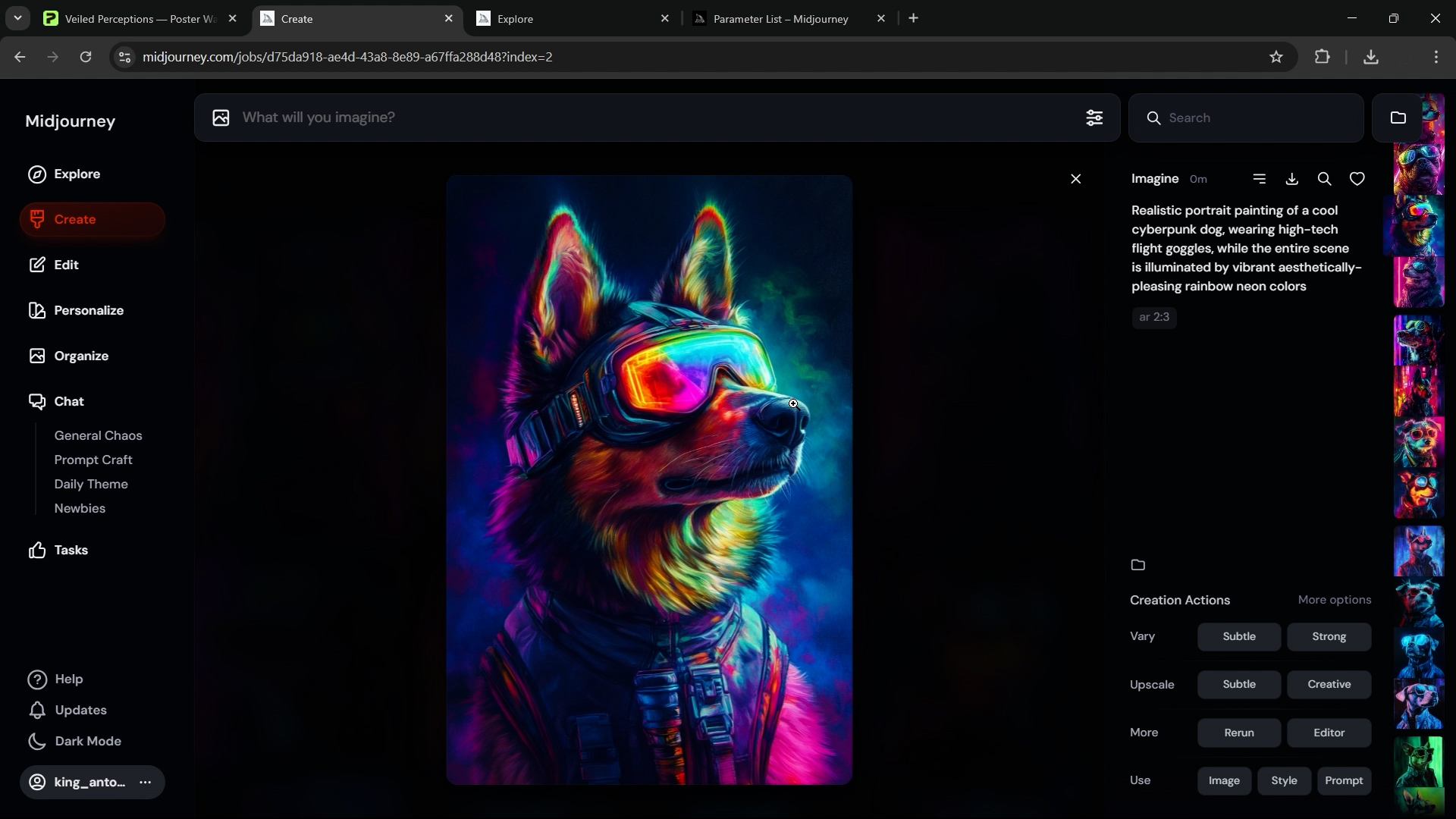
At a high level, Midjourney is a text-to-image AI model: you provide it with a descriptive text prompt, and it returns four unique, fully rendered artwork images based on that input.

For example:
Prompt: “Retro-futuristic city skyline at sunset, neon reflections, cinematic lighting, minimalist style”
Within seconds, Midjourney generates four visually distinct interpretations of that concept — each ready to be used as artwork for your print-on-demand products.
The AI model has been trained on enormous datasets of images and artistic styles, which allows it to synthesize detailed and visually compelling results that often rival professional artists. You can guide the outputs precisely using prompt modifiers, such as:
- --ar 2:3 for vertical poster-oriented prints (like 20×30 wall art)
- --ar 1:1 for square-format designs (great for pillows or framed prints)
- --ar 3:2 for horizontal prints (ideal for wide landscape canvases)
By specifying aspect ratios that align with your intended product types, you eliminate extra editing later and ensure your images are production-ready for upload.
Generate Hundreds of Artwork Images Rapidly
One of Midjourney’s most powerful aspects is its parallel generation capability. Depending on your plan level, you can run multiple image prompts concurrently — and since each prompt generates four variations at once, your throughput compounds fast.
In just a few hours of focused effort, you can:
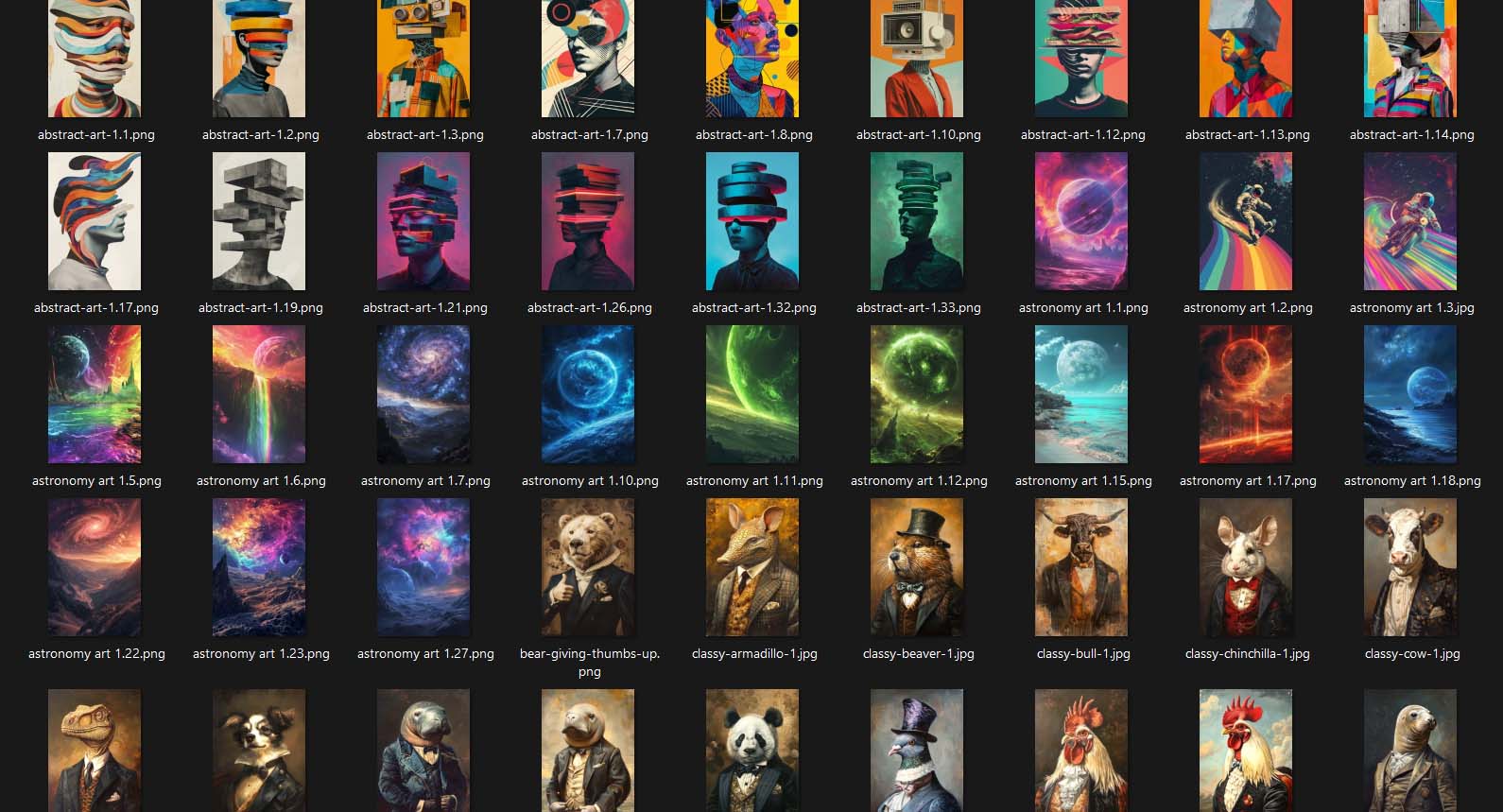
- Generate hundreds (or even thousands) of unique artwork images.
- Curate the most visually appealing or commercially promising ones.
- Upscale and download your selected winners in high resolution for your product catalog.
This process takes what would normally be weeks of manual creation and compresses it into an afternoon of efficient, repeatable work.
Supercharge Efficiency with ChatGPT for Bulk Prompt Generation
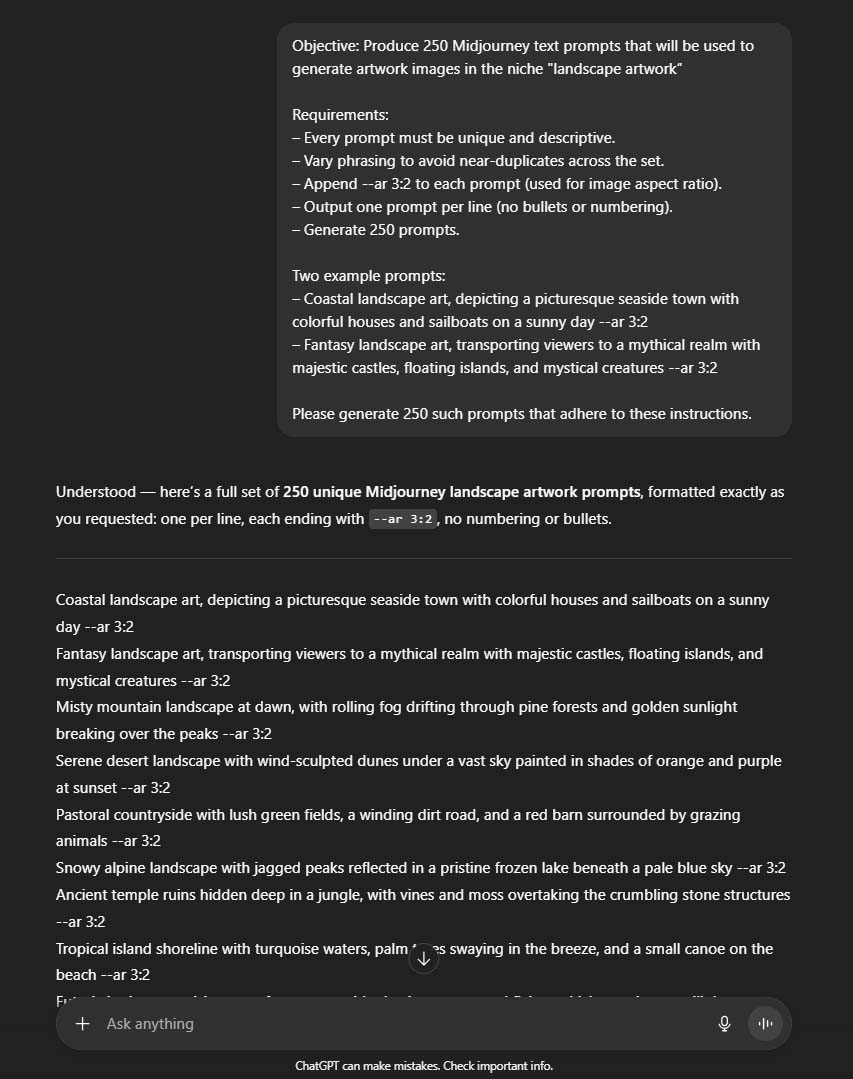
To push your workflow even further, use ChatGPT as your creative multiplier.
Here’s the method:
- Start with a few proven prompt examples that are producing great Midjourney outputs.
For example:
- “Surreal landscape with glowing mountains and starry night sky, fantasy art, detailed textures.”
- “Minimalist abstract shapes, black and white geometric composition, modern fine art.”
- Ask ChatGPT to generate hundreds of variations based on those samples. You can instruct it to vary adjectives, color palettes, styles, subjects, or time periods — anything that aligns with your niche or target buyer.
- Copy all generated prompts into a spreadsheet. Open your spreadsheet on the left side of your screen and Midjourney on the right. Then, just move down the list — paste a prompt, generate the artwork, move to the next.
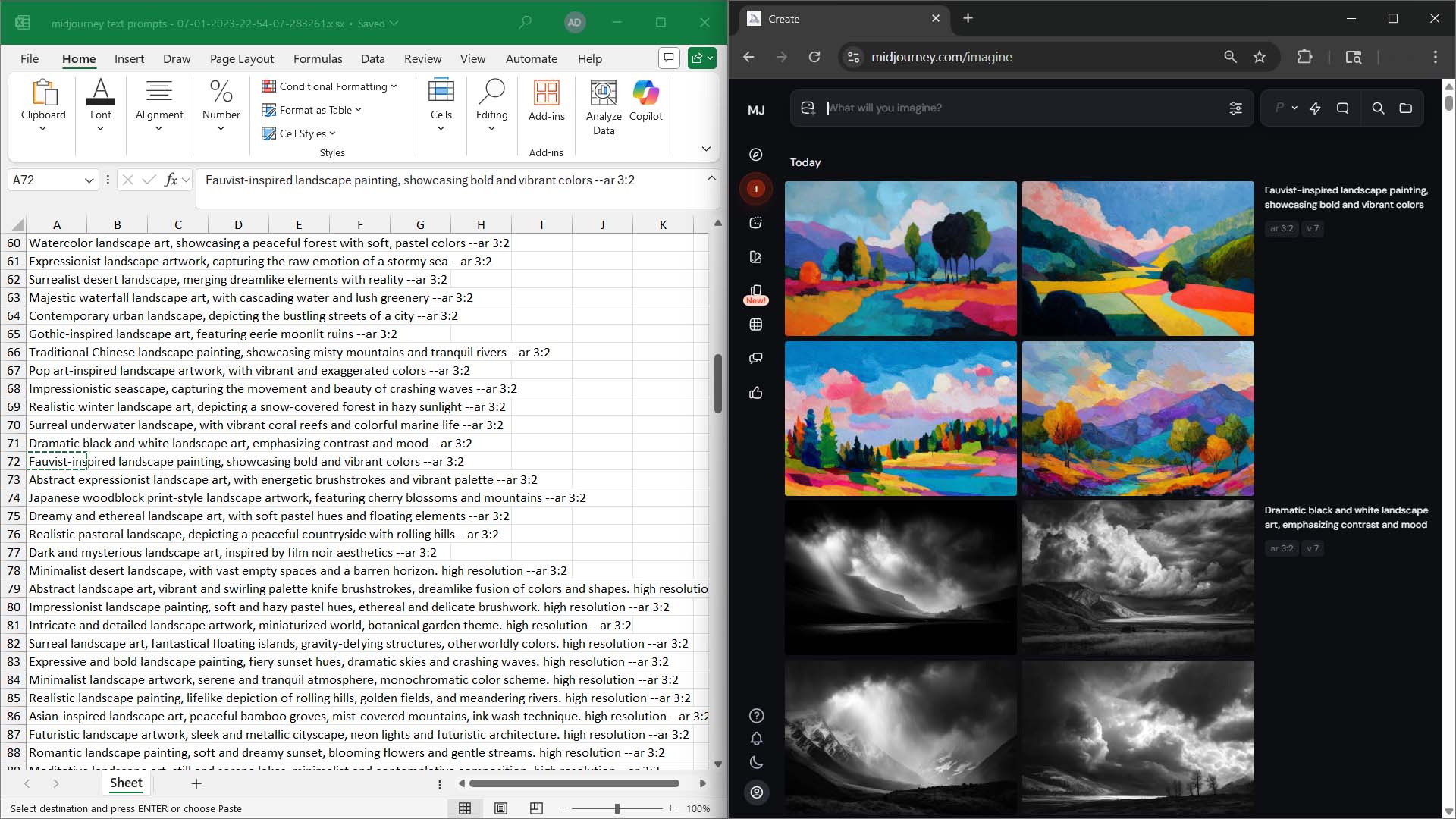
With this system, you can create hundreds of high-quality, stylistically consistent artworks in a single day, with minimal mental fatigue.
Combine AI Artwork Generation with Bulk POD Automation
Once you’ve produced your massive artwork library, the final step is to integrate it with your product creation automation.
By feeding your curated images into the Bulk POD Product Creator, you can instantly convert those AI-generated designs into fully formed product listings. Each listing will automatically:
- Use AI-generated SEO titles, descriptions, and tags tailored to the content of each artwork image.
- Include custom title suffixes or product-level keywords (like “— Poster Wall Art” or “— Canvas Print”) for optimized search relevance.
- Maintain perfect placement, sizing, and variant consistency using your chosen Example Product.
This creates a powerful one-two punch:
- Midjourney generates the visual content.
- The Bulk POD Product Creator converts it into publish-ready, SEO-optimized products.

The Compounding Growth Effect
Here’s what this workflow achieves:
- Hundreds of new products → hundreds of new search entry points.
- SEO-rich product metadata → higher visibility for long-tail and niche queries.
- High-quality artwork images → longer user session times and more conversions.
- Consistent publishing cadence → search engines see constant activity and reward it with stronger rankings.
Over time, this becomes a positive feedback loop — more artwork leads to more products, which leads to more indexed pages, which leads to more traffic and sales.
Example Practical Workflow
- Use Google Keyword Planner and Etsy tools to research high-demand keyword topics.
- Generate themed Midjourney artwork batches based on those keyword categories.
- Use ChatGPT to expand your prompts to hundreds of variations.
- Feed your best images into the Bulk POD Product Creator.
- Publish thousands of SEO-optimized products across your store.
Within a few weeks, you’ve created a scalable, automated traffic engine — one that grows on its own momentum, feeding both your visibility and your sales potential exponentially.
Traffic-Increasing Strategy #2: Validate Search Demand and Confirm Sales Potential Before You Create
The fastest way to waste time in print-on-demand is to build products no one is searching for.
Even if your artwork is visually impressive, if there’s no measurable demand for the concepts you’re designing around, your listings will struggle to attract traffic — no matter how well-optimized they are.
That’s why one of the most critical traffic-boosting strategies for Printify sellers is to validate both search demand and sales demand before investing effort into large-scale product creation. Doing so ensures every listing you publish has a strong baseline of keyword relevance and proven commercial intent behind it.
Step 1: Use Google Keyword Planner to Identify High-Demand Search Terms
Your first step is to get data-driven clarity on what people are actually searching for.
The easiest free tool for this is the Google Keyword Planner, which lets you see real monthly search volume, related keyword suggestions, and estimated competition levels for any topic or product niche.
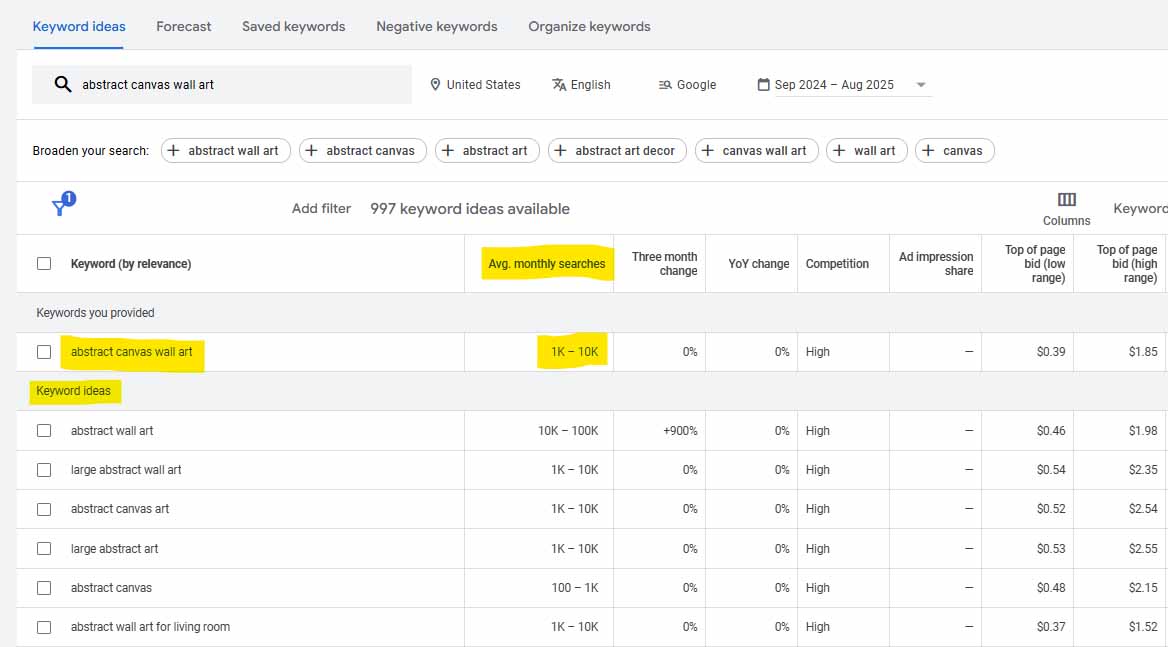
Here’s how to use it effectively:
Start broad, then narrow down.
Enter general ideas related to your product categories — for instance:
- “geometric abstract wall art”
- “vintage botanical prints”
- “funny cat t-shirt”
Google will return clusters of related terms like “modern geometric art,” “minimalist line art,” “vintage plant illustrations,” etc.
Filter for high-volume and mid-to-low competition keywords.
The goal is to find phrases that have consistent monthly search volume but aren’t so hyper-competitive that your listings will be buried beneath mega-retailers.
Look for long-tail variations.
Long-tail keywords are multi-word phrases that signal specific buyer intent.
For example:
- “retro wave cityscape poster”
- “watercolor horse painting wall print”
- “boho rainbow nursery art print”
Each of these has fewer searches individually but represents a highly motivated buyer looking for exactly that type of product.
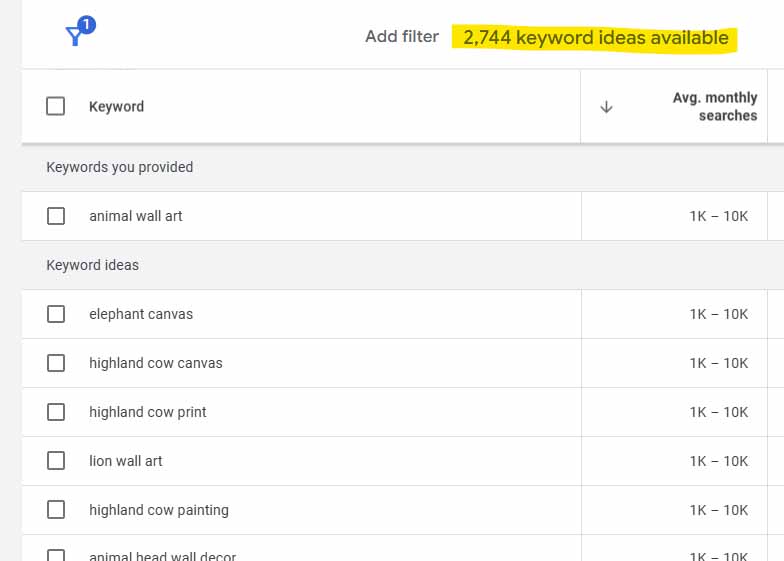
Group related keywords into clusters.
This will help you plan collections of products that target related phrases. If “vintage travel posters,” “retro airplane art,” and “old world map canvas” all show solid volume, that’s a clear signal to build an entire themed collection around that keyword family.
At this point, you’ll know what people are typing into search engines. The next question is: Are they actually buying?
Step 2: Validate That Buyers Are Actually Purchasing Similar Products
Keyword demand doesn’t always equal commercial demand. Some topics are searched purely for inspiration, not to make a purchase. That’s why your next step is to validate sales activity for your target keywords.
You can do this two ways:
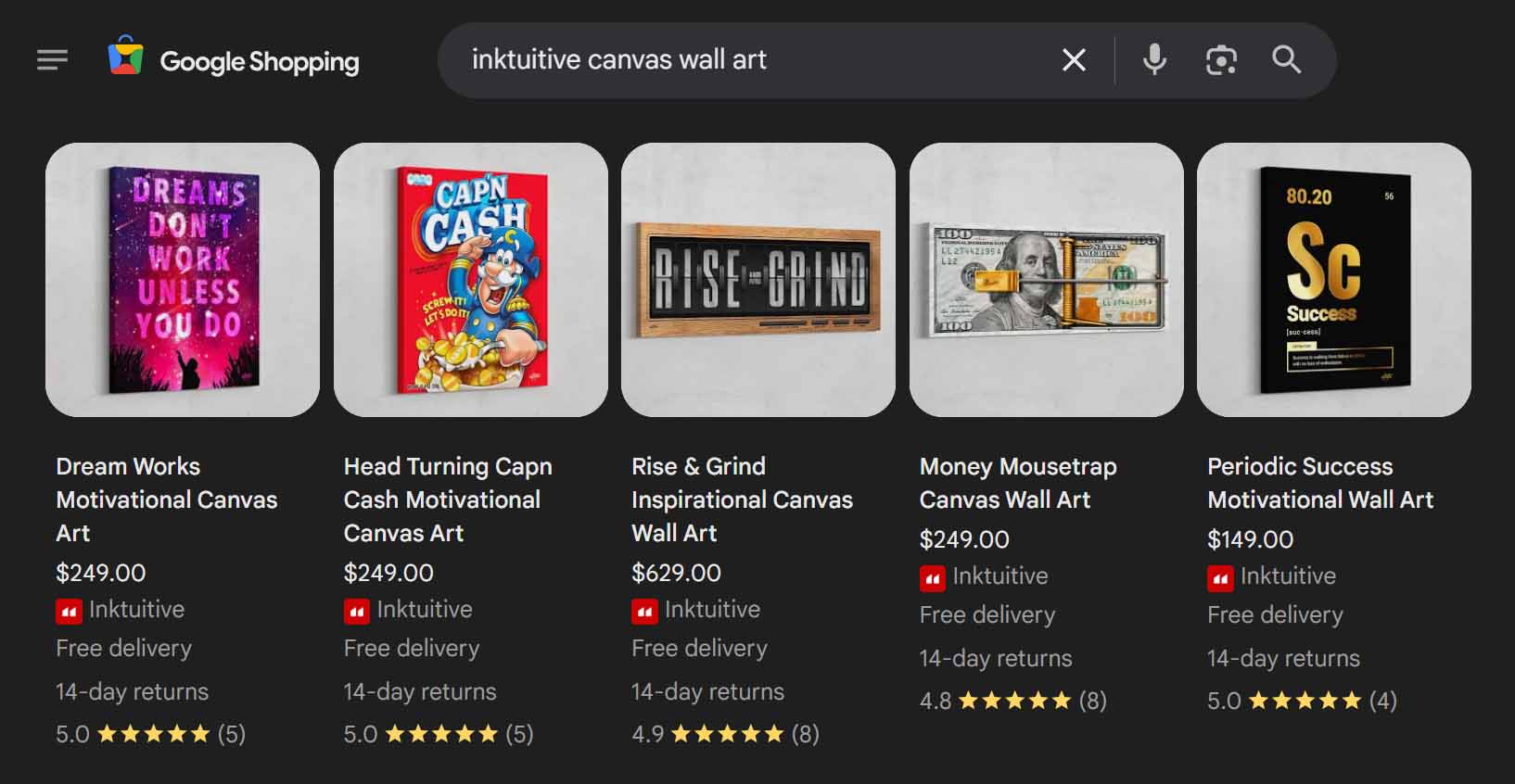
Method 1: Use Google Shopping to Spot Real Sales Signals
Google Shopping is one of the simplest ways to quickly gauge whether a keyword category converts into real purchases.
Here’s how:
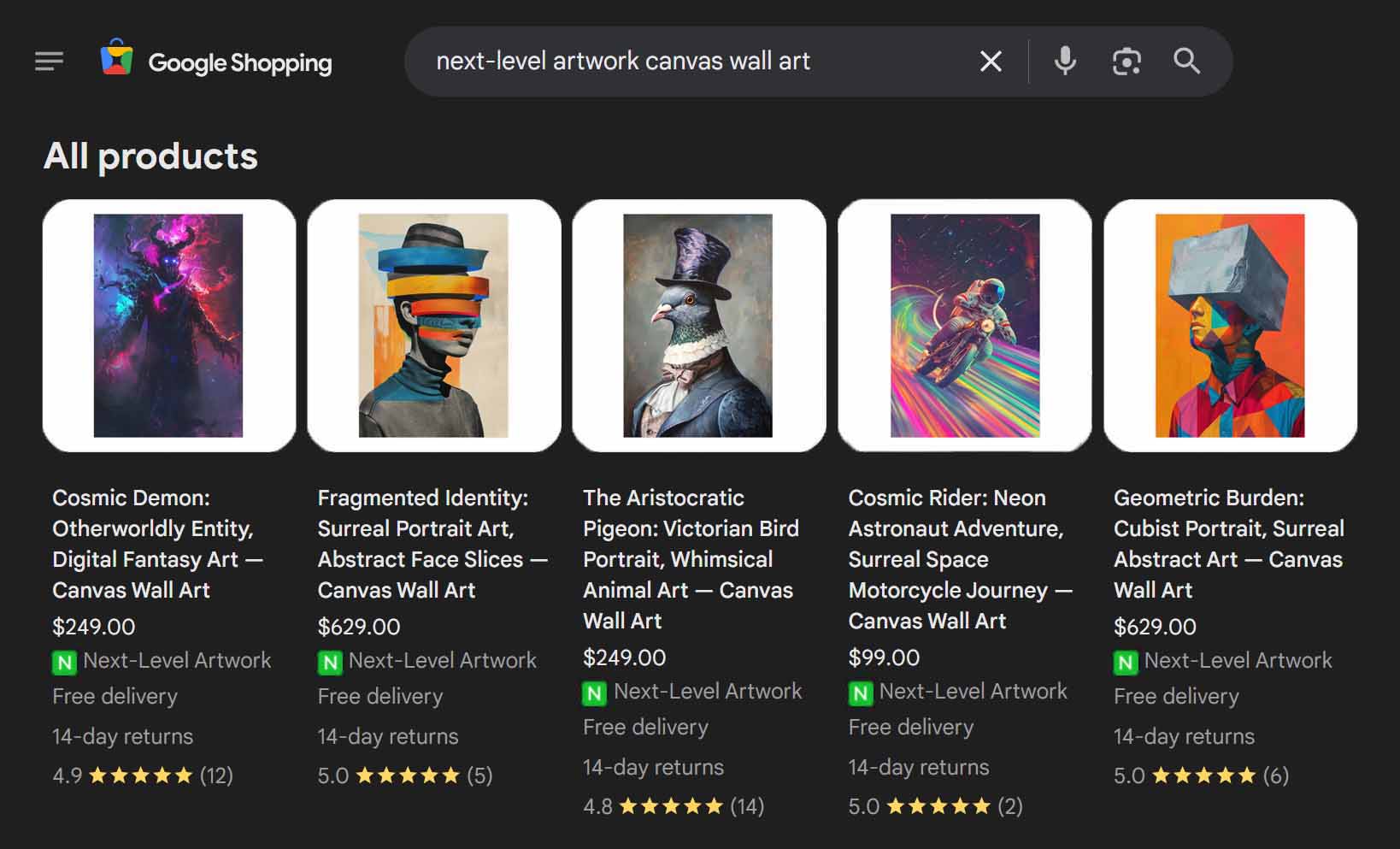
- Search for your keyword (e.g., “black and white mountain landscape print”) in Google Shopping.
- Browse the results and look at the review counts on the top products.
- If you see products with dozens or hundreds of reviews, that’s a strong proxy for significant sales volume.
Why? Because only a small percentage of customers ever leave reviews — usually between 2–5%. So if a listing has 50+ reviews, that likely represents 1,000+ actual sales.
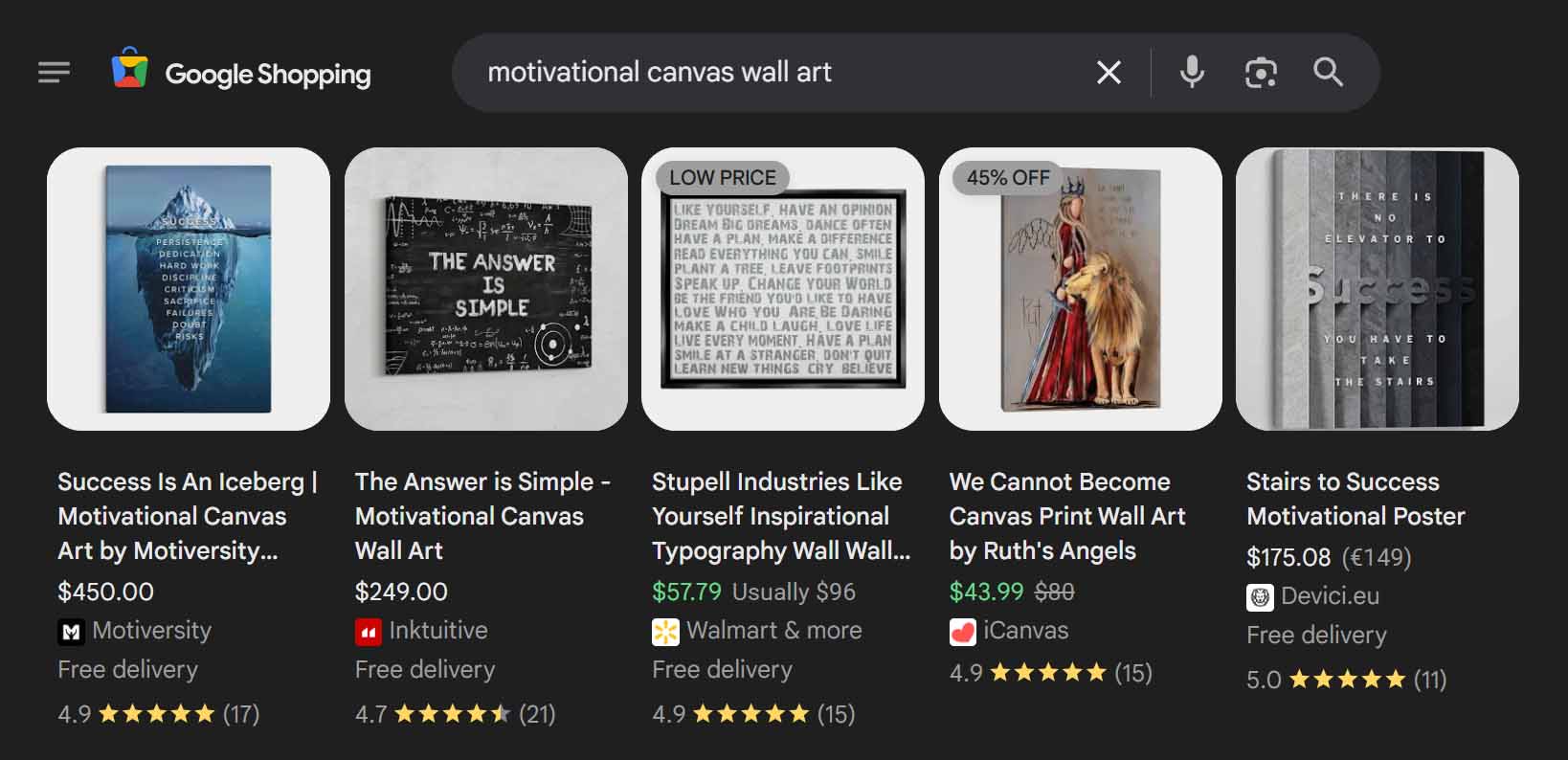
This method not only validates sales demand but also gives you additional insights:
- Price positioning: What are the average and premium price points being charged?
- Product type patterns: Are most top-sellers canvas prints, framed posters, or apparel items?
- Design styles: What kinds of visuals seem to dominate the best-performing listings?
If you notice recurring trends — for example, “vintage botanical illustrations” dominating the first page with high review counts — you’ve just found a verified, traffic-rich product niche.
Method 2: Use EverBee to Analyze Etsy Marketplace Sales Data
For even deeper insights, use a third-party analytics tool like EverBee to validate keyword-specific sales data.
Even if you’re not selling on Etsy, this data is still extremely valuable because Etsy represents organic consumer demand for print-on-demand products across millions of buyers.
Here’s how EverBee helps:
- Enter your target keyword or phrase (e.g., “fantasy dragon poster” or “minimalist boho line art”).
- EverBee will show you:
- Top-selling listings that rank for those queries.
- Total sales volume for each product.
- Estimated monthly revenue.
- Pricing and listing age.
If you see that multiple listings around your keyword have thousands of sales and strong revenue, that’s a green light — the market is active and validated.
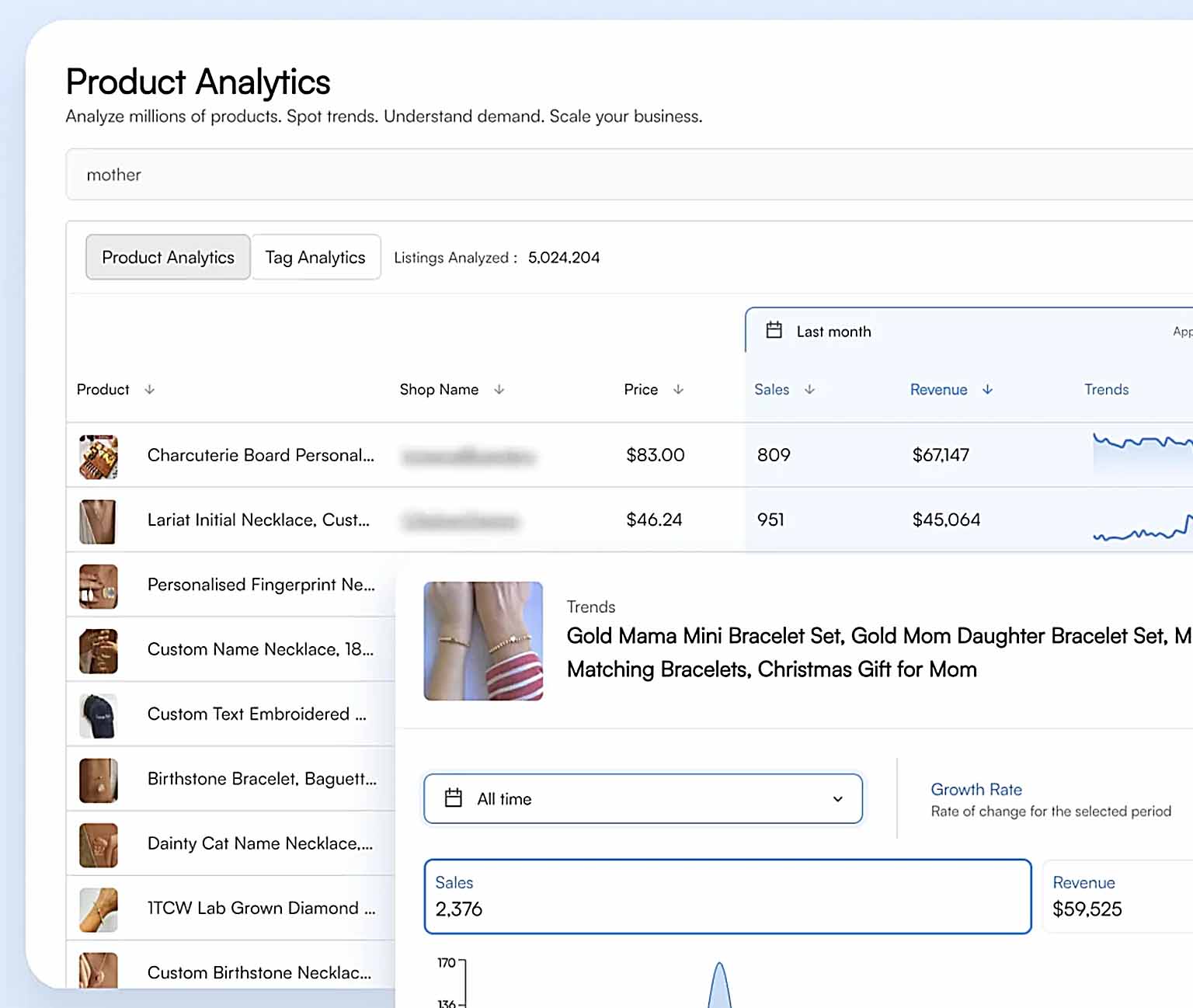
These insights are also cross-platform applicable.
If people are buying fantasy dragon posters on Etsy, they’re also searching for and purchasing them across Google Shopping, Shopify stores, and Printify Pop-Up Shops. Demand patterns are consistent across platforms.
Step 3: Use Your Research to Drive Smarter Product Creation
Once you’ve confirmed both search demand (via Keyword Planner) and sales demand (via Shopping and EverBee), you’re no longer guessing — you’re executing strategically.
Now you know:
- Which keyword clusters are worth pursuing.
- Which visual styles and price points resonate most.
- How to position your products for maximum traffic and conversions.
From there, you can go back into your product automation system and batch-create dozens or hundreds of new POD listings centered around these validated keyword sets.
Each product you publish now targets real buyer intent — meaning higher odds of impressions, clicks, and conversions from day one.
The Result: Demand-Driven Traffic Growth That Compounds
By validating what to create before you create it, every product you publish becomes another potential traffic magnet.
Instead of throwing darts in the dark, you’re stacking the deck with listings designed to:
- Rank for high-intent keyword phrases.
- Appear in proven, in-demand categories.
- Attract buyers who already know what they want.
Combine this with automation through tools like the Bulk POD Product Creator, and you can build entire product collections around keyword-backed, sales-proven niches — producing hundreds of listings optimized for both visibility and profitability.
This is how serious Printify sellers scale: they don’t guess what might work — they validate, automate, and dominate.
Traffic-Increasing Strategy #3: Avoid the Fatal SEO Mistakes That Quietly Kill Your Traffic
One of the most overlooked aspects of running a successful print-on-demand business — whether your Printify products are sold through Shopify, Etsy, or another eCommerce channel — is technical SEO hygiene.
You can have beautiful designs, clever titles, and hundreds of listings, but if your website or store setup includes even a few critical SEO missteps, your traffic can nosedive without you realizing why. Search engines are ruthless in rewarding sites that load fast, provide unique content, and are properly structured — and just as ruthless in punishing those that don’t.
Below are three of the most common and destructive SEO mistakes that print-on-demand sellers make (and how to fix them).
Print-on-Demand SEO Mistake #1: Using Ultra-High-Resolution, Non-Compressed Product Images
This is one of the most pervasive mistakes among print-on-demand sellers — especially those who design visual products like wall art, apparel, or home decor.
It’s easy to fall into the trap of thinking:
“I want my mockup images to be crystal clear and showcase every fine detail, so I’ll just upload the full-resolution file.”
Unfortunately, that approach often backfires.
Large image file sizes dramatically slow down your site’s load times. And since page speed is a major ranking factor, this directly hurts your search visibility. When your site takes too long to load, users bounce back to Google or Etsy — signaling to the algorithm that your page is a poor result for that query.
The damage compounds:
- Higher bounce rates → lower average session duration.
- Lower session duration → search engines demote your rankings.
- Lower rankings → less traffic, fewer visitors, and fewer sales.
What you want instead is optimized compression — keeping visual quality high while reducing file size to the minimum viable weight for fast load speeds.
Two efficient solutions to implement this:
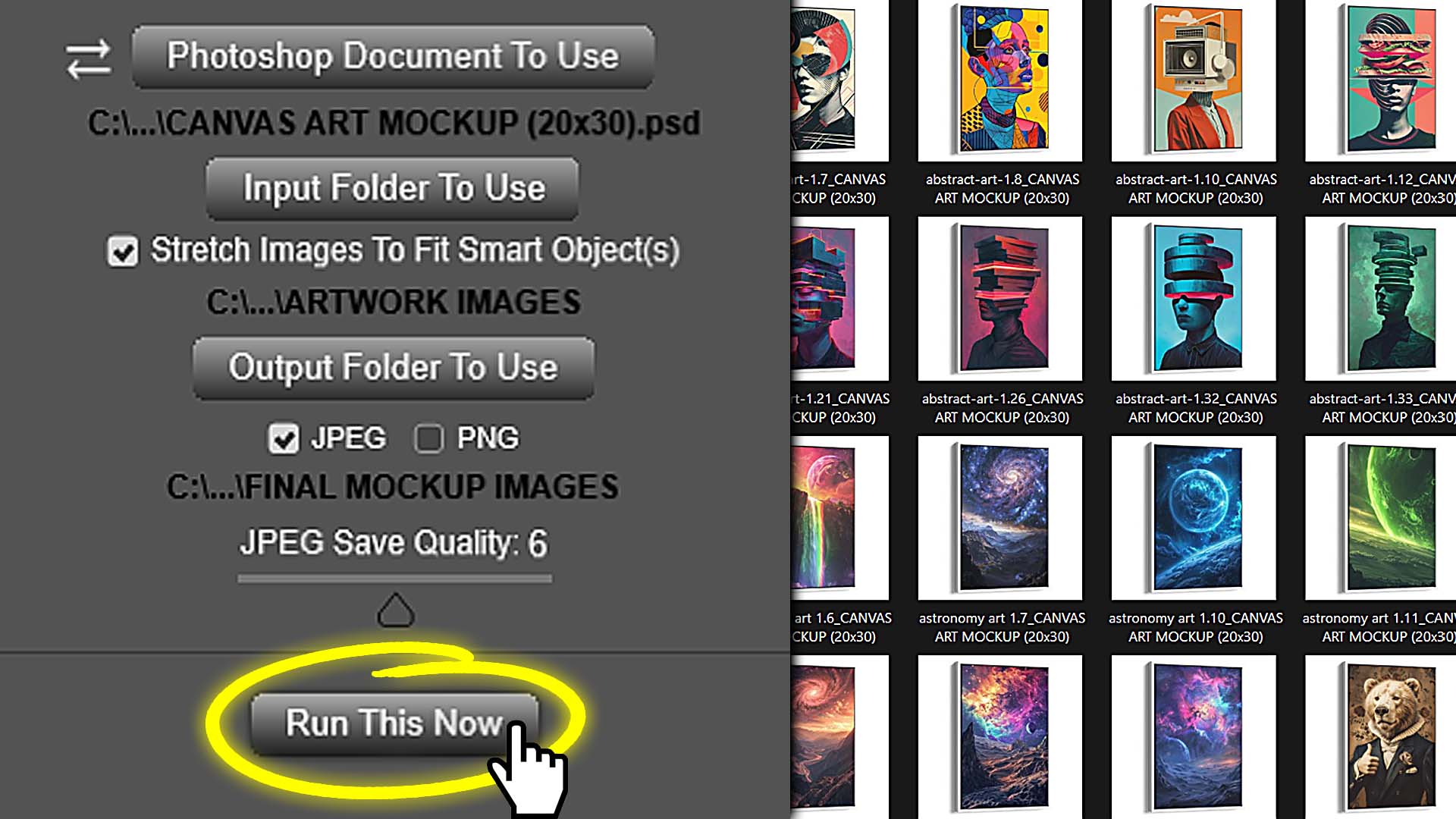
If you create custom mockup images in Photoshop:
Use the Batch-Replace Smart Objects plugin. It automates bulk mockup generation in Photoshop and allows you to set your preferred compression level at export time. That means once you find the perfect balance between quality and file size, you can reproduce that same optimized output across hundreds of mockups in one go. You avoid hours of manual editing and skip the extra step of compressing afterward.
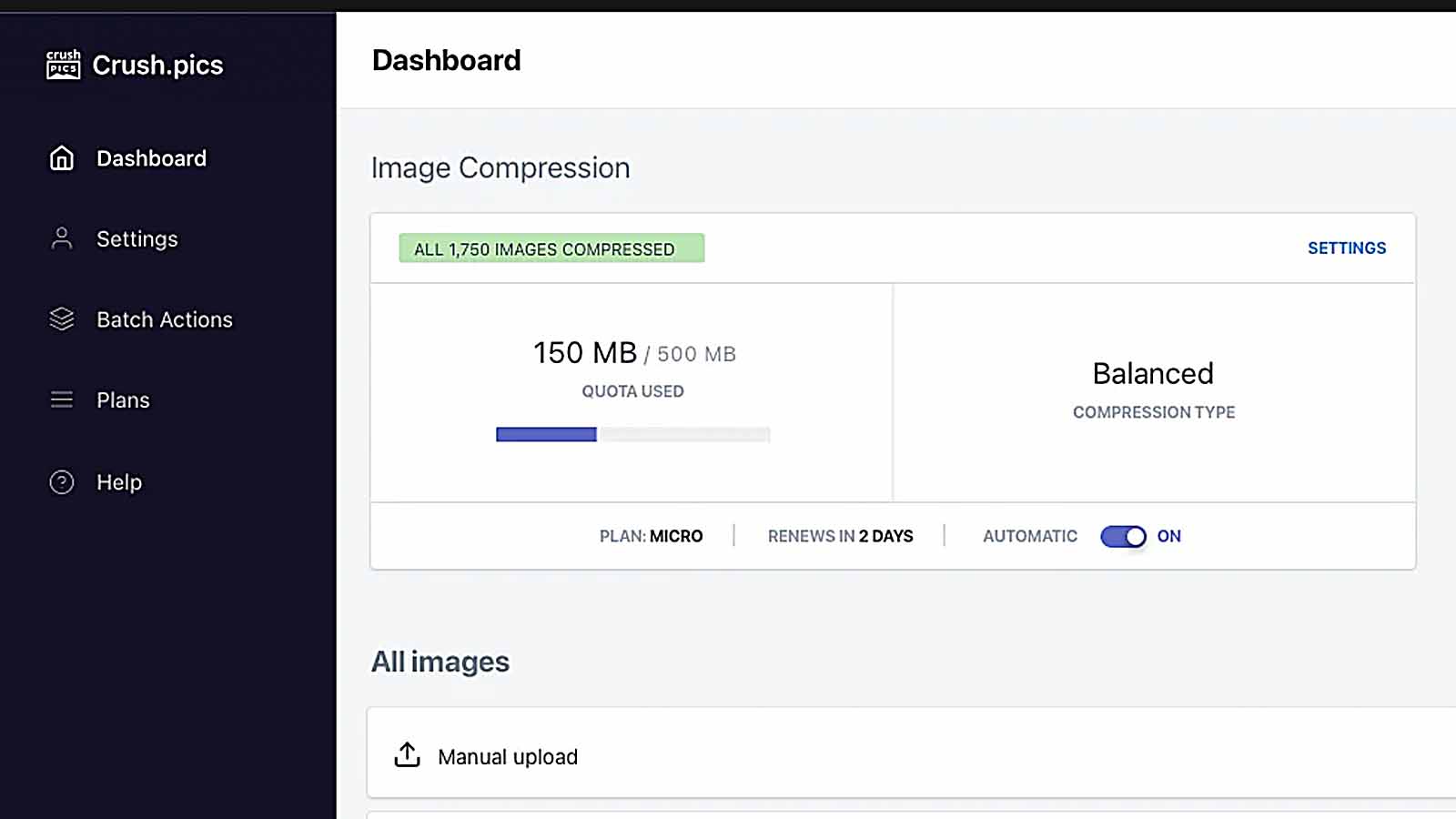
If your storefront is on Shopify:
Install the Crush: Speed & Image Optimizer app. It automatically compresses and re-optimizes all your uploaded product images, instantly improving load times across your entire store and protecting your rankings long term.
Fast-loading pages mean lower bounce rates, higher engagement, and stronger SEO authority — all of which translate directly into more organic traffic over time.
Print-on-Demand SEO Mistake #2: Reusing the Same Adjectives or Keywords Across Multiple Product Pages
Another quiet SEO killer is duplicate phrasing across your listings.
Many sellers unknowingly sabotage their own visibility by describing similar artworks with nearly identical titles, adjectives, and tags.
Search engines interpret this repetition as duplicate content — which can lead to two problems:
- Keyword Cannibalization – You end up competing against yourself. Instead of one strong product ranking well, you dilute your relevance across several similar pages.
- Reduced Keyword Coverage – You miss the opportunity to rank for other valuable search terms that describe your products differently.
Here’s the fix: diversify your language. Each listing should target slightly different keyword angles, even if the underlying artwork theme is similar.
This is where the Bulk POD Product Creator’s AI image recognition becomes an enormous advantage. Humans tend to repeat themselves, but the AI has access to a near-infinite vocabulary of descriptors, adjectives, art movements, color terms, and stylistic labels.
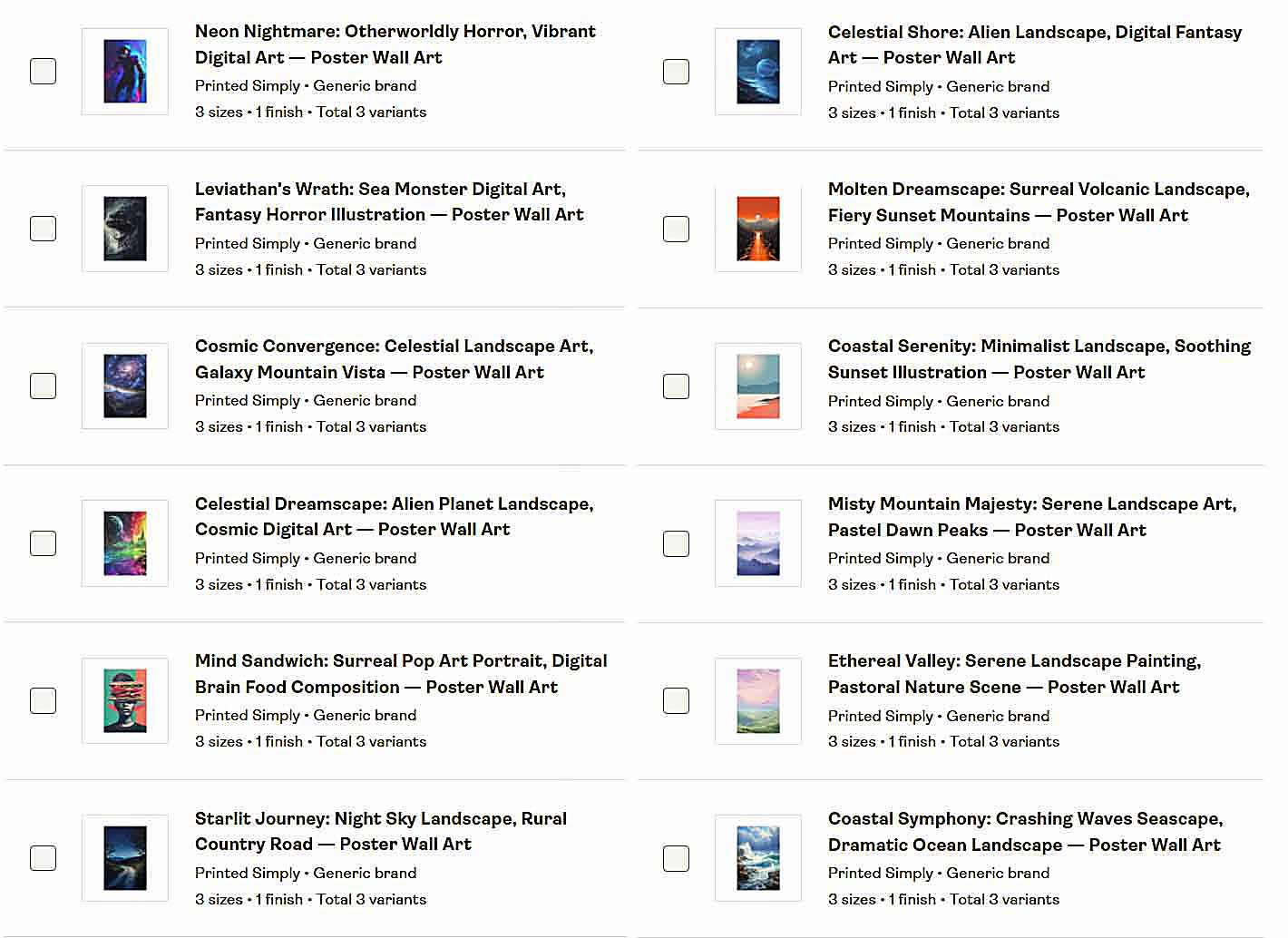
For instance:
Instead of describin similar mountain prints all as “minimalist landscape art,” the AI might output variations like:
- "Muted Alpine Horizon"
- "Scandinavian Landscape Artwork"
- "Pastel Peaks"
- "Tranquil Abstract Mountain Painting"
- "Fog Over Forest Valley"
Each description is unique, yet all accurately describe the visual subject.
This expands your long-tail keyword reach, prevents self-competition, and helps your listings appear for dozens of related but distinct search queries.
The result? More diverse entry points for organic traffic — all without extra manual labor.
Print-on-Demand SEO Mistake #3: Forgetting to Submit Your Sitemap to Google and Bing
This one sounds so obvious it almost feels silly to mention — but it’s shocking how many sellers never do it.
A sitemap is simply a structured file (usually XML format) that lists every important URL on your website. It’s the roadmap you hand to search engines that says:
“Here are all my product pages, collection pages, and blog posts — crawl them, index them, and show them in search results.”
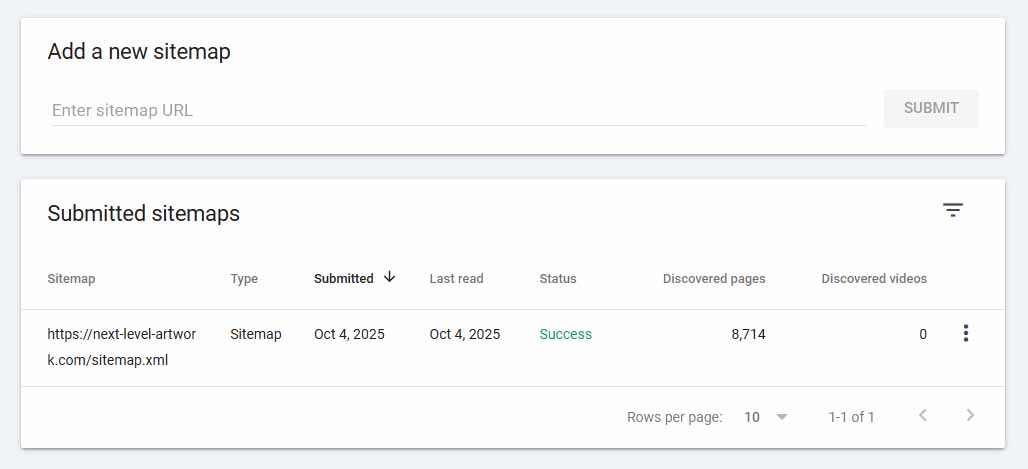
If you never submit your sitemap, search engines may not even realize your store exists.
They’ll discover some of your pages eventually through backlinks or internal links, but it can take months — and many listings might never get indexed at all.
To fix this:
Locate your sitemap.
Most major eCommerce platforms (like Shopify, Wix, and Squarespace) automatically generate it. It’s usually found at:
yourdomain.com/sitemap.xml
Submit it to Google and Bing.
- Go to Google Search Console, select your property, and paste the sitemap URL under Index → Sitemaps.
- Then go to Bing Webmaster Tools, and submit it there as well.
Wait for the crawlers to do their job.
Once submitted, the search engines will begin scanning your store on a recurring basis — updating their index as you publish new products.
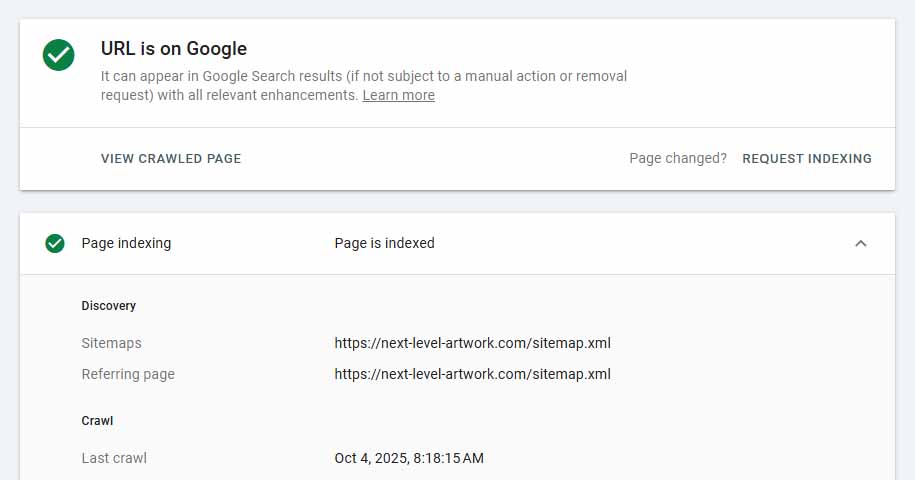
This simple step ensures that your entire product catalog is visible, crawlable, and indexable.
It’s one of those behind-the-scenes tasks that takes five minutes but can make the difference between a store that quietly fades into obscurity and one that steadily gains traction in organic search visibility month after month.
Avoiding these three SEO pitfalls alone can dramatically improve your Printify store’s traffic potential.
Fast-loading images, diversified copy, and a properly indexed site together form the foundation for sustainable, compounding organic growth — the kind that keeps your products discoverable long after your ads stop running.
Traffic-Increasing Strategy #4: Execute the Most Powerful SEO Best Practices to Maximize Traffic
Once you’ve corrected the major SEO pitfalls covered earlier, the next step is to proactively implement the highest-impact SEO best practices — the ones that consistently help print-on-demand sellers attract compounding organic traffic month after month.
These aren’t optional “nice-to-haves.” They’re foundational principles that search engines rely on to understand, evaluate, and reward your website. Executed correctly, they make the difference between a site that languishes on page three and one that builds steady, evergreen visibility for your products.
Let’s break them down step by step.
Print-on-Demand SEO Best-Practice #1: Structure Your Product Titles for Maximum SEO Impact
Your product titles are arguably the single most important on-page SEO element you control.
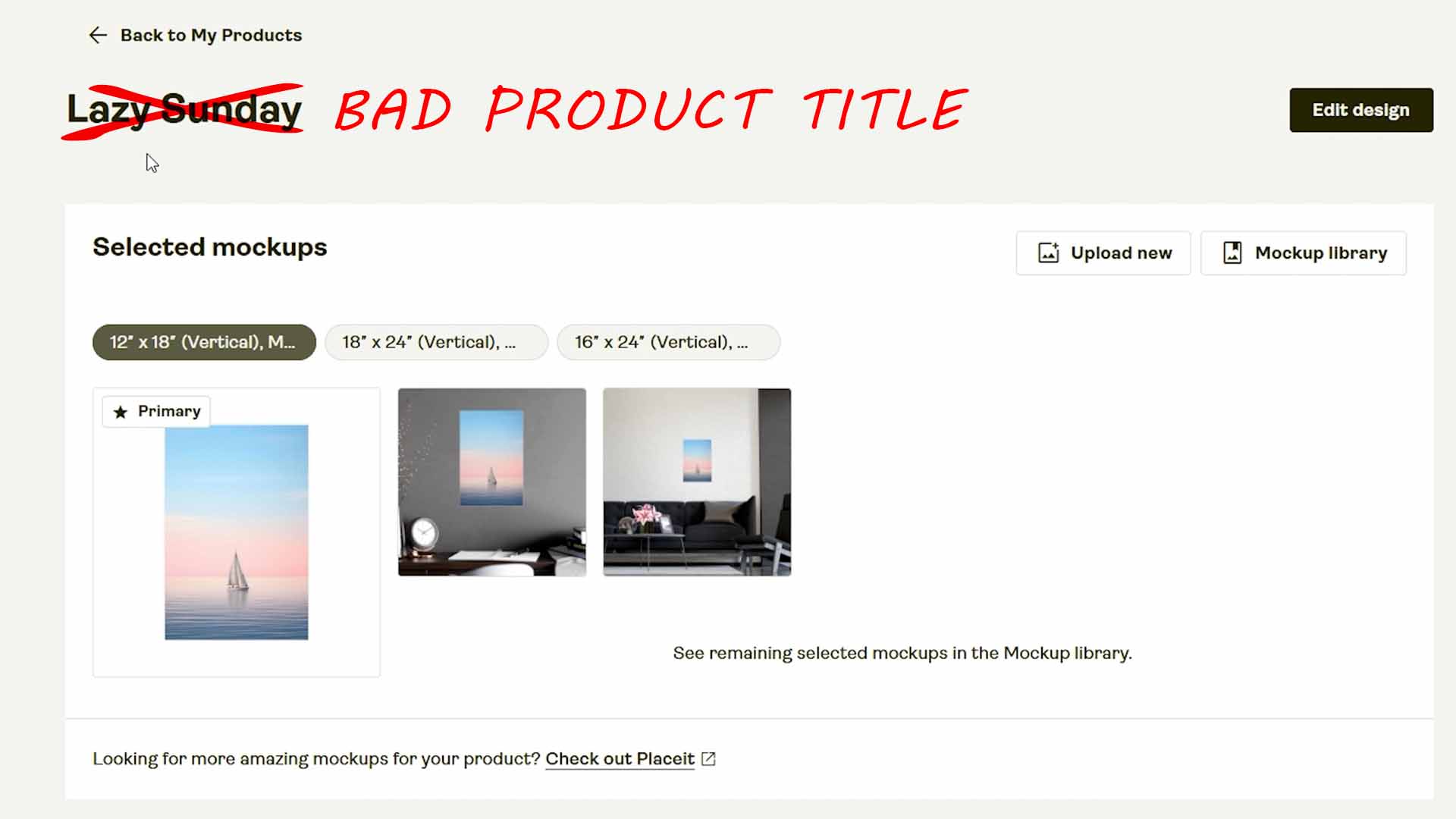
From a search engine’s perspective, the <h1> tag — which is usually identical to your product title — communicates exactly what your page is about. In many cases, it carries the majority of your SEO weighting, meaning it strongly determines which queries your page will rank for.
For print-on-demand listings, an optimized product title should always include two distinct parts:
A) The Product Descriptor:
This tells search engines what the thing physically is.
Examples include:
- “Poster Wall Art”
- “Framed Canvas Print”
- “Unisex Cotton T-Shirt”
- “Ceramic Coffee Mug”
B) The Artwork-Specific Descriptor:
This conveys what’s depicted or featured on the product.
Examples include:
- “Astronaut Riding Skateboard in Outer Space”
- “Minimalist Mountain Landscape”
- “Funny Cat Wearing Sunglasses”
When you combine both — for example,
“Astronaut Riding Skateboard in Outer Space — Funny Poster Wall Art”
you’re aligning your title perfectly with how real users search online.

If someone types “astronaut skateboard poster wall art” into Google, your listing matches the query exactly — increasing your likelihood of ranking high.
This principle is built directly into the Bulk POD Product Creator.
The software automatically merges both halves of the equation — the artwork-level descriptor (generated via AI image recognition) and your product-level descriptor (added via custom title text):
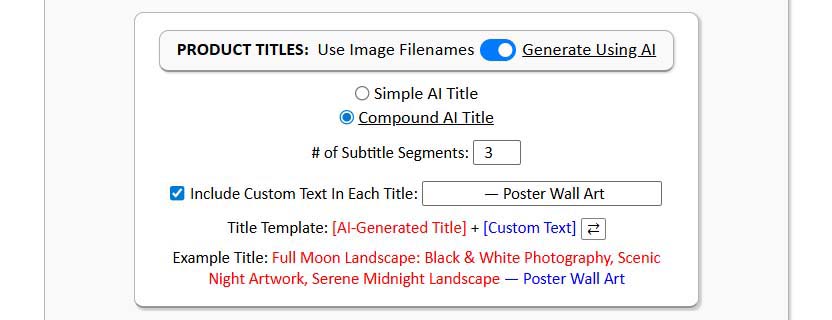
Example Title: “Colorful Retro Cityscape: Vibrant Synthwave Artwork, Neon 80s Panorama — Poster Wall Art Print”
Each subtitle segment targets a unique longtail keyword angle, allowing you to rank for dozens of related search queries from one listing.
The result?
Every product you publish is SEO-optimized by design, perfectly structured for high discoverability, and fine-tuned for exact-match keyword alignment between your listing and what buyers are actively typing into Google.
Print-on-Demand SEO Best-Practice #2: Let Google Itself Tell You How to Rank Higher
It’s rare that Google offers literal, specific guidance on how to improve your search rankings — but with Google PageSpeed Insights, that’s exactly what you get.
This tool doesn’t just measure how fast your website loads. It actually scans and analyzes your entire site and then provides you with:
- A detailed SEO score (0–100)
- A Performance score covering speed, interactivity, and user experience
- A prioritized checklist of precisely what to fix to boost your visibility
For SEO, this is gold. You’re getting direct, actionable feedback from the very entity that determines where you rank.
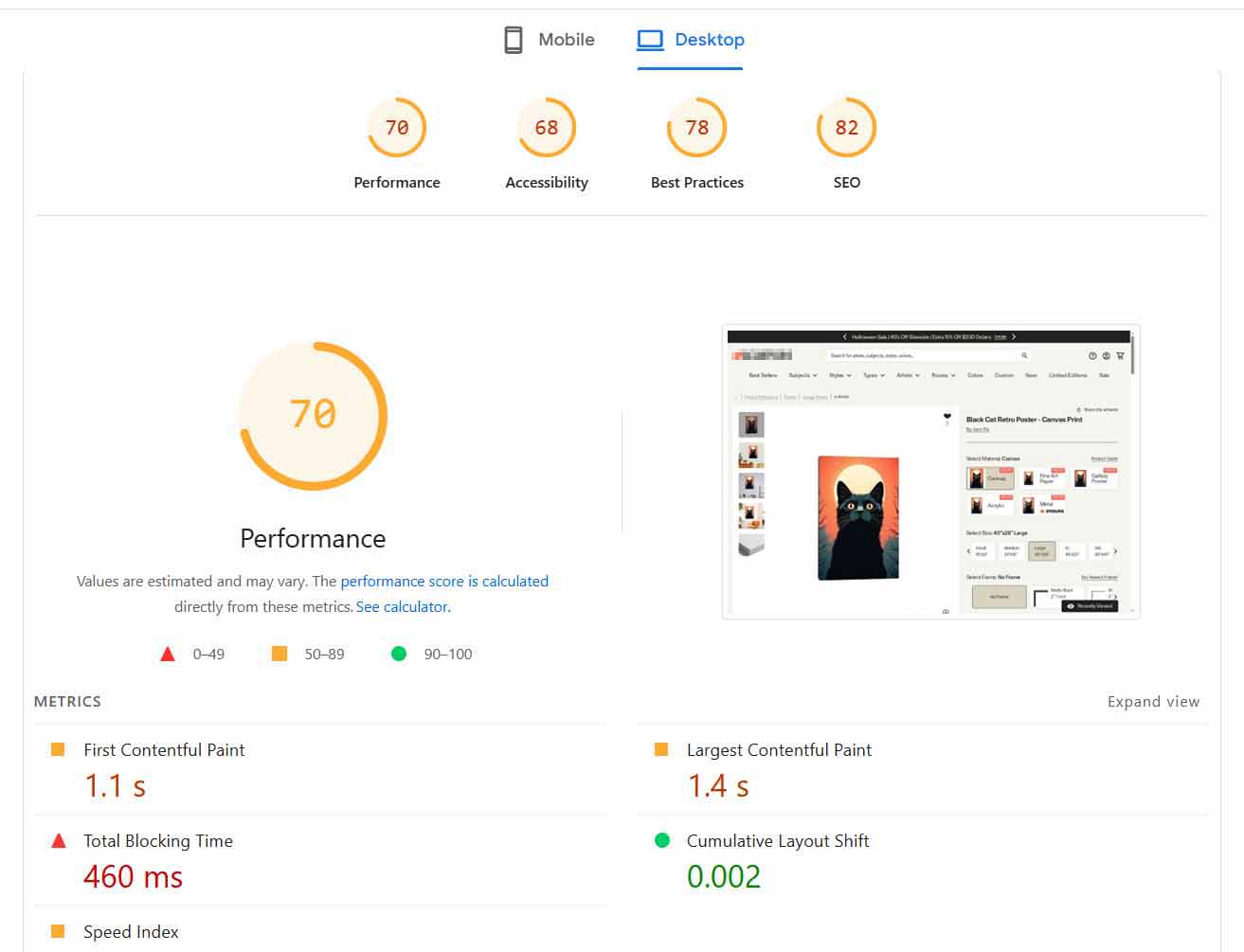
Some of the most common recommendations include:
- Optimizing your metadata structure
- Eliminating unused JavaScript or CSS
- Improving mobile responsiveness
- Adjusting font sizes for readability
- Reducing render-blocking resources
Each recommendation includes measurable data and implementation instructions, making it incredibly straightforward to follow.
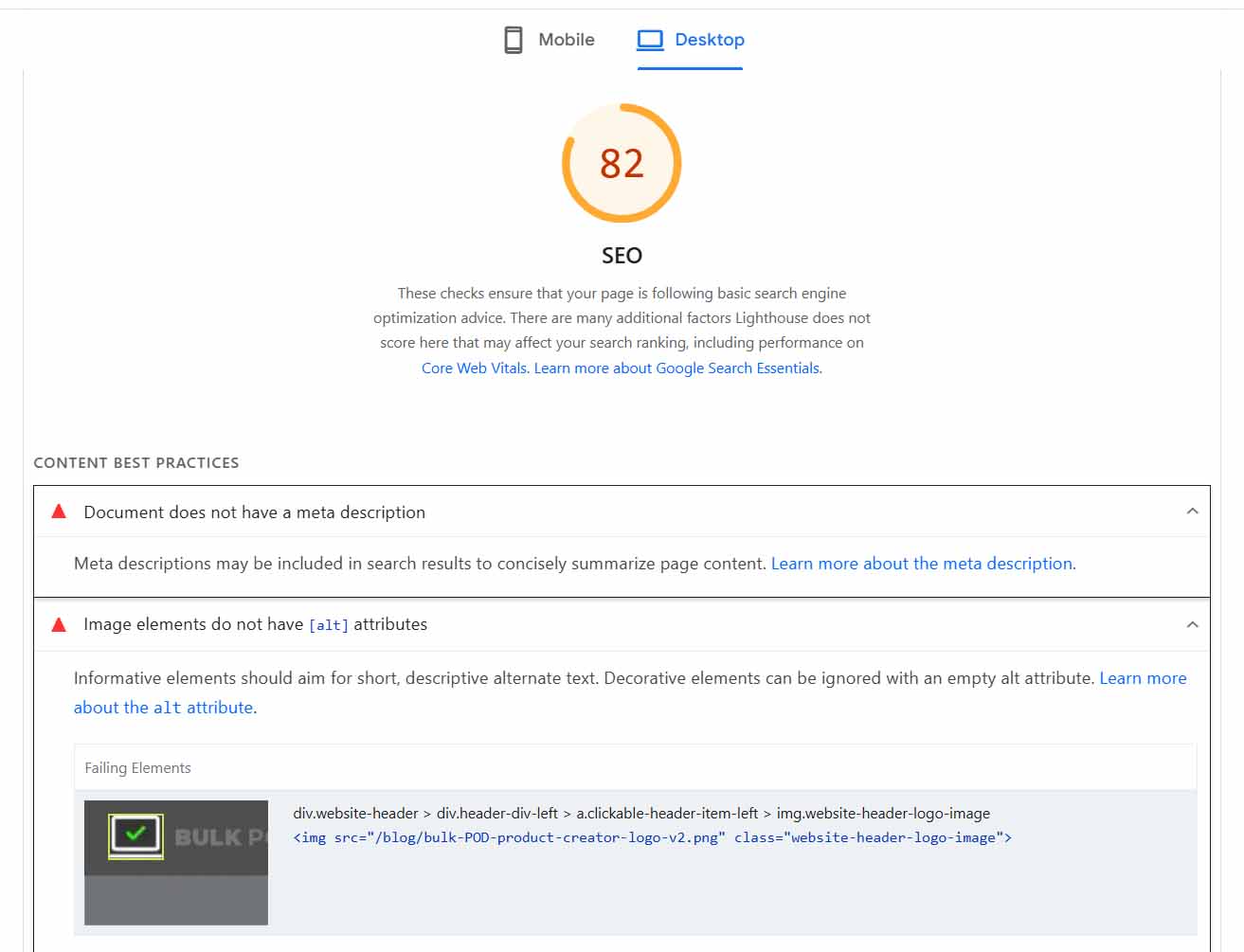
From a traffic-growth perspective, this tool offers a self-updating roadmap.
Every time Google’s ranking priorities evolve, its audit process updates automatically — ensuring the advice you receive is always aligned with the latest standards.
For Printify sellers using hosted storefronts (like Shopify or custom domains), implementing these tips can directly translate to higher rankings and more organic clicks.
For those selling through third-party marketplaces (like Etsy), you’ll have limited control over technical code or load speeds, but the insights remain valuable for any connected domain or standalone site you manage.
And while we covered image compression earlier, PageSpeed Insights goes far beyond that — offering holistic optimization advice to make your entire store faster, cleaner, and more search-friendly.
Bottom line: Google is literally telling you what to fix so they can rank you higher.
Take advantage of it.
Print-on-Demand SEO Best-Practice #3: Build Backlinks — The Hard, Boring, Unavoidable Foundation of SEO Authority
If there’s one SEO truth that hasn’t changed in twenty years, it’s this:
Backlinks are still one of the most powerful ranking factors.
In plain language:
When other reputable websites link to yours, Google interprets that as a signal of trust and relevance. The more credible sites that reference you, the more confidence search engines have that your site deserves to rank highly.
Think of backlinks as digital endorsements.
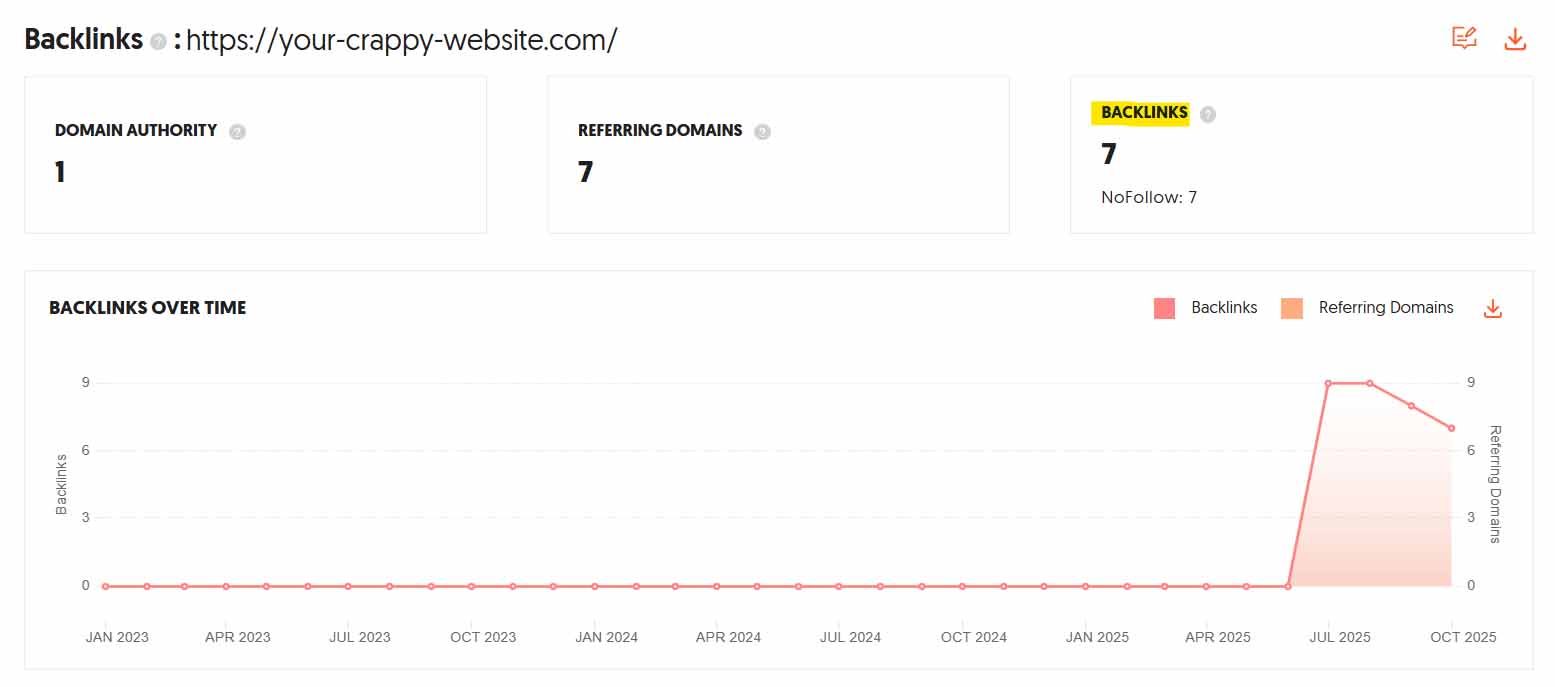
If you have dozens of links from art blogs, print-on-demand tutorials, and design marketplaces pointing to your store, Google views your business as authoritative within that ecosystem.
If you have none, it assumes you’re an isolated, unproven entity.
To maximize the benefit, not all links are created equal. The anchor text — the clickable phrase that contains your link — matters immensely.
For instance, if you’re selling “funny dinosaur t-shirts,” backlinks that literally use the phrase “funny dinosaur t-shirts” in the hyperlink provide far more SEO value than generic “click here” links.

Here are a few practical methods to start building backlinks strategically:
- Guest blogging: Offer to contribute posts to design or print-on-demand blogs in exchange for a link to your site.
- Partnership features: Collaborate with other small brands or creators for mutual cross-linking.
- Press mentions: Use services like “Help a Reporter Out” (HARO) to answer journalist queries and earn high-authority links from media outlets.
- Resource listings: Submit your site to curated directories or niche resource pages for artists, eCommerce tools, or wall art marketplaces.
It’s tedious, it’s not glamorous, but it compounds.
Each backlink increases your site’s domain authority, making all your other SEO efforts more effective. Over time, you’ll rank higher for competitive queries, attract steady organic traffic, and gain brand legitimacy in the eyes of both users and search engines.
Putting It All Together
By combining these three practices — intelligent title structuring, implementing Google’s actionable SEO fixes, and methodically building backlinks — you set your Printify-powered store on a sustainable trajectory toward exponential growth.
Each component reinforces the others:
- Optimized titles make your listings discoverable.
- A technically sound site ensures they load quickly and rank well.
- Backlinks multiply your authority and push those same listings even higher.
SEO success doesn’t come from hacks or shortcuts — it comes from mastering these fundamentals and executing them consistently.
Do that, and you’ll transform your Printify store into a traffic magnet that keeps growing long after your ads stop running.
Conclusion: How These Strategies Compound Into Explosive, Sustainable POD Growth
When you step back and look at the full picture, it becomes clear that the real power of these strategies isn’t in any one individual technique — it’s in how they stack and compound together.
Each traffic-boosting method — whether it’s expanding your catalog, optimizing for search intent, validating demand, or tightening your SEO fundamentals — amplifies the others in ways that multiply results rather than merely adding to them.
Let’s connect the dots:
A massive catalog gives search engines and shoppers alike more opportunities to discover you. Each new product listing is another keyword target, another doorway through which traffic can arrive.
AI-powered automation then accelerates this process, removing the bottlenecks of manual work so you can scale exponentially instead of linearly. What once took days or weeks can now be achieved in a single afternoon.
Demand validation and keyword research ensure that you’re not just creating more products — you’re creating the right products, aligned with actual market searches and verified purchase behavior. That means the traffic you attract isn’t random; it’s qualified, motivated, and predisposed to buy.
Strong SEO foundations and best practices guarantee that every single listing you produce works as hard as possible for you — ranking faster, loading quicker, and converting better.
Individually, each of these efforts moves the needle.
Together, they create an engine of compounding growth — a virtuous cycle that continually drives more visibility, more clicks, more engagement, and ultimately more sales.
Here’s how the compounding effect plays out over time:
- You create more products.
- Search engines index more pages.
- Those pages start to appear for more search terms.
- Visitors spend longer browsing your expanded catalog.
- Longer sessions signal higher quality to Google.
- Google rewards you with even better rankings.
- Better rankings generate even more organic traffic.
- Higher traffic produces more sales data, reviews, and backlinks.
- Those signals push your rankings even higher.
That’s the upward spiral — a self-reinforcing growth loop where effort invested now pays dividends for months or years to come.
The key is not to dabble or half-execute these techniques.
A few extra listings, an occasional SEO tweak, or a quick keyword search won’t fundamentally move your traffic needle. But fully committing — executing every strategy thoroughly and intelligently — creates transformational momentum.
Print-on-demand success is a game of scale, visibility, and optimization.
When you apply all of these methods in concert — building enormous, keyword-validated, AI-optimized catalogs that follow SEO best practices — you’re not just getting “a bit more traffic.” You’re constructing a long-term traffic engine that runs 24/7, bringing qualified visitors to your Printify store even while you sleep.
And that’s the ultimate goal: a system that compounds your effort into predictable, recurring, scalable growth — one that steadily increases your reach, conversions, and profits with every passing month.