
How To Automate Print-on-Demand Product Creation
Overview: A complete, practical playbook for automating every critical step of print-on-demand (POD) production: 1) automating the creation of POD products in bulk, 2) automating custom mockup image creation in Photoshop, and 3) rapidly generating artwork with AI tools like Midjourney while keeping a simple, repeatable workflow. The goal is simple: replace repetitive, error-prone manual work with repeatable, scalable systems so you can build a larger, more profitable catalog faster—with consistent quality and SEO-ready listings.

Introduction: Why Manual POD Work Doesn’t Scale
For anyone serious about building a print-on-demand (POD) business, one hard truth is unavoidable: creating products at scale is a grind. Whether you’re using Printify, Etsy, or another POD platform, every new listing requires the same endless manual steps: upload an image, drag and resize it into place, write a title, draft a description, think of tags, set pricing, and repeat. Doing this once is manageable. Doing it hundreds—or thousands—of times quickly becomes a soul-crushing bottleneck that eats away at the hours you should be spending on higher-value tasks like designing new artwork, running ad campaigns, or optimizing your storefront.

Automation flips this equation on its head. By replacing repetitive labor with smart, repeatable systems, you can generate products, mockups, and even artwork itself at scale with minimal effort. In this guide, we’ll break down the three pillars of automating print-on-demand product creation:
- Automating the creation of POD products themselves (via the Bulk POD Product Creator).
- Automating custom mockup image generation (via the Batch-Replace Smart Objects Photoshop plugin).
- Automating the generation of artwork images (via AI image generators like Midjourney).
Each pillar targets a different but equally critical step of the POD workflow. When combined, they create a complete automation pipeline: from artwork → mockups → products → published listings. Let’s begin with the first and most foundational pillar: automating the creation of the POD products themselves.
1) Automating POD Product Creation (Bulk POD Product Creator)
The Pain of Manual Product Creation
If you’ve ever tried to create a catalog manually on a POD platform, you know the pain. Upload your first image. Wait for it to load. Drag it into a poster frame. Resize. Center it. Do the same for three other sizes. Double-check that nothing looks off. Then think of a title. Then a description. Then brainstorm tags. Then repeat for the second image. The third. The tenth. The hundredth.
It’s a process that seems manageable at first, but once you scale past a handful of designs, it becomes punishing. Even at just 5 minutes per product, creating 200 listings means burning through 16+ hours of pure, mindless clicking. And that’s assuming you never misplace an image or forget to update a price—mistakes that can send you back to the beginning.
The truth is: manual POD product creation doesn’t scale. It’s fine for hobbyists, but if your goal is to build a serious catalog that drives income, you need leverage.
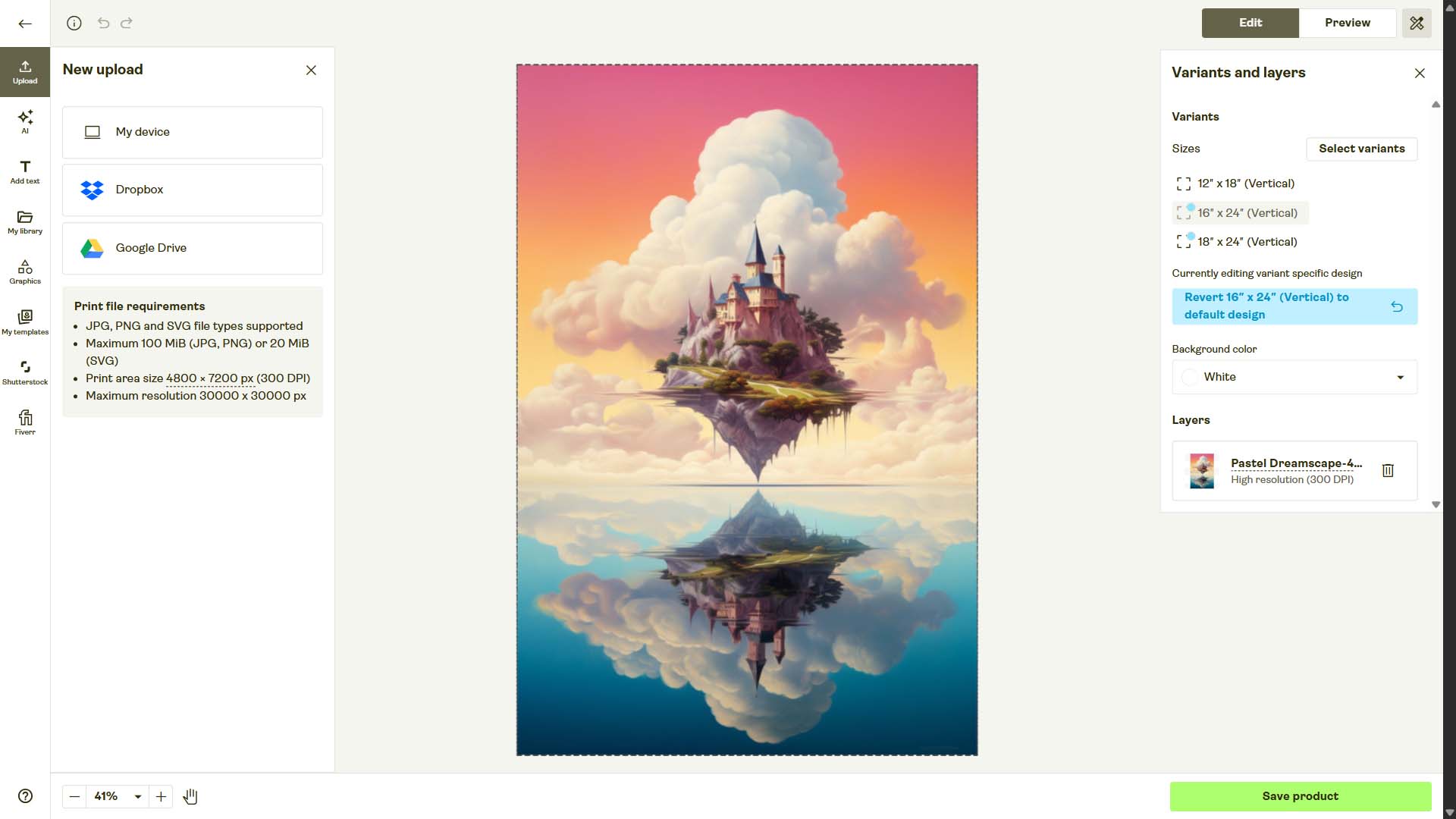
Enter Automation: The Bulk POD Product Creator
The Bulk POD Product Creator is built to solve this exact bottleneck. Instead of slogging through products one by one, this software lets you set up a few simple rules, point it at a folder of images, and generate hundreds of fully formed, SEO-ready POD products with a few button clicks.
The setup takes minutes, not hours:
- Load your artwork folder. Every file becomes the seed for a new product.
- Select an Example Product. This serves as your blueprint. All of its variants, print areas, and settings are copied automatically.
-
Choose placement logic. Three options:
- Stretch Images To Fit Print Area(s): fast and uniform coverage.
- Preserve Image Aspect Ratio & Center: no distortion; perfect for photography or typography.
- Exactly Match Example Image(s): pixel-perfect replication of placements from your blueprint.
- Set your content rules. Decide how titles, descriptions, and tags are generated—use file names, copy from your example, or let AI generate keyword-rich, image-aware text automatically. Append consistent suffixes (like “— Canvas Wall Art”) or boilerplate HTML for product details.
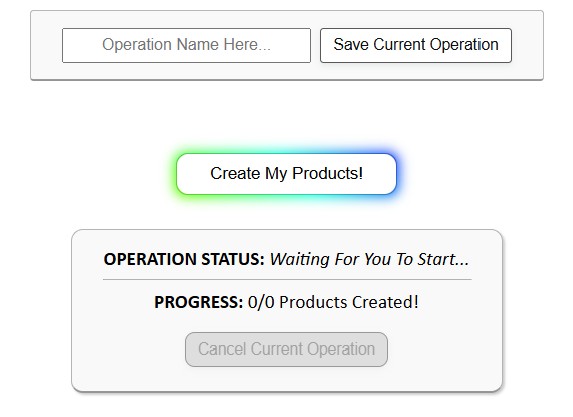
- Click “Create My Products.” The software processes your batch, applies your chosen rules, and publishes the products into your POD store on autopilot.
That’s it. Instead of manually building one product at a time, you create dozens—or hundreds—in minutes.

Why This Matters
- Time savings: Replace hours or days of clicking with a few minutes of setup.
- Consistency: Every listing inherits the same rules for placement, formatting, and SEO. No more sloppy mismatches.
- Scalability: Whether you’re uploading 10 images or 1,000, the process is identical and predictable.
- Error reduction: Automation removes the chance of forgetting to update a price, skipping a tag, or misaligning an image.
What this translates to is simple: freedom. Instead of babysitting your uploads, you’re free to focus on creative work, marketing, or scaling your catalog even further.
Using the Tool: Step-by-Step
- Select Images. Point the tool at your folder of finished artwork files (JPEG or PNG, typically up to 50MB each).
- Configure Placement. Select one of the three placement modes depending on your artwork type and goals.
- Choose a Store. Connect the POD store where you want products created (via API key).
- Pick an Example Product. This is your “gold-standard” listing—the blueprint that defines the variants, print areas, and baseline structure of every new product.
- Define SEO Rules. Choose between AI-generated vs. copied titles, descriptions, and tags. Add custom suffixes or evergreen tags as needed.
- Save the Setup (Optional). For recurring work, save your entire configuration as a “Saved Operation.” Next time, just load it and re-run with new images.
- Run the Batch. Press Create My Products and watch as your catalog grows in real time.


Bottom Line
Manual POD product creation is the single biggest bottleneck that prevents sellers from scaling. The Bulk POD Product Creator removes that bottleneck completely. With a few clicks, you can automatically create print-on-demand products from a folder of artwork images—freeing you to grow your business instead of drowning in busywork.
This is the foundation of POD automation. Once you’ve automated the product creation step itself, the next frontier is automating the visuals that power your listings: custom mockup images. That’s where Photoshop automation comes in, which we’ll cover in the next section.
2) Automating Custom Mockup Image Creation (Photoshop Plugin)
The Pain of Manual Mockup Creation
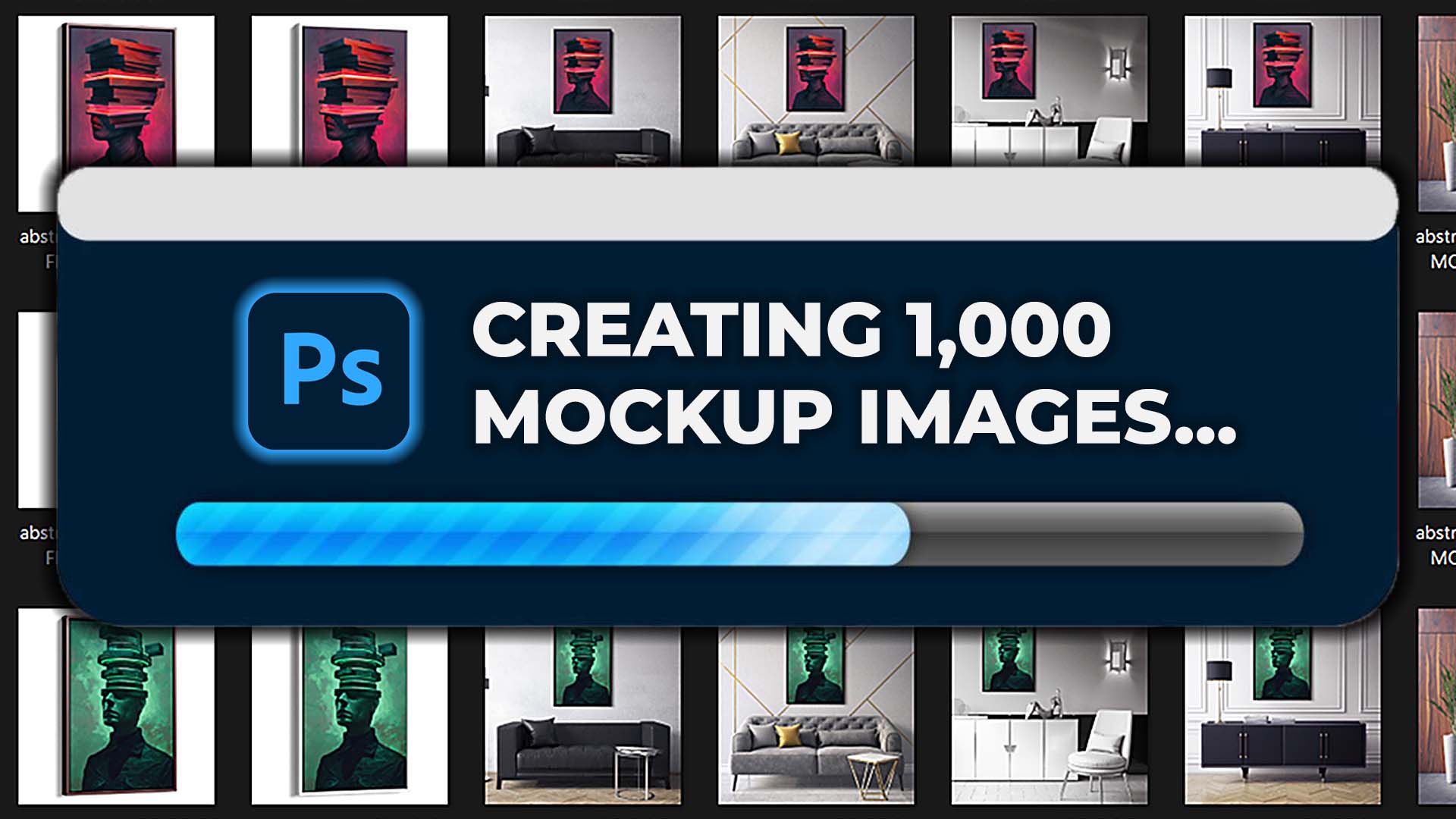
If you’ve ever built mockups manually in Photoshop, you already know the nightmare. Open a PSD file. Double-click into the smart object. Paste in your artwork. Resize it so it fits without distortion. Save the smart object. Check the alignment. Export to JPEG or PNG. Rename the file. Repeat for the next artwork. Then repeat again for the next mockup template.
This is tolerable if you only need one or two mockups. But in a serious POD workflow, you need dozens—often hundreds—of mockups for your store or ad campaigns. Manually, that can mean eight to ten hours of mindless clicking for a single batch. Every resize, every save, every export becomes another opportunity to slip up. Miss one alignment or mislabel a file and you either publish sloppy mockups or lose even more time backtracking.
The result: you spend an entire day generating the visuals that should have taken minutes.
Enter Automation: The Batch-Replace Smart Objects Plugin
The Batch-Replace Smart Objects plugin for Photoshop eliminates this problem entirely. Instead of repeating the same steps a hundred times, you configure the plugin once and let Photoshop do the work for you—hands-free.
Here’s how it works:
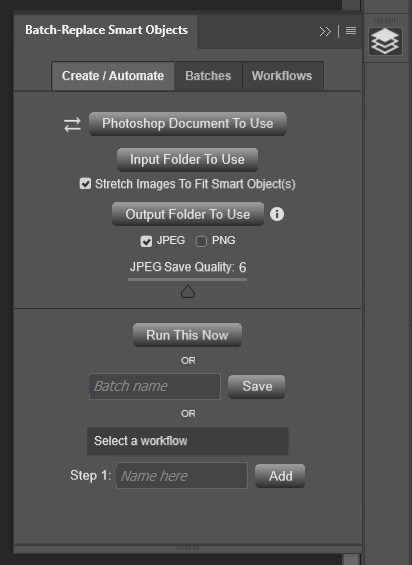
- Select a PSD mockup template. The plugin automatically detects the smart object layers inside it.
- Point to your artwork folder. Every image in the folder becomes input for the operation.
- Choose an output folder. The plugin exports finished mockups directly there.
- Set your rules. Decide whether to stretch images to fit smart objects, maintain aspect ratios, and choose export formats (JPEG vs PNG).
- Run the operation. Photoshop cycles through each artwork, drops it into the template, resizes if necessary, and exports the result.
That’s it. What once took hours is reduced to a couple of clicks. Whether you’re generating ten mockups or a thousand, the workflow is the same—and the time savings are enormous.
Core Features That Save You Hours
- Single PSD Mode: Perfect for when you want to generate a batch of mockups using one specific template. Select one PSD file, load your input folder of artwork, and the plugin cycles through them automatically.
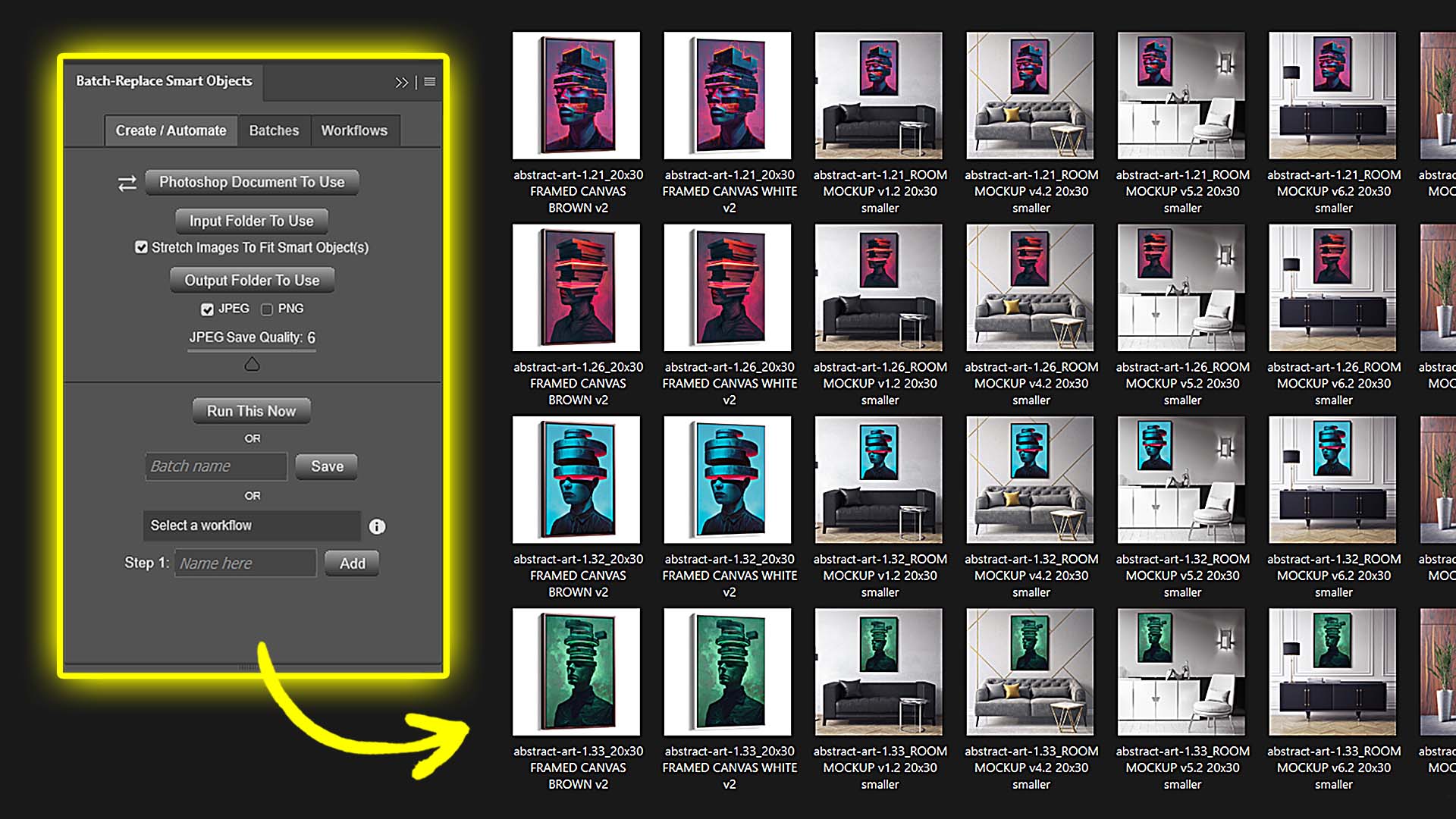
- Folder Mode: A serious time-saver. Point the plugin at an entire folder of PSD templates, and it runs each one in sequence. Artwork × template combinations multiply automatically. If you have 50 images and 10 templates, that’s 500 mockups—created in a single run.
- Stretch to Fit Smart Objects: If your artwork files come in mixed sizes or aspect ratios, the plugin automatically resizes them to fit perfectly inside the smart object dimensions—no cropping, no misaligned edges.
- Custom Export Settings: Export in JPEG or PNG, tweak quality settings, and control file size vs fidelity. Great for balancing high-resolution product images with lightweight web-optimized files.
- Saved Operations: Configure once, save it, and rerun the same operation later with zero setup. Perfect for recurring projects or standardized client deliverables.
- Workflows: Chain multiple saved operations together. For example:
- Step 1: Run all framed canvas mockups
- Step 2: Run all poster mockups
- Step 3: Run room scene mockups
- Multi-Smart-Object Support: If your PSD template has more than one smart object (e.g., front and back of a t-shirt, or a logo in two positions), you can select multiple layers, and the plugin will apply the same artwork to each simultaneously.
These features transform Photoshop from a manual design tool into a mockup factory on autopilot.
Why This Matters for POD Sellers
- Massive Time Savings: What once consumed an entire day can now be completed in minutes.
- Scalability: You’re no longer limited by how many mockups you can stomach creating manually—generate hundreds or thousands at once.
- Consistency: Every mockup follows the same rules. No off-center images, no inconsistent sizing, no forgotten exports.
- Professional Results: Automation ensures polished, aligned, and correctly exported mockups every time.
- Hands-Free Workflow: While Photoshop churns through your images, you’re free to focus on designing new artwork or running ads.
The bottom line: instead of wasting your creative energy on repetitive Photoshop clicks, you can fully automate mockup generation. That means more listings, more variations, and more opportunities to sell—without the burnout of doing it manually.
Step-By-Step: Running a Mockup Operation
- Open Photoshop and launch the Batch-Replace Smart Objects panel.
- Select your PSD template(s).
- Choose your input folder of artwork images.
- Set your output folder.
- Enable or disable stretch-to-fit depending on your artwork sizes.
- Pick export format (JPEG or PNG) and quality settings.
- Save the operation if you plan to reuse it later.
- Click Run This Now—and watch Photoshop do the rest.
Within minutes, you’ll have a full folder of professional-grade mockups, neatly organized and ready to upload to your POD store.
Bottom Line
Mockups are critical for selling POD products, but creating them manually in Photoshop is a time sink that holds sellers back. The Batch-Replace Smart Objects plugin transforms this workflow, letting you generate hundreds or even thousands of mockups automatically in Photoshop.
When paired with automated product creation, you now have two of the biggest POD bottlenecks—listings and mockups—solved with automation. The next frontier is automating the artwork itself, which we’ll cover in the following section.
3) Automating Artwork Creation (AI Image Generators)
(For a comprehensive deep-dive into the subject of AI artwork generation, including powerful time-saving/automation strategies, check out our dedicated long-form blog post: "How To Automate The Creation of AI Images For Print-on-Demand")
The Bottleneck: Creating Enough Artwork
For many POD sellers, the artwork itself is the biggest bottleneck. Sure, you can create listings and mockups manually, but if you don’t have a steady supply of compelling designs, your store stagnates. Traditionally, that meant either:
- Designing each piece yourself (slow and limited by your own time/skills).
- Hiring freelancers or buying artwork packs (expensive, inconsistent, and often not truly unique).
Neither approach scales. Manually designing 50 or 100 artworks can take weeks. And paying for every design eats into your margins before you even make a sale.
The result is that many sellers end up with small, stale catalogs that never reach their full sales potential.
Enter Automation: AI-Generated Artwork
This is where modern AI image generators like Midjourney, Stable Diffusion, or DALL·E change the game. Instead of painstakingly designing each artwork, you can feed these systems text-based prompts—and they’ll instantly generate high-quality, unique artwork images.

Here’s the workflow:
- Create a batch of prompts. Use ChatGPT to brainstorm descriptive, varied prompts. For example, “Surreal landscape painting with glowing moons and purple mountains —ar 3:2.”
- Organize prompts in a spreadsheet. Each row is a new design.
- Feed prompts into Midjourney. Keep your spreadsheet open on one side of your screen and Discord/Midjourney on the other. Copy/paste, generate, repeat.
- Curate in real time. For each prompt, pick the best variation, upscale it, and save it to your artwork folder.
- Rinse and repeat. With this system, you can generate dozens (or even hundreds) of unique artworks in a single session.
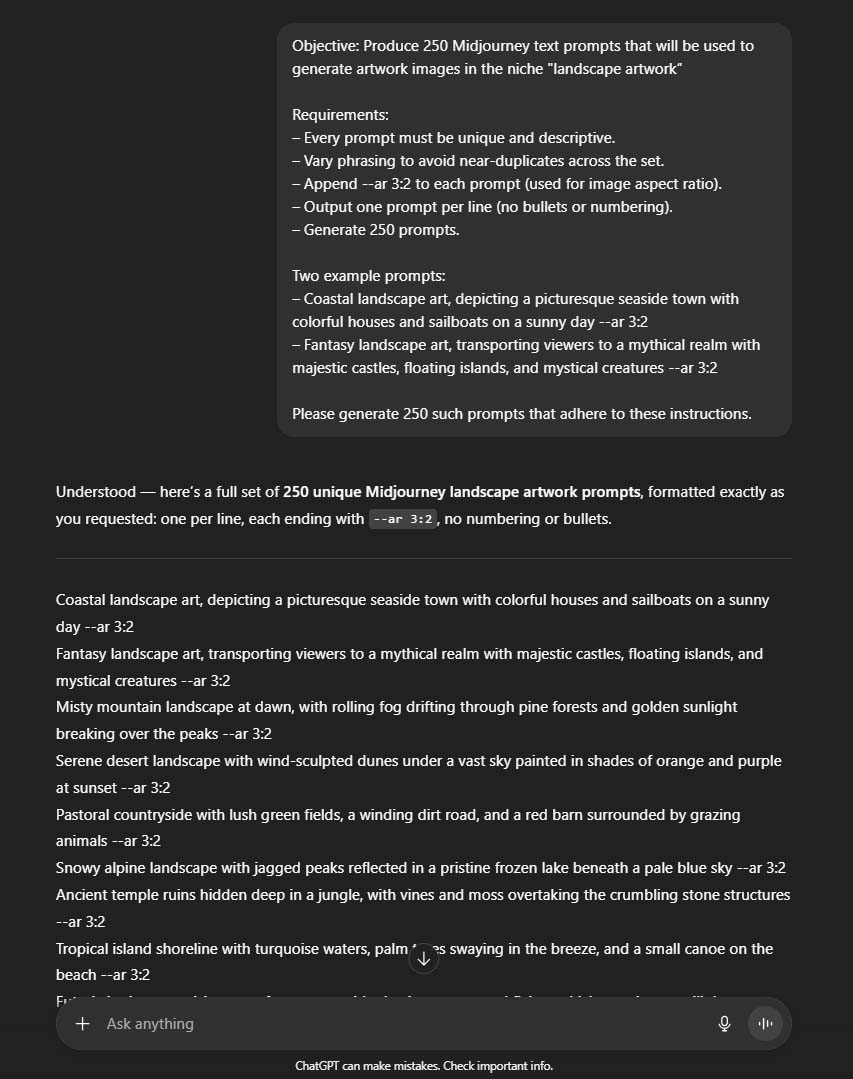

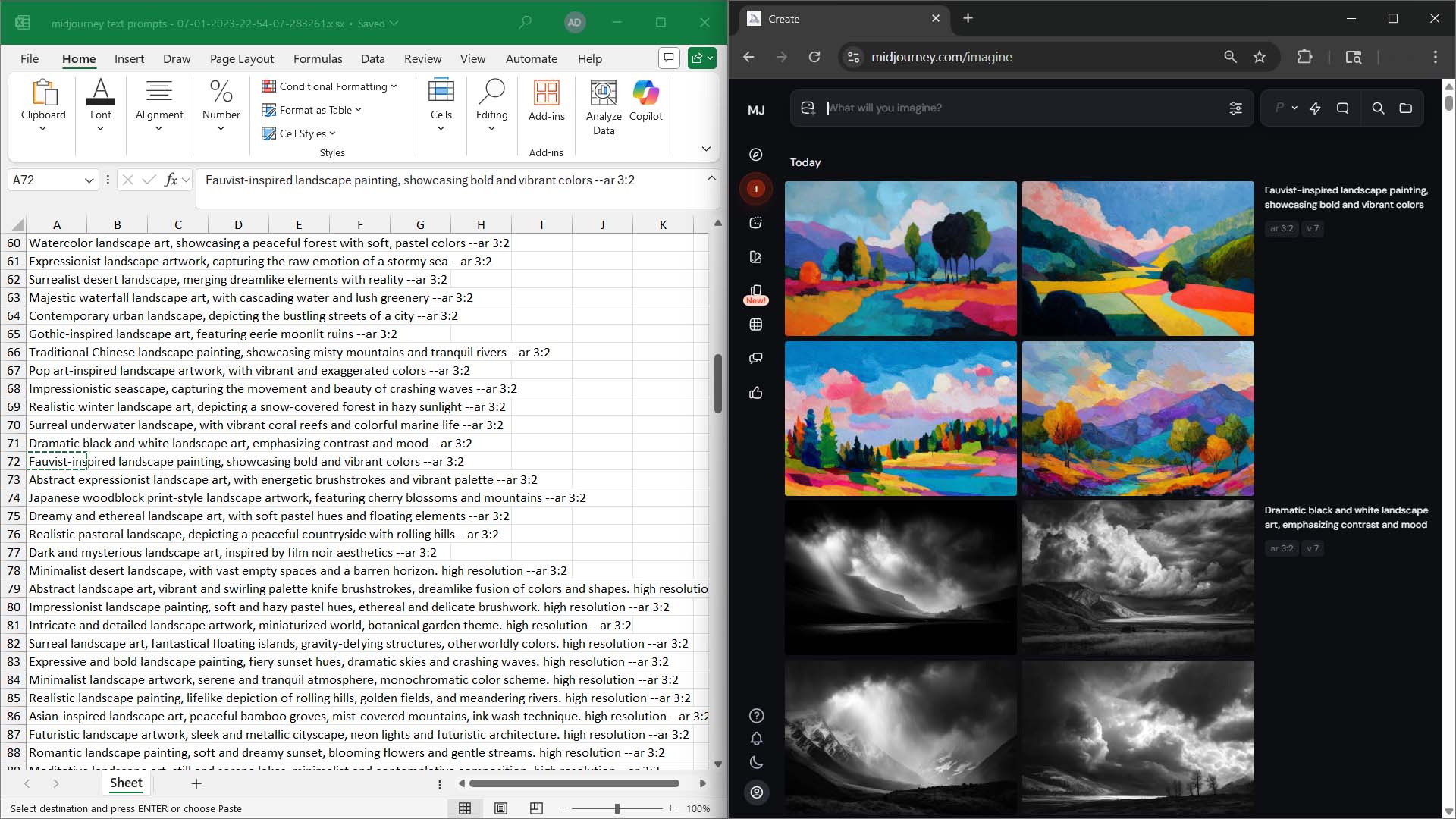
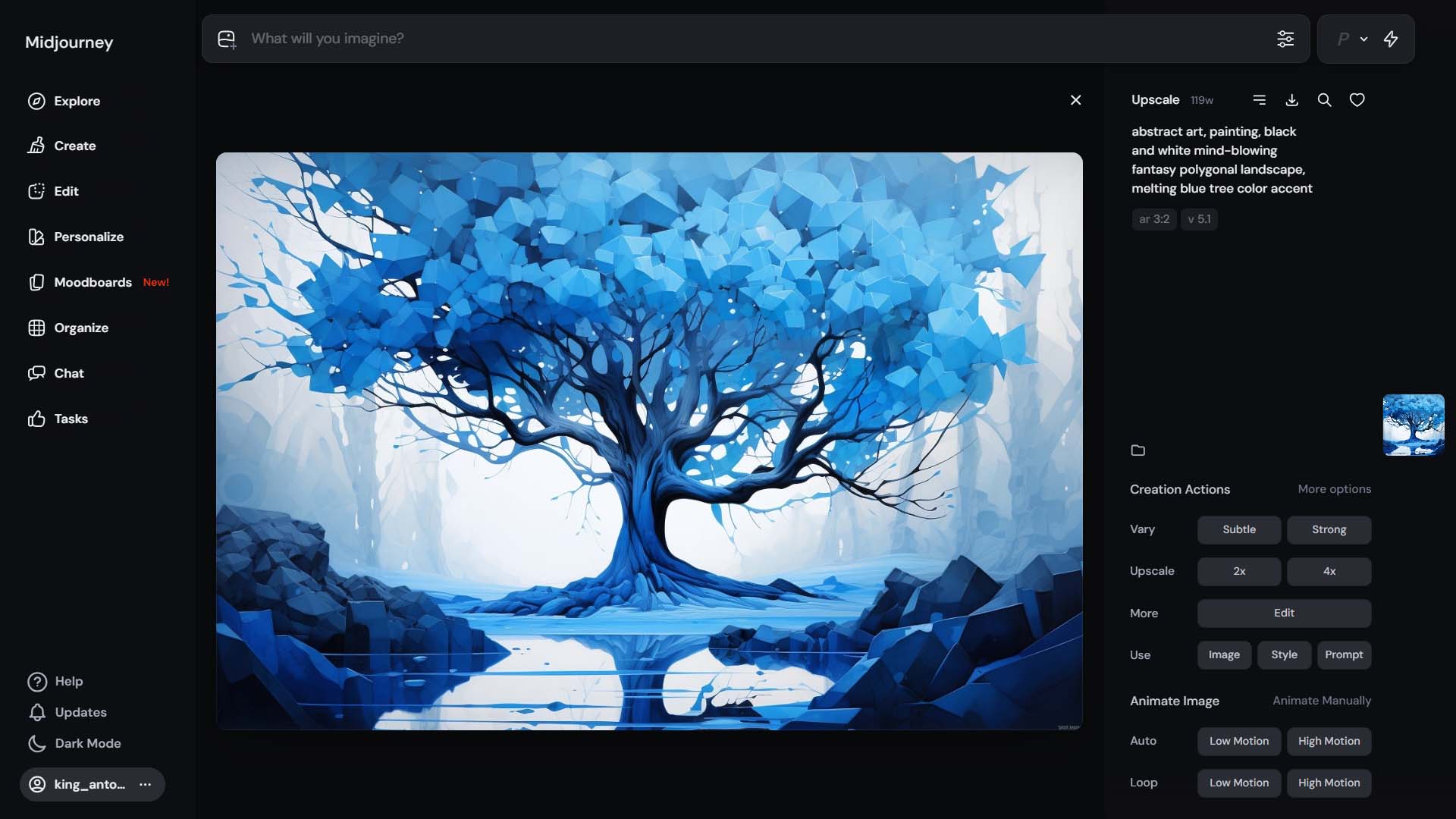
This isn’t about blindly spamming the generator. It’s about scaling your creative throughput—turning what used to be a weeks-long process into an afternoon’s work.
Why This Matters for POD Sellers
- Volume: Create 50, 100, or even 500 artworks in the time it used to take to create just a handful.
- Variety: Cover more niches, styles, and themes—landscapes, abstracts, patterns, portraits, you name it.
- Cost Efficiency: Once you have a subscription to an AI tool, every new artwork is essentially free.
- Inspiration: Even if you don’t use the AI outputs directly, they can serve as idea-starters for your own designs.
The bottom line: AI gives you infinite creative leverage. Instead of being limited by your personal skills or budget, you can generate new, unique artwork at the pace your business demands.
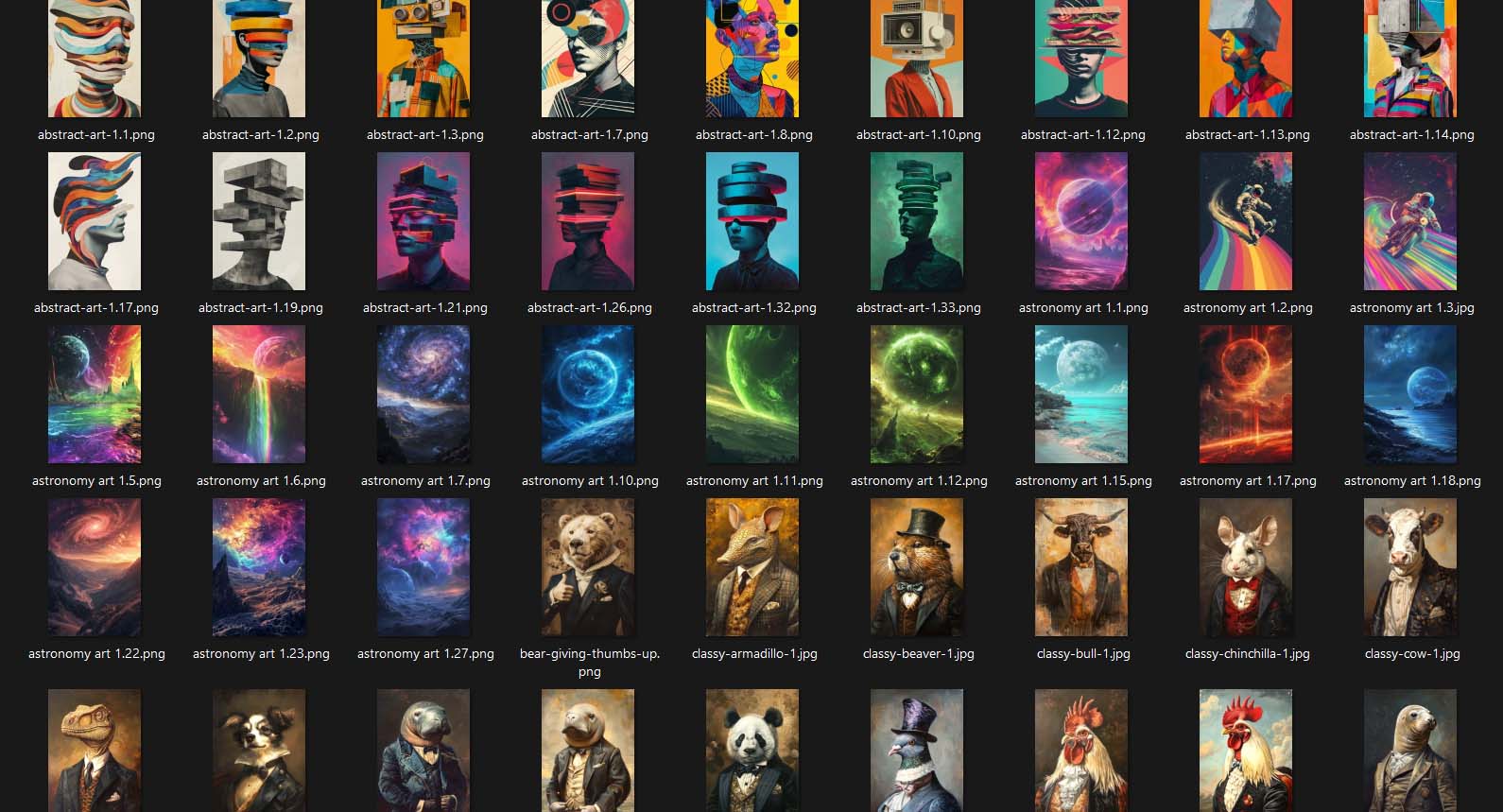
The Power Combo: Stacking All Three Automations
Individually, each of these automation strategies is powerful. But when you combine them, you unlock something truly game-changing:
- AI-generated artwork gives you an endless supply of fresh designs.
- Automated product creation pushes those products live into your POD store with SEO-friendly titles, descriptions, and tags.
- Automated mockup creation transforms those designs into polished, professional product images at scale.
In other words: you can go from idea → artwork → mockups → live products in hours, not weeks. The process is repeatable, consistent, and scalable.
Instead of burning yourself out juggling dozens of manual tasks, you simply:
- Generate artwork images at scale via Midjourney.
- Automate POD product creation via the Bulk POD Product Creator.
- Automate mockup image creation via Photoshop using the Batch-Replace Smart Objects plugin.
Everything else runs on autopilot.
Conclusion
Scaling a print-on-demand business used to mean long hours of grinding through repetitive tasks: creating artwork, making mockups, and uploading products one by one. That model doesn’t scale—and it’s why so many sellers get stuck.
With today’s automation tools, those bottlenecks disappear. You can generate artwork at scale with AI, turn it into polished visuals with Photoshop automation, and push it live with the Bulk POD Product Creator.
The result isn’t just more products—it’s more freedom. Freedom to focus on creative direction. Freedom to test more niches. Freedom to spend your time marketing and growing your business, instead of babysitting uploads.
If you’re serious about building a POD business that scales, automation isn’t optional—it’s essential. The sellers who adopt it will build catalogs 10x larger, test ideas 10x faster, and earn income 10x sooner.
Now the only question is: are you ready to automate your print-on-demand product creation?