
Etsy Bulk Listing Creator For Print-on-Demand: Publish Way More Products On Your Shop Much Faster
Overview: This guide shows how to dramatically increase publish velocity on Etsy by creating many more high-quality listings in far less time. You’ll see why a larger catalog drives revenue, why manual listing is a bottleneck, and how to use the Bulk POD Product Creator as your “Etsy bulk listing creator” to automate image placement, clone a proven Example Product, and generate SEO-ready titles, descriptions, and tags at scale.
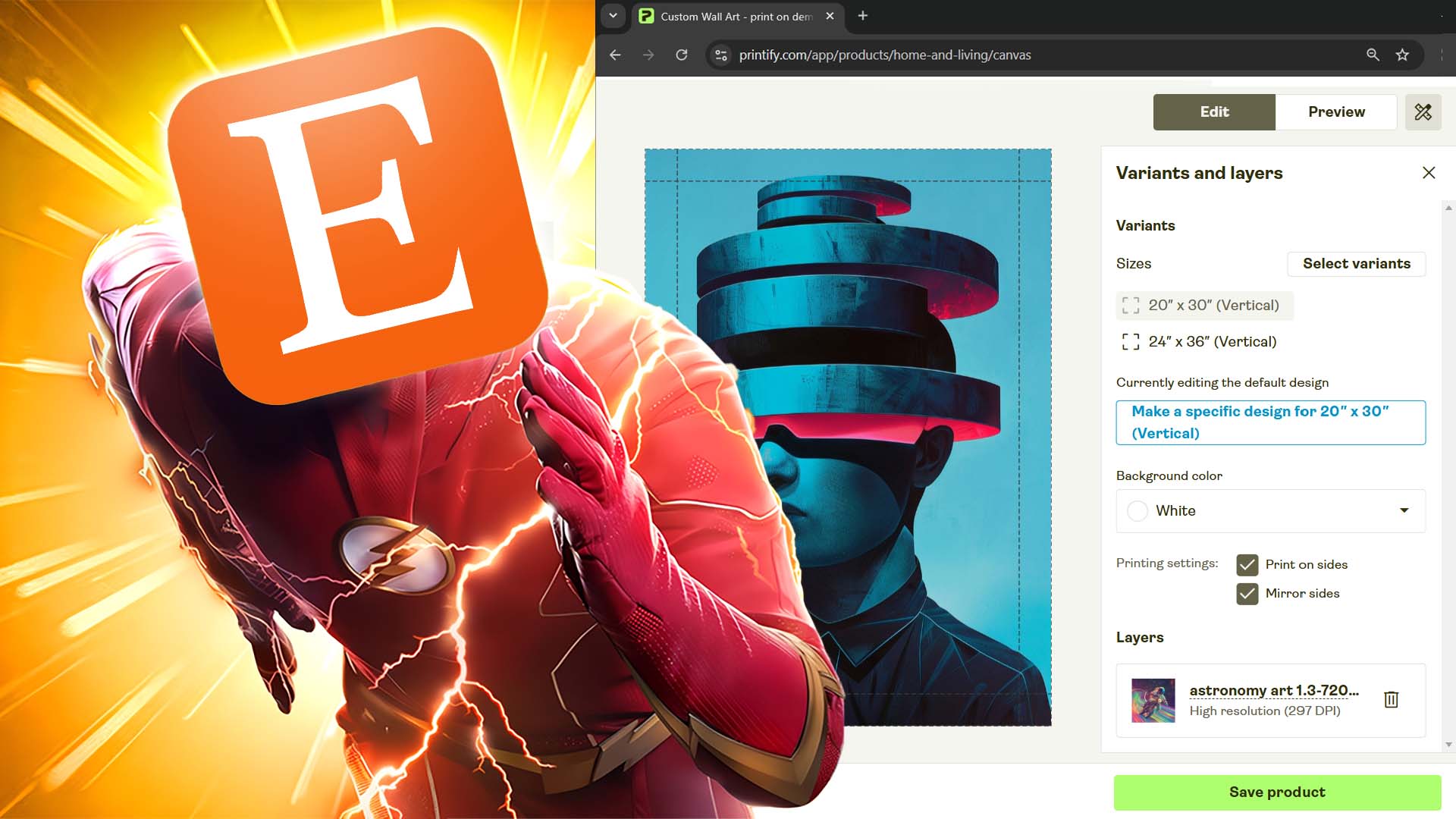
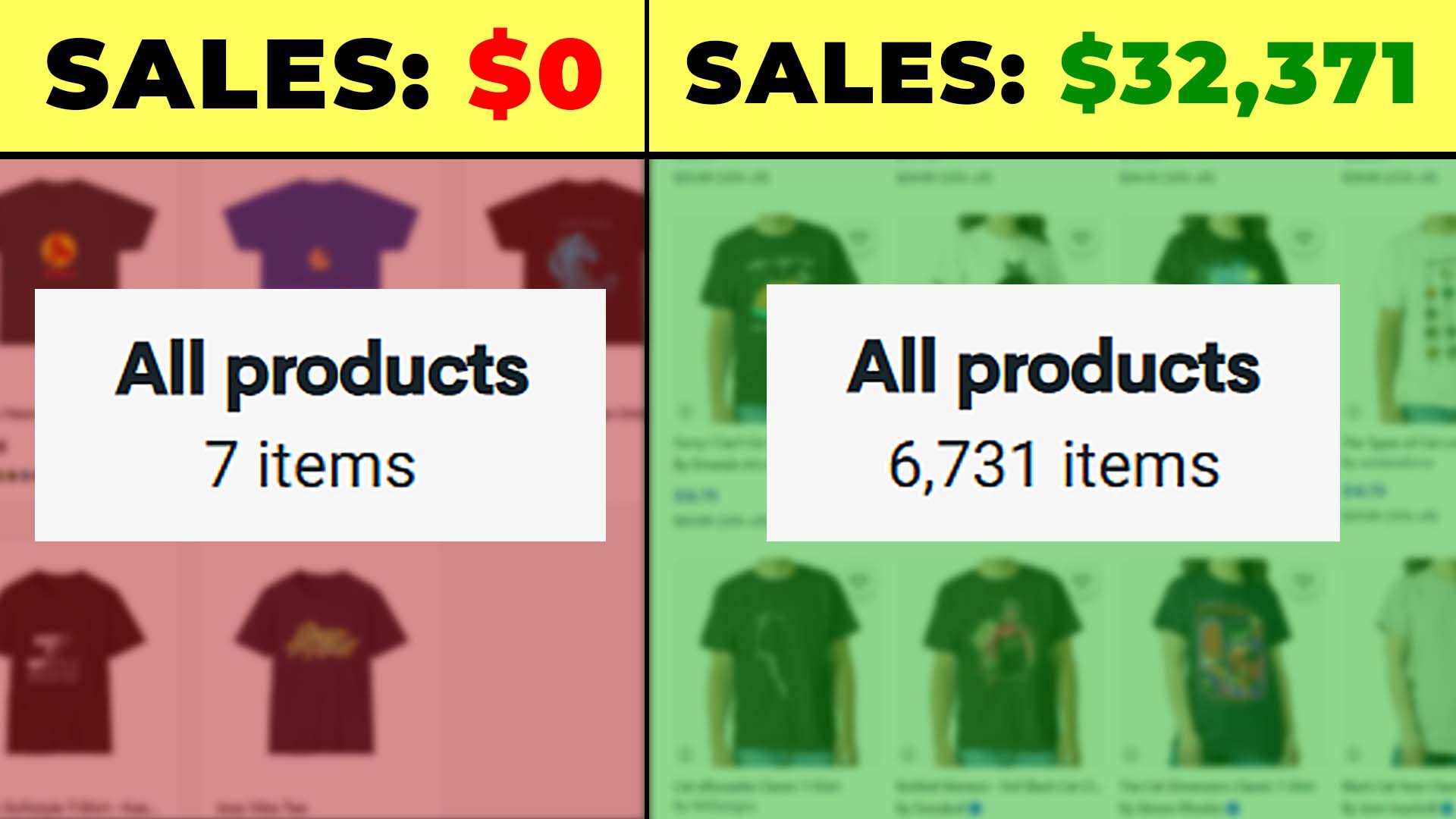
Why “More Etsy Listings” Usually Means “More Sales” (All Else Equal)
If your artwork is solid and your store fundamentals are in order, the fastest way to grow revenue on Etsy is simple: publish more relevant, high-quality listings. Each new SKU is a fresh landing page that can rank for different search phrases and attract a slightly different buyer. At scale, this widens the surface area through which shoppers can discover you.
Here’s why a larger catalog reliably moves the needle:
- More entry points → more organic traffic. Every listing gives you another shot at a buyer’s exact query. Ten pages catch a few searches; hundreds or thousands catch the long tail you’re currently missing.
- Higher session duration and better engagement. Depth keeps shoppers browsing. More time-on-site, more clicks, and more “related item” exploration correlate with higher conversions and feed positive engagement signals back to Etsy’s ranking systems.
- Higher average order value (AOV). A broader selection increases the odds a visitor finds multiple pieces they like—similar themes, complementary colorways, or different sizes/materials of the same motif.
- Better price realization. When a product feels like a perfect match, price sensitivity drops. Wider variety makes “perfect match” moments more common.
- Richer long-tail coverage. More listings = more titles/descriptions/tags that line up with specific, high-intent searches.
- Credibility and trust. A robust, coherent catalog looks professional and stable—buyers notice.
Rule of thumb: if quality is held constant, more (relevant) listings generally equals more revenue.
The Problem: Manually Creating Etsy POD Listings Is Slow, Boring, and Expensive (in Time)
You already know the grind:
- Pick a base product (poster, canvas, tee, tote, mug, etc.).
- Select variants (sizes, colors, materials, orientations).
- Upload artwork, then resize/reposition for each print area.
- Write titles, descriptions, and tags that are accurate and SEO-sound.
- Set prices and margins across variants.
- Save, publish, preview, fix minor placement issues, repeat.
Even if you’re quick, you’ll spend 10–15 minutes per listing to do it properly. That is a week of clicking and typing for a few hundred SKUs. Worse, quality tends to degrade as fatigue sets in.

The Solution: A Bulk Etsy Listing Creator Built for POD Sellers
Meet the Bulk POD Product Creator—a practical bulk Etsy listing creator for print-on-demand. It lets you:
- Upload a batch of artwork images (dozens or hundreds).
- Clone a proven Example Product (your role model) for each image—variants, prices, settings, and options included.
- Automatically place and size each image according to your rule (full-bleed, preserve ratio, or mirror your example).
- Auto-generate SEO titles, descriptions, and tags using AI image recognition (or copy from your template if you prefer).
- Publish at scale—entire collections created on autopilot.
In other words: you do the creative selection once, the tool does the repetitive listing work for every image.

How It Works (High-Level)
- Select your artwork images.
- Choose a placement/resize rule that tells the tool how to fit each image into the product’s print area(s).
- Connect your store and pick an Example Product to clone.
- Define New Product Creation Rules for titles, descriptions, and tags (copy or AI, with optional custom text/HTML and custom tags).
- Click “Create My Products.” The software handles product creation, placement, pricing/variants, and SEO copy—in bulk.
Operation Setup: A Concise (But Complete) Walkthrough
Step 1 — Select Images & Choose Placement/Resize Rules

Upload the artwork you want turned into Etsy listings. Then pick how images should be fit into the print areas across all variants. The right choice depends on your product type and design style:
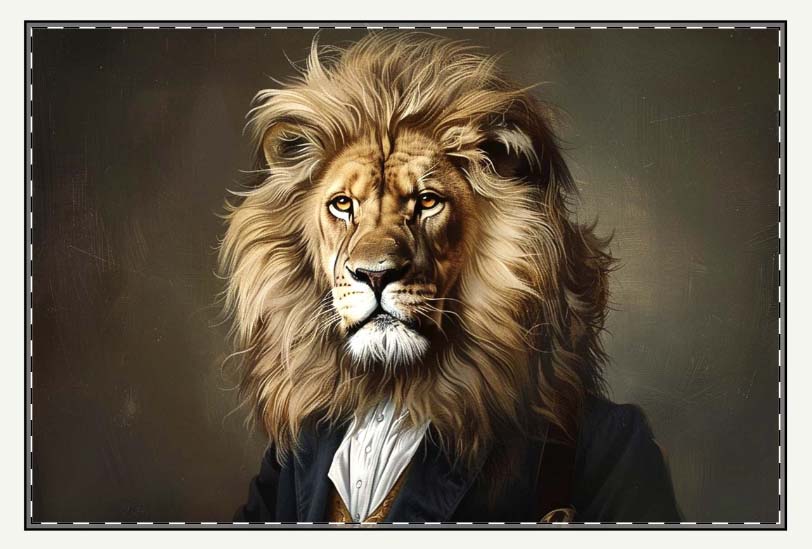
A) Stretch to Fit (full-bleed coverage)
- What it does: Scales the image to fill the entire print area. If your variants have slightly different aspect ratios (e.g., 18×24 vs 20×30 posters), each will still look “edge-to-edge.”
- When it shines: Posters, canvases, framed prints—anything where full-bleed coverage is the goal. Great when you’ve mixed aspect ratios in one listing.
- Trade-off: If the artwork contains rigid geometry or text, stretching can introduce subtle distortion. For photos and abstract art, it’s usually ideal.
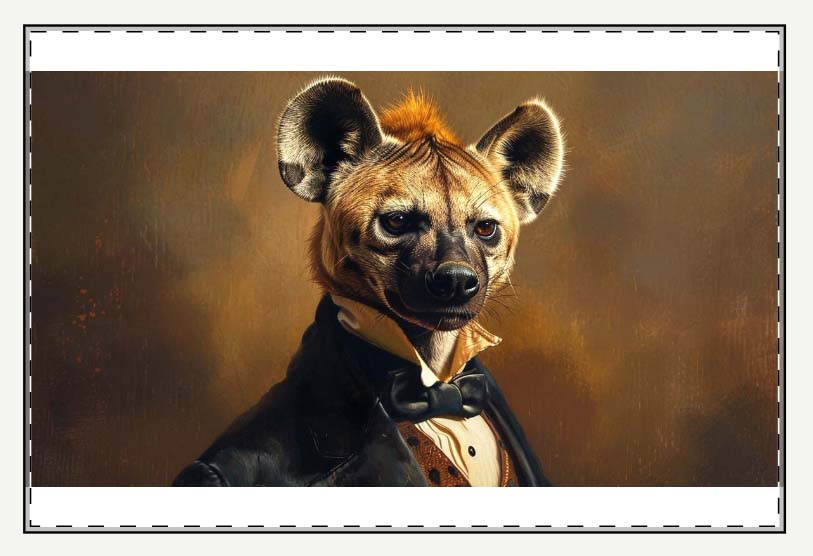
B) Preserve Aspect Ratio & Center (no distortion)
- What it does: Resizes proportionally and centers the image. Composition integrity is preserved.
- When it shines: Graphic tees or designs with text/logos/precise geometry. Also great for brand styles where exact composition matters.
- Result: No squashing. Depending on the print area and aspect ratio, you may intentionally have margins or unprinted space.
C) Exactly Match Example (mirror your dialed-in placement)
- What it does: Copies the exact placement/scale from your Example Product.
- When it shines: Complex products (mugs, totes, wraps) where pixel-consistent placement is critical. If you’ve already perfected a layout, this guarantees uniformity across the batch.
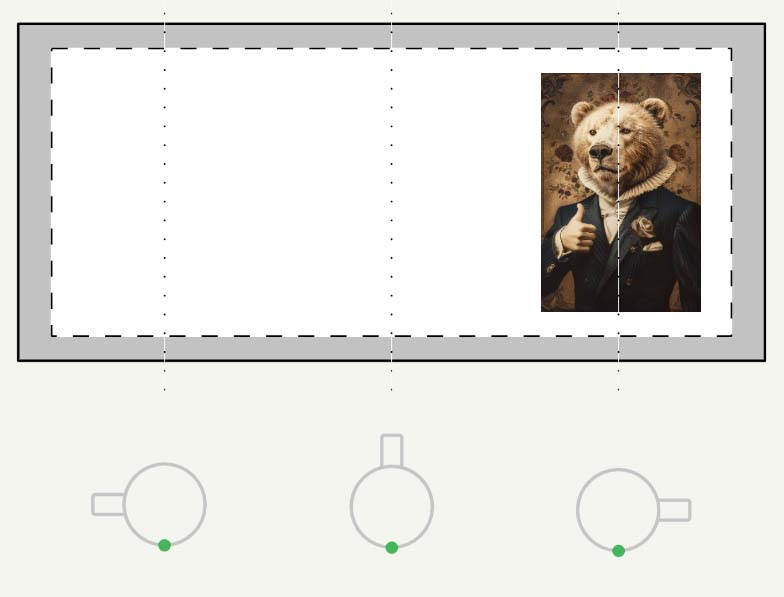
Quality assist: The tool can upscale images during processing so you hit print-quality thresholds without a separate Photoshop step.
Step 2 — Connect Your Store & Choose an Example Product (Your “Role Model”)

This is where bulk creation becomes concrete.
- Connect once via API token to your POD platform that syncs to Etsy (or to your Etsy-connected provider).
- Choose a single Example Product—the product you want to replicate for each artwork image.
What carries forward:
- Variant structure: sizes, orientations, materials, colorways, default variant.
- Pricing & margins: per-variant price rules are cloned.
- Placement (if selected): if you chose “Exactly Match Example,” the system mirrors that placement for every new product.

Best practices:
- Pick a known-good, QA’d example—one you’ve already previewed across variants.
- If you sell multiple aspect-ratio families (2:3, 3:4, square), consider a separate Example Product per family and run separate operations for cleaner previews.
- Sanity-check a tiny batch (3–5 products) before you unleash a 200-image drop. Fix once; scale many.
Step 3 — New Product Creation Rules (Titles, Descriptions, Tags)

This is where you tell the system how to write the product info for every new Etsy listing. You can copy from the Example Product (useful for quick tests) or switch to Generate Using AI (recommended for scale and discovery). Each field—Title, Description, Tags—can be configured independently.
A) Titles
Options:
- Use image filename (fastest; decent for controlled pipelines where filenames are descriptive).
- Generate Using AI (best for accuracy and SEO).
- Custom text: prepend or append standardized phrases (e.g., “— Poster Wall Art”, “— Canvas Print”, “— Unisex Tee”).
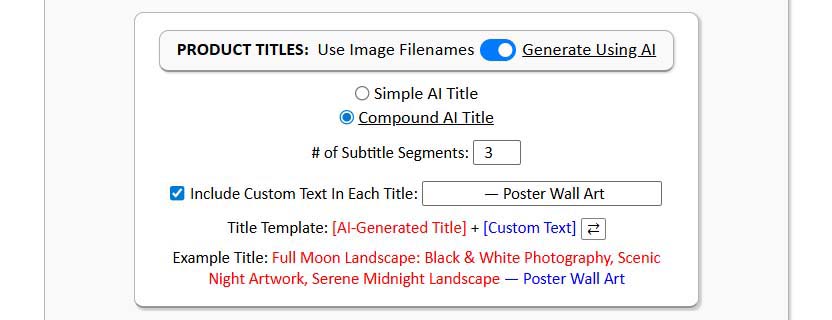
Simple vs. Compound titles:
- Simple: a concise, human-readable summary of the artwork (e.g., “Full Moon Over Pines”). Great for curated shops and minimalist brand voice.
- Compound: a simple “root” followed by 1–2 brief subtitle segments that capture subject, style, palette, or context (e.g., “Full Moon Over Pines: Black & White Photography”). Compound titles tend to match more long-tail searches without becoming spammy.
- Keep it tight. Long titles get truncated in Etsy surfaces; 1–2 subtitles is usually the sweet spot.
- Place the product noun in the suffix (“Poster Wall Art”, “Canvas Print”, “T-Shirt”) to align with buyer phrasing and improve click-through.
Practical mapping (query → title coverage):
- Query: “black and white moon landscape poster” → Title elements: “moon”, “black & white photography”, suffix “— Poster Wall Art”.
- Query: “serene night landscape wall art” → Title elements: “serene night”, “landscape”, suffix “Wall Art”.
- Query: “astronaut canvas print” → Title elements: “astronaut”, suffix “— Canvas Print”.

Guardrails:
- Don’t keyword-stuff. Favor readability + coverage over density.
- Capitalize sensibly (Title Case or Sentence case—just be consistent).
- Use the same title template across the batch for a professional, uniform catalog.
B) Descriptions
Let the AI generate 1–2 paragraphs that naturally cover subject, style, composition, palette, mood, and any notable details. This content adds semantic depth and captures queries your title alone won’t catch.
Then append your Custom HTML (optional) with standardized, product-level info:
- Materials and finish (e.g., museum-quality matte paper; canvas specs).
- Available sizes/variants and fit guidance (for apparel).
- Care instructions and usage suggestions.
- Shipping/handling or framing notes (if applicable).

Why this works:
- The AI paragraphs create unique, artwork-specific language that helps discovery.
- The HTML block answers buyer questions and stabilizes your brand voice across listings.
Practical mapping (query → description/HTML coverage):
- Query: “surreal architectural portrait poster” → AI prose covers “surreal”, “architectural elements”, and your HTML mentions “poster”.
- Query: “matte paper wall art black and white” → AI prose mentions “black & white”; HTML covers “museum-quality matte paper” and “wall art”.
- Query: “gift for modern home office decor” → AI/HTML mentions “modern living room or office”, “indoor use”, and size options.
C) Tags
Use AI to propose artwork-specific tags (subjects, styles, colors, motifs), then append your custom tags to enforce store-wide patterns:
- Product-level custom tags: “poster”, “wall art”, “prints”, “home decor”, “canvas print”, “t-shirt”.
- Collection-level custom tags: “astronaut artwork”, “New York photography”, “mid-century abstract”, etc.
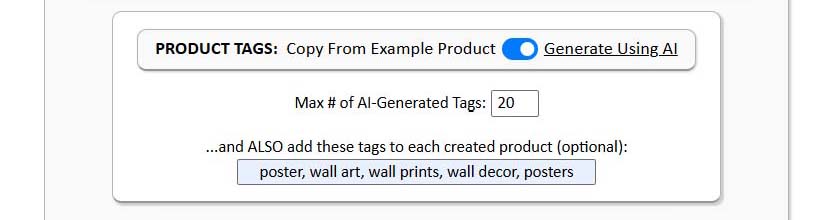
Guidance:
- Mix specific + broad tags so listings are discoverable in both niche and general searches.
- Respect the marketplace’s tag count and formatting rules.
- Keep a reusable tag set for each product family so you don’t reinvent the wheel.
Click "Create My Products" — Then Let It Run
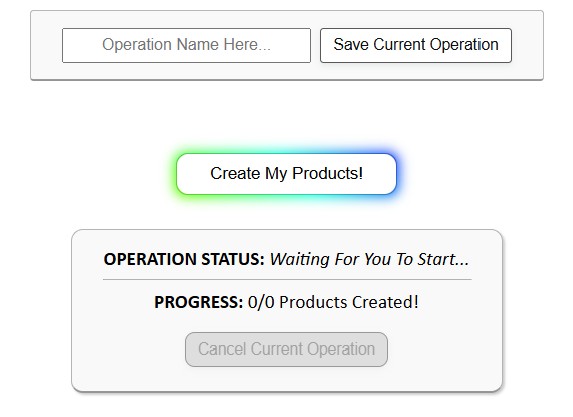
With Steps 1–3 set, name the operation (optional) and press Create My Products. The system will:
- Place each image according to your chosen rule (full-bleed, preserve ratio, or match example), upscaling if needed to meet print quality.
- Clone your Example Product’s variants, pricing, and settings for each artwork.
- Generate or copy the Title, Description, and Tags per your rules.
- Create the products on your Etsy-connected POD platform automatically.
You can watch progress as the counter advances through the batch. If you validated a small QA run first, you can comfortably kick off larger drops and work on higher-leverage tasks while the operation completes.
Save Operations → Load Later (Launch New Drops in ≈ 20 Seconds)

Everything you configured—placement mode, Example Product, title template, description length + HTML, tag setup, pricing discipline—can be saved as a named Operation.
Next time:
- Load Saved Operation from the dropdown.
- Choose Files (your new image batch).
- Click Create My Products.
That’s it. No reconfiguration. Your conventions remain consistent across releases, and new collections ship in minutes.
Examples of Real POD Products Created By This Tool
Example 1: "Fragments of Thought: Surreal Architectural Portrait, Black and White Brutalist Art — Poster Wall Art"
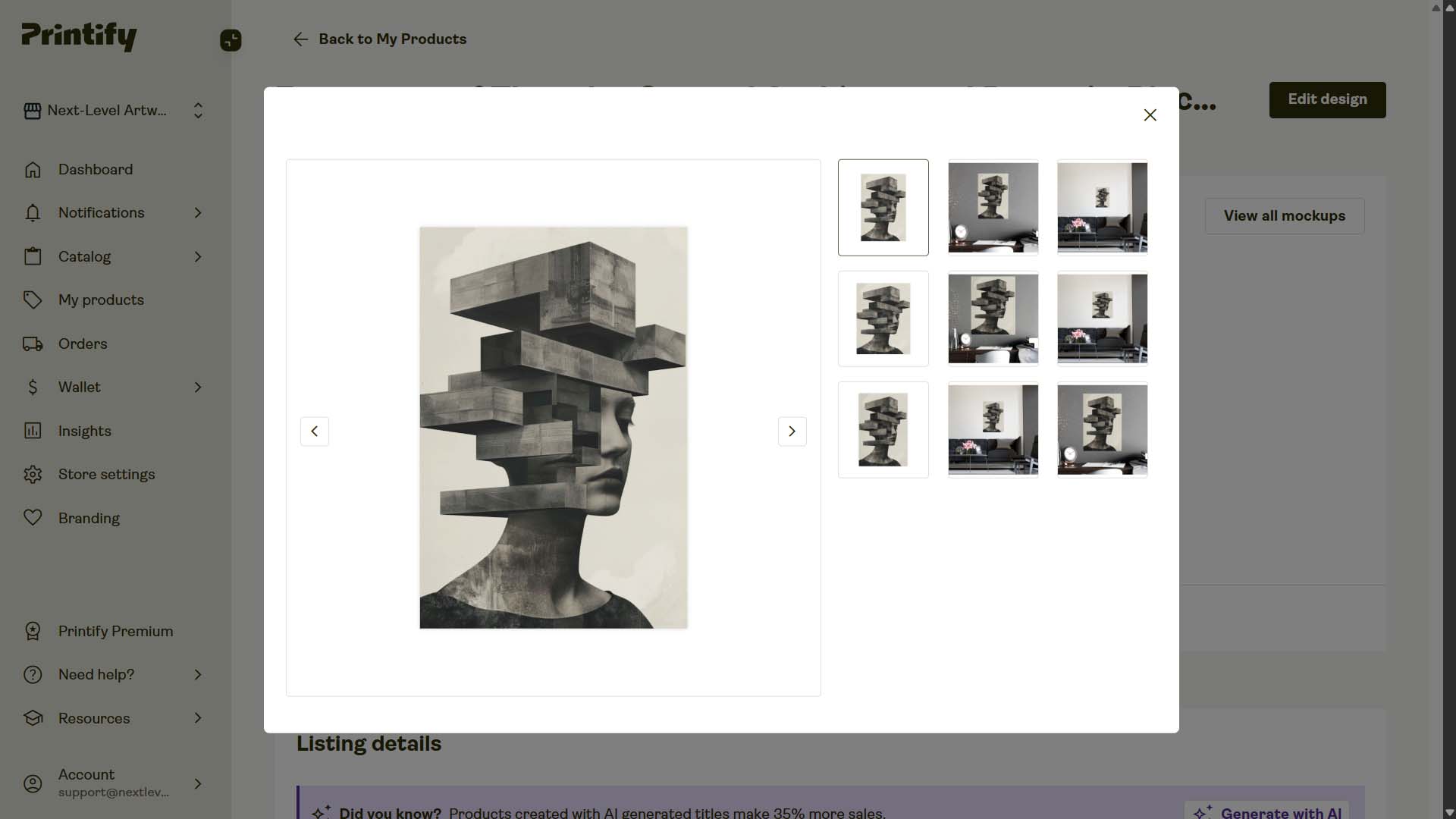
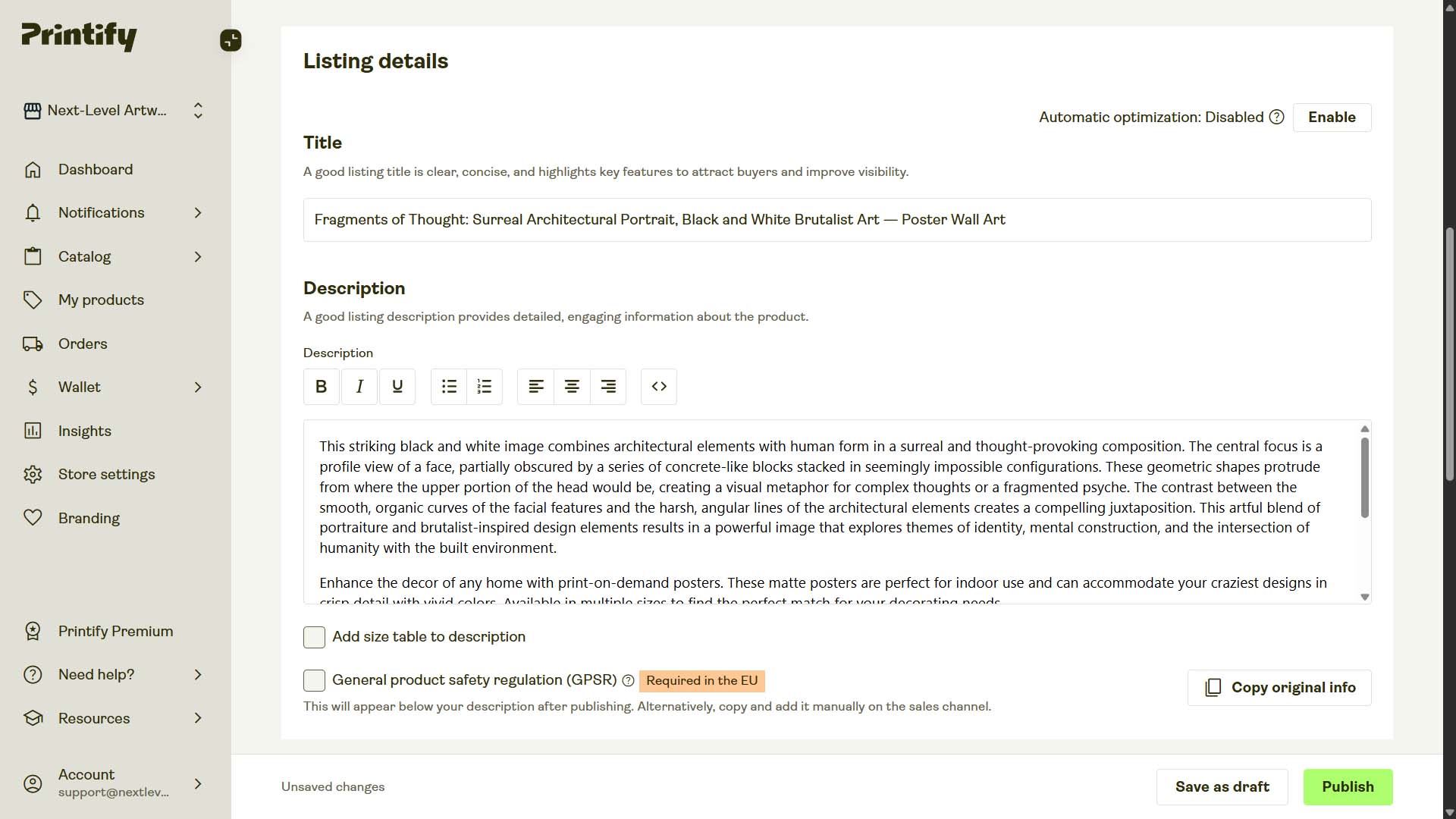
- AI-Generated Title: "Fragments of Thought: Surreal Architectural Portrait, Black and White Brutalist Art"
- Appended Custom Title Text: " — Poster Wall Art"
- AI-Generated Description: "This striking black and white image combines architectural elements with human form in a surreal and thought-provoking composition. The central focus is a profile view of a face, partially obscured by a series of concrete-like blocks stacked in seemingly impossible configurations. These geometric shapes protrude from where the upper portion of the head would be, creating a visual metaphor for complex thoughts or a fragmented psyche. The contrast between the smooth, organic curves of the facial features and the harsh, angular lines of the architectural elements creates a compelling juxtaposition. This artful blend of portraiture and brutalist-inspired design elements results in a powerful image that explores themes of identity, mental construction, and the intersection of humanity with the built environment."
- Appended Description HTML:
<p>Enhance the decor of any home with print-on-demand posters. These matte posters are perfect for indoor use and can accommodate your craziest designs in crisp detail with vivid colors. Available in multiple sizes to find the perfect match for your decorating needs.</p> <p> • Material: 180 gsm fine art photo paper<br /> • Matte paper finish<br /> • 10 sizes to choose from<br /> • Horizontal and vertical options available<br /> • Scratch and water resistant<br /> • For indoor use only </p> - AI-Generated Tags: "geometric portrait artwork, brutalist inspired design, fragmented psyche art, surreal architecture portrait, identity and construction theme, architectural surrealism, abstract face composition, concrete block design, human form and geometry, modern surrealist artwork"
- Appended Custom Tags: "poster, posters, poster wall art, wall art prints, wall decor, wall prints, wall posters"
Example 2: "The Aristocratic Pigeon: Victorian Bird Portrait, Whimsical Animal Art — Poster Wall Art"
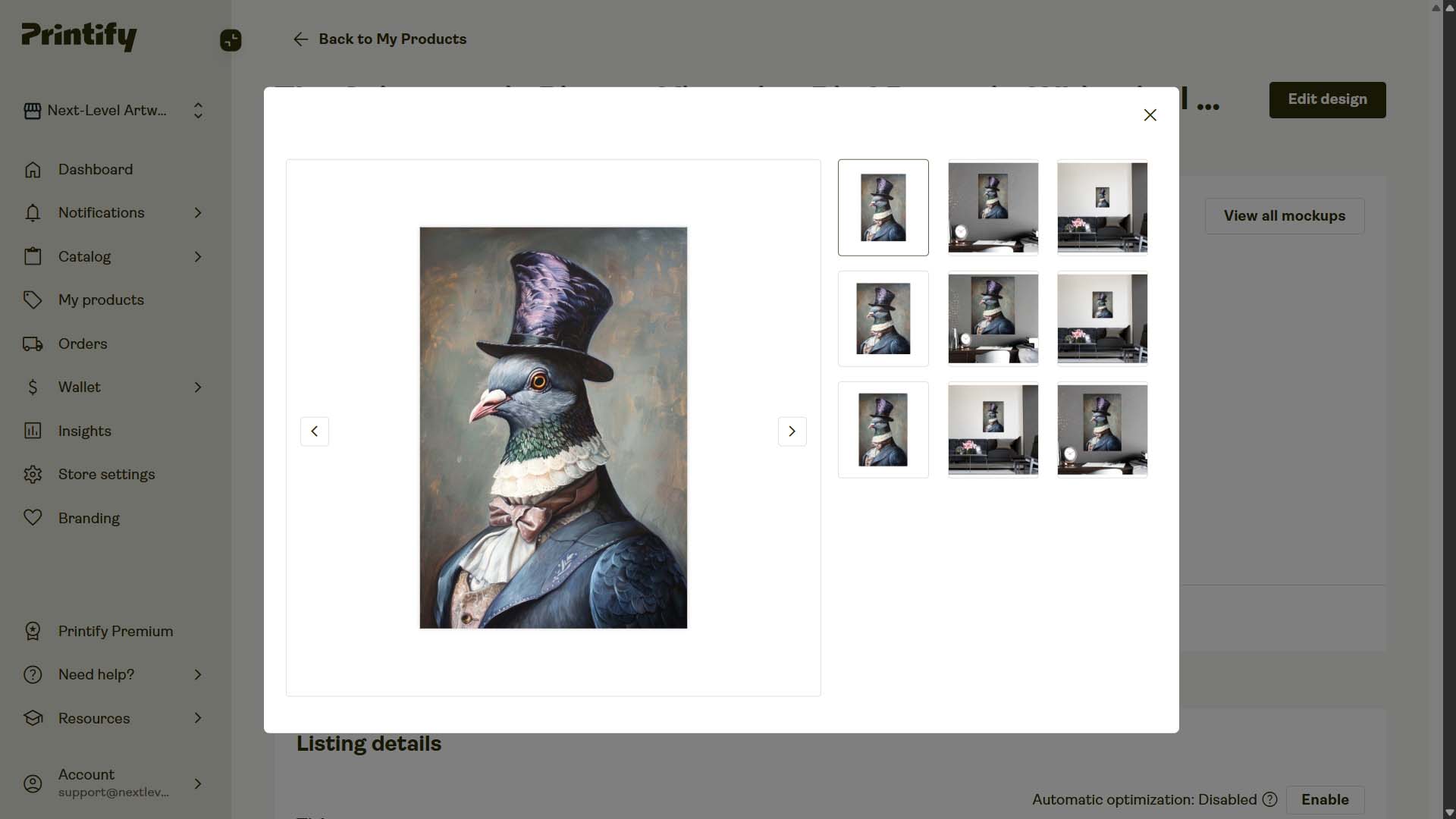
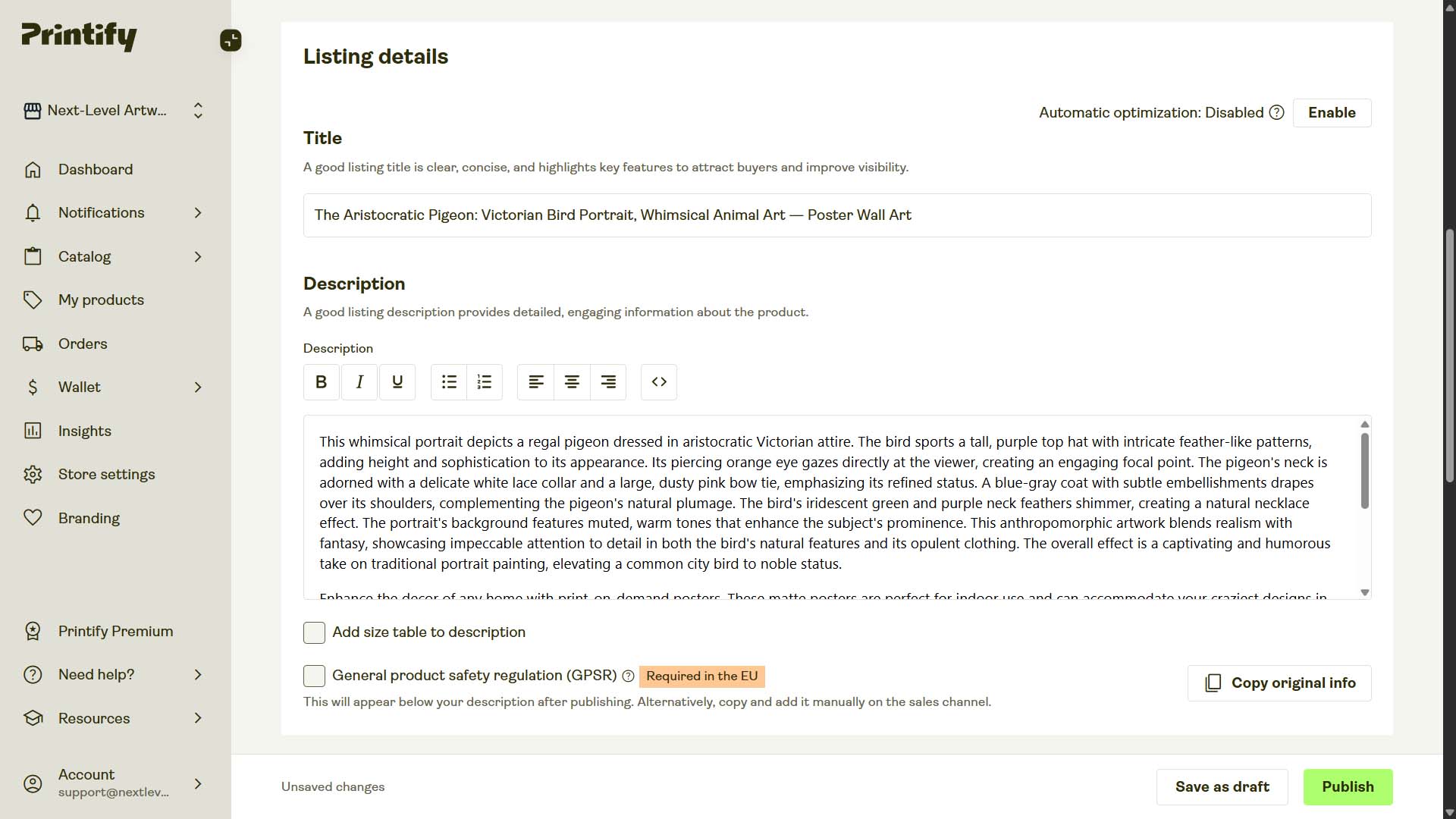
- AI-Generated Title: "The Aristocratic Pigeon: Victorian Bird Portrait, Whimsical Animal Art"
- AI-Generated Description: "This whimsical portrait depicts a regal pigeon dressed in aristocratic Victorian attire. The bird sports a tall, purple top hat with intricate feather-like patterns, adding height and sophistication to its appearance. Its piercing orange eye gazes directly at the viewer, creating an engaging focal point. The pigeon's neck is adorned with a delicate white lace collar and a large, dusty pink bow tie, emphasizing its refined status. A blue-gray coat with subtle embellishments drapes over its shoulders, complementing the pigeon's natural plumage. The bird's iridescent green and purple neck feathers shimmer, creating a natural necklace effect. The portrait's background features muted, warm tones that enhance the subject's prominence. This anthropomorphic artwork blends realism with fantasy, showcasing impeccable attention to detail in both the bird's natural features and its opulent clothing. The overall effect is a captivating and humorous take on traditional portrait painting, elevating a common city bird to noble status."
- AI-Generated Tags: "anthropomorphic bird painting, whimsical pigeon portrait, victorian animal artwork, aristocratic bird design, humorous fantasy portrait, regal pigeon illustration, surreal animal character, noble bird artwork, top hat pigeon art, fantasy creature portrait"
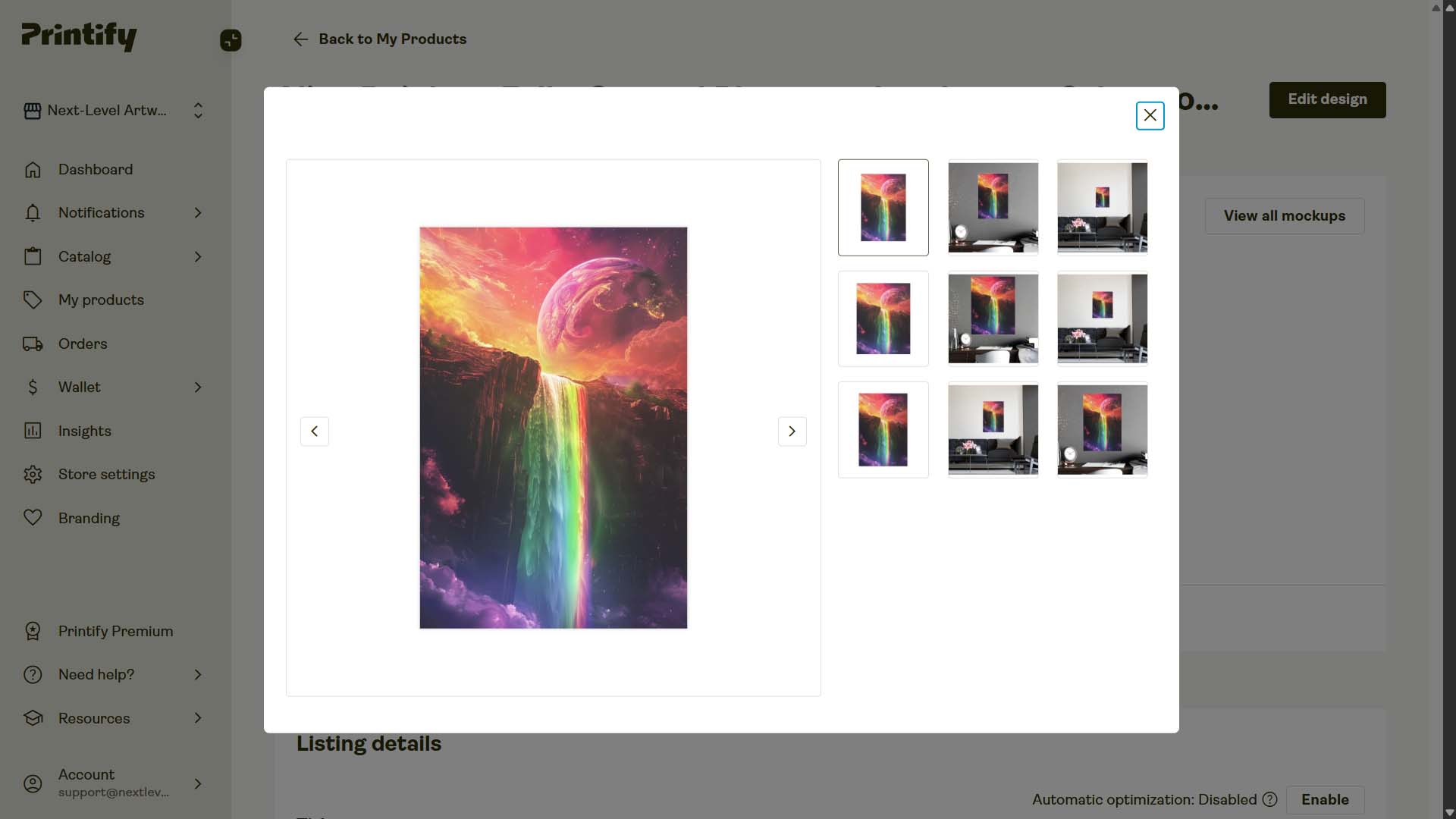
Example 3: "Alien Rainbow Falls: Surreal Planetary Landscape, Otherworldly Fantasy Illustration — Poster Wall Art"
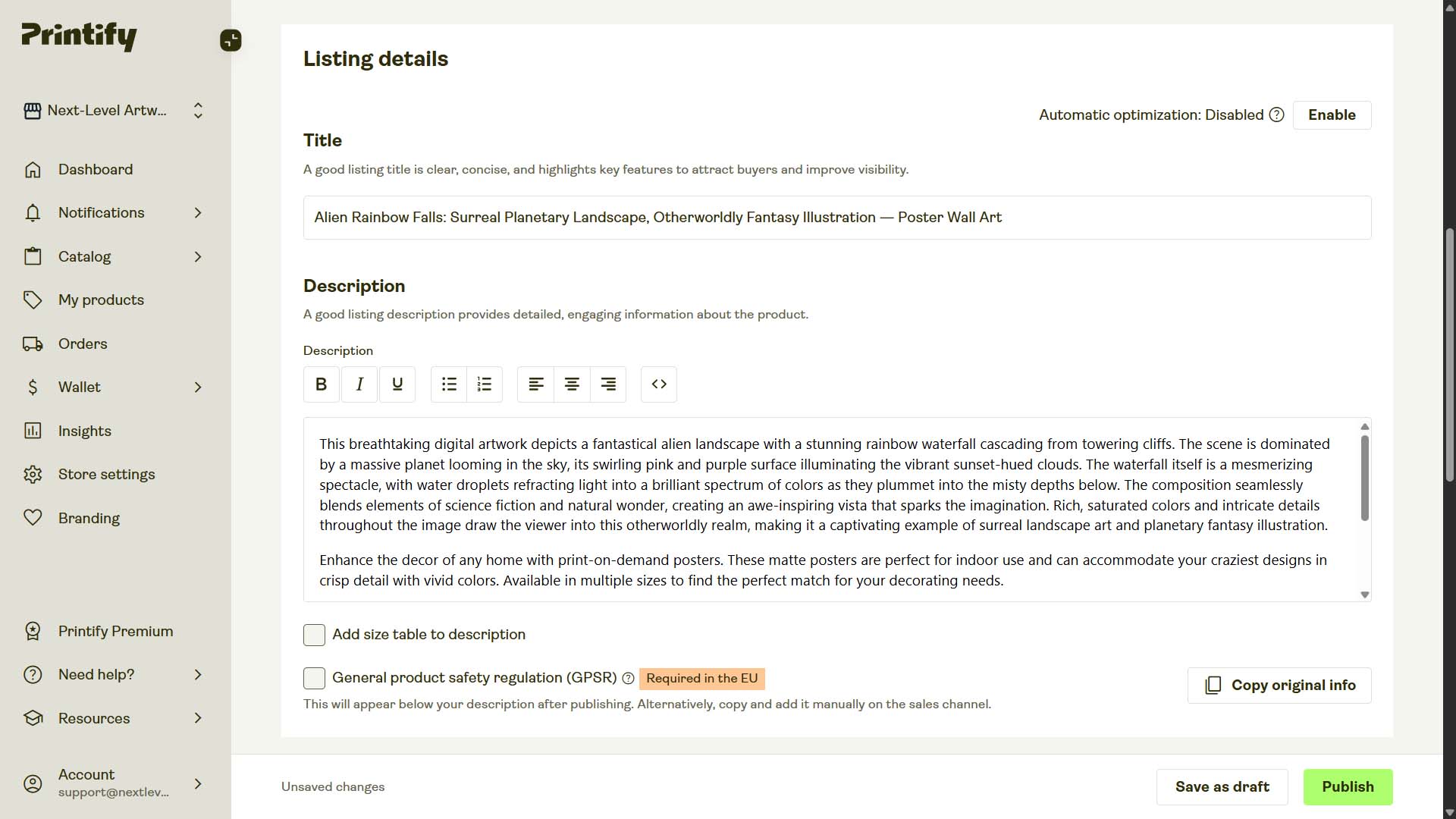
- AI-Generated Title: "Alien Rainbow Falls: Surreal Planetary Landscape, Otherworldly Fantasy Illustration"
- AI-Generated Description: "This breathtaking digital artwork depicts a fantastical alien landscape with a stunning rainbow waterfall cascading from towering cliffs. The scene is dominated by a massive planet looming in the sky, its swirling pink and purple surface illuminating the vibrant sunset-hued clouds. The waterfall itself is a mesmerizing spectacle, with water droplets refracting light into a brilliant spectrum of colors as they plummet into the misty depths below. The composition seamlessly blends elements of science fiction and natural wonder, creating an awe-inspiring vista that sparks the imagination. Rich, saturated colors and intricate details throughout the image draw the viewer into this otherworldly realm, making it a captivating example of surreal landscape art and planetary fantasy illustration."
- AI-Generated Tags: "fantasy landscape art, surreal cosmic artwork, rainbow waterfall painting, planetary fantasy scene, alien world illustration, science fiction landscape, surreal environment art, vibrant fantasy artwork, extraterrestrial scenery, imaginative surreal art"
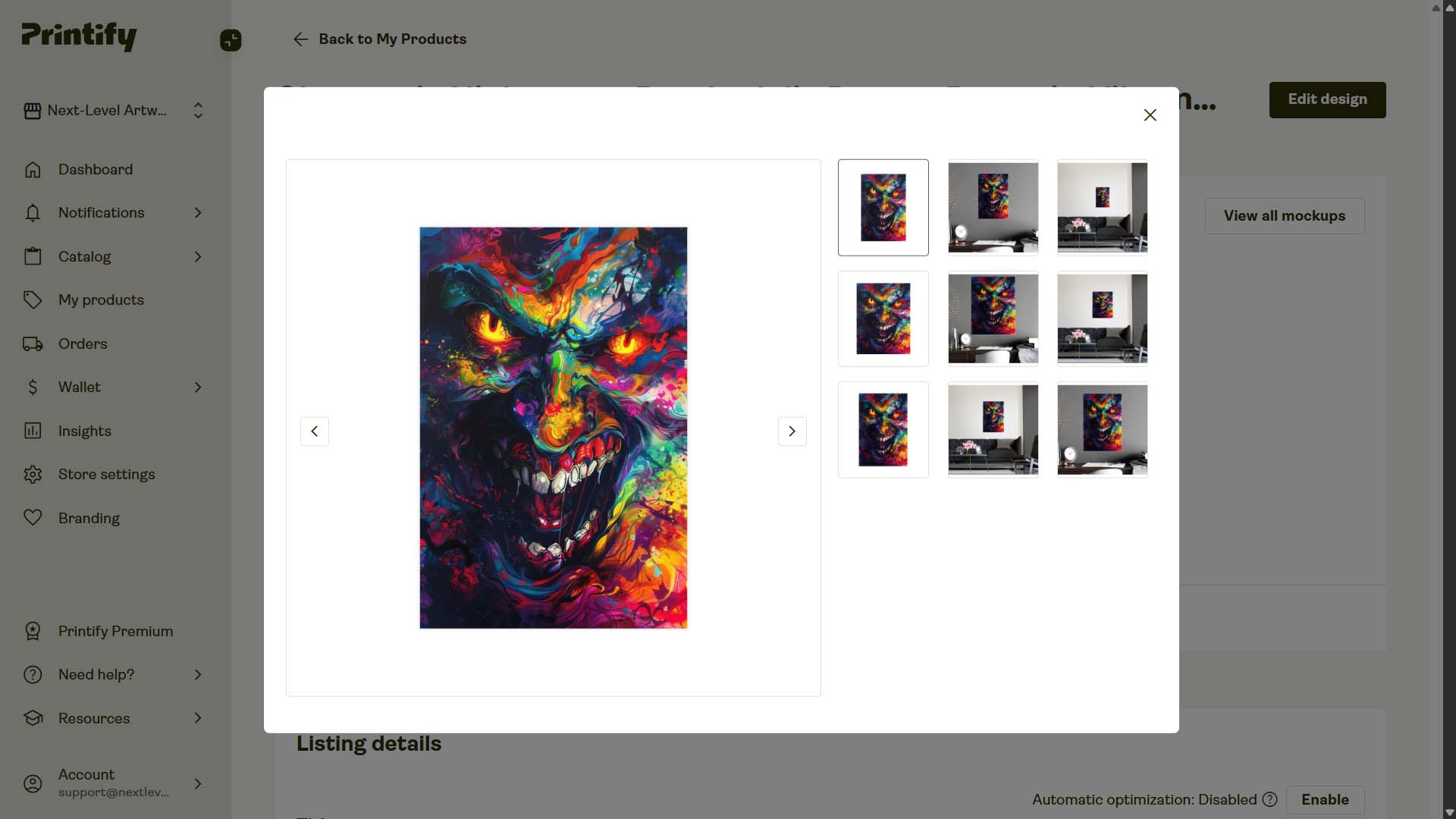
Example 4: "Chromatic Nightmare: Psychedelic Demon Portrait, Vibrant Horror Fantasy Art — Poster Wall Art"
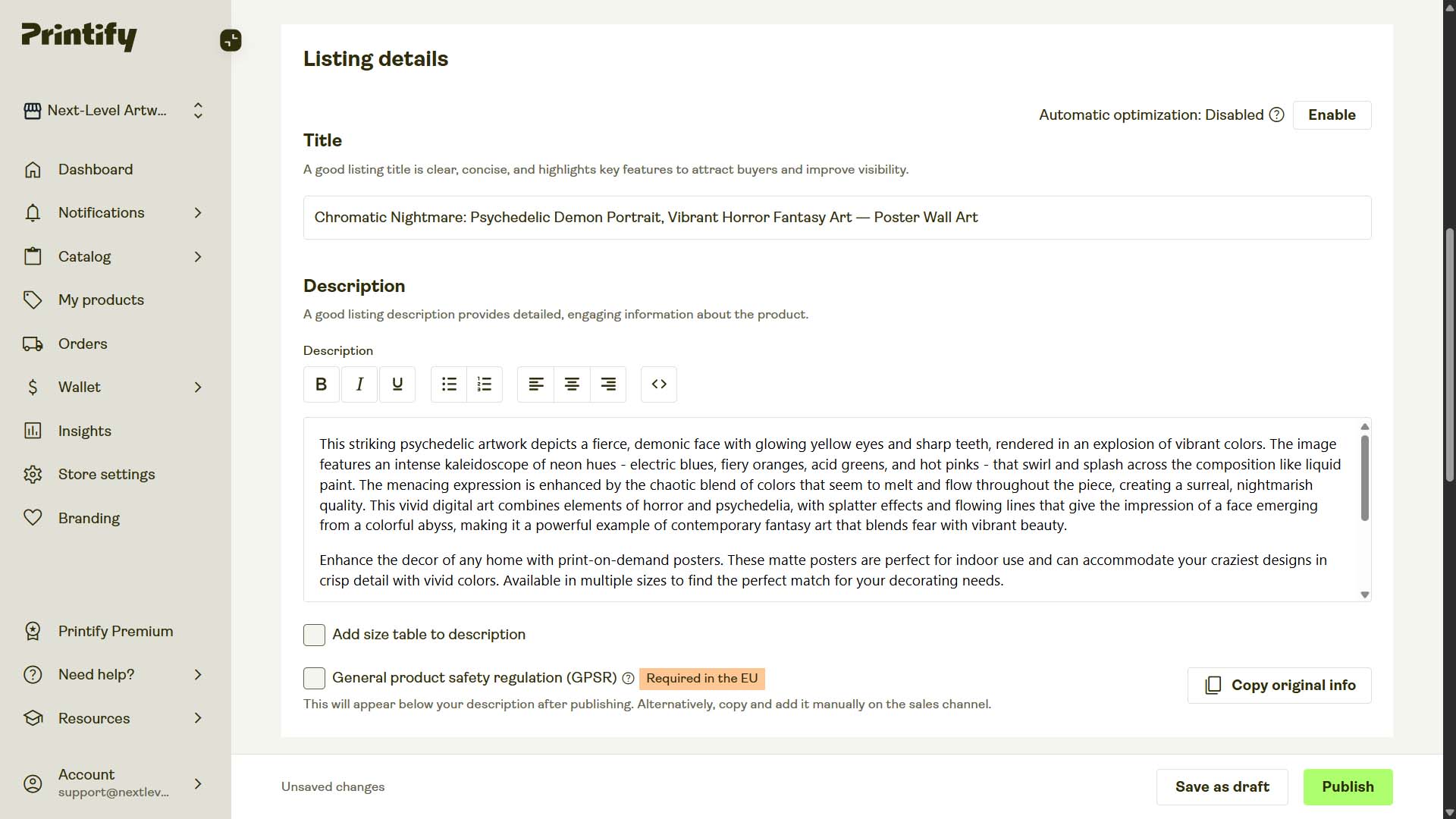
- AI-Generated Title: "Chromatic Nightmare: Psychedelic Demon Portrait, Vibrant Horror Fantasy Art"
- AI-Generated Description: "This striking psychedelic artwork depicts a fierce, demonic face with glowing yellow eyes and sharp teeth, rendered in an explosion of vibrant colors. The image features an intense kaleidoscope of neon hues - electric blues, fiery oranges, acid greens, and hot pinks - that swirl and splash across the composition like liquid paint. The menacing expression is enhanced by the chaotic blend of colors that seem to melt and flow throughout the piece, creating a surreal, nightmarish quality. This vivid digital art combines elements of horror and psychedelia, with splatter effects and flowing lines that give the impression of a face emerging from a colorful abyss, making it a powerful example of contemporary fantasy art that blends fear with vibrant beauty."
- AI-Generated Tags: "psychedelic artwork, dark horror artwork, neon demon illustration, surreal fantasy art, trippy horror painting, abstract psychedelic face, colorful nightmare art, vibrant surrealism, contemporary fantasy horror, chaotic psychedelic design"
Why This Bulk Etsy Listing Creator Is a Game-Changer for POD Sellers
1) Time saved turns into money earned
- Manual creation averages 10–15 minutes per listing. At 200 listings, that’s 30-50 hours of repetitive work.
- The tool compresses setup to a few minutes, then handles the grind. You recover entire work-weeks to spend on higher-ROI activities.
2) Scale without sacrificing quality
- Uniform placement, pricing, naming conventions, and specs across the entire catalog.
- AI descriptions stay on theme while your HTML standardizes the facts. The result looks cohesive and deliberate, not cobbled together.
3) Better SEO coverage with less mental load
- Compound titles (used judiciously) and descriptive paragraphs broaden your long-tail footprint.
- Custom tags enforce store-wide discoverability patterns and improve collection logic without manual retagging.
4) Fewer mistakes, fewer do-overs
- Template-driven operations dramatically reduce variant, price, and placement errors.
- “Save once, reuse forever” means fewer chances to misconfigure a detail in the rush.
5) Faster feedback loops
- Ship larger drops, earlier. Learn what sells. Iterate your prompts, title template, and HTML block quickly.
- Reinvest successful patterns into the saved operation and compound your output.
6) Creative energy goes where it matters
- Spend your time on art direction, storefront design, conversion improvements, email marketing, and partnerships—not hand-typing product metadata.
Wrap-Up
If you believe “more high-quality listings → more sales,” the bottleneck has always been the manual labor of creating those listings. The Bulk POD Product Creator removes that bottleneck. This tool completely automates the creation of your Etsy print-on-demand products. All you need to do is:
- Upload curated images
- Pick a proven Example Product
- Set concise rules for titles, descriptions, and tags
- Click “Create My Products”
In one pass, you publish dozens or hundreds of SEO-ready Etsy listings that look consistent, read professionally, and align with how buyers search. Save the operation once, and future drops become a 20-second routine. More coverage, more credibility, more conversions—without the grind.