
Etsy POD Automation Tool: Save Tons of Time & Quickly Grow Your Etsy Shop
Overview: Automating your Etsy print-on-demand workflow removes the slow, repetitive tasks that cap growth. This guide explains why automation lifts revenue, introduces a practical tool to run the busywork for you, and walks through a simple setup that publishes polished listings at scale.
Why automation is the easiest way to level up your Etsy POD business
Automating the repetitive parts of your workflow is the most reliable way to scale. Instead of spending hours clicking through product forms, dragging image sliders, and wordsmithing titles and tags one listing at a time, you offload that boring work to an automated system that never gets tired and never loses focus. The result is simple: you reclaim time and you publish more products.
What you do with the recovered time matters. Sellers who automate effectively shift hours toward higher-payoff activities:
- Product & niche research: finding visual styles and themes that actually sell in your categories.
- Marketing: social, email, creator partnerships, and basic ad testing.
- Store strategy: pricing discipline, presentation, and bundles/series that increase AOV.
- Design and curation: improving the quality bar of what you publish.
Manual, low-level work caps your growth at your available hours and your motivation to grind. Automation removes that cap.

Why a larger Etsy catalog tends to lift revenue
On Etsy specifically, shoppers often begin with broad marketplace searches (e.g., “retro national park poster”, “minimalist line art print”) and then drill down. The shops that hold attention are the ones with depth and variety within a clear theme. A larger, coherent catalog helps in several concrete ways:
- Larger discovery surface area: Every listing is another chance to match a shopper’s exact phrase on Etsy and on Google. More SKUs = more entry points.
- Increased session length and exploration: Depth encourages browsing. Visitors click into related pieces, sizes, and colorways, which correlates with higher conversion and can feed Etsy’s ranking signals.
- Higher Average Order Value: With more relevant options, buyers are likelier to add a second print, upgrade size/material, or choose a companion piece from the same series.
- Willingness to pay higher prices: When buyers find a design that fits their space or taste precisely, discount pressure drops.
- Greater long-tail coverage: More titles/descriptions/tags means more chances to align with specific, high-intent searches.
Bottom line: a bigger, high-quality catalog generally produces more sales, but the blocker is the manual labor needed to build it. That’s what automation removes.
Meet the Bulk POD Product Creator (Automation Overview)
The Bulk POD Product Creator is an automation tool built for POD sellers who list on Etsy. It:
- Creates products for you on your POD platform (which syncs to Etsy) by cloning a proven Example Product (variants, pricing, and settings included).
- Places and sizes your artwork automatically across print areas (full-bleed, preserve ratio, or mirror your example) and can upscale to meet print quality thresholds.
- Generates the SEO-optimized product info—titles, descriptions, and tags—with AI image recognition, so each listing is both accurate and keyword-rich.
- Runs in bulk for dozens or hundreds of images at once, on autopilot.
You select the images and the rules. The tool handles the repetitive work.

How the automation tool works (high-level overview)
- Select your artwork images for this batch.
- Choose a placement/resize mode for how art should fit print areas across variants.
- Connect your store and select an Example Product to clone (your “role model” SKU).
- Set New Product Creation Rules for titles, descriptions, and tags (copy or AI, with optional custom text/HTML and custom tags).
- Click “Create My Products.” The system builds the listings in bulk—image placement, variant structure, pricing, and SEO copy included.
Step 1 — Select images & choose placement/resize rules

Upload the artwork you want turned into listings, then pick the placement logic that best fits your product family and design style.
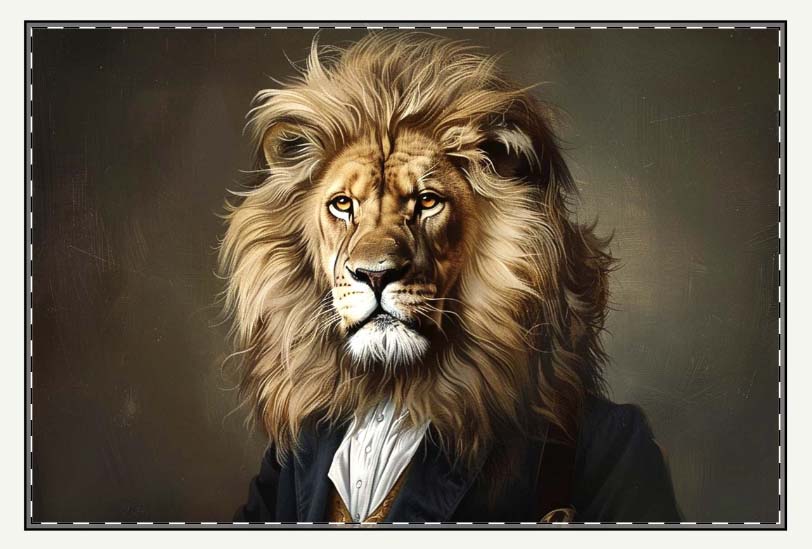
Option A: Stretch to Fit (full-coverage)
- What it does: Scales to cover the entire print area for each variant, even when aspect ratios differ slightly (e.g., 24×18 vs 30×20).
- Best for: Posters, canvas, framed prints—any use case where edge-to-edge coverage is desired.
- Note: If a design contains rigid geometry or type, stretching can introduce distortion. For photography and abstract art, it’s typically ideal.
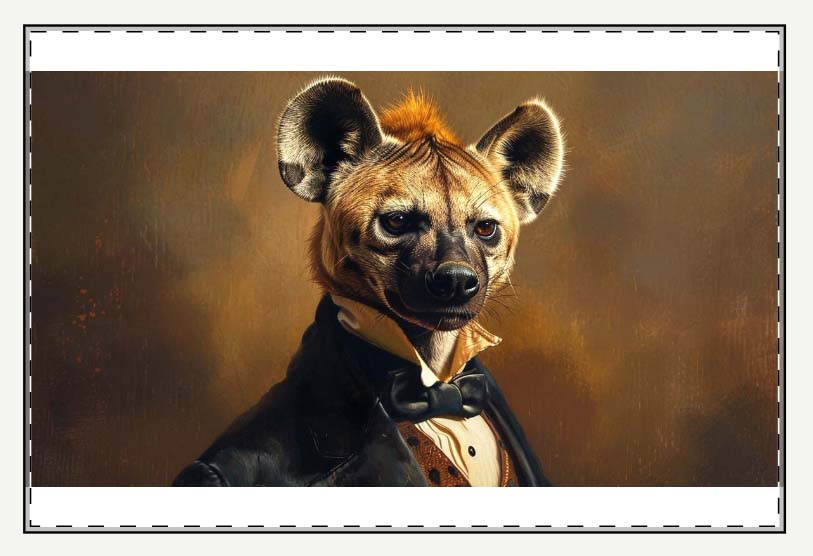
Option B: Preserve Aspect Ratio & Center (no distortion)
- What it does: Resizes proportionally and centers the artwork to maintain composition integrity.
- Best for: Graphic tees, typography, logos, or any design where exact proportions matter.
- Note: Depending on the print area and the image’s aspect ratio, intentional margins/unprinted space may appear.
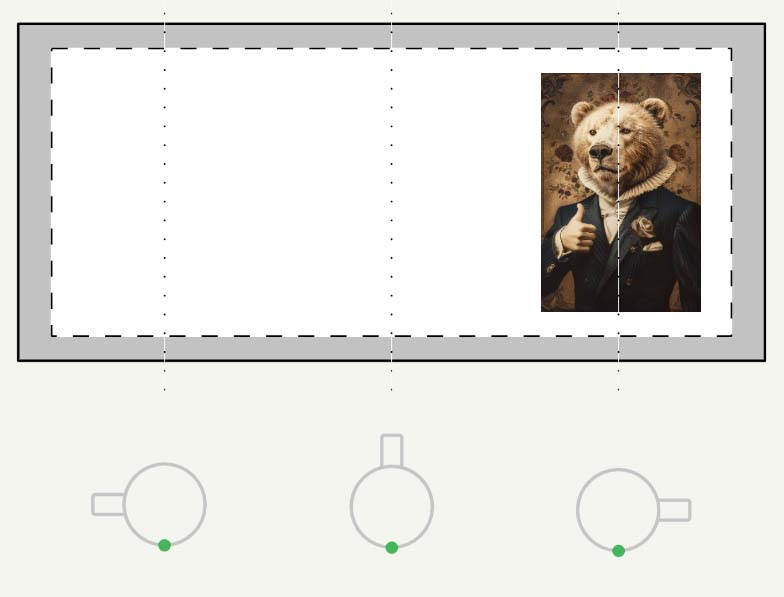
Option C: Exactly Match Example (mirror a precise layout)
- What it does: Replicates the exact placement/scale from your Example Product.
- Best for: Complex products (mugs, tote bags, wrap prints) where pixel-consistent placement is critical.
Step 1 — Core benefits for Etsy POD sellers
- Zero pre-processing marathons: Automatic upscaling and smart placement remove the need to export dozens of size/crop variants in Photoshop.
- No distortion when it matters: Preserve Aspect Ratio protects logos, typography, and other vital image elements while maximizing usable print area.
- No manual uploads and waiting: The tool handles the product image pipeline; you avoid the “upload → wait → drag/zoom” cycle inside the POD UI.
- Less tedium, fewer mistakes: Centralized rules eliminate one-off placement errors that creep in during manual work.
- Faster time-to-publication: You move from folder of images to live variant previews in a single run, instead of touching each variant one by one.
- Scale without chaos: A single placement strategy applies uniformly across hundreds of Etsy listings, so the catalog looks intentional and on-brand.
Step 2 — Connect your store & choose an Example Product (your “role model”)

Connect via API token to your POD platform that syncs to Etsy (or your Etsy-connected provider). Then choose one Example Product—the ideal product whose structure and settings you want to replicate for every image.
What the clone carries over:
- Variant structure: sizes, orientations, materials, default variants.
- Pricing & margins: per-variant prices and rules are repeated consistently.
- Placement (if selected): when using “Exactly Match Example,” the precise position/scale is mirrored for each new product.
Best practices:
- Start with an optimal product that you’ve already previewed across variants.
- Maintain separate Example Products for different aspect-ratio families (2:3, 3:4, square) if you sell mixed catalogs.
- Test by creating a small batch of products (3–5 images) before running a large automated operation, to prevent rework.
Step 2 — Core benefits for Etsy POD sellers
- Create the ideal product once, scale it everywhere: Your proven variant mix, pricing, and options propagate to every new listing—no reconfiguration.
- Eliminate repetitive setup: Skip re-selecting products, variants, and prices in the POD UI for each SKU.
- Pricing discipline by default: Cloned per-variant prices keep margins consistent and prevent “oops” underpricing on outlier sizes.
- Name Example Products clearly: Use unique, descriptive names (e.g., “POSTER_2x3_Matte_MidPrice”) so the correct template is obvious in the dropdown.
- Maintain multiple templates: Keep separate Example Products for posters, canvas, apparel, mugs, etc., to switch strategies with a single selection.
- Fewer configuration errors: Template-driven cloning reduces mis-tagged sizes, missing variants, or mismatched materials.
- Faster Quality Assurance: When structure is standardized, you can spot issues at a glance and trust that most settings are already correct.
- Consistent brand presentation: Uniform variants, defaults, and policies across the catalog improve buyer trust and reduce friction at checkout.
Step 3 — New Product Creation Rules (Titles, Descriptions, Tags)
This is where you decide how every new Etsy listing should be written. You can copy from the Example Product for quick trials, or switch any field to Generate Using AI for scalable, consistent output. Configure Title, Description, and Tags independently.

A) Titles
Available approaches
- Use image filename — fine if your filenames are already clean and descriptive.
- Generate Using AI — best for accurate, varied phrasing at scale.
- Custom text (prefix/suffix) — add a standardized phrase (e.g., “— Framed Print”, “— Gallery Canvas”, “— Unisex Graphic Tee”) to align with buyer language.
Simple vs. Compound
- Simple: a concise summary of the artwork image (e.g., “Sunlit Fern Silhouette”). Clear and simple, as the feature name suggests.
- Compound: the simple “root” title plus your chosen number of brief subtitle segments that add additional descriptive keywords (e.g., “Sunlit Fern Silhouette: Minimal Botanical Line Art”). The goal is broader long-tail coverage without turning the title into a word salad.
Keep it compact. Etsy truncates long titles in key surfaces; 1–2 subtitles is usually ideal. Put the product noun in the suffix (e.g., “— Framed Print”, “— Gallery Canvas”, “— Unisex Graphic Tee”) to match how shoppers phrase queries.

B) Descriptions
Have the AI write 1–2 paragraphs that naturally cover subject, style, composition, palette, mood, and noteworthy details. That prose captures long-tail queries your title alone won’t.
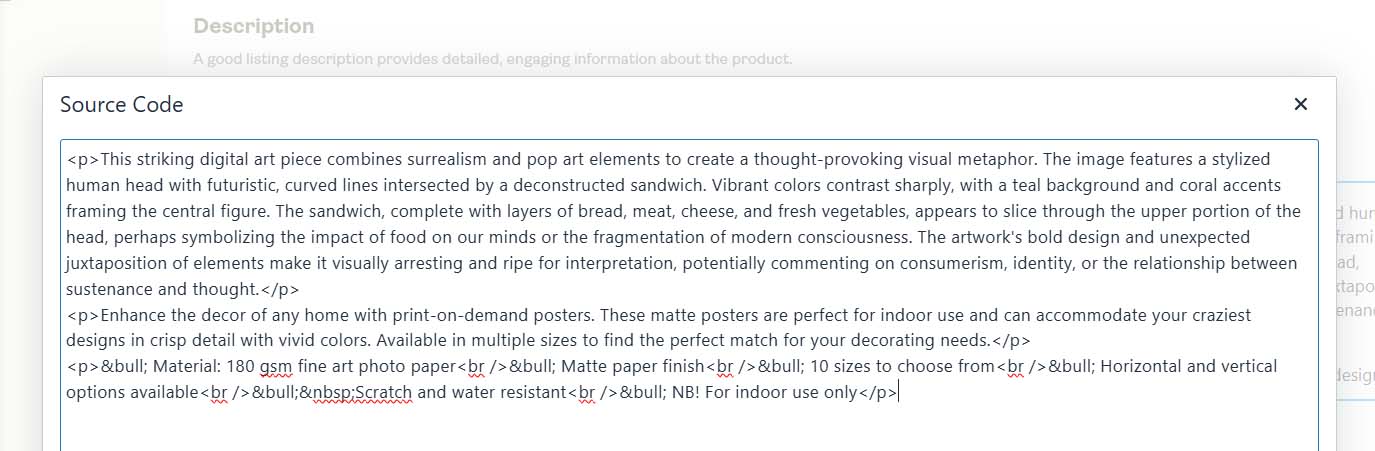
Then append your Custom HTML (optional) to standardize product-level facts:
- Materials & finish (e.g., heavyweight matte paper, gallery-wrapped canvas)
- Available sizes/variants and fit guidance (for apparel)
- Care instructions and usage tips
- Shipping/handling or framing notes (if relevant)
Why this combination works
- The AI paragraph adds unique, artwork-specific context that improves discoverability.
- The HTML block answers buyer questions consistently and reinforces brand voice across listings.

C) Tags
Let AI propose artwork-specific tags (subjects, styles, colors, motifs), then append your custom tags so every listing follows your store’s taxonomy.
- Product-level custom tags (examples): “framed print”, “gallery canvas”, “graphic tee”, “home wall decor”, “nursery art”, “office wall decor”
- Collection-level custom tags (examples): “botanical line art”, “retro travel poster”, “neon cyberpunk”, “japanese wave art”, “mid-century modern”
Guidance
- Blend specific + broad tags for both niche and general discoverability.
- Follow Etsy’s tag limits/formatting.
- Maintain a reusable tag kit per product family (posters/canvas/apparel) to avoid reinventing the wheel.
Step 3 — Core benefits for Etsy POD sellers
- Skip the wordsmithing grind: AI creates accurate, varied copy across hundreds of items.
- Reduce internal competition: More diverse phrasing lowers self-cannibalization across your own listings.
- Better intent matching: Short suffixes like “— Framed Print” or “— Gallery Canvas” map to how buyers search.
- Reusable HTML facts: Standard specs appended to every description raise clarity and trust.
- Structured tagging: Store-wide custom tag patterns keep search and collections tidy.
- Consistency at scale: One ruleset; many listings that read like a polished catalog.
Examples of AI-Generated Product Info Created By The Tool:
Example AI Title #1: "Analog Headspace: Retro-Futuristic Portrait, Surreal Technology Fashion"
Example AI Description #1: "This surreal image features a retro-futuristic blend of technology and fashion, depicting a figure wearing a stylish red blazer and striped shirt, with their head replaced by a vintage electronic device. The device appears to be a combination of old-school audio and visual equipment, including speakers, a camera lens, and control panels. Set against a vibrant orange and teal background with a minimalist cloud, the composition creates a striking contrast between the warm and cool tones. This artful mashup of past and future aesthetics evokes themes of media consumption, technological evolution, and the blurring lines between human identity and digital interfaces in our modern world."
Example AI Tags #1: "retro futuristic art, surreal portrait, technology fashion artwork, cyberpunk inspired art, vintage electronics illustration, surreal identity artwork, abstract figure art, conceptual digital portrait, modern surrealism, colorful surreal artwork"
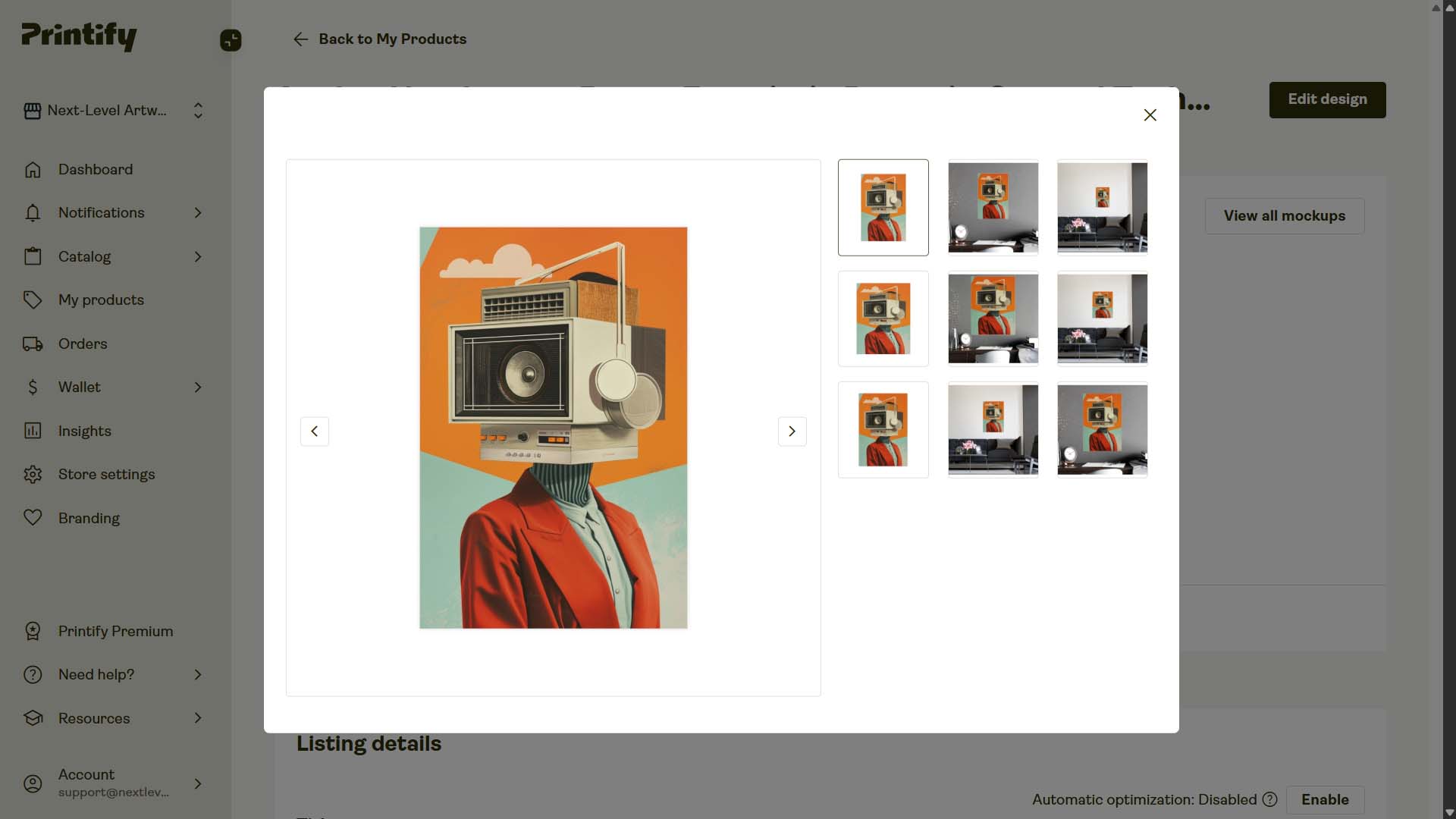
Example AI Title #2: "Celestial Symphony: Aurora Borealis Reflection, Arctic Wilderness Landscape"
Example AI Description #2: "This breathtaking image captures the mesmerizing beauty of the Aurora Borealis, or Northern Lights, dancing above a serene winter landscape. Vibrant ribbons of green, pink, and purple light paint the night sky, reflecting perfectly in the still waters of a lake below. Snow-capped mountains rise majestically in the background, their rugged peaks silhouetted against the cosmic light show. A dense forest of evergreen trees lines the shoreline, adding depth and texture to the scene. The starry sky twinkles behind the aurora, creating a magical celestial backdrop. The image's composition is perfectly balanced, with the aurora's reflection creating a stunning mirror effect in the foreground. This awe-inspiring display of nature's wonders showcases the raw beauty of the Arctic wilderness. The ethereal quality of the light and the crisp clarity of the reflection make this image a true feast for the eyes. For anyone seeking inspiration or a glimpse of nature's most spectacular phenomena, this aurora-filled vista is sure to captivate and inspire."
Example AI Tags #2: "aurora borealis art, northern lights painting, arctic landscape artwork, surreal night sky art, colorful aurora illustration, winter scenery art, celestial landscape, cosmic nature artwork, vibrant sky reflection, magical wilderness scene"
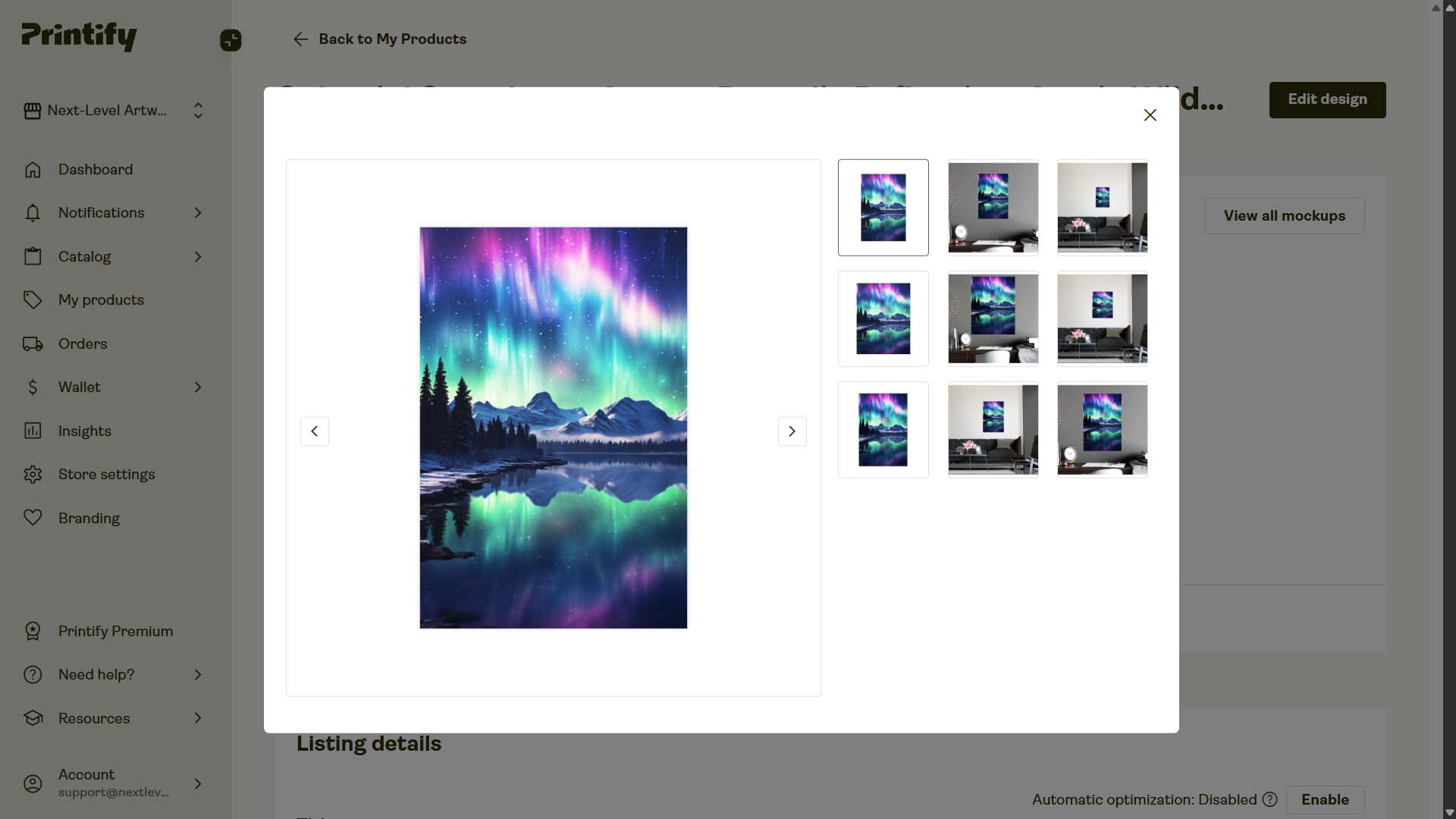
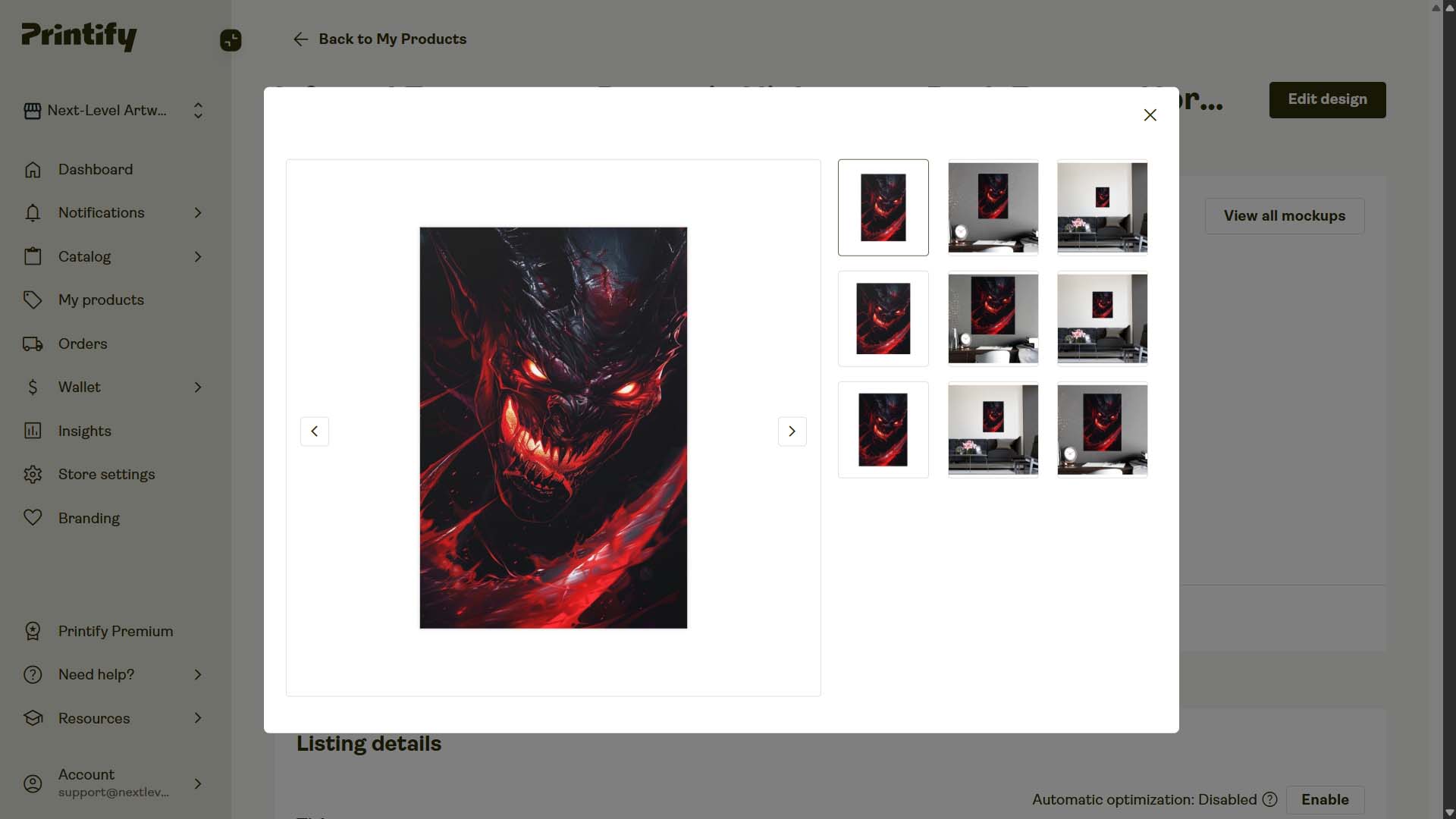
Example AI Title #3: "Infernal Emergence: Demonic Nightmare, Dark Fantasy Horror"
Example AI Description #3: "This haunting image depicts a nightmarish demonic creature emerging from darkness. Its face is a terrifying visage of glowing red eyes and a mouth filled with razor-sharp teeth, bared in a menacing grin. The creature's form is shrouded in swirling shadows and crimson energy, giving it an otherworldly and malevolent appearance. Streaks of red light cut through the darkness, adding to the dynamic and chaotic atmosphere. The artwork's style blends photorealistic textures with fantastical elements, creating a visceral and unsettling effect. Dark tendrils and jagged forms surround the demon, suggesting a violent and explosive emergence. The color palette is dominated by deep blacks and vibrant reds, emphasizing the hellish nature of the subject. This striking digital illustration would be at home in horror games, comic books, or as concept art for dark fantasy films. The level of detail and dramatic lighting make this a captivating piece that draws the viewer into its infernal world."
Example AI Tags #3: "infernal demon artwork, razor sharp teeth monster, glowing red eyes creature, horror fantasy illustration, malevolent dark entity, nightmarish demon art, crimson energy shadows, terrifying creature design, dark fantasy horror, demonic concept artwork"
Start the batch (and let the system do the busywork)
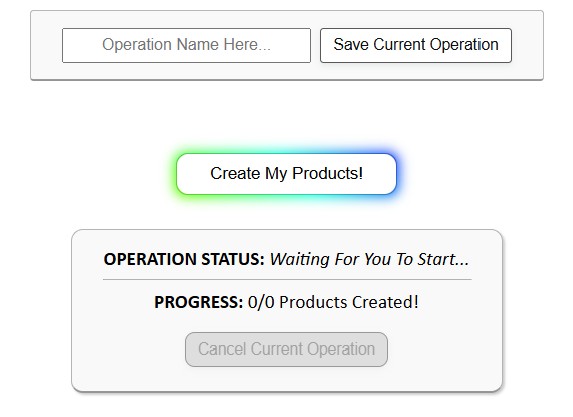
After Steps 1–3 are configured, click “Create My Products” to begin the automated product-creation operation. Behind the scenes, the tool:
- Positions each image per your placement rule (and upscales if necessary for print quality).
- Clones your Example Product’s variants, pricing, and defaults.
- Writes titles, descriptions, and tags according to your rules.
- Pushes the new items to your Etsy-connected POD platform.
Save it once, re-run quickly and effortlessly
Any configuration—placement logic, Example Product, title template, description length + HTML, tag recipe, pricing setup—can be saved as a named profile.
When you're ready to create your next batch of Etsy POD products?:
- Load your saved operation from the dropdown.
- Select the new images that you want to create products for.
- Click “Create My Products”.
...And that's it. Quite literally the simplest Etsy automation workflow you could possibly image. No hunting through menus, no rebuilding settings from memory. Instead, you set up the ideal product-creation operation once, save it, then you can apply a trusted configuration in seconds and publish large numbers of products at scale with confidence.

Why this Etsy automation tool is seriously helpful for POD sellers
1) Real time reclaimed → real work done
Manual listing creation often takes 10–20 minutes per product. At 200 listings, that’s 33–67 hours spent clicking and typing. The tool compresses setup to minutes and executes the rest—freeing you to focus on research, marketing, design, and store optimization.
2) Scale, without the mess
Cloned variants/pricing, consistent titling patterns, and standardized HTML keep quality high as volume grows. You look deliberate, not sloppy or unprofessional.
3) Broader search coverage with less effort
Etsy-friendly compound titles and descriptive paragraphs expand your long-tail keyword footprint, while custom tags enforce clean collection logic.
4) Fewer configuration errors
Template-driven cloning reduces variant/price/placement mistakes that creep in during manual work.
5) Faster learning loops
Publish more Etsy listings, more quickly and with less effort. Learn what sells more rapidly, then iterate on the art designs and double down on your winning products accordingly.
6) Energy where it matters
Stop doing the boring work of painstakingly writing titles, descriptions and tags for each one of your new Etsy listings. Put your attention on art direction, series planning, storefront polish, partnerships, and promotion.
Conclusion
Automation lets you do more of the work that actually grows an Etsy POD shop. By offloading listing creation—image placement, cloning variants/pricing, and SEO copy—to the Bulk POD Product Creator, you bypass the hours of repetitive mechanics and accelerate output without sacrificing quality.
The net effect is straightforward: more ready-to-publish listings, produced faster, with cleaner execution—and more of your time available for the creative and strategic decisions that move revenue.