Can You Use An AI Agent To SEO-Optimize Your Printify Products?
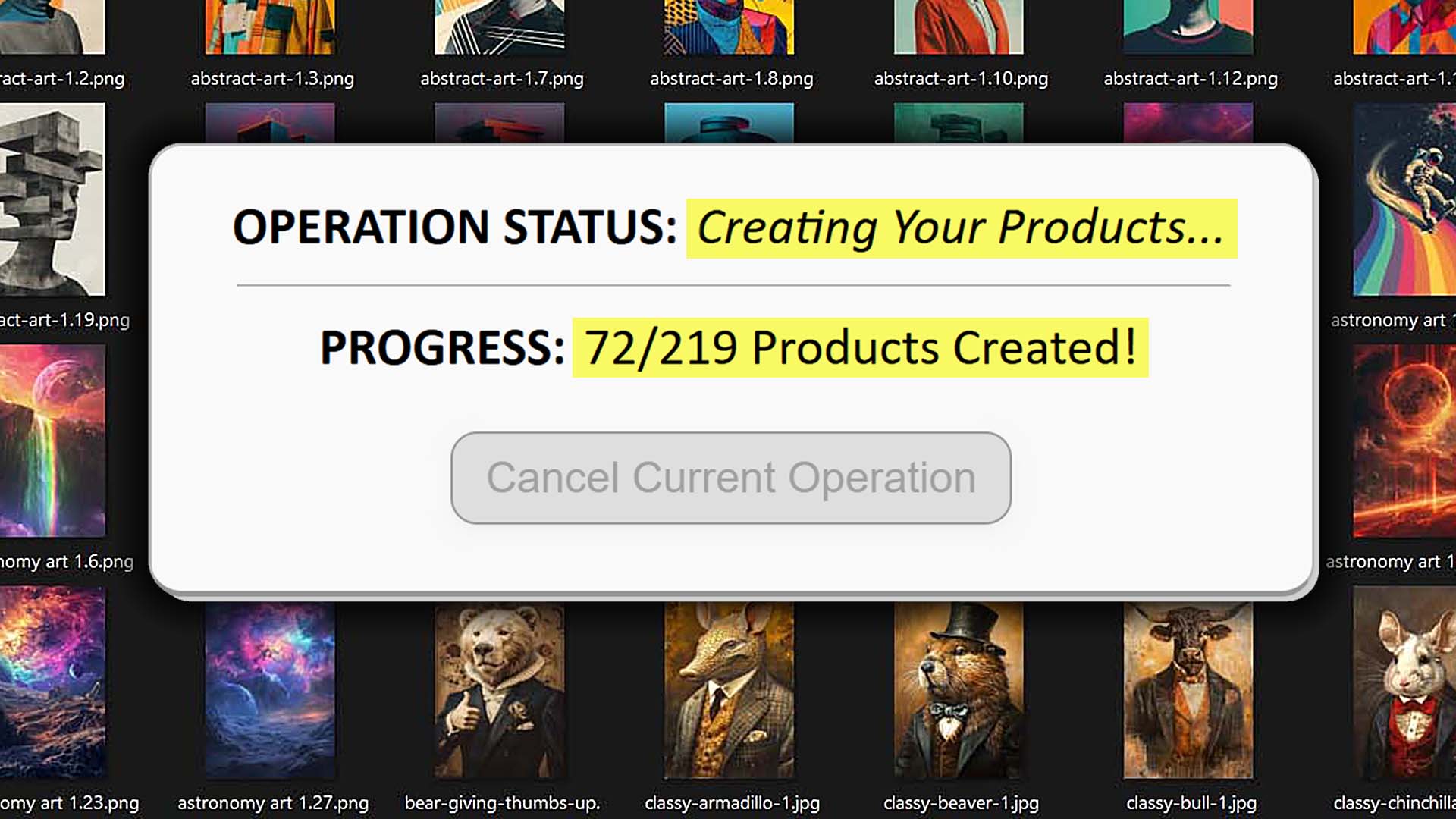
Overview: This post explores whether an AI agent can reliably automate SEO for Printify products, why "take control of my browser" automation methods often make mistakes, and how the Bulk POD Product Creator is an effective software tool for automating the SEO-optimization of your Printify products using its AI image recognition features.

Using AI to Automatically SEO-Optimize Your Printify Products Is the Right Move
Let’s be honest: manually writing titles, descriptions, and tags for your Printify listings is the ultimate energy drain. You sit there staring at your monitor, trying to come up with yet another creative phrase for “sunset t-shirt” or “abstract minimalist wall art,” and by the fiftieth product, your brain is fried. Not only does this process burn time and mental bandwidth—it also actively limits how fast your print-on-demand business can grow.

Every minute you spend manually writing metadata is a minute you’re not uploading new designs, expanding your product catalog, or driving traffic through marketing. And since those SEO fields directly affect how often your products show up in search, it’s not something you can half-ass. They all need to be relevant, keyword-rich, and unique—exactly the kind of work that’s mind-numbing for a human, but ideal for AI automation.
Using AI to handle this process isn’t just a “nice-to-have.” It’s an operational upgrade that transforms how efficiently you can scale your store. Here’s why:
- AI eliminates repetitive creative fatigue. You no longer have to force inspiration for the hundredth time. The system generates accurate, keyword-oriented titles and descriptions automatically.
- It ensures consistent SEO quality. Every product gets attention—not just the first few before you burn out.
- It scales infinitely. Whether you’re optimizing ten listings or ten thousand, automation maintains the same high-quality standard.
- It lets you focus on growth, not grunt work. Instead of writing text boxes all day, you can focus on marketing, design creation, or customer engagement—the activities that actually grow income.
- It compounds your store’s visibility. Each AI-optimized listing acts as an additional landing page, increasing your total search reach and discovery potential.
So yes—automating your Printify product SEO is absolutely the right move. The real question is how you automate it. Many creators stumble upon the idea of using ChatGPT’s Agent Mode or other browser-control AI tools to “take over” their screen and type these fields for them.
It sounds clever in theory—but in practice, it’s clunky, fragile, and error-prone. Before you dive headfirst into that rabbit hole, let’s break down why it’s not the right path forward—and how a dedicated tool like the Bulk POD Product Creator solves the problem cleanly and professionally.
Can You Use an AI Agent to SEO-Optimize Printify Products?
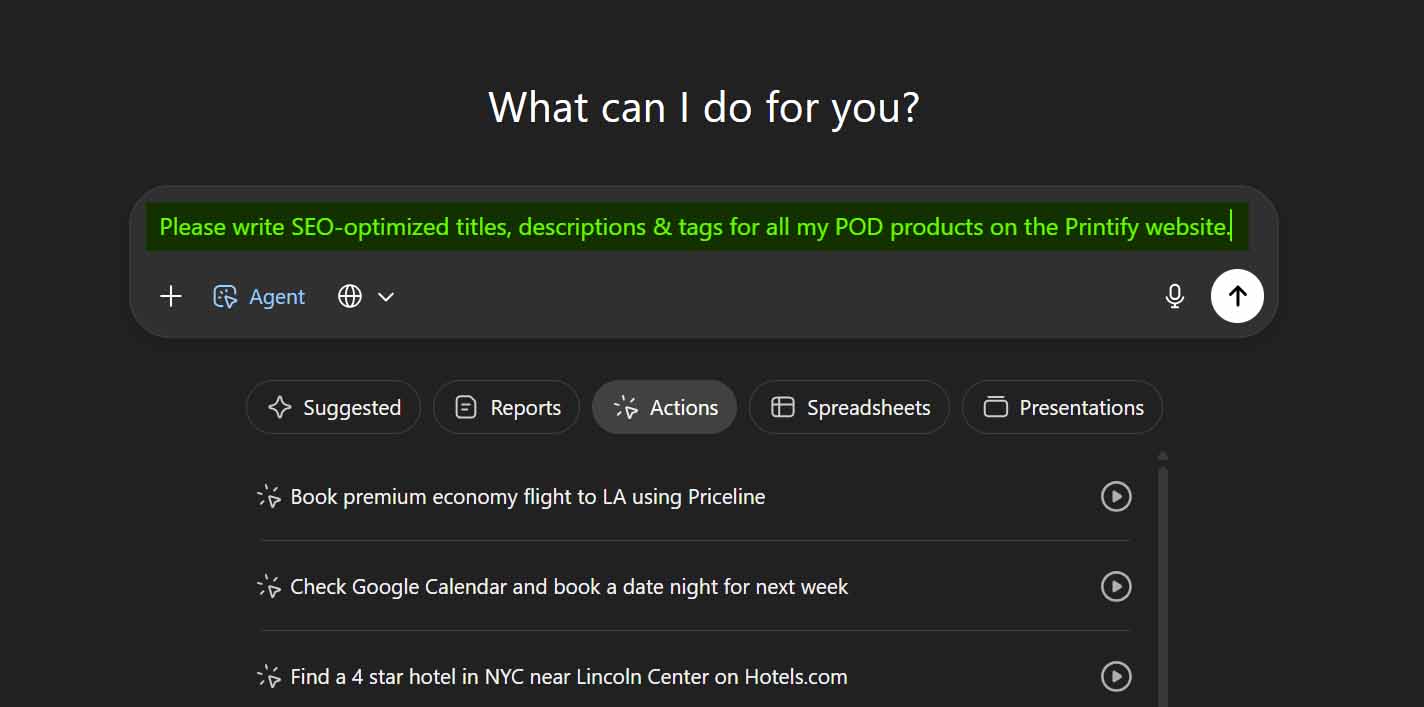
In short, you can try—but it’s far from ideal. Theoretically, yes: a ChatGPT Agent or similar automation could open your browser, log into your Printify account, navigate to each product, and begin typing updated titles, descriptions, and tags into the fields. It could even, in theory, “read” data from your screen to decide what to write.
But the real-world execution falls apart quickly. Here’s why:
- Constant interface changes. Printify’s layout evolves regularly. A button moves, a popup shifts, a form element renames itself—and your AI agent’s entire workflow breaks.
- Cloudflare and CAPTCHA interference. Automated browser activity triggers bot-detection systems. You could lose hours of progress or even risk account restrictions.
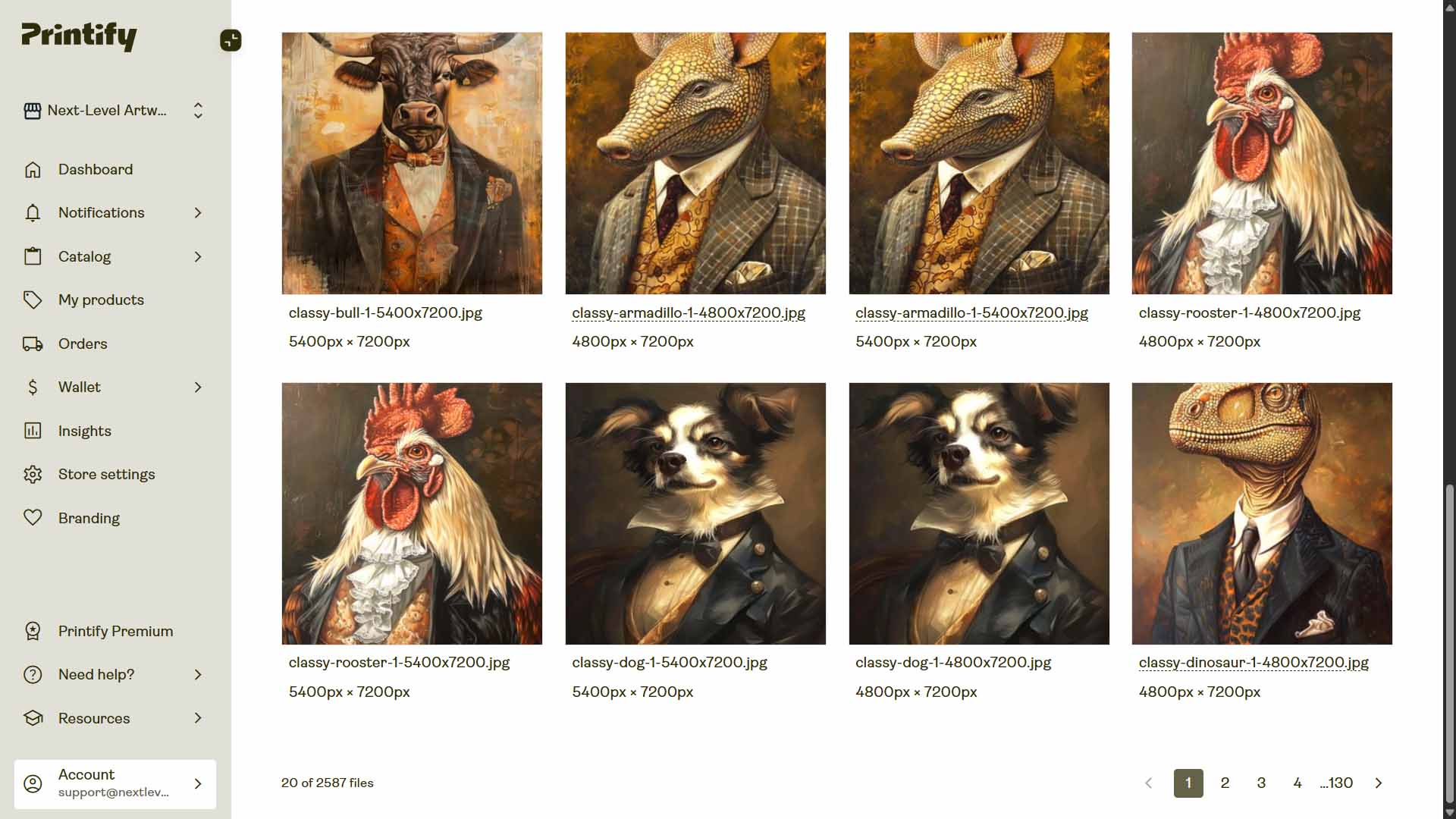
- No reliable way to map artwork to product pages. To truly SEO-optimize listings, an AI would need to analyze each product’s corresponding artwork image to generate relevant keywords. But those artwork images live in different parts of the Printify dashboard. The AI would have to somehow identify, match, and analyze the correct file for each product page—then navigate back, generate text, and input it all in perfect sync.
- Performance bottlenecks. Browser control automations run at human speed—clicking, waiting for pages to load, typing. Even on a fast system, this means hours of delay for tasks an API can finish in much less time.
- Security and session fragility. These automations depend on your browser staying logged in and your computer staying untouched for the duration. A notification pop-up or a lost connection could derail the whole process.

Your Instinct Is Right—But This Method Is Wrong
If you’re reading this post, you’re already thinking like a business owner. You’ve recognized that manually optimizing listings is a waste of your time and that automation is the key to scaling income faster. That instinct is absolutely correct.
The only issue is how you implement it. Instead of relying on a flaky “AI-control-my-browser” setup, it’s far more effective to use automation that communicates directly with Printify’s official API. That’s what the Bulk POD Product Creator does—it performs all these operations properly, through secure, authenticated API calls that the Printify system natively understands.
- Faster: executing product creation and SEO text generation at scale more rapidly.
- Safer: no browser control, no CAPTCHA risks, no interference with your account.
- Smarter: because it integrates image analysis and text generation logically, ensuring accurate and SEO-sound results every time.
So while AI agents might sound like a clever shortcut, they’re ultimately a workaround. The Bulk POD Product Creator is the systematic solution—the one built for professionals who want to scale efficiently, not wrestle with unpredictable browser macros.
Why the API-Based Approach Wins Every Time
The difference between API-based automation and browser-based automation isn’t subtle—it’s foundational. When you use an AI agent or macro-style browser control system, you’re effectively telling software to simulate human activity: moving a mouse, typing into fields, and waiting for pages to load. It’s brittle, slow, and unreliable.
By contrast, the Bulk POD Product Creator communicates with Printify directly through its official API (Application Programming Interface)—the same secure channels used by enterprise-grade integrations. That distinction unlocks major advantages:
- Rock-Solid Reliability: The API doesn’t care where buttons or forms appear on the screen. Even if Printify redesigns its interface, the commands still execute flawlessly because they target the underlying data layer.
- Massive Speed Gains: While a browser-based automation literally types each word into every field, API commands send structured data directly. Hundreds of listings can be generated quickly and smoothly.
- True Backend Execution: You don’t have to keep your computer awake, browser open, or risk accidentally touching the mouse. Operations run in the background, safely and securely, without UI dependencies.
- Error Handling and Recovery: The tool provides clear structured feedback when something fails (like an invalid image or product ID), and automatically retries operations. Browser automations? They just stall.
- Compliance and Safety: Browser macros look suspicious to bot filters like Cloudflare, potentially triggering CAPTCHA walls or account warnings. API calls are authenticated and officially sanctioned by Printify, ensuring everything runs above-board.
- Scalability: API automation allows you to handle thousands of products across large stores, while browser-based tools crumble under that kind of workload.

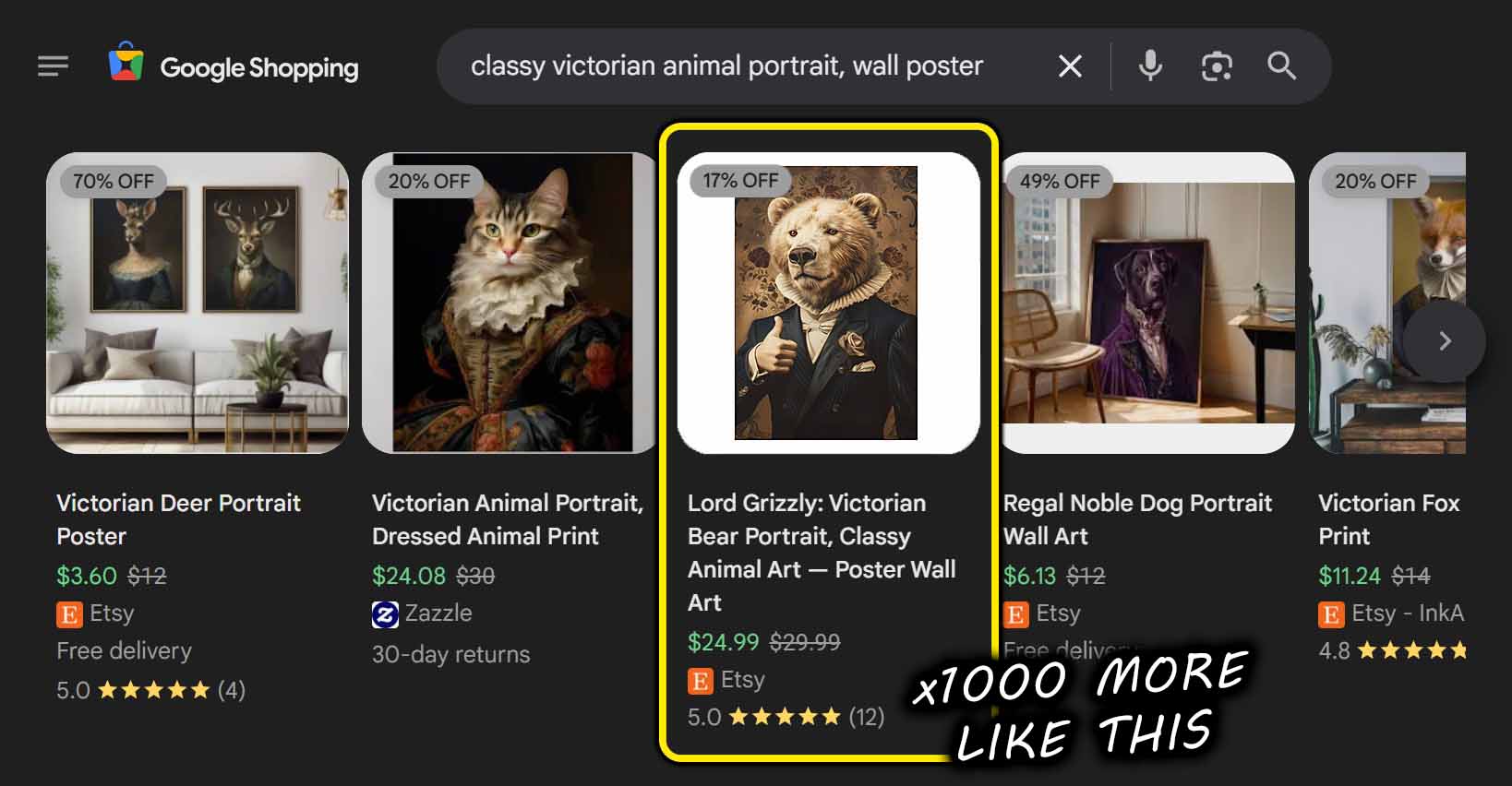
Simply put: browser control is a gimmick; API automation is infrastructure. The Bulk POD Product Creator gives you a true professional-grade foundation for running a scalable, resilient print-on-demand operation.
How the Bulk POD Product Creator Works
The Bulk POD Product Creator is a purpose-built automation tool that eliminates every tedious part of your Printify product creation and optimization workflow. It lets you define your process once—then execute it across hundreds of designs with just a few clicks.
- Uploads your artwork batch and prepares each image to become a new product seed.
- Connects to your Printify store and mirrors your chosen Example Product setup for each new listing (including pricing, variants, and print areas).
- Uses AI to generate SEO-optimized titles, descriptions, and tags that accurately describe each artwork image while maintaining your chosen structure and formatting.
- Publishes your listings automatically—at scale and fully hands-off.

Now let’s look closer at how that process unfolds in the interface itself.
Step 1: Upload Your Artwork Batch
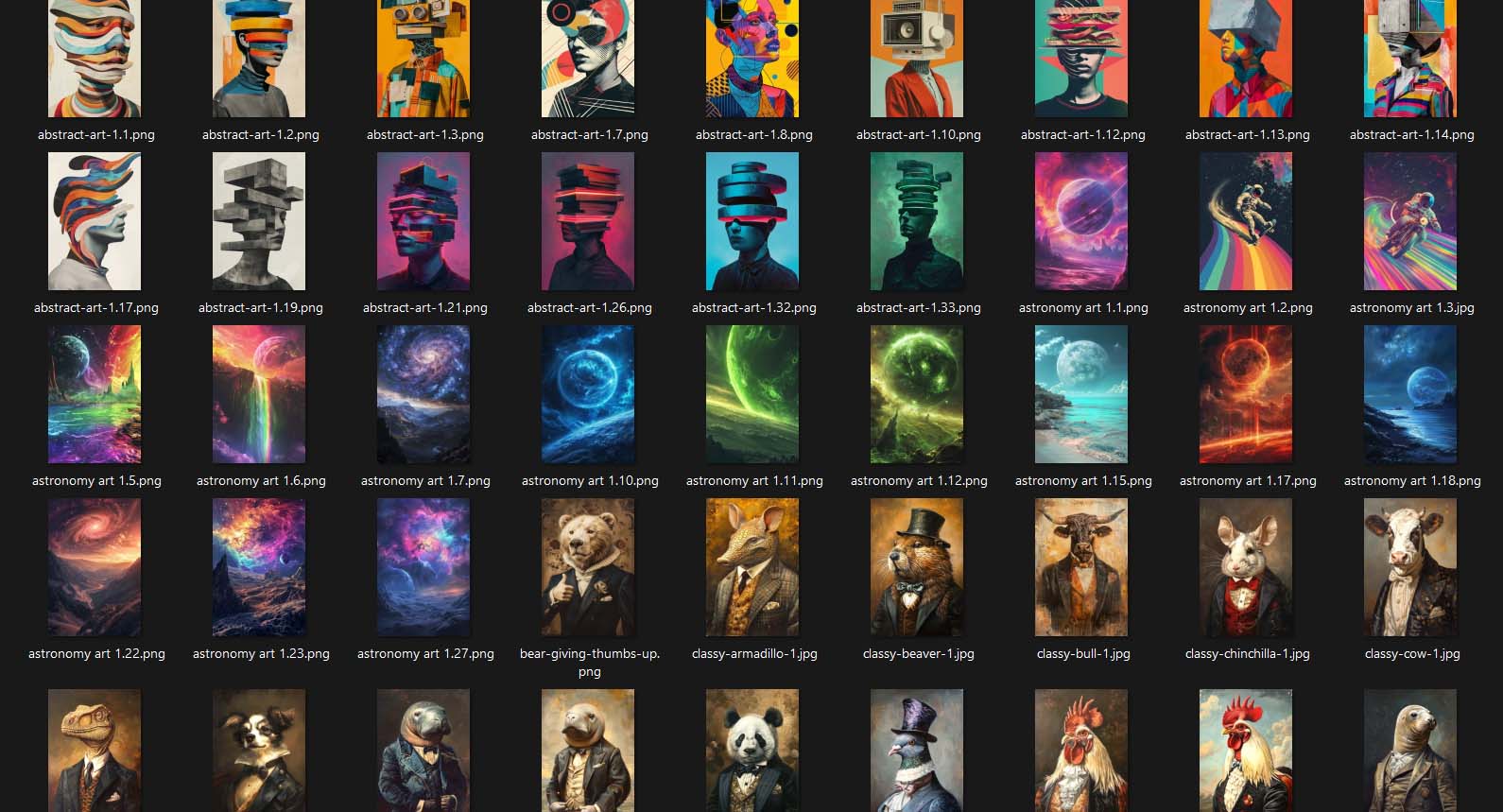
Everything begins by uploading your artwork. You can drag in a folder containing as many images as you want—whether that’s 10 or 1,000—and the system automatically queues and prepares them for processing.
Each artwork file becomes an individual “product seed.” There’s no need to rename files, manually sort folders, or worry about organization—the system handles it all.

Why this is helpful for POD sellers:
- You eliminate the repetitive groundwork of setting up each product by hand.
- You can maintain a streamlined, consistent workflow for all your designs.
- You can quickly test new artwork collections or campaigns in bulk without losing hours of setup time.
How this saves you time on your Printify workflow:
This step removes the single most time-consuming barrier to scaling—manual upload and setup. Once your designs are in the queue, everything that follows happens programmatically, freeing you to focus on strategy rather than busywork.
Step 2: Select an Example Product
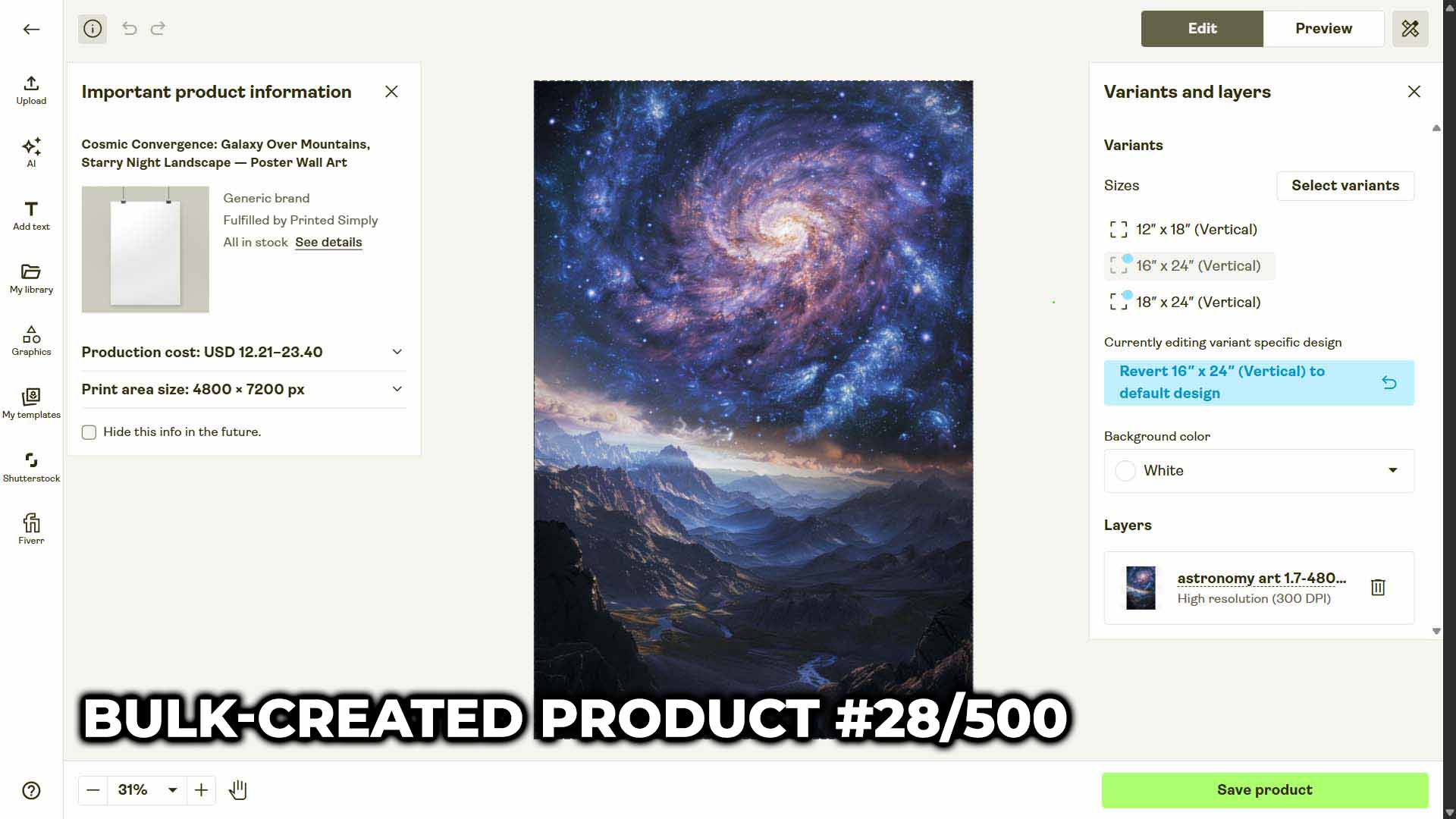
Next, you’ll choose an Example Product—an existing item in your Printify store that you want to replicate as a structural blueprint. This product defines your:
- Base product type (e.g., t-shirt, hoodie, canvas print, etc.)
- Pricing structure
- Enabled variants and sizes
- Print areas and placement settings

Once selected, the Bulk POD Product Creator mirrors all of these parameters across every new product in your operation. It’s like telling the system, “Use this as the template for everything I’m about to create.”
Why this is helpful for POD sellers:
- You can lock in consistent pricing, placement, and variant structures across hundreds of listings.
- You eliminate costly manual errors (like forgetting to enable a size or mispricing a product).
- You can rapidly experiment with different product templates for different artwork batches.
How this saves you time on your Printify workflow:
Instead of rebuilding each product from scratch, the Example Product ensures perfect uniformity. It standardizes your entire catalog, creating professional, consistent listings every single time—with zero extra effort.
Step 3: New Product Creation Rules
This is where the Bulk POD Product Creator’s automation truly shines. Once your artwork is uploaded and your Example Product selected, Step 3 defines how the system will generate and optimize your new listings.
AI Image Recognition: Writing Artwork-Accurate Titles, Descriptions, and Tags
At this stage, each uploaded artwork image is passed through advanced AI image recognition models that interpret what’s visually present—colors, subjects, composition, and style cues. This isn’t random text generation; it’s context-aware analysis.
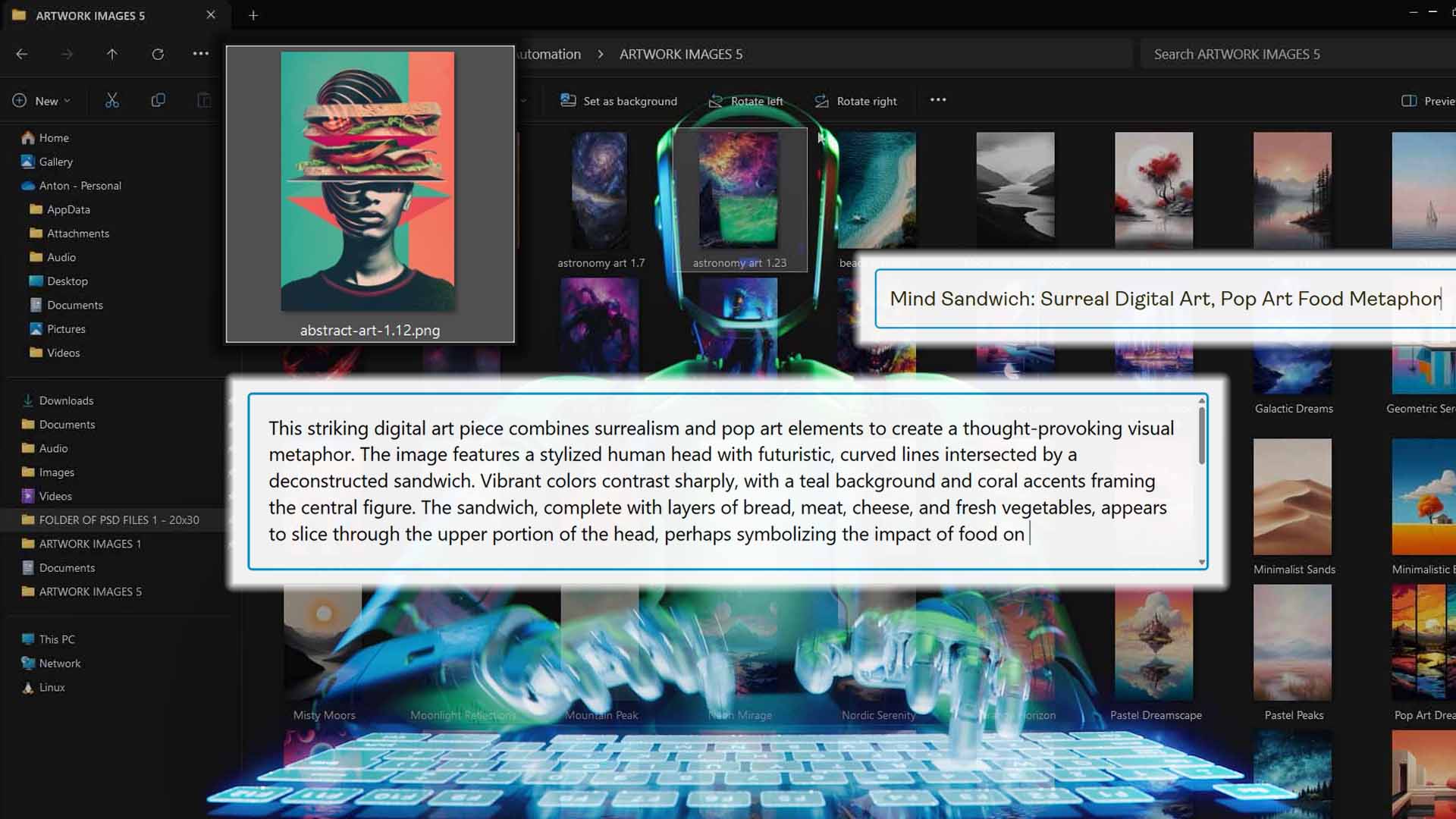
The system then feeds these AI-interpreted concepts into a specialized text-generation model that writes SEO-optimized:
- Titles—clear, keyword-reflective, and unique per artwork.
- Descriptions—concise but detailed blurbs that highlight the visual essence of the image.
- Tags—keyword clusters that align with how real buyers search on marketplaces like Printify, Etsy, or Google Shopping.
Every single product gets its own distinct, artwork-specific metadata—no copy-pasted or cookie-cutter results.
Why this is helpful for POD sellers:
- The AI ensures your listings are keyword-relevant and search-engine-friendly.
- The outputs reflect what’s actually visible in the image, ensuring accuracy and authenticity.
- It completely removes the guesswork (and exhaustion) of manually describing hundreds of designs.

How this saves you time on your Printify workflow:
You no longer have to play “SEO copywriter” for every listing. Each product’s text is generated intelligently from the artwork itself—rapidly, accurately, and in bulk.
Customizations That Give Your Listings an SEO Boost
After the AI has generated your base titles, descriptions, and tags, you can layer in custom text and formatting rules for even greater control.

Here’s what you can customize:
- Simple vs. Compound Titles: Choose whether your titles should be short and punchy or extended with multiple descriptive subtitle segments for added keyword depth.
- Custom HTML Blocks: Append reusable formatted content to the end of each description—perfect for adding consistent store-wide details, sizing info, or promotional blurbs.
- Custom Tag Prefixes or Suffixes: Add brand-level or category-level terms to unify your SEO strategy across entire product batches.
Why this is helpful for POD sellers:
These flexible customization options let you maintain your brand voice and SEO structure across thousands of listings—without manually editing a single one.
How this saves you time on your Printify workflow:
You can create a fully standardized, scalable SEO framework for your entire product catalog, where every listing adheres to your chosen format automatically.
Are the AI-Generated Outputs Any Good?
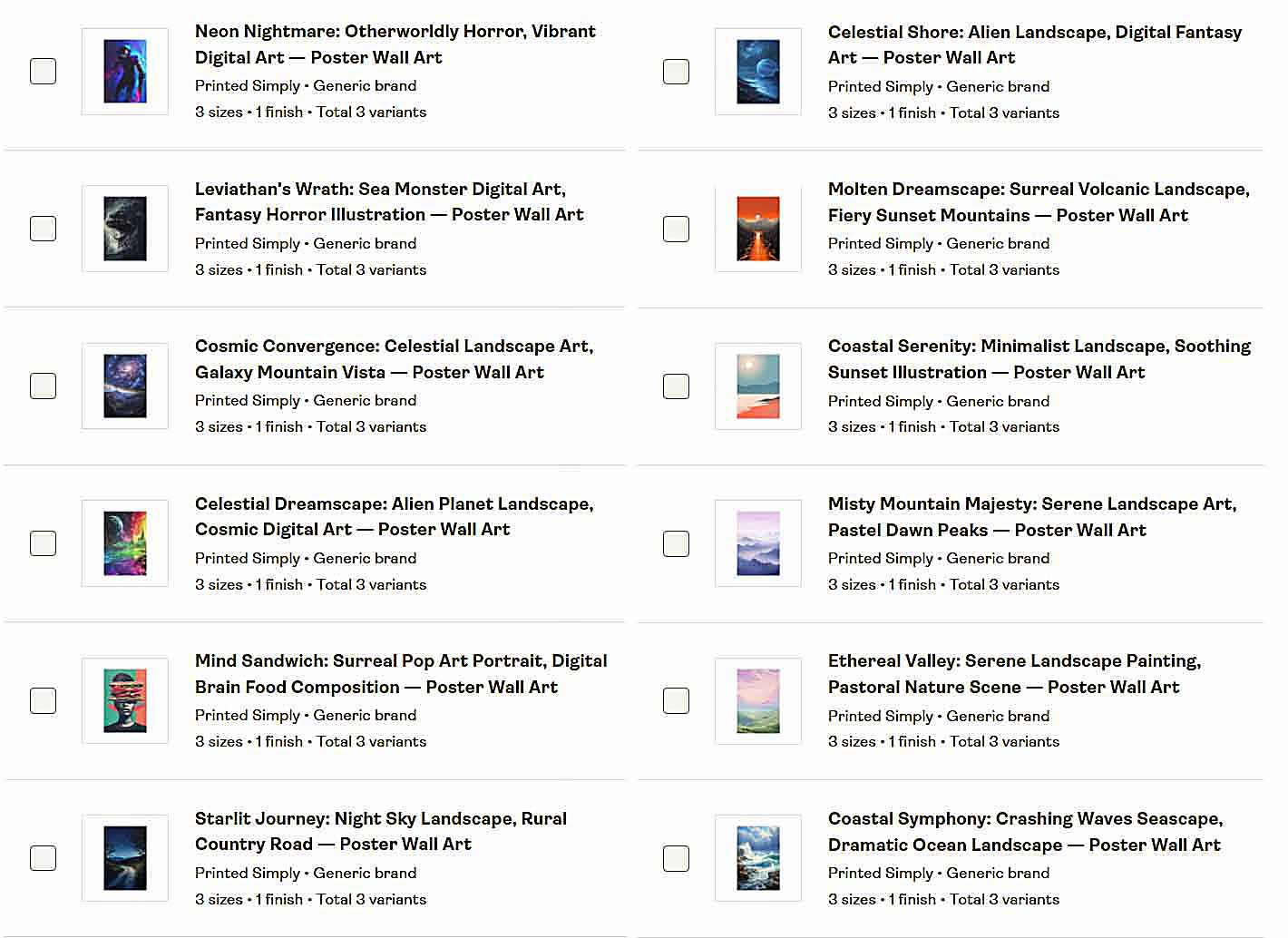
Yes—they’re extremely good. The Bulk POD Product Creator’s AI system was trained to handle a huge range of artwork types, from minimalist icons and digital illustrations to detailed photography and text-based t-shirt graphics.
- It understands nuance.
- It can identify and correctly describe text within images (like quotes or slogans).
- It differentiates between art styles—watercolor, geometric, abstract, photographic, etc.
- It balances keyword optimization with natural-sounding phrasing that reads like a human wrote it.
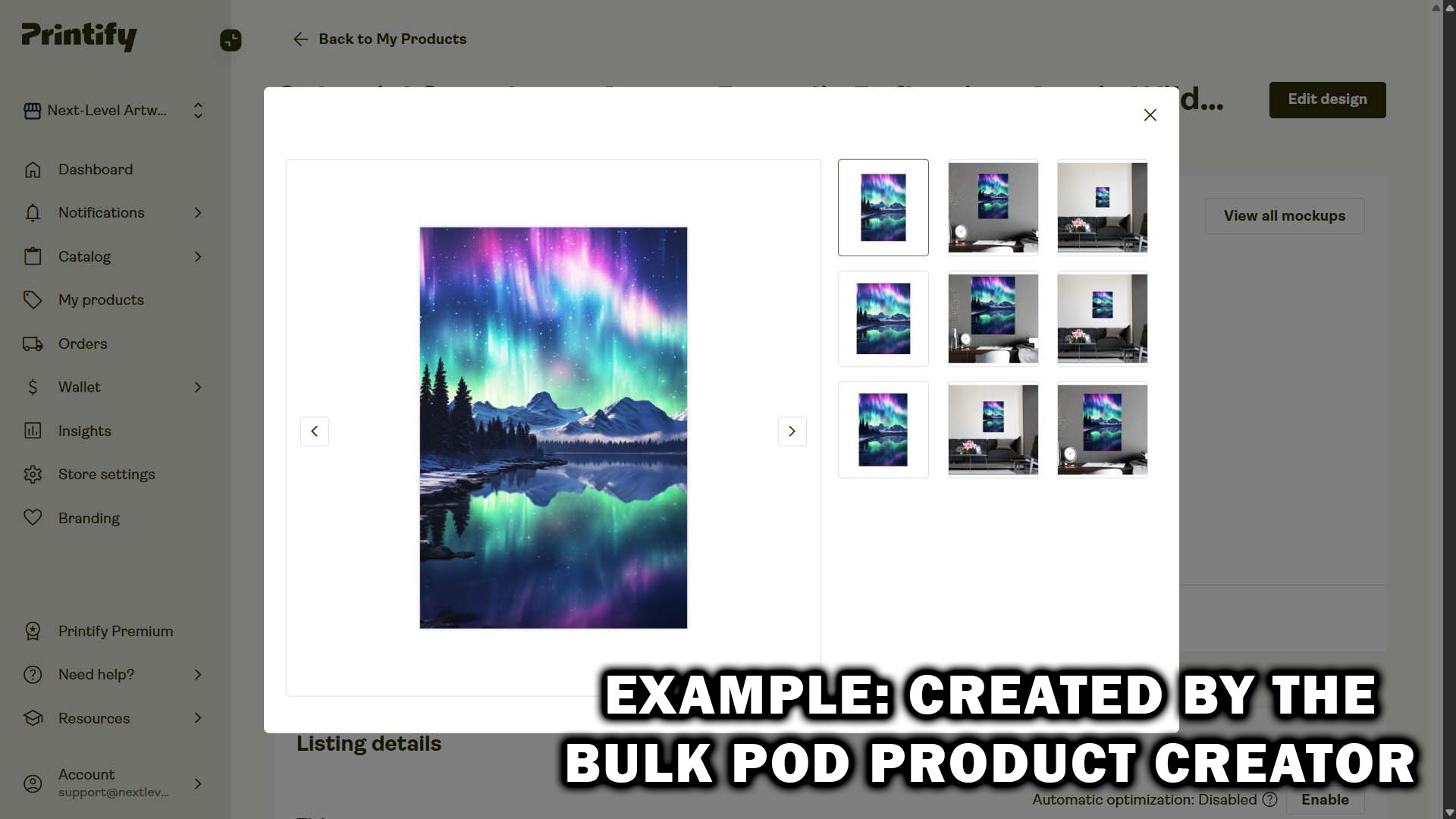
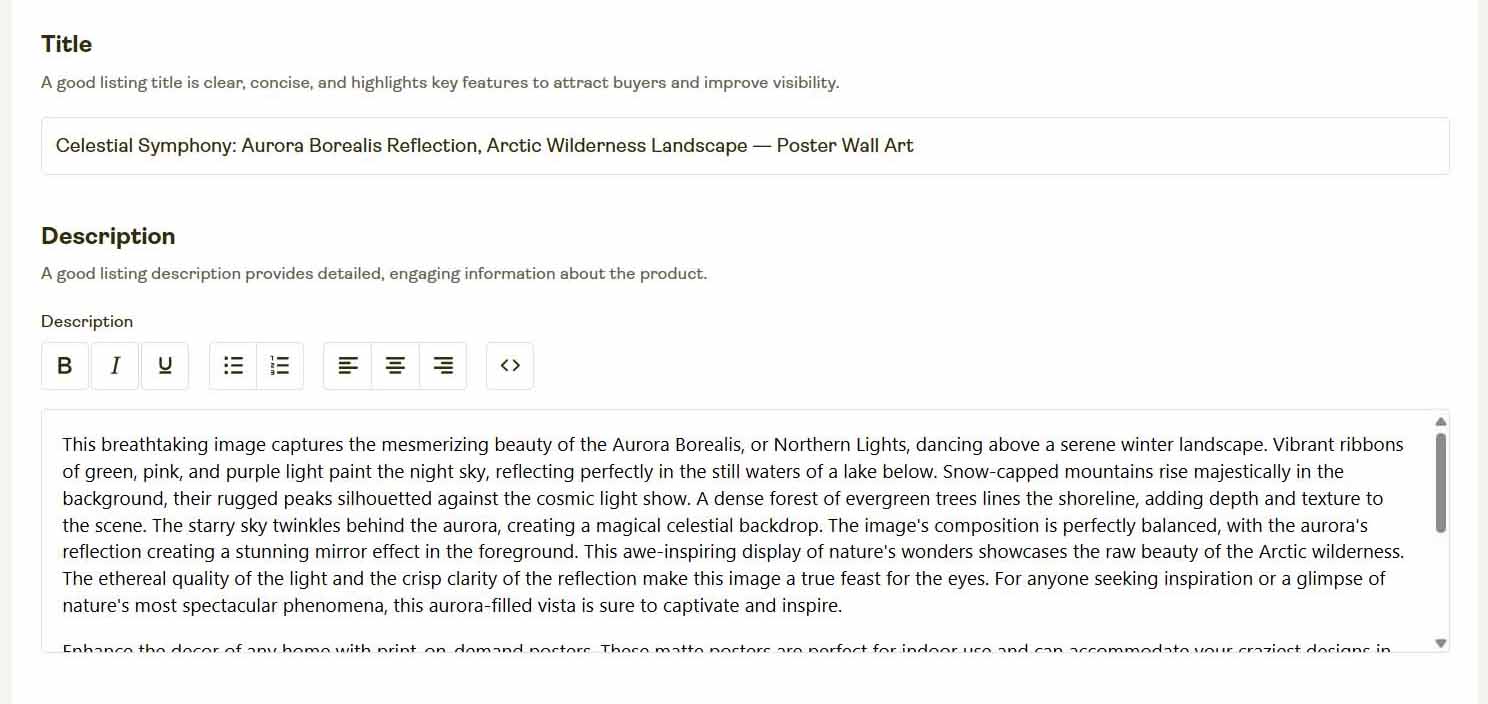
The result is product metadata that’s search-friendly and conversion-friendly. No keyword stuffing, no irrelevant gibberish—just clean, accurate, descriptive SEO text tailored to your specific artwork.
This level of accuracy simply isn’t possible with human manual effort at scale. It’s automation that performs with professional consistency from the first listing to the thousandth.
The "Send Clicks to My Browser" Method—A Comedy of Errors
Now, let’s step back and think about what it actually means to rely on an AI agent that literally controls your browser window.
Picture this: somewhere in Seattle, Amazon’s operations center. A multi-billion-dollar company, global logistics humming—and there’s Jeff Bezos pacing behind an intern’s laptop saying, “Nobody touch the mouse! ChatGPT is currently clicking ‘Add Product’ for our entire Q4 catalog!”

Or imagine Walmart’s inventory department, where someone nervously guards a desktop PC with a Post-it note that says “DO NOT MOVE MOUSE—AI IS UPDATING OUR ONLINE STORE.” One notification pops up, the cursor drifts an inch, and the entire automation collapses like a house of cards.
It’s absurd because we instinctively know serious businesses don’t scale that way.
Yet that’s exactly what using an AI agent to click and type inside your Printify dashboard is—a fragile hack that can fall apart with a single misplaced pixel.
A real business needs dependable automation. The Bulk POD Product Creator doesn’t “pretend to be you in a browser.” It performs real, authenticated actions through Printify’s API—fast, consistent, and secure.
Conclusion: Use AI the Right Way—Professionally
The concept of using AI to SEO-optimize your Printify products is 100% correct. The execution method, however, is what separates amateur setups from professional automation.
If you want something that’s reliable, scalable, and designed to actually move your business forward, stop relying on browser-based scripts that “fake” clicks. Instead, use the Bulk POD Product Creator, which:
- Automates Printify product creation and SEO optimization end-to-end.
- Uses real API commands for accuracy and stability.
- Writes intelligent, artwork-specific titles, descriptions, and tags that drive traffic.
It’s automation built for real businesses—not a funny experiment running on a laptop you’re afraid to touch.
Use the Bulk POD Product Creator, and let automation finally work for you, not against you.