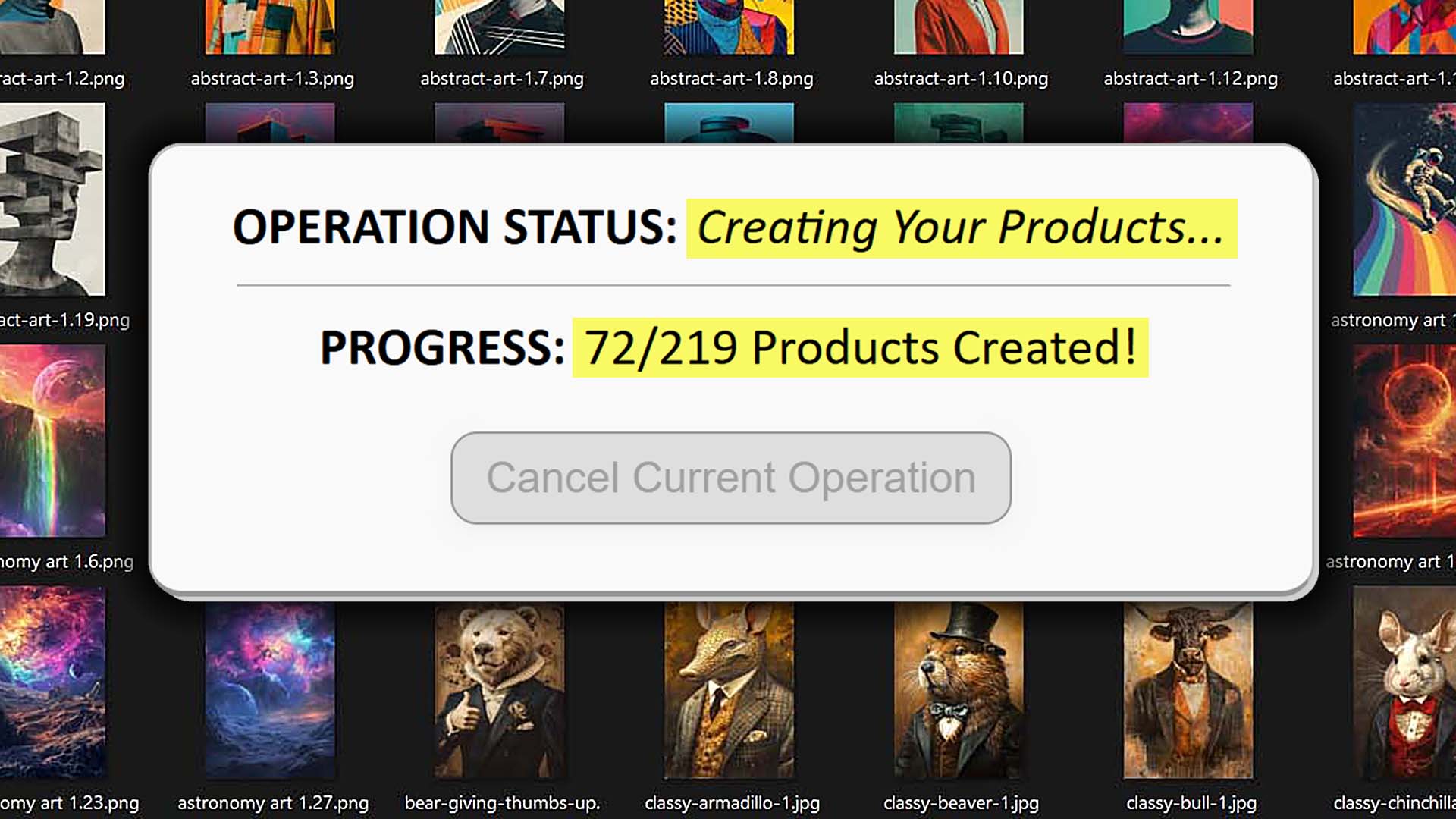
Can You Make POD Products Using Microsoft Power Automate?
Overview: We’ll evaluate how far Microsoft Power Automate can realistically go in automating POD product creation, unpack the practical limits of click-recording style automation, and show why the Bulk POD Product Creator’s API-driven approach is the dependable way to generate print-on-demand products in bulk without tedious manual effort.
Why No-Code Automation Appeals to POD Sellers
Microsoft Power Automate has grown popular among people looking to simplify routine computer work without touching a single line of code. It allows you to build “flows”—recorded sequences of clicks, keystrokes, and navigations that mimic human actions. In essence, you show it what to do once, and it repeats that same series of tasks whenever you need.
For print-on-demand sellers, that concept sounds especially tempting. Listing products manually—opening the same screens, selecting options, typing variant data, and uploading artwork again and again—quickly turns into a repetitive grind. Naturally, many wonder whether a no-code tool like Power Automate could just record the process and run it automatically in the background.
On paper, that’s exactly the kind of simplicity Power Automate promises: automation without programming knowledge. The problem is that what looks straightforward in theory becomes messy in practice when applied to something as dynamic as creating products on modern POD platforms. The question isn’t just “can it work?”—it’s whether it can work reliably and at scale.
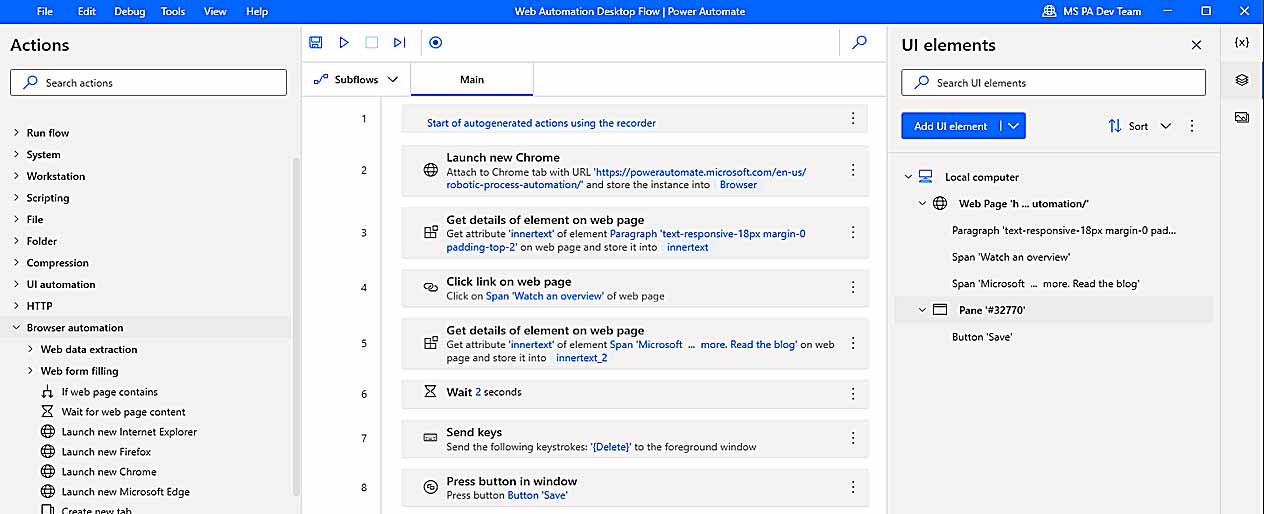
This post digs into that question—examining how Power Automate behaves in real-world use, whether it can meaningfully handle POD product creation, and why most serious sellers eventually turn to purpose-built systems such as the Bulk POD Product Creator for dependable large-scale automation.
Can POD Product Creation Be Done with Microsoft Power Automate?
With enough patience, you can technically cobble together a Power Automate “flow” that imitates parts of the product-creation sequence. It can click buttons, select menus, upload image files, and even press Publish—essentially replaying the same actions you performed manually.
But being technically possible doesn’t make it practical or stable.
Creating products on a POD site isn’t a static form-filling exercise. It involves a chain of dynamic screens, asynchronous loading, and conditional options that change depending on product type and supplier. Power Automate’s simple “wait-and-click” logic has no true understanding of what’s happening on screen, making it brittle and error-prone.
Even minor differences—slower page loads, layout tweaks, or a shifted button—can derail the whole sequence. These flows tend to break without warning, forcing you to re-record them from scratch. That’s a common issue across all RPA-style tools: they work only as long as nothing changes, which in web environments is almost never.
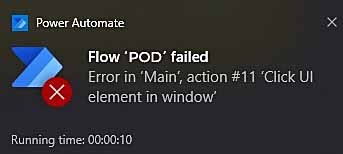
This is exactly where purpose-built automation frameworks like the Bulk POD Product Creator stand apart. Instead of simulating mouse clicks, they issue structured API commands, guaranteeing accuracy and repeatability across every listing.
Next, let’s unpack why the underlying process of creating POD products makes such click-based tools inherently fragile.
Why POD Product Creation Is Inherently Complex
Building even a single product listing on a platform like Printify, Printful, or Gooten involves a surprising number of moving pieces:
- Choosing the correct base product from many similar templates—each with different suppliers, print areas, and material options.
- Enabling or disabling dozens of size-and-color variants for every item.
- Uploading artwork files that vary in resolution and aspect ratio.
- Adjusting scaling and placement so each design fits its print area properly—say, wrapping a hoodie front versus centering on a mug.
- Setting individual variant prices and ensuring no errors or typos creep in.
- Writing titles, descriptions, and tags that accurately reflect each design for SEO.
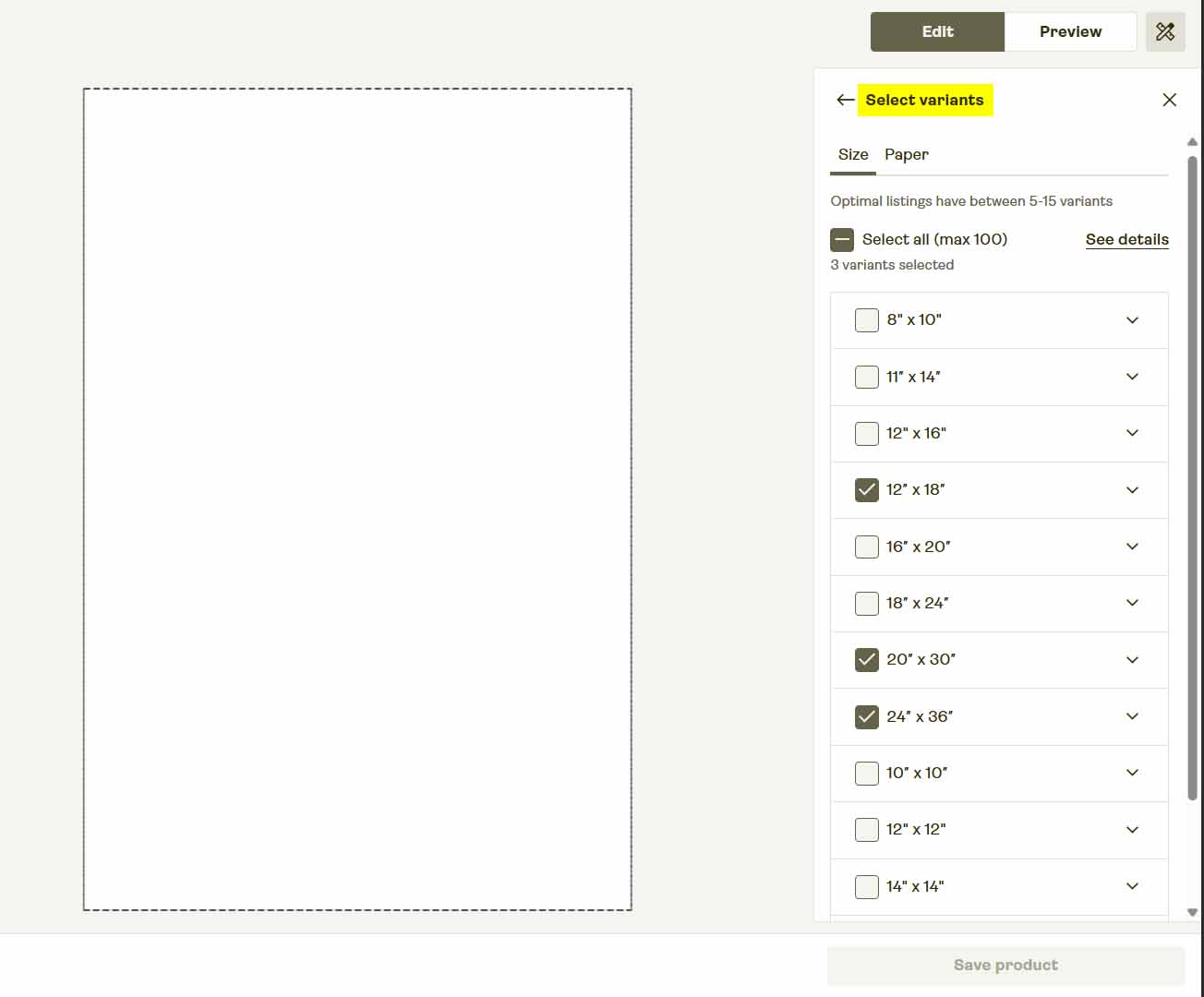
Every stage happens on a different dynamically-loaded screen, which means buttons appear at unpredictable times and positions. A script that expects a fixed layout will misfire as soon as anything changes.
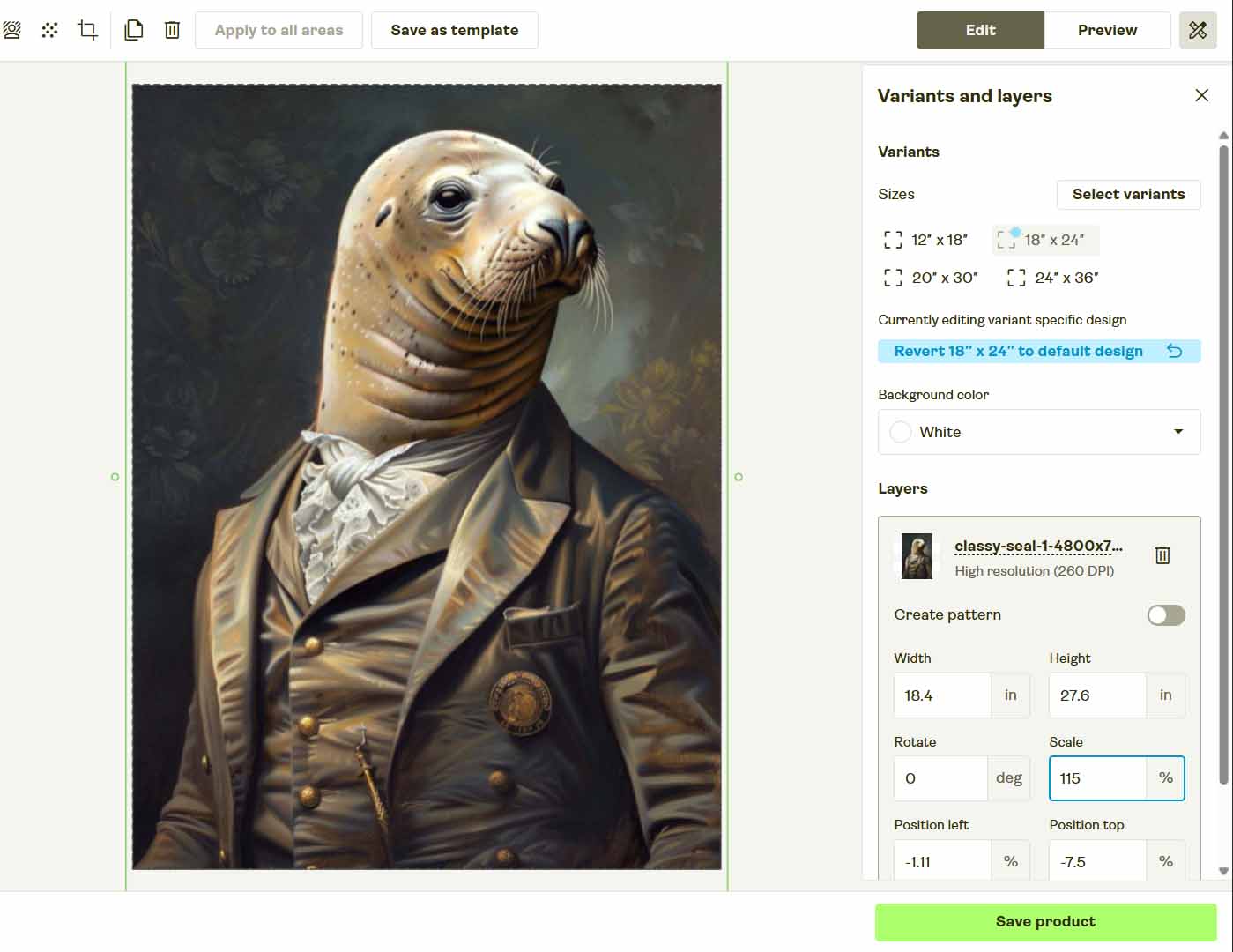
So while you could theoretically record a long sequence of actions in Power Automate, keeping that sequence functioning long-term is nearly impossible. One small UI tweak or timing difference, and your flow collapses.
Why Point-and-Click Automation Breaks So Easily
Macro-based tools—Power Automate, AutoHotkey, or any screen recorder—share the same structural weakness: they rely on your interface staying exactly the same.
Here’s how quickly that assumption falls apart:
- Toggle your browser’s bookmarks bar and every coordinate shifts—your automation now clicks the wrong spots.
- Move the mouse mid-run and the sequence desynchronizes instantly.
- If your POD platform updates its layout or renames form fields, the flow either clicks empty space or triggers unintended actions.
- Changing monitors, resolutions, or zoom levels can throw off the entire coordinate system.
- Even delegating the process to another team member fails, because the automation is calibrated to your own environment.

This is why real businesses don’t rely on recorded macros to run production workflows. Sustainable automation happens through backend systems that issue deterministic, code-based operations—not through fragile screen mimicry.
If your goal is long-term scalability, the solution isn’t to perfect a mouse script—it’s to adopt an API-driven process that communicates directly with your POD platform’s backend and produces consistent results every time.
In the following section, we’ll examine exactly how that’s achieved using the Bulk POD Product Creator—a system built for reliability, not repetition.
A Smarter Path: API-Driven POD Automation
Instead of trying to patch together a fragile “click here, wait there” routine in Power Automate, there’s a more professional approach that achieves the same outcome with far greater consistency.
Enter the Bulk POD Product Creator—a dedicated print-on-demand automation platform built specifically for sellers who want to scale catalog production without babysitting their computer.
Rather than imitating user behavior on the screen, this system interacts directly with official APIs where available. Every task—from generating products and uploading artwork to setting prices and writing metadata—is executed through structured backend requests that never drift or misfire. It’s automation built for scale, not just convenience.
Step 1: Upload Your Artwork and Define a Placement Rule
Begin by uploading your folder of artwork files. Each design becomes the foundation for a new product within your print-on-demand platform. From there, you’ll choose how the system should handle image placement and resizing across different product types:
- Stretch Images To Fit Print Area(s) — fills the full printable region for maximum coverage.
- Preserve Image Aspect Ratio & Center — scales proportionally and centers the design neatly within the available space.
- Exactly Match Example Image(s) — duplicates the precise pixel positioning from your Example Product mockups.

Once these settings are applied, the automation handles all resizing and formatting behind the scenes. There’s no manual cropping or alignment required—every design is positioned programmatically and consistently.
Why This Beats Microsoft Power Automate:
Power Automate would need to physically move your mouse, wait for each file to upload, and hope the layout stays identical every time it runs. The Bulk POD Product Creator bypasses all that. It uses backend logic to apply placement rules directly through code, making it immune to screen changes or timing delays.
Step 2: Connect Your POD Platform Account and Choose an Example Product
Next, connect your account from your preferred POD service—such as Printify or Printful. Select an existing product to serve as your Example Product; this acts as the blueprint that defines structure, variants, and settings for your new listings.

Through its API integration, the system reads the full configuration of that Example Product, including:
- Enabled print areas
- Available color and size variants
- Pricing and supplier data for each option
- Orientation, mockups, and layout information
Every product you generate automatically inherits those same standardized parameters, ensuring consistent quality and formatting across your catalog.
Why This Beats Microsoft Power Automate:
Power Automate has no concept of data structure—it simply clicks on screen coordinates. The Bulk POD Product Creator works directly from the underlying product data, meaning it’s immune to cosmetic interface updates or browser inconsistencies. You get precise, repeatable automation every single time.
Step 3: Generate Titles, Descriptions, and Tags Using AI
Finally, set up how your listings will handle SEO metadata generation. The integrated AI examines each artwork image to produce:
- Image-aware titles that describe the visual content clearly
- Concise descriptions that summarize the artwork using natural, keyword-rich phrasing
- Relevant tags that capture the piece’s theme, tone, or artistic style

You can also include optional custom text fields—prefixes or suffixes—to add extra context such as “—Canvas Print” or “—Premium Wall Art.”
Why This Beats Microsoft Power Automate:
Power Automate isn’t capable of reasoning or content generation; it can only replay your keystrokes. The Bulk POD Product Creator automates metadata creation intelligently, ensuring that every POD listing features unique, SEO-optimized language without you needing to write or copy anything manually.
Why the Bulk POD Product Creator Outperforms Power Automate
Let’s break down the specific reasons this API-driven framework leaves click-recording tools in the dust.
1) Reliability and Error Resistance
- Code-based operations execute consistently, regardless of layout or update changes.
- Power Automate flows often collapse the moment a UI element shifts or loads differently.
2) Compliance and Stability
- Official API use ensures compliance with platform guidelines—no captchas, throttling, or bot flags.
- Browser-driven macros can easily trigger security warnings or anti-bot defenses.
3) Independence from Fragile UI Elements
- The Bulk POD Product Creator interacts through structured data calls, not through pixel-based clicks.
- Power Automate depends on screen coordinates—one tiny visual adjustment can break the entire routine.
4) Platform and Machine Independence
- Your automation runs from the cloud or any workstation—no dependency on a specific device or resolution.
- A Power Automate script tied to one setup stops functioning once you change machines or display settings.
5) Performance and Throughput
- The Bulk POD Product Creator operates near the speed ceiling of supported APIs, processing hundreds of listings while you focus elsewhere.
- Power Automate executes one mouse event at a time, monopolizing your system resources at human speed.

6) True Software-Level Automation
- The system runs as real backend code with built-in retry logic and robust error handling.
- Power Automate lacks those controls—once a step fails, the entire flow stalls.
7) Non-Intrusive Operation
- The Bulk POD Product Creator works quietly in the background—you can keep using your device freely.
- Power Automate monopolizes your cursor and keyboard; a single movement can ruin an entire run.
8) AI-Driven Metadata Generation
- Built-in AI analyzes your artwork and writes SEO-ready titles, descriptions, and tags with no manual input required.
- Power Automate can’t interpret images or generate text—it would still require human entry for every line of metadata.

9) Automatic Image Handling and Placement Accuracy
- The system recalculates and resizes every uploaded file based on your chosen placement mode, keeping alignment perfect across products and aspect ratios.
- Power Automate would have to “guess” where to click or drag—a method far too fragile for consistent production work.
Ultimately, this isn’t about patching together a half-working macro—it’s about adopting an automation infrastructure built for professional output. The Bulk POD Product Creator replaces unreliable desktop scripting with a scalable, industrial-strength solution designed for real business growth.
Conclusion: Real Automation Beats Recorded Clicks
Microsoft Power Automate is excellent for lightweight office processes like renaming files or syncing spreadsheets—but when it comes to producing print-on-demand listings, it’s out of its depth. Using it to create full product catalogs is like trying to run a production line by pushing toy levers—it may move, but it won’t scale.
For anyone serious about growth, the Bulk POD Product Creator provides the right approach. It automates print-on-demand product creation properly—through secure API communication—producing clean, consistent, and SEO-optimized listings in bulk, free from the brittleness of desktop macros.
Once configured, it handles the repetitive workload for you. Your catalog keeps expanding automatically while you focus on creative direction and strategy. That’s the difference between basic automation and real business-grade automation—and it’s exactly how professional POD sellers scale sustainably.