
Can ChatGPT Agent Mode Write Printify Product Titles, Descriptions & Tags For You?
Overview: This post explores whether ChatGPT Agent Mode can be used to effectively automate writing product titles, descriptions, and tags for Printify, why browser-based automation is fragile, and how the Bulk POD Product Creator delivers reliable, automated, AI-powered SEO optimization for print-on-demand sellers.
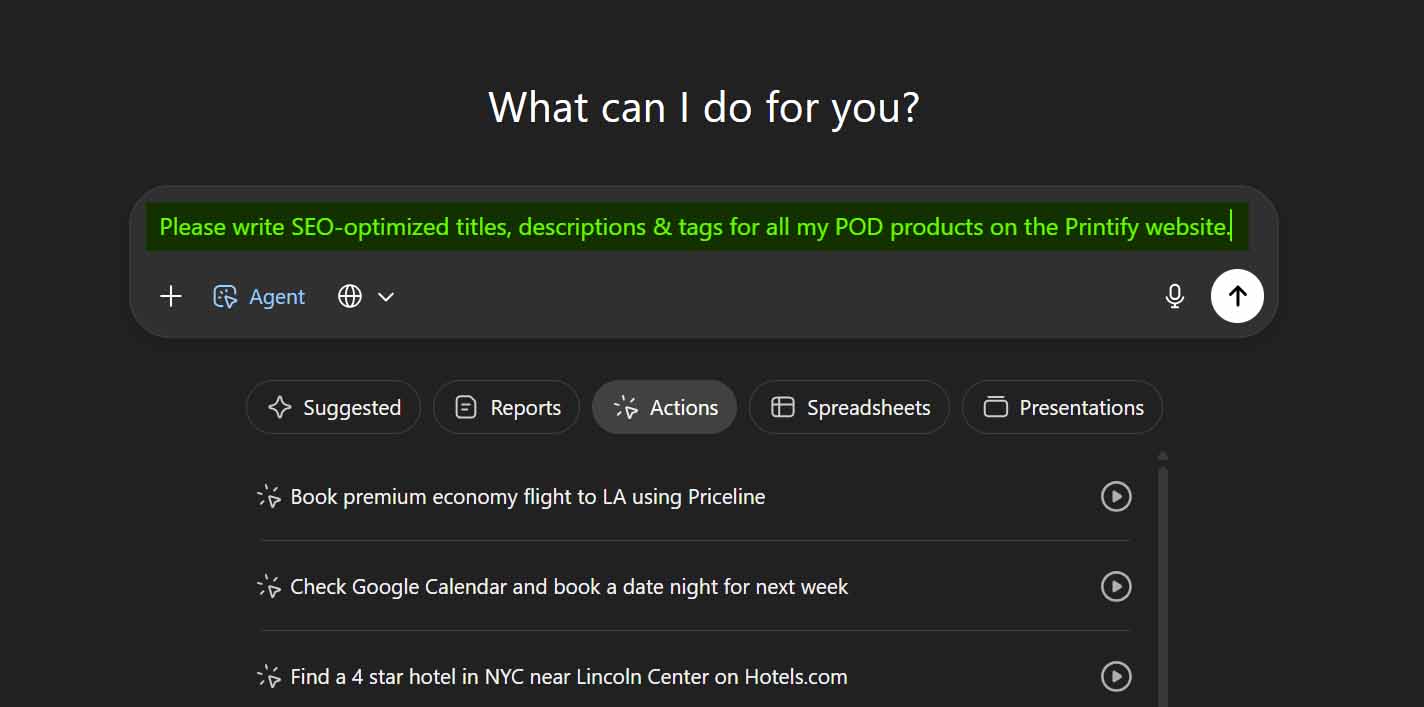
Writing Printify Titles, Descriptions & Tags Manually Is a Productivity Killer
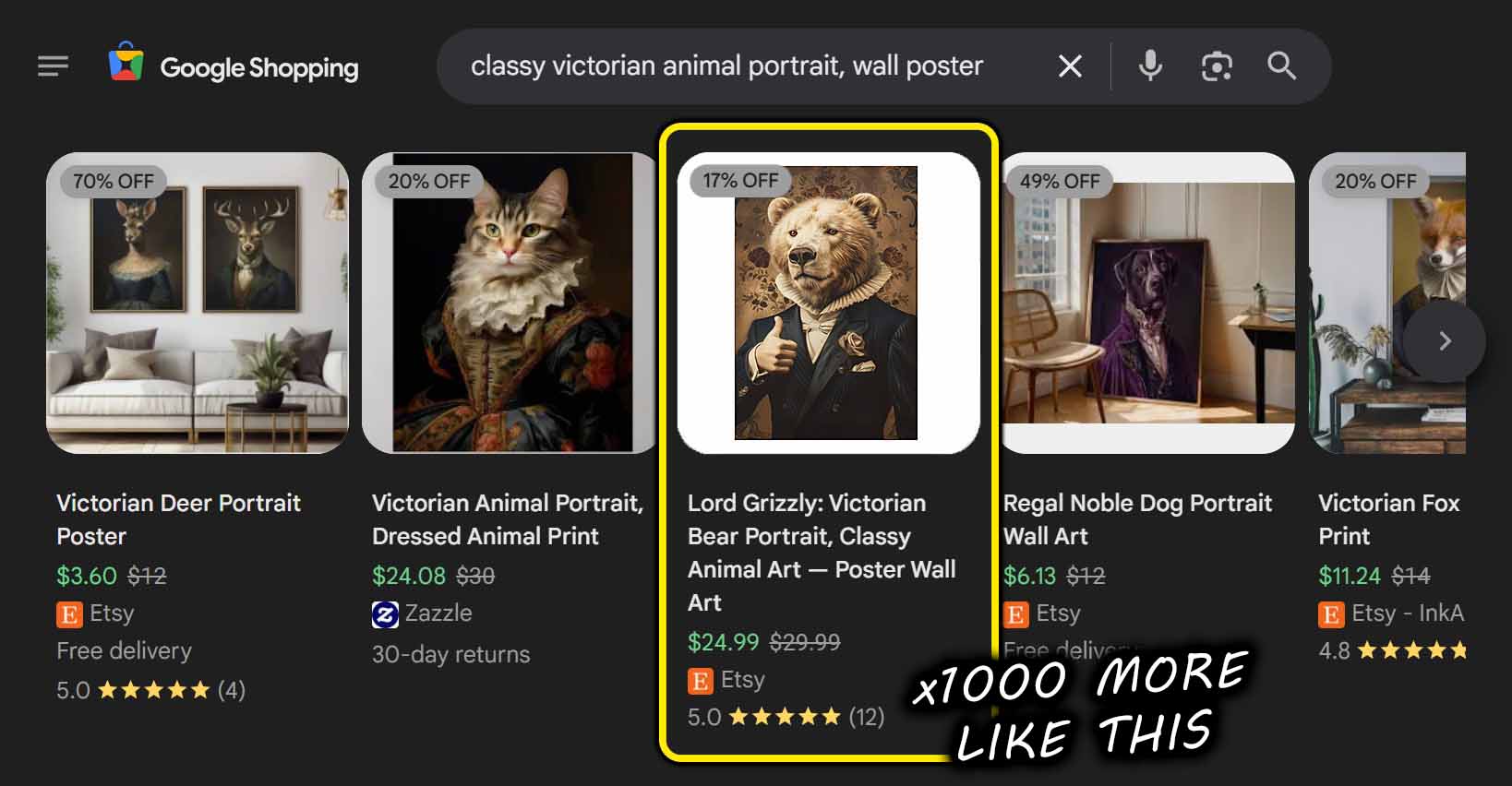
Anyone who’s built a print-on-demand store knows how excruciating it can be to manually write product titles, descriptions, and tags—over and over again—for hundreds of listings. It’s tedious, time-consuming, and creatively draining. After about the 20th listing, the mental fatigue sets in. By the 100th, you’re on autopilot, reusing the same recycled phrasing just to get through it.
The problem isn’t just the boredom. It’s the opportunity cost. Every hour spent typing out repetitive metadata is an hour not spent designing, marketing, or scaling your business.
That’s why so many sellers turn to automation and AI for help—to eliminate this repetitive grunt work and make the entire process faster, smarter, and more consistent.
Here are a few clear reasons why AI + automation is a better approach:
- It saves massive amounts of time. You can generate hundreds of SEO-optimized product titles, descriptions, and tags with just a few minutes of work instead of wasting hours or days.
- It ensures consistency. AI-generated copy maintains a consistent structure and tone across your catalog, improving brand coherence and professionalism.
- It boosts SEO performance. Well-trained AI can identify and use keyword-rich phrasing patterns naturally—something that’s hard to sustain manually at scale.
- It eliminates burnout. You can stop dreading the “content writing” part of listing creation and focus your energy on designing and growing your business.
- It scales infinitely. AI doesn’t get tired. Whether you have 50 products or 5,000, it produces consistent, polished results every single time.
But of course, how you automate matters. Some sellers look to tools like ChatGPT’s Agent Mode as a possible solution—reasoning that, if it can click around a browser and type like a human, maybe it could just handle all this tedious product-copy writing on its own.
Unfortunately, that’s not the best route. While it might sound appealing, “browser automation” via ChatGPT Agent Mode is an incredibly fragile, unreliable way to handle something as important as your Printify SEO and product copy.
A much better approach—and one designed specifically for this exact problem—is using the Bulk POD Product Creator, which automates all of this properly using the official Printify API. It’s clean, efficient, and purpose-built for generating SEO-optimized titles, descriptions, and tags automatically for all your POD products, without relying on any “control my browser” hacks.
Can ChatGPT Agent Mode Write Printify Titles, Descriptions & Tags?
Technically speaking, you might be able to rig ChatGPT’s Agent Mode to interact with the Printify interface—but that doesn’t mean it’s a practical or reliable solution. In theory, an Agent could click its way into each product page, locate the title and description boxes, and paste in generated text. But in reality, this is a recipe for frustration.
Here’s why:
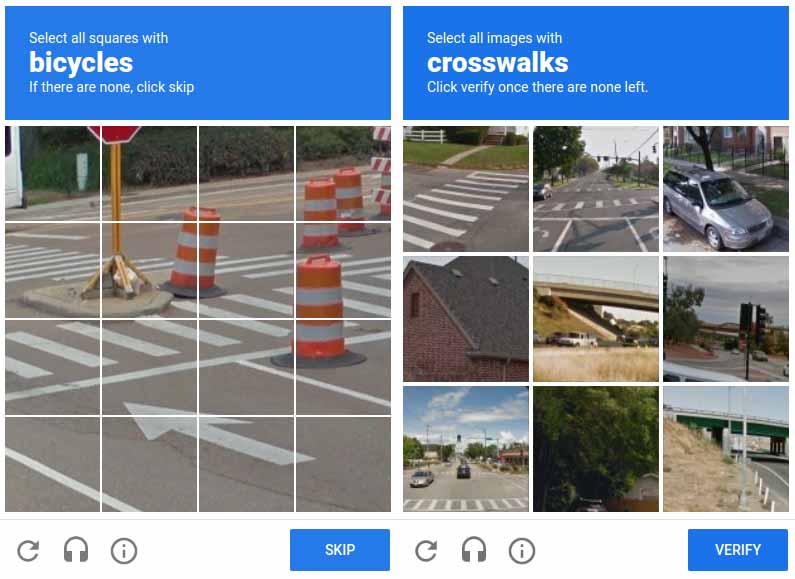
- Captchas and security barriers. Printify, like most large platforms, uses Cloudflare and other protection systems to detect automated browser activity. Trying to run large-scale automation through Agent Mode will almost certainly trigger those defenses, resulting in blocked sessions or errors mid-run.
- Dynamic product listings. Every time you edit a product, it may reorder or refresh in your dashboard, especially under certain filtering configurations. This makes it very hard for a browser agent to reliably keep track of which listings have or haven’t been updated.
- Complex multi-step workflows. Even a seemingly simple task like updating a product description involves several page loads, field validations, modals, and save operations. Each of these can fail or shift position the next time Printify updates its UI, instantly breaking the automation sequence.
- Unreliable context retention. Browser automations often lose track of what they were doing if the interface lags, a confirmation dialog appears, or a new page element loads unexpectedly—all of which happen frequently on complex sites like Printify.
- It would need to map and analyze artwork images. This is a major added layer of complexity. To write relevant, accurate SEO titles, descriptions, and tags, the Agent would have to navigate to the corresponding artwork image used for each product—which exists in a separate section of the platform—identify which image belongs to which listing, open or process that image, analyze its content, and then generate text that reflects it correctly. That’s an enormous amount of interlinked logic spanning multiple dynamic pages and states, and one small error (like mismatching an image with a product) could completely derail the process.
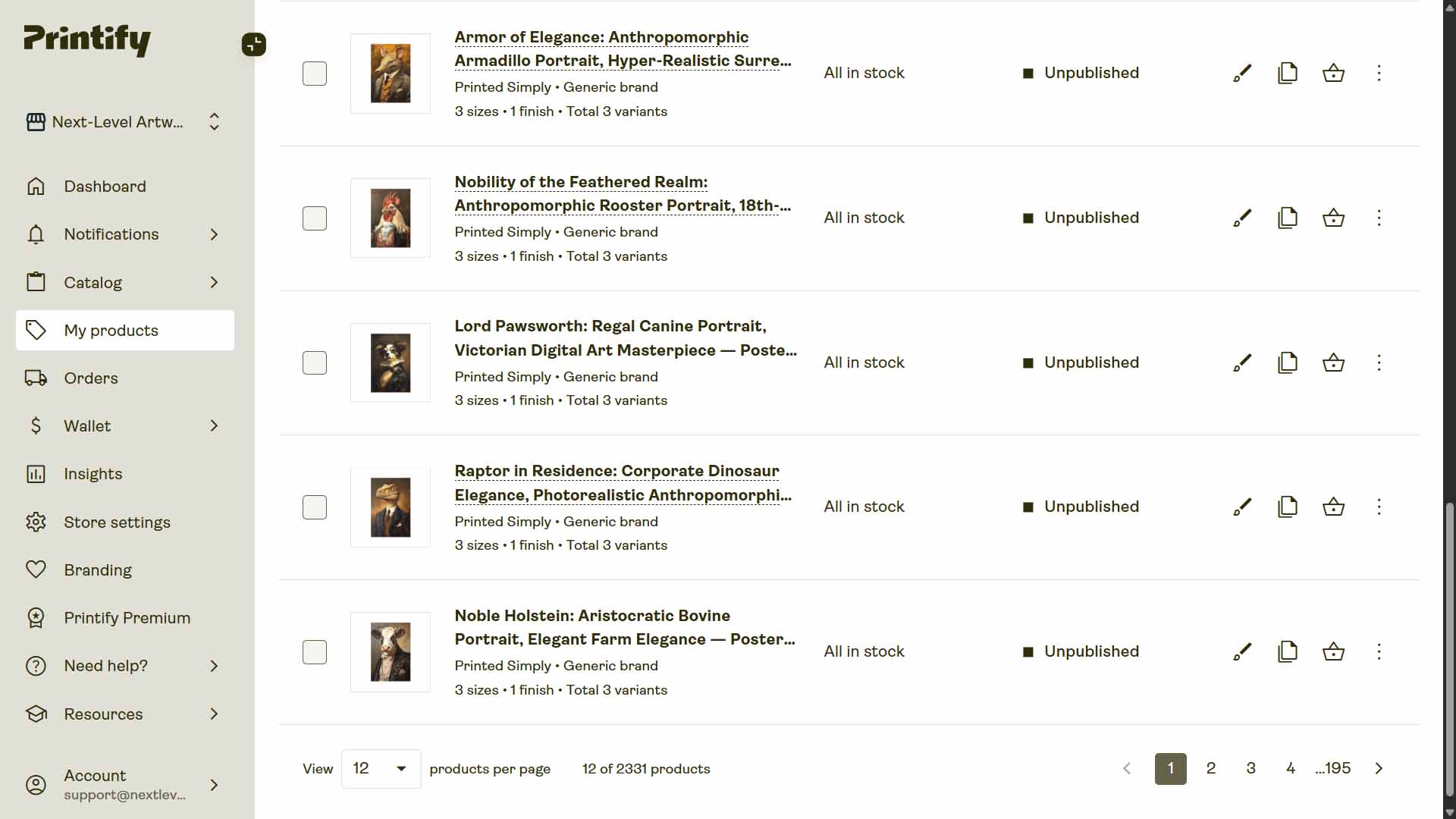
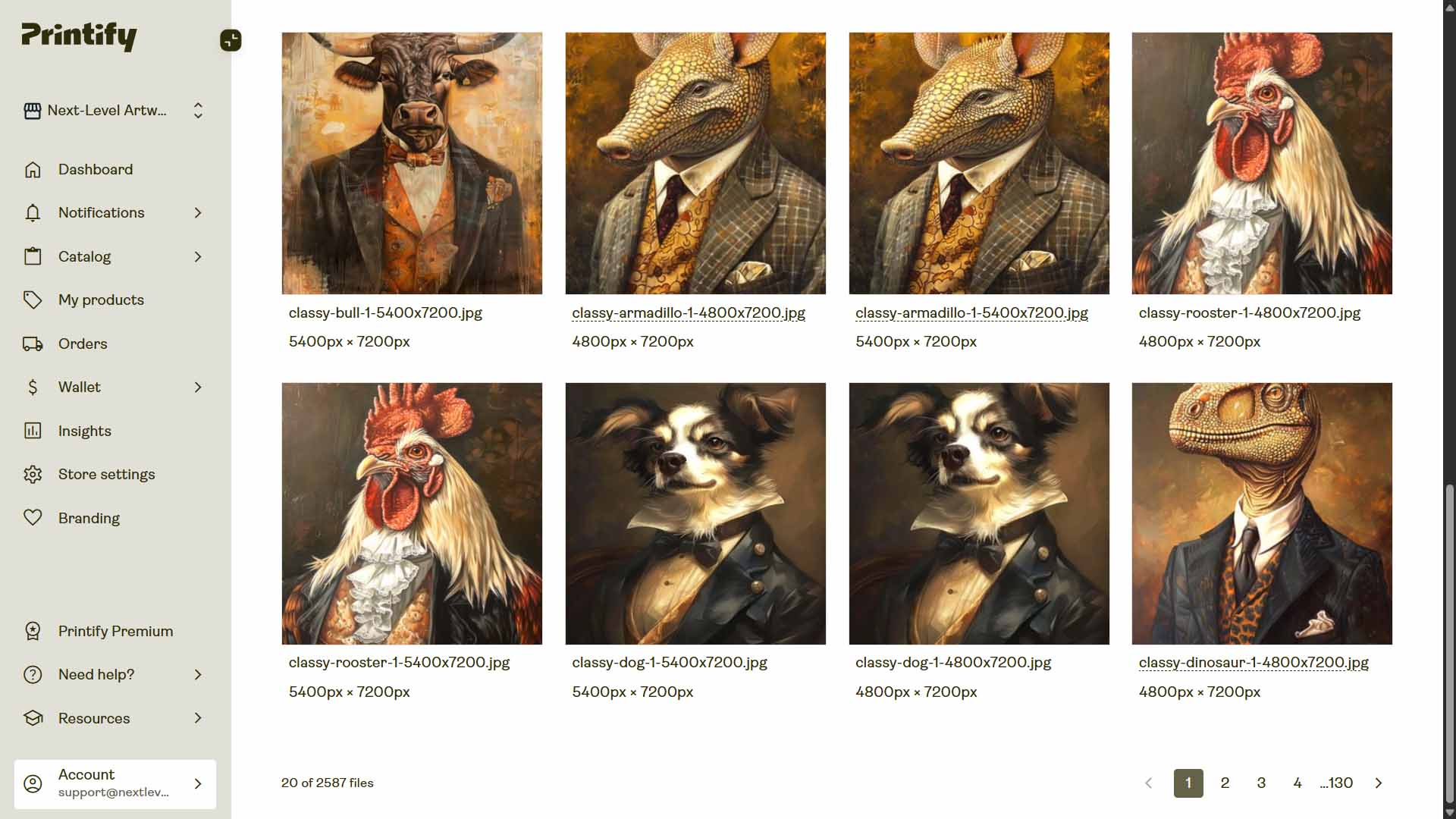
Even if you somehow got all this working, it would be fragile and constantly breaking every time Printify changed something minor in its interface. You’d spend more time debugging your automation than you’d save by using it.
In short: yes, it’s theoretically possible—but practically useless for any real business workflow.
That’s why the Bulk POD Product Creator exists. It doesn’t “click around” in your browser pretending to be a human; it interacts directly with the official Printify API. It automatically maps and analyzes artwork images, generates SEO-optimized text using AI, and builds fully formed listings without ever relying on unreliable browser scripting. It’s the professional, scalable way to achieve exactly what Agent Mode is trying (and failing) to do.
Why This Is an Amateur-Hour Automation Attempt
Let’s paint a picture to illustrate how absurd this kind of setup is.
Imagine Jeff Bezos sitting at a desk, with Amazon’s entire product pipeline depending on a laptop running ChatGPT Agent Mode. The AI is literally moving the mouse, clicking buttons, typing descriptions, and he’s shouting, “Nobody touch that laptop! It’s uploading our next batch of Amazon listings!”

That’s what using browser-controlled automation for Printify looks like.
It’s fragile, inefficient, and one small misclick away from chaos. This kind of automation ties your business operations to the quirks of a local browser—as if your e-commerce success depends on Chrome not freezing. It’s the very opposite of what serious, scalable automation should look like.
Business-grade automation doesn’t simulate human clicks. It interacts through official APIs—stable, secure, supported channels designed for exactly this type of programmatic control.
That’s why tools like the Bulk POD Product Creator exist: to give you the power of automation without the amateur-hour fragility of browser bots.
Meet the Bulk POD Product Creator: The Smarter Way to Automate Printify SEO
If you’re serious about scaling your print-on-demand business, the Bulk POD Product Creator is the proper way to do it.
Instead of trying to make ChatGPT “pretend to be you” inside the Printify interface—clicking, typing, and hoping nothing breaks—this tool uses the official Printify API to execute every command cleanly, securely, and reliably.
It’s not some hacky workaround. It’s real automation software that connects directly to your store, creates POD products on your behalf, and uses AI to handle the repetitive print-on-demand SEO tasks that used to consume hours of your time.

In other words, it does exactly what you wish ChatGPT Agent Mode could do—but correctly, safely, and at scale.
Step 1 & 2: Upload Your Artwork and Select an Example Product
When setting up an operation, you start by uploading your artwork batch and selecting an existing product from your Printify store to act as the Example Product.
This single product defines all the structural settings your new listings will mirror—everything from variant selections and pricing to mockup orientation and print area placement.
Here’s how these two steps work together:
- Upload your artwork files. Drop in your designs—whether ten files or a thousand. The tool automatically queues and prepares them for bulk generation, saving you from renaming, reordering, or organizing them manually.
- Select your Example Product. This tells the system exactly what kind of product you want to replicate. For example, if your Example Product is a black unisex T-shirt with a centered print area, every generated product will follow that exact blueprint—same print areas, variant settings, pricing, and placement alignment.


By pairing your artwork batch with a well-structured Example Product, you’re standardizing every output before it’s even created. That means consistent pricing, consistent mockup structure, and consistent listing quality across your entire store.
Why this matters for Printify SEO:
Search engines reward predictability and structure. When all your listings follow a clean, standardized pattern, they’re easier for crawlers to understand and rank. The Bulk POD Product Creator automates that consistency for you—something no browser macro or ChatGPT agent could ever sustain over hundreds or thousands of listings.
Step 3: New Product Creation Rules—AI-Generated Titles, Descriptions & Tags
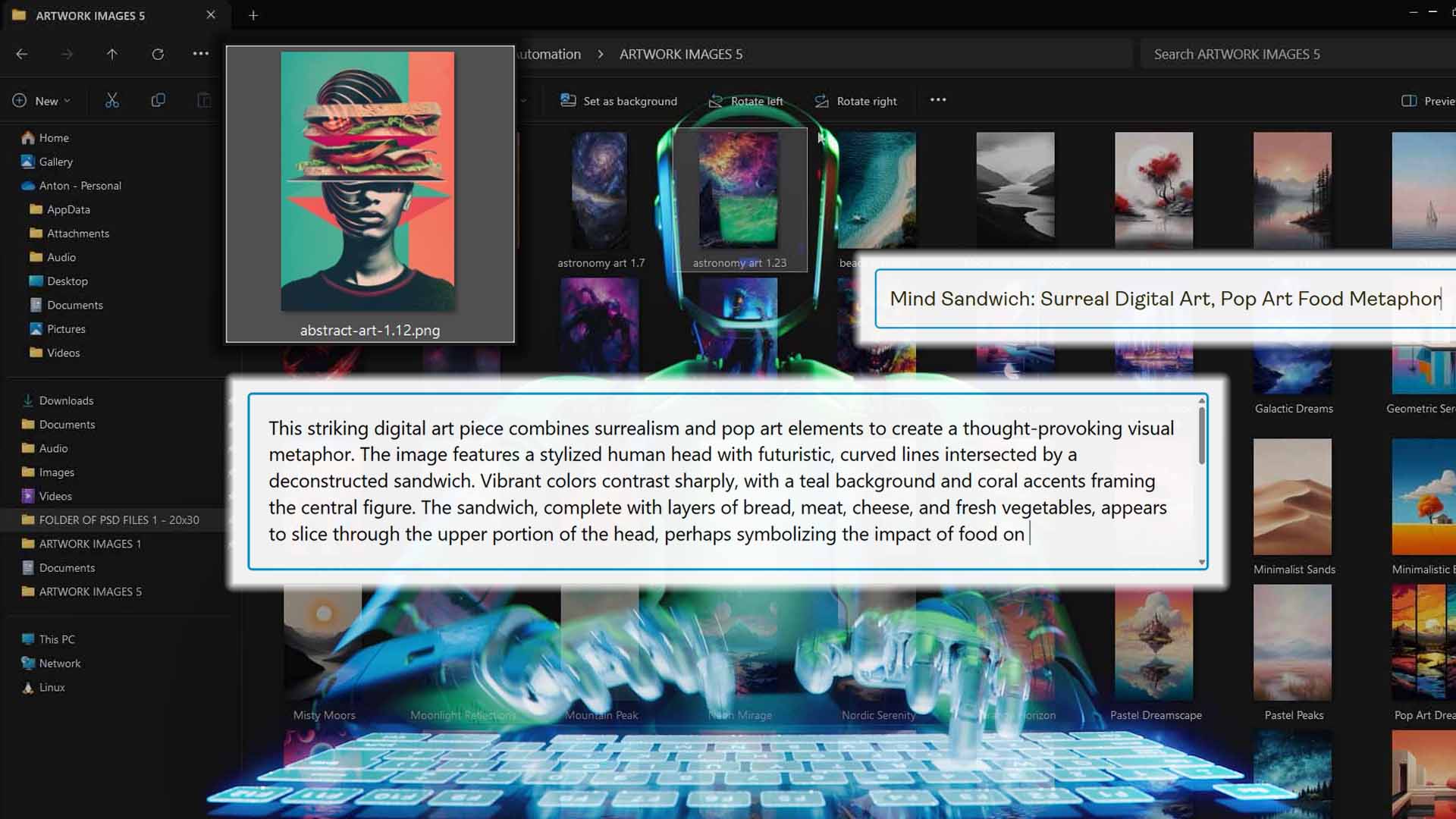
This is where the Bulk POD Product Creator truly shines. Step 3 is the heart of the interface—the SEO automation engine that uses AI to analyze each uploaded artwork image and generate titles, descriptions, and tags that actually make sense.

When you configure Step 3, you can define how your listings are written and standardized:
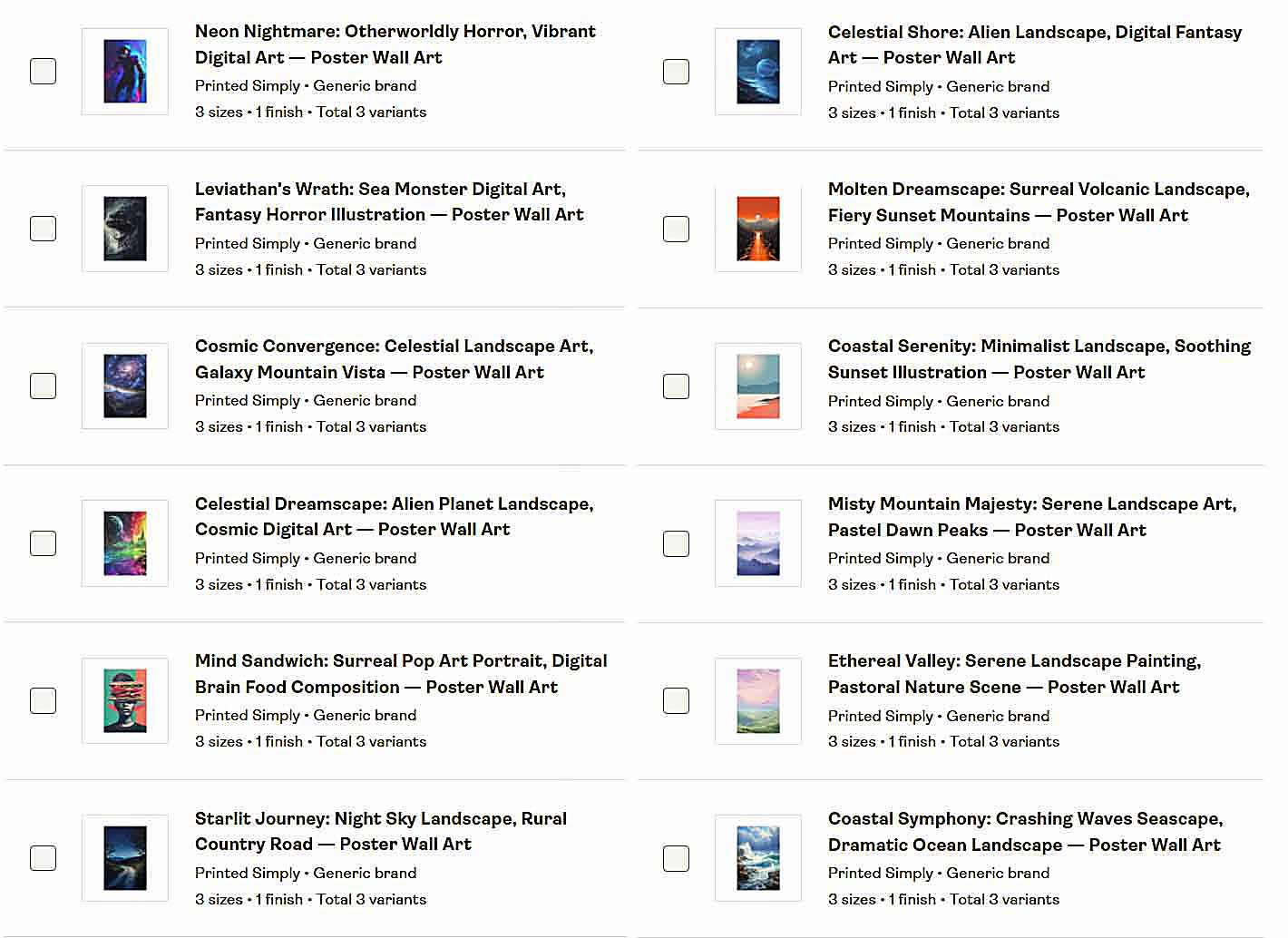
- Define your title format. Choose between Simple Titles (short, descriptive summaries) or Compound Titles (the AI-generated Simple Title plus a longer descriptive extension about the artwork). You can also add Custom Text prefixes or suffixes—for example, “—Canvas Wall Art”—to automatically append consistent product-level context across your listings.
- Generate AI-written product descriptions. The AI analyzes your uploaded artwork and produces well-structured SEO-optimized descriptions that accurately capture the content and style of the artwork itself—without you needing to manually brainstorm keywords or sentence flow.
- Create optimized tags automatically. The system outputs a set of relevant tags for each artwork, focusing purely on content descriptors—like “abstract landscape,” “minimalist flower,” or “retro typography”—so every listing gets unique, artwork-specific tags instead of generic duplicates.
- Standardize your outputs for maximum consistency. Every product generated under the same operation follows the same structural and stylistic conventions. This ensures that your entire catalog reads coherently to both customers and search engines, improving the perceived professionalism of your brand and reinforcing the SEO patterning that helps listings index more effectively.

Why this matters for Printify SEO:
Step 3 eliminates the single most tedious part of running a POD store—writing hundreds of product listings manually. Instead of typing titles and descriptions one by one, you define the logic once, click Run Operation, and the tool does the heavy lifting. You get accurate, artwork-aware SEO text written by AI, consistent across every product, in a fraction of the time it would take to do it yourself.
This isn’t “ChatGPT inside your browser” guessing at what you need—it’s a tightly engineered system built to handle Printify product creation intelligently, efficiently, and at scale.
Bulk POD Product Creator vs. ChatGPT Agent Mode: A Clear Winner
When you compare these two approaches side by side, it’s not even close. ChatGPT’s Agent Mode is an experimental tool designed to simulate human actions inside a browser. The Bulk POD Product Creator is a production-grade automation system built specifically for Printify workflows.
Here’s how they differ in practice:
- Execution Method: ChatGPT Agent Mode controls your browser like a human—clicking, typing, scrolling, and praying it doesn’t crash halfway through. The Bulk POD Product Creator, by contrast, interacts directly with the official Printify API, executing actions programmatically and reliably every time.
- Stability: One Printify layout update, one new modal popup, or a brief lag can derail Agent Mode completely. The Bulk POD Product Creator remains unaffected by these changes because it’s built on structured API requests, not fragile UI mimicry.
- Speed: Browser automation runs at human speed—one page load at a time. API-based automation runs very rapidly, generating and optimizing POD listings in bulk while you move on to higher-value work.
- Scalability: Agent Mode isn’t built to handle 50, let alone 500 listings. The Bulk POD Product Creator is engineered for large-scale operations—stable, repeatable, and ready to handle entire product batches.
- Workflow Quality: Agent Mode can’t maintain consistent naming conventions or SEO patterns because it lacks the built-in logic to standardize formatting. The Bulk POD Product Creator defines a unified SEO structure for all listings, creating cohesion and predictability across your entire store.
In short, Agent Mode fakes the work—our tool does the work.
Are the AI-Generated Titles, Descriptions & Tags Any Good?
Yes—they’re genuinely impressive.
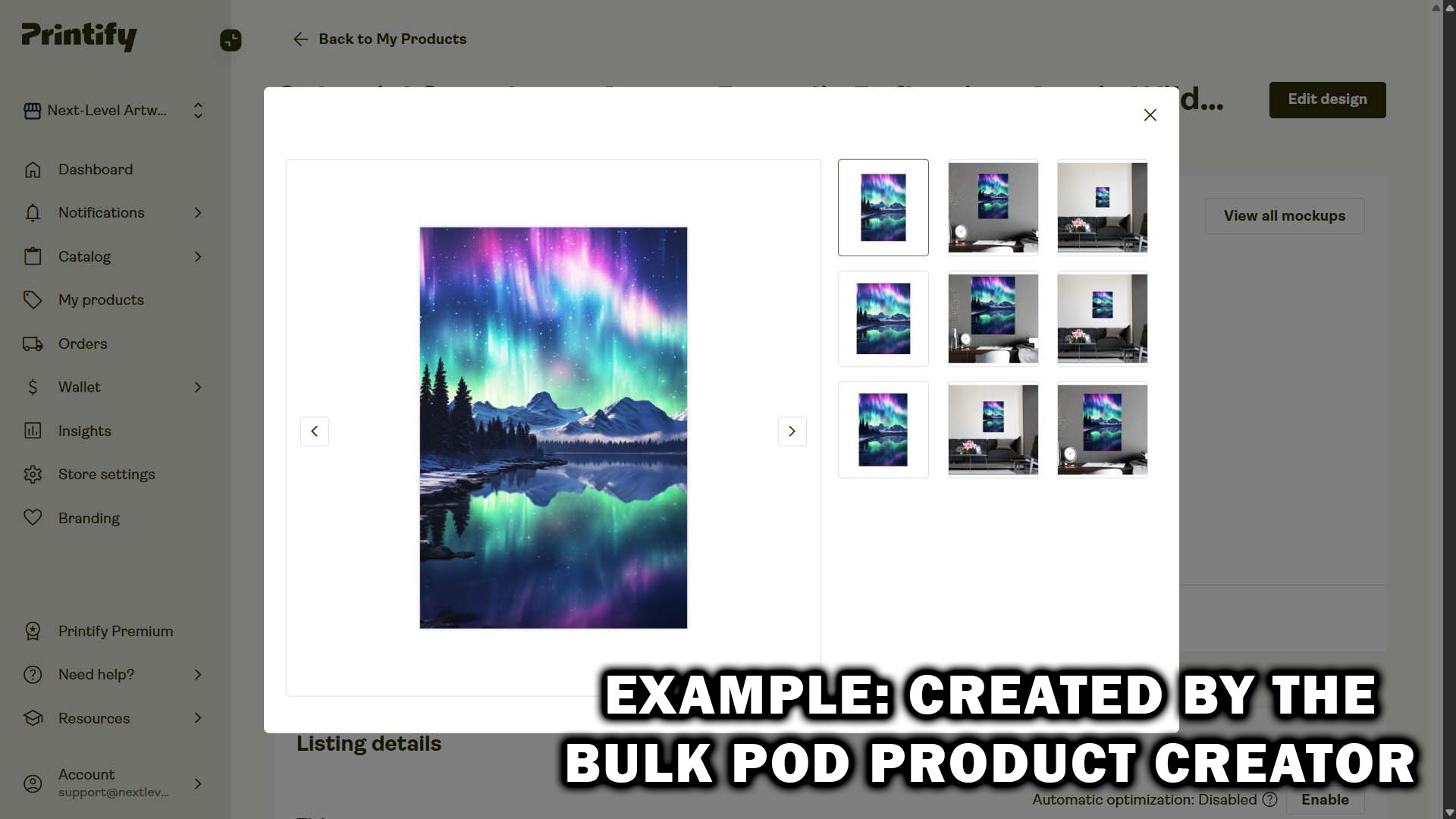
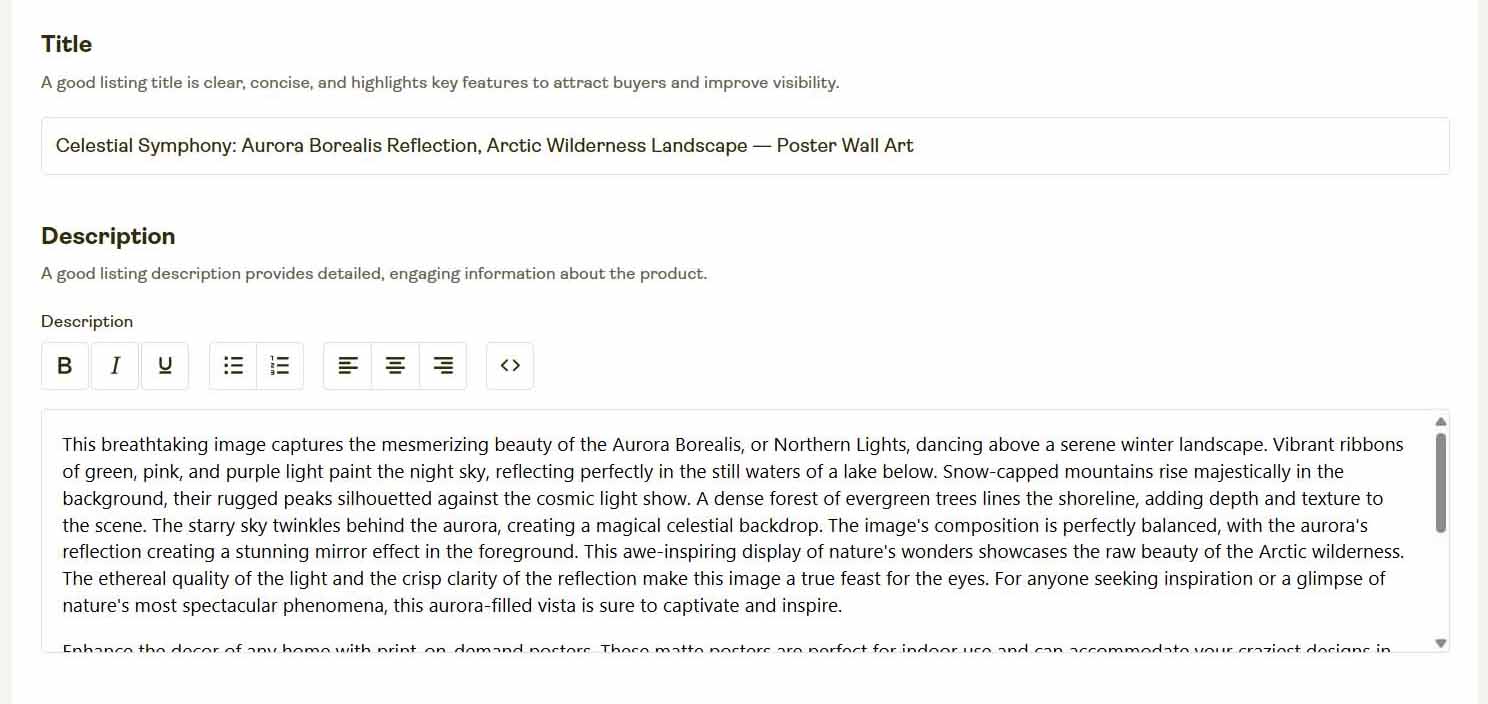
The AI system powering the Bulk POD Product Creator doesn’t just “guess” at keywords. It uses vision-based AI analysis to understand what’s actually depicted in your uploaded artwork.
Here’s how that works in practice:
- Visual understanding of the artwork itself. Each uploaded image is analyzed to determine its core subject matter, visual style, and key descriptive traits. The model identifies whether the artwork contains objects, patterns, text, or themes like nature, space, abstract forms, quotes, animals, or people.
- Contextual accuracy in text generation. From that understanding, the AI writes SEO-optimized text—titles, descriptions, and tags—that accurately describe the artwork itself. For example, if your image is a minimalist mountain silhouette, the system might generate “Minimalist Mountain Landscape—Black & White Nature Art” rather than something generic like “Beautiful Design for Print-on-Demand.”
- Special handling for text-based designs. If your artwork includes visible words—like T-shirt quote designs or typographic posters—the system detects and interprets that embedded text, using it as part of the SEO phrasing and tag set. It doesn’t produce random guesses; it mirrors what a human copywriter would do, but far faster and more consistently.
- Scalable consistency at human-level quality. Because it applies the same structured logic across your full artwork batch, the outputs are both creative and standardized. The tone, format, and keyword density remain consistent across your store, something that’s nearly impossible to maintain manually.
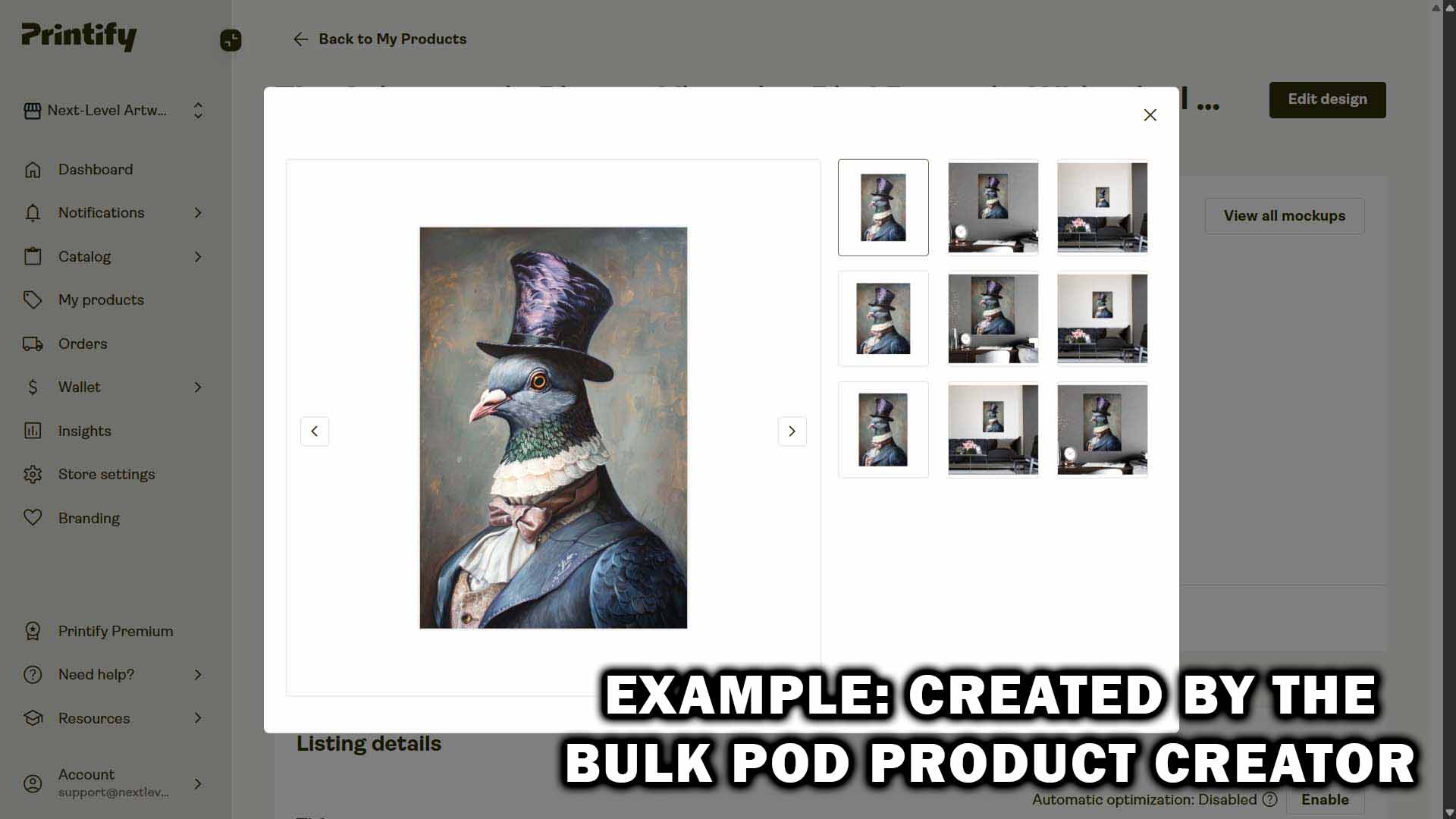
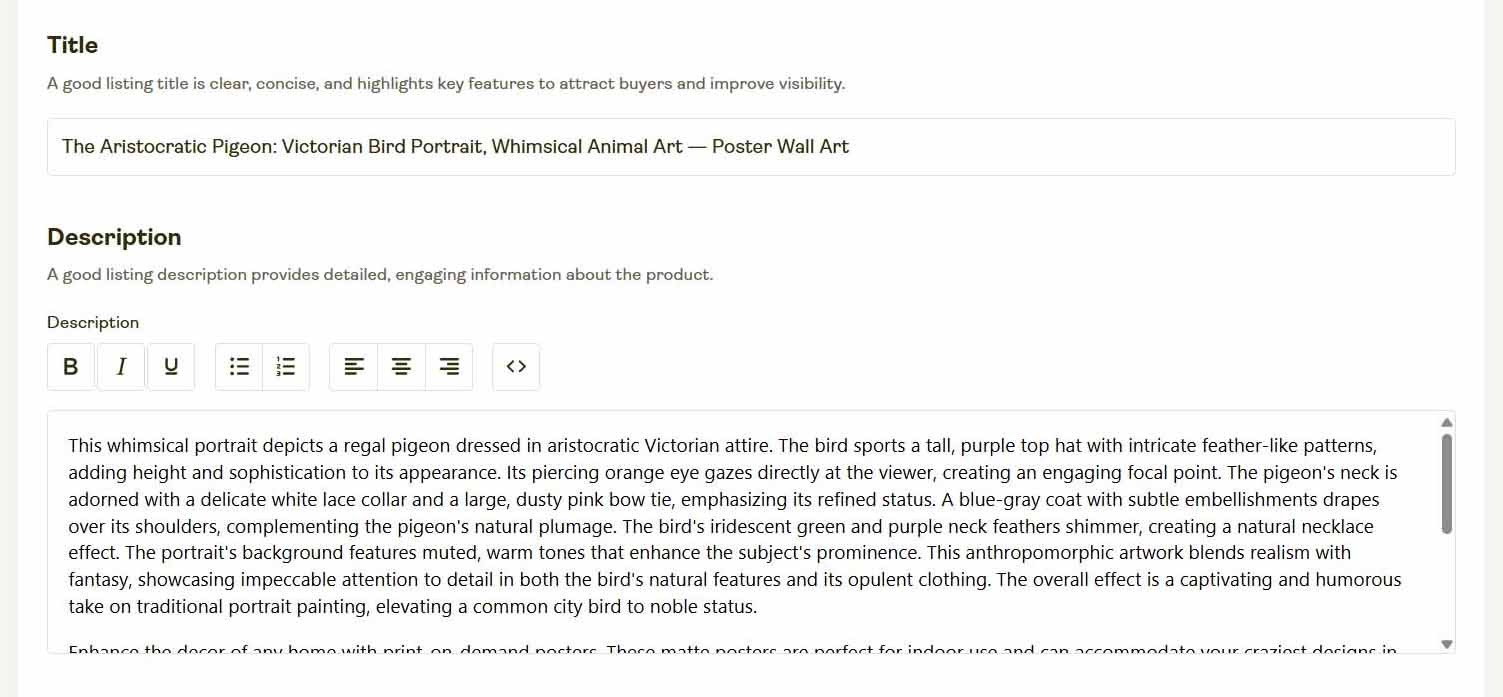
Simply put: no human can produce that level of SEO-optimized precision and scale. This is the advantage of combining AI-driven artwork analysis with API-based automation.
Conclusion: The Smart Way to Automate Printify SEO
Trying to use ChatGPT Agent Mode to manage your Printify listings is like trying to run a modern factory by moving the robotic arms manually. It’s a fun experiment—until it breaks, stalls, or wastes your time.
The Bulk POD Product Creator is the real solution. It’s fast, stable, and purpose-built for print-on-demand sellers who want to stop grinding out listings by hand and start scaling efficiently. It connects directly to your Printify store, automates product creation, and uses AI to handle SEO intelligently—no browser scripts, no fragile automations, no wasted motion.
If your goal is to grow your Printify business while freeing yourself from repetitive busywork, this is how you do it—by automating the right way, with the right tool.