
Can ChatGPT Agent Mode SEO-Optimize Your Printify Products?
Overview: This post explores whether ChatGPT Agent Mode can reliably automate SEO for Printify products, why browser-based automation is fragile, and how the Bulk POD Product Creator delivers scalable, API-driven, AI-powered SEO optimization for print-on-demand sellers.

SEO-Optimizing Your Printify Product Listings Is Boring, Time-Consuming Work
If you’ve ever sat in front of your Printify dashboard manually writing product titles, descriptions, and tags one by one, you already know how tedious and mind-numbing this process can be. You start with the first few listings full of creative energy—but by the twentieth one, you’re recycling the same adjectives, running out of ideas, and just trying to finish. Doing this for hundreds of products across dozens of artwork designs isn’t just exhausting—it’s a massive waste of valuable time that could be spent on actual growth activities like design creation, marketing, or customer acquisition.

And here’s the kicker: writing SEO-optimized titles, descriptions, and tags isn’t just about being descriptive—it’s about being strategic. Each product listing needs unique, keyword-rich phrasing that captures what buyers are searching for while staying aligned with the artwork itself. Getting that right manually across hundreds or thousands of listings? It’s a grind.
So it’s no surprise that many Printify sellers start thinking, “There’s got to be a way to automate this.” Maybe you’ve seen videos or guides showing how people use ChatGPT’s Agent Mode—the new autonomous mode that can browse, click, and type in a semi-automated way—to perform tasks online. It sounds tempting: what if you could just let ChatGPT take over your browser and SEO-optimize all your products for you?
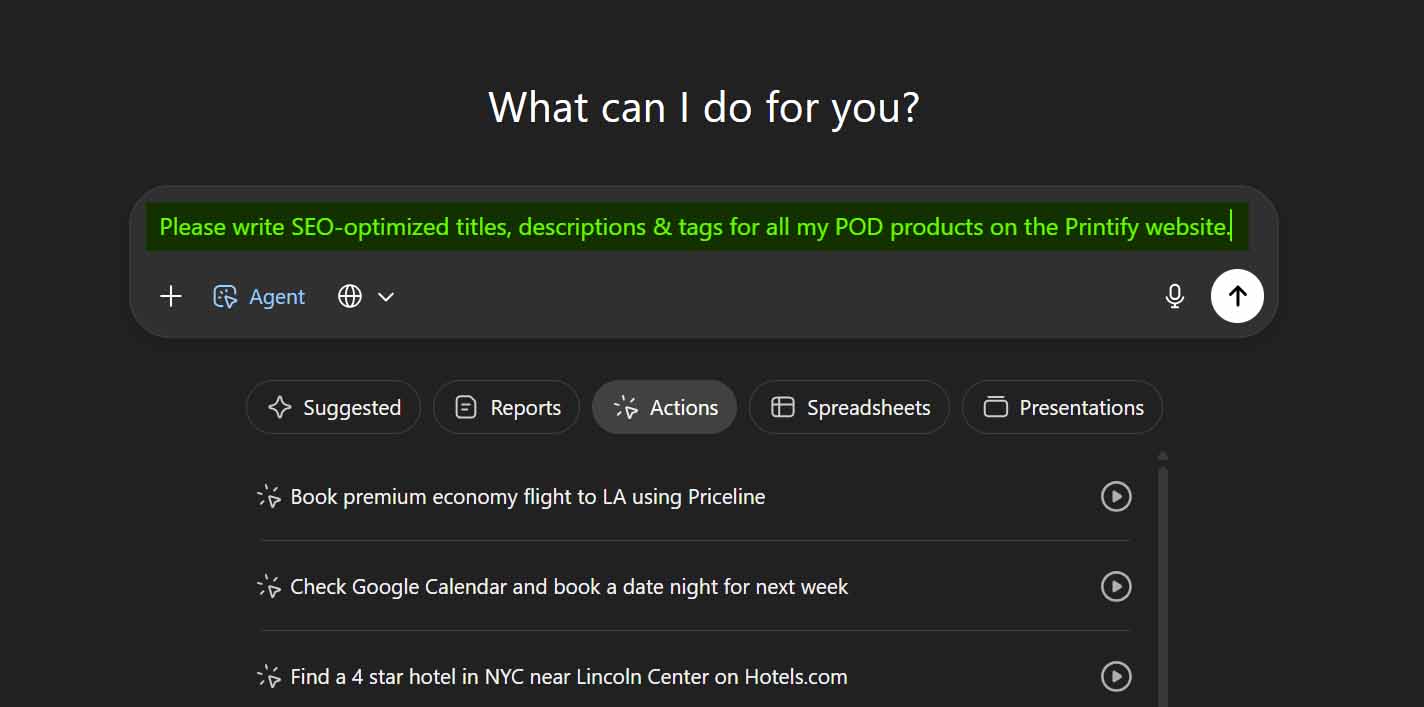
It’s a clever idea in theory—but in practice, it’s not nearly as smooth or reliable as it sounds. That’s what we’ll explore in this post: whether ChatGPT’s Agent Mode can truly handle the full complexity of optimizing Printify products at scale, and why a specialized automation solution like the Bulk POD Product Creator is ultimately the better, more scalable way to get this done—without the brittleness of browser-based “click and type” automations.
Can ChatGPT Agent Mode SEO-Optimize Your Printify Products?
Short answer: not effectively.
While ChatGPT’s Agent Mode can technically perform automated browser actions—like clicking buttons, typing into forms, or navigating pages—that doesn’t make it an ideal or reliable solution for automating Printify SEO tasks. The Printify product workflow is far more complex than what a general-purpose browser agent can handle sustainably.
Here’s why:
- Frequent Captchas and Cloudflare Checks: Printify, like many large-scale platforms, uses Cloudflare and other bot-detection systems. An automation agent trying to log in and rapidly navigate through multiple product pages is almost guaranteed to trigger these defenses, resulting in captchas or access blocks. This alone makes any “hands-free” SEO automation unreliable, if not outright impossible long-term.
- The Sheer Complexity of the Workflow: Even for a narrow task like SEO optimization, the Printify dashboard involves a multi-step, multi-screen process. You’d need to navigate into each individual product, identify which ones have or haven’t been optimized, open the correct form fields, and replace the title, description, and tags with new ones—all while ensuring accuracy.
- Dynamic UI Changes and Element Reordering: Even if you managed to get ChatGPT Agent Mode to run this successfully once, the Printify interface changes frequently. Buttons move, forms shift, product layouts update. Suddenly, your “click here, type this” sequence breaks. And when Printify updates how the product editor works—as they often do—your automation would need to be rebuilt from scratch.
- Data Tracking and Ordering Issues: Updating or editing a product in Printify changes its position in the dashboard listing order (often bumping it to the top). That means any automation script would need to dynamically track progress across a constantly shifting interface. A small logic mistake could cause the agent to edit the wrong product, skip items, or overwrite something it already optimized.
- Inconsistent Product-Level Understanding: To produce properly optimized SEO text, the automation would also need to understand both artwork-level content (what’s in the image itself) and product-level details (material, size, style). That’s an incredibly hard problem for a browser agent—especially since Printify doesn’t expose structured product data through its web forms the way a proper API does.

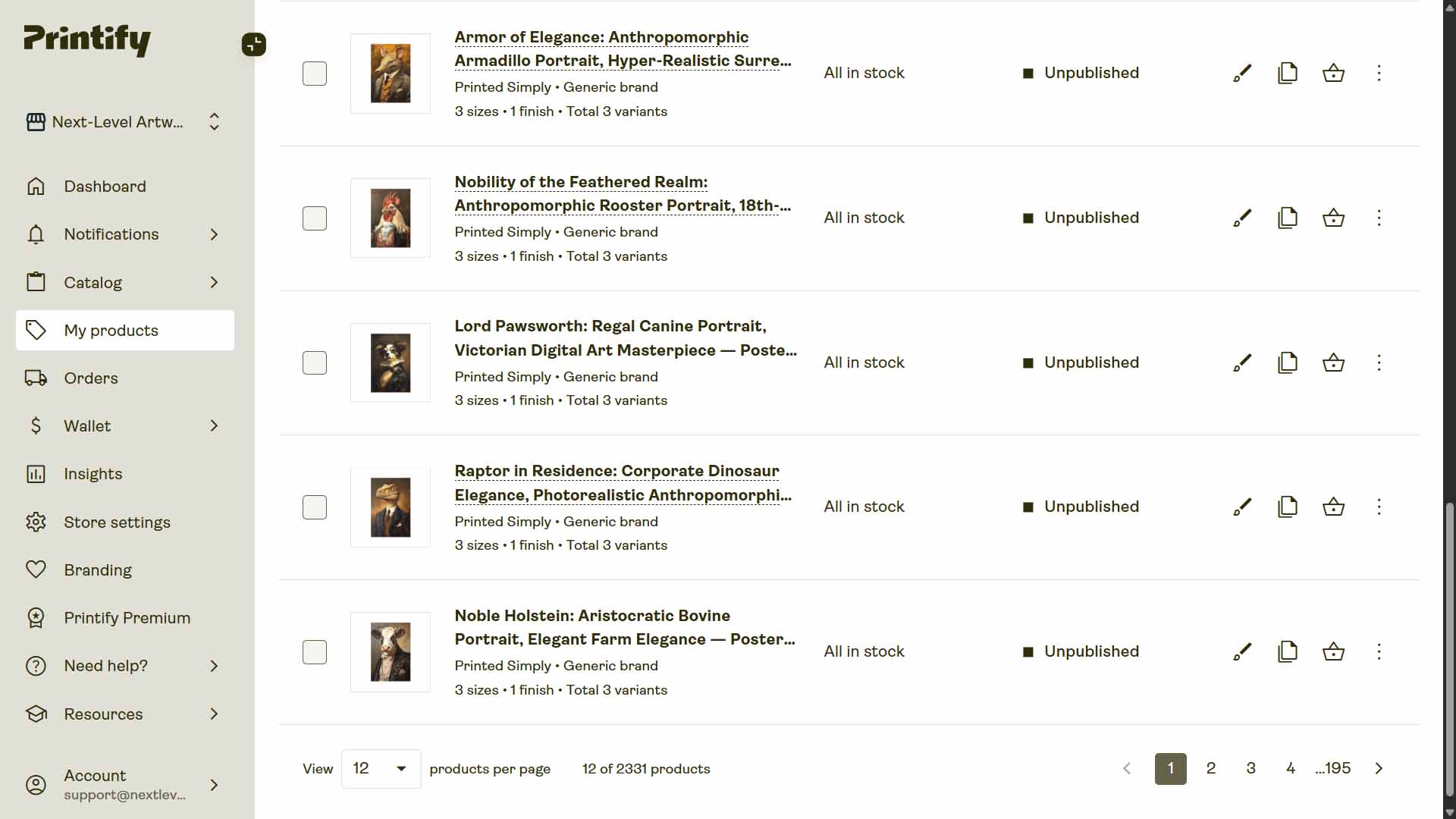
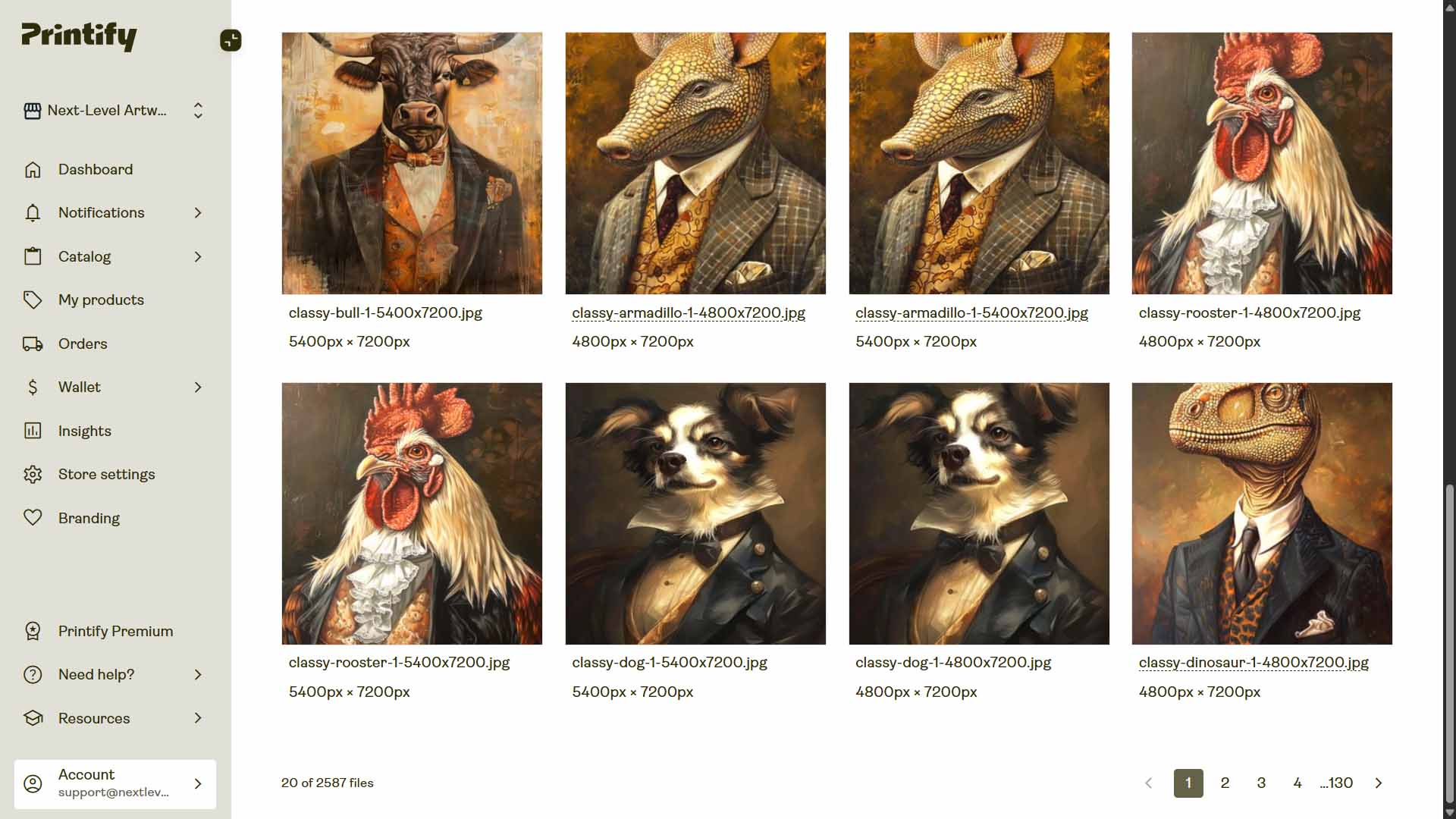
Even in the best-case scenario, this would be an incredibly brittle, unstable setup that breaks every time Printify changes something or your computer setup shifts.
And ultimately—it’s just not worth it. You’d be reinventing the wheel to build a clunky, error-prone pseudo-automation when a purpose-built, API-based automation tool already exists that does this better, faster, and more reliably.
Meet the Bulk POD Product Creator: The Proper Way to Automate Printify SEO
Bulk POD Product Creator is a dedicated automation platform built specifically for Printify sellers who want to scale their business intelligently. It solves the same core problem you’re trying to address—the endless grind of product creation and SEO optimization—but does so through proper backend automation, not brittle “browser clicker” methods.
Here’s the magic combo:
- It creates your Printify products automatically—using structured Printify API commands that precisely replicate your Example Product setup (variants, pricing, print areas, and all).
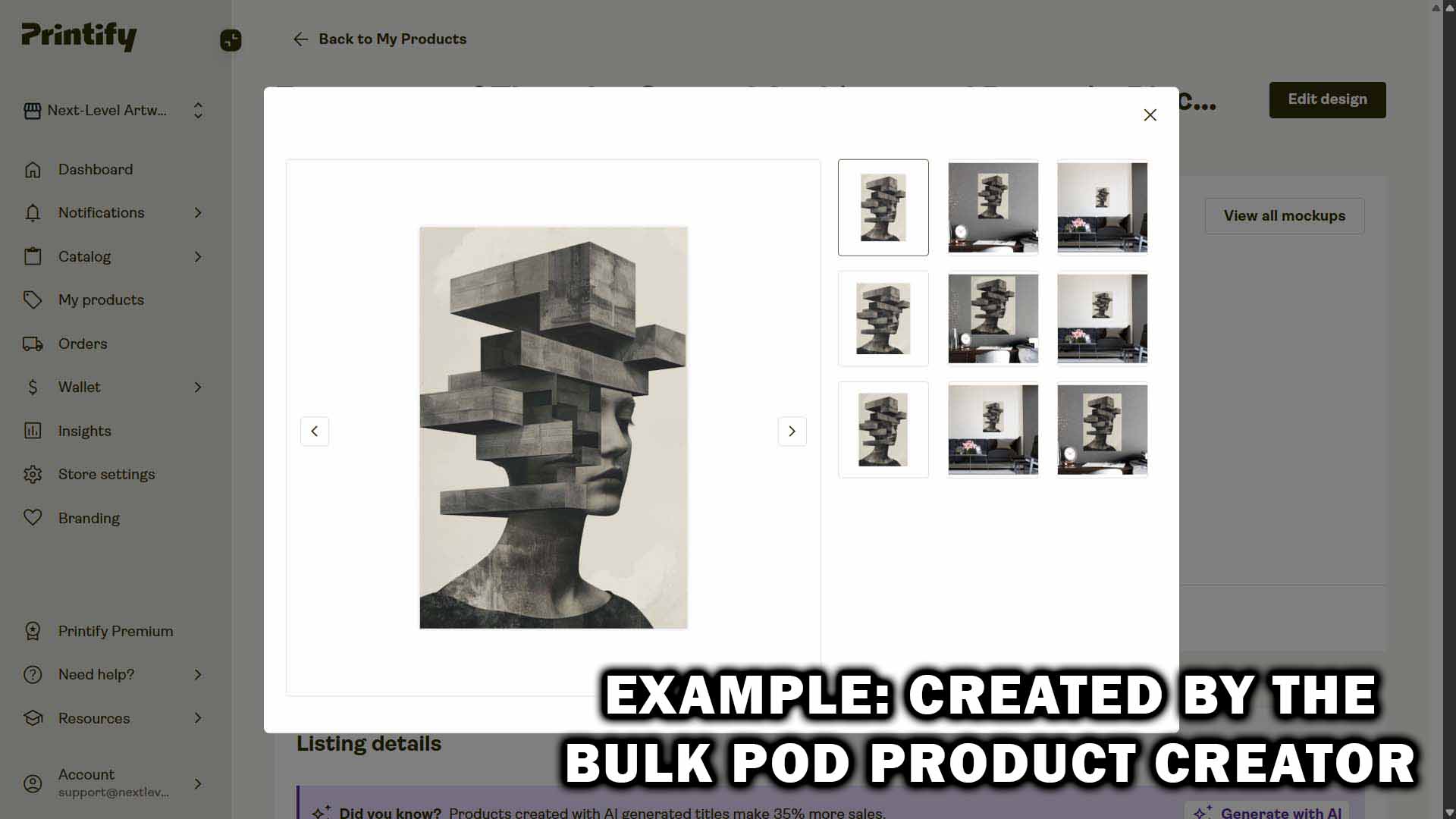
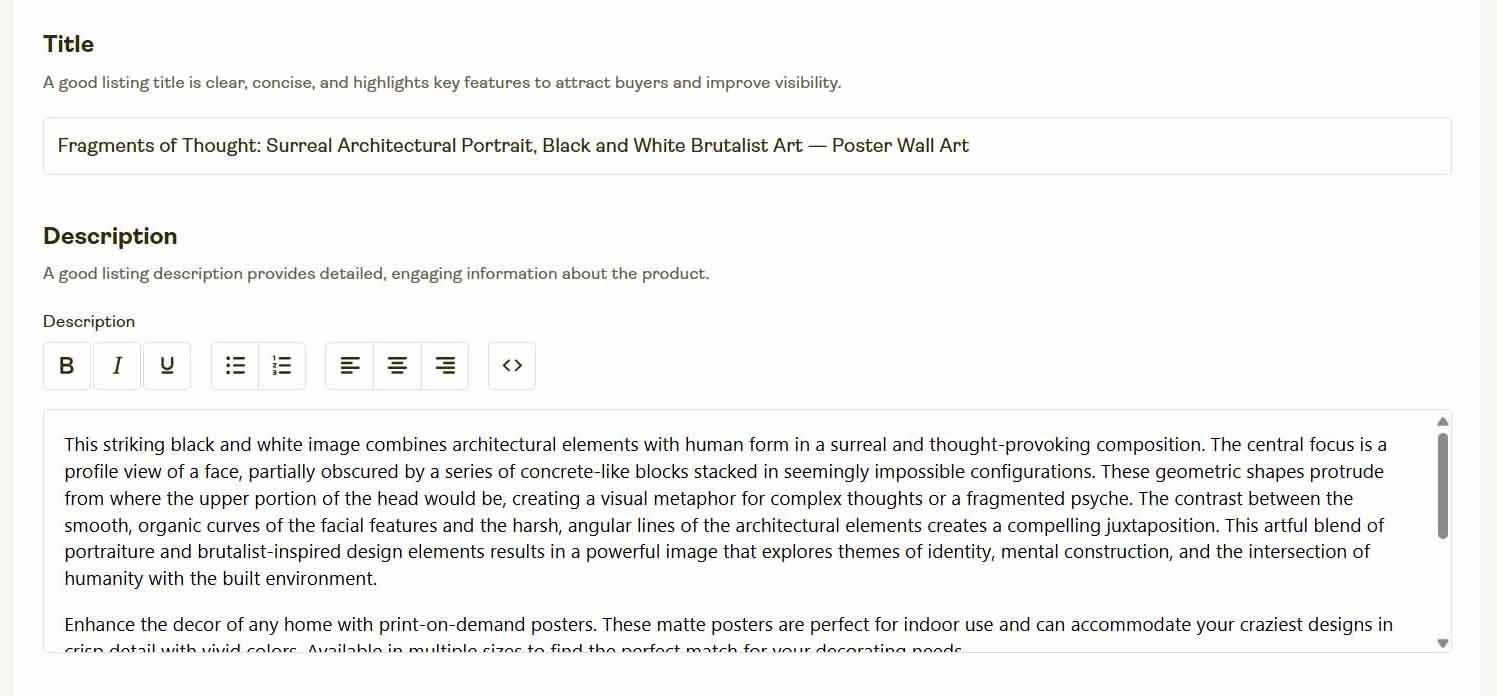
- It writes the SEO content for your print-on-demand products automatically—generating unique, artwork-specific titles, descriptions, and tags using AI.
This two-part system handles both halves of your bottleneck at once. You no longer have to manually create your products or manually write optimized content for them—it’s all handled in one standardized, automated workflow.

That means you can go from a folder of artwork images to a fully optimized, ready-to-sell Printify catalog—complete with AI-written SEO metadata—in a fraction of the time it would take to do it manually.
How to Use the Bulk POD Product Creator: Step-by-Step Overview
The Bulk POD Product Creator is built to automate the entire Printify product creation process from start to finish—while ensuring that every product listing is SEO-optimized, cleanly formatted, and visually consistent. The interface is divided into four logical steps, each designed to handle a specific layer of your workflow.
Step 1: Upload Your Artwork Batch
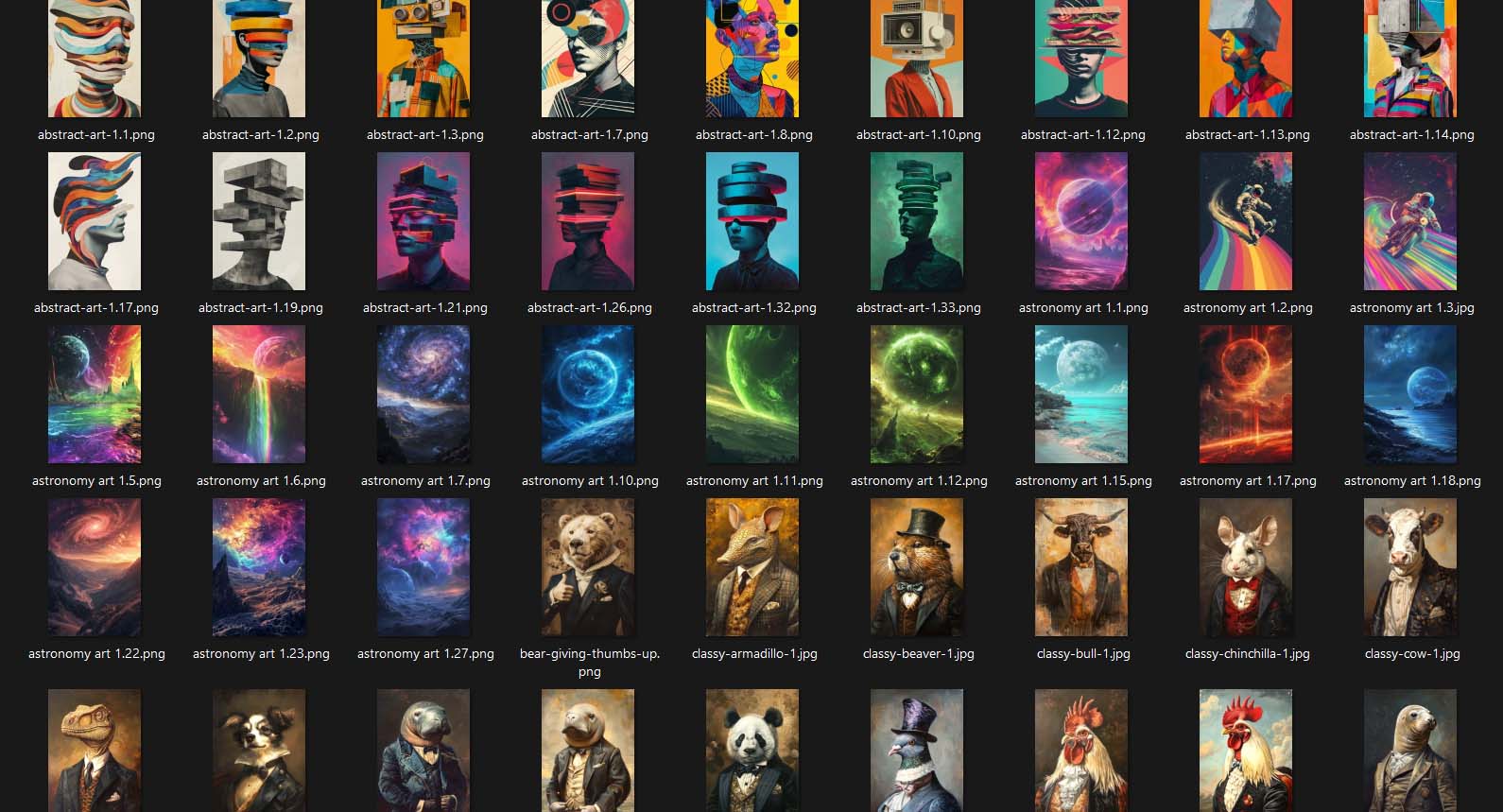
You start by uploading your artwork—whether it’s ten designs or hundreds. Simply drag and drop your image folder into the interface. Each file becomes an individual “product seed” that the system will use to generate listings later in the process.

You don’t need to rename, reorder, or tag anything manually. The software automatically scans, queues, and prepares each file for generation, ensuring that every image is accounted for and ready to be linked to your Example Product.
Key benefits of Step 1:
- Saves you from tedious manual file organization.
- Automatically processes large artwork batches in one go.
- Eliminates user error—every file is correctly queued and tracked.
- Establishes a clear 1-to-1 mapping between your artwork and future products.
How this streamlines your Printify workflow:
Traditionally, you’d have to upload each image to Printify individually, assign it to a product, and repeat that process dozens or hundreds of times. With the Bulk POD Product Creator, all that preparatory work is condensed into a single drag-and-drop action. It’s a huge time and sanity saver.
Step 2: Select Your Example Product and Define Your Template Settings
This step defines the “blueprint” for all the products you’ll generate. Once you connect your Printify store, you select an Example Product—any existing item in your account that has the structure, variants, and pricing setup you want replicated.
- The base product type (e.g., T-shirt, canvas print, tote bag, etc.).
- Print area dimensions and orientation.
- Variant details (sizes, colors, pricing, and availability).
- Default print provider.

You can also adjust or lock in certain parameters if you want to standardize certain attributes across all generated products—ensuring perfect consistency.
Key benefits of Step 2:
- Guarantees uniform pricing, sizing, and print settings across your entire batch.
- Prevents small but costly setup mistakes like mismatched variants or print areas.
- Lets you easily replicate your preferred layout and structure across hundreds of listings.
How this streamlines your Printify workflow:
Instead of manually setting up each product’s structure, this system mirrors your ideal product configuration automatically. That means your future listings inherit every correct setting from your Example Product—no inconsistencies, no extra setup time, no human error.

Step 3: Configure AI SEO Options—Titles, Descriptions & Tags
This is where the Bulk POD Product Creator separates itself from every other Printify automation attempt. Step 3 introduces AI-powered SEO optimization, where the tool analyzes your artwork image directly to write accurate, unique, keyword-optimized titles, descriptions, and tags for every generated print-on-demand product.
AI Titles—Simple and Compound
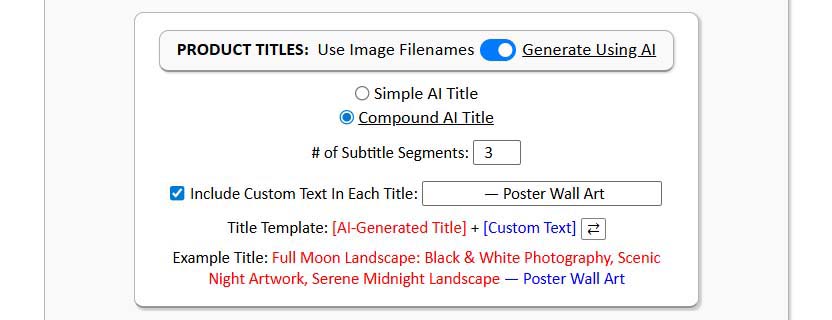
You can choose between two title structures:
- Simple Title: A concise, artwork-driven name summarizing what the image depicts. Example: “Abstract Geometric Pattern in Blue and Gold.” Perfect for quick browsing or minimalistic shop styles.
- Compound Title: A two-part title that expands upon the artwork with descriptive SEO context. Example: “Abstract Geometric Pattern in Blue and Gold: Modern Minimalist Design, Luxury Artwork.” Ideal for boosting keyword reach while still sounding natural and human-written.
AI Descriptions

The AI writes natural, keyword-reflective descriptions that highlight the artwork’s subject matter and appeal. It doesn’t invent fake product details or materials—it stays focused purely on the artwork content.
Each description is concise yet search-optimized, giving your listings strong metadata value while maintaining readability and professionalism.
AI Tags
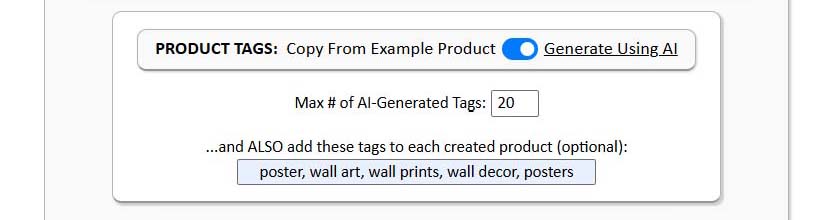
The system automatically generates relevant tags based on the artwork image—pulling high-value search terms that accurately describe the content (e.g., “sunset,” “retro illustration,” “line art,” “botanical pattern”).
This eliminates the guesswork of trying to think of the “right” SEO tags for each product.
Optional Custom Text Prefix/Suffix
If you want to add product-level context (like “—Canvas Print” or “—T-Shirt Design”), you can toggle the custom text option. This feature appends your predefined product info to every title or description automatically, keeping things consistent while allowing for flexible customization.
Key benefits of Step 3:
- Rapidly generates high-quality, SEO-optimized metadata for each POD product.
- Maintains a consistent formatting standard across all listings.
- Dramatically reduces time spent writing product copy.
- Ensures every product has unique, artwork-specific SEO text.
- Allows for full control over title style, tone, and structure.
How this streamlines your Printify workflow:
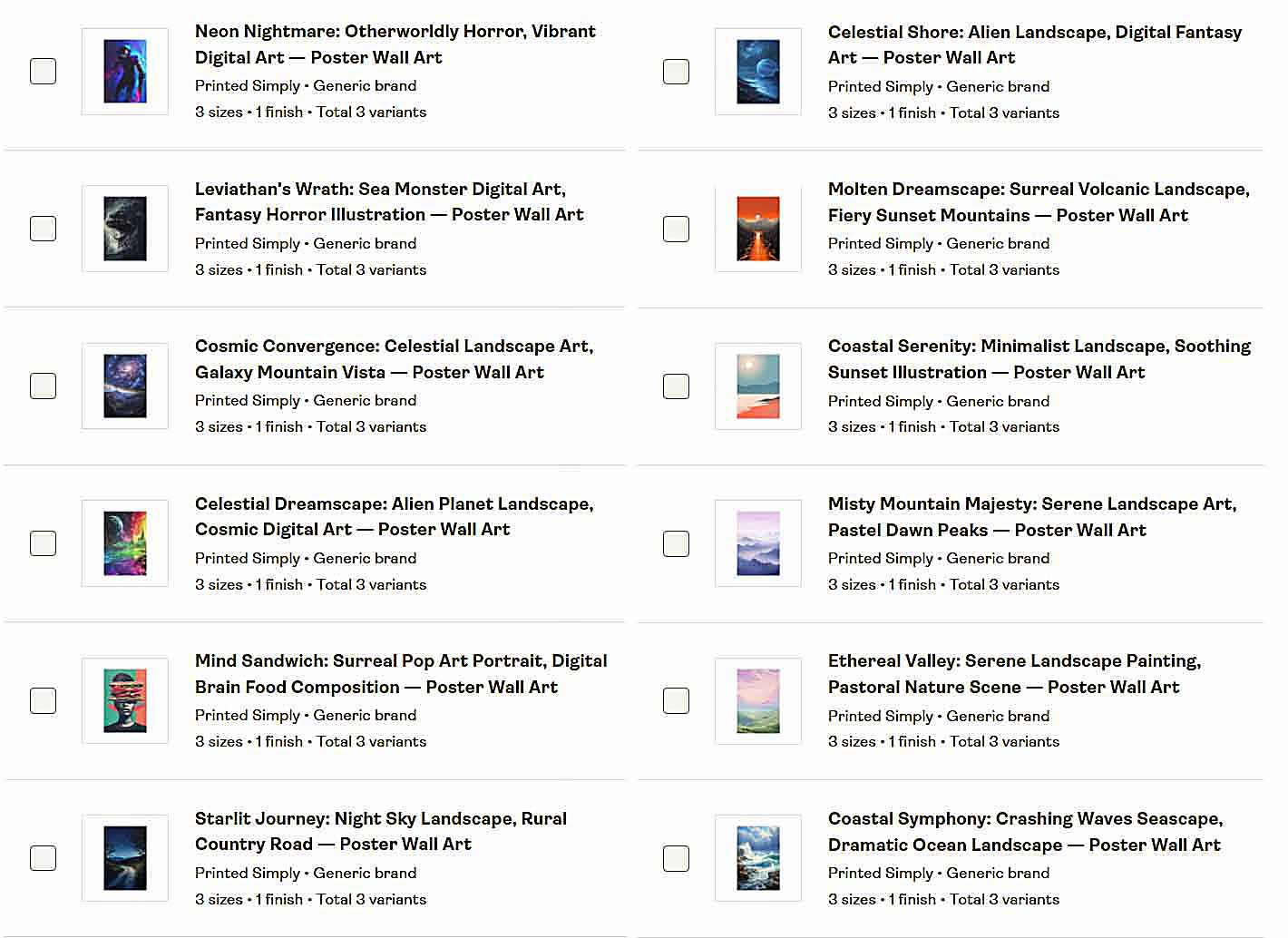
This step alone can save hours—or even days—of manual writing. Instead of staring at a blank product title box 300 times in a row, you just enable AI SEO and let the system generate all your content while you focus on your artwork and business strategy.
Step 4: Run the Operation—Automate Product Creation
Once your images, Example Product, and SEO settings are ready, you’re just one click away from launching the operation.
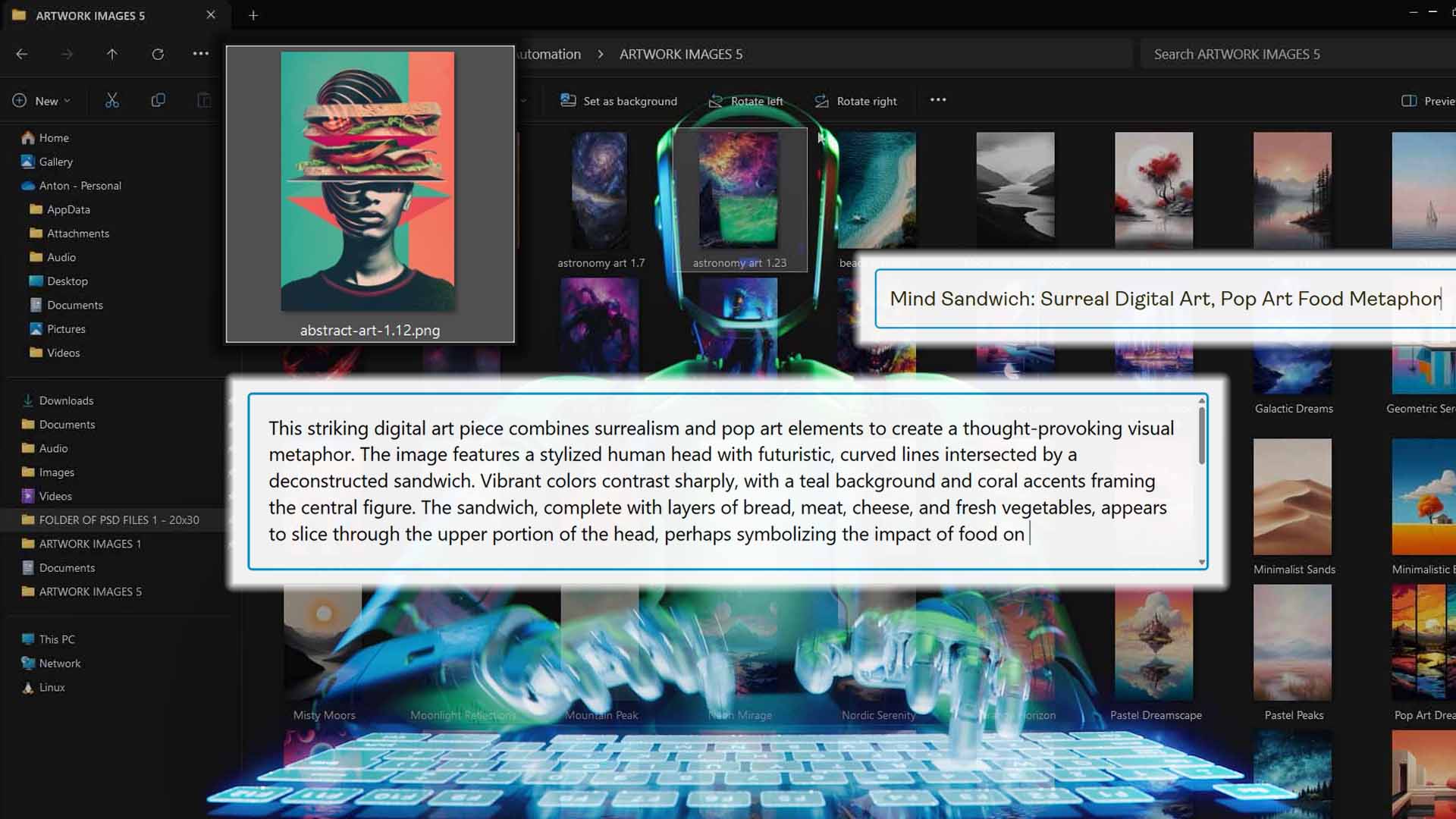
The Bulk POD Product Creator connects directly to the Printify API and begins generating new products based on your configuration. Each artwork gets applied to the Example Product’s print areas, inherits all the same variant and pricing logic, and automatically populates the SEO-optimized titles, descriptions, and tags you configured earlier.
You can monitor progress as it runs—and the system handles all the complexity in the background, executing safe, validated API calls to Printify’s backend.
Key benefits of Step 4:
- Creates your entire batch of print-on-demand products automatically through API-based execution.
- No browser clicking or mouse control—runs securely and efficiently in the cloud.
- Handles failures gracefully with retry logic and error checks.
- Produces perfectly structured, SEO-ready listings without manual intervention.
How this streamlines your Printify workflow:
Running a complete product creation operation takes minutes, not hours. You could spend your afternoon designing—and by the time you’re done, hundreds of new listings are already live, complete with AI-generated titles, descriptions, and tags.
How the AI Image Recognition Works
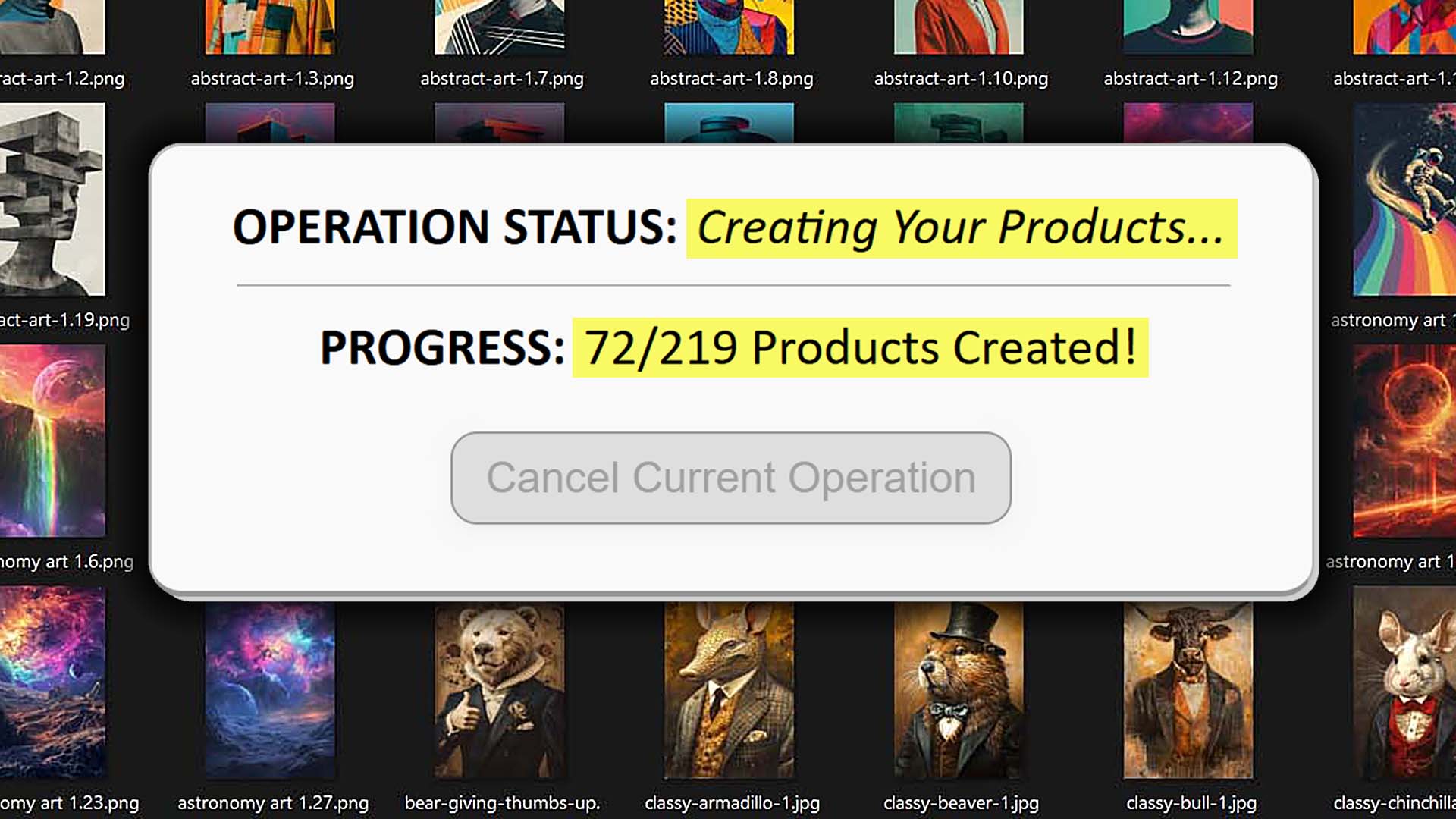
The Bulk POD Product Creator’s AI doesn’t just “guess” what your image contains—it uses advanced computer vision models to understand it.
Broadly speaking, the system performs three key steps:
- Image Analysis: It examines the content of the artwork file, detecting shapes, textures, patterns, objects, and visual styles.
- Context Extraction: It identifies the artistic type and context—for example, “vintage photography,” “digital watercolor,” or “pop art illustration.”
- Text Generation: It uses that understanding to generate human-like text optimized for search performance, incorporating relevant descriptors, emotional tone, and popular keyword phrases.
This process happens independently for every image in your batch, meaning the SEO output for each product is tailored to that artwork specifically—not recycled or template-based.

Are the SEO-Optimized Titles, Descriptions & Tags Any Good?
Yes—and often better than what most humans could write at scale.
The AI vision-to-text engine handles an incredible diversity of visual input: minimalist line drawings, intricate illustrations, complex photo compositions, and everything in between. It doesn’t rely on predefined templates; instead, it dynamically adjusts its tone and phrasing based on what the artwork depicts.
Here’s what makes the results stand out:
- High accuracy: It reliably recognizes both subject matter and stylistic elements (e.g., “mid-century modern,” “boho abstract,” “hand-drawn ink sketch”).
- SEO fluency: The phrasing includes relevant keyword patterns naturally, without sounding like keyword stuffing.
- Scalability: You can generate thousands of distinct titles and descriptions without duplication or burnout.
- Human-level readability: The text feels natural and professional, suitable for direct use on your live Printify listings.
No individual seller could realistically maintain that level of quality, consistency, and volume manually. This is where the AI’s advantage compounds: it doesn’t tire, it doesn’t lose focus, and it always applies your chosen structure and style consistently—no matter how large your operation grows.
ChatGPT Agent Mode vs. the Bulk POD Product Creator
At first glance, ChatGPT’s Agent Mode might sound like an appealing way to automate repetitive Printify tasks. It can technically click buttons, fill out forms, and navigate browser pages—so you might think, “why not just have it SEO-optimize my products automatically?”
The reality, though, is that this approach is more of a clever experiment than a practical business tool. Browser-based automation is inherently fragile, unpredictable, and difficult to scale. The Bulk POD Product Creator, by contrast, is a purpose-built automation system that interacts directly with Printify’s official API, executing every action cleanly, safely, and efficiently.
Here’s how the two approaches compare:
- Execution Method: Agent Mode literally simulates a human moving a mouse and typing into the browser. The Bulk POD Product Creator doesn’t simulate anything—it sends structured, official API commands directly to Printify’s backend. That means no broken buttons, no misplaced clicks, and no dependency on your browser setup.
- Reliability: A slight UI change, lag spike, or captcha can derail an entire browser-based automation. The API-based approach keeps running seamlessly, completely immune to visual layout updates or browser quirks.
- Speed: Browser automation runs at “human speed”—waiting for page loads, animations, and field renders. The Bulk POD Product Creator runs at system speed, operating near Printify’s throughput limits while maintaining error-checked reliability.
- Error Handling: If Agent Mode loses context or misclicks, it fails silently. The Bulk POD Product Creator has full retry logic, status checks, and validation built in—every failed API call gets retried automatically until the process completes successfully.
- Security and Account Safety: Browser automation often trips bot-detection systems like Cloudflare, risking your Printify account. The Bulk POD Product Creator operates within Printify’s approved API framework—a completely legitimate, stable, and compliant integration.
- Consistency: With Agent Mode, you’d be relying on ChatGPT’s unpredictable real-time behavior each time it interacts with the site. The Bulk POD Product Creator produces perfectly standardized results across every run—from product naming format to SEO structure to placement rules.
- Maintenance: Browser scripts break whenever the site changes; the Bulk POD Product Creator doesn’t. You can update your Example Product or SEO parameters once, and it will keep producing flawless outputs indefinitely.

The bottom line: Agent Mode is like balancing a spinning plate—you might keep it steady for a moment, but it’s always one update away from collapse. The Bulk POD Product Creator is the proper, enterprise-grade solution for automating Printify SEO and product creation in a way that’s reliable, scalable, and future-proof.
Manual Work vs. AI-Powered Automation
Let’s be honest—manually writing titles, descriptions, and tags for hundreds of Printify products is a soul-draining grind. It’s repetitive, it’s slow, and it pulls your focus away from the parts of your business that actually make money.
Using the Bulk POD Product Creator turns that entire equation upside down:
- Massive Time Savings: Tasks that would take days of manual work can now be completed in a fraction of the time. Instead of typing out product descriptions for hours, you configure your settings once and let the tool handle the rest.
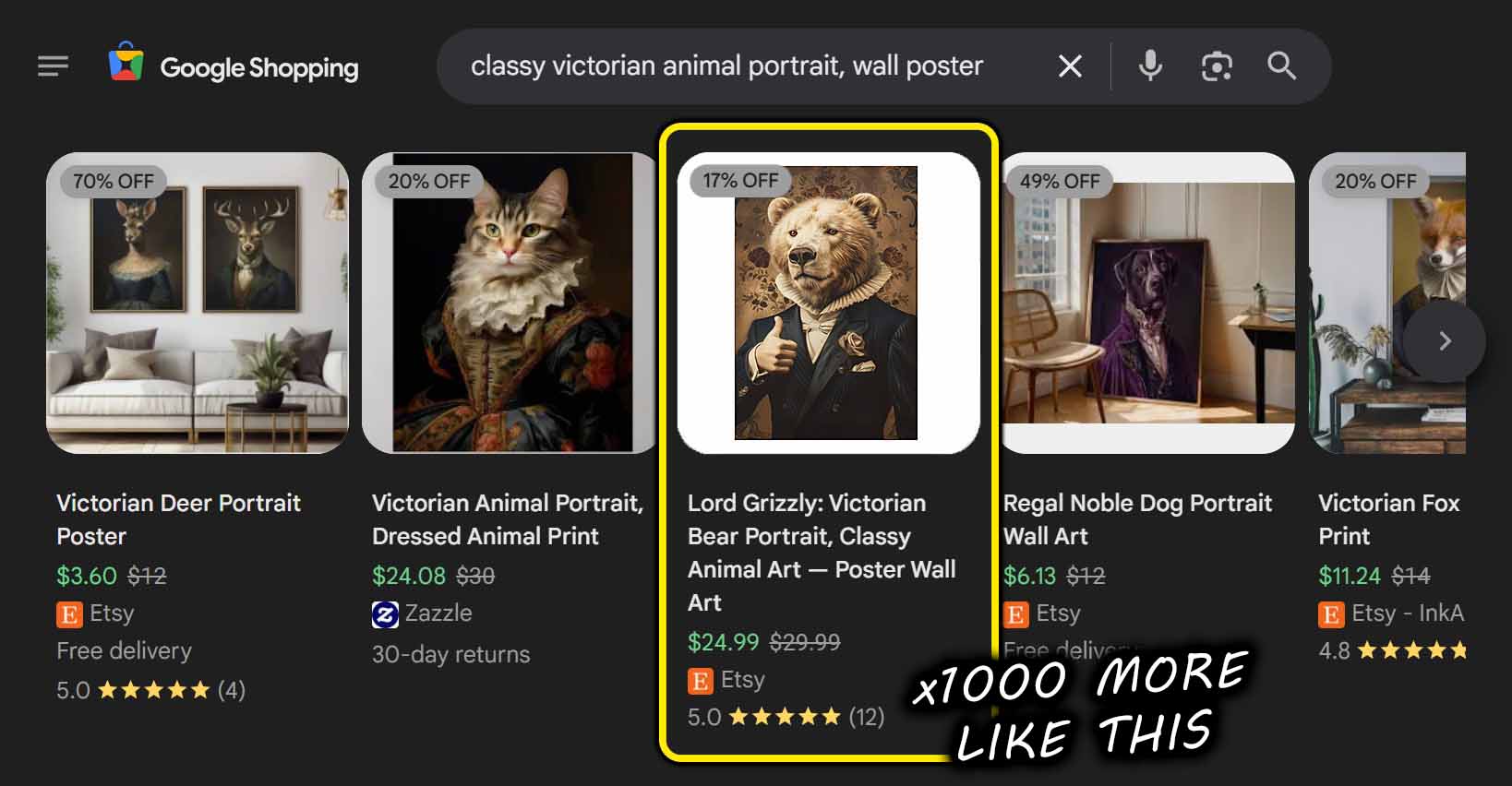
- Faster Store Growth: You can easily scale your product catalog to hundreds or even thousands of listings. More listings mean more search visibility, more organic traffic, and ultimately more opportunities to convert sales.
- Consistent, SEO-Optimized Outputs: Every title, description, and tag follows a consistent structure that adheres to SEO best practices. The AI ensures every product has relevant, high-performing keywords without any repetitive phrasing or human fatigue creeping in.
- Elimination of Human Error: No more typos, formatting inconsistencies, or forgotten tags. The automation applies your exact configuration flawlessly every time.
- Higher Productivity: Instead of wasting your creative energy on data entry, you can focus on design creation, marketing, or testing new audiences—the things that actually grow revenue.
- Compounding SEO Impact: The more products you generate, the more search-optimized landing pages you create for Google to index. Each new listing becomes an additional entry point for organic traffic to discover your store.

In short: you’re not just saving time—you’re multiplying the total output and marketing surface area of your business.
Conclusion
While ChatGPT Agent Mode is an impressive experiment in autonomous browsing, it’s simply not built for the rigorous, high-volume needs of print-on-demand sellers. The constant risk of captchas, UI changes, and fragile automation flows makes it unreliable for any serious workflow.
The Bulk POD Product Creator, on the other hand, is purpose-engineered to automate product creation and SEO optimization the right way. By combining Printify’s official API framework with powerful AI vision and language generation, it delivers accurate, scalable, and SEO-optimized results every single time.
If you’re still manually writing product listings—or worse, trying to cobble together browser automations that break every week—this is your sign to stop fighting uphill. Let the automation handle the grunt work so you can focus on what really matters: growing your business, not babysitting your listings.