
Can ChatGPT Agent Mode SEO-Optimize Your POD Products?
Overview: This post explores whether ChatGPT’s Agent Mode can reliably automate SEO for print-on-demand listings, why browser-based automation is inherently fragile, and how the Bulk POD Product Creator provides scalable, API-driven AI-powered SEO optimization for POD sellers across platforms like Printify, Printful, Gooten, and Gelato.

SEO-Optimizing Your POD Product Listings Is Boring, Time-Consuming Work
If you’ve ever sat inside your POD dashboard manually writing product titles, descriptions, and tags one by one, you already know how painfully repetitive this process can be. The first few listings feel creative and fresh, but by the twentieth you’re recycling adjectives, running out of ideas, and just trying to finish. Doing this for hundreds of products across multiple artworks isn’t just exhausting—it’s a huge waste of time that could be spent on things that actually grow your business, like designing new collections, marketing, or customer engagement.

And here’s the challenge: good SEO writing isn’t only descriptive—it’s strategic. Every listing needs unique, keyword-rich phrasing that mirrors what shoppers are actually searching for, while also staying true to the artwork. Getting that balance right across hundreds or thousands of listings manually? That’s an uphill battle.
It’s no wonder many sellers using platforms like Printify, Printful, or Gelato start thinking, “There has to be a way to automate this.” Some creators experiment with ChatGPT’s Agent Mode—the new semi-autonomous mode that can browse and type online—to see if it could take over this kind of work. It sounds tempting: what if you could let ChatGPT open your POD platform and SEO-optimize every listing automatically?
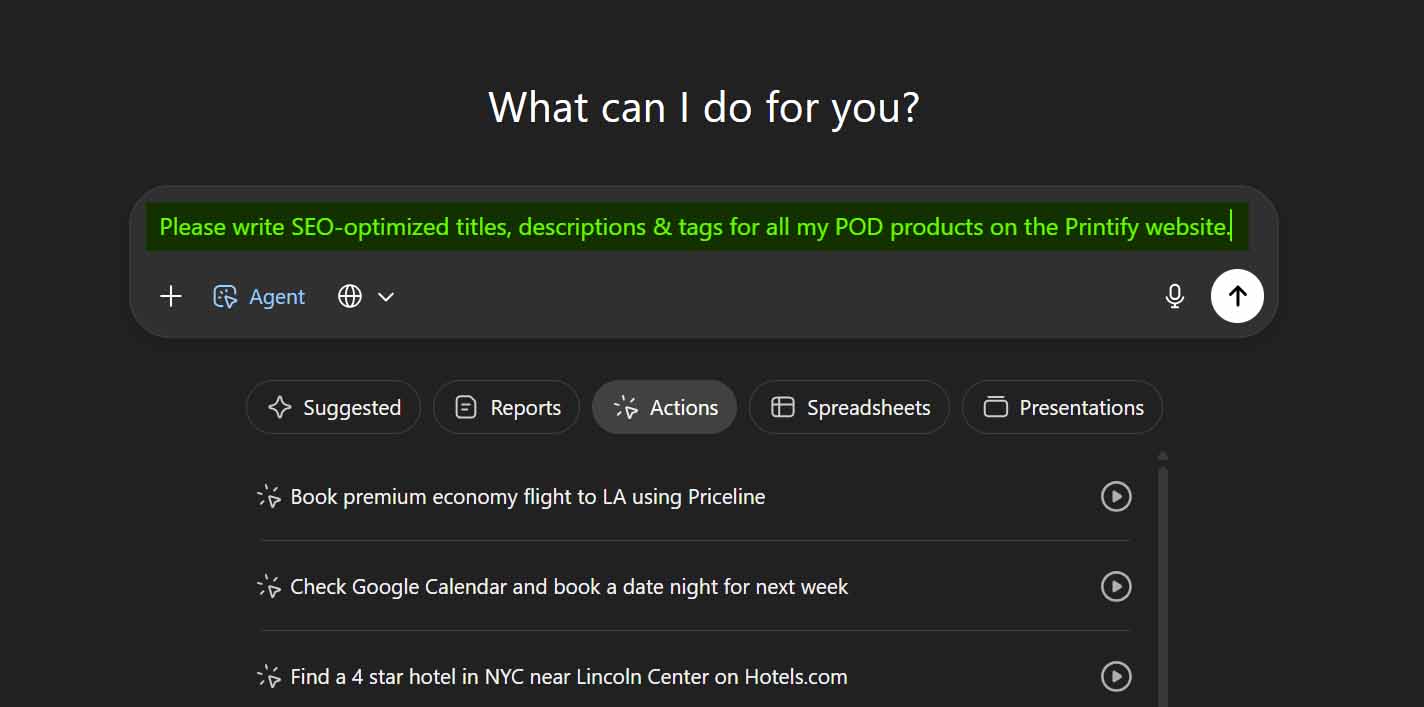
It’s a creative idea in theory—but in reality, it’s nowhere near as reliable as it sounds. In this post, we’ll explore whether ChatGPT’s Agent Mode can realistically handle the full complexity of optimizing POD products at scale, and why a dedicated automation solution like the Bulk POD Product Creator is ultimately the more dependable, scalable way to get this done—without relying on fragile browser “click and type” automation.
Can ChatGPT Agent Mode SEO-Optimize Your POD Products?
Short answer: not effectively.
While ChatGPT’s Agent Mode can technically perform browser actions—clicking, typing, and navigating pages—that doesn’t make it a dependable solution for automating SEO tasks for print-on-demand products. The workflows behind POD product management on platforms like Printify or Printful are far more intricate than what a generic browser agent can handle consistently.
Here’s why:
- Frequent Captchas and Security Checks: Most major POD platforms use systems like Cloudflare to detect bots. When an automation agent logs in and rapidly navigates product pages, it almost always triggers these defenses, resulting in captchas or blocked sessions. That alone makes hands-free SEO automation unsustainable over time.
- Complex, Multi-Step Workflows: Even a seemingly small task like SEO optimization requires multiple screens and actions. You’d have to locate each product, open editing mode, update the title, description, and tags, and confirm the changes—all without error. Each platform structures these steps differently, and automating them visually is brittle at best.
- Dynamic Interfaces That Constantly Change: Even if you somehow get ChatGPT Agent Mode working once, UI updates happen frequently. Buttons move, fields are renamed, layouts shift—and suddenly your “click here, type this” routine collapses. Rebuilding it each time quickly becomes a maintenance nightmare.
- Tracking and Ordering Complications: Editing a product can change its position in your dashboard or refresh the order of listings. That means your automation would need to track progress dynamically in a constantly changing list. A small logic slip could skip items or overwrite previous work.
- Lack of Contextual Understanding: To generate strong SEO text, the system needs to understand both the artwork and the product type—details that aren’t easily visible or structured in the front-end interface. A browser agent can’t parse those nuances reliably, especially without backend access to variant or attribute data.

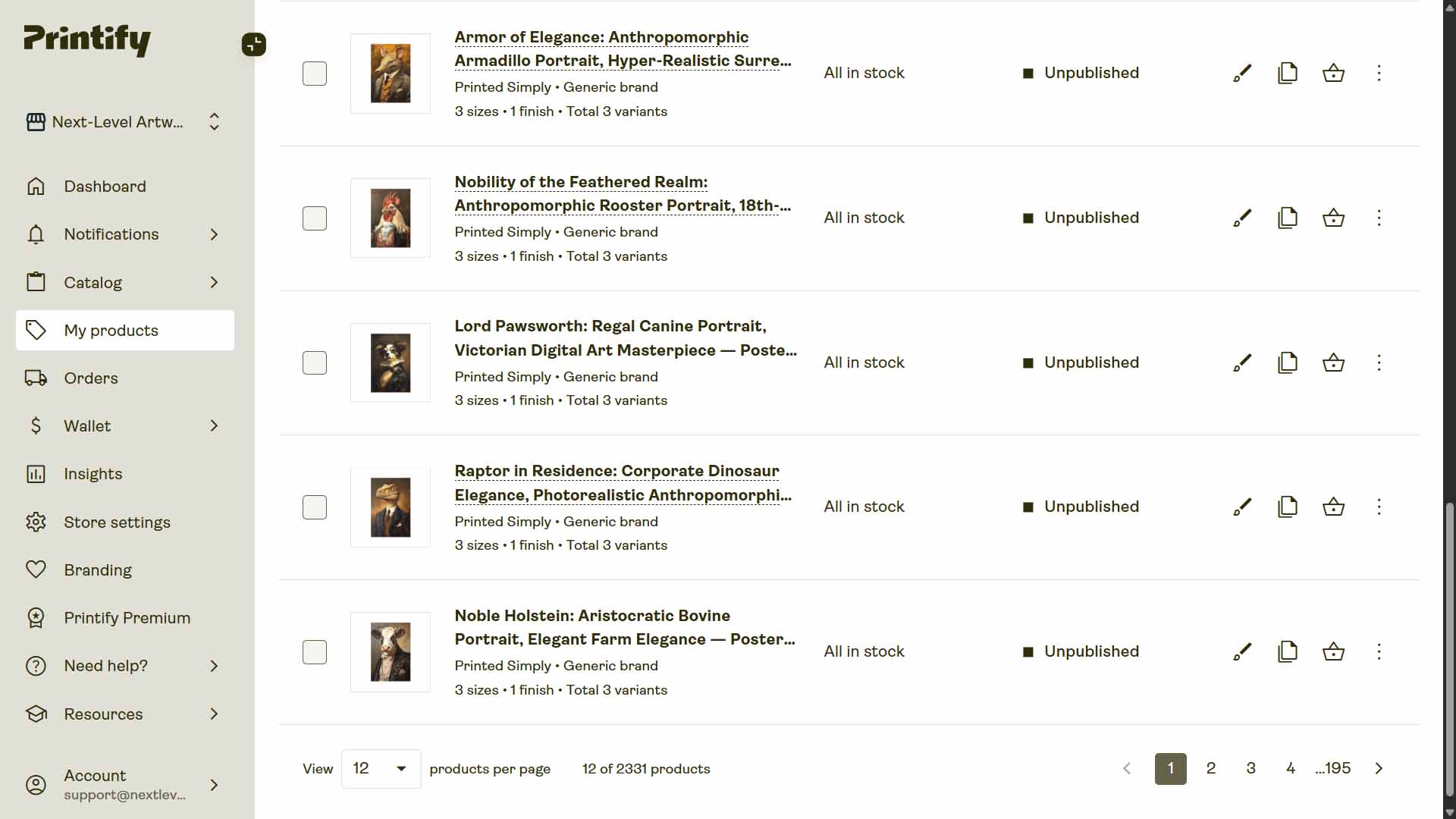
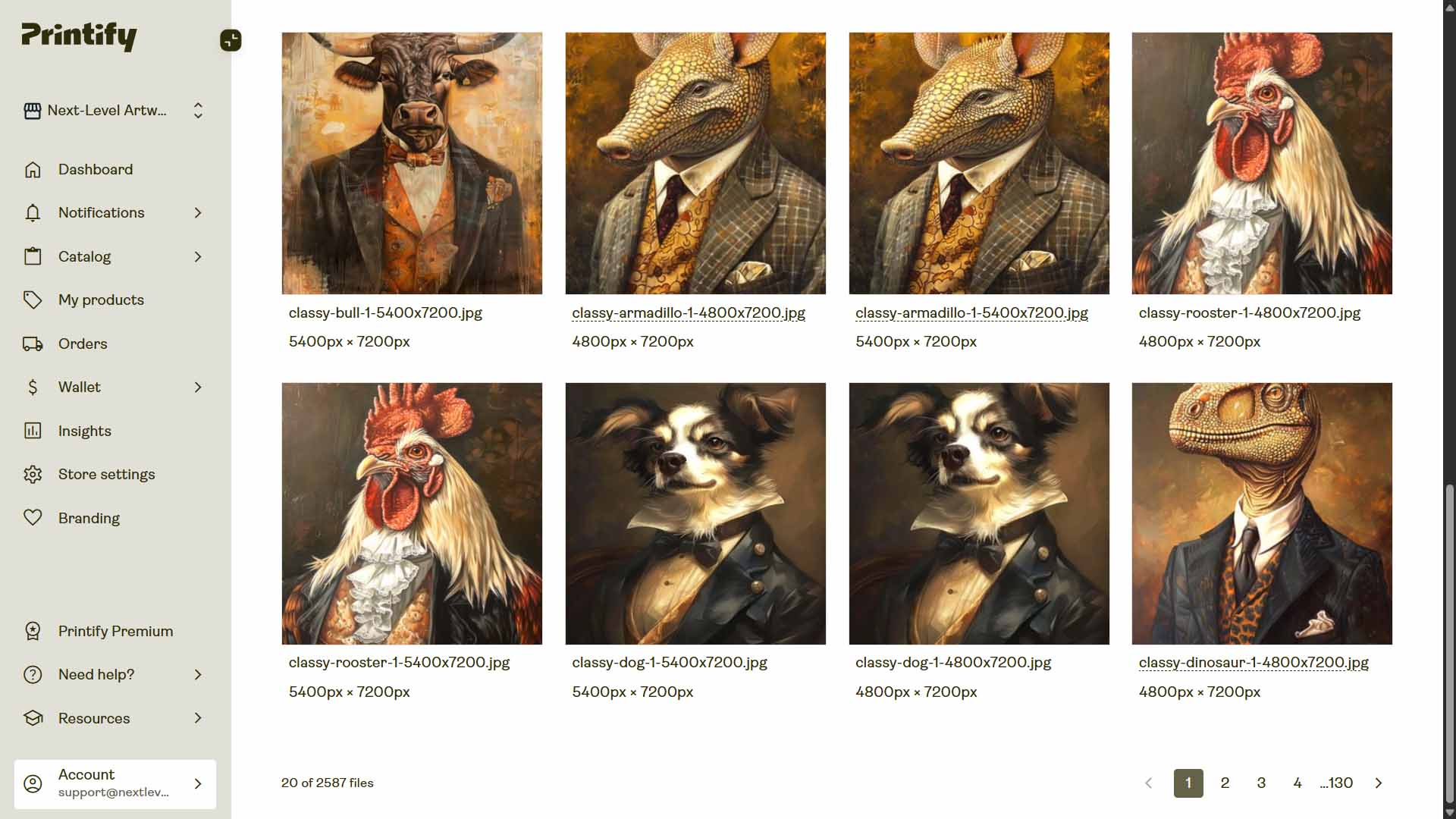
Even under ideal conditions, this setup would be brittle and high-maintenance—breaking whenever the site changes or your environment shifts.
At that point, it’s simply not worth the effort. You’d be rebuilding a fragile pseudo-automation that can never match the reliability of a purpose-built, API-based automation system—like the Bulk POD Product Creator, which performs these operations properly through stable backend integrations instead of simulated clicks.
Meet the Bulk POD Product Creator: The Proper Way to Automate POD SEO
Bulk POD Product Creator is a specialized automation platform built for print-on-demand sellers who want to scale efficiently across platforms like Printify, Printful, Gooten, and Gelato. It tackles the same core challenge—automating product creation and SEO optimization—but achieves it through structured, API-based automation rather than fragile “browser click” workarounds.
Here’s how it works:
- It automatically creates your POD listings—using official platform APIs to replicate your Example Product structure with identical variants, pricing, and print-area configurations.
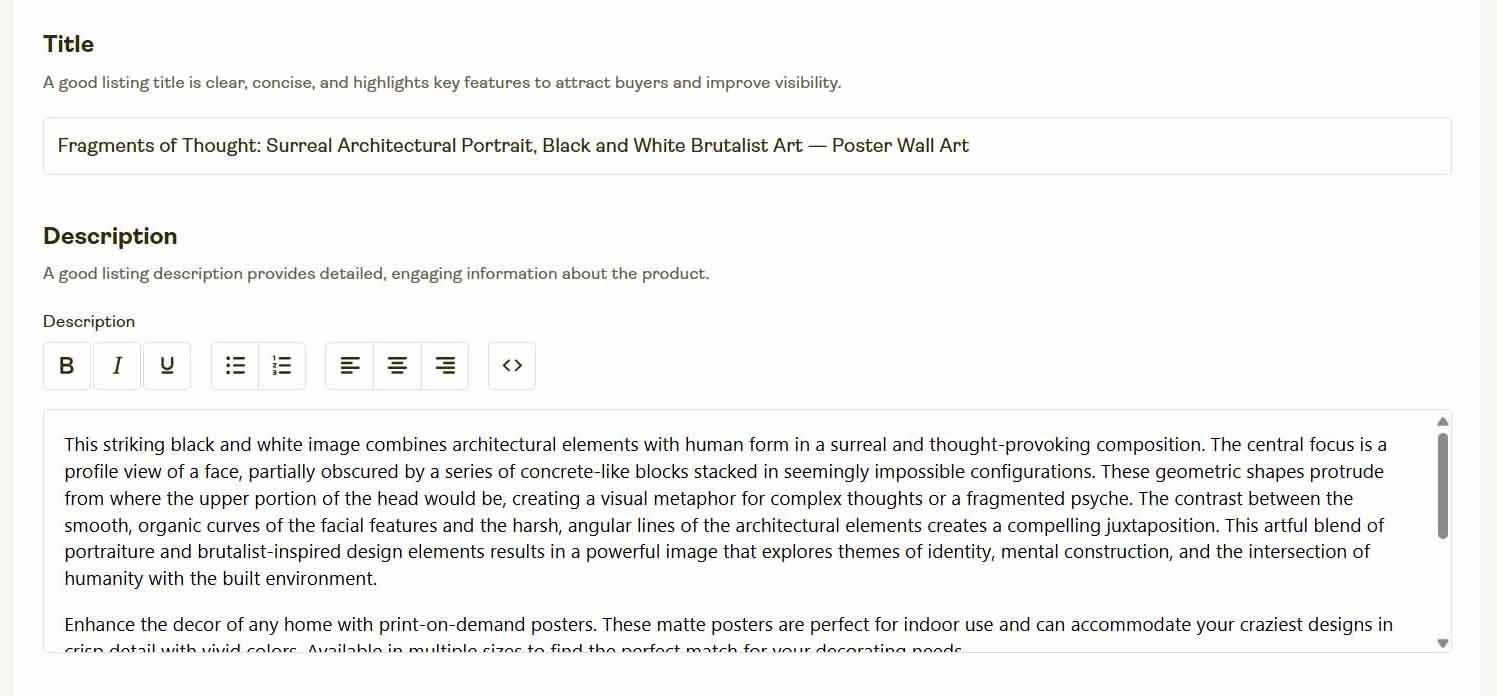
- It automatically writes SEO content for your POD products—generating unique, artwork-based titles, descriptions, and tags via integrated AI.
This two-part framework eliminates both halves of your bottleneck. You no longer have to build products manually or write metadata one listing at a time—it’s all unified into a single, repeatable workflow.

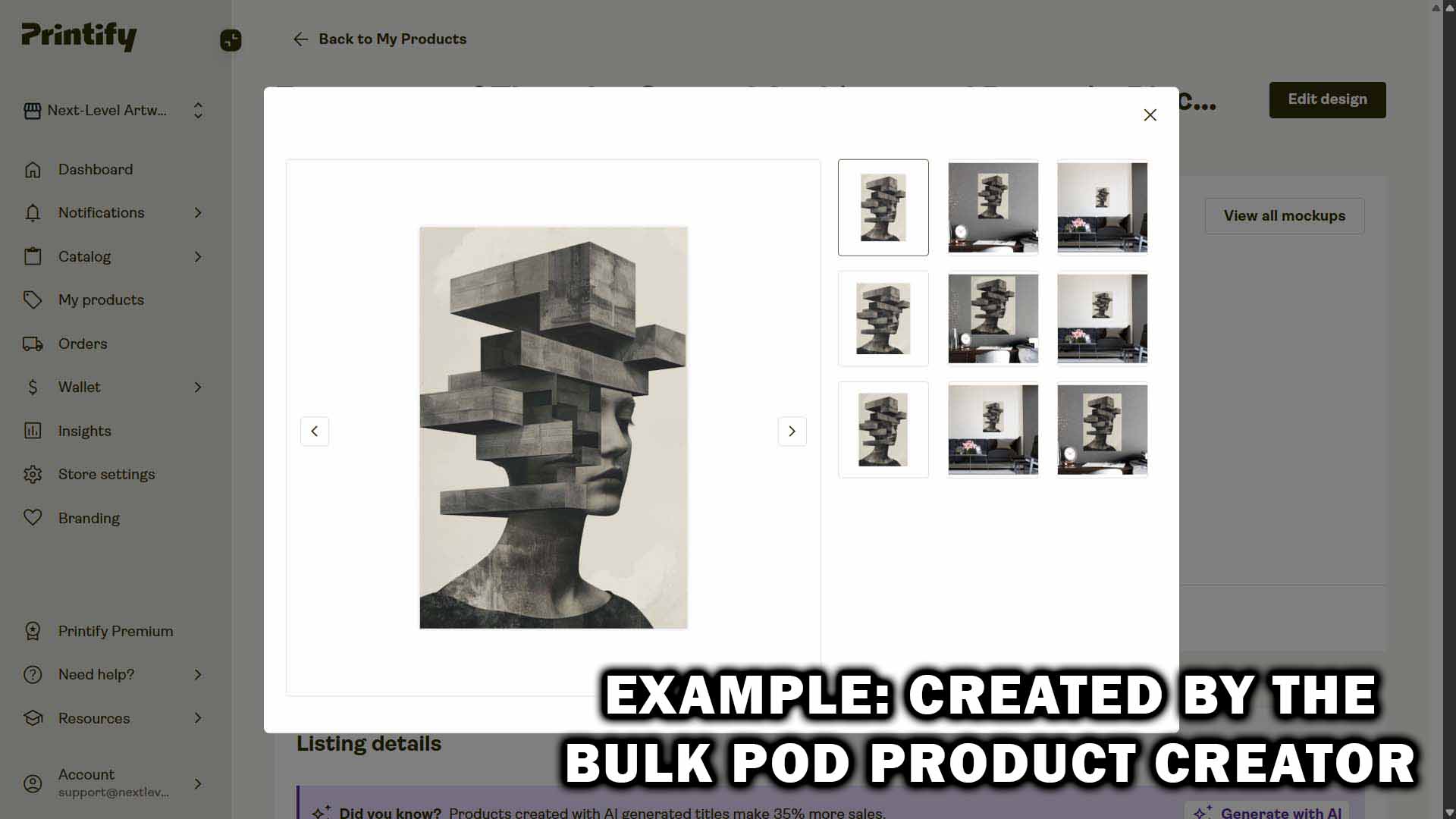
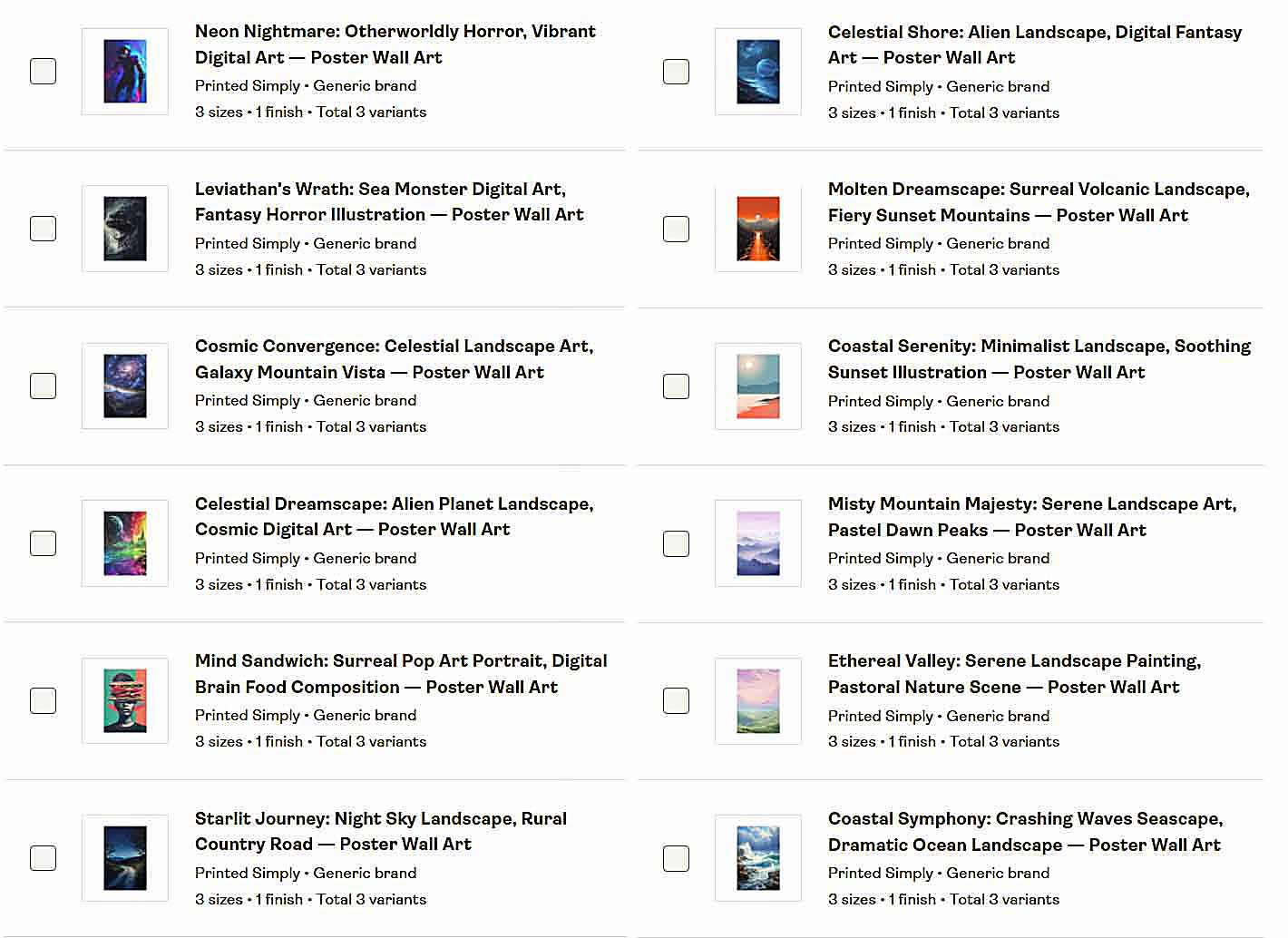
In practice, that means you can turn a folder of artwork images into a fully optimized, ready-to-publish POD catalog—complete with AI-written SEO metadata—in a fraction of the time it would take to do everything manually.
How to Use the Bulk POD Product Creator: Step-by-Step Overview
The Bulk POD Product Creator is designed to automate every stage of the POD product creation process—ensuring your listings are consistent, SEO-optimized, and professionally structured. The interface walks you through four intuitive steps, each handling one layer of your workflow.
Step 1: Upload Your Artwork Batch
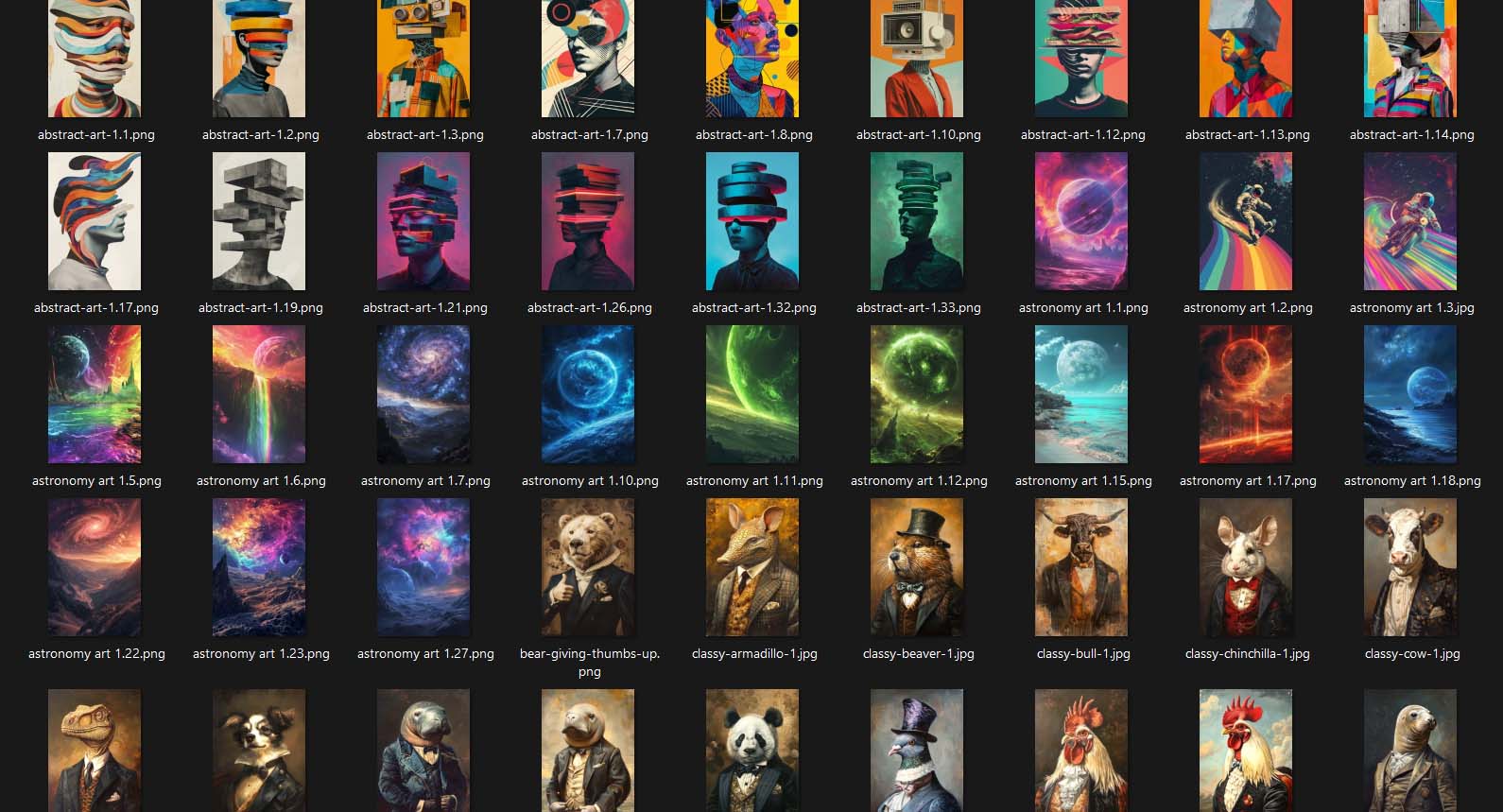
Begin by uploading your artwork folder—whether you have ten designs or hundreds. Each image becomes its own “product seed,” ready to be converted into a complete listing later in the process.

No renaming or sorting required. The software automatically scans, queues, and prepares every file for generation, guaranteeing that each image is tracked and ready for automation.
Key benefits of Step 1:
- Eliminates tedious manual file prep.
- Processes large batches efficiently and safely.
- Reduces the risk of skipped or misplaced files.
- Creates a one-to-one mapping between artwork and future listings.
How this improves your POD workflow:
Normally, you’d upload every image manually to Printify or Printful, assign it to a product, and repeat the process endlessly. With the Bulk POD Product Creator, that repetitive prep work becomes a single drag-and-drop action. It saves both time and mental energy.
Step 2: Select Your Example Product and Define Template Settings
This step sets the “blueprint” for your entire batch. After linking your POD account (e.g., Printify or Printful), you select an Example Product that contains your ideal setup—variants, pricing, and print-area configuration.
- Base product type (T-shirt, poster, tote, canvas, etc.)
- Print-area dimensions and orientation
- Variant details (sizes, colors, prices, availability)
- Default print provider or supplier

You can lock in parameters to keep every generated product consistent—ensuring a standardized configuration throughout your catalog.
Key benefits of Step 2:
- Maintains identical pricing and structure across all products.
- Prevents errors like mismatched variants or missing print areas.
- Replicates your preferred setup perfectly at scale.
How this improves your POD workflow:
Instead of building every product manually, the software mirrors your Example Product automatically. Each new listing inherits the correct structure and settings—no inconsistencies, no wasted setup time, no human mistakes.

Step 3: Configure AI SEO Options—Titles, Descriptions & Tags
This is where the Bulk POD Product Creator distinguishes itself. Step 3 adds AI-powered SEO optimization—the system analyzes your artwork to generate accurate, keyword-optimized titles, descriptions, and tags for each new POD product.
AI Titles—Simple and Compound
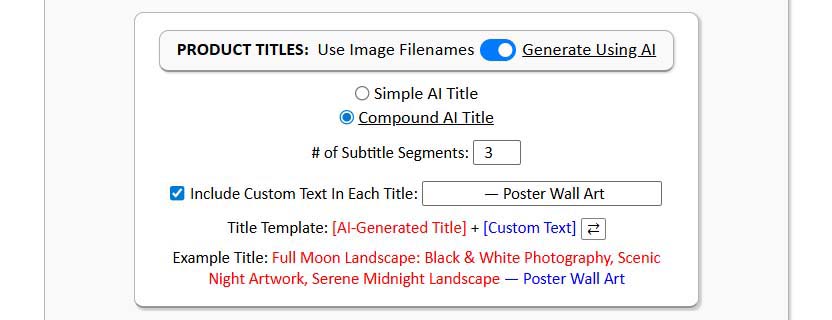
Choose between two title formats:
- Simple Title: A concise, artwork-focused name describing the design. Example: “Abstract Geometric Pattern in Blue and Gold.” Ideal for minimal, fast-browsing storefronts.
- Compound Title: A two-part structure that expands on the artwork with descriptive SEO context. Example: “Abstract Geometric Pattern in Blue and Gold: Modern Minimalist Design, Luxury Artwork.” Perfect for maximizing search coverage while staying natural.
AI Descriptions

The AI writes natural, keyword-aware descriptions centered on the artwork itself—never fabricating product-specific details like materials or dimensions. The output is concise, optimized, and consistent across your catalog.
AI Tags
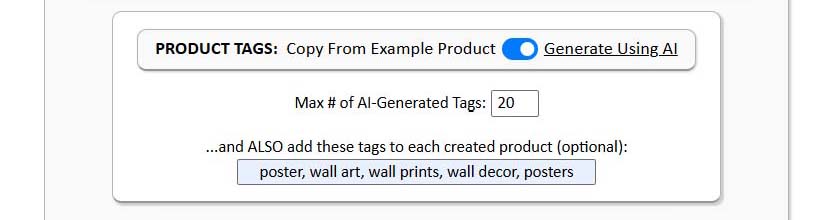
The tool automatically extracts relevant tags based on visual content—surfacing search terms that accurately describe the imagery (e.g., “sunset,” “botanical,” “line art,” “retro illustration”).
This takes the guesswork out of keyword selection for every listing.
Optional Custom Text Prefix/Suffix
To add product-level context like “—Canvas Print” or “—T-Shirt Design,” you can enable a custom text field that appends this data automatically to every title or description, ensuring consistent presentation across listings.
Key benefits of Step 3:
- Rapidly generates SEO-ready metadata for each POD product.
- Maintains uniform formatting and tone.
- Eliminates repetitive manual writing.
- Ensures every listing has unique, artwork-driven SEO content.
- Lets you fine-tune the voice, structure, and keyword balance.
How this improves your POD workflow:
This phase alone can save hours—or even days—of manual text entry. Instead of writing hundreds of titles and descriptions, you enable AI SEO once and let the system handle it while you focus on design and strategy.
Step 4: Run the Operation—Automate Product Creation
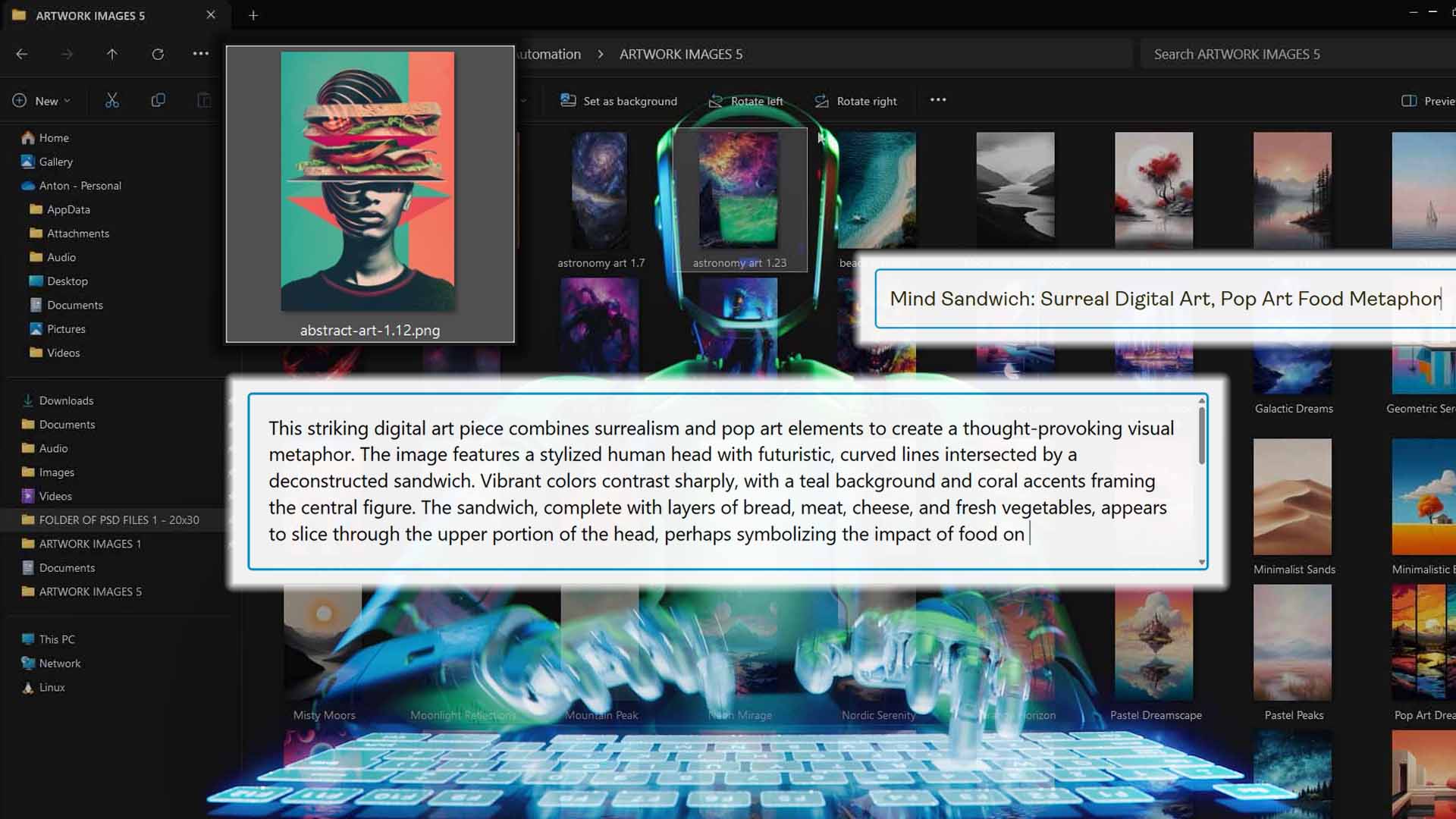
Once your artwork batch is queued, your Example Product is defined, and your SEO rules are set, you’re a single click from initiating a full production run.
The Bulk POD Product Creator connects via approved platform APIs (e.g., Printify, Printful, Gooten, Gelato) and begins creating listings according to your configuration. Each image is mapped to the Example Product’s print areas, inherits the same variant set and pricing logic, and is populated with the artwork-aware titles, descriptions, and tags you configured in the SEO settings.
You can observe progress in real time while the system performs the heavy lifting in the background—executing validated, rate-aware API requests rather than brittle browser automation.
Key benefits of Step 4:
- Generates your entire batch of print-on-demand products through deterministic API execution.
- No mouse macros or UI scripting—operations run securely and efficiently in the cloud.
- Graceful error handling with retries, status checks, and validation logic.
- Delivers cleanly structured, SEO-ready listings without manual intervention.
How this streamlines your POD workflow:
A complete batch operation takes minutes, not hours. Spend your time on design or marketing; by the time you wrap up, hundreds of listings can be live—already filled with consistent, AI-generated (artwork-based) titles, descriptions, and tags.
How the AI Image Recognition Works
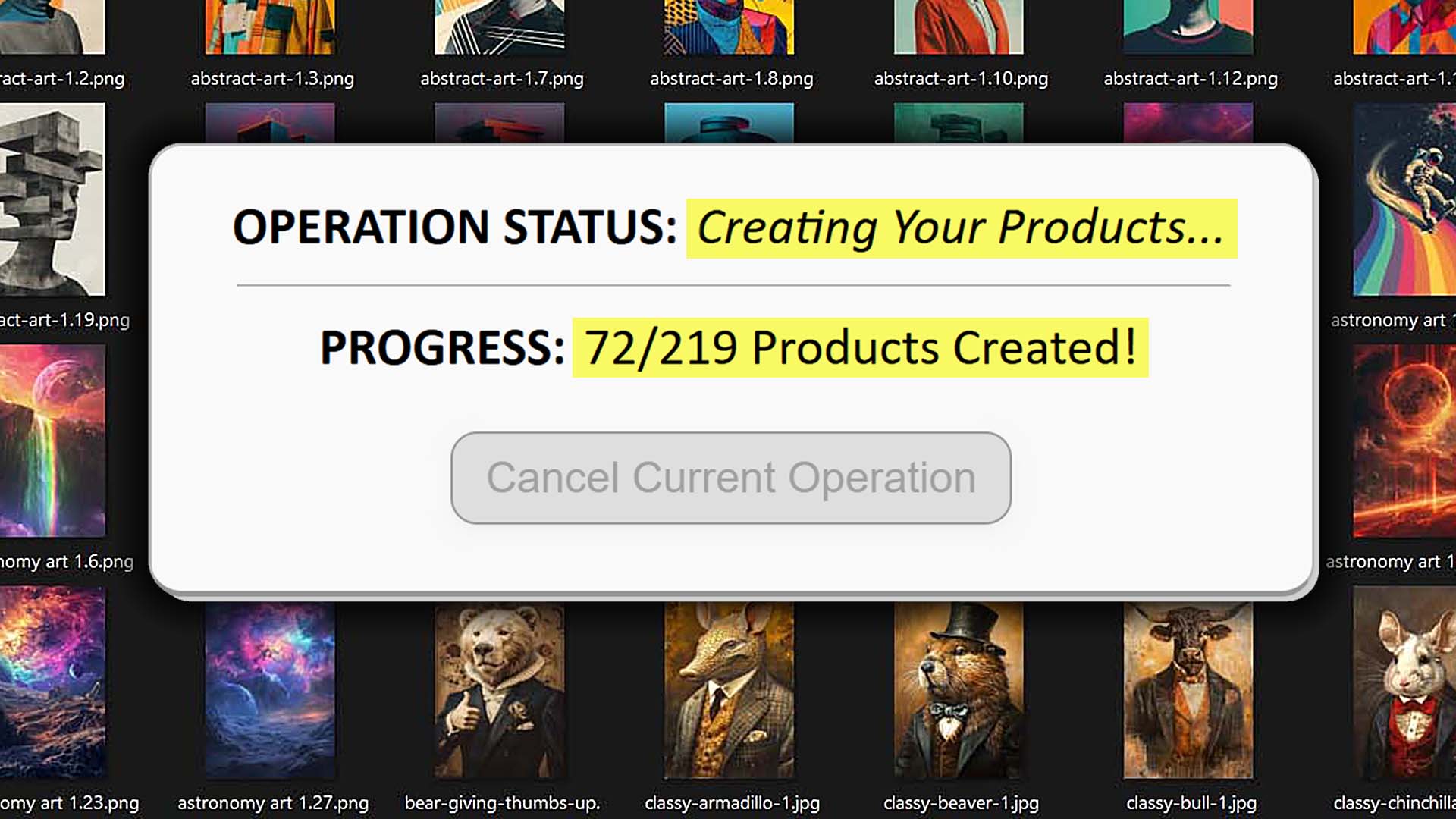
The Bulk POD Product Creator doesn’t guess—it employs modern computer-vision pipelines to interpret each artwork image and translate that understanding into search-friendly language.
At a high level, each file moves through three stages:
- Image Analysis: Detects salient subjects, shapes, textures, palettes, and stylistic signals in the artwork.
- Context Extraction: Infers genre and aesthetic (e.g., “mid-century modern,” “digital watercolor,” “boho abstract,” “pop-art illustration”).
- Text Generation: Produces human-readable, keyword-aware copy aligned to what the image actually depicts, balancing descriptors, tone, and common search phrases.
This runs independently for every asset, so the SEO text is tailored per artwork—no boilerplate recycling, no global template that makes listings feel the same.

Are the SEO-Optimized Titles, Descriptions & Tags Any Good?
Yes—and at scale, often more consistent than what most teams can maintain manually.
The vision-to-text system adapts to a wide spectrum of visuals—from minimalist line art to intricate illustrations and complex photo compositions—without relying on rigid templates. Phrasing and tone shift appropriately based on the content of each image.
Here’s why the outputs stand out:
- High accuracy: Reliably captures subject matter and stylistic markers (e.g., “hand-drawn ink sketch,” “retro synthwave,” “botanical pattern”).
- SEO fluency: Weaves in relevant keyword patterns naturally, avoiding awkward stuffing or repetition.
- Scalability: Supports thousands of distinct listings while preserving variety and coherence.
- Readability: Clean, professional copy suitable for live listings on platforms like Printify, Printful, Gooten, or Gelato.
Sustaining that quality across large catalogs is difficult with manual workflows. This is where the compounding benefit shows up: consistent structure, artwork-aware language, and zero fatigue—even as your catalog grows.
ChatGPT Agent Mode vs. the Bulk POD Product Creator
On the surface, ChatGPT’s Agent Mode feels like a clever way to automate repetitive marketplace tasks: it can click, type, and navigate pages, so the idea of letting it “handle SEO for you” is understandably tempting.
In practice, though, this is more experiment than production system. Browser-driven automation is fragile, inconsistent, and hard to scale across large catalogs. The Bulk POD Product Creator takes the opposite approach: it interacts directly with platform APIs (e.g., Printify, Printful, Gooten, Gelato) to execute each action cleanly, deterministically, and with full validation.
Here’s how the two approaches compare:
- Execution Method: Agent Mode emulates a human moving the mouse and typing into forms. The Bulk POD Product Creator issues structured, officially supported API commands to the platform backend—no brittle selectors, no misplaced clicks, no dependence on your local browser environment.
- Reliability: Minor UI shifts, network hiccups, or captchas can derail a browser run. API-based operations remain stable across layout updates and device differences.
- Speed: Browser control runs at “human speed,” waiting on loads and animations. The Bulk POD Product Creator operates at system speed within rate limits, sustaining high throughput with error-checked requests.
- Error Handling: If Agent Mode loses context, it often fails silently. The Bulk POD Product Creator includes retry logic, status tracking, and result validation—failed calls are identified and retried automatically until completion or explicit reporting.
- Security & Account Safety: Browser puppetry frequently triggers bot defenses such as challenge pages and captchas. The Bulk POD Product Creator uses approved authentication and endpoints, aligning with platform expectations for automation.
- Consistency: Agent runs can vary, yielding uneven outputs. The Bulk POD Product Creator produces standardized results across every batch: title/description/tag structure, placement rules, and Example Product replication are applied uniformly.
- Maintenance: Browser scripts require constant upkeep as interfaces evolve. With the Bulk POD Product Creator, you adjust your Example Product and SEO parameters as needed; backend automation continues to produce consistent outputs.

Bottom line: balancing a spinning plate might work briefly, but it’s one wobble away from failure. The Bulk POD Product Creator is a production-grade route for automating POD product creation and SEO in a way that is reliable, scalable, and future-ready.
Manual Work vs. AI-Powered Automation
Manually drafting titles, descriptions, and tags for hundreds of POD listings is resource-draining. It’s repetitive, slow, and diverts attention from higher-impact work.
The Bulk POD Product Creator changes that equation entirely:
- Significant Time Savings: Work that previously consumed days can be configured once and executed automatically. Instead of typing metadata repeatedly, you define rules and let the system generate artwork-aware copy in bulk.
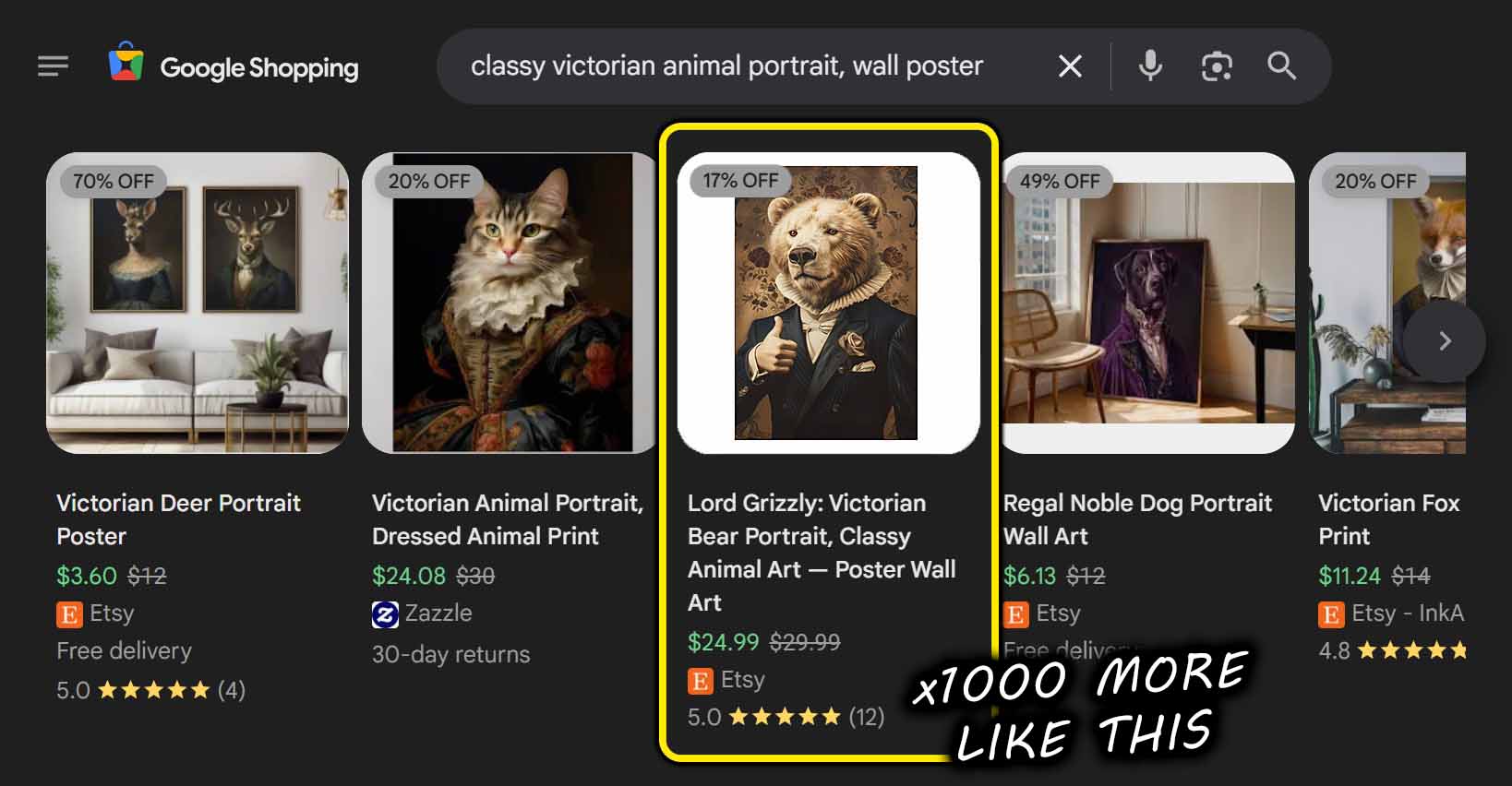
- Faster Catalog Expansion: Scaling to hundreds or thousands of listings becomes straightforward. More high-quality listings improve surface area for search visibility and conversion opportunities.
- Consistent, Search-Oriented Outputs: Every title, description, and tag follows a consistent, rules-driven structure. AI focuses on artwork content while maintaining natural phrasing—no awkward keyword stuffing.
- Reduced Errors: Typos, missing tags, and formatting drift are eliminated. The same deterministic logic applies across the entire batch.
- Better Use of Expertise: Shift effort from data entry to design, marketing, audience testing, and other levers that actually move revenue.
- Compounding SEO Benefits: Each listing becomes a search-optimized entry point. As the catalog grows, so do indexable pages and discovery pathways.

In short: automation doesn’t just save time—it increases total output and improves the overall consistency and quality of your merchandising surface.
Conclusion
ChatGPT Agent Mode is an impressive demonstration of autonomous browsing, but it isn’t engineered for the precision and volume that POD operations demand. Captchas, shifting UIs, and click-path fragility make it unreliable for sustained production use.
The Bulk POD Product Creator is built for the real workload: API-level automation for product creation plus AI-driven, artwork-aware metadata generation. The result is accurate, scalable, and SEO-ready outputs—consistently.
If you’re still hand-writing listings—or relying on brittle browser bots—consider a different path. Offload the repetitive layers to deterministic automation and focus on the work that advances your business instead of maintaining scripts.