
Bulk Listing Import Tool For Shopify Print-On-Demand Sellers: POD Made Incredibly Easy
Overview: Learn how the Bulk POD Product Creator transforms Shopify print-on-demand workflows with end-to-end bulk listing import, automation, and AI-powered POD product generation. This guide covers the step-by-step process, automation benefits, and why this tool is superior to manual or spreadsheet-based imports.

Building a Shopify Print-On-Demand Store Doesn’t Need to Be Difficult
Most people overcomplicate the process of building a print-on-demand business. They spend countless hours manually uploading products, writing descriptions, and configuring variants—all the slow, repetitive, joy-killing tasks that make scaling feel impossible. But here’s the truth: it doesn’t have to be difficult.
With the right automation tools, AI systems, and bulk import utilities, you can transform your Shopify POD workflow from a tedious grind into a smooth, high-throughput operation. Every part of the process—from uploading artwork to publishing finished products—can be handled automatically.
Tasks that used to take hours or even days can now be completed in minutes, across hundreds of products, with just a few clicks. Instead of clicking through menus and typing repetitive details over and over, you can run fully automated operations that create, optimize, and import all your products at scale.
There are two ways to build a Shopify POD store:
- The manual way—slow, repetitive, inefficient, and capped by human limits.
- The automated way—fast, consistent, scalable, and designed for serious sellers.
In this post, we’ll show you how the Bulk POD Product Creator acts as a true bulk listing importer for Shopify—a tool that takes your artwork images and transforms them into ready-to-publish POD products automatically. If you’ve ever wanted to build a large-scale Shopify store without the manual headache, this is how it’s done.
How To Go From Artwork Images to Bulk-Imported, Fully-Finished Shopify POD Products
The core idea behind this automation tool is simple: you upload your artwork images, and it does everything else. This tool imports your images, then generates full Shopify listings synced to your POD provider backend.
Let’s walk through what that looks like in practice—step by step.
Step 1: Upload Your Artwork Images
Start by selecting the artwork images you want to turn into POD products. These could be digital illustrations, photography, graphic designs, or typography-based artwork. Upload them into a single batch operation.

The tool automatically analyzes each image—detecting its dimensions, aspect ratio, and key visual elements—and logs this information for downstream steps like placement, variant creation, and AI title/description generation.
Step 2: Select Your Example Product
Next, point the tool to your Example Product—the “blueprint” that defines the ideal configuration for your listings. This Example Product determines which variants (sizes, colors, print areas) get replicated, what the base pricing is, and what placement settings are used.

Once set, every image in your batch will be used to create a new product following that exact configuration. One upload folder can instantly become hundreds of fully standardized, perfectly aligned Shopify listings.
Step 3: Choose Your Image Placement Mode
The tool offers three placement options for total creative control:
- Stretch Images To Fit Print Area(s): fills the entire printable region edge-to-edge.
- Preserve Image Aspect Ratio & Center: keeps proportions accurate while centering the artwork.
- Exactly Match Example Image(s): clones the precise positioning from your Example Product for pixel-perfect replication.
Each mode ensures your designs are automatically sized and positioned optimally across all variants without any manual adjustments.
Step 4: Enable AI-Powered Titles, Descriptions, and Tags
The AI engine scans your uploaded artwork and writes custom titles, descriptions, and tags for each product. It recognizes what’s in the image—objects, colors, themes, or embedded text—and produces natural-sounding metadata that’s both descriptive and SEO-friendly.

You can select between simple and compound title generation modes:
- Simple titles describe the artwork concisely.
- Compound titles add an extra descriptive extension for more keyword coverage.
You can also add custom prefix/suffix text to include product-level details (like “—Canvas Wall Art”) or append reusable HTML templates for materials and specifications.
Step 5: Run the Operation and Let Automation Take Over
Once your operation is configured, click Create My Products—and the system gets to work. It concurrently generates all your new products, applies pricing and variant data from your Example Product, positions artwork according to your chosen mode, and attaches the AI-generated metadata.
With the click of a single button, you’ll have a complete batch of fully finished, SEO-optimized POD listings. Every product is consistent, every description unique, and every image placed perfectly—all without touching a spreadsheet or typing a line of copy.

This is what modern print-on-demand automation looks like: bulk import made effortless.
Why This Is Better Than Spreadsheet-Based Bulk Product Imports on Shopify
Reason #1: This Method Creates Real POD Products on Your Provider’s Backend
The Bulk POD Product Creator doesn’t just generate Shopify listings—it creates the actual products on your print-on-demand provider’s backend. That means your listings, variants, and print areas exist as real, fully functional products inside your POD system (e.g., Printify or similar platforms), not just placeholders on Shopify.
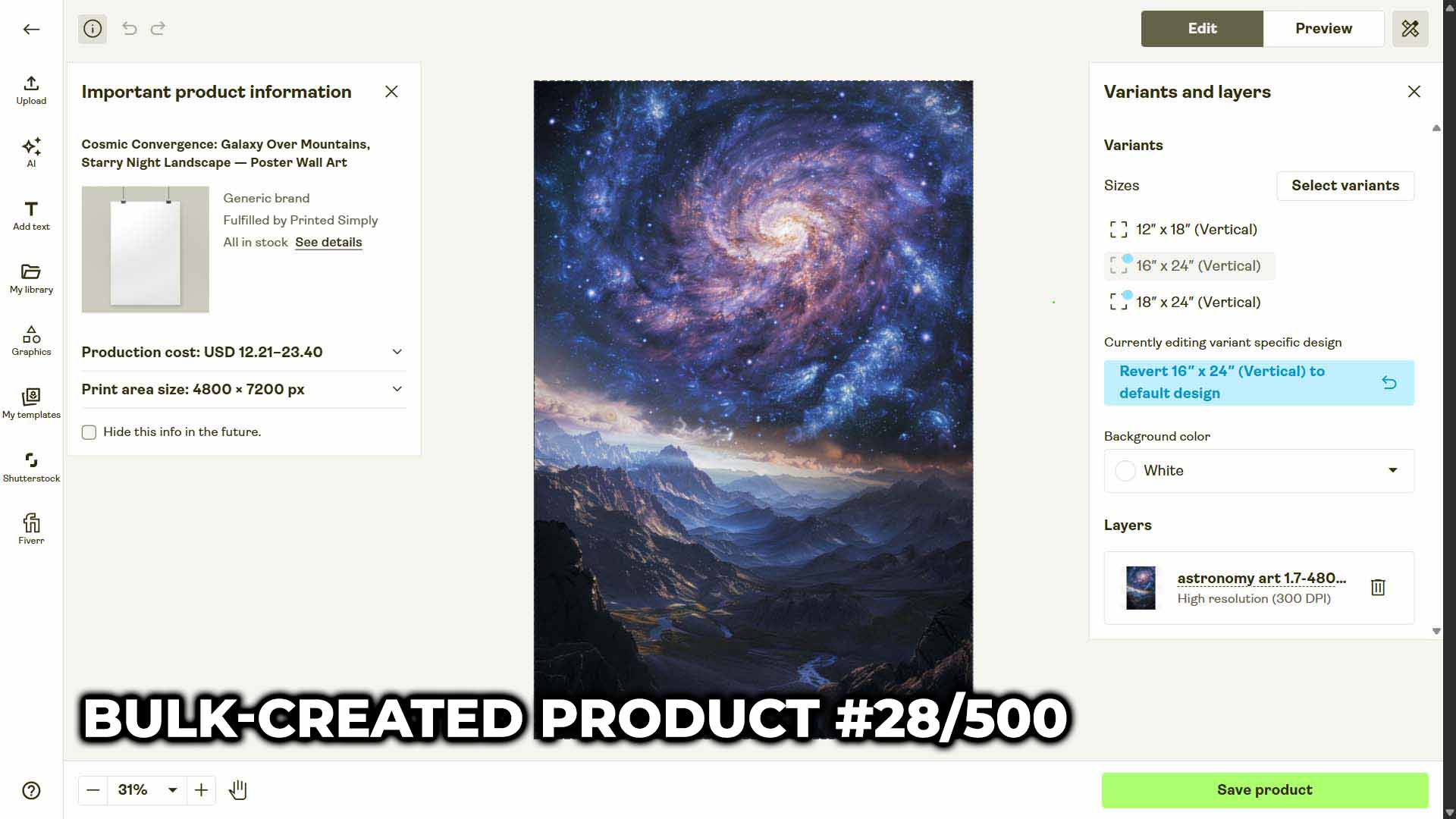
Your Shopify listings stay natively synced with your POD provider. When customers place orders, those orders are automatically fulfilled. You never have to manually link Shopify variants to POD variants again.
CSV imports can’t do this. They only create “front-end” listings on Shopify—meaning you’d still have to go back into your POD platform to manually create each product and map it to your Shopify listings one by one. That process defeats the entire purpose of bulk creation.
Reason #2: No More Tedious or Error-Prone CSV Work
Trying to create a product catalog using spreadsheets is a logistical nightmare. Each product has dozens of data points: titles, SKUs, prices, tags, descriptions, image URLs, and more. One small formatting mistake—a missing comma, an incorrect column name, a typo in a variant ID—can break the entire import or cause silent errors you only catch later.
And even if the upload works, it’s still just data entry. You’re spending time typing cell after cell instead of actually building your business.
With this tool, all that disappears. You don’t touch a spreadsheet at all.
No formatting. No CSV validation. No manual pricing or variant mapping. Just upload your images, select your Example Product, and click run. The system reads all necessary configuration data automatically and applies it perfectly to every generated listing—no copy-paste, no rework, no risk of human error.
Reason #3: This Is True End-to-End Shopify POD Automation
What makes this system fundamentally different is that it’s not a halfway solution—it’s true end-to-end automation.
It goes directly from:
“Here are my artwork images I want to convert into POD products.”
to
“Okay, click this button.”
to
“Done—your artwork has been turned into hundreds of fully created, SEO-optimized Shopify listings, all synced to your POD platform.”
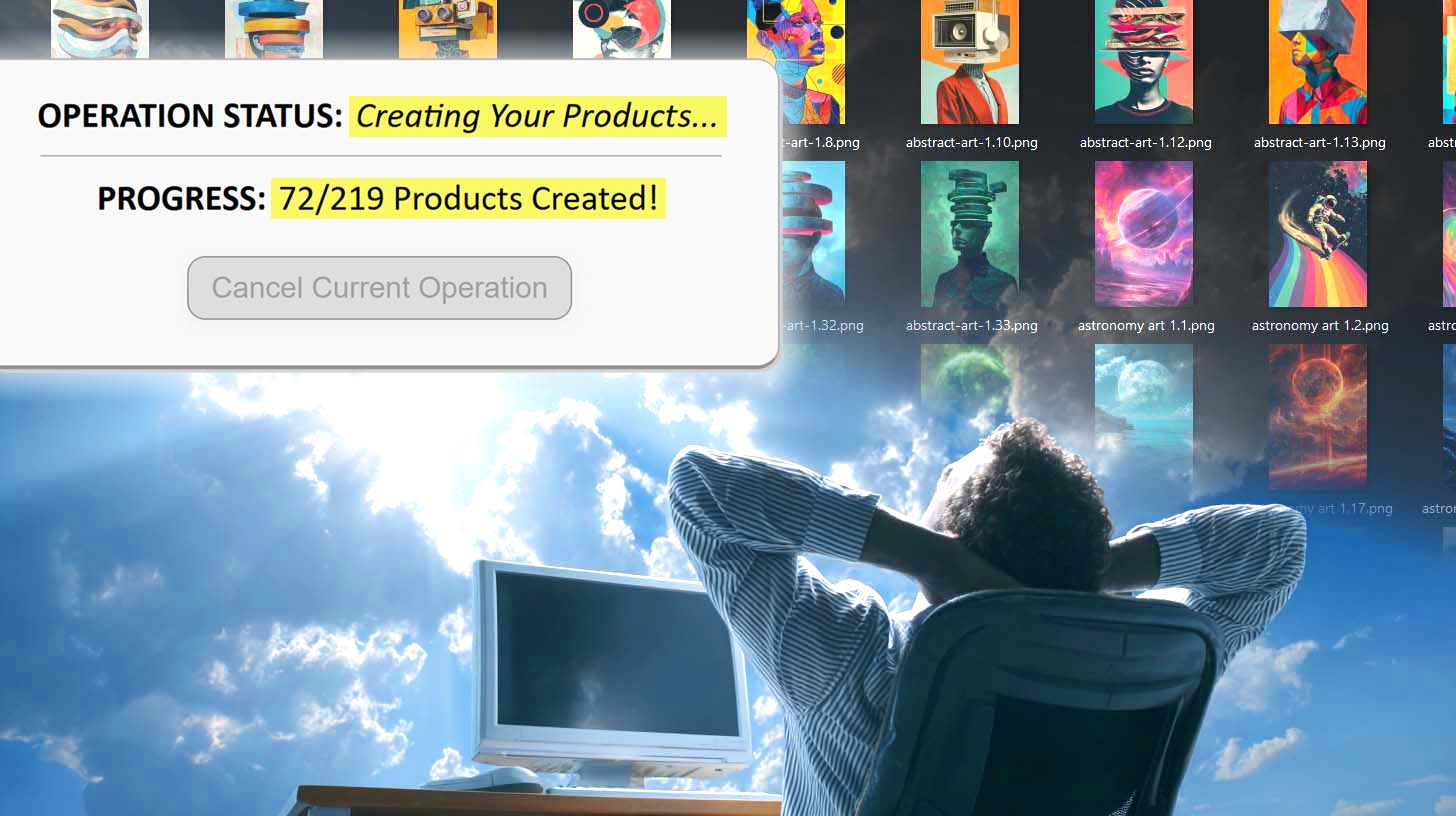
Everything between those steps—pricing, image placement, variant creation, title and description generation—happens automatically, without you lifting a finger.
That’s the difference between a “bulk uploader” and a true automation engine. The former just saves a few clicks. The latter removes the entire workflow from your plate.
Why These Automated AI-Generated Listings Are Superior to Manually Produced Listings
AI Benefit #1: Broader Language Coverage and Richer Keyword Diversity
Manually written product titles and descriptions tend to fall into predictable patterns. When you’ve written a hundred listings, you start repeating the same adjectives and phrasing—“beautiful,” “vibrant,” “unique,” “high-quality.” Eventually, your listings start to compete with each other instead of complementing one another.
AI changes that entirely. The language model behind this tool pulls from an immense linguistic and conceptual base, generating unique, contextually rich titles and descriptions for each artwork image. Every product gets a slightly different blend of descriptive phrasing, tone, and keyword coverage—which:
- Improves SEO reach across a wider array of long-tail searches.
- Avoids repetitive, robotic copywriting.
- Makes every product sound authentic and distinct.
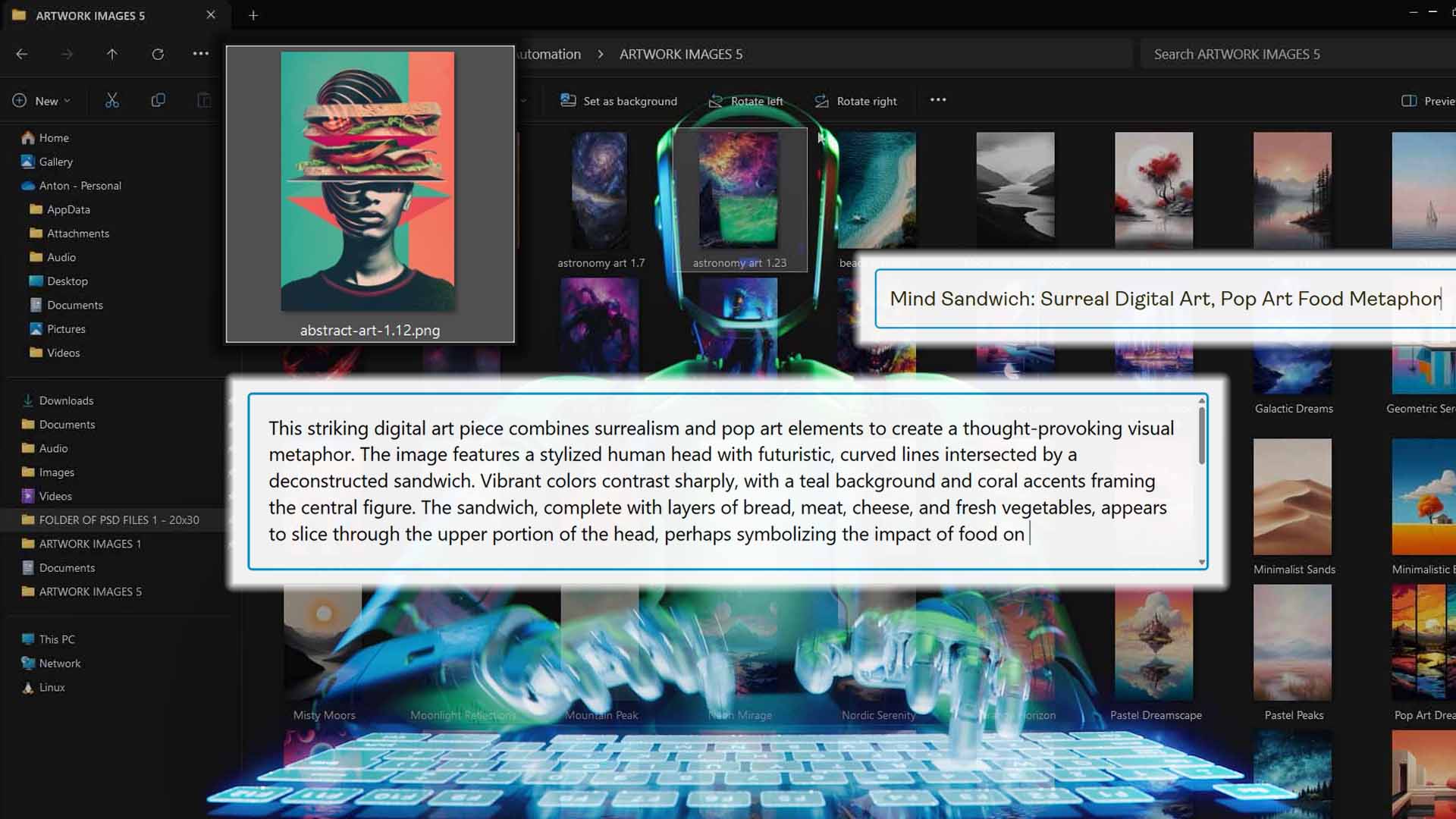
The AI doesn’t just “fill text fields.” It analyzes the artwork itself—the subjects, style, color palette, and embedded text—and writes content that fits each one naturally.
AI Benefit #2: More Time for Creating Awesome Artwork Your Target Market Will Love
When you eliminate the grind of manual product creation, you instantly free up your most valuable resource—your time. No more slogging through uploads, retyping descriptions, or manually formatting titles. The automation handles all of that in the background, so your energy and focus can finally shift to what actually grows your business.
That means you can invest far more time into market and demographic research—understanding what your target buyers want, what styles resonate, and what trends are gaining traction in your niche. You’ll have the bandwidth to study data, spot new opportunities early, and make more informed creative decisions.
But even more importantly, it lets you focus on creating the absolute best, most jaw-droppingly awesome products you can.
With the tedious busywork off your plate, you can pour your full creative energy into refining your designs, experimenting with bold new ideas, and producing higher-quality artwork that commands attention.
Automation doesn’t just save time—it multiplies your impact. Every minute reclaimed from repetitive labor becomes a minute reinvested into creative excellence, sharper strategy, and better products that genuinely stand out in the Shopify marketplace.

Conclusion: Bulk Import Made Simple, Smart, and Scalable
There’s a reason the most successful Shopify POD sellers are embracing automation—it’s the only realistic way to scale without burnout.
The Bulk POD Product Creator isn’t just a time-saver. It’s a complete transformation of how you build and manage your store.
- It replaces clunky spreadsheets with direct backend creation.
- It automates everything from pricing to SEO metadata.
- It delivers hundreds of polished, professional listings ready to publish—all synced, all optimized, all done automatically.
Whether you’re launching your first 50 products or scaling toward 5,000, this is the system that finally lets you grow without friction.
You handle the creative direction—the tool handles the rest.