
Best Automation Tools For Printify POD Sellers
Overview: This resource rounds up the most effective automation tools for Printify sellers—so you can replace repetitive work with scalable systems. We’ll cover how to automate Printify product creation with the Bulk POD Product Creator, batch-generate Photoshop mockups, run email marketing on autopilot, create and schedule social posts with AI, and syndicate your catalog to Google Shopping and Pinterest. The goal: a lean, compoundable workflow that scales output and revenue without scaling your hours.

Introduction
If you’re a Printify seller, you already know how much time can slip away in repetitive, manual tasks. Uploading products, creating mockups, writing descriptions, posting on social media, updating feeds—it all adds up. The bigger your catalog grows, the more these chores pile up, becoming bottlenecks that cap your growth.
The good news is that you don’t have to do everything by hand. A suite of automation tools exists that can take over the tedious, repetitive parts of your print-on-demand workflow—so you can spend your energy on what actually grows your business: creating new designs, marketing, and driving sales.
In this post, we’ll spotlight six of the most impactful automation tools available today for Printify sellers:
- Bulk POD Product Creator (automate Printify product creation)
- Batch-Replace Smart Objects plugin for Photoshop (automate mockup image creation)
- Mailchimp (automate email marketing campaigns)
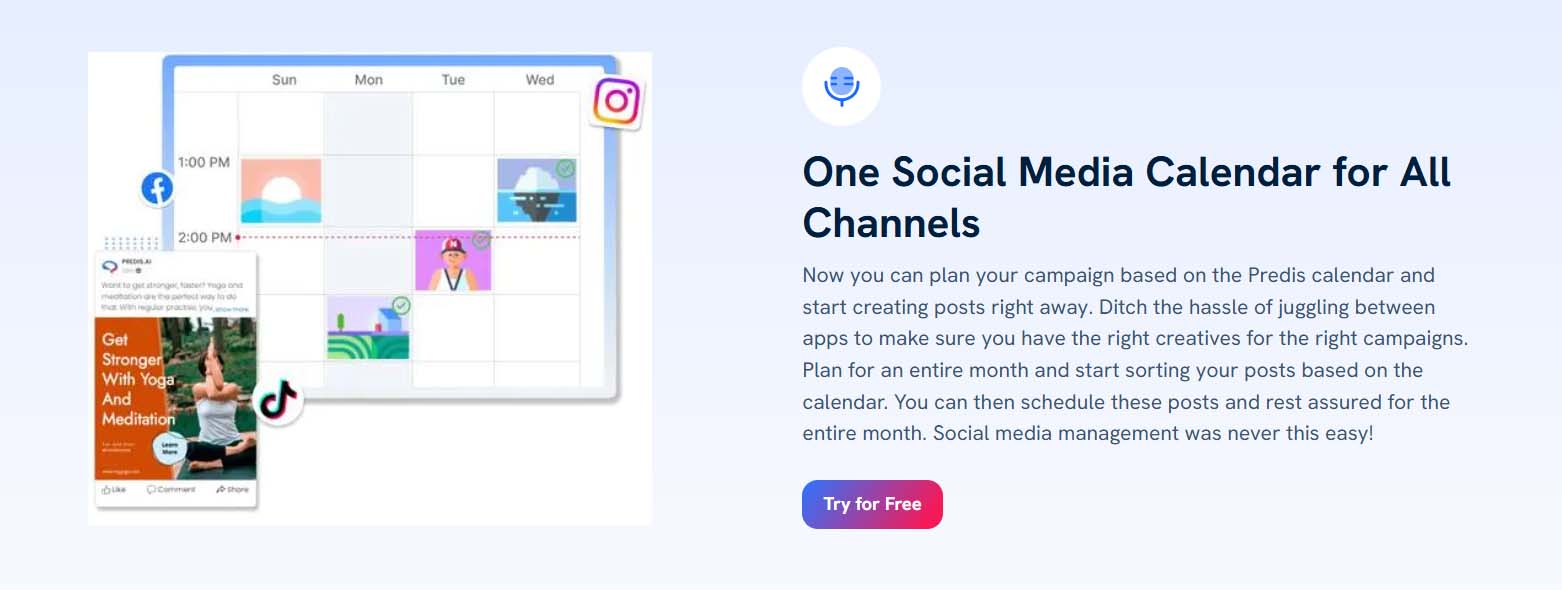
- Predis.ai (automate social media creation and scheduling)
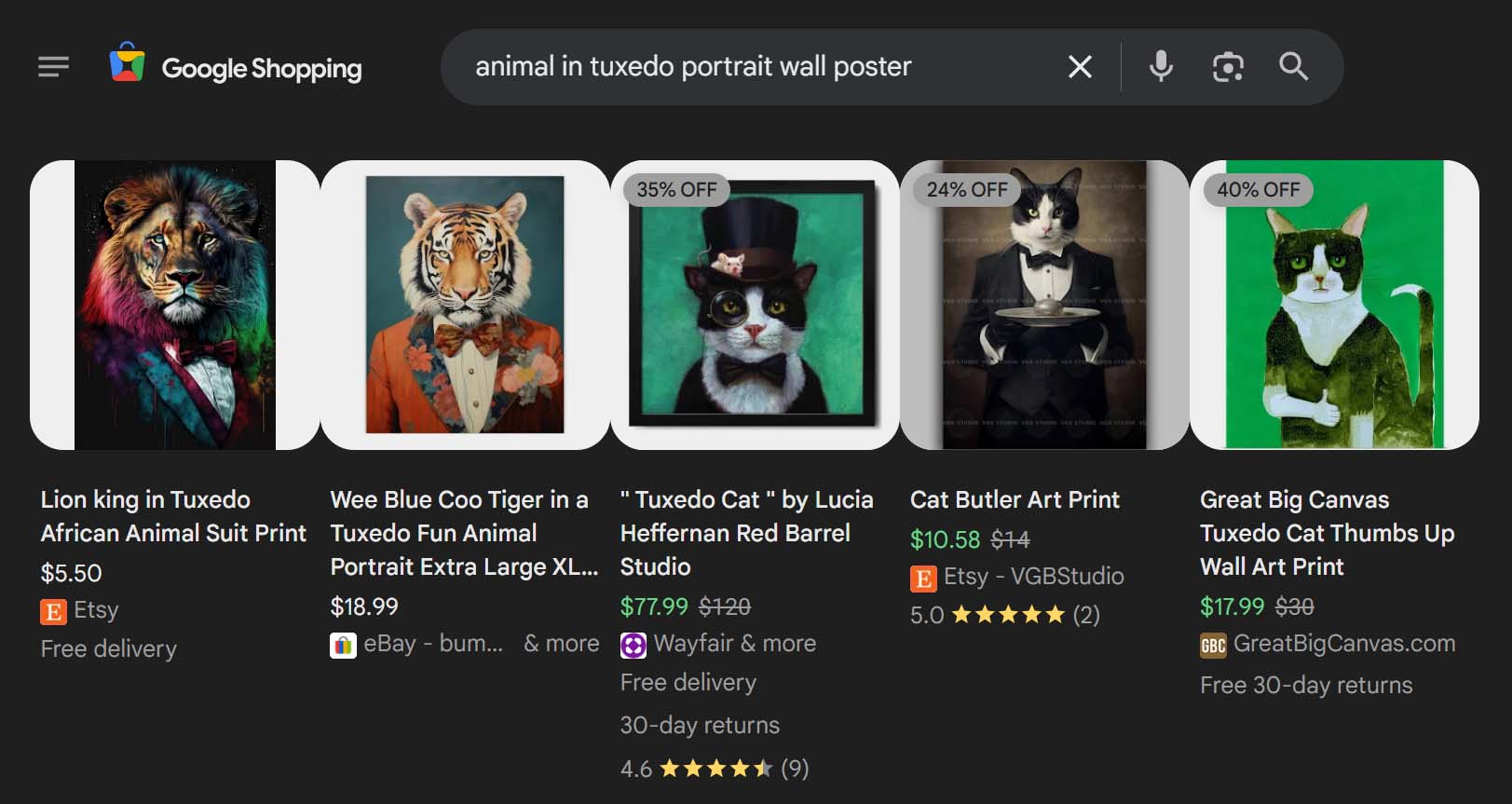
- Simprosys App for Shopify (automatically convert products into Google Shopping Feed listings)
- Pinterest App for Shopify (automatically convert products into Pinterest pins)
Let’s start with the two biggest bottlenecks in a POD workflow—creating products and generating mockups—and see how automation removes them completely.

1. Bulk POD Product Creator — Automate Printify Product Creation
The first and most essential automation tool for Printify sellers is the Bulk POD Product Creator. This software is built specifically to eliminate the grind of creating products inside Printify.
How it works & what it does
- You connect your Printify store with a secure API token.
- Choose an “Example Product” from your shop that acts as the blueprint. This defines the print areas, variants, sizing, and pricing.
- Upload a folder of artwork images. Each image becomes the seed for one new product.
- Define placement rules (stretch, preserve aspect ratio, or exactly match your Example Product).
- Set rules for product info—titles, descriptions, tags—which can be AI-generated with keyword-rich SEO built in.
- Click “Create My Products”, and watch as dozens or hundreds of new, fully-formed Printify products populate your store automatically.


Major benefits for POD sellers
- Time savings: Creating one product manually can take 20–30 minutes. Automating this means you can create hundreds in a single afternoon.
- Scalability: Your store catalog expands rapidly, giving buyers more chances to find their perfect product.
- SEO baked in: Titles, descriptions, and tags aren’t generic—they’re optimized to capture long-tail search traffic on Etsy, Google, and inside Printify’s own search.
- Consistency: Every product inherits your blueprint’s pricing, variants, and standards.
The cost / downsides of not using it
Without automation, you’ll always be stuck in the weeds, spending hours clicking through Printify’s interface instead of designing new art or driving traffic. Worse, your growth caps out. The more time you spend on manual product creation, the fewer products you publish—and fewer products means fewer opportunities to make sales.
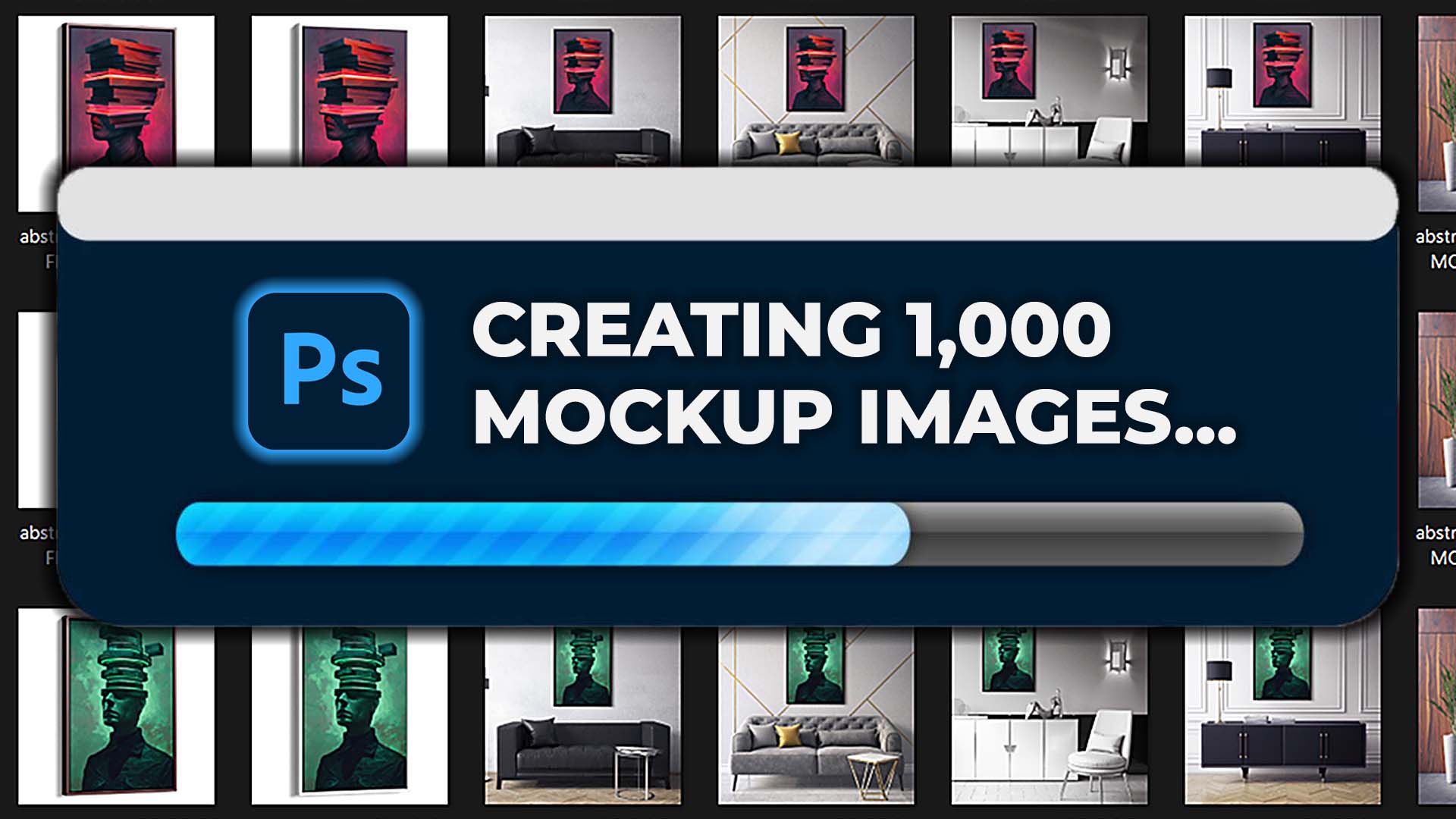
2. Batch-Replace Smart Objects Plugin for Photoshop — Automate Mockup Creation
The second major bottleneck in a POD workflow is mockup creation. High-quality mockups are what make your products look premium and trustworthy. But if you’ve ever done this manually in Photoshop, you know it’s a nightmare: opening PSD files, pasting in artwork, resizing to fit, exporting one by one, renaming files—and repeating this hundreds of times.
The Batch-Replace Smart Objects plugin for Photoshop solves this in one stroke by automating the creation of all your PSD mockups.
How it works & what it does
- Load your PSD mockup file (or an entire folder of them).
- Point the plugin to your input folder of artwork images.
- Choose your output folder and export settings (JPEG or PNG, quality level).
- Decide whether to stretch images to fit the smart object automatically.
- Click “Run This Now”—and Photoshop takes over, generating mockups on autopilot.
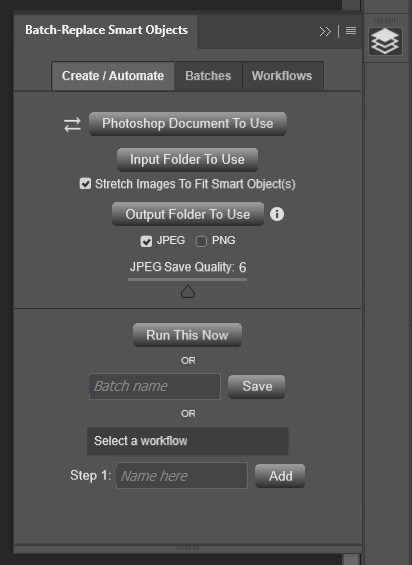
You can even:
- Use Folder Mode to multiply across many templates at once (e.g., 50 artworks × 10 PSDs = 500 mockups in one run).
- Save Operations and Workflows so you don’t have to reconfigure settings every time.
- Chain multi-step workflows together, e.g., framed canvases → posters → room scenes.
- Handle multiple smart objects if your template contains more than one layer (front and back of a t-shirt, multiple mockup angles, etc.).
Major benefits for POD sellers
- Massive time savings: What would take 8–10 hours manually can now be done in minutes.
- Scalability: Create hundreds or thousands of polished mockups at once.
- Consistency: Every mockup follows the same rules—no off-center placements, no misaligned edges.
- Professional branding: High-quality custom mockups look far better than generic Printify defaults, which boosts trust and conversions.
- Hands-free workflow: While Photoshop generates mockups, you can focus on designing or marketing.
The cost / downsides of not using it
Skipping this plugin means you’ll either settle for low-quality, cookie-cutter Printify mockups—or you’ll spend entire days chained to Photoshop, slogging through repetitive tasks that should take minutes, not hours. Either way, your growth suffers: fewer mockups means fewer listings, less marketing material, and fewer opportunities to convert browsers into buyers.
3. Mailchimp — Automate Your Email Marketing & Customer Journeys
Mailchimp is one of the most mature, reliable platforms for automating email marketing—especially for e-commerce and POD sellers. When integrated with your store (Shopify, WooCommerce, or via API), it becomes a powerful engine for driving repeat sales, recovering abandoned carts, and nurturing long-term customer relationships.
How it works & what it does
- You sync your store (orders, customers, product catalog) so Mailchimp has real-time data on purchases, segments, and behavior.
- You build automation flows (aka customer journeys) that trigger emails based on actions—such as new subscribers, first purchase, cart abandonment, or product page visits.
- You set up multi-step drip campaigns that send subscribers through a defined sequence automatically.
- You can A/B test subject lines, content variants, and sending times to optimize engagement.
- Mailchimp supports dynamic & personalized content (e.g. product recommendations, reminders) driven by customer data.
- You get robust analytics: open rates, click-throughs, conversions, revenue attribution, and more.
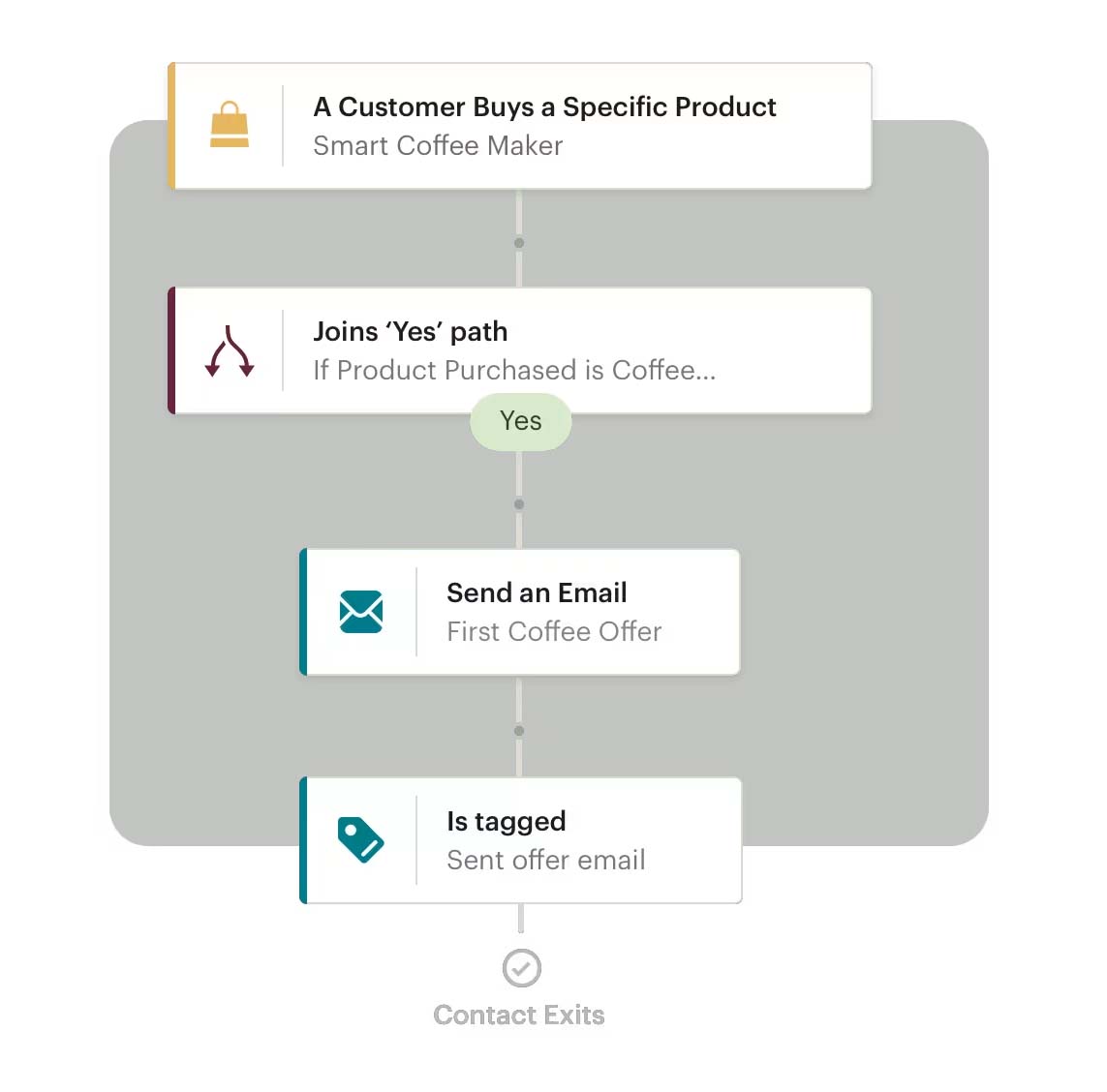
Major benefits for POD sellers
- Hands-off repeat sales: Once your flows are live, repeat customers, upsells, cross-sells, and re-engagement happen without manual effort.
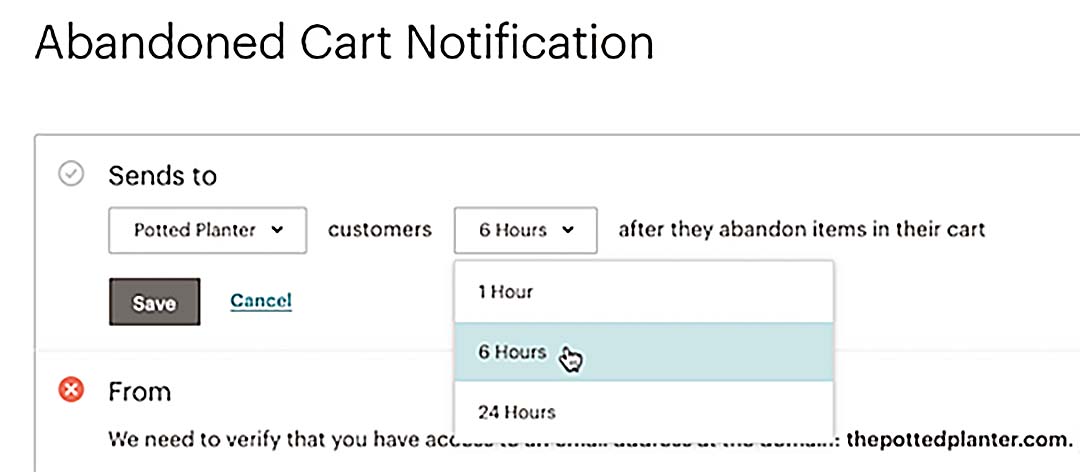
- Abandoned cart recovery: Automatically remind customers who left items in their cart to come back and purchase.
- Segmentation & personalization: Send more relevant content to people who have purchased specific designs, interests, or in specific niches.
- Growth engine: You’re not just sending one-time blasts; you’re building funnels that convert over time.
- Compliance & list hygiene: Because it’s built for e-commerce, Mailchimp helps you stay within email marketing legal standards and manages unsubscribes, bounces, etc., automatically.
The cost / downsides of not using it
- You miss out on low-hanging revenue from cart recoveries or automated repeat offers.
- You’ll have to manually send or manage follow-up emails, which is time-consuming and inconsistent.
- You lose the power of data-driven segmentation and optimization.
- As your list grows, manual email handling becomes impossible to scale.
- You may suffer from list hygiene issues, deliverability problems, or subscriber churn you didn’t detect.
4. Predis.ai — Automate Social Media Content & Scheduling
Predis.ai is an all-in-one AI-powered social media tool built to automate content creation, scheduling, and publishing. It’s ideal for POD sellers wanting to leave behind the constant grind of “log in, post, repeat.”
How it works & what it does
- You integrate your social account(s) (Instagram, Facebook, TikTok, LinkedIn, Pinterest, etc.) into Predis.
- You can bulk-generate posts (images, carousels, captions) using AI templates or prompts.
- You then schedule those posts via a content calendar interface. You can set days, times, recurrence, and let Predis auto-post.
- You get analytics, performance data, and insights to iterate on what types of posts resonate.
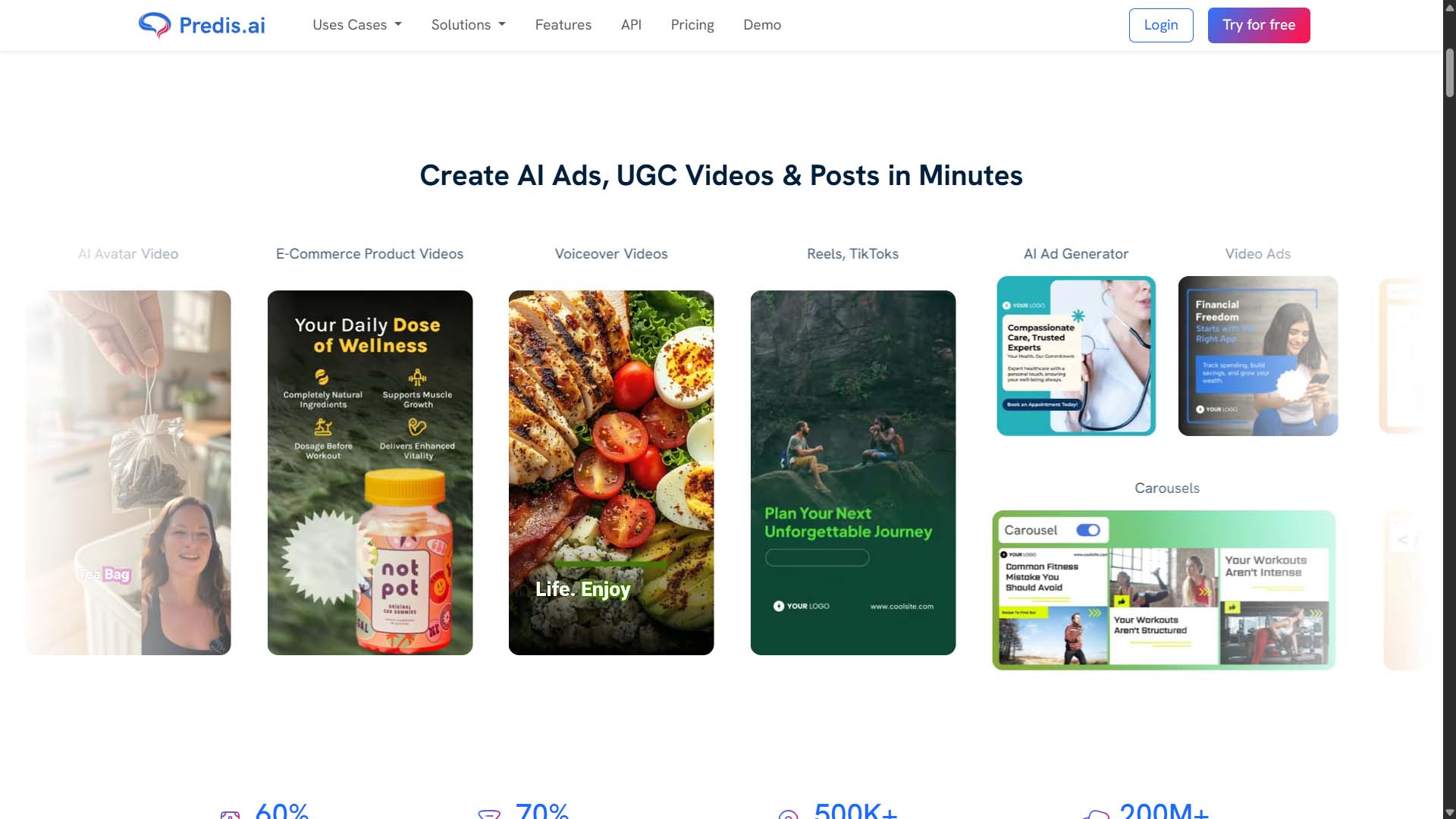
Major benefits for POD sellers
- Consistent posting without manual effort: You don’t have to log in daily to push new posts.
- Creative automation: AI helps you conceive captions, visuals, and post variations you might never think of manually.
- Scale your social reach: More posts → more exposure → more traffic opportunities to your store.
- Time savings: Batch-creating and scheduling frees you from the daily posting treadmill.
- Strategic insights: Analytics help you double down on what works.
The cost / downsides of not using it
- You’ll either under-post or spend hours per day manually posting.
- You’ll lose momentum in social channels where consistency matters.
- You’ll have more “dead slots” in your posting schedule.
- It’s harder to test variations or optimize posting strategy because you’re limited by your manual input.
- Without AI-generated post ideas, creative fatigue sets in sooner.
5. Simprosys App (for Shopify) — Automate Product Feed to Google & Beyond
The Simprosys Google Shopping Feed App for Shopify is a powerful tool for turning your product catalog into optimized, high-performance shopping feeds for multiple platforms.
How it works & what it does
- Once installed and connected, Simprosys syncs your Shopify product catalog in real time using Content API or XML feeds.
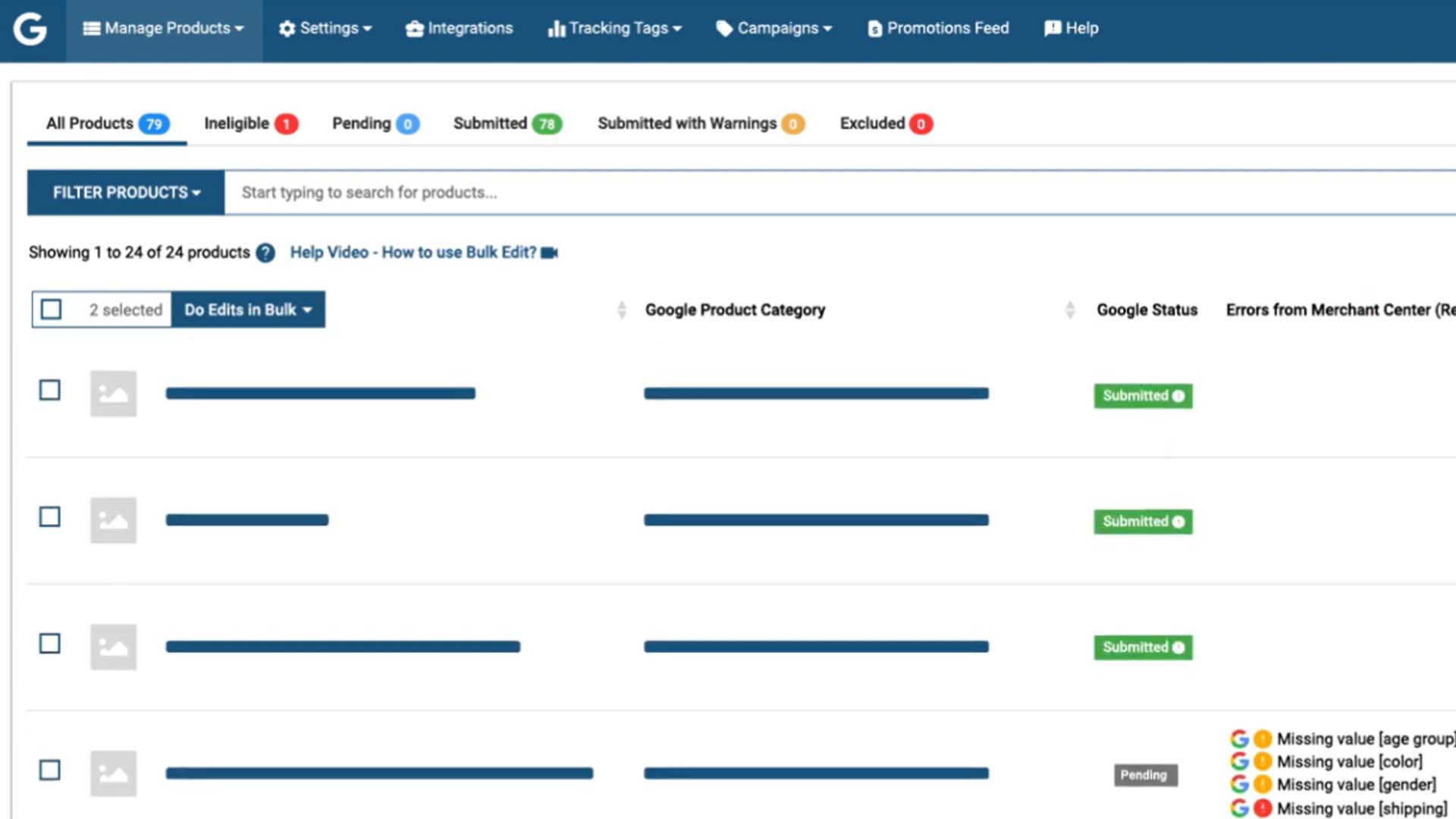
- You can create and manage feeds for Google Shopping, Microsoft Shopping, Meta / Facebook Catalogs, and Pinterest Shopping from one dashboard.
- Simprosys gives you rules and bulk-edit tools to optimize feed attributes (title, description, product types, custom labels) to increase feed relevance and reduce errors.
- Advanced features include dynamic tracking setup (conversion & remarketing tags), auto discount promotion feeds, multi-market support (currency / language feeds) and real-time feed re-submission when your catalog changes.
Major benefits for POD sellers
- Mass distribution of product listings: Once your POD catalog is created (e.g. via Bulk POD Product Creator), Simprosys can push all those listings into Google Shopping, Bing/Microsoft, Meta, and Pinterest channels, unlocking additional high-intent exposure.
- Organic & paid synergy: Optimized feeds improve your chances of appearing in free listings (Google free listings) while also fueling your paid campaigns more effectively.
- Time saved vs manual feed creation: For large POD catalogs, manually building and updating feeds for each channel is an error-prone nightmare. Simprosys centralizes and automates it.
- Better feed quality & fewer disapprovals: Feed optimization rules reduce common issues like missing attributes, invalid data, or disapproved products in Merchant Center.
- Global reach: For sellers serving multiple countries, Simprosys supports multi-market feeds automatically adjusting currency, language, and pricing rules.
The cost / downsides of not using it
- You’ll either skip feed syndication entirely (losing access to free/paid shopping traffic) or maintain feeds manually (which becomes unsustainable at scale).
- Your product listings might remain stuck in Etsy/Printify storefronts only, missing out on broader Google/Bing/Meta traffic.
- Errors, disapprovals, and outdated data become a constant headache, dragging down performance or causing broken links.
- Paid feed campaigns will be less effective, since they’ll be handicapped by weak or inconsistent feed data.
- You’ll lose a key amplification layer that turns your POD catalog into omnichannel momentum.
6. Pinterest App (for Shopify) — Automate Product Pins at Scale
The Pinterest App for Shopify allows you to convert your product catalog into rich Product Pins and keep them automatically updated—without manual pinning.
How it works & what it does
- You install the Pinterest app in your Shopify store, connecting your Pinterest business account.
- Your Shopify catalog is synced and submitted daily so Product Pins stay current with inventory, pricing, and descriptions.
- The Pinterest Tag (or Conversions API) is automatically added or managed, enabling tracking of Pinterest-driven conversions.
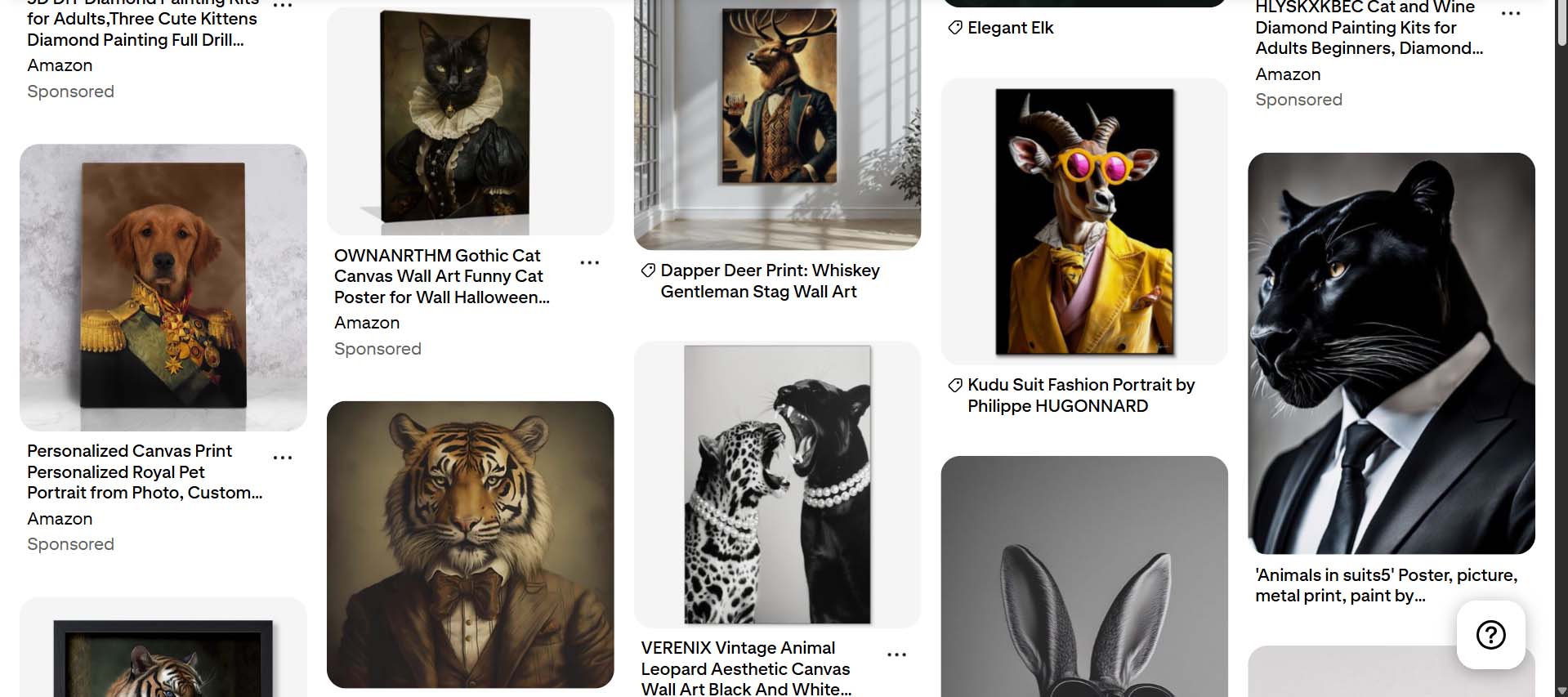
- Posts (Pins) are generated from your product images, titles, and descriptions—so each item becomes pin-ready in a Pinterest-friendly format.
- Some third-party apps or features also let you schedule pins, auto-fill descriptions, and refresh pins over time to avoid content staleness.
Major benefits for POD sellers
- Leverage Pinterest’s visual discovery engine: As a visual-first platform, Pinterest is ideal for art, decor, apparel — your POD products are right in its wheelhouse.
- Passive traffic automation: New listings are pinned automatically, so you constantly expand your reach without needing to log in.
- SEO & referral synergy: Pinterest pins act as referral links generating traffic, and increased pin activity is a signal Pinterest uses for distribution.
- Catalog-level reach: Instead of pinning one product at a time, your entire catalog is exposed to browsing users over time.
- Better conversion tracking: With the app’s tag in place, you can measure which pins actually drive sales and optimize accordingly.
The cost / downsides of not using it
- Manual pinning eventually becomes impossible for large catalogs; only a small subset of products ever get visibility.
- You lose exposure in one of the highest-potential traffic channels for visual products.
- Outdated or mismatched pins (old price, sold-out items) degrade user trust or lead to broken links.
- You miss out on incremental SEO / referral traffic that Pinterest sends your store.
- Without automatic tag tracking, you’ll struggle to tie Pinterest activity to actual sales and optimize intelligently.
Stacking Automation: Why Using These Tools Together Is a Multiplier
Using any one of the above tools provides a boost—but stacking them creates a compounding flywheel effect across your POD business. Here’s how:
- Bulk POD Product Creator generates your catalog fast, complete with SEO-ready titles, descriptions, and tags.
- Batch-Replace Smart Objects Plugin gives you polished mockups at scale, allowing each listing to look professional.
- Simprosys pushes that catalog out to Shopping, Meta, and Pinterest feeds — turning every product into a traffic asset.
- Pinterest App ensures your listings convert into pin impressions on the visual discovery platform.
- Mailchimp nurtures buyers, re-engages lapsed customers, and drives repeat sales from your existing traffic.
- Predis.ai amplifies your content reach: auto-post your products, promotions, and designs to social media—driving fresh traffic into your funnels.

When these tools operate in unison:
- Your listings are not just created, but broadcast and nurtured.
- Every new SKU becomes a potential sales channel across search, social, email, and shopping surfaces.
- You build systematic momentum: more products → more feeds → more exposure → more sales → more customer data → better micro-optimizations → repeat.
- You free yourself from operations. Instead of fighting daily tasks, your role shifts to strategic scaling and iteration.
In essence, stacking these automations unlocks a level of scale that’s unreachable when each tool is isolated.
Conclusion
Running a profitable Printify POD business requires more than design and hustle. The difference between a boutique experiment and a scalable income stream lies in how much you automate.
By combining:
- Bulk POD Product Creator to auto-generate listings,
- Batch-Replace Smart Objects to auto-create mockups,
- Simprosys to syndicate your feed to shopping channels,
- Pinterest App to auto-pin your products,
- Mailchimp to nurture and re-engage via email,
- Predis.ai to auto-publish your social content,
—you build a growth machine that works while you sleep, freeing you up to design, strategize, test, and expand.
Don’t just scale your catalog—scale your infrastructure. Automation is the shortcut to scale.