
Best Automation Tools For Print-on-Demand Sellers
Overview: Four practical automation tools that reduce repetitive work and increase throughput across your POD pipeline— from bulk product creation and mockups at scale to social distribution and email lifecycle revenue. Use this powerful automation stack to publish more POD listings, market them consistently, and recover more sales on autopilot.
1) Bulk POD Product Creator — automate print-on-demand product creation
Arguably the best print-on-demand automation tool is going to be the Bulk POD Product Creator. This tool is a purpose-built app that turns a folder of images into fully configured POD products—titles, descriptions, tags, variants, pricing, placements—in bulk. It’s designed for sellers who want to scale product count without introducing chaos.
How it works (high level):
- Point the tool at your image files. This will open a filepicker where you can simply select the images that you want to convert into POD products.
- Choose the image placement/resize mode for print areas: fill entire print area, preserve aspect ratio & center, or exactly match a reference. (Note: Images get automatically upscaled to high-resolution)
- Connect your print-on-demand store via the API and select an Example Product to mirror (blueprint, provider, variants, baseline pricing).
- Configure SEO rules and automatically write product info using AI image recognition (simple vs. compound titles, standardized suffixes (eg, " — Canvas Wall Art"), accurate AI descriptions + reusable HTML blocks containing generic product info, artwork-specific tags plus broad “always-on” tags for each created product).
- Click "Create My Products", then sit back and relax in a state of heavenly bliss while the tool automates the bulk-creation of all your POD products.


Why it matters:
• Replaces hours (or days) of manual listing work with a single run.
• Enforces consistency (placements, variants, pricing) while broadening your SEO surface area across many listings.
• Creates a repeatable pipeline—ideal for theme-based drops, seasonal pushes, and systematic catalog growth.
Quick start (step-by-step):
1) Choose/select your images → 2) Select placement mode → 3) Connect your POD store → 4) Pick Example Product → 5) Set SEO rules → 6) Run operation. That’s the whole loop.
2) Batch-Replace Smart Objects (Photoshop plugin) — automate mockup image creation
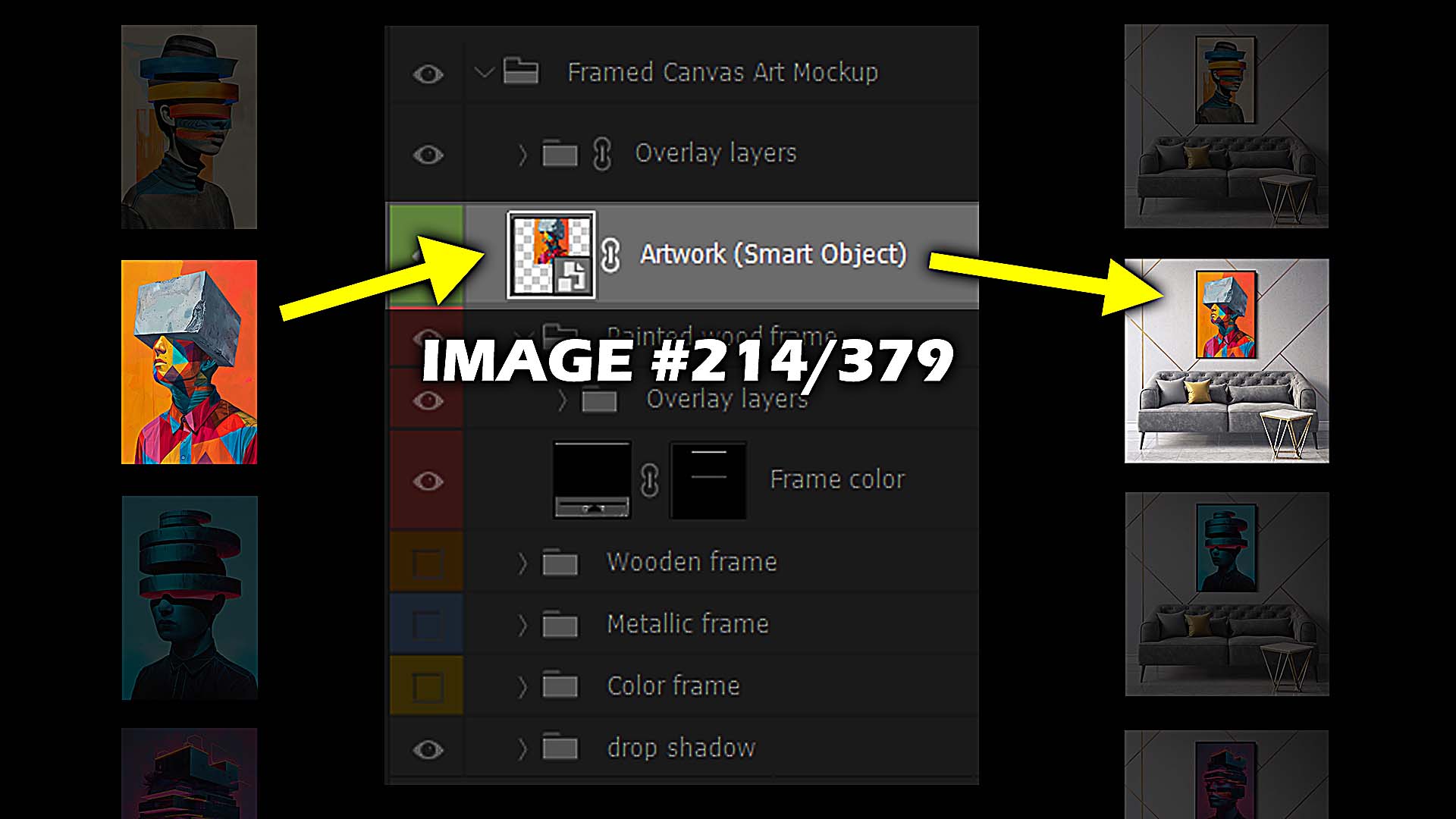
Batch-Replace Smart Objects is an Adobe Photoshop plugin that takes your PSD mockup templates and bulk-replaces Smart Objects with each artwork image in a folder, exporting finished mockups automatically. Great for room scenes, framed variants, canvases, apparel—anything with a Smart Object.
Key capabilities (in plain English):
- Single-PSD mode: pick one PSD template, select your artwork folder, export a mockup for every image—hands-free. You can opt to stretch images to fit the Smart Object when aspect ratios differ, or leave that off for like-sized inputs.
- Folder mode: point the plugin at an entire folder of PSD templates (e.g., multiple frames/colors/rooms). It iterates through each template × each artwork and exports the full grid of combinations.
- Resizing & performance: the “stretch to fit” option handles mismatched dimensions cleanly; the plugin also closes PSDs as it finishes them to keep Photoshop responsive during big runs.
- Saved Operations & Workflows: store your settings once, then run batches or chain multi-step workflows (e.g., framed canvases → alternate scene → brand-specific set) on autopilot.
- Multiple Smart Objects: if a template has several Smart Object layers, select the target layer(s) first; the plugin can update more than one with the same artwork before exporting.
Why it matters: mockups often bottleneck large catalogs. This plugin compresses a full day’s worth of manual compositing into minutes—at consistent quality—with minimal chance for human error.
3) Predis.ai — automate social content creation & scheduling (POD-friendly)
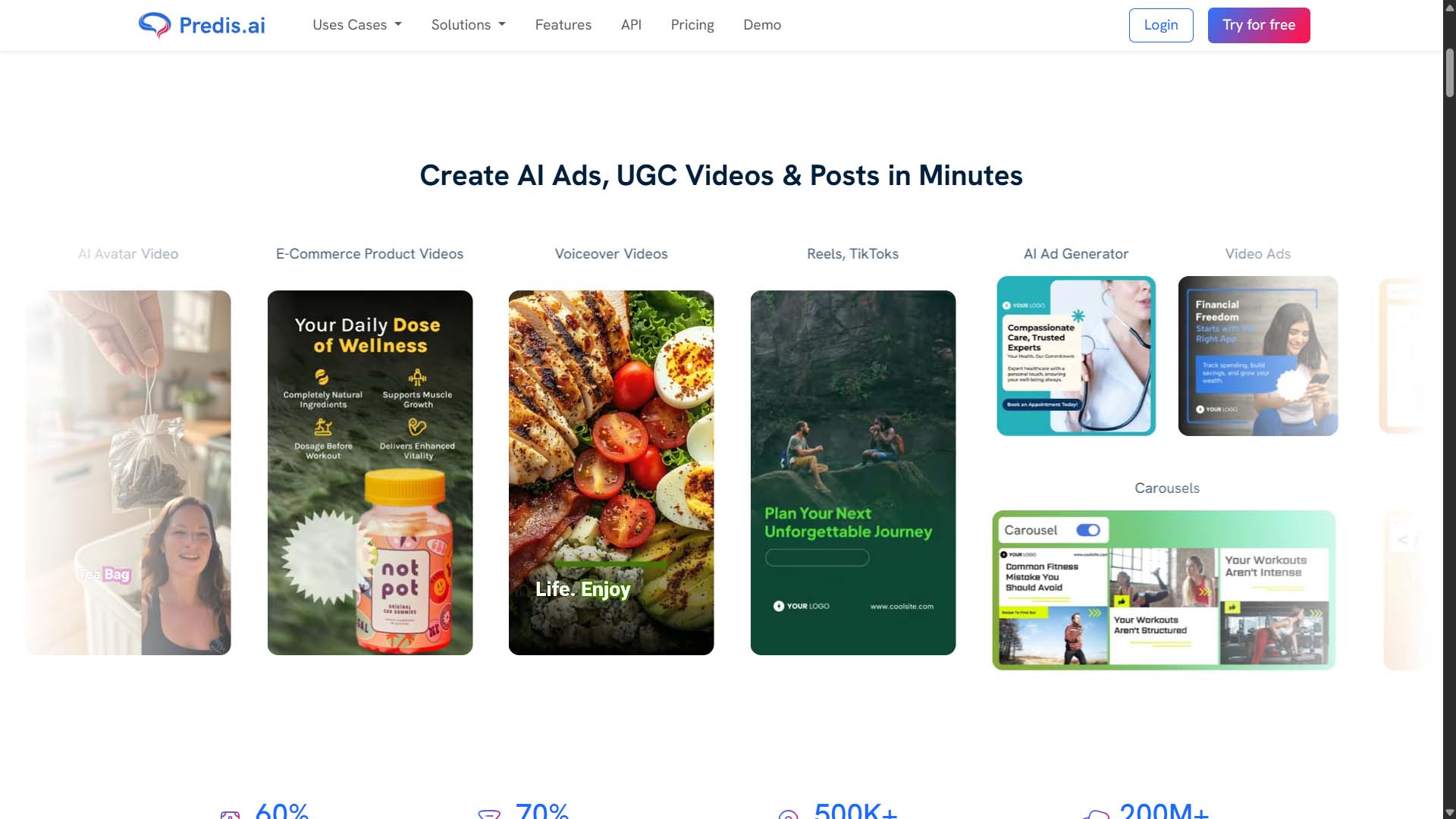
Predis.ai is an AI content system for generating posts, carousels, short videos/reels, captions, and hashtags—with a built-in scheduler and content calendar. It’s useful when you need to keep social channels active without doing everything by hand.
How it works (core features):
- Create → schedule in one place: generate posts with AI, then schedule or auto-post directly—no exporting across tools. A combined scheduler/content calendar keeps planning tight.
- Product-to-post: convert product listings/URLs into social-ready creatives with captions and hashtags—helpful for POD stores with changing catalogs.
- Languages & formats: multi-language support and a range of creative types (static posts, videos, reels, carousels).
- Ad-creative generation: spin up ad variants and resize/repurpose creatives to accelerate testing.
- Platform coverage: integrations to publish to major networks from a single planner (Instagram, Facebook, TikTok, Pinterest, YouTube, etc.).
Why it matters for POD: keeping a steady drumbeat of fresh, on-brand posts is hard when you’re also producing art, listings, and mockups. Predis compresses ideation, creative assembly, and scheduling into a single workflow—so you can ship content reliably even while you scale the catalog.
Fast path to value: 1) Connect your social accounts. 2) Drop in a product URL or brief. 3) Generate two or three post variants; edit lightly. 4) Fill the calendar and switch on auto-posting.
4) Klaviyo — automate email capture, abandoned carts, and AI-assisted campaigns
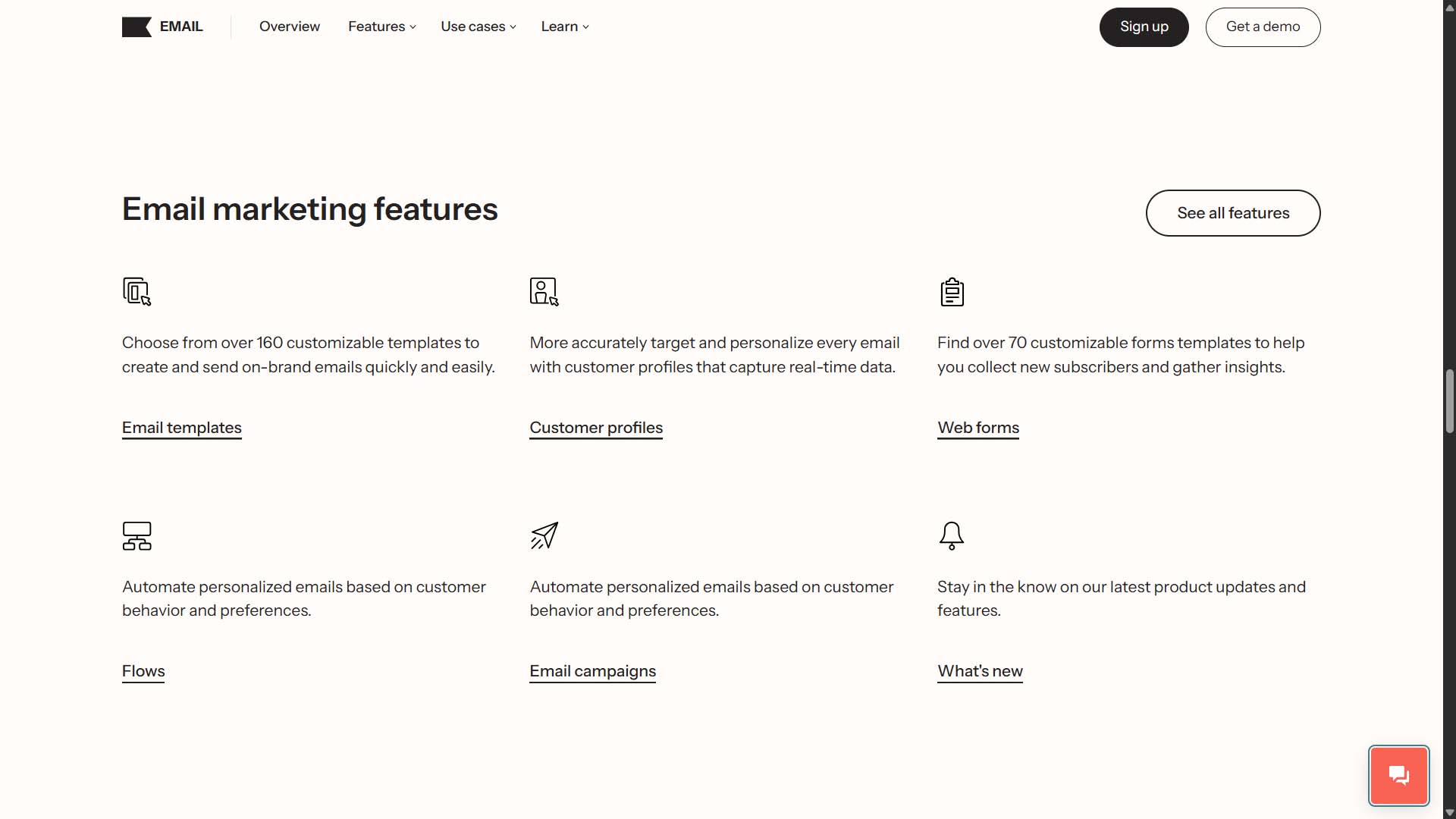
Klaviyo is an ecommerce-focused marketing platform that pairs list growth (embedded forms/pop-ups), automation flows (e.g., abandoned cart, browse abandonment, post-purchase), and AI-assisted content for email (and SMS).
Where it shines for POD:
- Email capture on Shopify: build and publish embedded or popup forms, then add the embed to your Shopify theme so new sign-ups flow into Klaviyo automatically.
- Abandoned cart flows: prebuilt flow logic that triggers when someone leaves items in cart—recovering revenue you’d otherwise lose.
- AI features for email: Klaviyo’s AI helps generate content, suggest subject lines, and predict send times—useful for keeping a steady cadence without writing from scratch every time.
Why it matters: catalog growth increases the number of people who discover you; automation captures and converts those visitors—recovering carts, nurturing new subscribers, and launching drops with minimal manual lift.
Quick implementation: 1) Integrate Shopify in Klaviyo’s Integrations area and enable onsite tracking. 2) Publish an embedded form (footer or landing page) or a popup and verify it’s live. 3) Turn on the abandoned cart flow and customize timing/discount logic. 4) Use AI subject line/content tools to keep campaigns moving.
Putting it together: a pragmatic POD automation stack
- Create products at scale: feed your latest images into the Bulk POD Product Creator to spin up fully optimized print-on-demand listings in one pass.
- Generate mockups en masse: use Batch-Replace Smart Objects to produce consistent, on-brand visuals across many templates and scenes—fast.
- Stay visible daily: let Predis.ai ideate and schedule posts from product URLs while you work on new themes.
- Recover & nurture automatically: capture emails on-site and run Klaviyo flows (abandoned cart, welcome, post-purchase), leaning on AI to speed up content.
Result: fewer manual bottlenecks, more consistent outputs, and a system that scales up without demanding your evenings and weekends.
Final note on choosing tools
Adopt automation where it creates reliable, repeatable wins: listings, mockups, distribution, and lifecycle messaging. Keep your human effort focused on high-impact judgment calls—market selection, artwork quality, pricing tests, and UX changes. The four tools above cover the bulk of the “busywork,” so you can concentrate on work that moves revenue.