
Automated AI Etsy Print-on-Demand Tool: Write Product Titles, Descriptions & Tags In Bulk
Overview: This post explains how Etsy sellers can use the Bulk POD Product Creator to automate the creation of fully SEO-optimized print-on-demand listings in bulk. It details the step-by-step workflow, the benefits of combining automation and AI, and how this tool enables scalable, high-quality product launches for Etsy shops.
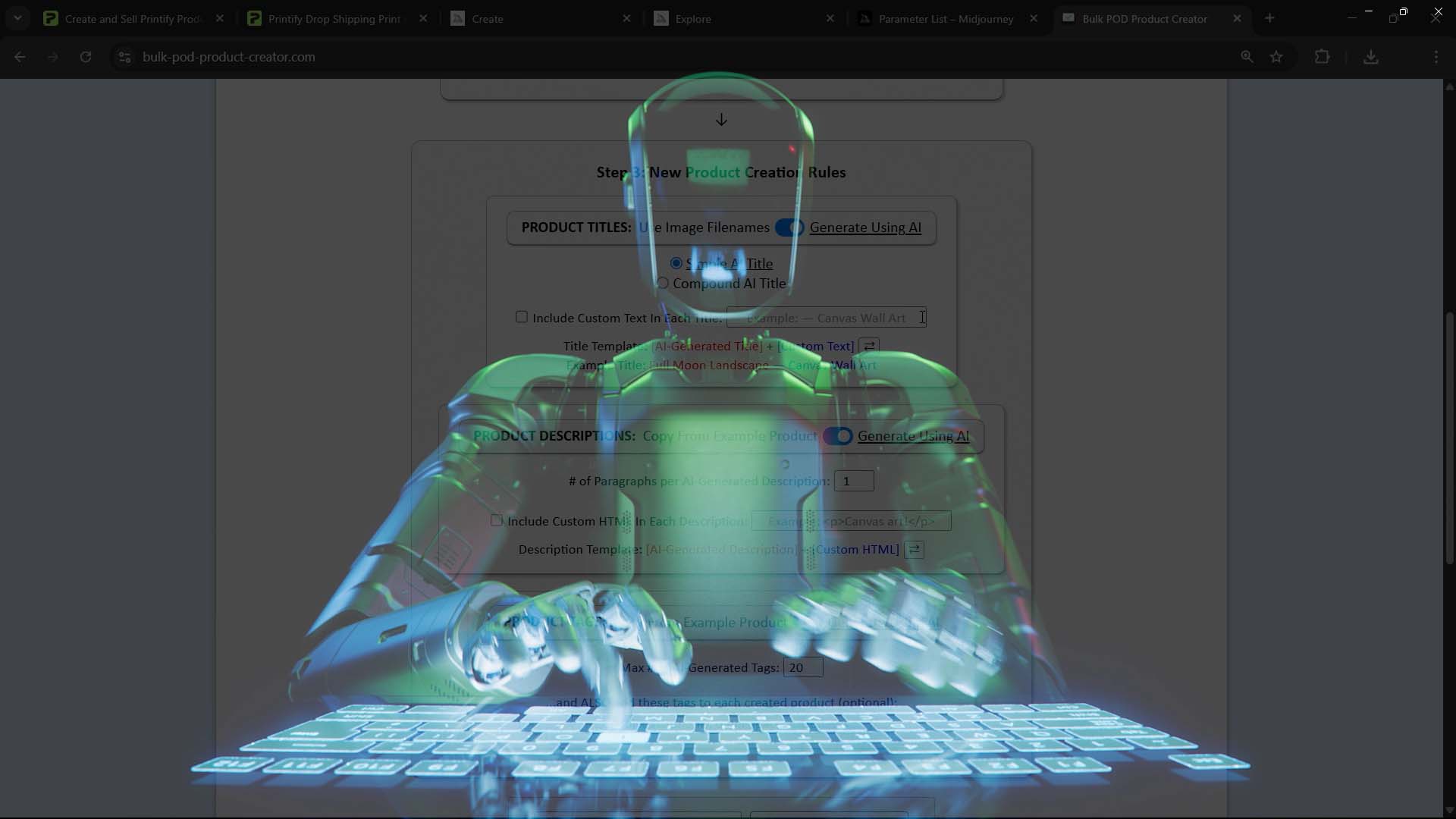
Introduction — How Combining Software Automation With AI Helps You Build Your Etsy POD Shop Fast
Building an Etsy print-on-demand shop by hand is slow, inefficient, and unsustainable.
Between uploading artwork, setting up variants, configuring prices, and writing unique product titles, descriptions, and tags for every single listing, it’s no wonder most sellers burn out long before their shop ever reaches meaningful scale.
That’s the core bottleneck: your time and energy. Manually creating listings forces you to operate at human speed — one product at a time. It feels productive, but in reality it keeps your growth permanently throttled.
Every hour spent writing descriptions and tags is an hour not spent designing, marketing, or growing your audience. And even when you power through a marathon session of uploads, your catalog still barely moves the needle. You know your shop could be massive — if only you could duplicate yourself.
That’s exactly what combining automation and AI makes possible.
By merging the mechanical precision of bulk automation with the linguistic intelligence of AI, you can now generate hundreds of fully SEO-optimized Etsy POD listings automatically — complete with AI-written titles, descriptions, and tags that read naturally and rank well.
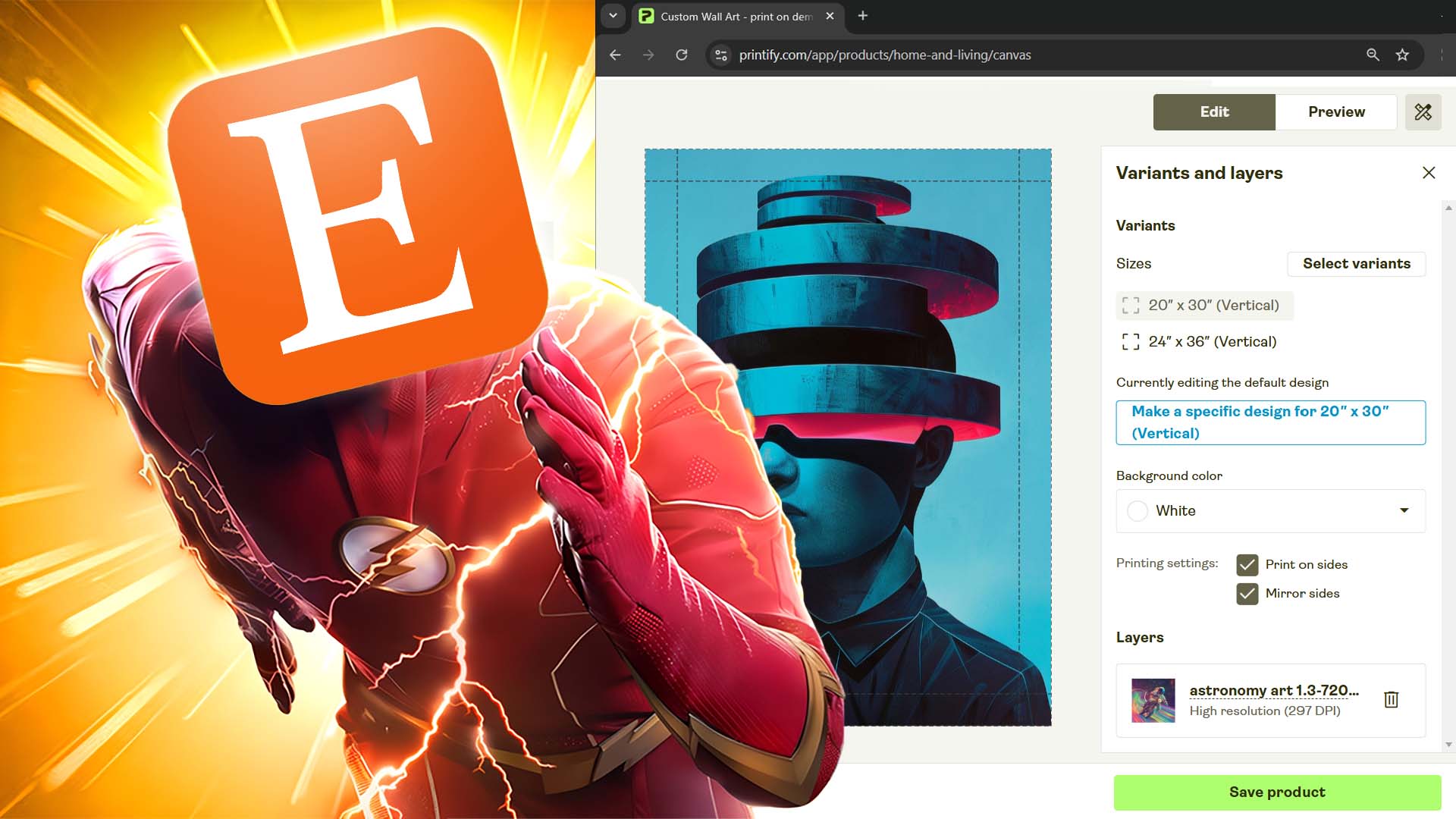
This power-combo doesn’t just save time. It eliminates the ceiling on how fast you can grow.
- ✅ A larger, more discoverable catalog.
- ✅ Dramatically faster product launches.
- ✅ Stronger SEO performance across your entire shop.
- ✅ And more energy freed up for creative, high-payoff tasks that actually move your business forward.
How the Tool Works — From Uploaded Artwork to Fully SEO-Optimized Etsy Products
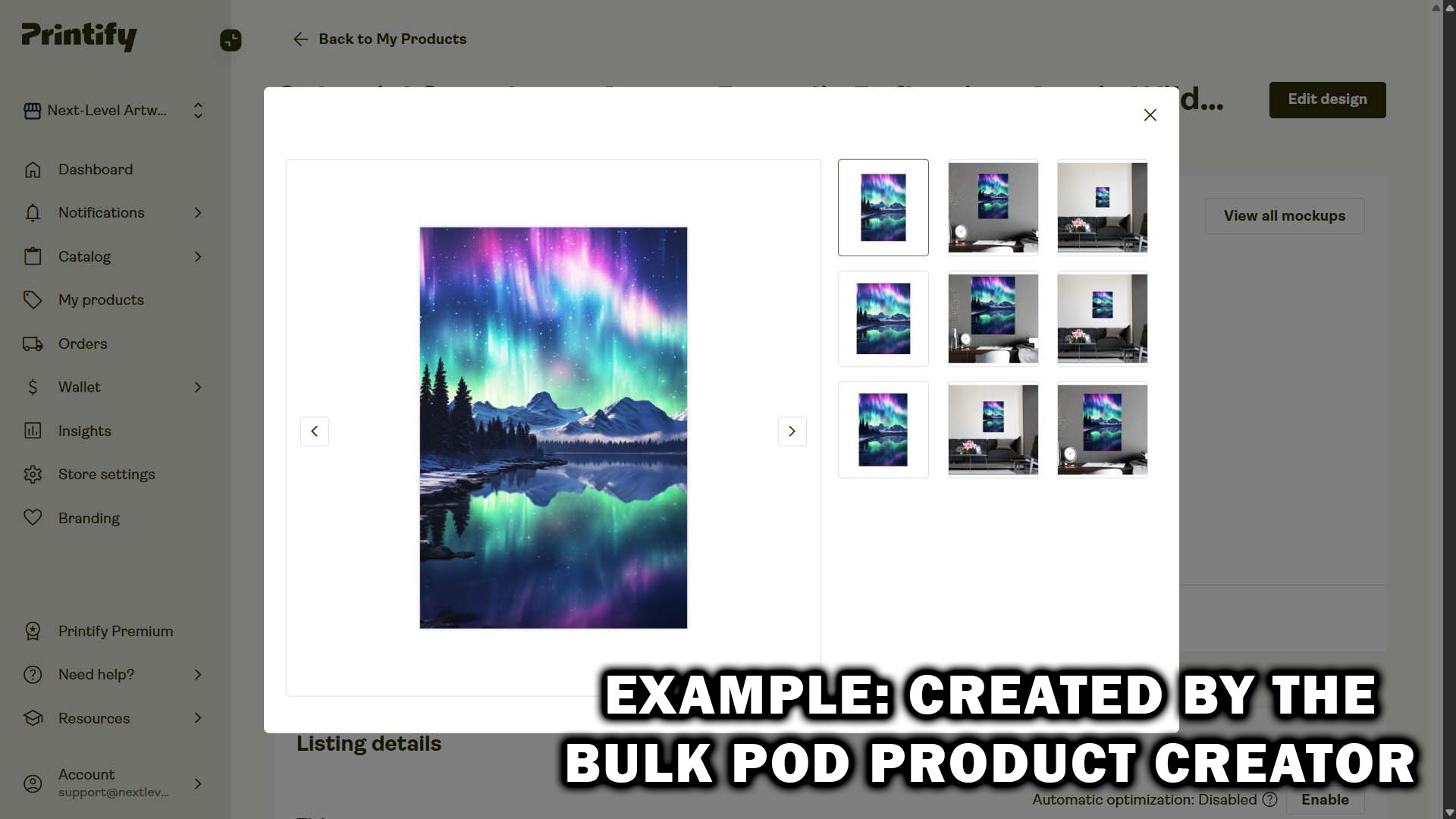
At the heart of this workflow is the Bulk POD Product Creator — an automated, AI-powered software system that creates your print-on-demand products for you while simultaneously writing all of their SEO-optimized text.
Instead of spending hours creating listings by hand, you’ll use a guided three-step process that runs your entire product creation operation automatically.
Here’s the high-level breakdown:
- Step 1 — Choose Your Example Product (the blueprint that defines structure, pricing, and variants)
- Step 2 — Upload Your Artwork Images (each one becomes a new product automatically)
- Step 3 — Let the AI Generate Your Titles, Descriptions & Tags (and publish your products instantly)
Every operation you run follows this same structure. Once you set it up once, you can rerun or tweak it anytime — saving hours of setup work in future batches.
Step 1 — Choose Your Example Product
Every automation run begins with an Example Product, which acts as your structural blueprint. Think of it as the “template” listing that defines what all of your new products will look like — what variants exist, what sizes are available, how pricing is configured, and how images are placed.
What you do:
- Select your connected Etsy store (via your integrated print-on-demand platform).
- Pick one of your existing products to serve as your Example Product — ideally one that already has your preferred layout, prices, and product settings.

What the software does: The tool automatically clones that Example Product structure for each new product you generate. It reads the underlying configuration — print areas, variant combinations, base costs, markups, etc. — and uses that data to create perfect duplicates across your batch operation.
Why this matters: This step ensures every product you create inherits the same consistent structure and quality. You’ll never again need to manually rebuild settings, double-check variants, or re-enter prices.
Instead, your new products are ready-to-go duplicates that preserve all your formatting — and that’s before the AI writing even begins.
Step 2 — Upload Your Artwork Images
Once your Example Product is chosen, you’ll upload all the artwork images you want converted into new listings. Each image you upload automatically becomes its own product during the operation.

What happens under the hood: As soon as your upload completes, the system prepares each file for two simultaneous processes:
- Print-area placement (to visually render and position your artwork on the product template), and
- AI image recognition (to analyze what’s depicted in the image for intelligent text generation).
The AI examines every image you’ve uploaded and identifies:
- The main subject (e.g., mountain, quote design, abstract shape, etc.)
- The style (e.g., minimalist, watercolor, retro, geometric, etc.)
- The emotional tone (e.g., calm, bold, uplifting, romantic, etc.)
- The presence of text or lettering — reading the actual words when applicable, even if stylized in complex fonts.
This contextual understanding is what allows the AI to later write accurate, natural, keyword-dense product titles and descriptions tailored to that specific artwork.
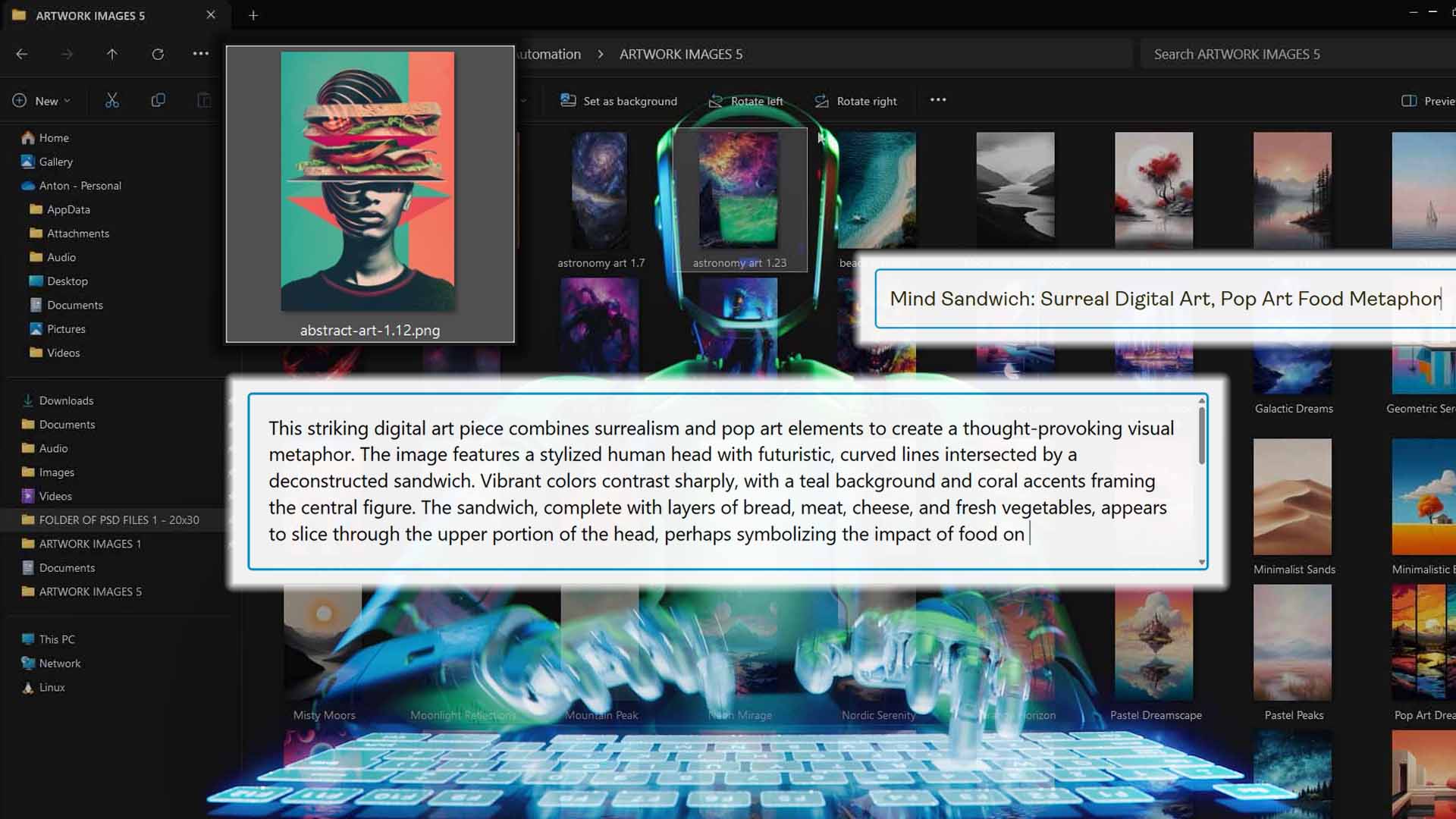
Meanwhile, the tool automatically:
- Applies your chosen placement mode (Stretch to Fit, Preserve Aspect Ratio & Center, or Exactly Match Example Image).
- Resizes and crops artwork files accordingly for all print areas.
- Prepares upload metadata so each image maps cleanly to a newly generated product.
Why it’s valuable: This step eliminates 100% of the manual drudgery typically required to format and prep images for upload. You’re not dragging, resizing, or re-aligning — the system handles it flawlessly, ensuring your designs always look professional across all variants.
Step 3 — AI-Generate Titles, Descriptions & Tags + Your Custom Product-Level Additions
This is where the AI does its heavy lifting — and where most sellers see the biggest time savings.
The AI’s outputs focus solely on the artwork itself. Any product-level language (e.g., “canvas print,” “poster wall art,” sizing, materials) is added by you via custom title text, custom HTML in descriptions, and custom tags, which get applied to all products created in the current batch.
What the AI generates:
-
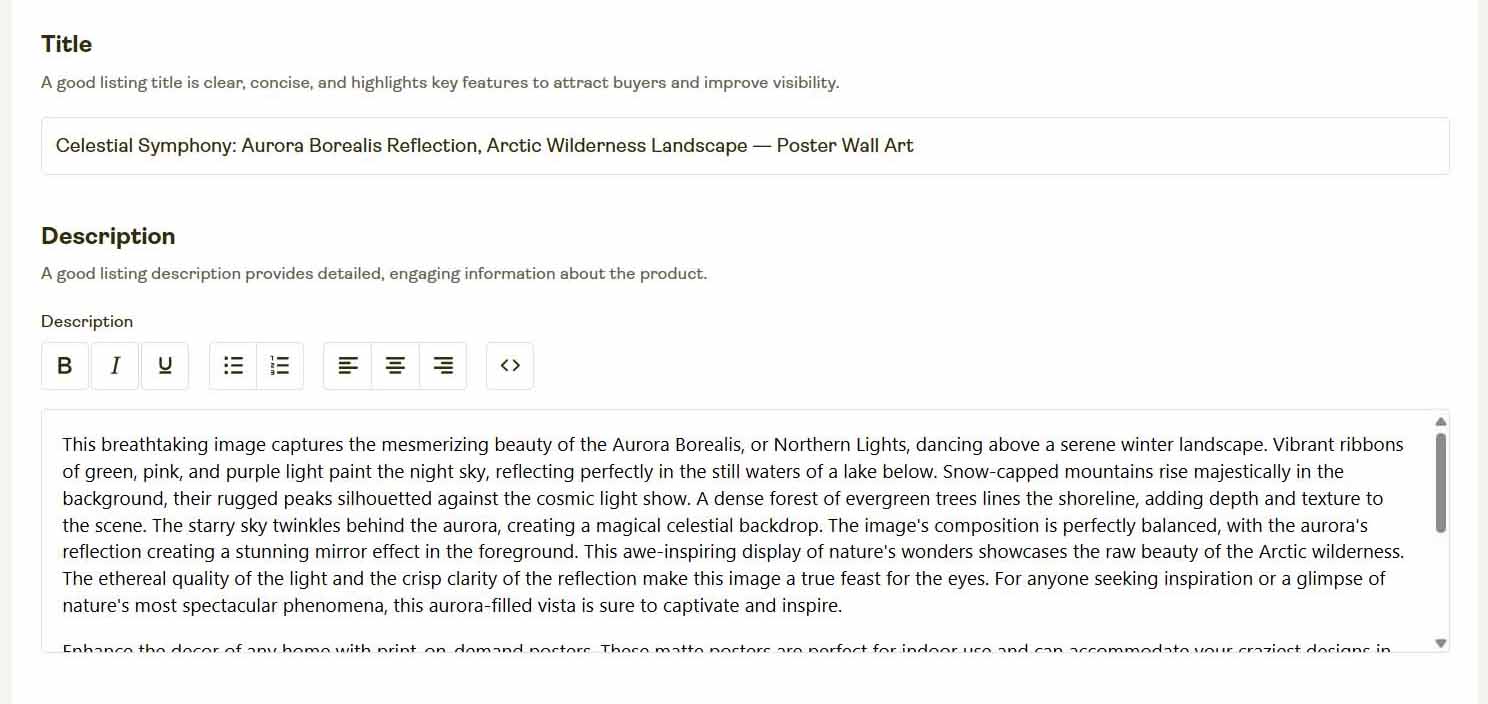
AI-Generated Titles
The AI writes clear, descriptive titles that capture the subject, mood, and style of the image.
You decide between Simple (short) or Compound (multi-part “Main Title: Subtitle 1, Subtitle 2…”) formats.
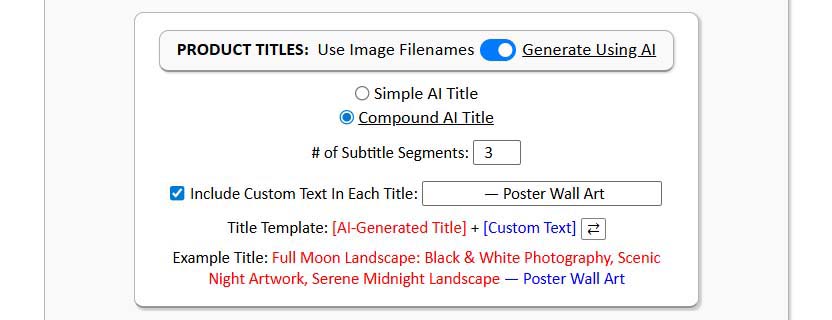
Example (Compound Title):
“Golden Dawn Over Still Waters: Tranquil Seascape, Soft Pastel Glow, Minimal Horizon”Then you append, or prepend, your product-level custom text (optional).
Example custom suffix: “— Canvas Wall Art” or “— Modern Home Print”
-
AI-Generated Descriptions
The description the AI writes focuses around the image content (composition, colors, mood, subject).

Example (artwork-only paragraph):
“This intense digital artwork features a close-up of a face with piercing, vibrant red eyes that glow with an almost cybernetic intensity. A sharp vertical red line bisects the image, cutting through the center of the face from top to bottom, creating a striking visual symmetry. The artwork is rendered in a dark, moody palette dominated by deep blacks and brilliant crimson tones, giving the image a menacing and futuristic aesthetic. Intricate details like fine lines, digital artifacts, and subtle textures add depth and complexity to the haunting portrait. The style suggests a blend of sci-fi, cyberpunk, and dark fantasy visual elements, with the eyes being the most striking focal point of the composition.”Then you append your product-level custom HTML (optional).
Example custom HTML block:
<p>Printed on premium canvas with archival inks for lasting vibrancy — ideal for modern living rooms, coastal interiors, or serene office spaces.</p> -
AI-Generated Tags
The AI produces long-tail, artwork-descriptive tags derived from what it sees.
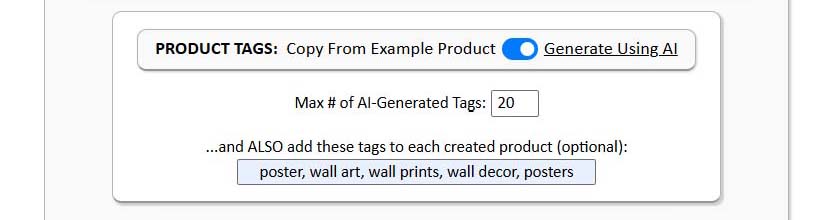
Example (artwork tags):
“minimalist seascape, golden sunrise, calm ocean horizon, tranquil beach scene, soft pastel tones”Then you append your product-level custom tags (optional).
Example custom tags:
“wall art, canvas print, coastal decor, modern home style, canvas wall art”
Why this matters: This split keeps outputs accurate and search-aligned:
- The AI describes the artwork precisely (semantic relevance).
- Your custom additions add the product context that drives transactional queries.
Together, they form a layered SEO structure that performs strongly on Etsy and Google without you hand-writing a single field.
Why the Manual Process Isn’t Viable
Let’s be honest — writing titles, descriptions, and tags for dozens (or hundreds) of products by hand is one of the most soul-crushing parts of running an Etsy POD business.
It starts with good intentions: you tell yourself you’ll create a big batch of listings this weekend, and maybe you even make it through 10 or 20 before your brain starts to melt. Then motivation fades, the process drags, and that “I’ll come back and finish later” file of half-written drafts just keeps growing.
Here’s what the manual process really looks like:
- You waste countless hours typing the same kinds of phrases over and over.
- Quality drops off fast as fatigue sets in — the first few listings sound great, the last few sound robotic.
- Your growth gets bottlenecked by your personal output capacity; you can only move as fast as you can type.
- SEO suffers because repetition kills keyword diversity, and cutting corners means fewer long-tail variations.
- You lose momentum — by the time you finish one collection, your energy for the next one is gone.

In short: it’s the kind of workflow that guarantees stagnation. Even highly motivated sellers hit a ceiling when they’re stuck doing everything manually. The math just doesn’t work — there are too many tasks and not enough hours in the day.
Why the Automated AI Process Is Vastly Superior
Now, imagine removing all those constraints.
With automation and AI working together, the workload that used to take you an entire weekend now takes minutes. You click a button and dozens of fully written, SEO-optimized Etsy POD listings appear — structured, keyword-rich, and ready to sell.
Why it’s superior:
- Speed & Scale — The system can write and populate listings faster than any human possibly could. You could release a full new collection before breakfast.
- Consistency — Every product follows the same structural format, tone, and quality standards, because the automation never forgets a setting or skips a field.
- Zero Burnout — You don’t have to “get in the writing mood.” The tool handles all repetitive print-on-demand work, leaving you free to focus on creative tasks that actually generate value.
- Higher SEO Quality — The AI produces semantically rich artwork-focused copy, while your custom product-level additions complete the SEO layering perfectly.
- Continuous Output — Because operations can be saved, loaded, and rerun, you can publish new batches anytime without reconfiguring anything.
- Data-Driven Precision — The AI identifies visual patterns and descriptive language statistically proven to perform well — a level of detail nearly impossible to maintain manually.
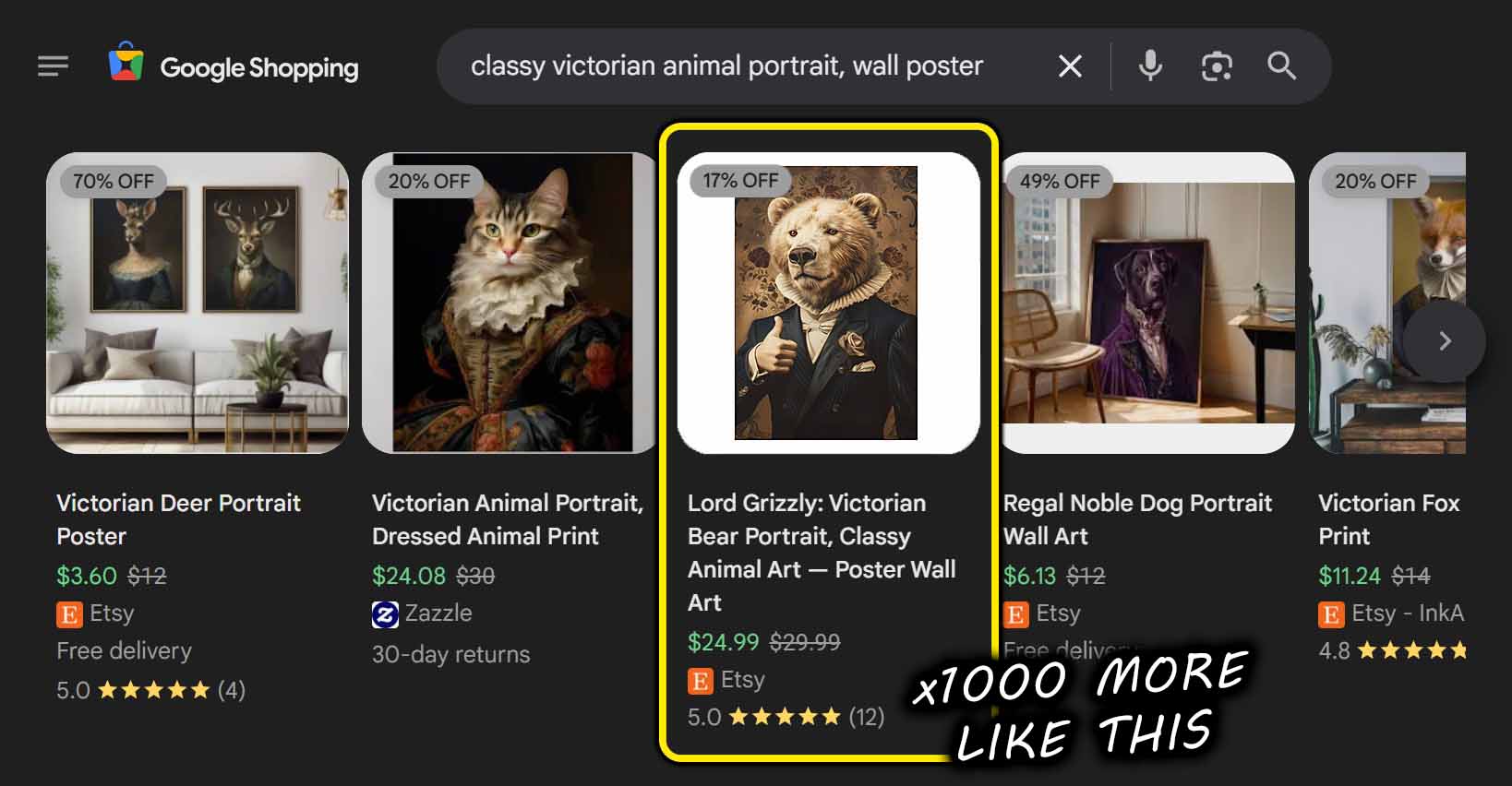
The result isn’t just convenience — it’s compounding growth. Every operation you run expands your product catalog, strengthens your SEO footprint, and increases your discoverability across Etsy and Google alike.
Automation doesn’t just make the process easier — it makes it fundamentally better.
Additional Useful Features of This Tool
Beyond its core automation engine, the Bulk POD Product Creator includes several extra capabilities that make it even more powerful and reliable for long-term use.
-
Advanced AI Image Understanding
The AI engine recognizes an incredibly wide variety of visual content, including abstract digital art, fine-line illustrations, photography, and typography-based quotes — even combinations of all of these.
It can read and interpret text embedded in images, no matter the font or orientation, extracting the actual words for use in AI title and description generation.

It distinguishes between visual subjects (like “mountain” vs “beach”) and stylistic attributes (like “minimalist” vs “vibrant watercolor”), ensuring that every artwork description feels accurate and specific.
This depth of understanding means your product info always reads naturally — never generic, never off-base.
-
Save and Load Operations
Once you’ve dialed in your perfect setup — your Example Product, placement mode, AI settings, and all your custom text/HTML/tag additions — you can save that configuration as a named operation.
Later, when you want to produce a new batch, just load your saved operation with one click, upload new artwork images, and hit “Create My Products.” That’s it — no re-tuning or re-configuration required.

Because saved operations are linked to your account, you can access them from any device — home computer, laptop, or workstation — and pick up exactly where you left off.
It’s automation on top of automation.
-
Seamless Scalability
The system was built to handle scale. Whether you’re uploading ten images or a thousand, the worker-pool architecture processes them efficiently, generating perfectly uniform listings without slowing down or breaking under load.
You can keep expanding indefinitely, confident that your workflow will stay smooth no matter how big your shop gets.
Conclusion — Let AI Handle the Grind While You Focus on Growth
For serious Etsy print-on-demand sellers, manual listing creation is a dead end. It’s a time trap that limits your shop’s potential and drains your creative energy.
With the Bulk POD Product Creator, you escape that trap entirely. You upload your images, load your saved operation, and let automation and AI handle the rest — writing artwork-accurate titles, descriptions, and tags for every new product, then publishing them instantly.

The difference is transformative:
- What used to be days of tedious labor becomes a five-minute background task.
- What used to be burnout becomes momentum.
- What used to be limitation becomes scale.
Automation plus AI is the ultimate leverage. It replaces busywork with growth, letting you run your Etsy business like a real business — not a never-ending to-do list.
If you’re ready to scale faster, smarter, and without limits, this is your tool.
Upload. Automate. Expand. Let AI do the writing — and you focus on building the empire.