
8 Best Automation Tools For Shopify Print-on-Demand Stores
Overview: This guide highlights eight purpose-built automation tools that remove repetitive work from a Shopify POD workflow—customer support, product creation, mockups, email, social publishing, shopping feeds, Pinterest distribution, and price changes. You’ll see how stacking these tools compounds growth, with special emphasis on using the Bulk POD Product Creator to automate print-on-demand product creation and SEO at scale.

How Automation Enables Shopify POD Store Growth
For Shopify print-on-demand (POD) sellers, the difference between stagnation and growth usually comes down to one thing: time. Every manual step—uploading designs, tweaking product info, pinning social posts, emailing customers—creates a bottleneck that slows down your ability to scale.
Automation changes everything. By handing off repetitive, low-leverage tasks to software, you unlock:
- Enormous time savings — what used to take hours per day can now be set up once and run indefinitely.
- Less time on menial, repetitive work — resizing images, updating product feeds, writing boilerplate copy—all handled automatically.
- More time for higher-leverage work — focus on designing new products, running ads, building partnerships, and growing your store’s brand presence.
- Rapid catalog growth — automation lets you publish dozens or even hundreds of new products in a fraction of the time, which expands your footprint in both Etsy and Google search.
- Better SEO coverage — AI-driven automation tools can create keyword-rich titles, tags, and descriptions that capture far more long-tail queries than manual writing ever could.
- Compounding organic traffic — more listings with better SEO = more discovery = more passive sales.
- Leverage at scale — instead of your effectiveness being capped by the number of hours you can manually grind, automation expands your reach to what you can design, direct, and delegate to the system.
- Consistent execution — automation removes the human error of forgetting steps or being inconsistent with formatting, ensuring every product, email, or post follows the same high-quality standard.
Bottom line: automation is the multiplier for POD growth. It’s not just about saving time—it’s about building a scalable infrastructure where your store works for you, even when you’re not working.
1) Chatty (Shopify App) — AI-Powered Customer Chatbot
What this tool automates for you
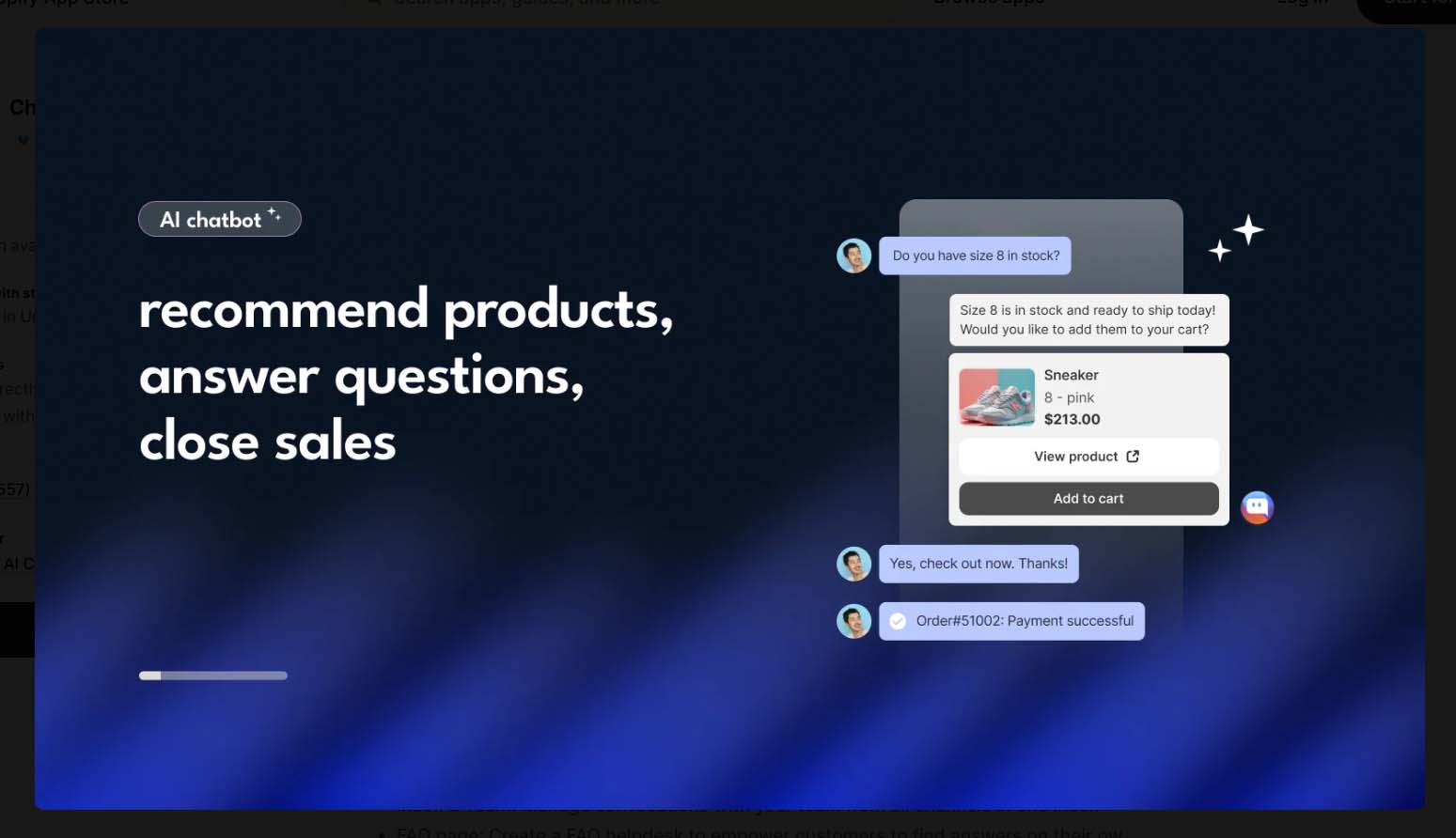
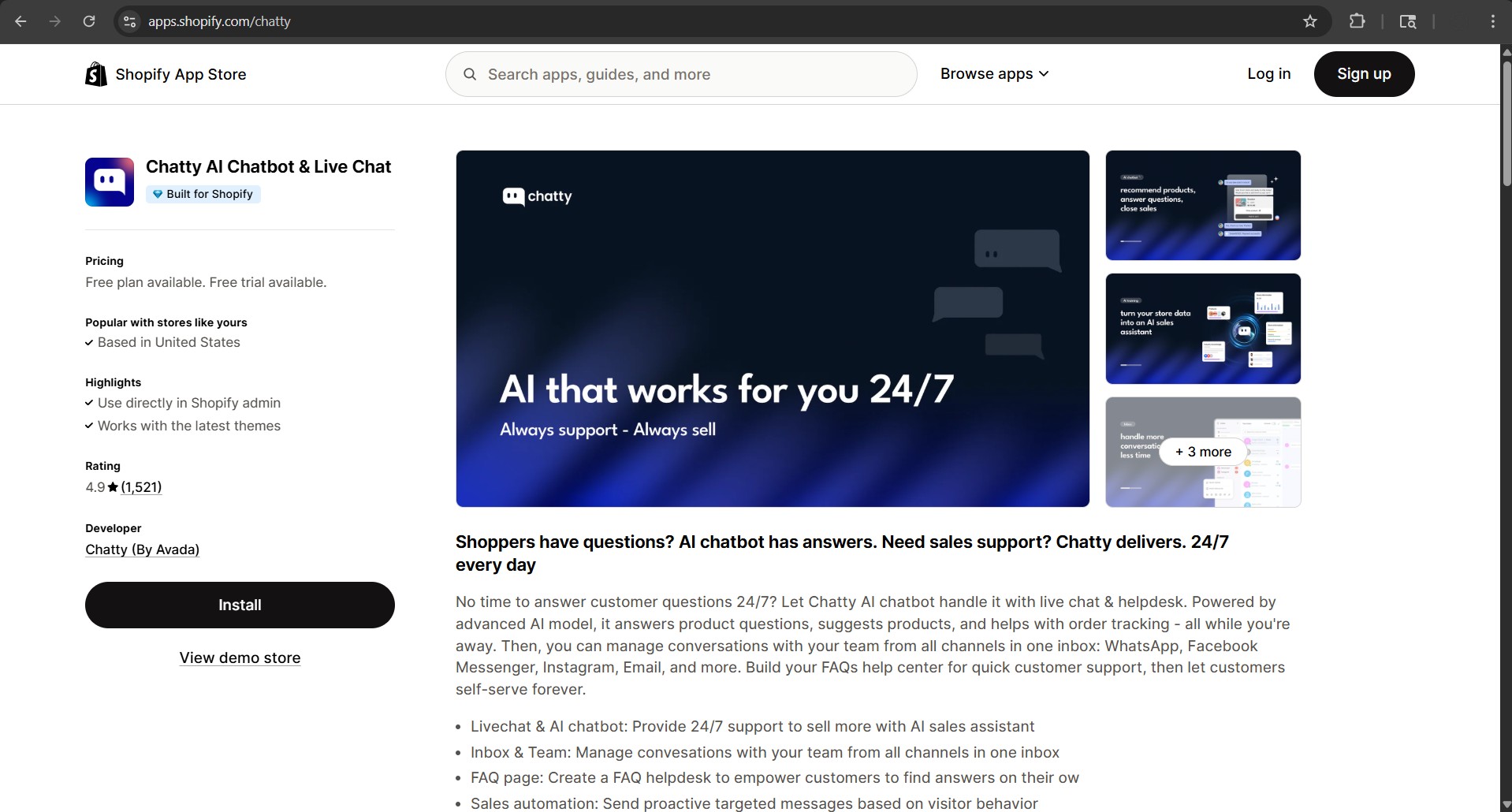
Chatty automates customer conversations on your Shopify store. Instead of manually responding to every shopper question—“Do you ship internationally?”, “What size should I order?”, “When will my order arrive?”—Chatty’s AI-powered chatbot handles it for you, instantly, 24/7.
How this tool works
Once installed, Chatty integrates with your Shopify backend and learns from your product catalog, policies, and FAQs. The chatbot then:
- Answers customer questions automatically, reducing the need for live support.
- Guides shoppers through product selection, providing size, color, or fit advice.
- Handles order tracking inquiries, pulling from real-time data in your Shopify account.
- Captures leads and emails, so visitors don’t leave empty-handed.
The chatbot can be customized with your brand’s tone of voice, making interactions feel natural while keeping support costs low.
Comparison: doing this stuff manually vs. automating this
Manual: You (or your support team) must respond to every single inquiry. Late-night questions get missed, shoppers leave without answers, and support tickets pile up.
Automated: Chatty responds instantly, day or night, reducing lost sales and support workload. Customers get answers in seconds, not hours.
The benefits of using this tool
- Fewer abandoned carts — shoppers get instant answers instead of leaving in frustration.
- Lower support costs — less need to hire or spend hours on repetitive inquiries.
- Better conversion rates — when customers feel supported in real time, they’re far more likely to buy.
- Always-on availability — Chatty never sleeps, so your store is always “staffed.”
2) Bulk POD Product Creator — Automate POD Product Creation + SEO Writing
What this tool automates for you
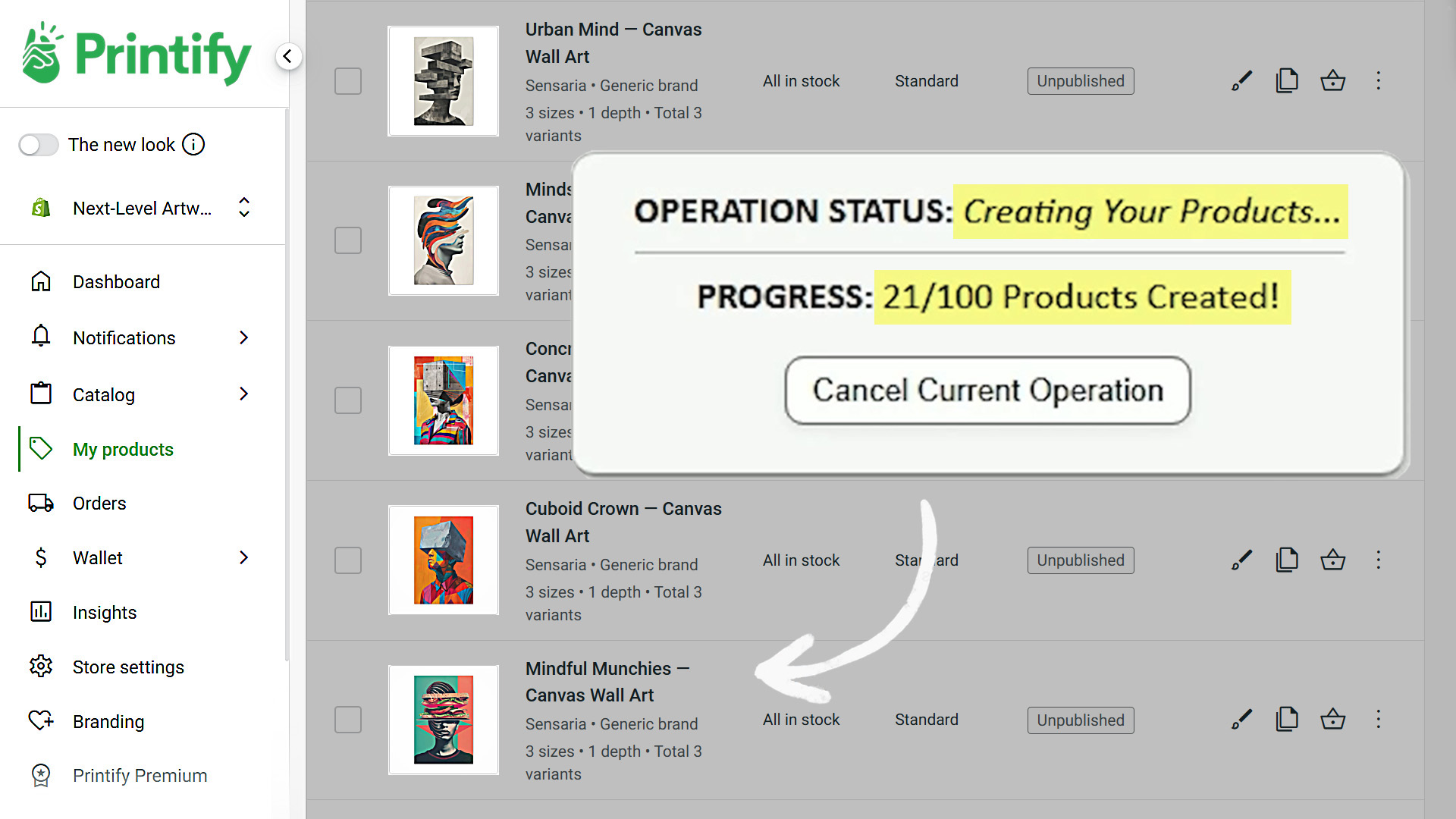
The Bulk POD Product Creator automates the single most tedious part of running a POD store: creating and publishing products. Instead of slogging through creating your products one at a time, this tool bulk-creates fully configured print-on-demand products for you.
It automatically:
- Generates new products in bulk inside your store.
- Places and resizes artwork on print areas using your chosen rules.
- Writes AI-powered SEO titles, descriptions, and tags tailored to each design.
- Clones variants, pricing, and settings from an Example Product you select.
How this tool works
You connect your print-on-demand store, pick a product to serve as your “blueprint,” upload your artwork images, and define placement preferences. Then you click “Create My Products,” and the system:
- Clones your Example Product’s structure (variants, prices, settings).
- Inserts and resizes your artwork according to your rules.
- Generates keyword-rich product info (titles, descriptions, tags) via AI.
- Publishes dozens—or hundreds—of optimized listings in one run.
Comparison: doing this stuff manually vs. automating this
Manual: Upload one design at a time, adjust placements, type titles, write descriptions, brainstorm tags, double-check variants, and repeat. Each product takes 20–30 minutes. Scaling to hundreds takes weeks.
Automated: Drop in a folder of designs, set the rules once, and generate hundreds of listings in a single afternoon.
The benefits of using this tool
- Massive time savings — reclaim days or weeks of manual work.
- SEO baked in — every listing is keyword-optimized for search engine discoverability.
- Consistency across your catalog — products look professional, polished, and standardized.
- Faster scaling — publish large collections at once, dramatically increasing your store’s footprint.
- Compounding organic traffic — more optimized listings create a flywheel of steady organic growth.
This is the backbone automation tool for POD sellers, and the one that unlocks true catalog-scale growth.
3) Simprosys (Shopify App) — Automatically Push Products to Google Shopping Feed
What this tool automates for you
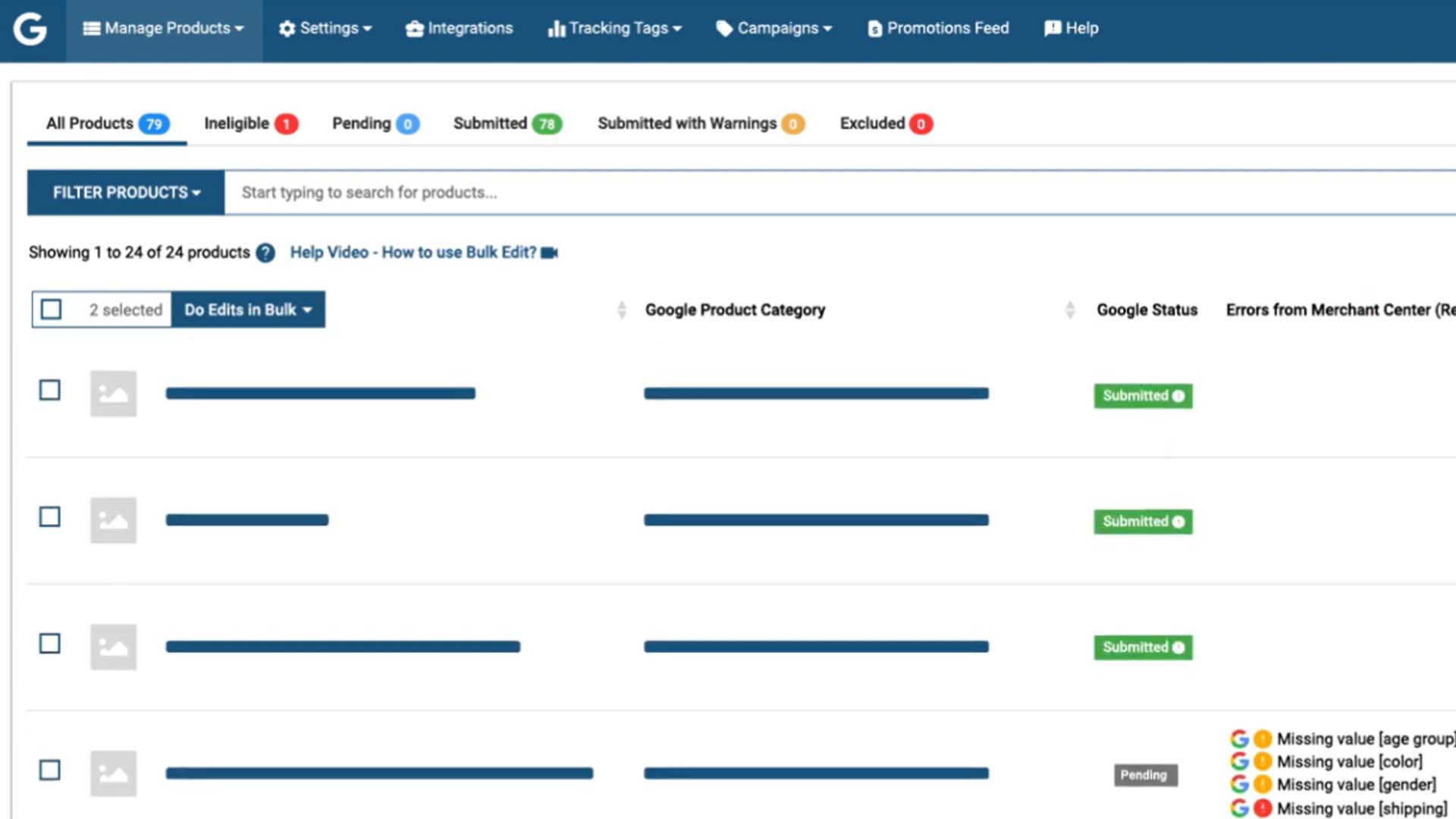
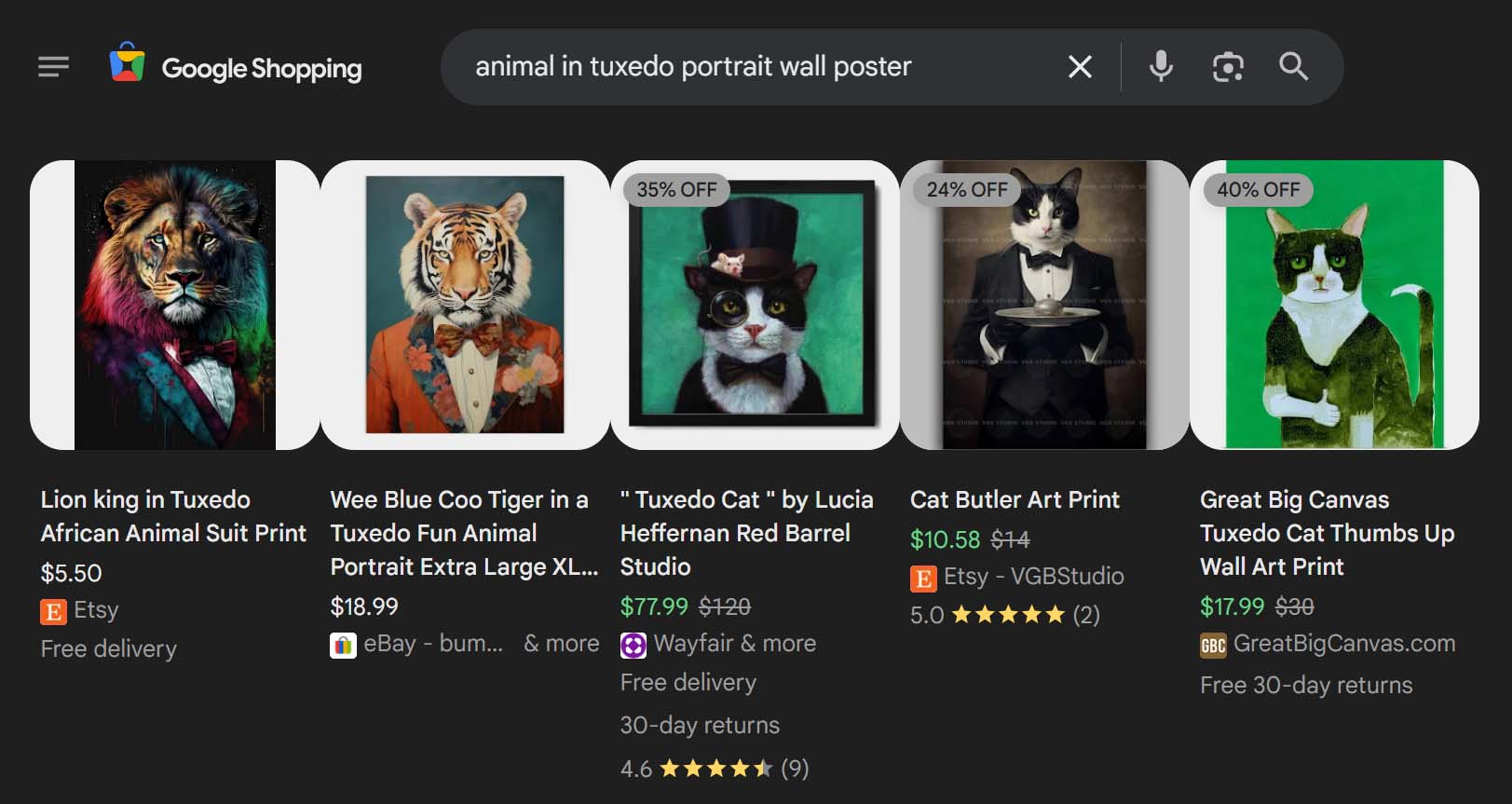
Simprosys takes the painful process of manually setting up Google Shopping feeds for your Shopify products and automates it. Instead of wrestling with spreadsheets, manual uploads, or constant product feed edits, Simprosys ensures your products are synced to Google Merchant Center in real time.
How this tool works
Once installed, the Simprosys app integrates directly with your Shopify store. It:
- Automatically maps your product data (titles, descriptions, images, variants, prices) into a Google Merchant Center–friendly format.
- Pushes new products instantly to Google Shopping Feed as soon as they’re published in Shopify.
- Syncs product changes automatically (like price updates, inventory changes, or title tweaks), so your ads are always accurate.
- Provides diagnostics and error handling, alerting you if a product is disapproved or flagged by Google.
Comparison: doing this stuff manually vs. automating this
Manual: Export a product feed from Shopify, clean it into Google’s format, upload it to Merchant Center, re-upload every time you make product changes, monitor for errors, repeat for hundreds of SKUs.
Automated: Products flow directly from Shopify to Google, with updates applied automatically and errors flagged instantly.
The benefits of using this tool
- Massive time savings — skip the endless feed uploads and corrections.
- Accurate, always-up-to-date feeds — fewer disapprovals and wasted ad spend.
- More visibility — every product can be discoverable on Google Shopping with minimal effort.
- Better scalability — you can list hundreds or thousands of products without adding hours of manual work.
- Immediate ad readiness — new products appear in Google Ads right after you publish them.
For Shopify POD sellers, this means more traffic from Google with zero feed headaches.
4) Batch-Replace Smart Objects Plugin — Automate Mockup Image Creation in Photoshop
What this tool automates for you
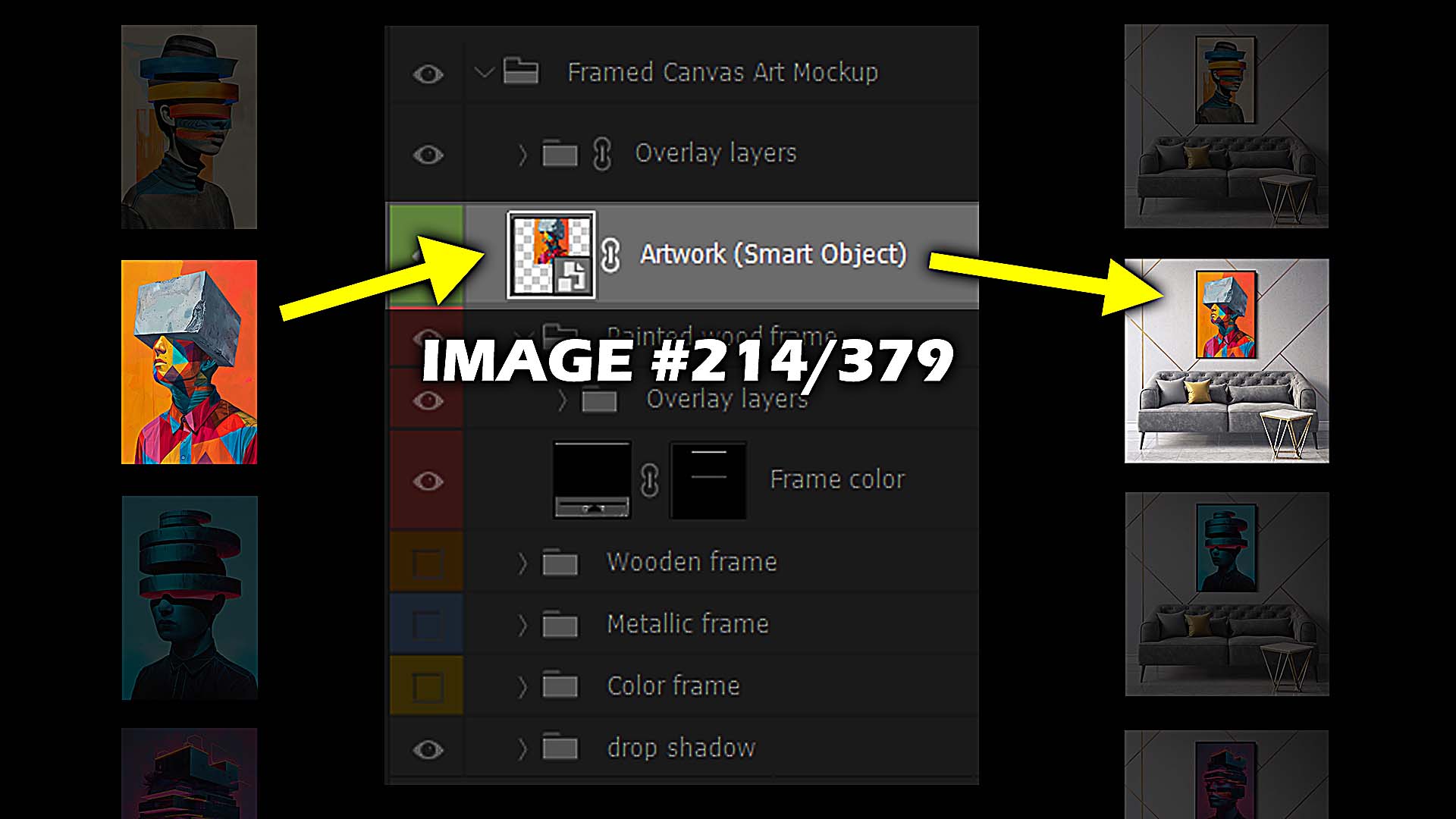
The Batch-Replace Smart Objects Photoshop plugin automates the otherwise brutal task of creating mockups. Normally, you’d have to open a PSD file, replace the smart object layer with your artwork, export the image, and repeat that for dozens—or even hundreds—of products. This plugin automates that entire process.
How this tool works
After installation, the plugin adds automation capabilities inside Photoshop:
- You load a PSD mockup template (like a t-shirt, poster, or mug).
- Select the smart object layer(s) you want to replace.
- Point the plugin at a folder of artwork images.
- The plugin swaps in your artwork across all chosen PSD templates automatically, then exports finished mockup images in bulk.
It supports multi-step workflows too—meaning you can resize, compress, or apply effects automatically during the run.
Comparison: doing this stuff manually vs. automating this
Manual: Open each PSD, replace artwork, adjust, export, repeat for every file. Hours vanish with every product collection.
Automated: Point the plugin at your image folder, run the operation, and Photoshop spits out hundreds of polished mockups in one batch.
The benefits of using this tool
- Faster product launch prep — mockups that used to take days can now be produced in hours.
- Consistent, professional visuals — every mockup follows the same settings and formatting.
- Huge scalability — perfect for sellers building large POD catalogs who need tons of product images.
- Better marketing assets — not just for storefronts, but also for ads, Pinterest pins, and social media posts.
- Compounding time leverage — once you’ve built a workflow, you can re-use it indefinitely to launch future collections even faster.
For Shopify POD sellers, this tool eliminates the most frustrating bottleneck of product visualization—giving you professional-grade mockups at scale, without the grind.
5) Mailchimp (Shopify App) — Send Automated Email Campaigns to Website Visitors
What this tool automates for you
Mailchimp eliminates the need to manually write, schedule, and send every email to your store visitors and customers. Instead, it automates:
- Welcome emails for new subscribers.
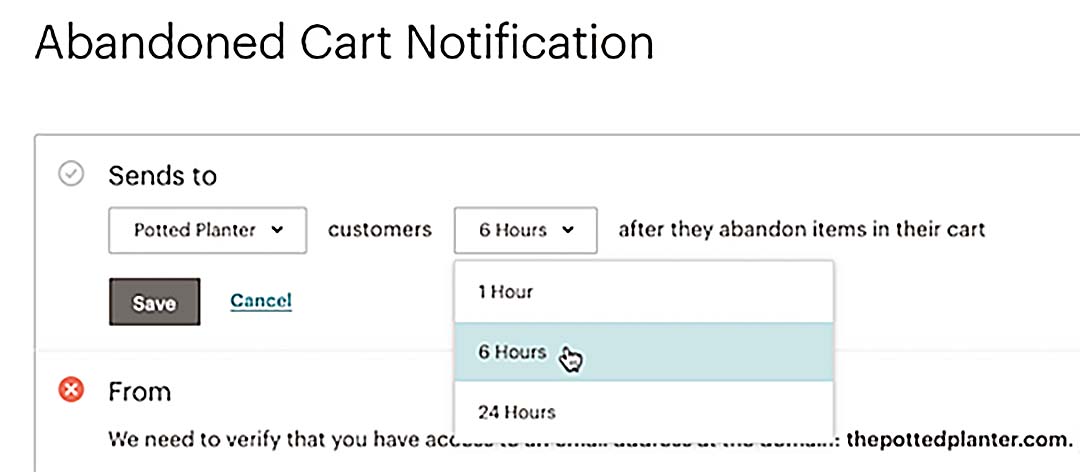
- Abandoned cart reminders that recover lost sales.
- Product recommendation emails tailored to shopper behavior.
- Post-purchase follow-ups that encourage reviews or repeat sales.
- List hygiene (segmenting inactive users, managing unsubscribes, keeping your database clean).
How this tool works
With the Shopify–Mailchimp integration, your customer and order data sync automatically. That means:
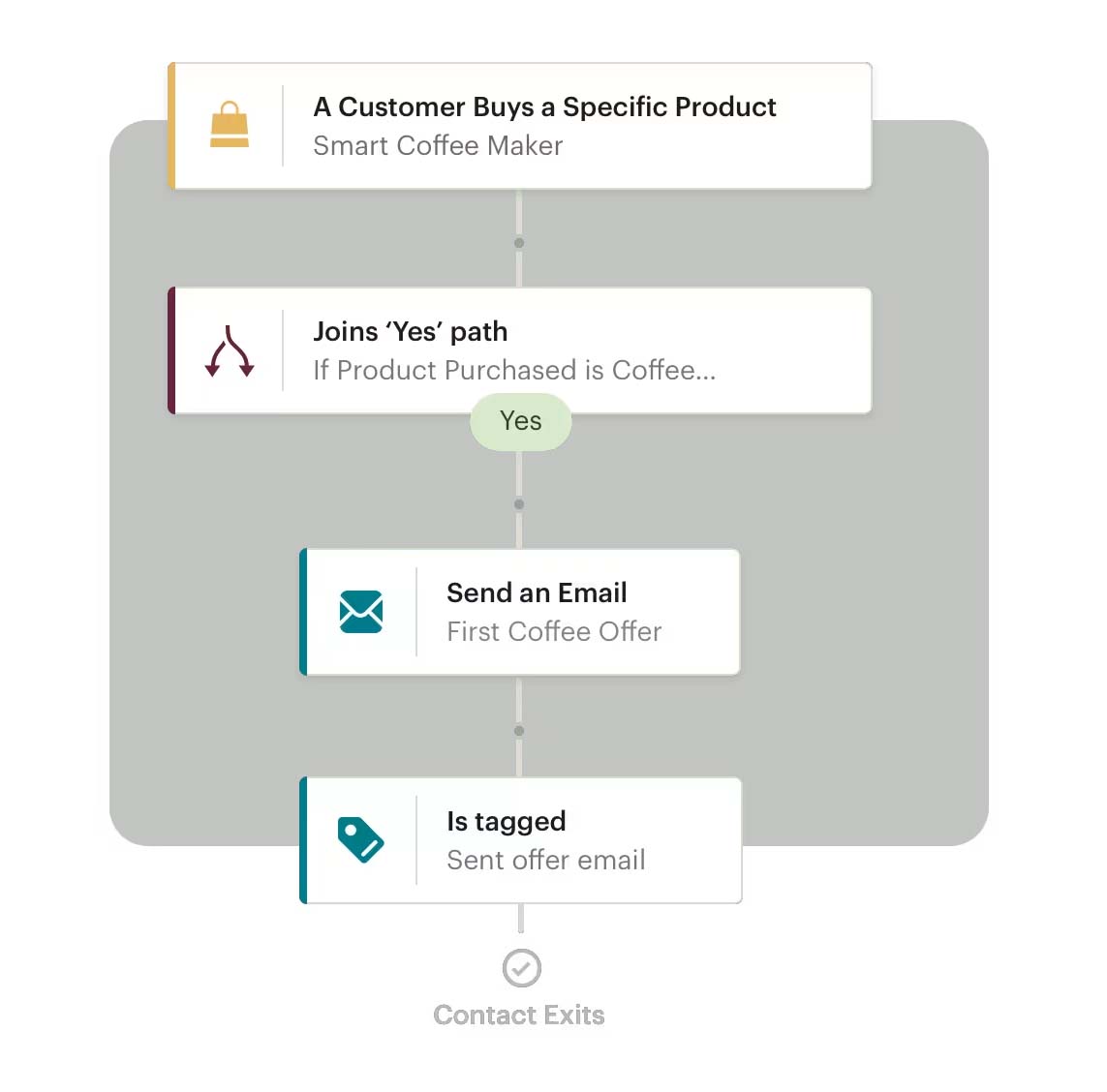
- You can create email flows once (like abandoned cart or re-engagement campaigns), and Mailchimp sends them out every time the trigger conditions are met.
- Customer actions (like browsing, adding to cart, or buying) feed into dynamic segments so emails are personalized.
- Mailchimp’s drag-and-drop editor makes designing polished templates fast—even if you’re not a designer.
- The app tracks performance metrics (open rates, clicks, conversions) so you can double down on what works.
Comparison: doing this stuff manually vs. automating this
Manual: You’d have to log into your email tool every day, write unique messages, pick recipients by hand, and schedule them one at a time. That’s exhausting—and totally unsustainable at scale.
Automated: Campaigns are set once and then run on autopilot. Every visitor receives the right emails at the right time, without you lifting a finger.
The benefits of using this tool
- Recover lost revenue with abandoned cart flows that run automatically.
- Increase repeat purchases with smart post-purchase campaigns.
- Save hours every week that would otherwise be spent drafting, sending, and segmenting emails.
- Keep your email list healthy so deliverability and engagement stay high.
- Drive more sales per visitor with personalized, behavior-driven recommendations.
For Shopify POD sellers, Mailchimp is like a silent salesperson—always working to bring customers back to your store while you focus on designing and scaling.
6) Predis.ai — AI-Generated Social Media Post Creation + Scheduling
What this tool automates for you
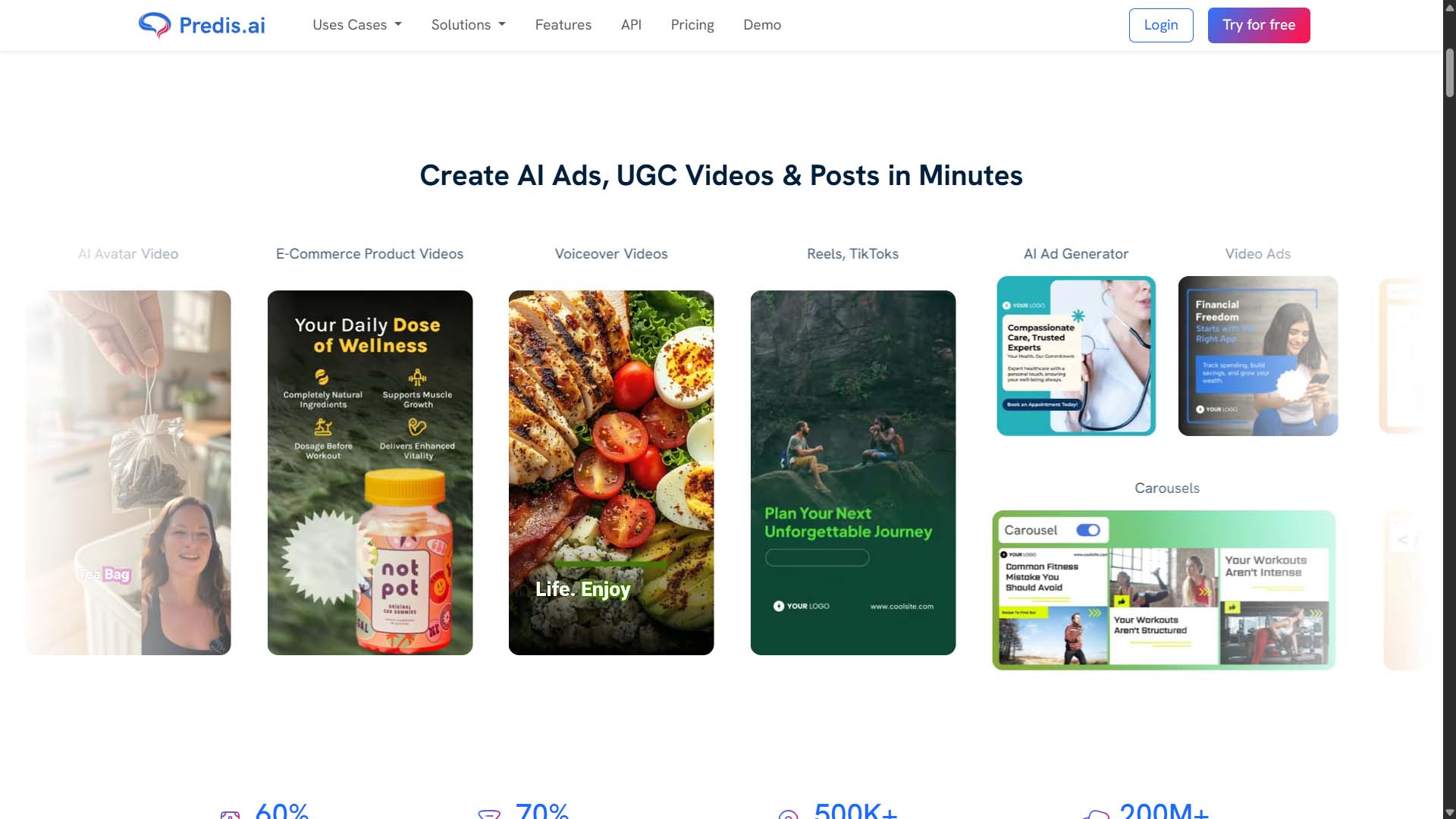
Predis.ai tackles one of the biggest drains on a POD seller’s time: social media content. It automates:
- Captions written by AI tailored to your product niche.
- Hashtag suggestions that maximize reach.
- Visual assets like posts, carousels, and video snippets.
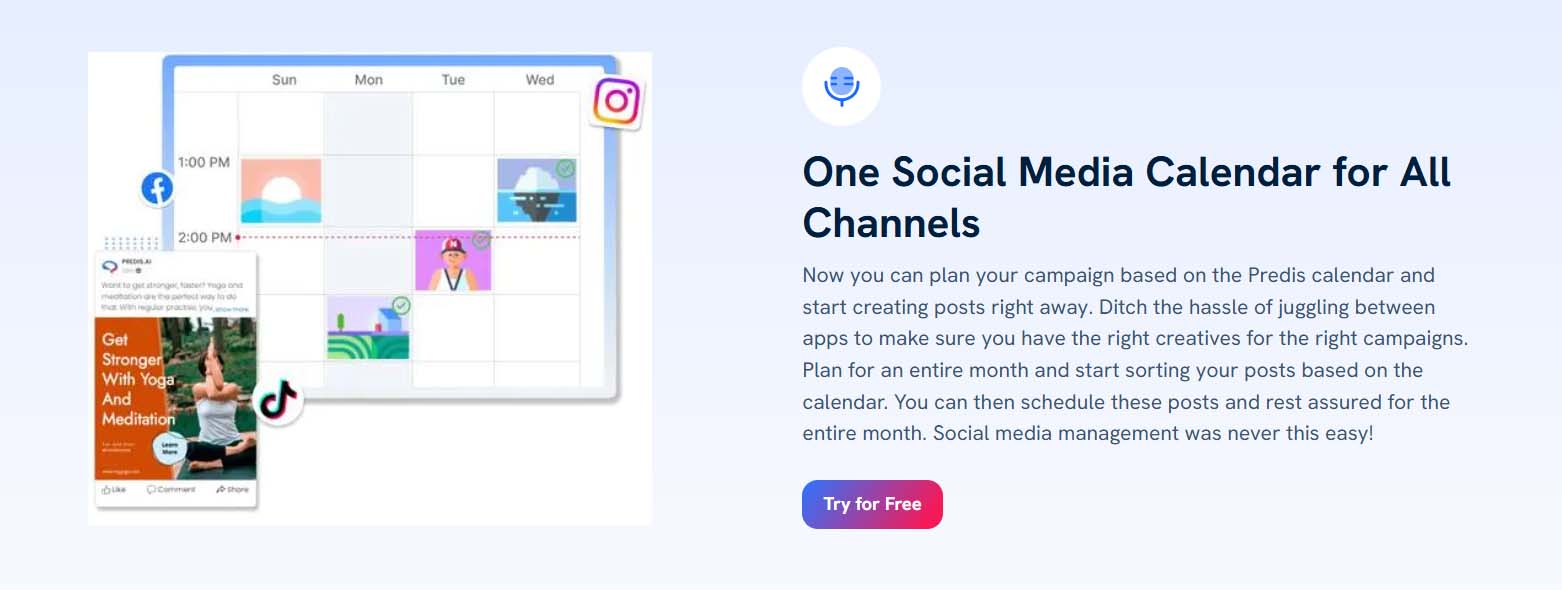
- Automated scheduling across Instagram, TikTok, Pinterest, and other platforms.
- Content calendars that plan your posts weeks in advance.
How this tool works
You provide inputs like your product type, target audience, and goals. Predis.ai then:
- Generates multiple post variations instantly using AI templates.
- Suggests hashtags and captions optimized for engagement.
- Lets you schedule content in bulk so your feeds stay active without daily effort.
- Provides analytics dashboards to see which content drives clicks and sales.
Comparison: doing this stuff manually vs. automating this
Manual: Every day, you brainstorm what to post, create graphics in Canva or Photoshop, write captions, find hashtags, and publish across platforms. This eats hours and quickly leads to burnout.
Automated: Batch-create and schedule weeks of content at once. AI handles the captions and hashtags, freeing you to focus on higher-value work.
The benefits of using this tool
- Consistent posting that keeps algorithms happy and audiences engaged.
- Endless variety of content, avoiding the repetitive “posting fatigue” trap.
- More eyeballs on your store through expanded reach across multiple platforms.
- Time savings of several hours per week—time you can reinvest in product creation and marketing.
- Data-backed strategy with analytics that highlight your top-performing content.
For Shopify POD sellers, Predis.ai turns social posting from a daily grind into a scalable, automated system that drives steady traffic to your store.
7) Pinterest (Shopify App) — Automatically Convert All Products to Pinterest Pins
What this tool automates for you
Pinterest is a powerful discovery engine for POD products, but manually creating pins for every item in your store is overwhelming. The Pinterest Shopify app automates this by:
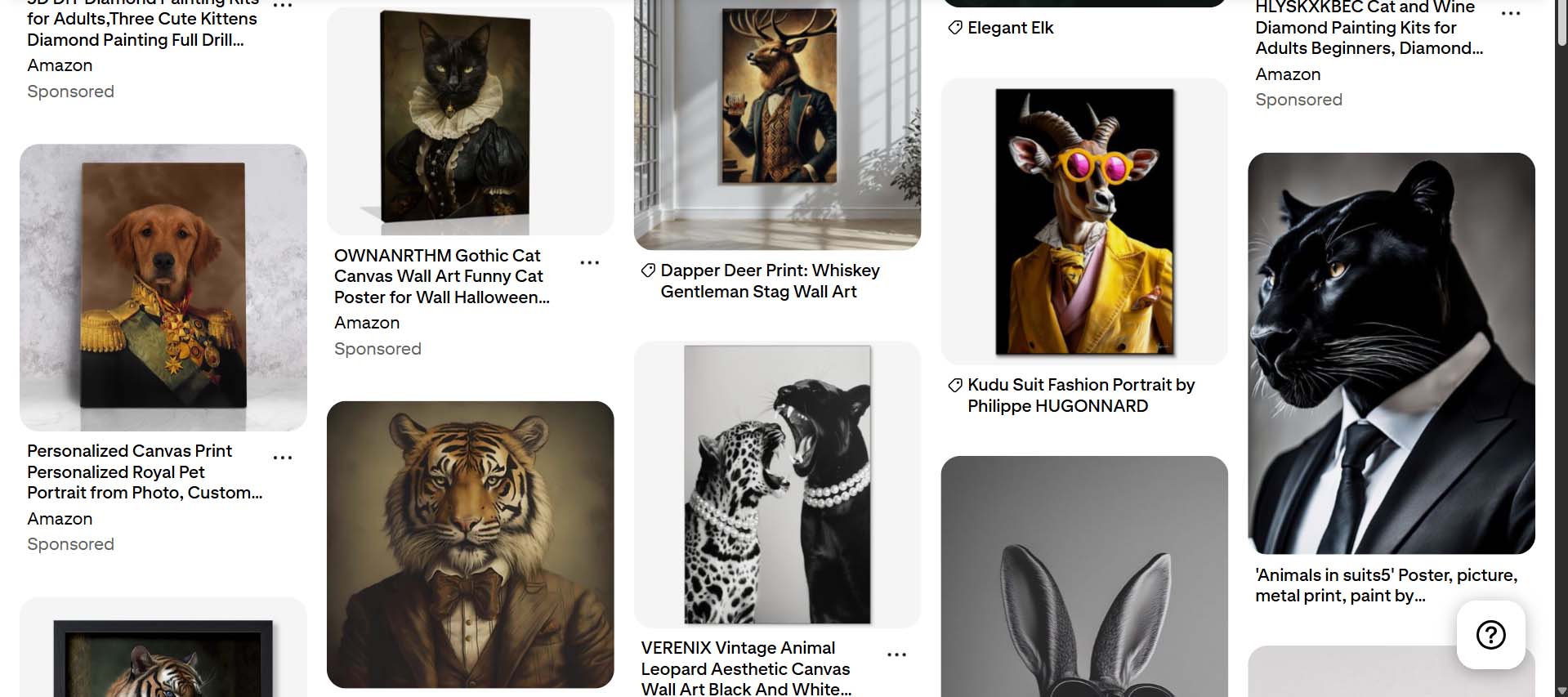
- Automatically turning each product in your Shopify catalog into a Pinterest pin.
- Syncing titles, images, and descriptions directly from your store listings.
- Keeping pins updated whenever product info changes.
- Linking pins back to your product pages so shoppers can buy instantly.
How this tool works
Once installed, the app connects your Shopify store to Pinterest. From there:
- Your existing catalog is pushed into Pinterest as rich pins.
- New products you publish in Shopify automatically become new pins.
- Any edits (pricing, descriptions, stock availability) are synced in real time.
- You can track traffic and conversions driven by Pinterest directly from your dashboard.
Comparison: doing this stuff manually vs. automating this
Manual: Upload images, write pin descriptions, add links, and repeat for each SKU. Every catalog update requires redoing the process. This eats hours every week.
Automated: Publish once in Shopify and instantly see it reflected in Pinterest, with zero manual pin creation.
The benefits of using this tool
- Tap into Pinterest’s discovery engine without extra work.
- Drive more organic traffic as your products are surfaced in Pinterest search results.
- Expand your reach into a visual-first audience that actively looks for design, décor, and fashion products.
- Save hours of manual uploading and updating pins.
For Shopify POD sellers, this is free traffic on autopilot. Every product you launch doubles as a Pinterest marketing asset, instantly.
8) Bulk Discount Editor by Liftkit (Shopify App) — Automate + Schedule Sale Price Updates
What this tool automates for you
Running sales is essential for keeping customers engaged—but manually updating prices across hundreds of products is a nightmare. Bulk Discount Editor automates this by:
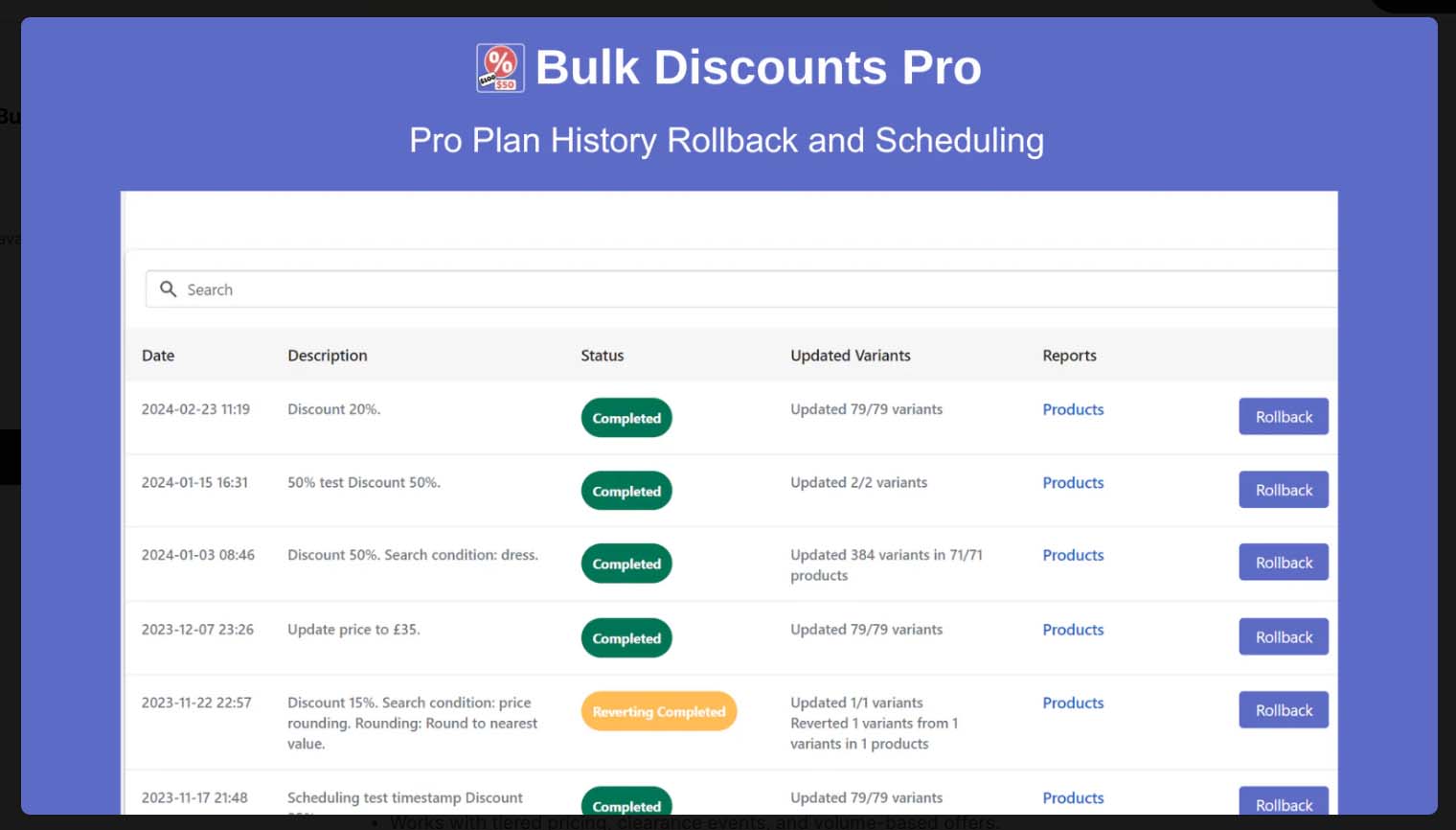
- Applying discounts across your catalog in seconds.
- Scheduling discounts to start and end automatically.
- Rolling back prices once the sale period is over.
How this tool works
The app integrates with your Shopify store and gives you a bulk editor interface. You can:
- Choose specific products, collections, or your entire catalog.
- Set discount rules (percentage, fixed amount, or custom pricing).
- Schedule start and end dates so discounts run without your oversight.
- Automatically restore original prices after the sale ends.
Comparison: doing this stuff manually vs. automating this
Manual: Edit every product individually, apply discounts, set sale prices, and then manually reset them later. A huge time drain and error-prone.
Automated: Select the products, apply a discount rule, set a schedule, and let the system do the rest.
The benefits of using this tool
- Stress-free sales campaigns—plan once and let them run automatically.
- More professional promotions with accurate timing and pricing consistency.
- Huge time savings when running large catalog-wide discounts.
- Eliminate errors from manually toggling prices on/off.
For Shopify POD sellers, Bulk Discount Editor makes running promotions effortless—so you can focus on designing and marketing, not spreadsheet-like admin work.
Conclusion: The Power of Automation in Shopify POD Stores
Every tool covered here has one thing in common: it turns repetitive, time-draining tasks into automated systems. Whether it’s customer support with Chatty, bulk product creation with the Bulk POD Product Creator, feed management with Simprosys, mockup creation with the Batch-Replace Smart Objects plugin, or marketing execution with Mailchimp, Predis.ai, Pinterest, and Bulk Discount Editor—the pattern is clear.
Automation isn’t just about working less. It’s about building a scalable system that multiplies your reach, consistency, and revenue potential.
The POD sellers who thrive are the ones who delegate low-level work to software and reinvest their time into higher-leverage tasks—designing better products, refining ads, and growing their brand. The more automation you layer into your business, the faster you compound growth. Start with one of these tools, then stack them strategically to build a POD store that runs like a machine.
Your time is your most valuable resource. Automation gives you more of it—and that’s the real competitive edge.