
3 Time-Saving Automation Tools For Etsy POD Sellers
Overview: Automation transforms how Etsy POD sellers work. By eliminating repetitive tasks like mockup creation, product listing, Etsy SEO, and social media posting, these tools free up time for high-value work, enable faster execution, and help you scale your shop far beyond what’s possible manually. In this article, we’ll highlight three powerful automation tools that save time and multiply results: Batch-Replace Smart Objects plugin for Photoshop, Bulk POD Product Creator, and Loomly.
Introduction: Why Automation Matters For Etsy POD Sellers
Selling print-on-demand (POD) products on Etsy can be incredibly rewarding, but it also comes with a hidden cost: time. Hours slip away while you manually resize artwork, copy-paste descriptions, or upload product listings one by one. It’s repetitive, menial work that eats into the energy you should be spending on higher-value tasks—like designing new artwork, running ads, or refining your brand strategy.
This is exactly why automation is a game-changer. By delegating repetitive tasks to smart tools, you unlock three major benefits:
- More time for high-value work – instead of burning out on mockup creation or product uploads, you can focus on marketing and growth.
- More product listings, more sales potential – every product is its own landing page. With a large catalog, you capture more organic traffic, more long-tail searches, and more opportunities to drive up average order values.
- Faster execution speed – instead of being capped by how many hours you can grind, automation multiplies your output, freeing you to scale your shop without adding more manual labor.
With the right set of automation tools, Etsy POD sellers can massively increase their productivity and scale their business at a pace that manual workflows could never achieve.
Let’s look at three tools that deliver exactly that.

Tool #1: Batch-Replace Smart Objects Plugin for Photoshop (Automate Mockup Image Creation)
If you’ve ever created mockup images manually in Photoshop, you know the pain. Open the PSD, click into the smart object, paste in your artwork, resize it so it fits, save the smart object, export the mockup, give it a filename… then repeat that process hundreds of times. For serious POD workflows, this can mean eight or more hours of mindless clicking.
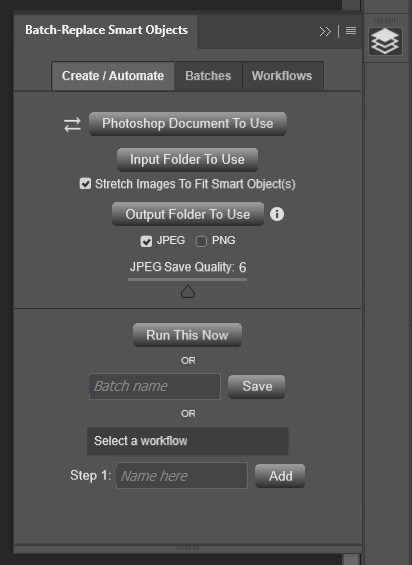
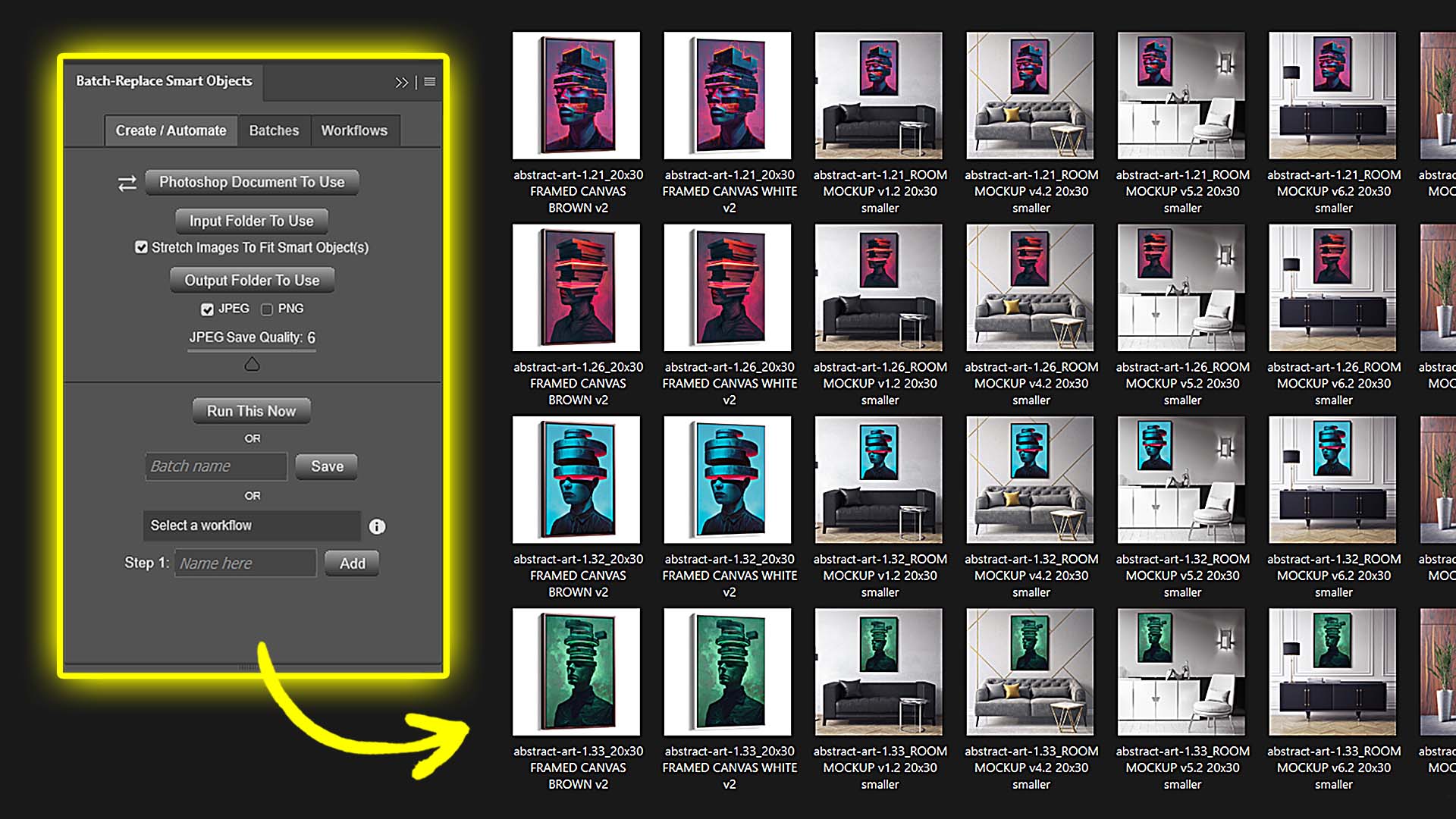
The Batch-Replace Smart Objects plugin for Photoshop eliminates all of that. Once installed (available on Adobe Exchange), it adds a control panel directly inside Photoshop. From there, you set up your operation once and the plugin automates the entire mockup creation process:
- Select your PSD file(s) – you can run the plugin on a single mockup template or point it to an entire folder of PSDs.
- Choose your input folder – the plugin cycles through every artwork image in that folder.
- Define your output folder – all exported mockups are neatly saved there, in either JPEG or PNG format.
- Adjust your rules – you can enable the “stretch images to fit smart objects” option, ensuring perfect alignment even if your artwork varies in size or aspect ratio. You can also control compression quality with a slider, removing the need for post-export file size adjustments.
- Run the operation – click once, and Photoshop takes over. The plugin replaces smart objects with your artwork, resizes if needed, exports the results, and organizes them automatically .
Advanced Features That Save Even More Time
- Saved Operations: If you frequently use the same PSDs, input folders, and settings, you can save the setup as a named batch and rerun it later with one click.
- Multi-Step Workflows: Chain multiple saved operations together. For example, Step 1 could run framed poster mockups, Step 2 canvas mockups, Step 3 room scene mockups—all in sequence, entirely hands-free.
- Multi-Smart-Object Support: If your PSD includes multiple smart objects (e.g., front and back of a t-shirt), the plugin can update them all simultaneously.
- Folder Mode: Instead of configuring PSDs one by one, the plugin processes every template in a folder—multiplying combinations of artwork × template automatically .
Why This Matters For Etsy POD Sellers:
For sellers who rely on custom mockup images to elevate their products, this plugin is a game-changer. Instead of spending an entire day producing visuals, you can generate hundreds or even thousands of mockups in minutes. The result?
- More polished listings – high-quality mockups improve customer trust and conversion rates.
- More product variants live faster – giving you broader catalog coverage and more opportunities for sales.
- Less burnout – while Photoshop churns, you’re free to design, market, or just take a break.
With the Batch-Replace Smart Objects plugin, Etsy sellers can turn Photoshop into a fully automated mockup factory.
Tool #2: Bulk POD Product Creator (Automate POD Product Creation + Etsy Product SEO)
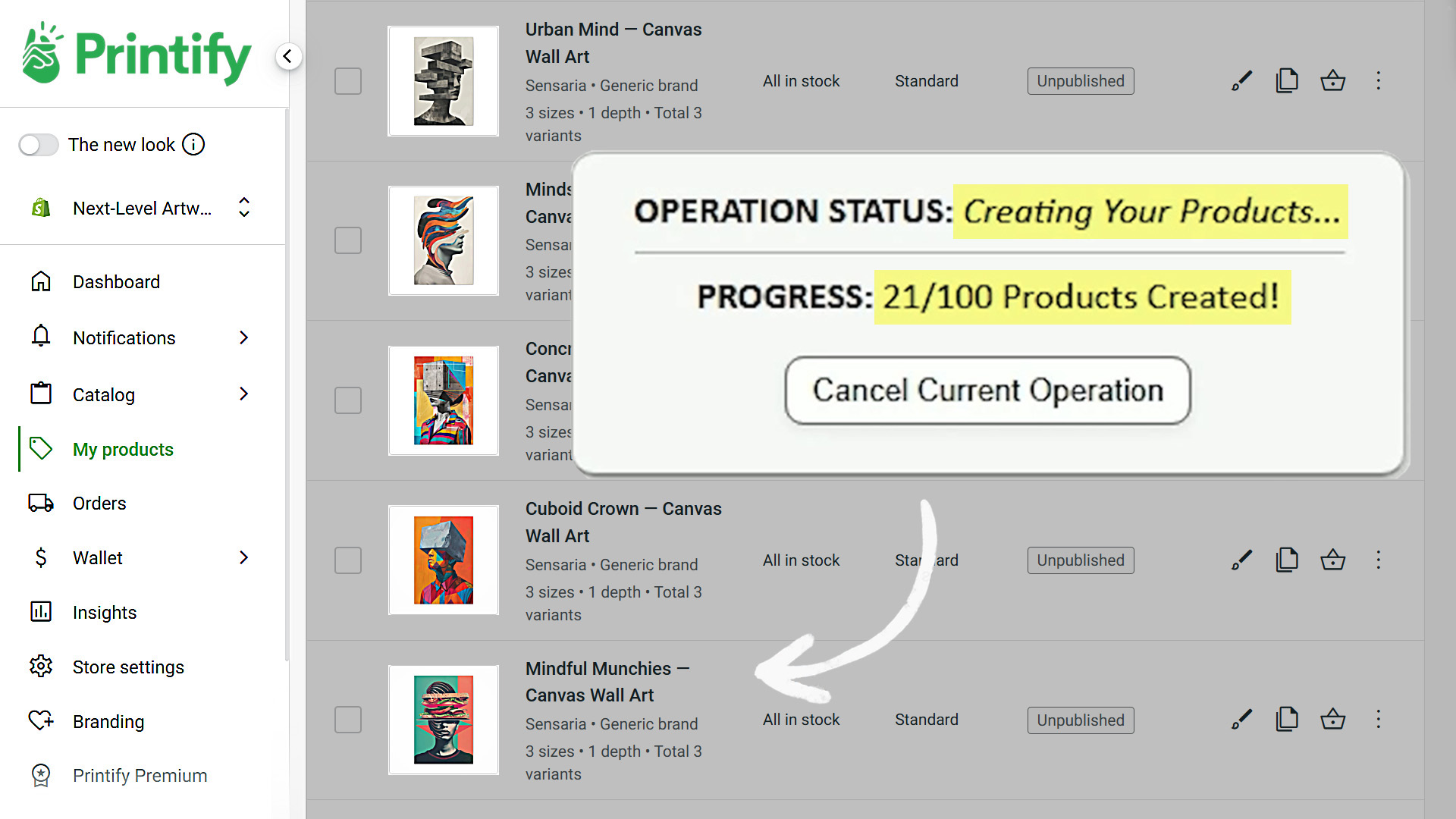
Creating new print-on-demand products is one of the most repetitive and time-consuming parts of running an Etsy POD shop. Clicking through product options, uploading images one by one, placing designs on mockup areas, writing descriptions, adding tags—it’s a slog. The Bulk POD Product Creator automates that entire process, transforming hours of manual work into minutes.
At a high level, here’s how it works: you select your artwork images, connect your POD store, define how you want products to be created, and let the tool do the rest. For each image, the system automatically creates a brand-new POD product—resizing and placing the artwork, cloning your Example Product’s structure, and generating SEO-optimized metadata. In other words, this tool completely automates the creation of all your Etsy print-on-demand products.
Let’s break it down step by step.
Step 1: Select Your Artwork Images & Placement Rules

Your workflow begins by selecting the artwork images you want to use. For every image, the Bulk POD Product Creator will generate a new product.
At this stage, you also define how the images should be placed on the product print areas:
- Stretch Images To Fit Print Area(s) – fills every print area uniformly, regardless of aspect ratio. Fast, clean, consistent.
- Preserve Image Aspect Ratio & Center – no distortion; artwork is centered and scaled to the nearest edge.
- Exactly Match Example Image(s) – pixel-accurate placement copied directly from your Example Product.


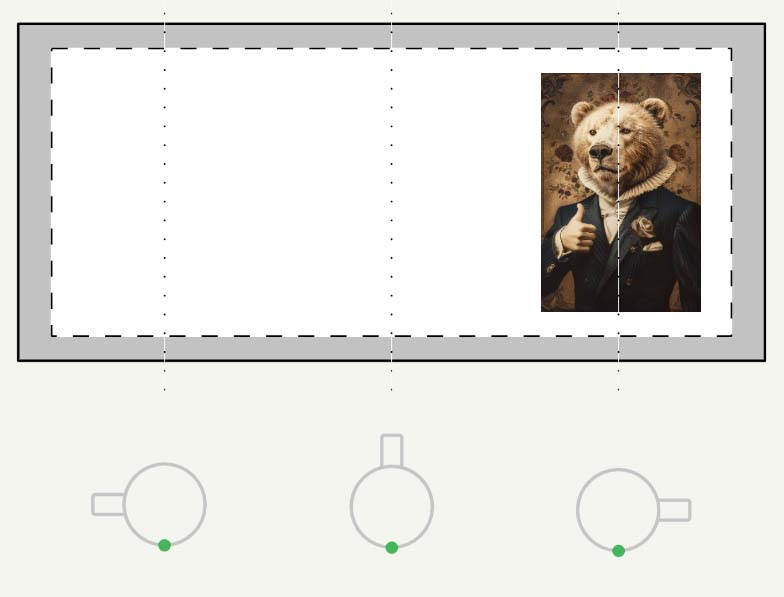
For Etsy sellers, this means you never again need to spend hours manually resizing, cropping, or nudging artwork into place. Instead, the placement rules ensure your images fit perfectly every time.
Why This Matters For Etsy POD Sellers:
- No more tedious resizing or cropping.
- Standardized, professional-looking results across all product variants.
- Ability to prepare large batches of new listings in minutes instead of hours.
Step 2: Select Your Example Product

Next, you connect the tool to your Printify store (or another supported POD platform) and select an Example Product to use as your blueprint. The Example Product defines everything about how your new listings will be created: print areas, variants, sizing options, and even pricing.
The software then mirrors this Example Product for every new product it creates. In other words, instead of manually clicking around the POD interface to recreate the same product structure over and over again, you replicate your perfected Example Product across hundreds of new listings automatically.
Why This Matters For Etsy POD Sellers:
- Time savings: you avoid the repetitive “click, select, toggle” grind of creating listings one by one.
- Consistency: every product mirrors your best-performing Example Product—reducing errors and standardizing your shop.
- Scalability: with one optimized Example Product, you can scale your catalog effortlessly.
Step 3: Generate SEO Titles, Descriptions, and Tags Using AI

This is where the Bulk POD Product Creator really shines. Using AI image recognition, the system analyzes your artwork and generates SEO-optimized titles, descriptions, and tags for every created Etsy listing.
Instead of manually coming up with descriptors—or worse, reusing the same handful of adjectives that cause your own listings to compete with each other—you get a rich variety of accurate, keyword-dense product info. Think of it as having a team of expert art professors who always know the most precise, search-friendly way to describe your designs.
Why This Matters For Etsy POD Sellers:
- Long-tail keyword coverage: AI descriptions capture more search phrases, leading to more organic traffic.
- Keyword diversity: avoids the trap of copy-pasting the same tags across listings, which cannibalizes visibility.
- Traffic = sales: more accurate product metadata helps buyers find your listings, which translates into higher sales potential.

Customizing Product Info: Titles, HTML, and Tags
Beyond AI generation, you can also add your own customizations to every product:
- Custom title text – append consistent suffixes like “— Poster Wall Art” to align with buyer intent.
- Custom HTML blocks – insert reusable description sections for materials, care instructions, or marketing copy.
- Custom evergreen tags – layer broad product-level tags across every listing for stronger categorization and visibility.
For sellers, this means even greater SEO control. Titles match how buyers search. Expanded descriptions capture more search traffic. Tags help organize your products within Etsy’s marketplace and your shop’s collections.
The Bottom Line on The Bulk POD Product Creator
For Etsy POD sellers, this tool is a force multiplier. Instead of wasting hours clicking through product creation screens, you can:
- Upload your artwork.
- Select your Example Product.
- Let the software generate optimized titles, descriptions, and tags.
- Watch as dozens or hundreds of new listings are created on autopilot.
The end result: more products live in your shop, more opportunities to rank in search, and far less time lost to boring, repetitive setup.
Tool #3: Loomly (Automate Social Media Cross-Posting & Publishing)
While the first two tools in this article focus on automating product and mockup creation, Loomly tackles another huge time sink: social media marketing.
As a seller, you know you need to be visible on multiple platforms—Instagram, Pinterest, Facebook, X, TikTok, LinkedIn. But logging into each platform one by one to post content is a colossal time waster. Worse, it often derails your productivity—you intend to publish a post, but get sucked into a half-hour of doomscrolling.
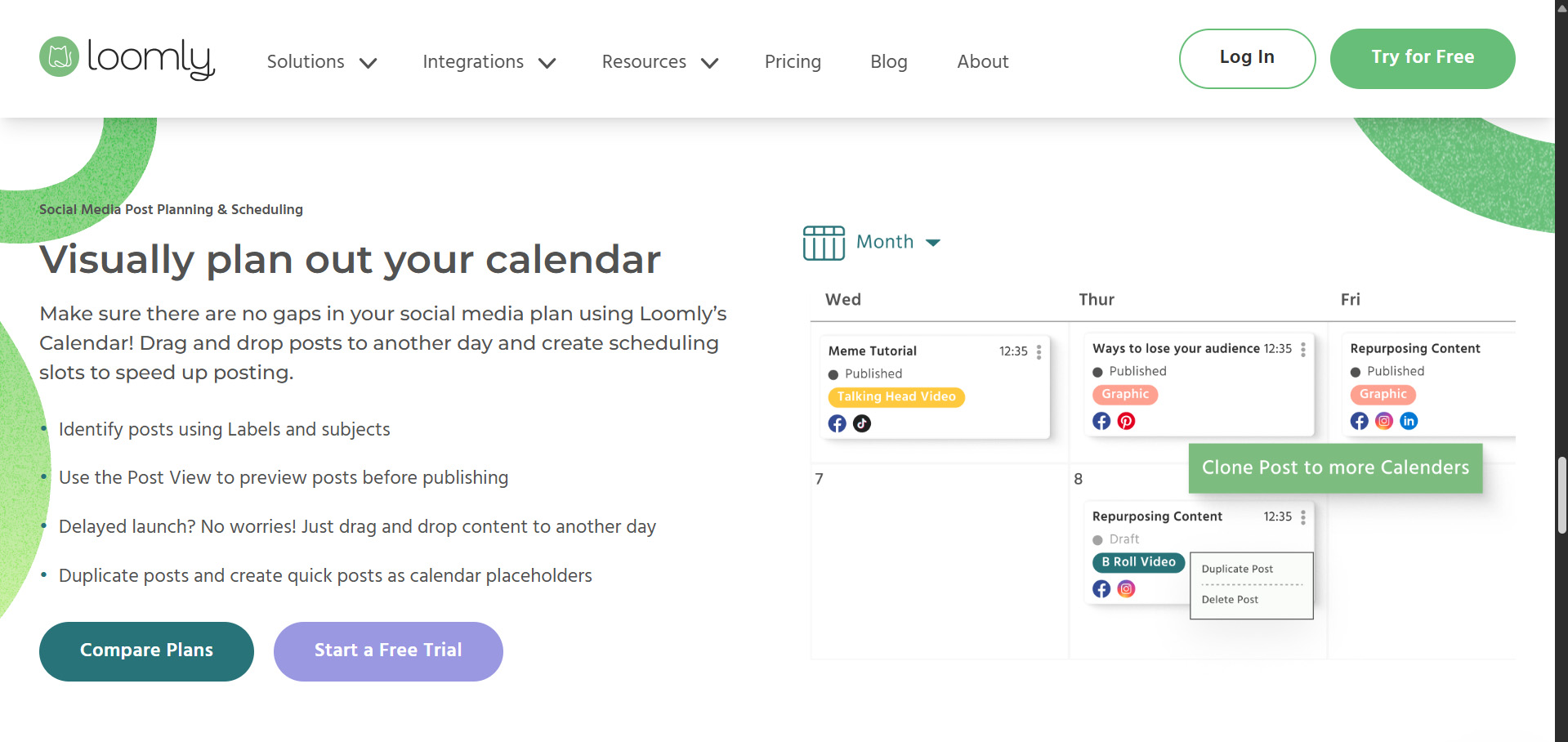
Loomly solves this by letting you cross-post content to multiple platforms simultaneously, and automatically publishing it at your scheduled times. Instead of retyping and re-uploading the same image and caption five times, you prepare it once in Loomly and publish it everywhere. You can even schedule weeks of content in advance, so your social feeds stay active on autopilot.
Why This Matters For Etsy POD Sellers:
- Batch creation, batch scheduling – set aside one block of time to prepare posts for the week (or month), then let Loomly auto-publish.
- Cross-platform amplification – reach a wider audience without multiplying your effort.
- Stay in flow – you don’t have to break out of deep work mode several times a day just to publish content.
For sellers who want consistent social media presence without the distraction of manual posting, Loomly is a lifesaver.
Conclusion: Stack Automations, Multiply Results
Each of these tools saves time in a different part of the Etsy POD workflow:
- Batch-Replace Smart Objects plugin automates Photoshop mockup creation.
- The Bulk POD Product Creator automates product listing creation at scale.
- Loomly automates social media scheduling and cross-posting.
Used individually, each tool frees up hours of repetitive work. But when stacked together, they create compound time savings. Imagine: your mockups are auto-generated, your products are listed in bulk with AI-optimized titles and tags, and your social content is queued up weeks in advance—all while you focus on growing your business.
That’s the power of automation for Etsy POD sellers: faster execution, bigger catalogs, more visibility, and ultimately, more sales.